The headline comparison has been building for years. Freepik and Canva both positioned themselves as the creative platform for everyone, but AI changed the rules. Now both tools claim to generate images, write copy, and replace entire creative workflows. Only one of them actually delivers on those promises consistently, and the answer might not be what you expect.
This is not a surface-level features list. We've spent time on both platforms testing their AI image tools, digging into their pricing fine print, and running the same prompts through both systems to see where each one breaks down. Here is what the real-world outputs and the numbers actually show.
Before comparing individual tools, you need to understand the core identity of each platform. They were built with fundamentally different philosophies, and that shapes everything from the interface design to where the AI fits in the workflow.
Freepik: A Stock Library That Added AI
Freepik started as a stock resource site. Its entire DNA is about providing assets: vectors, photos, illustrations, templates. The AI tools, including their image generator Pikaso, were added on top of that foundation. This matters because AI generation on Freepik still feels like a feature bolted onto an asset library rather than a native creative tool.
The platform serves designers who need a starting point. Browse, download, tweak. It is excellent at that specific workflow. The AI expands what you can browse, but it does not fundamentally change how you work. You are still thinking in terms of "finding" assets, not "creating" them from scratch with full control.
Canva: A Design App That Added AI
Canva went the other direction. It built a design application first, then layered AI features through Magic Studio across the entire product. Background remover, Magic Write for copy, Dream Lab for image generation, text-to-image for presentations, photo editing with AI suggestions, all of it is woven into the design flow rather than treated as a separate module.
This integration is Canva's biggest structural advantage. You can generate an image and immediately drag it into a social media post, resize it for Instagram Stories, apply brand colors from your brand kit, and export it at the right dimensions, all within one tab. That seamless loop is worth more than any individual feature comparison.
AI Image Quality Side by Side
This is what most people actually care about. Both platforms generate images from text prompts, but the quality gap shows up clearly in specific use cases and prompt types.
Freepik Pikaso Results
Pikaso uses a combination of FLUX models and proprietary fine-tuning optimized for the platform's user base. The results for realistic photography prompts are genuinely solid. Skin textures, lighting consistency, and overall composition hold up well for most commercial uses. Where Pikaso struggles is with complex multi-person scenes, specific body poses, and anything requiring precise text rendering inside the image.
The sketch-to-image feature is one of Pikaso's standout capabilities. Draw a rough silhouette or shape and the AI fills in a realistic scene around your gesture. For designers who think spatially rather than verbally, this is a faster iteration method than writing detailed prompts from scratch.
However, generation speed is inconsistent. During peak usage hours you will wait 30 to 45 seconds per image. Free-tier users hit strict rate limits quickly, and the watermark on downloaded images makes the free experience more of a preview than a working tool.
Canva Dream Lab Results
Dream Lab, now powered by FLUX-based models, produces cleaner commercial imagery in most tests. Backgrounds are more spatially consistent. Color accuracy relative to prompt descriptions is noticeably better. The images are clearly optimized to look polished in marketing materials, which reflects Canva's core user base of small business owners and social media managers.
What Dream Lab lacks is the raw photographic quality needed for editorial or fashion-style outputs. It consistently optimizes toward "looks great in a presentation" rather than "works as a standalone photographic piece." If you need images that hold up at large print sizes or in premium editorial placements, neither platform will fully satisfy that requirement.
Where Both Hit Their Ceiling
Neither Freepik's Pikaso nor Canva's Dream Lab can match what dedicated AI image platforms deliver when you need:
- Photorealistic portrait work with precise lighting control
- Consistent character appearance across multiple generations
- Stylistic fine-tuning through model selection
- High-resolution outputs beyond their export caps
- Inpainting or outpainting workflows for image editing
Both platforms made deliberate choices to trade depth for accessibility. That is the right call for their core audiences, but it means serious creative professionals will regularly find the ceiling.
💡 The honest take: Both tools are genuinely capable for quick social media assets and template-based work. For high-fidelity, custom, or stylized AI generation with real control, you need access to a broader model library.
Pricing That Holds Up to Scrutiny
Freepik's Subscription Math
Freepik's pricing looks reasonable at first glance and gets more complicated when you look at what each tier actually includes. The free tier allows image generation with strict daily limits and applies watermarks to downloads. The Essential plan at around $9.99 per month removes watermarks and gives access to the full stock library, but caps AI-generated images at 100 per month.
For a designer who came primarily for the stock asset library, that pricing makes sense. For someone drawn in by AI image generation, 100 images per month is a frustrating ceiling for any active creative workflow. A single project can consume that allowance in a single session.
The Premium plan significantly increases generation limits and adds broader commercial licensing, but the price increase moves it well outside solo creator budget territory without adding meaningfully to the AI tools themselves.

Canva's Free vs Pro Reality
Canva's free tier is one of the most generous in the design software space. You get access to a substantial template library, limited AI generation credits, basic background removal, and enough tools to build a functional brand presence without spending anything. For a solo creator or early-stage business, the free tier covers most daily needs.
Canva Pro at $14.99 per month unlocks the full Magic Studio suite, unlimited brand kit storage, premium template access, and significantly more generation credits each month. The brand kit feature, which stores your exact colors, fonts, and logos for one-click application, is genuinely worth the price for any business that needs visual consistency across platforms.
Canva for Teams at $29.99 per user per month gets expensive quickly for agencies. At that price point, you are paying primarily for collaboration and approval workflows rather than AI quality improvements.
| Feature | Freepik Free | Freepik Essential | Canva Free | Canva Pro |
|---|
| AI Image Generation | Very limited | 100/month | Limited credits | 500+ credits/month |
| Stock Assets | Limited | Full library | Limited | Premium library |
| Brand Kit | No | No | No | Yes |
| Background Removal | No | Yes | Limited uses | Unlimited |
| Commercial License | No | Yes | Restricted | Yes |
| AI Writing Tools | No | No | No | Magic Write |
| Monthly Cost | $0 | ~$9.99 | $0 | $14.99 |
Templates vs Raw Creative Power
When Templates Win
Canva dominates the template category without serious competition. The library covers social media in every format and ratio, business presentations, resumes, email headers, invoices, menus, event flyers, and hundreds of other use cases. For non-designers who need professional-looking output quickly, these templates shortcut what would otherwise take hours of layout work.
The template quality is also high. Many were designed by professionals and updated regularly to reflect current design trends. You are not just getting a generic placeholder; you are getting a starting point that already looks polished.
Freepik's templates exist but feel secondary. The platform's identity is its asset library, not finished designs. Downloading a Freepik template often still requires meaningful customization in Illustrator or Photoshop to make it fully your own.
When You Need Real AI Firepower
This is where both platforms reveal their structural limits. If your creative work requires any of the following, you will run into a wall on both platforms:
- ControlNet-style composition control for precise subject placement
- Multiple model comparisons to find the right aesthetic for a project
- High-resolution upscaling beyond their export limits for print work
- Inpainting and outpainting for non-destructive image editing
- Style-consistent series generation across many images
- Face detail preservation in portrait-heavy workflows
Neither platform offers these at any price tier. They are built for breadth of use case, not depth of control.
The Missing Features
What Freepik Cannot Do
Freepik's AI toolset is narrower than its marketing suggests. The platform cannot support:
- In-platform editing loops: You generate an image, download it, and work elsewhere. There is no iterative editing workflow inside Freepik itself.
- Video generation: Some video features have been announced but availability is limited and the quality lags significantly behind dedicated video AI platforms.
- Advanced resolution upscaling: Downloads come at standard resolutions. There is no built-in 4x or 6x upscaler to prepare images for large-format print.
- AI writing integration: Freepik has no built-in language model. Captions, ad copy, and descriptions are entirely your responsibility.
- Model selection: You use whatever model Freepik decides to deploy. You cannot switch when the output does not match your creative direction.
Where Canva Falls Short
Canva is more capable overall but has specific blind spots that matter for certain creators:
- Generation quality ceiling: Dream Lab produces solid marketing visuals but cannot deliver the editorial photorealism some projects require.
- No model selection: You cannot choose the underlying AI model. Canva abstracts that decision away entirely, which removes meaningful control from advanced users.
- Resolution constraints: Even on Pro, high-resolution print work requires workarounds and export tricks.
- Commercial use complexity: Usage rights vary depending on which assets, templates, or elements you incorporated into a design. Understanding what you can legally use commercially requires careful reading.
- No ControlNet or pose control: Canva's AI generation is entirely text-driven. You cannot provide a reference image to control composition or structure.
How PicassoIA Fills the Gaps
Framing this comparison as a binary choice between Freepik and Canva misses a broader category of tools. For creators who run into the ceilings both platforms impose, dedicated AI generation platforms offer a fundamentally different capability set and creative experience.
A Broader Model Library for Real Control
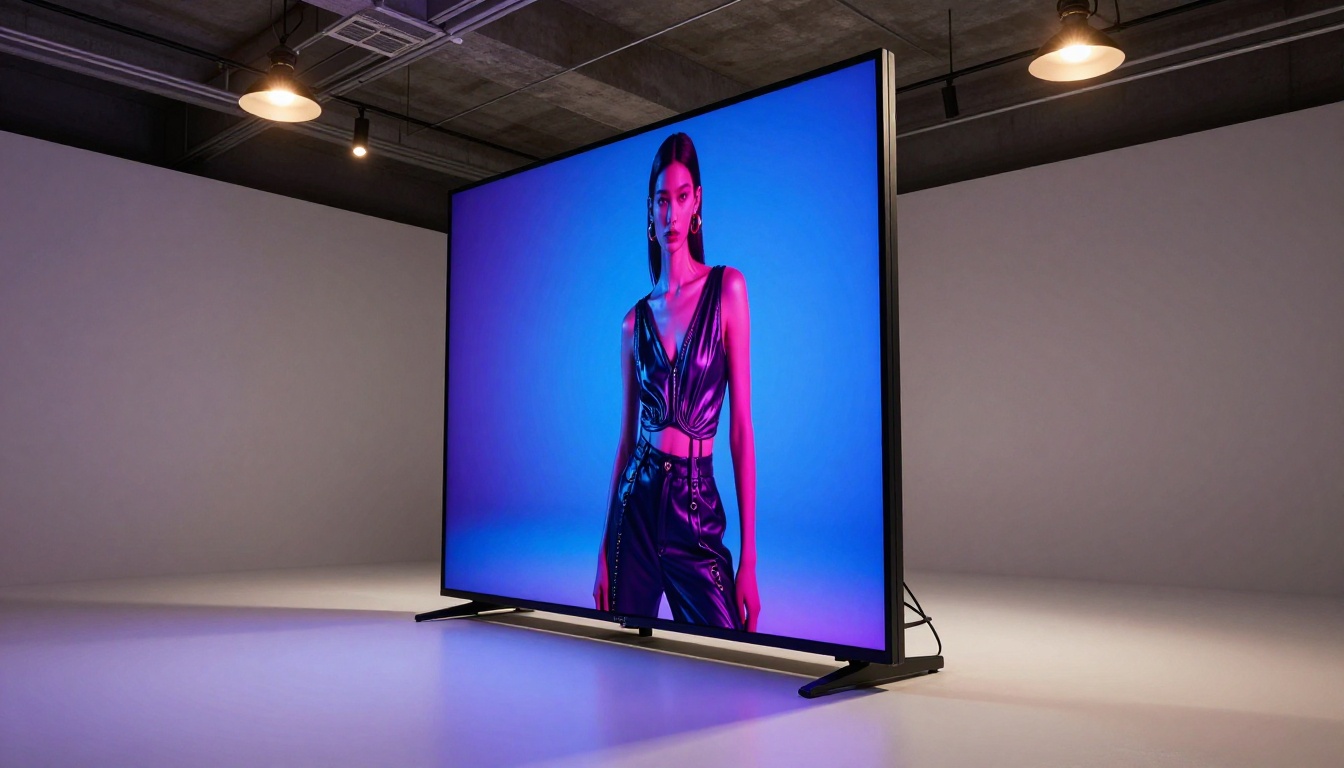
PicassoIA provides access to over 90 text-to-image models, which means you are not locked into any single AI system's aesthetic tendencies or technical limitations. When one model handles your prompt poorly, you switch to another in seconds. When you need a specific photorealistic output that Canva's Dream Lab cannot produce, you have multiple alternatives to test.
For upscaling outputs from any source, including images originally generated in Freepik or Canva, tools like Clarity Pro Upscaler and Image Upscale by Topaz Labs bring images to print-ready resolution without the quality loss that standard upscaling produces. Real ESRGAN is particularly effective for recovering sharpness in compressed or lower-resolution source images.
Background Removal With Better Edge Quality
Both Freepik and Canva offer background removal, but the edge precision on subjects with fine detail, loose hair, transparent fabric, or complex silhouettes varies widely. Remove Background by Bria handles fine detail with more consistency, particularly on portrait and product shots where clean edges matter for commercial placement.
AI Writing Integrated Into the Same Platform
For content creators who need strong copy alongside their visuals, PicassoIA includes access to the leading language models in the same interface. GPT 5 handles long-form content, structured creative briefs, and detailed caption writing. Claude 4 Sonnet is particularly strong for tone-consistent brand writing that needs to match an established voice. Gemini 2.5 Flash processes long-context briefs and reference documents at high speed when you need AI writing assistance with full background context.
This means your image generation and your copywriting happen in the same workspace. That workflow consolidation saves real time and removes the friction of managing separate subscriptions and switching between tools constantly.
Who Should Use What
Different creators have genuinely different needs, and the right answer depends on what you actually spend most of your time building.
| User Type | Best Pick | Why |
|---|
| Non-designer needing quick social posts | Canva | Templates and ease of use are unmatched |
| Designer relying on stock assets + basic AI | Freepik | Best asset library in the category |
| Photographer or editorial creative | PicassoIA | Model variety and quality ceiling are higher |
| Small business owner | Canva Pro | Brand kit and template speed are worth it |
| Agency or content team | Canva Pro + PicassoIA | Templates for speed, models for quality work |
| Budget-conscious solo creator | Canva Free | Generous free tier covers most basics |
The Real Verdict
Canva wins for workflow integration. If you spend most of your time creating social media content, presentations, and marketing collateral, Canva's template ecosystem and AI tools work together in a way that saves real hours every week. The brand kit feature is a particular standout for small business owners who want visual consistency without hiring a full design team.
Freepik wins for stock asset depth. If your primary need is a reliable source of high-quality vectors, photos, and illustrations, with AI generation available as a supplement, Freepik's library depth is superior. The AI tools are functional but genuinely secondary to that core value.
Both platforms have a hard ceiling on AI image generation quality and control. Neither gives you the model variety, generation depth, or resolution flexibility that serious creative work sometimes demands.
💡 The practical move: Use Canva for template-based design workflows. When you need images that are genuinely striking, precisely controlled, or stylistically distinct, take those prompts to a platform with access to a full model library and real upscaling tools.
See What No Ceiling Looks Like
If you want to experience AI image generation without being locked into a single model or a monthly credit wall, the gap between what Canva or Freepik produces and what a purpose-built generation platform delivers is most visible when you actually see both outputs side by side on the same prompt.
Pick a prompt you would normally take to one of these platforms. Run it through 90+ models. Compare the results. Most creators who do this once never settle for single-model platforms again for work that actually matters.
The tools are available now. The only thing left is to start generating.


