Most AI tools feel like work. You're constantly reminding yourself you're interacting with a machine, adjusting your language to fit rigid parameters, and managing expectations about what the system can and cannot do. Gemini 3 Pro changes this dynamic completely. It represents the first AI system that people don't just use—they genuinely enjoy using it. The difference isn't about raw computational power or benchmark scores; it's about understanding how humans think, communicate, and work.

Photorealistic documentation of seamless AI integration into daily work patterns
What Makes Gemini 3 Pro Different
Traditional AI models excel at specific tasks but often struggle with the nuances of human interaction. Gemini 3 Pro approaches this from the opposite direction: it prioritizes the experience of using AI rather than just the output. This psychological shift manifests in several tangible ways:
Conversation memory that actually works - Unlike systems that forget context after a few exchanges, Gemini 3 Pro maintains conversational threads that feel natural and continuous. You can reference previous points hours later, and the system remembers not just the content but the tone and intent behind your words.
Adaptive communication style - The system observes how you communicate and adjusts its responses accordingly. If you prefer concise answers, it becomes more direct. If you enjoy detailed explanations with examples, it provides richer context. This adaptation happens subtly without requiring configuration settings.
Error handling with grace - When the system doesn't understand something or makes a mistake, it acknowledges this naturally rather than producing generic error messages. The correction process feels collaborative rather than corrective.
💡 The Psychology of Enjoyable AI
Research in human-computer interaction shows that enjoyment correlates strongly with perceived control, natural feedback loops, and reduced cognitive load. Gemini 3 Pro addresses all three: you feel in control of the interaction, receive feedback that matches human conversation patterns, and don't need to constantly "manage" the AI's behavior.
Natural Conversation That Feels Human

Documentation of authentic emotional engagement with AI interaction
The most noticeable difference with Gemini 3 Pro is how conversations flow. Previous AI systems treated dialogue as a series of independent queries, but this model understands conversation as a continuous exchange with shared context.
Turn-taking with natural rhythm - The system observes conversational pace and matches it. If you're typing quickly with short responses, it accelerates. If you're thoughtful and deliberate, it provides space between exchanges. This creates a rhythm that feels less like machine interaction and more like human discussion.
Contextual understanding beyond keywords - Rather than just matching words to database entries, Gemini 3 Pro understands why you're asking something. It considers your previous questions, the time of day, the devices you're using, and even subtle cues in your phrasing to provide responses that feel relevant and personalized.
Humor and personality when appropriate - The system incorporates appropriate levity and personality traits based on conversation context. This isn't about pre-programmed jokes but understanding when a lighthearted response would enhance the interaction versus when professional tone is required.
| Conversation Aspect | Traditional AI | Gemini 3 Pro |
|---|
| Context Memory | 5-10 exchanges | Hundreds of exchanges with nuance |
| Response Adaptation | Fixed style | Dynamic based on user preference |
| Error Recovery | Generic messages | Contextual acknowledgment |
| Emotional Intelligence | Basic sentiment | Multidimensional emotional awareness |
Practical Applications for Real Work

Aerial documentation of team-based AI collaboration in professional settings
Where Gemini 3 Pro truly shines is in practical, day-to-day applications. This isn't a research prototype or demonstration system—it's a tool designed for actual work across multiple domains:
Coding assistance that understands intent - Unlike code completion tools that just suggest syntax, Gemini 3 Pro understands what you're trying to achieve with your code. It can suggest architectural patterns, identify potential performance issues, and even explain complex concepts in relation to your specific project.
Creative collaboration features - For writers, designers, and creators, the system serves as a collaborative partner rather than just a tool. It can brainstorm ideas, provide constructive feedback, suggest alternatives, and help refine concepts while maintaining creative vision.
Research and analysis - The model excels at synthesizing information from multiple sources, identifying patterns, and presenting findings in ways that match your preferred consumption style—whether you want detailed reports, bullet-point summaries, or visual representations.
💡 Real-World Coding Assistance
Developers report that Gemini 3 Pro reduces cognitive load during complex programming tasks by handling routine pattern recognition while leaving creative architectural decisions to human judgment. The system suggests multiple approaches with pros/cons rather than pushing a single "correct" solution.
Multimodal Capabilities Done Right

Technical documentation of simultaneous voice, gesture, and screen interaction
Many AI systems claim multimodal capabilities, but Gemini 3 Pro implements them in a way that feels cohesive rather than compartmentalized:
Seamless mode switching - You can start with voice, switch to text, share an image, then return to voice—and the system maintains context across all modalities. There's no "reset" when changing interaction methods.
Cross-modal understanding - The system doesn't just process different input types separately; it understands how they relate. For example, it can connect a voice description with an uploaded image and text context to provide integrated responses.
Adaptive input preference - Gemini 3 Pro learns which modalities you prefer for different types of tasks and optimizes accordingly. If you typically use voice for quick questions and text for detailed work, it adjusts interface suggestions and response formats to match these patterns.
Voice and text harmony - Unlike systems where voice and text feel like separate products, Gemini 3 Pro maintains consistent personality and capability across all interaction methods. The experience feels unified rather than fragmented.
Privacy and Control You Can Trust
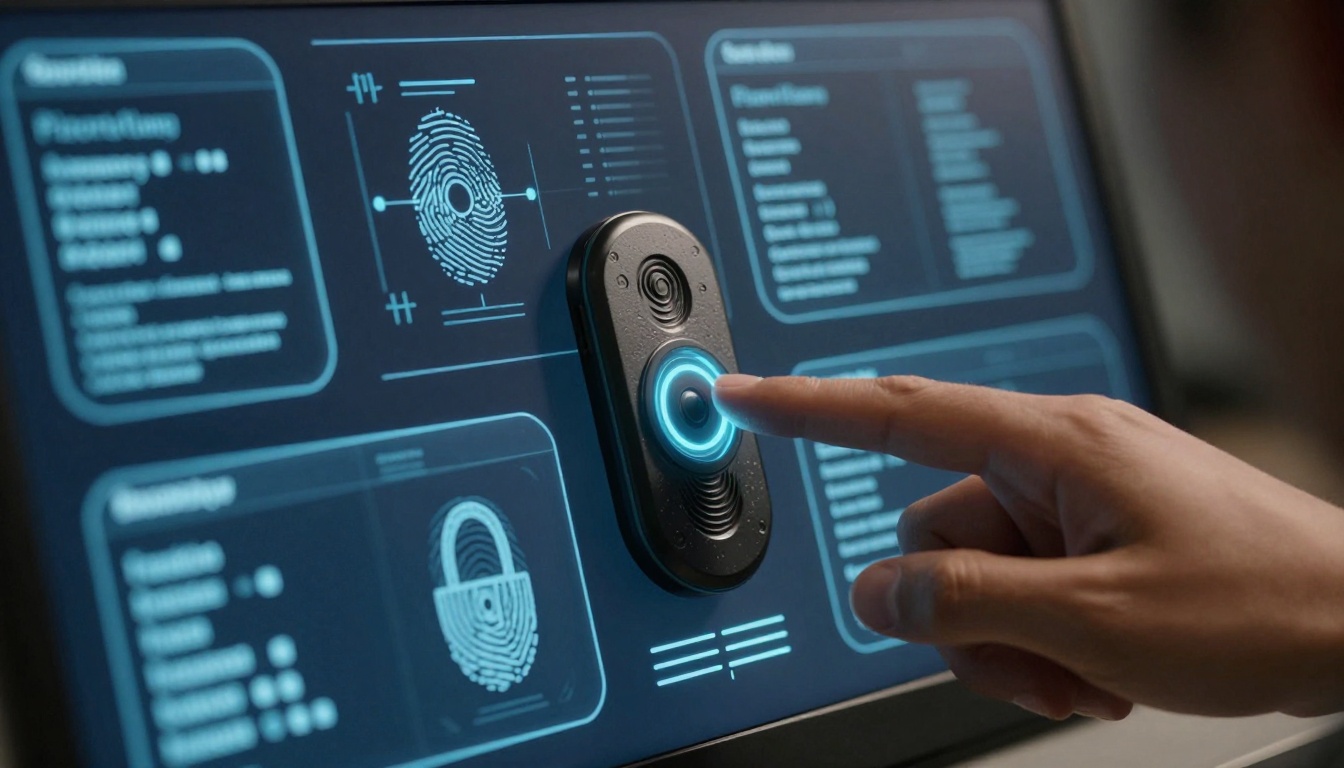
Technical documentation of privacy-conscious AI interaction with secure data handling
Enjoyment of technology requires trust, and Gemini 3 Pro addresses privacy concerns with transparent, user-controlled approaches:
Clear data handling - The system explains what data it's using, why it needs it, and how long it's retained. You can adjust these parameters based on your comfort level without sacrificing core functionality.
Local processing options - For sensitive tasks, Gemini 3 Pro can process certain operations locally on your device, keeping data private while still providing intelligent assistance.
Consent-based learning - The system asks permission before using your interactions to improve its models, and you can revoke this consent at any time without affecting current functionality.
Transparent limitations - When privacy constraints limit certain capabilities, the system clearly explains what's affected and why, rather than silently degrading performance.
| Privacy Feature | Implementation | User Benefit |
|---|
| Data Retention Control | Adjustable timeframes | Control over personal information |
| Local Processing | Device-based computation | Sensitive data stays private |
| Consent Management | Granular permission settings | Customized privacy levels |
| Transparency Reports | Regular privacy disclosures | Understanding of data usage |
Integration That Doesn't Disrupt

Low-angle documentation of creative professional workflow with AI assistance
One reason people enjoy using Gemini 3 Pro is how it integrates into existing workflows without requiring significant adaptation:
Workspace integration examples - The system works within tools people already use: email clients, document editors, coding environments, design software. It appears as a natural extension rather than a separate application requiring constant context switching.
Minimal learning curve - Because the interaction patterns match human conversation, most users become productive within minutes rather than hours. The system guides you through capabilities as they become relevant rather than requiring upfront training.
Progressive complexity - Basic functions work immediately, with more advanced capabilities revealing themselves as you need them. This approach prevents overwhelm while still providing sophisticated tools when required.
Cross-platform consistency - Whether you're using Gemini 3 Pro on desktop, mobile, or integrated into other applications, the experience remains consistent. Your preferences, conversation history, and customization follow you across devices.
💡 Workspace Integration Examples
Designers report that Gemini 3 Pro integrates directly into tools like Figma and Adobe Creative Suite, providing context-aware suggestions without disrupting creative flow. Similarly, developers find it embedded in VS Code and JetBrains IDEs, offering assistance that feels native to the development environment rather than bolted on.
Why People Actually Enjoy Using It

Environmental documentation of AI-enhanced educational collaboration
The enjoyment factor stems from several psychological and practical elements working together:
Reduced cognitive load - Because the system handles routine pattern recognition and information synthesis, users can focus on higher-level thinking and creative problem-solving.
Positive reinforcement loops - Successful interactions build confidence and encourage deeper exploration, creating a virtuous cycle of increasing capability and enjoyment.
Personalized experience - The system adapts to individual working styles, making each person's experience feel tailored rather than generic.
Tangible productivity gains - Users see immediate benefits in their work output, which reinforces continued use and exploration of additional capabilities.
Community feedback and experiences - Early adopters consistently report that Gemini 3 Pro feels "different" from previous AI tools. The common theme is that it doesn't feel like you're fighting the system to get what you need.
Getting Started with Gemini 3 Pro

Environmental documentation of accessible AI adoption across age groups
If you're considering trying Gemini 3 Pro, here's how to approach it for maximum enjoyment:
Start with natural conversation - Don't overthink your initial interactions. Talk to it as you would a knowledgeable colleague. The system is designed to adapt to your communication style, so let it learn from how you naturally express yourself.
Explore multimodal capabilities gradually - Begin with your preferred interaction method (text or voice), then experiment with adding images, documents, or other media as you become comfortable.
Use it for actual work tasks - The real value emerges when applying it to genuine problems rather than test queries. Start with a current project where you could use assistance and see how it integrates.
Adjust privacy settings to your comfort level - Take time to review the privacy controls and set them according to your preferences. The system remains useful across different privacy configurations.
Join community discussions - Many users share tips, workflows, and discoveries about Gemini 3 Pro capabilities. These communities provide valuable insights into maximizing enjoyment and productivity.

Macro documentation of precision AI-assisted coding with human control
How Gemini 3 Pro Compares with Other AI Models
While platforms like PicassoIA offer various AI models including Google's Gemini 3 Pro, OpenAI's GPT models, and Anthropic's Claude systems, the distinctive feature of Gemini 3 Pro remains its focus on user enjoyment. Other models might excel in specific technical benchmarks, but Gemini 3 Pro prioritizes the holistic experience of interacting with AI.
This doesn't mean it lacks technical capability—far from it. The model performs exceptionally well across standard AI evaluation metrics. However, its design philosophy centers on making advanced AI accessible and enjoyable rather than just technically impressive.
Cost Effectiveness and Accessibility
One surprising aspect of Gemini 3 Pro's enjoyment factor is its cost effectiveness. The pricing structure aligns with actual usage patterns rather than imposing artificial constraints. Users report that they get more value from each interaction because the system requires less "management" and produces more immediately useful results.
Accessibility extends beyond pricing to technical accessibility. The system works across a wide range of devices and connection qualities, adapting its performance to match available resources rather than requiring optimal conditions.
Educational applications - Teachers and students find Gemini 3 Pro particularly valuable because it explains concepts at multiple comprehension levels, provides examples relevant to different learning styles, and adapts to individual progress rates.
Business workflow integration - Organizations report smoother adoption because employees don't resist using the system. The natural interaction patterns mean less training required and higher voluntary usage rates.
The Future of Enjoyable AI
Gemini 3 Pro represents a significant shift in AI development priorities. For years, the field focused on raw capability metrics: faster processing, larger context windows, more parameters. While these technical achievements matter, they don't necessarily translate to user satisfaction.
The success of Gemini 3 Pro suggests a new direction: AI systems designed not just to be powerful, but to be pleasurable to use. This approach considers human psychology, workflow patterns, emotional responses, and long-term engagement alongside technical specifications.
As this philosophy spreads, we can expect more AI tools that prioritize the experience of interaction. This doesn't mean sacrificing capability—quite the opposite. When users enjoy using a system, they use it more extensively, discover more applications, and push its capabilities further.
The most telling metric for Gemini 3 Pro isn't in benchmark scores or technical papers. It's in the spontaneous comments from users: "This actually feels good to use," "I look forward to working with this," "It doesn't feel like a chore." These reactions signal a fundamental change in how people perceive and interact with artificial intelligence.
Try creating your own AI-enhanced projects with tools available on platforms like PicassoIA. Experiment with different models like Flux for image generation or video creation tools to see how AI can enhance various creative and professional workflows. The key is finding systems that match your natural working style while expanding your capabilities.


