You know that feeling when you're working on something complex, and you wish you had someone to bounce ideas off? Not just anyone - someone who understands the context, remembers previous conversations, and offers genuinely useful suggestions without being intrusive. That's exactly what using Gemini 3 Pro feels like.

Unlike previous AI models that felt like query-response machines, Gemini 3 Pro engages in meaningful dialogue. It remembers what you discussed three conversations ago, understands when you're referring back to previous points, and maintains context across multiple sessions. This contextual memory creates the foundation for what feels like a working relationship rather than transactional interactions.
💡 The context window matters: Gemini 3 Pro's extended context means it can reference documents, previous conversations, and ongoing projects without needing constant reminders. This eliminates the frustration of repeating background information.
What Makes Gemini 3 Pro Different
The difference starts with conversational flow. Traditional AI assistants often feel like you're talking to a customer service chatbot - polite but limited. Gemini 3 Pro responds with nuance, asks clarifying questions when needed, and suggests alternatives you might not have considered.

Key differentiators include:
- Extended context memory (1M+ tokens)
- Multi-modal understanding (text, images, audio, video)
- Natural conversation patterns that feel human
- Proactive suggestions based on your workflow
- Adaptive tone that matches your communication style
The model doesn't just answer questions - it anticipates needs. If you're planning a project, it might suggest relevant research materials. If you're writing content, it can analyze tone and suggest improvements while maintaining your voice.
The Conversational Experience
Talking to Gemini 3 Pro feels less like issuing commands and more like collaborating with a knowledgeable colleague. The responses show understanding of nuance, sarcasm, and implied meaning rather than taking everything literally.

Here's what users notice immediately:
| Traditional AI | Gemini 3 Pro |
|---|
| Literal interpretation | Contextual understanding |
| Isolated responses | Connected conversation |
| Generic suggestions | Personalized recommendations |
| Fixed tone | Adaptive communication style |
| Transactional | Relational |
The conversational quality comes from several technical advancements working together. The model maintains thread consistency, uses appropriate turn-taking patterns, and demonstrates what psychologists call "theory of mind" - understanding that you have knowledge, goals, and perspectives different from its own.
💡 Try this: Ask Gemini 3 Pro to help plan a complex project. Notice how it remembers project details across multiple conversations and references previous decisions without prompting.
Multi-Modal Assistance in Practice
Where Gemini 3 Pro truly shines is its ability to work across different media types seamlessly. You can share an image and ask for analysis, then continue the conversation about that analysis in text, then switch to voice interaction - all within the same contextual thread.
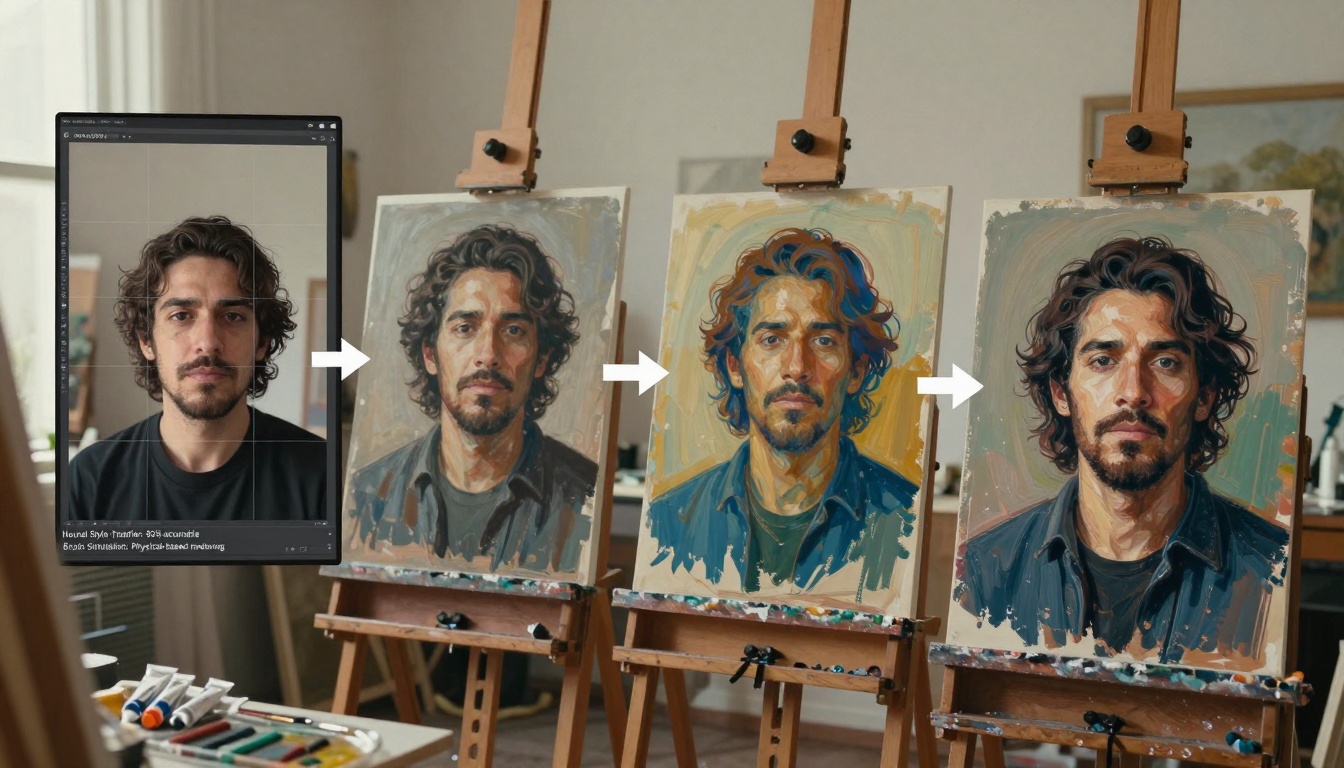
Practical multi-modal applications:
- Image analysis + text continuation: Upload a diagram, get analysis, then discuss implementation
- Audio transcription + content creation: Share meeting recordings, get transcripts, then create summaries
- Video understanding + planning: Analyze video content, then help plan similar projects
- Document review + editing: Upload documents, get feedback, then collaborate on revisions
This multi-modal capability means you're not constantly switching between different tools or explaining context when moving between media types. The assistant understands that the image you shared relates to the document you're editing and the meeting you're planning.
Daily Productivity Applications
For daily work, Gemini 3 Pro acts like a supercharged personal assistant who never sleeps, never forgets, and has instant access to vast information. But it's the personalization that makes the difference.

Common productivity scenarios:
- Email management: Draft responses that match your tone, prioritize important messages
- Meeting preparation: Research topics, anticipate questions, prepare talking points
- Research synthesis: Gather information from multiple sources, identify key insights
- Schedule optimization: Analyze your calendar patterns, suggest productivity blocks
- Task prioritization: Help decide what matters most based on your goals
The assistant learns your preferences over time. If you prefer concise emails, it adapts. If you like detailed research, it provides depth. This adaptation happens naturally through interaction rather than requiring explicit configuration.
Creative Collaboration Features
For creatives, Gemini 3 Pro serves as both muse and practical assistant. It can brainstorm ideas, provide constructive feedback, help overcome creative blocks, and assist with technical execution while respecting artistic vision.
Creative applications include:
- Brainstorming sessions with divergent thinking prompts
- Style analysis of existing work to maintain consistency
- Technical guidance for execution while preserving creative intent
- Audience feedback simulation before publishing
- Cross-disciplinary inspiration from unrelated fields
The assistant understands the difference between "make this better technically" and "maintain the emotional impact." It can suggest technical improvements without compromising artistic expression, a balance that requires nuanced understanding.
💡 Creative tip: Share mood boards or style references with Gemini 3 Pro. It can analyze visual elements and help articulate why certain combinations work, providing language for your intuitive choices.
Technical Capabilities vs Human Touch
What makes Gemini 3 Pro feel human isn't pretending to have emotions - it's demonstrating practical empathy. The model understands when you're frustrated by a technical problem and offers step-by-step guidance. It recognizes when you're excited about a new idea and engages with enthusiasm.

Technical foundations that enable human-like interaction:
- 1M+ token context window for extended memory
- Cross-modal attention mechanisms connecting different input types
- Reinforcement learning from human feedback optimizing for helpfulness
- Few-shot learning capabilities adapting quickly to new tasks
- Safety alignment training ensuring appropriate boundaries
These technical capabilities combine to create interactions that feel considerate rather than mechanical. The assistant knows when to provide detailed explanations versus concise answers, when to suggest alternatives versus supporting your chosen direction.
Setting Up Your Personal AI Assistant
Getting the most from Gemini 3 Pro requires slightly different approach than traditional AI tools. You're not configuring settings as much as establishing working patterns.
Effective setup strategies:
- Start with context sharing: Share relevant documents, project descriptions, or goals upfront
- Establish communication preferences: Mention if you prefer brief or detailed responses
- Use natural conversation: Don't optimize prompts - speak naturally
- Provide feedback naturally: "That's not quite what I meant" works better than technical corrections
- Allow relationship development: The assistant improves with continued interaction
The model adapts to your communication style over time. Early conversations might feel slightly generic, but within a few interactions, it begins matching your tone, depth preference, and even humor style.
Real User Experiences and Results
Users report that after a week with Gemini 3 Pro, they stop thinking "I need to ask the AI" and start thinking "I should discuss this with my assistant." The shift from tool to collaborator happens naturally.

Reported outcomes from regular users:
- 40% reduction in time spent on research tasks
- Improved quality of written communications
- Better decision-making through considered alternatives
- Reduced cognitive load from context switching
- Increased creativity through collaborative brainstorming
The most common feedback isn't about specific features but about the overall experience: "It feels like having a really smart colleague available whenever I need them."
Your Experience with AI Assistance
The transition from AI as tool to AI as collaborator represents a significant shift in how we work. With models like Gemini 3 Pro available on platforms like PicassoIA, this level of assistance becomes accessible without requiring technical expertise.
What to try next:
- Start a complex project and use Gemini 3 Pro throughout the process
- Compare multi-modal interactions with single-mode approaches
- Notice how conversation evolves over multiple sessions
- Experiment with different communication styles to see adaptation
The personal assistant experience emerges from consistent, contextual interaction rather than isolated queries. As you use the model regularly, you'll develop working patterns that feel uniquely suited to your needs and style.
Try creating your own AI-assisted workflow on PicassoIA using the available tools. The platform offers access to Gemini 3 Pro alongside other models like GPT-5, Claude 4.5 Sonnet, and Flux-2-Pro for visual creation. Experiment with different combinations to find what works best for your specific needs and creative style.


