Generate imagesVisual EffectsLarge Language Models
Gemini Batch API Pricing: Limits, Free Tier and Response Time
Gemini Batch API charges 50% of the standard rate in exchange for a 24 hour target turnaround. This article lists batch prices per model, the free tier rules, request and token limits by tier, real response times, and a worked cost example with Python code.
Paying full price for answers nobody needs this minute is the most common waste in Gemini projects. The Gemini Batch API exists for exactly that situation: you hand Google a pile of requests, walk away, and collect the results later at 50% of the standard cost. The catch is time. Google's target turnaround is 24 hours, jobs expire after 48 hours, and a handful of limits decide how big a pile you are allowed to send.
This article puts the numbers in one place: batch prices per model, what the free tier really allows, size and token caps by tier, how long results take, and the exact Python calls to submit a job. All figures come from Google's public pricing, batch and rate limit pages as checked in October 2026, so confirm them before you commit a large budget.
💡 Quick answer: Batch is half price, targets 24 hours, accepts under 20 MB inline or 2 GB per file, and allows 100 concurrent jobs. The free tier lists batch as free of charge for only two Flash-Lite models.
What the Batch API Actually Does
Async Jobs at Half Price
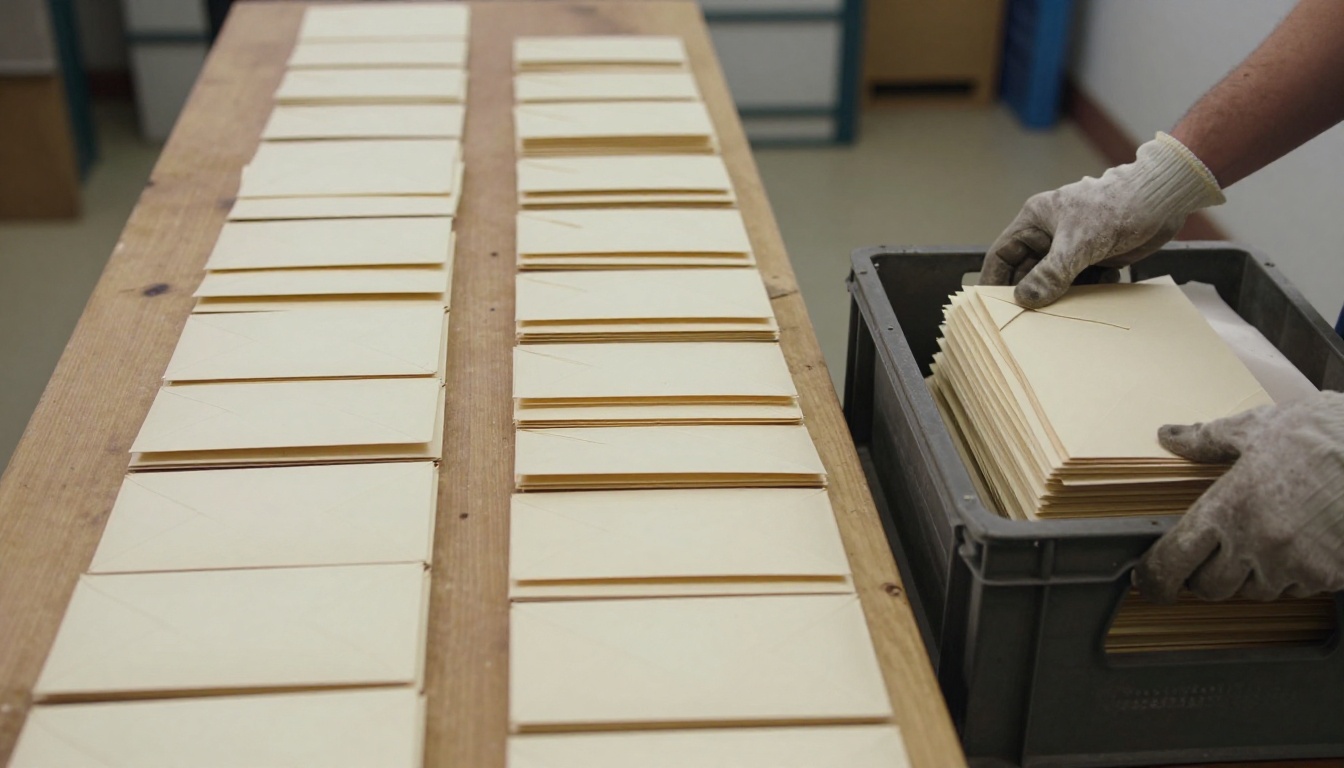
A normal Gemini call is synchronous: you send a prompt, wait a few seconds, and pay the interactive rate. A batch job works like dropping a crate of envelopes at a sorting office. You submit many requests as one job, Google queues it, runs it when capacity allows, and keeps the output ready for you to download. The models, prompt format and settings stay the same. Only the delivery changes, and Google bills 50% of the standard cost for that trade.
Batch also supports more than plain text prompts:
Context caching, billed at the standard caching rates
Embedding jobs through batches.create_embeddings
Image generation with the Nano Banana family of Gemini image models
Structured output with JSON schemas
Google Search as a tool inside a request
Where Batch Fits Best
Batch pays off when nobody is waiting on the answer. Good fits are classifying a product catalog, summarizing thousands of support tickets, labeling a dataset, running an evaluation suite overnight, writing alt text for an image library, or producing embeddings for a search index. It also suits any pipeline that already runs on a schedule, such as a nightly refresh of descriptions for products that changed that day. Bad fits are chatbots, live search and any screen where a person watches a spinner.
💡 Rule of thumb: if a six hour delay would not bother anyone, the job belongs in batch.
Gemini Batch API Pricing by Model
Every rate below is already discounted. Prices are in US dollars per 1 million tokens on the paid tier, taken from Google's pricing page in October 2026.
Per Million Token Rates
Model
Batch input
Batch output
Gemini 3.8, 3.7 and 3.6 Flash (through Dec 31, 2026)
Two details matter here. First, the Gemini 3.8, 3.7 and 3.6 Flash batch rates are promotional through December 31, 2026 and double on January 1, 2027, so a budget written now needs both rows. Second, Gemini 2.5 Pro is the only model in the table where prompt length changes the unit price.
A Worked Cost Example
Take a job of 10,000 requests, each with 1,500 input tokens and 300 output tokens. That adds up to 15 million input tokens and 3 million output tokens.
The discount is exactly half, so the Flash-Lite run saves $6.00 and the Flash run saves $24.75. At 1,000,000 requests the same jobs save $600 and $2,475. If your prompts trigger long reasoning, remember that thinking tokens are billed as output, so the output column can grow faster than the input column.
Do not guess the token counts. Run 50 representative requests through the normal API first, read the usage metadata on each response, and average the input and output figures. Multiply by your request count and by the batch rate. A sample of 50 takes a few minutes and often exposes the one prompt shape that runs three times longer than the rest.
Image Generation Costs
Image output is the expensive part of image jobs. Gemini 3.1 Flash Image, the model known as Nano Banana 2, lists batch rates of $0.25 per million text or image input tokens, $1.50 per million text and thinking output tokens, and $30.00 per million image output tokens. For a handful of pictures you never need a job: Nano Banana 2 on PicassoIA generates images with no credit caps, which makes it a cheaper place to test a prompt before you queue 5,000 of them.
Free Tier: What You Really Get
Models With Free Batch
Google's pricing table has a Batch row for each model, with separate Free Tier and Paid Tier columns. At the time of writing, the Free Tier column reads free of charge for two models: Gemini 3.5 Flash-Lite and Gemini 3.1 Flash-Lite. It reads not available for Gemini 3.8, 3.7, 3.6 and 3.5 Flash, Gemini 3.1 Flash Image, Gemini 2.5 Pro, Gemini 2.5 Flash and Gemini 2.5 Flash-Lite.
Where the Docs Stay Silent
The batch page does not say whether free tier accounts can submit jobs. The rate limit page lists enqueued token numbers for the three paid tiers and none for the free tier. So read "free" as priced at zero for those two models, not as unlimited.
💡 Test before you plan: submit a job of ten requests on one of the two Flash-Lite models, watch its state, and check the rate limit page for your project in AI Studio. Do not build a production schedule around a free batch row until that small job succeeds.
Limits You Will Hit
Batch limits fall into two groups: how big a single job can be, and how much work you can have waiting at once.
Request and File Size Caps
Limit
Value
Inline request payload
Under 20 MB in total
Input file size
2 GB per file
File storage
20 GB
Concurrent batch requests
100
Job expiry
48 hours if pending or running
Target turnaround
24 hours
Inline requests suit small jobs. Once the payload nears 20 MB, switch to a JSONL file: one request per line, each line holding a request ID plus the request body, uploaded through the Files API.
Enqueued Tokens by Tier
The sharpest limit is not file size but enqueued tokens: the total tokens waiting across all active batch jobs for one model. It scales with your billing tier.
Tier
How you qualify
Enqueued tokens (example)
Tier 1
Billing account linked
3,000,000 for Gemini 3.8 Flash
Tier 2
$100 paid and 3 days since the first successful payment
400,000,000 for Gemini 3.8 Flash
Tier 3
$1,000 paid and 30 days since the first successful payment
1,000,000,000 for most models
For a model with a 3,000,000 token Tier 1 limit, our 15 million input token example would need at least five separate waves. On Tier 2 it fits in a single job with room to spare. The jump from Tier 1 to Tier 2 is the one that changes how you design a pipeline.
Response Time and Job States
What 24 Hours Really Means
Google calls 24 hours the target turnaround and adds that in most cases results arrive much sooner. Treat that as a ceiling you plan around, not a speed you can count on. Small jobs often return quickly, while large ones wait for capacity.
The hard edge is 48 hours: a job still pending or running at that point expires. Splitting a big workload into several jobs means an expiry or a failure costs you one slice instead of the whole run.
One more trap: submitting a batch job is not idempotent. If your script times out after the create call and you retry, you create a second job and pay for both. Save the job name from the first response before doing anything else.
A practical rhythm is the nightly run. Submit the job at the end of the working day, let it sit through the night, and read the results with your first coffee. If a job is still pending after a full day, do not wait for the 48 hour expiry to find out: check its state, look at your enqueued token total for that model, and consider cancelling and resubmitting in smaller slices.
Job States to Watch
Like a bakery run, a job moves through stages, and you only collect the output at the end.
State
What it means
JOB_STATE_PENDING
Queued, not started yet
JOB_STATE_RUNNING
Requests are being processed
JOB_STATE_SUCCEEDED
Results are ready to read
JOB_STATE_FAILED
The job failed, check its error field
JOB_STATE_CANCELLED
The job was cancelled
JOB_STATE_EXPIRED
The job outlasted the 48 hour window
Google's sample code polls every 30 seconds. For jobs expected to run for hours, a slower interval saves pointless calls.
Submit a Batch Job in Python
Inline Requests
With the google-genai SDK, an inline job takes a list of requests, a model name and an optional display name:
from google import genai

client = genai.Client()

inline_requests = [
    {"contents": [{"parts": [{"text": "Tell me a one-sentence joke."}], "role": "user"}]},
    {"contents": [{"parts": [{"text": "Why is the sky blue?"}], "role": "user"}]},
]

job = client.batches.create(
    model="gemini-3.8-flash",
    src=inline_requests,
    config={"display_name": "inlined-requests-job-1"},
)
print(job.name)
For a file job, upload the JSONL with client.files.upload, using mime_type='jsonl', then pass uploaded_file.name as src.
Poll and Read Results
import time

finished_states = {
    "JOB_STATE_SUCCEEDED",
    "JOB_STATE_FAILED",
    "JOB_STATE_CANCELLED",
    "JOB_STATE_EXPIRED",
}

job = client.batches.get(name=job.name)
while job.state.name not in finished_states:
    time.sleep(30)
    job = client.batches.get(name=job.name)

if job.state.name == "JOB_STATE_SUCCEEDED":
    for i, item in enumerate(job.dest.inlined_responses):
        if item.response:
            print(i, item.response.text)
        elif item.error:
            print(i, item.error)
File jobs return a result file instead: read job.dest.file_name and fetch it with client.files.download.
Test Prompts Before You Batch
A batch job is slow feedback. A bad prompt costs you a full turnaround window and a full bill. Test the prompt interactively first, on a dozen varied samples, and only then queue the thousands.
Use Gemini 3.5 Flash on PicassoIA
Gemini 3.5 Flash on PicassoIA runs single prompts in your browser, which makes it a quick testing bench. It does not submit Batch API jobs, those still go through Google's SDK. Here is the routine:
Open the model page and find the Prompt field.
Paste the exact prompt you plan to send in the batch, including any examples.
Add a system instruction that sets the role and the output format, such as "Return one JSON object per product".
Pick a thinking level: none, low or high. Higher levels cost more output tokens in your real batch, so use the lowest one that passes.
Lower the temperature for extraction or classification. The default is 1 on a 0 to 2 scale.
Attach media if the job needs it. The model accepts up to 10 images of 7 MB each, audio up to 8.4 hours and video up to 45 minutes.
Run ten varied samples and read every answer. Fix the prompt, then run them again.
Copy the final prompt and system instruction into your batch requests.
The default output limit is 65,535 tokens, so set a lower cap on short tasks. In a batch, every unused token you refuse to generate is money you keep.
Want a second opinion on quality? Gemini 3.1 Pro, Gemini 3 Flash and Gemini 2.5 Flash sit in the same large language models collection, so you can run one prompt across all of them before choosing which model goes into the job.
Spend Less, Then Create Images
Three Ways to Cut the Bill
Cache the shared part. Context caching works inside batch jobs at the standard caching rates, so a long system prompt repeated across 10,000 requests should not be paid for 10,000 times.
Pick the smallest model that passes. Gemini 3.5 Flash-Lite input costs $0.15 per million tokens against $0.75 for Gemini 3.5 Flash, five times less, and its output rate of $1.25 is about 28% of $4.50.
Cap the output. Short answers, a low thinking level and a tight output limit shrink the most expensive column of your bill.
Skip batch entirely when a person is waiting, when results feed a live screen, or when the job is so small that the overhead of polling outweighs the discount.
The same habit of testing cheap before spending big applies to visuals. If your batch job feeds a blog, a catalog or an app, you will probably want pictures to go with the text. Open Nano Banana 2 on PicassoIA and generate images with no credit counter running, try Seedream 5 Pro or FLUX 2 Pro for a different look, and iterate until the result is right. Browse every option at picassoia.com/en/all-models and make your first image today.