If you've been searching for ways to generate NSFW AI videos with Veo 4 for free, there's one critical thing to know right away: Veo 4 doesn't exist yet, and even the existing Veo models from Google block adult content entirely. But that's not the end of the story. The real question is where you can generate uncensored AI videos for free, which models have no content filters, and how to get the best results without wasting time on platforms that will reject your prompts. This article cuts straight to what works.
Veo 4 Does Not Exist Yet

Google's Veo series is genuinely impressive for video generation. As of mid-2026, the latest models available publicly are Veo 3.1, Veo 3.1 Fast, and Veo 3.1 Lite. Veo 4 has not launched. When people search for "Veo 4 free," they're typically looking for the newest, most capable Google video model at no cost, or they've seen speculation about a next-gen release.
On PicassoIA, you can already access Veo 3, Veo 3.1, Veo 3.1 Fast, and older Veo 2 without switching platforms. The quality is real. The problem for NSFW creators is the content policy.
Why Google's Veo Models Block NSFW
Google enforces strict content moderation across all its AI products. Veo 3, Veo 3.1, and every variant will reject prompts involving nudity, explicit scenarios, or suggestive adult content. The filter runs before generation, which means your prompt is blocked before the model even begins. There is no settings toggle, no advanced mode, no API workaround. This restriction is built into how these models operate.
💡 The fix is not prompt engineering. No clever rephrasing bypasses Google's content filters on Veo. Switching to models without these restrictions is the only real path forward.
Free NSFW Video Models That Work
The good news: PicassoIA hosts over 117 text-to-video models, and several of them handle adult content without any restrictions. These aren't workarounds or gray-area tools, they are models built without Google's policy constraints.

PicassoIA Video: Unlimited and Unrestricted
PicassoIA Video is the platform's own free, unlimited text-to-video generator. It produces clips up to 720p at 5 seconds and does not filter adult prompts. If you want to test NSFW video generation without spending credits, this is where to start. Unlimited generation means you can iterate freely until you get the output you want.
P-Video: Safety Filter Off by Default
P-Video from PrunaAI has its safety filter disabled by default. Your prompts are not checked for adult content before generation. It accepts text, image, or audio as input, outputs up to 1080p at 24 or 48 fps, runs from 1 to 10 seconds, and supports seven aspect ratios. Draft mode gives you a fast low-resolution preview before committing to the full render. That combination of no filter, high resolution, and draft mode makes it one of the most practical choices for NSFW video production on the platform.
Grok Imagine Video: Clips Up to 15 Seconds
Grok Imagine Video from xAI generates clips up to 15 seconds from a text prompt, a reference image, or an existing video you want to re-edit. Output is at 720p or 480p across eight aspect ratios with no watermarks. The image-to-video mode automatically matches your source photo's proportions, making it very clean to work with when you have a specific subject in mind.
💡 Its companion image model, Grok Imagine Image, is one of the top-rated NSFW image generators. Using both together is a strong workflow: generate your starting frame with Grok Imagine Image, then animate it with Grok Imagine Video.
Start with NSFW Images First

The best NSFW AI videos almost always begin with a high-quality source image. Image-to-video models give you far more control over the subject, body type, pose, and framing than pure text-to-video. Getting the image right first is the most effective way to get a video you actually want.
Seedream 4.5: The Top NSFW Image Pick
Seedream 4.5 is the strongest recommendation for NSFW image generation on PicassoIA. It accepts adult content, supports image editing on top of pure generation, and produces highly realistic results in under 3 seconds. The realism level is noticeably stronger than most alternatives, particularly for human subjects, with accurate proportions, natural skin texture, and detailed lighting response.
One critical note: the newer Seedream 5 Lite (bytedance-seedream-5-lite) does not support NSFW content. If you want uncensored generation from the Seedream family, Seedream 4.5 is the correct version.
PicassoIA Image Editor Pro: Unlimited Iterations
PicassoIA Image Editor Pro is an image-to-image model built for iteration. Its defining advantage is unlimited generations included in Elite and Infinite plans. Need 1,000 variations to find the right frame? That's 1,000 images at no extra cost. The same volume on per-generation models like Nano Banana 2 would cost upward of $100. It accepts NSFW content, returns results in under one second, and includes a 3-generation free trial requiring no credit card. For creators who iterate heavily before animating, this is the production workhorse.
More NSFW Image Models Worth Using

Beyond the top two, PicassoIA has several more models that accept adult content with no restrictions:
| Model | Type | Speed | Key Strength |
|---|
| Qwen Image 2 | Text + Edit | Fast | Open source, very detailed realism |
| Grok Imagine Image | Image-to-Image | Fast | Realistic style transformations |
| Recraft V4 | Text-to-Image | Fast | High realism from text only |
| P-Image | Text-to-Image | Under 1 sec | Very fast NSFW generation |
Best Models for Animating NSFW Images

Once you have your source image, animation is the next step. These models accept NSFW starting frames and produce smooth, high-quality clips.
LTX 2.3 Pro: Highest Fidelity at 4K
LTX 2.3 Pro from Lightricks is the highest-fidelity option on the platform. It exports up to 4K at 50fps and runs five modes from a single interface:
- Text-to-video and image-to-video for standard generation
- Audio-to-video to animate an image to a soundtrack
- Retake: replace a short segment without re-rendering the full clip
- Extend: append new footage to the start or end of an existing clip
Camera-motion presets (dolly, jib, focus-shift) and first/last-frame interpolation give you cinematic control over the final output. For production-quality NSFW video where resolution and precision matter, LTX 2.3 Pro sets the bar.
For faster 4K output in the same family, LTX 2.3 Fast delivers near-identical quality at shorter wait times.
Wan 2.7 I2V: Open-Source and Unrestricted
Wan 2.7 I2V is an image-to-video model with an open-source lineage. It doesn't carry the content policy restrictions embedded in proprietary models like Veo. Feed it a source image and a motion prompt, and it animates the subject with natural movement and strong temporal consistency across the clip.
For text-only input, Wan 2.7 T2V generates 1080p video directly from a written prompt with the same unrestricted approach.
The PicassoIA NSFW Video Workflow
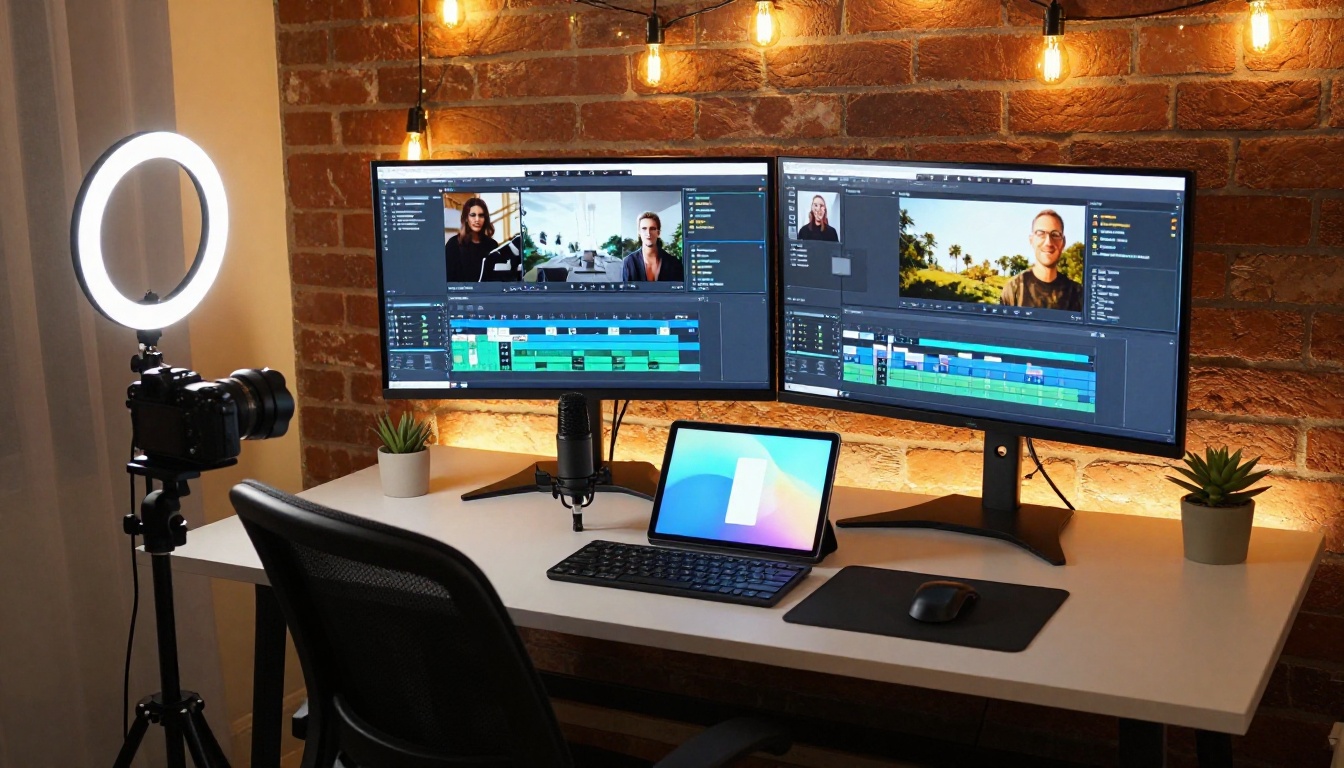
PicassoIA's interface is model-first. You navigate directly to the model you want, select your parameters, and generate. Here's the workflow that reliably produces the best NSFW video results:
Step 1: Generate your source image
Go to Seedream 4.5. Write a detailed prompt covering subject appearance, pose, clothing state, environment, lighting direction, and camera angle. Specificity directly correlates with output quality.
Step 2: Iterate on the image
If the first result needs adjustment, use PicassoIA Image Editor Pro to modify specific elements without starting from zero. Unlimited generation on Elite and Infinite plans makes this iteration cost nothing extra.
Step 3: Animate the image
Take your best image to P-Video or LTX 2.3 Pro. Describe the motion: what moves, how it moves, camera behavior. Short and specific motion prompts outperform long paragraph descriptions.
Step 4: Edit and polish
Use video editing tools to refine timing, style, and audio.
💡 Motion prompt tip: Instead of "a beautiful woman moving," write "subtle hair movement from a gentle breeze, slow camera pull-back from medium to wide shot, warm afternoon light stays constant." Motion specificity is the single biggest quality driver in image-to-video generation.
NSFW Prompts That Get Real Results
Even models without content filters reward precise prompts with significantly better output. Prompt quality is the primary variable within your control.
What to Include in Every Prompt
For image generation, build your prompt in this order:
- Subject: age range, body type, skin tone, hair color and style
- Clothing or undress state: fabric type, coverage, fit, color
- Pose and expression: limb positions, body angle, facial expression, gaze direction
- Environment: indoor/outdoor, surface textures, props, background elements
- Lighting: direction, color temperature, quality (harsh vs. soft vs. diffused)
- Camera: distance (close-up vs. medium vs. wide), angle, lens focal length
- Photography style: editorial, boudoir, fashion, candid
- Film stock reference: "Kodak Portra 400, RAW 8K, natural skin tones, film grain"
What Causes Weak Results
- Vague descriptions that don't specify anatomy or positioning
- Contradictory instructions in the same prompt
- Overly long prompts that dilute the model's focus
- Missing lighting and environment details
- No camera angle or distance specified
These aren't NSFW-specific problems. They apply equally across all generation styles. The models that accept adult content still rely on descriptive precision to produce what you actually have in mind.
After generating your video, editing tools let you refine, restyle, or re-cut the output without re-generating from scratch.
Wan 2.7 VideoEdit
Wan 2.7 VideoEdit edits existing videos using text instructions. Want to change the background, adjust the color mood, or alter the atmosphere of a clip you already generated? This model handles it. It shares the same unrestricted open-source lineage as the Wan image and video generation models, so adult content edits are accepted.
Lucy Edit 2
Lucy Edit 2 from Decart is a text-based video editor. Describe what you want to change in plain language and it applies the change across the clip. Particularly strong at scene-level adjustments: lighting mood, color palette shifts, and environment swaps.
Adding Audio to Your Video
Two tools add sound to existing clips automatically:
- Video to SFX v1.5: Synced, contextual sound effects added automatically based on the visual content
- MMAudio: AI-generated ambient audio keyed to what's happening on screen
Veo vs. Uncensored Models: Real Numbers
Here is the honest side-by-side between Google's Veo models and the unrestricted alternatives available on PicassoIA:
| Feature | Veo 3.1 | P-Video | PicassoIA Video | LTX 2.3 Pro |
|---|
| NSFW content | Blocked | Allowed | Allowed | Allowed |
| Max resolution | 1080p | 1080p | 720p | 4K |
| Max duration | ~8s | 10s | 5s | Varies |
| Native audio | Yes | Yes | No | No |
| Free tier | Limited credits | Credits | Unlimited | Credits |
| Safety filter | Strict | Off by default | Off | Off |
| Input types | Text | Text, Image, Audio | Text | Text, Image, Audio |
The tradeoff is honest: Veo 3.1 has excellent cinematic motion and native synchronized audio, making it best-in-class for SFW content. For NSFW video generation, the content filter is a hard wall with no bypass. P-Video, PicassoIA Video, and LTX 2.3 Pro all offer genuine paths to uncensored output at high quality, without the Google policy ceiling.
Your First NSFW AI Video on PicassoIA

The fastest path from nothing to a finished NSFW AI video is a four-step chain that runs entirely on PicassoIA:
- Seedream 4.5 for your source image, under 3 seconds, adult content accepted
- P-Video or LTX 2.3 Pro to animate the image, no safety filter, high resolution
- Wan 2.7 VideoEdit or Lucy Edit 2 to refine style or timing
- Video to SFX v1.5 or MMAudio to add audio
All of these are accessible from one platform, with credits that work across every model. No need to manage separate accounts, APIs, or run into platform-level restrictions mid-project.
For creators who want an even more complete NSFW model catalog, here is the full recommended list in order of performance:
- Seedream 4.5 — Top NSFW image model, under 3 seconds, image editing included
- PicassoIA Image Editor Pro — Unlimited generations, under 1 second, free 3-generation trial
- Qwen Image 2 — Open source, very detailed realism
- Grok Imagine Image — Realistic image-to-image transformations
- Recraft V4 — Very realistic text-to-image
- P-Image — NSFW text-to-image in under 1 second
- PicassoIA Video — Unlimited NSFW video from text, no cost per clip
- P-Video — Text, image, or audio to 1080p video, filter off by default
- Grok Imagine Video — Up to 15-second clips, no watermarks
- LTX 2.3 Pro — Up to 4K at 50fps with retake and extend editing
PicassoIA has over 117 video models and 200+ image models available right now. Whether you're starting from a text description or animating an existing photo, there's a model without content filters at every resolution and duration. Generate your first clip, see what these uncensored models actually produce, and iterate from there.
Browse all NSFW-capable models and start generating at picassoia.com/en/all-models.


