If you've spent any time searching for "GPT Image 1.5 uncensored mode," you already know the rabbit hole. Dozens of threads claim it exists, tutorials promise workarounds, and Reddit posts swear that a specific prompt sequence bypasses everything. Most of it is noise. This article cuts through the confusion and tells you exactly what GPT Image 1.5 does when you push it toward adult or restricted content, what actually triggers its filters, and where the real alternatives are for creators who need genuine freedom.
What GPT Image 1.5 Actually Is
GPT Image 1.5 is the image generation capability built directly into GPT-4o, OpenAI's flagship multimodal model. Unlike earlier DALL-E systems, it runs natively inside the same model that handles text, reasoning, and conversation. This architecture change made a significant difference in image quality, especially for text rendering inside images and for following multi-step instructions.
The GPT-4o Image Architecture
Because image generation in GPT-4o is not a separate pipeline, the model's content policy applies uniformly. There is no isolated "image generation mode" with separate rules. The same restrictions that govern what GPT-4o will say in a text conversation apply to what it will generate as an image. The prompt goes in, the model evaluates it against its policy layer, and then either generates or refuses.
This integration is actually the source of most confusion around "uncensored mode." People assume that because the image quality improved, the restrictions were relaxed. They were not.
How Restrictions Work in Practice
OpenAI uses a layered moderation approach:
- Input screening: Your prompt is evaluated before generation starts.
- Output screening: The generated image is checked before it's returned to you.
- Context awareness: Prior messages in the conversation can influence whether a prompt is flagged.
The model is also trained to recognize prompt injection attempts, synonym substitution, and elaborate fictional framing designed to sidestep restrictions. It has seen those patterns before, at scale, and handles them.

The "Uncensored Mode" Myth
There is no uncensored mode in GPT Image 1.5. Full stop. What people call "uncensored mode" is a label that circulates in communities where users try to push model limits, and it gets applied to anything from generating mildly suggestive content to expecting explicit adult material.
What People Think Happens
The belief goes something like this: if you phrase your prompt correctly, use the right fictional framing, or invoke a specific "developer mode" sequence, GPT Image 1.5 will disable its filters and generate whatever you ask. This is wrong.
OpenAI does not ship a hidden override that users can trigger through prompt engineering. The moderation system is not a simple keyword blocklist that clever wording gets around. It is a trained classifier that evaluates intent and context, not just surface-level phrasing.
What Actually Happens
When you push GPT Image 1.5 toward restricted content, one of three things occurs:
- Hard refusal: The model declines and explains it cannot generate the requested content.
- Soft refusal: The model generates a sanitized version of your request, typically removing the element that triggered the filter.
- Contextual compliance: The model produces content that appears permissive because the specific framing did not cross its threshold, but it never produces explicit adult material regardless of how the prompt is structured.
That third category is where the "uncensored mode" myth persists. A prompt that succeeds in generating a suggestive image gets shared as proof that the system can be bypassed, when in reality it simply did not trigger the filter in the first place.
GPT Image 1.5 Behavioral Limits
Knowing where GPT Image 1.5 draws the line helps you stop wasting time on dead ends and start using the right tool for your actual project.
Content Filter Triggers
These categories reliably trigger refusals:
| Category | Behavior |
|---|
| Explicit nudity | Hard refusal, always |
| Sexual content | Hard refusal, always |
| Real people in compromising situations | Hard refusal |
| Graphic violence | Hard refusal in most contexts |
| CSAM or minor-adjacent adult content | Hard refusal, flagged |
| Hate symbols and extremist imagery | Hard refusal |
| Detailed depictions of self-harm | Hard refusal |
Topics That Always Get Blocked
Even with elaborate fictional or artistic framing, GPT Image 1.5 will not generate the following:
- Any form of explicit sexual imagery, including implied nudity in clearly sexual contexts
- Photorealistic depictions of real celebrities or public figures in private or intimate situations
- Graphic medical or injury imagery presented in a sensational way
- Content that sexualizes or endangers minors in any framing
No prompt engineering approach changes these outcomes. These are not edge cases where phrasing matters. They are policy floors.
The Gray Zone
There is a range of content where GPT Image 1.5 sometimes complies and sometimes refuses, depending on framing, phrasing, and accumulated context in the conversation:
💡 Gray zone examples: Swimwear and lingerie in an editorial context, artistic partial nudity where nothing explicit is shown, action scenes with mild violence, atmospheric horror without gore.
This gray zone is what generates most of the "it worked for me" reports online. The model is not being consistently permissive. It is evaluating specific prompts against specific thresholds, and results vary. Running the same prompt ten times can produce different outcomes.

Why OpenAI Won't Remove the Filters
This is not a technical limitation. OpenAI could build a less restricted image model. They have chosen not to deploy one, for reasons that are largely commercial and legal.
Terms of Service and Liability
OpenAI's terms of service explicitly prohibit using GPT Image 1.5 to generate adult content. Violating these terms can result in account suspension. The restriction is not just a technical guardrail. It is a contractual obligation on the user side and a liability management strategy on OpenAI's side.
Operating a consumer-facing AI platform that generates unrestricted imagery at scale creates enormous exposure: copyright disputes, defamation claims, potential regulatory action, and reputational risk. OpenAI has chosen to eliminate that exposure by enforcing hard restrictions at the model level.
The Business Reality
GPT-4o is primarily sold to enterprise customers and integrated into consumer products through the ChatGPT interface. Neither of those audiences benefits from unrestricted adult content generation. In fact, it creates problems for both. Enterprise customers have their own compliance requirements. Consumer products face app store restrictions and advertiser pressure.
The people asking for an uncensored GPT Image 1.5 are not OpenAI's core customer. That is the honest answer. The business case for unrestricted generation exists elsewhere, and that is where the actual solutions are.
Real Alternatives Without Filters
If your creative work requires adult content, suggestive imagery, or simply the ability to generate without hitting a wall every third prompt, the answer is not GPT Image 1.5. The answer is a platform built for creators with fewer restrictions. PicassoIA hosts a curated set of models specifically selected for their performance on unrestricted generation, and several of them run without content filters by design.
Best Models for Unrestricted Generation
These are the models that actually deliver for adult content creators, ranked by performance and value. Every model below is available at picassoia.com/en/all-models:
-
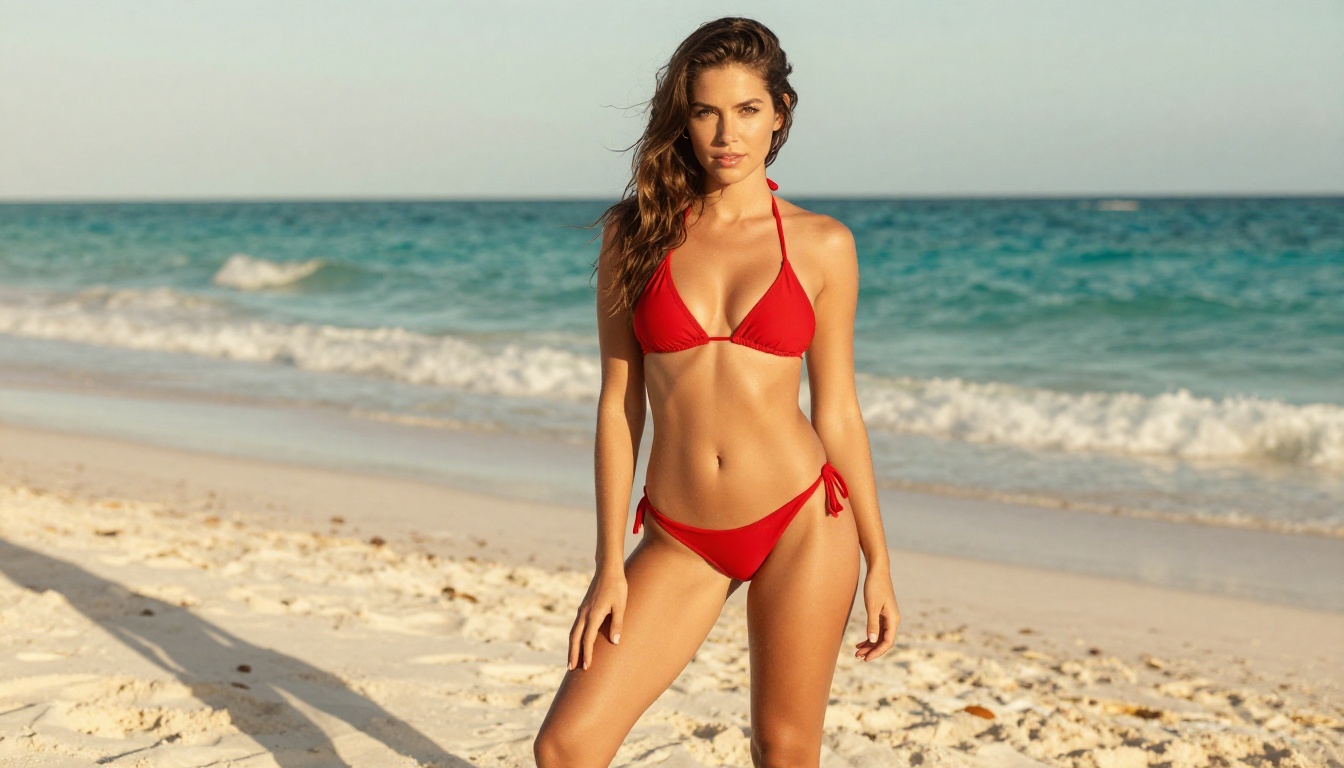
Seedream 4.5 ⭐: The top recommendation for NSFW generation. Accepts adult content, supports image editing, and produces highly realistic results in under 3 seconds. This is the model you reach for first when GPT Image 1.5 refuses. Note: the newer Seedream 5 Lite does not support NSFW content. Do not confuse them.
-
PicassoIA Image Editor Pro: An img2img model with a crucial advantage, unlimited generations on Elite and Infinite plans. You can generate 1,000 images and pay nothing beyond your subscription. Compare that to token-based models where 1,000 images can run $100 or more. Accepts NSFW, returns results in under 1 second, and offers a 3-generation free trial with no credit card required.
-
Qwen Image 2: Open-source architecture that lets you edit or create detailed, realistic images in seconds. Fewer guardrails than closed commercial models.
-
Grok Imagine Image: Excels at image-to-image transformations, including converting reference photos into realistic bikini-style results with very high fidelity.
-
Recraft V4: Text-to-image only, but extremely realistic output with minimal content restrictions on suggestive content.
-
P-Image: NSFW-capable text-to-image generation in under 1 second. Ideal for rapid iteration.
-
prunaai-wan-2.2-image: Generates highly realistic images from detailed text descriptions without content filters, particularly strong for portrait and figure work.
💡 The bottom line: While GPT Image 1.5 excels at instruction-following and text rendering inside images, it will never produce adult content. Models like Seedream 4.5 and PicassoIA Image Editor Pro are purpose-built for creators who need that freedom.
How to Use Seedream 4.5 on PicassoIA
Since Seedream 4.5 is the strongest recommendation for creators coming from GPT Image 1.5, here is exactly how to get the best results from it on PicassoIA.
Setting Up Your First Generation
- Go to Seedream 4.5 on PicassoIA
- Select the model from the text-to-image interface
- Write your prompt in the input field. Seedream 4.5 responds well to detailed, descriptive prompts that specify lighting, camera angle, and subject detail.
- Adjust the aspect ratio. 16:9 works well for editorial content, and 9:16 for portrait-format output.
- Click generate. Results return in under 3 seconds.
Prompt Tips for Realistic Results
- Be specific about lighting: "golden hour sunlight from the right, creating warm highlights on skin" outperforms generic lighting instructions.
- Describe the camera lens: "135mm telephoto lens" or "85mm f/1.4" tells the model what kind of depth compression and bokeh you want.
- Include film stock references: "Kodak Portra 400 film grain" or "Fujifilm Pro 400H color science" shifts output toward photorealistic rather than digitally clean.
- Specify skin texture: "natural skin texture with realistic pores and subtle imperfections" produces more believable results than simply asking for "realistic."
Using PicassoIA Image Editor Pro for Iterations
Once you have a base image from Seedream 4.5 or any other model, PicassoIA Image Editor Pro becomes your best tool for fast, unlimited iteration:
- Upload your base image and describe what to change
- The model returns an edited version in under 1 second
- Run as many iterations as you need without counting credits
- Accepted for NSFW content, so you are not hitting the same walls as on OpenAI's platform

GPT Image 1.5 vs Unrestricted Models: Side by Side
| Feature | GPT Image 1.5 | Seedream 4.5 | PicassoIA Image Editor Pro |
|---|
| Text rendering in images | Excellent | Good | N/A (img2img) |
| Instruction-following accuracy | Excellent | Very Good | Very Good |
| NSFW content | Hard blocked | Fully supported | Fully supported |
| Suggestive content | Gray zone | Supported | Supported |
| Generation speed | 10-20 seconds | Under 3 seconds | Under 1 second |
| Cost per image | API credits | Platform credits | Unlimited on Elite plan |
| Content filter | Multi-layer, strict | Minimal | Minimal |
| Realistic skin and body output | Good | Excellent | Excellent |
The comparison is not really about which model produces better images in a vacuum. It is about which model works for your actual project. If you need clean product imagery, instructional diagrams, or AI-generated content for a PG audience, GPT Image 1.5 is genuinely impressive. If you are a creator producing adult content, glamour photography alternatives, or artistic work that depicts the human form, you need a platform that respects your creative intent.
Speed and Volume Reality
This matters more than most comparisons acknowledge. If you are producing content at volume, the difference between these three scenarios is not marginal:
- 20 seconds per image on GPT Image 1.5, with frequent refusals requiring re-prompts
- Under 3 seconds per image on Seedream 4.5, with consistent acceptance
- Under 1 second per iteration on PicassoIA Image Editor Pro, unlimited
That gap is the difference between a productive workflow and an exhausting one.
The Full Spectrum: All NSFW-Capable Models on PicassoIA
Beyond the top image models, PicassoIA also hosts unrestricted video generation options for creators who need motion content:
- PicassoIA Video: Generate video directly from text prompts. Unlimited clips at up to 720p and 5 seconds per clip.
- P-Video: Text, image, or audio to video at up to 1080p, safety filter off by default, with draft mode for instant previews.
- Grok Imagine Video: Up to 15-second clips from text, image, or existing video. No watermarks.
- LTX 2.3 Pro: Highest fidelity video at up to 4K/50fps, with retake and extend editing for precise control.
These video tools exist because creative work does not always stop at still images. A creator producing glamour or adult content at a professional level needs a full production workflow, and PicassoIA provides one.
💡 Realistic about GPT Image 1.5: It is a genuinely capable model for the work OpenAI designed it for. But if your creative project requires content that OpenAI's terms prohibit, no amount of prompt engineering will change that outcome. The practical solution is to use a platform designed for your actual needs.
Start Creating Without Limits
If you have been spending time trying to make GPT Image 1.5 do something it was never built to do, the time you have spent is the real cost. The models exist, they work, and they are available right now.
Seedream 4.5 is the fastest path from the frustration of repeated refusals to actually producing the content you want. Start there, then try PicassoIA Image Editor Pro for unlimited iteration once you have a result you like. When you want to find the model that fits a specific creative need, the full catalog is at picassoia.com/en/all-models.
GPT Image 1.5 is impressive at what it does. What it does is not what you are looking for.