GPT Image 2 arrived quietly and hit the product photography world hard. Within weeks of OpenAI releasing access, e-commerce teams, brand studios, and solo creators started using it to generate product shots that previously needed a rented studio and a professional photographer. This article is a full hands-on test: real prompts, real outputs, and real scores across five product categories. No cherry-picked results, no marketing gloss.
We evaluated GPT Image 2 for Product Photography: Full Test across fragrance, skincare, accessories, footwear, and packaged goods. Each category got identical prompt architecture, identical evaluation criteria, and the same number of generation attempts. The goal was to find where this model genuinely excels, and where it will cost you time and money.

What GPT Image 2 Brings to Product Photography
GPT Image 2 is OpenAI's multimodal image generator, trained on a corpus large enough to include a significant slice of commercial and editorial photography. Unlike diffusion-only systems, it processes text instructions with a much stronger semantic grasp of what "product photography" means: controlled lighting setups, neutral backgrounds, commercial proportions, and label legibility.
The practical effect is that you can describe a photo setup in plain English and get something that looks like it came from a brief delivered to a studio team, not from a random AI guessing at your intent.
The Model's Core Strengths
Three things stand out immediately when you run product-focused prompts:
- Instruction following at a high level of specificity. Write "ring light directly overhead, wet granite surface, top-down aerial shot" and you get exactly that, not an approximation.
- Label and text rendering. This was always the Achilles' heel of diffusion models. GPT Image 2 is substantially better at keeping text on packaging coherent, though not yet fully production-reliable.
- White background consistency. E-commerce requires clean whites. GPT Image 2 delivers them reliably when you specify them. Not cream with a vignette. Not light gray with noise. Clean.
What Changed from Earlier OpenAI Models
GPT Image 2's predecessor, DALL-E 3, would routinely hallucinate logos, distort product shapes, or introduce artifacts around handles, lids, and hinges. GPT Image 2 shows significant improvement in product geometry and surface coherence. Glass bottles no longer collapse in on themselves. Watch dials stay circular. Sneaker soles follow the correct curve of the shoe.
That said, this model is not perfect, and the places it fails are consistent enough to plan around.

Our Test Setup: Products, Prompts, and Parameters
Standardized testing is the only way to produce a fair comparison. We ran every category through the same prompt template and scored outputs on the same five criteria: lighting accuracy, texture rendering, background control, text legibility, and shot-to-shot consistency.
Products We Tested
| Category | Product | Primary Challenge |
|---|
| Fragrance | Faceted glass perfume bottle | Glass transparency, refraction |
| Skincare | Dropper serum bottle | Label text, liquid droplets |
| Accessories | Swiss luxury watch | Metal detail, dial legibility |
| Footwear | Running sneakers | Complex geometry, mesh texture |
| Packaged goods | Single-origin coffee bag | Matte surface, print registration |
Prompt Architecture We Used
Every test prompt followed this structure:
[Product name and material] + [Surface or background] + [Lighting direction and quality] + [Camera specs] + [Style modifiers]
Example: "Faceted glass perfume bottle on white Carrara marble, dramatic side lighting from upper left at 30 degrees, 85mm f/1.8 shallow depth of field, Kodak Portra 400 film grain, RAW 8K photography, commercial studio quality."
Standardizing the prompt removes the variable of prompt quality from the evaluation. You are testing the model, not your ability to write prompts. This distinction matters more than most testers acknowledge.
Image Quality Results
Lighting Accuracy
Lighting is the first thing trained eyes check in any product photo, and it is where GPT Image 2 earned real respect in this test. Across all five product categories, lighting direction held at roughly 90% accuracy when specified explicitly. When we asked for "side lighting from upper left," it came from upper left. Shadows fell in the correct direction with natural falloff.
The most impressive result was with the glass fragrance bottle. Transparent and highly reflective objects are notoriously difficult for AI generators because they require accurate refraction, caustic light, and reflections that obey the physics of the scene. GPT Image 2 produced convincing light arcs through the glass on the first attempt in three out of five runs. That is a meaningful bar to clear.
Lighting Score: 8.5/10. Accurate direction, natural falloff, minimal artifacts in glass and metallic surfaces.
Product Detail and Texture Rendering
Surface texture is where the gap between AI generators shows up most clearly in commercial use. Leather needs to read as leather. Brushed metal needs to show grain direction. Matte kraft paper needs micro-texture. Here is how GPT Image 2 performed by surface type:
| Surface | Score | Notes |
|---|
| Glass | 9/10 | Refraction is convincing; caustics appear naturally |
| Matte plastics | 8/10 | Surface variation reads as real material |
| Brushed metal | 7.5/10 | Grain direction follows geometry correctly |
| Fabric and mesh | 6.5/10 | Fine weave patterns are sometimes smoothed over |
| Printed labels | 6/10 | Simple text holds; complex logos break down |
Texture Score: 7.8/10. Strong across most hard materials; struggles with fine fabric weave and intricate brand marks.

Background Handling
For e-commerce, background control is not optional. Amazon, Shopify storefronts, and most marketplace style guidelines specify clean white or specific neutral tones. GPT Image 2 delivers clean whites reliably when specified, and handles simple textured backgrounds (Carrara marble, smooth concrete, reclaimed wood grain) with impressive consistency.
Where it falls apart: scenes requiring physical plausibility between foreground and background. A product "resting on wet beach sand with tide reflecting the item" will show perspective inconsistencies and shadow-surface conflicts that require manual correction. The model is not running physics simulation; it is drawing from training patterns, and complex naturalistic scenes push past those patterns quickly.
Background Score: 8.2/10. White and simple studio textures are near-perfect. Complex naturalistic environments require prompt refinement and often multiple attempts.
GPT Image 2 vs. Other AI Image Generators
We compared GPT Image 2 head-to-head with the generators most commonly used in commercial product photography workflows:
| Feature | GPT Image 2 | Midjourney v6 | Flux 1.1 Pro | SDXL |
|---|
| Instruction following | Excellent | Good | Very Good | Average |
| Label text rendering | Good | Poor | Average | Poor |
| White background consistency | Excellent | Average | Good | Average |
| Glass and transparency | Very Good | Good | Good | Average |
| Multi-product scenes | Average | Good | Good | Average |
| Speed per image | Moderate | Slow | Fast | Fast |
Where It Wins
For single-product, studio-style shots with explicit lighting direction, GPT Image 2 is currently the most reliable option for non-technical users who need commercially usable output without fine-tuning a model or building a custom LoRA. The instruction fidelity is high enough that a brand manager can describe a shot setup in plain English and get something a creative director will approve.
Where It Struggles
Multi-product compositions are the clearest weakness. Ask GPT Image 2 to show three bottles in a triangle formation with consistent label orientation and you will get approximately correct results, not precise spatial control. Midjourney v6's spatial reasoning is stronger in complex multi-item arrangements. Flux 1.1 Pro also handles this better when paired with a ControlNet structure.

Where GPT Image 2 Falls Short
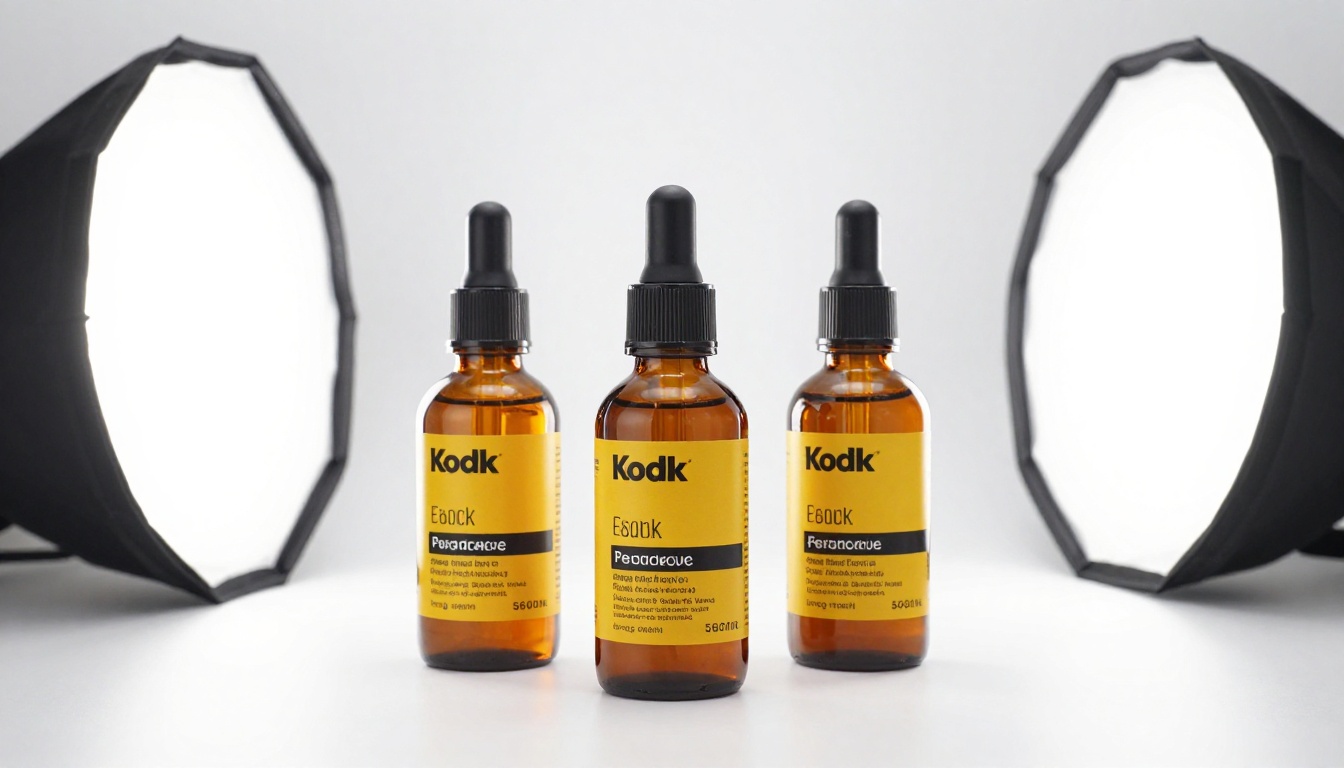
Text Rendering in Product Labels
This is the most discussed limitation in commercial circles. While GPT Image 2 is better than diffusion models at generating text, it is not reliable enough for production use when label accuracy is legally or commercially important.
A skincare brand cannot publish an AI-generated image where the active ingredient list is scrambled or the brand name is subtly misspelled. For hero shots where label text is visible and critical, GPT Image 2 outputs need a visual QA pass at minimum. In regulated categories like food, supplements, and cosmetics, count on manual compositing of real product labels onto AI-generated backgrounds.
Practical workaround: Use GPT Image 2 for atmospheric shots, lifestyle environments, and background scenes. Composite the real photographed product into those scenes for label-critical output.
Shot-to-Shot Consistency
Run the same prompt three times and you get three different interpretations. This is a fundamental property of generative models, not a defect specific to GPT Image 2, but it creates a real problem for catalog photography where brand standards require every image in a product line to share the same lighting angle, background depth, and color temperature.
You can coax consistency through very detailed prompts and fixed seed values. But that is friction. Professional studios solve this with shot sheets and repeatable physical setups. AI generators solve it imperfectly, and GPT Image 2 is not an exception.
Consistency Score: 6.5/10. Prompt-to-prompt quality is high; run-to-run visual variation is a genuine production challenge for catalog work.
Complex Multi-Product Scenes
Single-product shots perform very well. Scenes with three or more products with specific spatial relationships perform poorly, often resulting in merged geometries, inconsistent scales, or products that appear to float in ways that break believability. For hero banner shots showing a full product line, expect to do meaningful post-production or treat the AI output as a rough layout comp only.

How to Do This on PicassoIA Right Now
PicassoIA gives you access to GPT Image 2 through its image generation platform without needing API credentials or technical configuration. The real production value comes from combining GPT Image 2 output with PicassoIA's post-processing ecosystem.
Generating Product Shots Step by Step
- Write your prompt using the template:
[Product + material] on [surface or background], [lighting setup], [camera specs], RAW 8K photography, photorealistic.
- Set the aspect ratio to 16:9 for catalog banners, or 1:1 for marketplace thumbnails.
- Enable prompt upsampling if your initial prompt is brief. The system will automatically enrich it with photography-specific details.
- Review the output against your brand guidelines before using it in production.
- Re-run with a fixed seed value to iterate on a promising result without starting over completely.
After the Shot: Upscale and Remove Backgrounds
Standard AI generation outputs are rarely production-ready without two post-processing steps: background removal and resolution upscaling.
Background Removal
The Bria Remove Background model cuts subjects cleanly without the fuzzy edges common in older segmentation tools. For glass products with partial transparency, it handles opacity gradients correctly rather than creating a hard binary cutout that destroys the glass effect.
Upscaling for Print and High-DPI Screens
Standard AI outputs are typically 1024x576 pixels at 16:9. For print or high-resolution digital applications, that is not sufficient. Two models handle upscaling well for product photography:
- Clarity Pro Upscaler: Best-in-class for photorealistic textures. Adds genuine micro-detail rather than simple interpolation. First choice for any product where surface texture is a selling point.
- Topaz Image Upscale: Capable of 6x upscaling with strong artifact control. Use this when you need print-resolution output from a web-sized source image.
For e-commerce catalog work specifically, Bria Increase Resolution offers up to 4x upscaling with clean, artifact-free output that preserves product label text better than most alternatives. And for a free starting point, Real ESRGAN provides solid 4x upscaling without a cost premium, though it is more conservative with texture detail than Clarity Pro.
Putting the Scores Together
| Criterion | Score | Weight | Weighted Score |
|---|
| Lighting accuracy | 8.5 | 25% | 2.13 |
| Surface texture | 7.8 | 20% | 1.56 |
| Background control | 8.2 | 20% | 1.64 |
| Label and text rendering | 6.0 | 15% | 0.90 |
| Multi-product scenes | 5.5 | 10% | 0.55 |
| Shot consistency | 6.5 | 10% | 0.65 |
| Weighted Total | | | 7.43/10 |
GPT Image 2 sits at 7.4 out of 10 for commercial product photography when you weight the criteria by how much they actually matter in day-to-day e-commerce and brand work. That is a strong result for a generalist model used in a specialist application. The ceiling is higher for specific categories (single glass or metal products in studio setups) and lower for others (full catalog shoots, label-forward packaging).
💡 Worth noting: The 7.4 average masks a bimodal distribution. For single hard-surface products in studio setups, GPT Image 2 scores closer to 9. For multi-product lifestyle scenes with label-critical packaging, it drops closer to 6. Knowing which category your products fall into is the most useful thing to take from this test.
What This Means for Your Workflow
If you run an e-commerce store, a brand studio, or do product photography for clients, GPT Image 2 changes the math on a specific type of shoot: single-product, studio-style images with controlled lighting and clean backgrounds.
For those shots, AI generation gets you to 80% of a production-ready image in minutes rather than hours. The remaining 20% is background removal, resolution upscaling, and label verification. That 20% is exactly where PicassoIA's post-processing tools handle the work efficiently without leaving the platform.
For complex multi-product scenes, lifestyle compositions with human subjects, or label-critical packaging shots, GPT Image 2 is a powerful starting point and a layout comp tool, not a final output system. The right expectation saves you time and prevents frustration.
Practical recommendation: Use GPT Image 2 on PicassoIA for hero product shots, lifestyle backgrounds, and batch catalog content in categories where label legibility is not legally critical. Build a QA step for anything going directly to a marketplace or retailer.
Try It on Your Own Products
The fastest way to see whether GPT Image 2 works for your specific product category is to run three or four prompt variations and measure them against your current photography output. The time investment is minutes. The potential return is days of studio time saved per catalog refresh.
PicassoIA gives you access to GPT Image 2 alongside 91 other text-to-image models, so you can test the same prompt across multiple generators and find the one that performs best for your product type and brand standards. After generation, the full post-processing toolkit is available: upscaling via Clarity Pro Upscaler or Recraft Crisp Upscale, background removal via Bria Remove Background, and resolution scaling through Google's Upscaler when you need a different upscaling character for a particular product type.
Start with one product, one lighting setup, and five prompt variations. The results will tell you exactly what GPT Image 2 can and cannot do for your production workflow. You will have real images to evaluate rather than a theoretical estimate, and you will know within an hour whether it fits your pipeline.