Paying for AI tools is one thing. Paying for AI tools that don't deliver meaningfully more than what's already free is another thing entirely. That's the honest question sitting behind every "Grok Imagine Pricing" search: not just what does it cost, but is there a point?
This breaks down exactly what xAI charges, what you're actually getting at each tier, how image quality holds up against competing platforms, and whether the numbers make sense for your specific use case.
What Grok Imagine Actually Is
Grok Imagine is the image generation capability baked directly into xAI's Grok chatbot. It runs inside the conversational interface, so you generate images the same way you'd ask Grok a question. No separate app, no tab-switching, no external tool to juggle.

The underlying model powering Grok Imagine is Aurora, xAI's proprietary image generation engine. It's designed to handle photorealistic outputs with strong prompt adherence, and it integrates naturally with Grok's reasoning capabilities. That means you can refine images through conversation, which is a workflow advantage other standalone tools don't offer.
The xAI Ecosystem Context
Grok Imagine doesn't exist in isolation. It's a feature of a larger product ecosystem. Grok is xAI's answer to ChatGPT and Claude, and image generation is one capability within a subscription that also covers expanded context windows, faster processing, and access to more capable Grok model tiers.
That context matters enormously for the pricing conversation, because you're not just buying image generation. You're buying a bundled product where images are one line item in a longer feature list.
What the Tool Can Do
Aurora generates images at resolutions up to 1280x768 by default, with higher quality available at premium tiers. The model handles portrait, landscape, and abstract prompts with solid consistency. Lighting direction in prompts translates reliably to output, which is less common than you'd expect at this price tier.
Where it genuinely stands out is in contextual iteration inside a conversation. You can say "make the background warmer" or "change her jacket to dark blue" after seeing the first result, and Grok iterates from there. That conversational refinement loop is the actual differentiator, not raw image quality measured against a fixed benchmark.
Grok Imagine Pricing, Tier by Tier
Let's get specific about what each tier costs and what it actually includes.
The Free Tier Reality
Free Grok access includes a limited number of image generations per day. As of mid-2025, free users can generate roughly 10 images per day through Grok on X. This is tied to your X account, and the quality ceiling sits at standard resolution without access to the higher-fidelity Aurora outputs.
The free tier works fine for casual, occasional use. If you need one or two images for a social post and you're already inside the X ecosystem, it gets the job done. The moment you try to use it for anything resembling a volume workflow, you'll hit the limit fast.
💡 Free tier generations are slower during peak hours and don't include priority queue access, meaning you may wait considerably longer for outputs compared to paid subscribers.
SuperGrok Pricing
SuperGrok is xAI's premium tier, priced at approximately $30/month (or roughly $22/month billed annually). This plan includes:
- Unlimited Grok image generations (subject to fair-use policy)
- Higher resolution Aurora outputs
- Priority processing queue
- Access to Grok's more capable reasoning models
- Early feature access
The "unlimited" framing needs a small asterisk. Like most AI platforms with unlimited plans, there's a soft fair-use ceiling. Extremely heavy use (thousands of images per day) will trigger throttling. For a working creative professional generating 50 to 150 images daily, you're unlikely to hit this ceiling in practice.
X Premium and X Premium Plus
There's also the X Premium path, which gives basic Grok access as part of a social media subscription at around $8/month (Premium) or $16/month (Premium Plus). Neither of these tiers gives you the full Grok Imagine experience that SuperGrok provides.
This creates a confusing pricing ladder where users on X Premium assume they're getting Grok Imagine fully unlocked, when in reality they're getting a restricted version. The full image generation experience, including higher resolution and priority processing, requires SuperGrok specifically.

The Credit Question
xAI has experimented with credit-based allocation for image generation at various points, though SuperGrok largely moves away from that model toward an unlimited-use framing. However, certain high-cost operations, such as generating at maximum resolution or using specialized Aurora variants, may still consume credits separately from the base generation quota.
The lack of clear public documentation on how credits work, when they reset, and what counts against them is one of the genuine frustrations users consistently report. You're paying $30/month for something that doesn't always clearly communicate its own rules.
How the Image Quality Holds Up
Pricing only makes sense in context of what you actually receive. So let's be direct about quality.
Where Aurora Performs Well
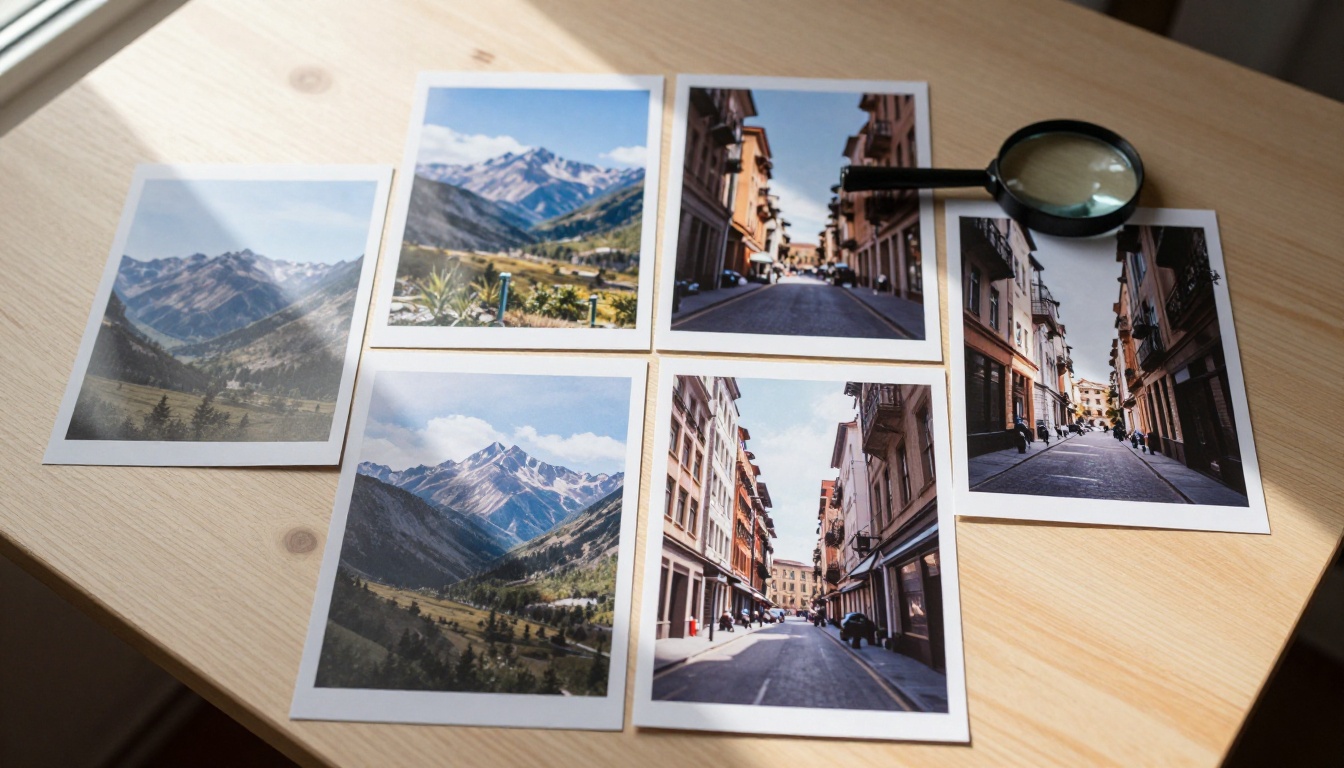
The Aurora model produces genuinely strong photorealistic results. Portraits with natural skin textures, architectural renders with accurate perspective, and landscape images with atmospheric depth all come out well. The model handles lighting direction in prompts better than many competitors, meaning "volumetric afternoon light from the left" actually appears accurately in the output rather than being ignored.
For standard professional use cases, Aurora's quality is competitive with Midjourney v6, DALL-E 3, and Stable Diffusion XL outputs. It's not a step behind, which matters when justifying the cost.
Where It Falls Short
Aurora struggles with complex multi-subject compositions. When you have three or more distinct subjects with specific positional relationships, the model starts to degrade. Hands are a persistent weakness, which is common across most image models but worth noting.
Text rendering inside images is better than Stable Diffusion but noticeably worse than Ideogram v4 Balanced or Recraft v4.1. If you need accurate in-image typography, Aurora is not your best option at any price tier.
The model also doesn't offer style presets or fine-tuned LoRA variants the way open-source platforms do. What you get is what Aurora alone can produce, with no customization layer.
Grok Imagine Against the Competition
At $30/month, Grok Imagine is competing with a strong field. Here's where it actually stands.

| Tool | Monthly Cost | Generations | Style Variety | Iterative Editing |
|---|
| Grok SuperGrok | $30 | Unlimited (fair use) | Low, Aurora only | Yes, chat-based |
| Midjourney Standard | $30 | ~900 fast | High, many styles | Limited |
| Adobe Firefly | $20 | 2,000 credits | Medium | Yes |
| PicassoIA | Pay per generation | Unlimited options | Very high, 90+ models | Yes |
| DALL-E via ChatGPT Plus | $20 | Limited by tier | Medium | Yes |
Free Alternatives That Match or Beat It
Several free tools now produce Aurora-comparable quality at no cost. Ideogram v4 Balanced is free and handles text-in-image better than Aurora. Recraft v4.1 is free and produces sharper architectural and graphic design outputs.
Both are available on PicassoIA without a subscription, handling most of what Grok Imagine does at the $30/month tier.
Paid Tools That Genuinely Do More
For $30/month or less, you can access:
- Seedream 5 Pro for sharp 2K outputs with exceptional detail rendering
- Recraft v4.1 Pro for print-ready images at 2K resolution
- Krea 2 Large for photorealistic outputs with a different quality ceiling
- GPT Image 2 for instruction-following image creation with high fidelity
None of these require a $30/month commitment to a single-model ecosystem. They're available through platforms that give you model variety rather than locking you into one proprietary engine.
When Paying for Grok Imagine Makes Sense
This isn't a blanket argument against paying for SuperGrok. There are specific profiles where the $30/month is reasonable.
Already Deep in the xAI Ecosystem
If you use Grok daily for research, writing, and reasoning tasks, image generation becomes a natural extension of an existing workflow. In that case, the $30/month covers the full Grok experience, not images alone. Measured against the complete feature bundle, the value calculation shifts significantly in SuperGrok's favor.
You Prefer Conversational Image Refinement
The chat-based iteration flow is genuinely useful for people who think in conversation rather than prompt engineering. Instead of crafting a 150-word prompt from scratch, you start simple and refine through dialogue. That's a real workflow preference that many users strongly favor, and Aurora plus Grok's reasoning engine handles it well.
Social Media Work on X at Volume
If your work involves X as a primary publishing platform, the integration between Grok Imagine and X's native features has real workflow advantages. Generating images and posting directly through Grok without leaving the interface is a time-saver for high-volume social content creators who live in the X ecosystem.
Casual Creative Use Without Tool Juggling
If you're not a professional creative but generate images regularly for personal projects, blogs, or content, and you don't want to manage multiple tools, Grok Imagine at $30/month is a clean single-interface solution. One subscription, one place to work, no context-switching tax.
How to Use Grok Imagine Quality on PicassoIA
xAI's Aurora model isn't only accessible through a $30/month SuperGrok subscription. You can access high-quality Grok image generation directly on PicassoIA through Grok Imagine Image Quality, which produces 2K AI art without requiring a SuperGrok commitment.

Step-by-Step: Grok Image Quality on PicassoIA
Step 1: Visit the Grok Imagine Image Quality model page on PicassoIA.
Step 2: Write your prompt. Be specific about lighting, subject, and atmosphere. Aurora responds exceptionally well to directional light descriptions and detailed scene context, more so than most competing models.
Step 3: Select your aspect ratio. For social media content, 1:1 or 9:16 works well. For blog headers and banners, 16:9 is standard.
Step 4: Click generate. The model produces 2K resolution outputs, a meaningful step above what free Grok access provides on its standard tier.
Step 5: If the result isn't quite right, adjust your prompt with more specific instructions about what to change. Iterate by editing the prompt directly, targeting the specific element that needs correction.
💡 Tip: Adding lighting direction to your prompts, such as "morning light from the upper left" or "soft diffused window light from behind," dramatically improves Aurora's output consistency. The model is unusually responsive to lighting instructions compared to other text-to-image models.
The Smarter Play: PicassoIA's Model Library
For the majority of image generation use cases, accessing individual models through a platform that offers genuine variety is more economical than committing to a single-engine subscription.

PicassoIA gives you access to over 90 text-to-image models without locking you into any single ecosystem. You pay for what you actually generate, and you can switch between models based on what each specific job requires.
More Models, Same Cost
Consider what $30/month buys you across different approaches:
- Grok SuperGrok: One proprietary model (Aurora), chat-based workflow, unlimited fair-use generations, bundled with full Grok reasoning access
- PicassoIA: 90+ models across every style and use case, pay per generation, no monthly ceiling, no ecosystem lock-in
For professional volume use, the per-generation model is often cheaper in practice. For casual use, the subscription convenience wins. The honest answer is that neither is universally better. It depends entirely on your specific workflow and how you actually work.
Models Worth Trying Right Now
If you're weighing Grok Imagine pricing against alternatives, these models on PicassoIA are worth direct comparison:
For photorealistic portraits and people: Seedream 5 Pro delivers sharp 2K results with excellent skin texture and lighting response.
For brand and product images: Recraft v4.1 Pro produces print-ready outputs with precise color accuracy and clean typography rendering.
For fast iteration and prototyping: Riverflow v2.5 Fast generates quickly, letting you cycle through multiple concepts in minutes without waiting.
For precise image editing and retouching: PicassoIA Image Editor Pro handles inpainting, outpainting, and object replacement with unlimited generations included.
For the Aurora experience without the subscription: Grok Imagine Image Quality gives you the same underlying model at 2K resolution, on demand, without committing to a monthly plan.
The Honest Verdict
Pay for SuperGrok if: You use Grok daily for reasoning and writing, you want one subscription covering everything xAI offers, you prefer conversational image refinement over prompt engineering, or you're primarily a heavy X platform user who already pays for X Premium and wants to step up.
Skip the subscription if: You only need image generation (the $30 covers a lot more than images, so paying for images alone is poor value), you need style variety beyond what a single proprietary model provides, you need text-in-image accuracy, or you already work across multiple models for different project types.
The core issue with Grok Imagine pricing isn't that it's overpriced for what the Aurora model does. The quality is genuinely competitive. The issue is that $30/month is a significant commitment to a single-model, single-ecosystem tool when the broader AI image generation market offers remarkable variety at comparable or lower total cost.
💡 The bottom line: If you're paying for SuperGrok primarily for image generation, there are better-value options available. If you're paying for SuperGrok for the full Grok experience and image generation comes along for the ride, that's a much more defensible spend.
The smartest path for most creators is to access Aurora through a platform like PicassoIA for on-demand use, while keeping the full model ecosystem available for specialized tasks that need something Aurora doesn't do as well.
See the Difference Yourself
The most reliable way to settle the pricing question for your specific workflow is to test the Aurora model directly against your own prompts and use cases. PicassoIA gives you access to Grok Imagine Image Quality without requiring a $30/month subscription commitment, so you can evaluate actual output quality before spending anything.
From there, you can decide with real data whether SuperGrok makes sense for your complete Grok usage, or whether a flexible model-selection approach through PicassoIA fits your workflow better.
Browse the full model library at picassoia.com/en/all-models to see everything available across image generation, editing, video, and audio, and find the specific tools that match your actual work rather than a marketing pitch.


