If you've been hunting for a decent AI image generator that doesn't blank out at the first sign of anything spicy, you've almost certainly landed on two names: Grok Imagine's Spicy Mode and SpicyGen. Both promise to go where mainstream tools like DALL-E refuse to tread. But they take very different approaches, and the gap in quality, freedom, and pricing is wider than most people expect. We ran both through a full battery of real prompts to give you the actual picture before you spend money on either.
What Is Grok Imagine Spicy Mode?
Grok Imagine is xAI's image generation feature built into the Grok chatbot platform. By default it follows standard content guidelines, the same filtered approach you'd expect from any major AI lab. But for subscribers on the Premium+ tier, xAI provides access to a toggle called Spicy Mode, which removes some of the stricter content filters and allows more suggestive outputs.
Where It Lives
Grok Imagine is not a standalone image generation platform. It lives inside the Grok chat interface at xAI, and on X (formerly Twitter) for qualifying subscribers. That integration is both its strength and its biggest limitation. You're generating images inside a conversational chatbot, not inside a dedicated creative tool with model settings, LoRA support, or fine-grained generation parameters.
💡 Context matters: Grok's Spicy Mode is a chatbot feature, not a purpose-built NSFW image generator. If you go in expecting deep parameter control, you'll be disappointed.
What It Actually Permits
With Spicy Mode enabled, Grok allows:
- Suggestive poses and attire (lingerie, revealing clothing, implied nudity)
- Romantic scenarios between consenting adult characters
- Partial nudity that stops short of explicit sexual depictions
What it still refuses: explicit sexual content, graphic acts, or any content that could suggest minors. xAI has been clear that Spicy Mode is not a pornography generator. It's closer to a "PG-18 mode" than true unrestricted generation.
The images themselves are powered by Grok's proprietary model, which delivers decent photorealism for portraits but shows inconsistency in hand anatomy, complex scenes, and fine clothing textures.

What Is SpicyGen?
SpicyGen is a dedicated NSFW AI image platform built specifically for adult content generation. Unlike Grok, it doesn't pretend to be something else. The platform exists purely to let users create spicy, suggestive, and adult-oriented AI images with a range of style controls.
The Platform at a Glance
SpicyGen provides:
- Multiple model options including anime-style and photorealistic generators
- Negative prompts to explicitly exclude unwanted elements
- Basic parameter controls (steps, CFG scale, resolution)
- A community gallery of user-generated content
- Mobile-accessible interface for on-the-go generation
It's a purpose-built adult image generator running a fairly standard Stable Diffusion-based backend. The interface is functional rather than polished, and it lacks the prompt intelligence of more modern models. But it gives you more direct control than Grok's conversational approach.
How It Handles NSFW Requests
SpicyGen's content limits are looser than Grok's Spicy Mode. The platform allows explicit sexual content for verified adult users. That said, it still prohibits:
- Any content involving minors
- Non-consensual scenarios presented approvingly
- Specific categories of illegal content by jurisdiction
The platform has an age-gate verification system. Users in regions where explicit AI content is restricted may hit additional walls depending on local regulations.

Image Quality, Head to Head
This is where things get interesting. Content freedom and image quality are two completely different dimensions, and a lot of people conflate them when choosing a platform.
Realism and Skin Detail
Grok Imagine's underlying model is strong for standard portrait work. Skin textures are natural, lighting is generally coherent, and facial features look human. The weaknesses appear in:
- Hands and fingers (the classic AI tell)
- Complex clothing like lace, silk with folds, or layered outfits
- Scene consistency when multiple subjects share the frame
SpicyGen, running on older SD-based pipelines, has more noticeable AI artifacts. Skin tones can look plastic, hair details fall apart at edges, and backgrounds regularly break down. The anime-style models hold up better because that aesthetic is more forgiving of non-photorealistic outputs.
| Feature | Grok Imagine Spicy Mode | SpicyGen |
|---|
| Skin texture | Good | Moderate |
| Facial anatomy | Very Good | Fair |
| Hair detail | Good | Fair |
| Background coherence | Good | Moderate |
| Clothing texture | Moderate | Moderate |
| Anime/stylized output | Basic | Good |
Prompt Accuracy and Consistency
Grok interprets prompts through its chatbot LLM, which means it reads context and intent rather than raw keyword weight. That's a double-edged situation. Complex, descriptive prompts often land better than they would in a simple diffusion model. But Grok also re-interprets your prompts based on safety guidelines, which means spicy prompts sometimes come back softened without warning.
SpicyGen's diffusion-based processing respects your keywords more literally. If you write a detailed prompt about clothing, poses, or settings, the output reflects those inputs more directly. The tradeoff is lower baseline quality and more generation variance between runs.
💡 Prompt tip: With Grok, write spicy prompts as natural descriptions. With SpicyGen, use structured comma-separated keywords with negative prompts to get consistent results.

Content Freedom: Who Goes Further?
The honest answer: SpicyGen goes further. That's its entire value proposition.
Grok's Filter System
Even with Spicy Mode on, Grok applies what xAI calls "soft filters." The model has been trained to steer outputs away from explicit sexual imagery even when technically permitted by the subscription tier. The result is that borderline prompts often get defused automatically. You might ask for an intimate scene and get a tasteful portrait instead.
This behavior is somewhat unpredictable. The same prompt can produce different results across sessions. Some users report that rephrasing prompts in conversational language gets past soft filters more reliably than keyword-heavy inputs, though this varies.
SpicyGen's Content Policy
SpicyGen's content freedom is broader by design. For verified adult users, the platform allows genuinely explicit content that Grok would never output. The baseline model quality is lower, but the content ceiling is higher.
That freedom comes with a caveat: because SpicyGen runs older generation architectures, the explicit outputs often look uncanny, with anatomy errors and texture problems that pull you out of the image. High freedom plus low quality is a frustrating combination for users who want both things at once.

Speed, Cost, and Access
Both platforms sit at very different price points, which significantly affects how you use them in practice.
Free Tier Realities
Grok Imagine (free tier): Basic image generation with standard content filters. Spicy Mode is locked behind Premium+, which sits at around $40/month as of early 2025. For that price you also get access to Grok's most powerful LLM versions, so you're paying for a broader AI bundle, not image generation alone.
SpicyGen (free tier): Offers limited daily generations with watermarks on outputs. Free users can access some NSFW content but resolution and generation speed are throttled. Paid plans unlock higher resolution, more daily credits, and batch processing.
| Grok Imagine | SpicyGen |
|---|
| Free tier available | Yes (no Spicy Mode) | Yes (limited) |
| Spicy/NSFW access cost | ~$40/month (Premium+) | ~$10-15/month |
| Primary value | AI bundle + images | NSFW image generation |
| Image quality | Higher | Moderate |
| Content freedom | Moderate | Higher |
| Parameter control | Low | Moderate |
Paid Plans: What You Actually Get
At $40/month, Grok Premium+ is expensive for someone who only wants spicy image generation. The value case makes sense if you're already using Grok heavily as an LLM assistant and want the image capabilities on top. For pure image generation, the math doesn't work in its favor.
SpicyGen's paid plans are more affordable on the surface, typically $10 to $20 per month depending on the tier. For pure NSFW image generation volume, it offers more outputs per dollar. But the quality ceiling is noticeably lower, which matters when you're trying to produce content that actually looks good.

PicassoIA for Spicy AI Content
If you've been comparing Grok and SpicyGen and finding neither quite hits the mark, there's a third option that most people in this space don't talk about enough: generating AI images through platforms that access professional-grade models without the content filtering headaches baked into consumer chat products.
Models That Deliver Results
PicassoIA provides access to a library of over 91 text-to-image models, including some of the best photorealistic generators available today. For suggestive, glamour, and NSFW-adjacent content, several models stand out:
-
Grok Imagine Image: xAI's own image model, accessible through PicassoIA with full parameter controls the Grok chat interface doesn't expose.
-
Realistic Vision v5.1: One of the most consistent photorealistic models for portrait and fashion work. Skin textures, hair, and clothing details are significantly more reliable than SpicyGen's baseline output.
-
RealVisXL v3.0 Turbo: The XL architecture brings resolution and anatomical accuracy that older SD models simply cannot match. Ideal for glamour and fashion-adjacent outputs.
-
Flux 1.1 Pro: Black Forest Labs' flagship model produces images with exceptional lighting coherence and facial detail, one of the best options for high-quality suggestive portrait work.
-
Flux 1.1 Pro Ultra: The ultra-resolution version of Flux Pro, suited for outputs where you need maximum detail and fidelity in every pixel.
-
Stable Diffusion 3.5 Large: Stability AI's latest large model brings improved prompt adherence and composition control to complex scene descriptions.
-
GPT Image 1.5: OpenAI's image model offers strong prompt interpretation and photographic quality, particularly useful for descriptive scene-based prompts.

How to Use Grok Imagine on PicassoIA
Since Grok Imagine Image is available directly on PicassoIA, here's how to get the most out of it without the chatbot friction:
Step 1: Open the model
Navigate to PicassoIA's text-to-image collection and select Grok Imagine Image.
Step 2: Write a detailed prompt
Unlike the Grok chatbot interface, PicassoIA gives you a direct prompt input without conversational re-interpretation. Write specific, descriptive prompts. Focus on subject, lighting, clothing, pose, and environment. Example: "Portrait of a woman with dark wavy hair, wearing a deep-cut silk dress, sitting by a hotel window at dusk, warm amber light, 85mm depth of field"
Step 3: Set your aspect ratio
For portrait work, 3:4 or 1:1 works well. For scene-based images, 16:9 gives a more cinematic result.
Step 4: Generate and refine
Run the generation and evaluate the output. Adjust your prompt to tighten specific elements. PicassoIA's interface lets you iterate quickly without re-entering a conversational chat context each time.
Step 5: Cross-test with other models
One of PicassoIA's real advantages: you can run the same prompt through Flux 1.1 Pro or Realistic Vision v5.1 immediately, without switching platforms, to compare quality across model architectures side by side.
💡 Pro move: Pair Flux 2 Pro with detailed lighting descriptions for spicy glamour shots. The model's handling of volumetric light and natural skin tone is noticeably more convincing than older architectures.
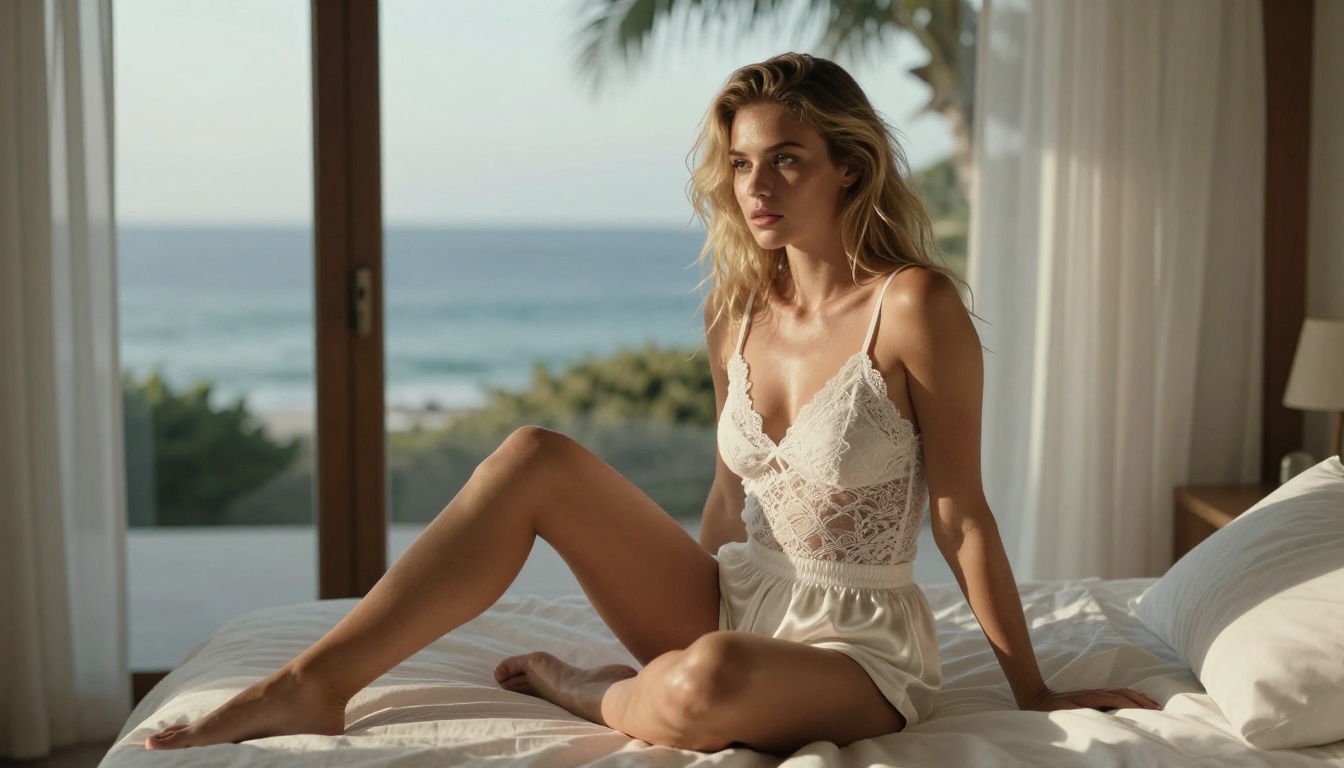
After testing both platforms, the choice comes down to what you're actually trying to create and how much you care about the result looking good.
For Casual Creators
If you already use Grok as an AI assistant and are mainly curious about spicy content on the side, the Premium+ upgrade makes sense as part of a broader AI subscription. The image quality is better than SpicyGen, the interface is frictionless, and for suggestive-but-not-explicit outputs it holds up reasonably well.
If you want explicit content specifically and don't care about image quality, SpicyGen's lower price point makes it more direct value for that narrow use case. Just don't expect the outputs to look photorealistic.
For Serious Visual Work
Neither platform is ideal for creators who want genuine control over photorealistic spicy outputs. Grok lacks parameter control. SpicyGen lacks quality. Both have content ceiling issues from different directions.
The stronger play is accessing professional models directly on platforms like PicassoIA, where you get:
💡 Bottom line: Grok Imagine Spicy Mode wins on quality but loses on content freedom and cost efficiency for image-only use. SpicyGen wins on content freedom but loses badly on image quality. For anyone who takes their AI image generation seriously, neither platform is the final answer.
Try It Yourself on PicassoIA
The best way to see how Grok Imagine stacks up against purpose-built photorealistic models is to run the same prompts across several architectures and compare the results side by side. PicassoIA puts that in reach without managing subscriptions to multiple separate services.
Start with Grok Imagine Image to see what xAI's model produces on your specific prompt. Then switch to Flux 1.1 Pro Ultra for a quality ceiling comparison, or run Realistic Vision v5.1 for maximum photorealism in portrait work.
The difference in skin detail, lighting coherence, and prompt fidelity is significant enough to change how you think about which tool actually serves your creative work. The models are already there waiting. The prompts are yours to write.


