xAI's Grok Imagine Video 1.5 landed without much fanfare, but the people who got in early have been talking. Across forums, social threads, and creative communities, early testers have been comparing outputs, stress-testing prompts, and forming real opinions about where this model sits in the increasingly crowded field of AI video generation. What they found is more nuanced than either the hype or the skepticism suggested, and the details are worth unpacking carefully.
What Grok Imagine Video 1.5 Actually Is
Grok Imagine Video 1.5 is xAI's image-to-video model, built to animate a static image based on a text prompt. You supply a starting frame, describe the motion you want, and the model generates a short video clip with synchronized audio. The "1.5" tag signals an incremental update rather than a full generational leap, but the changes are meaningful enough that testers familiar with the original Grok Imagine Video noticed real differences immediately in output quality and reliability.
From Aurora to Video 1.5
xAI's visual AI started with image generation, which powered the image-creation features built into the Grok chatbot under the Aurora codename. The move into video was a natural extension: if the model can create a compelling still image, animating it becomes the next problem to solve. Version 1.5 builds on this foundation with improved motion coherence, better understanding of physical interactions, and tighter synchronization between prompt intent and visible output. The underlying architecture improvements are not fully documented publicly, but the results speak loudly enough that testers have drawn clear before-and-after comparisons.
How the Image-to-Video Workflow Works
The process is straightforward: upload a source image, write a motion prompt, and receive a short video clip. Unlike text-only video models, image-to-video systems use the provided frame as a creative anchor, which tends to produce more consistent subject appearance and less of the random drifting that plagues purely text-driven generation. Grok Imagine Video 1.5 also has a sibling model called Grok Imagine R2V, which specializes in reference-to-video workflows for character consistency across multiple clips. For creators building longer-form content that needs a consistent visual identity, that distinction matters.
What Testers Said First
The first wave of feedback followed a predictable pattern: initial excitement, careful testing, then the nuanced truth. Most testers found the model genuinely impressive in specific areas while identifying clear gaps that still need work. The honest signal sits between the two poles.

The Strengths That Keep Coming Up
Motion fluidity is the most-cited strength across tester reports. Videos from Grok Imagine Video 1.5 are repeatedly described as "physically believable" and notably free from the jittery mechanical movement that defines earlier-generation models. Liquids behave naturally. Hair moves with actual weight. Camera pans hold steady without the stuttering artifacts common in less refined systems. A simple benchmark that testers ran repeatedly, a person walking across a room, produced results described as "nearly indistinguishable from real video at casual viewing distances."
Prompt responsiveness also stood out. When testers described specific sequences, "the cat stretches and then slowly turns toward the camera," the model executed that intent with notably higher fidelity than many alternatives at the same tier. Compositional instruction-following, the ability to translate written sequences into visible action, is genuinely difficult for image-to-video systems. Testers noticed that Grok Imagine Video 1.5 handles it better than expected.
Native audio was called out as a genuine differentiator. The model generates ambient audio synchronized with the visual content. Outdoor scenes produce wind and bird sounds. Crowd scenes get appropriate background noise. Water generates realistic splash and flow sounds. This is not just pleasant to have. For content creators who previously had to source and sync audio separately, built-in audio that actually works represents a real reduction in production steps.
💡 Tip: The best results with Grok Imagine Video 1.5 come from source images with clear focal subjects and relatively uncluttered backgrounds. Complexity in the starting frame tends to create conflicting motion cues that the model struggles to resolve cleanly.
Where It Still Falls Short
Generation speed is the biggest complaint in early feedback. Testers accustomed to faster models found the wait times noticeable, particularly during high-demand periods. This is partly a queue issue rather than a raw compute limitation, but it's still friction that affects workflow pacing.
Prompt ceiling effects appeared when testers pushed into complex multi-element instructions. Requesting more than two or three simultaneous actions produced inconsistent prioritization. A prompt asking for "rain falling, a woman reading a book, and a dog running in the background" would frequently drop or awkwardly blend one of the three elements. Single and dual action prompts fare significantly better.
Output consistency across runs was also flagged. Using the same source image with the same prompt twice did not reliably produce similar results, making it harder to iterate toward a specific creative target. This is a common challenge across image-to-video models, but worth noting for production workflows that require reproducibility.
Prompt Accuracy in Practice
Prompt accuracy is where AI video models live or die for professional use. The ability to translate written intent into visible action determines how much creative control you actually have.
Simple Prompts vs. Complex Scenes
Grok Imagine Video 1.5 handles single-subject prompts with strong accuracy. "The flower petals open slowly as morning light increases" translated directly into a timed, natural-feeling bloom sequence in multiple tester reports. "Waves crash against rocks and spray into the air" produced physically coherent water behavior. These results are consistently good.
Complexity degrades performance in a specific, predictable pattern: temporal instructions (first this happens, then that) are harder than spatial instructions (this element moves here, that element stays there). "First the door opens, then the character enters" works reasonably well. "Three characters perform separate actions simultaneously in different parts of the frame" is where outputs begin diverging sharply from prompt intent.
Faces and Human Subjects
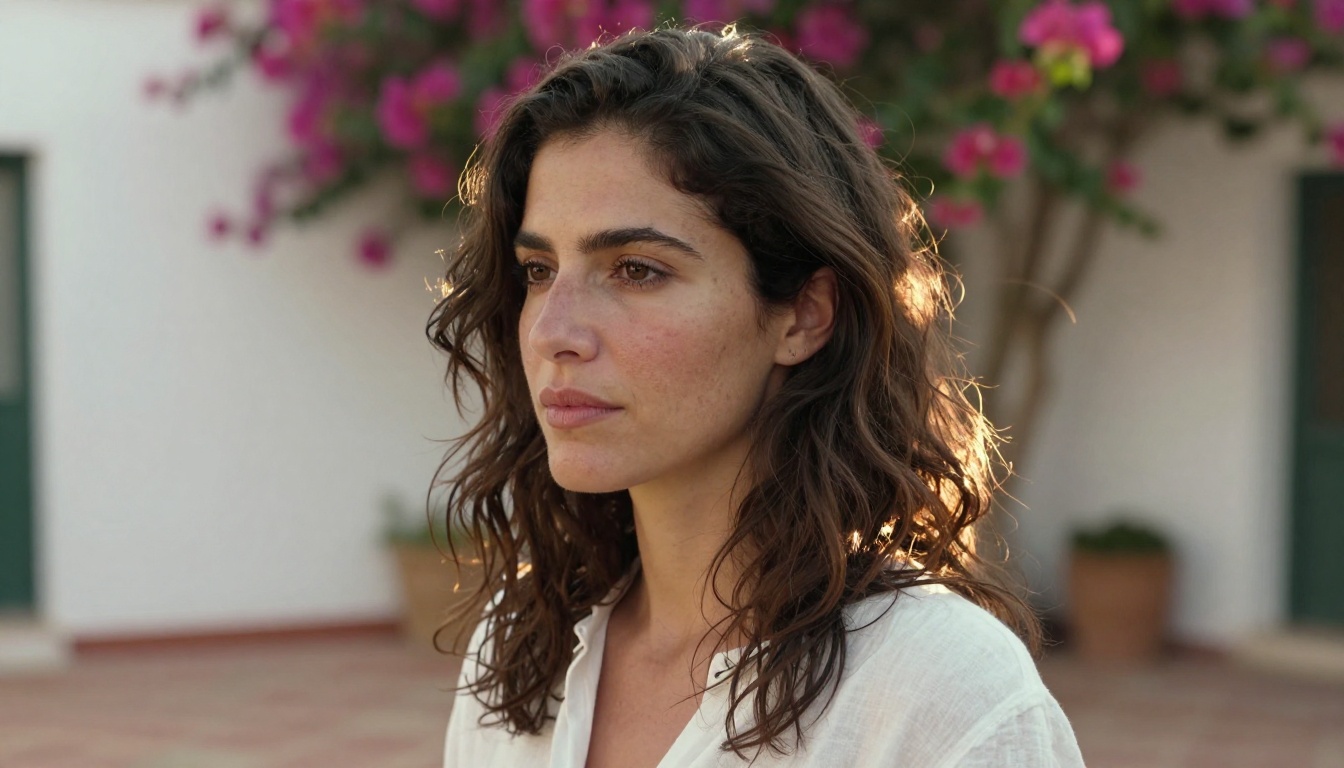
Faces are a known challenge across the entire field of AI video generation, and Grok Imagine Video 1.5 is better than most at maintaining facial consistency, particularly when the source image is high quality. Testers noted that faces "held" much better than in earlier xAI model versions, with significantly fewer of the morphing artifacts that make human subjects uncomfortable to watch. Talking sequences were specifically highlighted as improved, with lip movement that aligns reasonably well with implied speech context. For precision lipsync work, a dedicated lipsync tool will still be necessary, but for general human animation, the results are solid.
Motion and Audio Quality
The technical quality of motion and audio is what separates adequate AI video from genuinely production-usable AI video. Both dimensions received significant attention in tester evaluations.
Movement That Feels Physical
The physics simulation in Grok Imagine Video 1.5 has clearly received substantial attention. Testers ran it through a deliberate range of physical scenarios:
- Fabric and clothing: Accurate drape and fold physics, especially for loose and lightweight materials in wind or motion
- Water behavior: Surface ripples, splash dynamics, and flowing water patterns that follow recognizable physical rules
- Camera motion: Simulated dolly-in, dolly-out, and pan effects that feel cinematic rather than digitally generated
- Animal locomotion: Four-legged movement is notably more natural than in the previous version, with attention to gait rhythm and weight distribution
- Environmental effects: Wind moving through grass and trees, fire behavior, and particle motion all hold up at normal playback speed
Where motion still struggles is in hand and finger detail (a near-universal AI video challenge), highly specific mechanical interactions (tools, machinery, complex device operation), and scenes requiring precise object interaction physics where contact points need to be exact.

Built-in Audio That Actually Contributes
The audio layer in Grok Imagine Video 1.5 reads the visual content and generates ambient sound accordingly. It works most reliably with:
- Natural environments: wind, rain, ocean surf, bird sounds, rustling leaves
- Public and crowd spaces: ambient conversation, traffic, marketplace noise
- Mechanical sounds from visible objects: vehicles, running water, machinery in motion
It works less reliably with musical content and speech, where the model produces plausible but imprecise approximations. For music video production or dialogue-heavy content, separate audio production remains necessary. For everything else, the built-in audio is good enough to remove a step from the standard workflow entirely.
Grok Imagine Video 1.5 vs. The Competition
Placing Grok Imagine Video 1.5 in honest context requires comparing it directly to the other major models available right now. All of the following can be accessed on PicassoIA without additional setup.
| Model | Prompt Accuracy | Motion Quality | Native Audio | Speed | Best For |
|---|
| Grok Imagine Video 1.5 | Strong | Very Good | Yes | Moderate | Natural scenes, human subjects |
| Veo 3.1 | Excellent | Excellent | Yes | Moderate | Cinematic narrative quality |
| Kling v3 Video | Very Good | Excellent | No | Fast | Action, motion-heavy scenes |
| Sora 2 | Excellent | Very Good | Yes | Slow | Complex multi-element scenes |
| Seedance 2.0 | Good | Good | Yes | Fast | Quick social-length content |
| Ray 3.2 | Very Good | Very Good | No | Fast | HDR cinematic look |
| Hailuo 2.3 | Very Good | Very Good | Yes | Moderate | Narrative short-form |
Grok Imagine Video 1.5 sits comfortably in the upper tier for image-to-video work. It is not the fastest option and Veo 3.1 still leads on pure cinematic quality metrics. But for creators who prioritize natural motion and reliable built-in audio, Grok Imagine Video 1.5 makes a genuinely strong case for itself.
💡 Worth knowing: For 4K output with professional color grading, LTX 2.3 Pro is a strong alternative on PicassoIA. For the fastest turnaround on short social clips with no cost, Seedance 2.5 Lite is free and unlimited.

Using Grok Imagine Video 1.5 on PicassoIA
PicassoIA hosts Grok Imagine Video 1.5 directly, with no waitlists or API configuration required. The workflow is built for creators who want to move fast without sacrificing output quality.
Step-by-Step
Step 1: Go to the Grok Imagine Video 1.5 page on PicassoIA.
Step 2: Upload your source image. Use a high-resolution photo with a clear focal subject. The image defines the opening frame of your video, so quality here directly affects quality in the output.
Step 3: Write your motion prompt. Be specific about what moves, how it moves, and what the camera does. Strong example: "The woman slowly turns her head toward the camera as wind moves her hair, soft morning light shifts gradually across her face."
Step 4: Select aspect ratio and resolution, then generate. Review the output carefully and refine your prompt based on what the model actually produced versus what you intended.
Step 5: For consistent character appearance across multiple clips, switch to Grok Imagine R2V, which is purpose-built for reference-driven generation.
💡 Pro tip: Start with shorter, simpler prompts and add detail incrementally. This gives you a clearer read on how the model interprets each instruction and helps you identify exactly which elements it is executing accurately before you build complexity on top.
Other Video Models Worth Testing
PicassoIA's video collection gives access to over 100 models. These are worth exploring alongside Grok Imagine Video 1.5 depending on your content goals:
- Wan 2.7 I2V: Exceptional at animating subject motion while keeping backgrounds stable. Strong for portrait-style content.
- Pixverse v5.6: Fast generation with solid motion quality. Good for rapid creative iteration.
- Kling v2.6: High-fidelity cinematic video with strong subject tracking through complex motion.
- Veo 3: Google's flagship video model with native audio. Among the best for complex multi-element scenes.
- Wan 2.7 T2V: Text-to-video at 1080p with strong physical simulation. No source image required.
The breadth of options on PicassoIA means you can run the same concept across multiple models and compare outputs directly, which is how professional creators actually identify which tool works best for a specific type of content.
What the Feedback Really Tells Us
Reading between the lines of early tester reports, a few things become clear about where Grok Imagine Video 1.5 sits in the broader landscape.
First, the model is genuinely competitive. In a category where Veo 3, Sora 2, and Kling v3 have been setting the pace, xAI's entry earns direct comparison without embarrassment. That is a meaningful statement for a model still in its 1.x iteration cycle.
Second, the image-to-video framing is intentional and smart. By anchoring generation to a static starting frame, xAI has sidestepped one of the hardest problems in text-only video: maintaining consistent visual identity across time. This architectural decision also means the model integrates naturally into production workflows that already use AI image generation as a first step.
Third, the audio integration is more polished than competitors at the same tier. Multiple testers specifically called out audio as a differentiator, noting that they were removing a separate audio sourcing step from their workflow entirely for certain content types. That is a real workflow win.
💡 For creators: If your content involves natural environments, human subjects in motion, or scenes requiring ambient sound, Grok Imagine Video 1.5 is worth testing seriously. The outputs hold up in real production contexts in a way that raw benchmark numbers do not always predict.
Visual Effects and What They Signal
The visual effects quality in Grok Imagine Video 1.5 is closely tied to its physics simulation. Natural visual effects, the kind produced by real physical systems, are where the model shines. Rain. Wind. Fire. Ocean surfaces. Smoke behavior. These all produce results that hold up under scrutiny.
Synthetic or constructed visual effects, particle systems that don't correspond to real physics, complex light trails, rapid-cut motion graphics, are outside the model's intended design. For that kind of content, a different tool in the PicassoIA lineup would serve better.
The distinction matters for creators choosing between models. Grok Imagine Video 1.5 is a naturalistic model at its core. The visual effects that feel real are exactly the ones rooted in the physical world it has learned to simulate.

Try It Yourself on PicassoIA
The best way to form a real opinion about Grok Imagine Video 1.5 is to run a prompt yourself. Take a photograph you have already created, or generate a source image using PicassoIA's image generation tools, and put a motion prompt to the test.
PicassoIA puts the full AI video stack in one place: image generation, image-to-video animation, audio generation, video enhancement, and more than 100 video models from every major lab. Whether you are comparing Grok Imagine Video 1.5 against Veo 3.1, checking the speed of Seedance 2.5 Lite, or going deep with Kling v3 Video for cinematic motion quality, the comparison is just a few clicks away.
Start at picassoia.com/en/all-models and pick the model that fits what you are actually making. The early testers who put Grok Imagine Video 1.5 through its paces found something worth taking seriously. Now it is your turn to put it to work.


