TikTok moves fast. A clip that performs well today is buried by tomorrow, and the creators who win are the ones who produce volume without sacrificing quality. That's where AI video tools have become genuinely useful, and Hailuo 2.3 from Minimax is one of the more interesting models to put through its paces right now. I spent a week generating short-form clips across five content categories to see whether it's actually worth adding to a TikTok workflow, or whether it's another tool that looks impressive in demos and disappoints in practice.

Why Creators Are Using Hailuo 2.3
The short-form video market is intensely competitive. Posting five clips a week used to be considered consistent output. Now the creators pulling real numbers often post daily or more, which means the production workflow has to move at a completely different pace. AI video generation has stepped into that gap, and Hailuo 2.3 represents Minimax's latest attempt to make that workflow genuinely practical rather than just theoretically possible.
Built by Minimax
Minimax is a Chinese AI research company that has become one of the more consistent players in the text-to-video space. Their models have consistently prioritized motion coherence over pure visual fidelity, which for short-form social video is often the right call. A clip where subjects move naturally looks far more watchable than a technically sharper clip where motion stutters or limbs distort at the edges.
With Hailuo 2.3, Minimax has pushed that motion quality forward noticeably compared to the previous Hailuo 02 model. Objects hold their shape across frames, human subjects walk and gesture without the uncanny drift that plagues many competing models, and camera movements feel intentional rather than random.
What It Actually Generates
The model handles both text-to-video and image-to-video inputs. For TikTok use cases, both matter. Text-to-video is useful for creating scene-based clips from scratch, particularly for travel, lifestyle, and abstract mood content. Image-to-video is the stronger play for product creators and brands, where you start with a real product photo and animate it into a short clip.
Output clips run in the 5 to 10 second range, which maps perfectly onto TikTok's clipping rhythm. One well-prompted generation can serve as a hook, a transition, or a mood-setting B-roll piece without additional editing. The model supports 1080p resolution output, which covers the full quality ceiling that TikTok's delivery pipeline will actually preserve after compression.
Where It Fits in the AI Video Landscape
The AI video model market has expanded dramatically in the past 18 months. There are now dozens of options across different price points, speeds, and quality profiles. Hailuo 2.3 sits between the ultra-fast draft-quality generators and the slower premium models that prioritize absolute output quality above everything else.
That middle position is where a lot of working content creators actually live. You need something better than a rough draft, but you can't wait 20 minutes per clip. Hailuo 2.3's balance of speed and output quality makes it a practical daily-driver for consistent content production rather than a special-occasion tool you pull out for hero campaigns.

First Impressions from the Test
The first thing that stood out during testing was how quickly the model processes requests compared to earlier Hailuo versions. Generation times were consistent, with most prompts returning results in under two minutes. For iterative creators testing multiple angles on a concept, that speed makes the process feel more like browsing options than waiting on results.
Speed That Surprises
Speed in AI video generation is relative. Compared to heavier models like Sora 2 or the full Veo 3, Hailuo 2.3 is noticeably faster for typical TikTok clip lengths. The tradeoff is that it tops out at 1080p rather than pushing into 4K territory, but for a platform that compresses video aggressively anyway, that ceiling rarely becomes a real limitation in published content.
For creators who batch-produce content, the speed advantage compounds. Running ten prompt variations to find two or three strong clips takes a fraction of the time it would with slower models. Your actual posting frequency can increase without proportionally more time invested in generation, which is the efficiency gain that actually matters.
Prompt Responsiveness
Where Hailuo 2.3 genuinely impressed during this test was in how well it followed specific motion instructions. Prompting "slow dolly push toward the subject" produced a slow dolly push. Asking for "gentle breeze moving through tall grass" produced exactly that, with the grass blades moving at roughly the right speed and in the right direction.
This level of prompt adherence doesn't sound remarkable until you've spent time with models that essentially ignore motion descriptors and animate whatever they feel like. Hailuo 2.3 pays attention to what you write, which makes it far better for intentional content creation rather than just hoping something usable comes back on each attempt.
💡 Tip: Be specific about camera movement in your prompts. Phrases like "static wide shot," "handheld close-up," or "slow pan right" produce meaningfully different results and give you real creative control over what comes back.
Visual Quality at 1080p
The 1080p output holds up well for TikTok distribution. Fine details like fabric textures, hair strands, and surface materials come through clearly in most clip types. Motion blur during fast-panning prompts occasionally introduced some soft edges, but that's a characteristic of most models at this speed tier, not a specific weakness of Hailuo 2.3.
Color rendering was a consistent strength. Skin tones stayed natural across lighting conditions, outdoor scenes maintained good dynamic range, and product close-ups preserved accurate color without the oversaturation that some models apply automatically. For content where accurate visual representation matters, like food, fashion, or beauty products, that color accuracy is a practical advantage worth weighing.
Five Real TikTok Clip Types Tested
To get a fair picture of what Hailuo 2.3 can do, I ran prompts across five content categories that perform consistently well on TikTok. Here's an honest breakdown of what came back.
Lifestyle Clips
Lifestyle content is the bread and butter of TikTok, and this is where Hailuo 2.3 performs most reliably. Prompts for scenes like someone enjoying coffee at a window, walking through a market, or sitting in warm afternoon light produced clips with natural motion and believable ambient detail throughout.

The model handled natural textures well: steam rising from a cup, fabric shifting slightly in a breeze, hair moving with motion. These micro-details are what separate a clip that looks "AI-generated" from one that could pass for real footage. Hailuo 2.3 gets them right more often than not, particularly in single-subject scenes with clear environmental context and specific lighting conditions.
Where it struggled: complex crowd scenes or any scene requiring multiple interacting subjects. Two people having a conversation in the same frame often produced subtle inconsistencies in spatial positioning. For solo subject lifestyle clips, though, results were consistently strong enough to use in real published content without additional processing.
Product Showcases
For product creators, the image-to-video capability is the real test. I fed the model several static product images, including skincare, accessories, and food items, and prompted for simple animation: a slow rotation, a gentle pull-back, a soft focus-shift between elements in the frame.

Results varied by product type. Objects with distinct edges and simple geometry, like bottles and boxes, animated cleanly. Products with complex surfaces or reflective materials sometimes showed shimmering artifacts in longer clips. For 5-second TikTok showcase clips, those artifacts rarely became a problem because platform compression masks them at delivery.
The practical workflow that produced the best results: start with a clean, well-lit product photo, write a specific animation prompt describing camera movement and lighting direction, and let the model handle the rest. Results were consistent enough to replace basic motion graphic work for most common product clip formats used on the platform.
Nature and Scenery
Nature prompts played to one of the model's clear strengths. Landscapes with atmospheric elements, mist, moving water, swaying trees, and drifting clouds came out with impressive motion quality. The model seems particularly well-calibrated for organic, fluid movement patterns that would be expensive to capture on location.
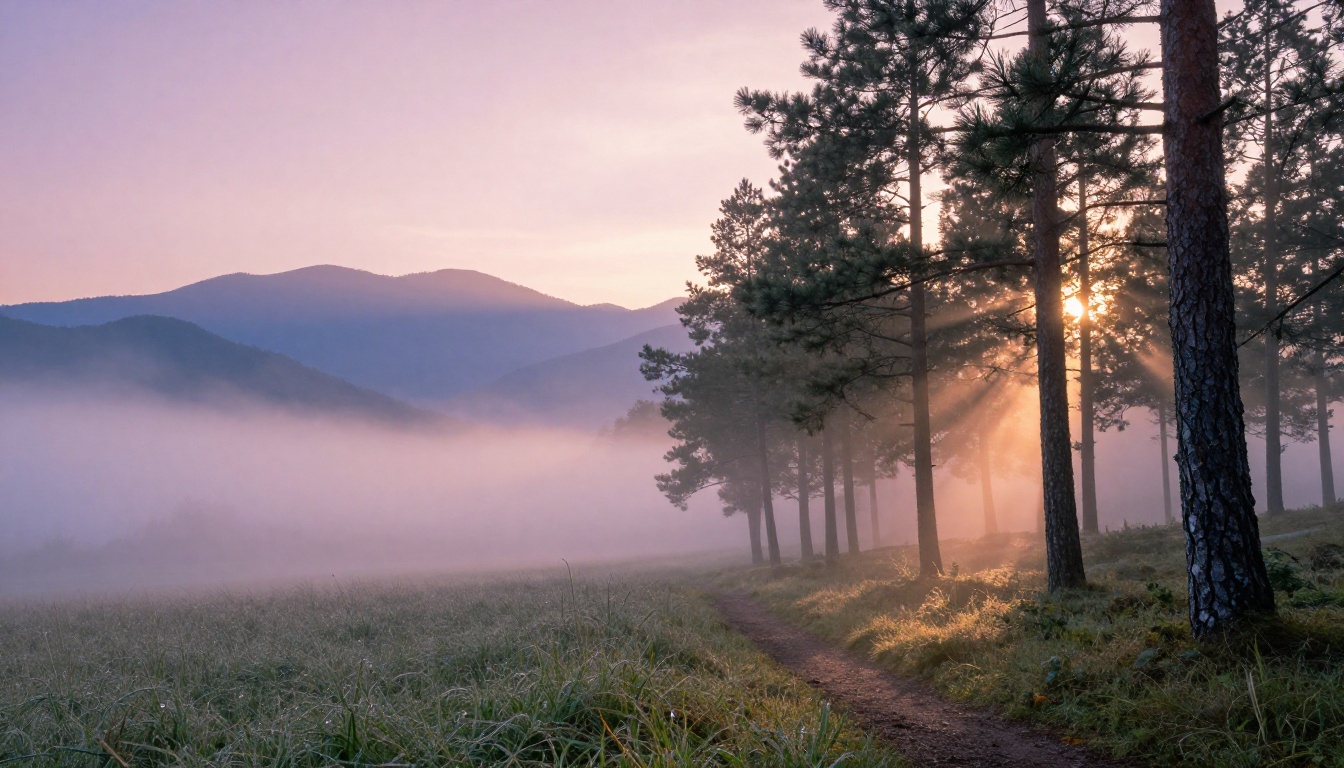
For TikTok travel creators or anyone building mood-based content around scenic visuals, Hailuo 2.3 produces clips that are genuinely usable without heavy post-processing. A well-written prompt describing a specific time of day, weather condition, and camera angle typically returns something close to what you had in mind on the first or second attempt.
Tutorial-Style Clips
Tutorial content on TikTok often uses B-roll showing hands doing things: cooking, crafting, working with materials. Hailuo 2.3 handles hands better than most competing models at this price point, though not perfectly. Simple hand gestures and basic object interactions worked well, while more complex manipulations produced noticeable distortions in finger positions and joints.
The practical solution: use the model for establishing shots and atmospheric B-roll around your tutorial content, while keeping actual demonstration footage as real recorded video. This hybrid approach gets you the best of both, AI-generated contextual visuals combined with authentic demonstration footage where precision matters most.
Transition and Mood Clips
Abstract, atmospheric clips for transitions or content intros are an area where Hailuo 2.3 excels with minimal effort. Prompts for light leaks, soft bokeh shifts, water reflections, and fog-over-landscape sequences produced visually attractive results on nearly every attempt across the testing week.
For creators who build content with strong aesthetic identities, this is a highly practical use case. You can generate dozens of atmospheric transition clips in an afternoon and build a stock library of on-brand visuals without a single camera or location shoot. The consistency of results makes it reliable enough to actually plan around in a real production schedule.
Hailuo 2.3 vs. Other AI Video Models
How does it actually compare to the competition? Here's a direct look at the models content creators are most likely weighing for TikTok production right now:

| Model | Speed | Motion Quality | Prompt Adherence | Best For |
|---|
| Hailuo 2.3 | Fast | Very Good | Strong | Lifestyle, nature, product |
| Hailuo 2.3 Fast | Very Fast | Good | Moderate | Quick iterations, drafts |
| Seedance 2.5 | Moderate | Excellent | Strong | High-quality final clips |
| Kling v2.6 | Moderate | Very Good | Strong | Cinematic, branded content |
| Veo 3 Fast | Fast | Excellent | Very Strong | Audio-synced social clips |
| Wan 2.7 T2V | Moderate | Very Good | Good | 1080p detailed scenes |
| Pixverse v5 | Fast | Good | Moderate | Quick turnaround content |
Speed vs. Quality Tradeoff
Hailuo 2.3 sits in a practical sweet spot: faster than premium models, better quality than draft-speed options. For creators who need output they can actually post rather than just demos to show off, that positioning is genuinely useful as a day-to-day production tool.
The closest direct competitor is Seedance 2.5, which produces slightly better motion quality at the cost of longer generation times. Whether that tradeoff is worth it depends on your workflow volume. Producing five clips a day means the extra time barely registers. Producing fifty means it adds up into real hours per week.
Veo 3 Fast is worth noting separately. For clips where native audio matters, synced ambient sound or background atmosphere inside the video file itself, it's in a different class. Hailuo 2.3 generates video only, so any audio needs to be added in post-production. If audio-visual sync is part of your content identity, factor that into the decision before committing to a primary model for your workflow.
How to Use Hailuo 2.3 on PicassoIA
Hailuo 2.3 is available directly on PicassoIA alongside 100+ other video models without needing to switch platforms. Here's the step-by-step workflow that produced the best results during this test:
Step 1: Write a specific prompt. Don't just describe the scene. Include camera angle, movement, lighting, and atmosphere. "Close-up of a skincare product on marble, slow dolly push, soft morning light from the left, background blurs gradually" produces far better results than "skincare product video."
Step 2: Choose your input type. For text-to-video, your prompt alone drives the generation. For image-to-video, upload a clean source image first. The source image sets the visual baseline while the prompt controls how it animates across the clip duration.
Step 3: Select resolution. For TikTok posting, 1080p is the target. Lower resolutions are fine for iteration and concept testing, but always generate final clips at full resolution before downloading and editing.
Step 4: Iterate. The model's speed makes it practical to run three to five variations on the same concept and pick the strongest result. Varying motion descriptors in your prompt often produces meaningfully different outputs from identical scene descriptions, so small edits to the motion language can change the feel of the clip significantly.
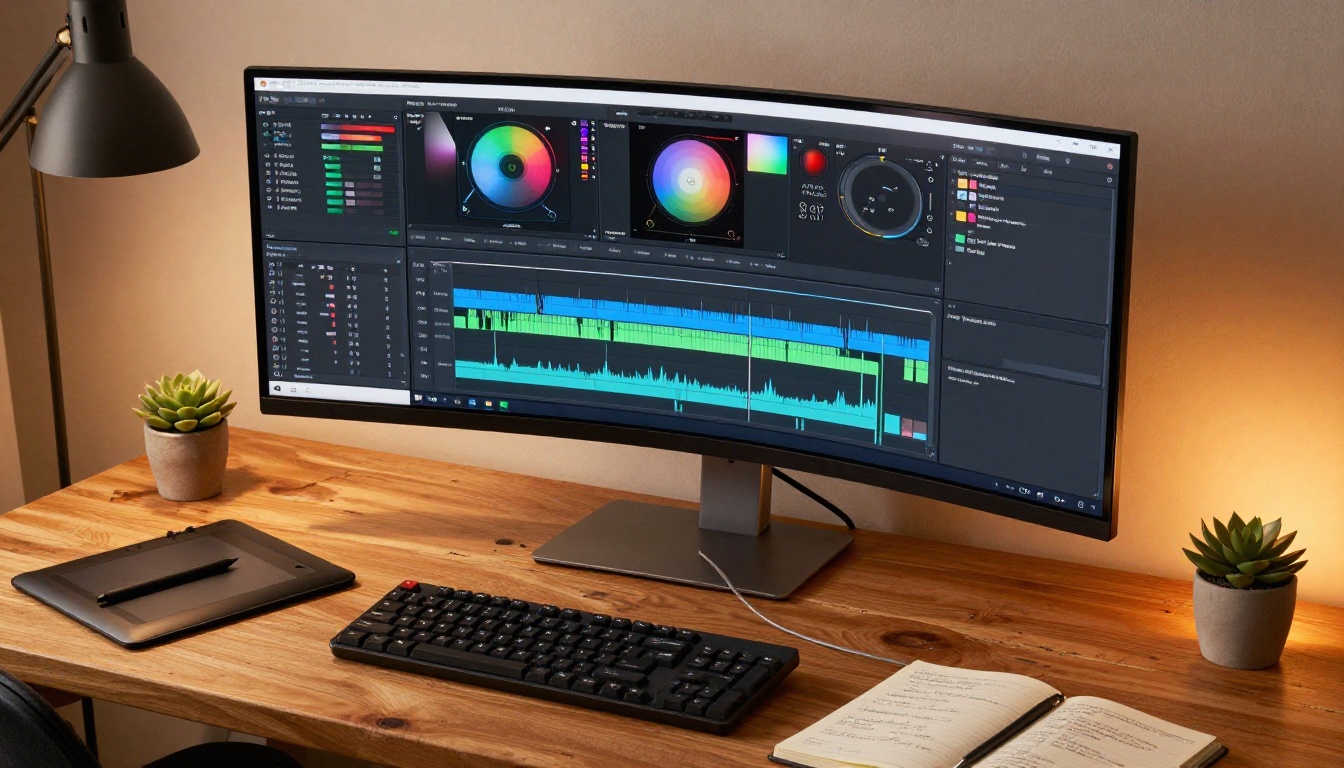
Step 5: Post-process lightly. Even strong AI-generated clips benefit from simple color grading and a slight sharpening pass. Most TikTok editing apps handle this in a few taps. Adding music or voiceover in the editing stage completes the clip for posting.
Prompt Formulas That Work
These prompt structures produced the most consistent results across all five content categories tested during this hands-on evaluation:
| Content Type | Prompt Structure |
|---|
| Lifestyle | Subject + action + location + lighting condition + camera lens |
| Product | Product + surface + animation type + lighting direction + focus behavior |
| Nature | Location + time of day + weather element + camera angle + atmosphere |
| Tutorial B-Roll | Subject + object + action + hand position + background description |
| Mood/Transition | Visual element + movement type + color temperature + pace |
💡 Tip: Run 3 to 5 prompt variations for each concept before settling on a final clip. The difference between the first and the third generation can be significant, and your best result often isn't the first one back.
Other Models Worth Testing
Hailuo 2.3 is not the only strong option for TikTok content. Depending on your specific content style, several other models on PicassoIA are worth keeping in regular rotation.

For clips that need synchronized audio, Veo 3 from Google is in a category of its own. Native audio generation inside the video makes it compelling for content where ambient sound or background music needs to match the visual timing precisely. The tradeoff is slower generation and higher cost per clip, which makes it better suited as a finishing tool rather than a draft generator.
Kling v3 Video is worth testing for content that needs strong character consistency across multiple clips. If you're building a series around a recurring visual identity, Kling's character coherence tends to hold up better across generations than most alternatives currently available.
LTX 2.3 Pro pushes into 4K output, which becomes relevant if you're repurposing short-form content for platforms with higher display standards or for larger-format contexts like digital signage and event installations.
Ray 3.2 from Luma is a strong middle-ground option with excellent HDR rendering, useful for clips where visual brightness and contrast need to pop in a fast-scrolling TikTok feed. The cinematic quality of Ray's output works particularly well for travel and fashion content.
For speed-priority workflows where you're iterating through dozens of concepts quickly, Hailuo 2.3 Fast offers a stripped-down version of the same model with faster turnaround, ideal for first-pass concept testing before committing to full-resolution generation on your strongest ideas.
Start Making Clips
The results from this test were clear: Hailuo 2.3 is a practical, reliable tool for TikTok clip creation. Not a novelty and not a replacement for every use case, but a genuine addition to a content workflow that makes fast, consistent AI video generation realistic at scale.

For lifestyle content, product animation, nature visuals, and mood-based B-roll, it delivers results good enough to post without heavy post-processing. The speed advantage over heavier models makes it viable for high-volume content production, which is where TikTok creators actually live day-to-day. When the difference between a good week and a great week on TikTok is how many clips you managed to test and publish, tools that remove friction from the generation process have real value.
The best way to see what Hailuo 2.3 can do for your specific content style is to test it directly with your own prompts and subject matter. PicassoIA gives you access to Hailuo 2.3 alongside Hailuo 2.3 Fast, Seedance 2.5, Kling v3 Video, Wan 2.7 T2V, and over 80 other video generation models in one place. You can switch between them mid-workflow, compare outputs side by side, and find the exact combination that fits your TikTok content style.
Head to picassoia.com/en/all-models to see every model available and start generating clips today.


