The AI video generation space has exploded, and two names keep coming up in every serious conversation: Hailuo AI and Kling AI. Both are powerful, both are actively evolving, and both are genuinely capable of producing footage that would have felt impossible just two years ago. But they are not the same tool, and choosing the wrong one for your workflow costs you time and money. This article breaks down exactly what each platform does, where each excels, where each falls short, and which one you should actually be using right now.
What Hailuo AI Actually Does
Hailuo AI is MiniMax's flagship video generation engine, and MiniMax is the Chinese AI company that has quietly become one of the most technically ambitious players in generative video. What matters is what it produces: fluid, high-resolution video clips with strong motion coherence and impressive natural language understanding.
MiniMax's video engine
MiniMax built Hailuo on a proprietary diffusion transformer architecture, optimized specifically for temporal consistency. That means frames don't flicker or drift. Characters stay consistent from one second to the next. Physics behave mostly as expected. This is the core competitive advantage that put Hailuo on the map when Video 01 launched and promptly went viral for its cinematic quality.
The platform also operates Video 01 Director, which adds camera movement control. You can specify tracking shots, zooms, and pans at the prompt level, which is a significant step toward real creative control.
Hailuo's version lineup
The Hailuo family currently includes several distinct models, each with a different performance profile:
- Hailuo 02: The flagship 1080p model. Best output quality, longer generation time.
- Hailuo 02 Fast: Generates at 512p with dramatically reduced wait times.
- Hailuo 2.3: The cinematic version with stronger color grading and motion feel.
- Hailuo 2.3 Fast: The same architecture in a faster, lower-resolution variant.
💡 If you need a quick preview or draft, use Hailuo 02 Fast. For final delivery or client work, Hailuo 02 or 2.3 is the right choice.
What Kling AI Actually Does
Kling AI comes from Kuaishou Technology, the company behind the short-form video platform that competes directly with TikTok in China. That background matters. Kuaishou has years of experience processing billions of video clips, training recommendation systems, and optimizing visual content for real-world consumption. Kling benefits from that depth in ways that show up immediately in output quality.
Where Hailuo is known for its cinematic feel, Kling is known for its sheer versatility and the speed at which Kuaishou ships new versions. Since launching in 2024, the Kling family has expanded aggressively, now covering everything from standard text-to-video to motion-controlled character animation.
Kuaishou's approach to video
Kling uses a diffusion model built around a 3D spatial-temporal attention mechanism. In practical terms, this means objects in Kling-generated videos maintain their three-dimensional positioning across frames more reliably than many competitors. A person walking through a doorway stays the right size relative to the door. A car rounding a corner follows a physically plausible path. This spatial awareness is where Kling earns its reputation for realism in complex scenes.
Kling's version range
The Kling lineup is extensive. Here is what is currently available across the family:
- Kling v1.5 Pro: The reliable workhorse at 1080p with consistent motion.
- Kling v1.6 Pro: Improved prompt adherence and character coherence over v1.5.
- Kling v2.0: Upgraded architecture for smoother 720p output.
- Kling v2.1: Stronger image-to-video performance for animating photos.
- Kling v2.1 Master: The premium 1080p version with cinematic depth.
- Kling v2.5 Turbo Pro: Speed-optimized with near-pro quality at faster generation times.
- Kling v2.6: One of the most cinematic versions in the lineup.
- Kling v3 Video: The current flagship with top-tier motion and prompt fidelity.
- Kling v3 Omni Video: Supports both text and image inputs at 1080p.
- Kling Avatar v2: Specialized for face and character animation from a single portrait photo.
💡 Kling v3 is currently the most capable version for high-stakes productions. For speed without sacrificing too much quality, v2.5 Turbo Pro is the sweet spot.

Video Quality: Who Wins
This is the question everyone actually wants answered. The truth is more nuanced than a single winner, because both platforms have domains where they clearly outperform the other.
Motion and realism compared
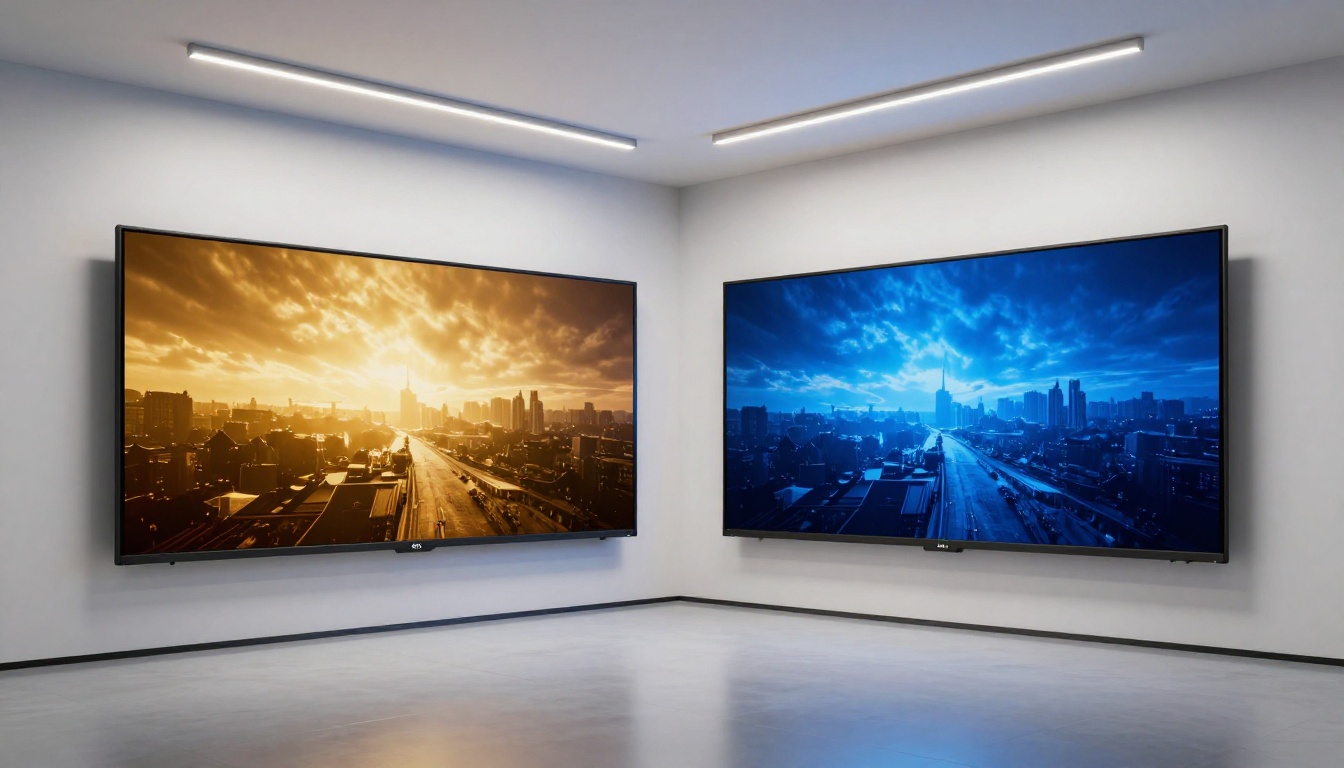
Hailuo produces video with a more cinematic feel by default. Colors are richer. The sense of atmospheric depth is stronger. Skin tones look genuinely photographic. If you show an unbranded Hailuo clip to a film-educated audience, many will instinctively describe it as having real production value.
Kling, by contrast, is stronger at physical realism. Objects move the way objects actually move. Water splashes look physically coherent. Fabrics drape and flutter with proper weight. This is where the 3D spatial-temporal attention pays off. Kling rarely produces the strange physics artifacts that plague some competitors, particularly in scenes with multiple interacting objects.
For pure visual beauty, Hailuo has a slight edge. For physical plausibility in complex scenes, Kling leads.
Prompt accuracy under stress
Testing both platforms with increasingly complex, multi-element prompts reveals something interesting. Hailuo tends to nail the mood and color palette while sometimes missing specific object details. Ask for "a red umbrella floating above a crowd in rain" and Hailuo gives you something beautiful, but the umbrella may wander or lose its distinctiveness. Kling tends to execute specific elements more faithfully, though it may sacrifice some atmospheric quality to do so.
Neither platform passes every test. But Kling's recent v3 versions have closed the gap considerably on both dimensions, making direct comparison increasingly context-dependent.
Speed and Pricing Reality
Generation time differences
Speed is often the deciding factor in real production workflows. Here is how the platforms stack up based on typical generation conditions:
| Model | Resolution | Approx. Gen Time | Best For |
|---|
| Hailuo 02 | 1080p | 3-5 minutes | Final quality output |
| Hailuo 02 Fast | 512p | 30-60 seconds | Rapid drafting |
| Hailuo 2.3 | 1080p | 3-6 minutes | Cinematic work |
| Kling v2.5 Turbo Pro | 1080p | 1-2 minutes | Speed plus quality |
| Kling v3 Video | 1080p | 3-5 minutes | Top-tier productions |
| Kling v3 Omni | 1080p | 3-5 minutes | Image-to-video work |
Cost per video
Both platforms use a credit-based system when accessed through third-party platforms. The general pattern is:
- Fast and Standard tiers: More affordable, lower resolution, faster output for iteration
- Pro and Master tiers: Higher credit cost, full 1080p, longer clips with richer detail
- Turbo variants: Middle ground, close to pro quality at standard pricing for volume work
For high-volume content production, the fast variants of Hailuo and the Turbo Pro versions of Kling offer the best value per credit spent. For one-off cinematic pieces where quality is the only metric, the flagship tiers are worth the extra cost.
Feature-by-Feature Breakdown
Here is a direct side-by-side comparison across the most important production dimensions:
| Feature | Hailuo AI | Kling AI |
|---|
| Max Resolution | 1080p | 1080p |
| Motion Realism | Very High | Excellent |
| Cinematic Aesthetics | Excellent | Very High |
| Prompt Adherence | Good | Very Good |
| Camera Control | Yes (Director model) | Yes (Motion Control) |
| Character Animation | Good | Excellent (Avatar v2) |
| Image-to-Video | Yes | Yes (Omni, Motion Control) |
| Fast Variants | Yes | Yes |
| Version Frequency | Moderate | High |
| Physics Simulation | Good | Excellent |
💡 Both platforms now offer motion control variants. Kling's Kling v2.6 Motion Control and Kling v3 Motion Control give you frame-level precision over camera and subject movement. Hailuo's Video 01 Director handles camera movement directives from natural language prompts directly.
For creators and marketers
If you produce social content, brand videos, or short-form creative work, both tools will serve you. But the deciding factor is usually turnaround speed. Hailuo 02 Fast drafts are quick enough to include in content ideation workflows alongside your other tools. Kling v2.5 Turbo Pro gives you production-ready quality without long waits, making it the stronger choice when you need to ship content same day.
For creators who shoot themselves or want to animate photos of real people, Kling Avatar v2 is a genuinely different product with no real Hailuo equivalent at the same capability level. Upload a portrait and the model generates convincing, natural-looking facial animation synced to a prompt. This alone makes Kling the better platform for avatar-driven content, testimonial simulations, and character-based storytelling.

For studios and professionals
At the studio level, Kling v3 Video and Kling v3 Omni Video have become the default choice for teams that need reliable, physically accurate footage for post-production integration. The spatial consistency makes compositing and VFX work significantly easier when you know objects will hold their position and scale across frames.
Hailuo 2.3 is the go-to for standalone cinematic pieces where the footage itself is the final product. Music video production, lookbooks, and advertising spots where aesthetic quality is the primary metric benefit most from Hailuo's inherent output character. The color science and depth rendering are genuinely distinct from what Kling produces by default.
For documentarians and journalists, neither platform should replace real footage. But both have legitimate applications in b-roll generation, conceptual visualization, and explainer animation when original footage is unavailable or impractical to shoot.
How to Use Hailuo and Kling on PicassoIA
Both Hailuo and Kling models are available directly through PicassoIA, removing the need to manage separate accounts and API keys for each platform. Here is the complete workflow:
Step 1: Pick your model
Navigate to the text-to-video collection. For Hailuo work, start with Hailuo 02 for quality or Hailuo 02 Fast for rapid iteration. For Kling, Kling v3 Video is the current flagship for most use cases.
Step 2: Write a strong prompt
Both models respond well to structured prompts. Use this format:
Subject + Action + Environment + Lighting + Camera
Example: "A woman in a beige coat walks through a foggy cobblestone street at dawn, warm streetlamp light, slow tracking shot at eye level, cinematic."
Be specific. Generic prompts produce generic results. The more detail you give about motion, lighting, and atmosphere, the closer the output matches your vision.
Step 3: Draft with the fast variant first
Before spending credits on a premium generation, run the same prompt through the fast variant. If the composition and motion feel right, commit to the full-quality version. This alone can cut your credit usage in half on iteration-heavy projects.
Step 4: Refine with motion control
If the camera movement is not what you intended, switch to Kling v2.6 Motion Control or Video 01 Director and add explicit camera directives to your prompt. Phrases like "slow push-in toward subject," "aerial tracking shot," or "static wide angle" give the model actionable direction.
Step 5: Upscale if needed
If the output looks slightly soft or lacks the sharpness you need, PicassoIA's super-resolution models can upscale your result cleanly after generation without regenerating from scratch.
Other Top Contenders Worth Trying
Hailuo and Kling dominate the conversation right now, but the field has strong alternatives that deserve attention depending on your specific needs.
Seedance 1 Pro from ByteDance produces 1080p video with built-in audio synthesis. If your workflow requires synchronized sound and visuals from a single generation pass, Seedance is worth testing before committing to separate post-production audio work. Seedance 2.0 takes this further, combining video and audio in a single pass with notably improved motion fidelity over its predecessor.
Veo 3 from Google represents a serious challenge to both Hailuo and Kling. Its native audio generation and strong prompt adherence make it particularly compelling for content that needs sound baked in from the start. The Veo 3 Fast variant makes the technology accessible without the long wait times of the full model.
Sora 2 from OpenAI remains a benchmark for photorealistic quality and long-form temporal coherence. For productions where budget allows and quality is the only metric, Sora 2 Pro delivers results that set the current ceiling for what AI video looks like.
Ray from Luma AI is the fastest high-quality option in the field, with dramatically shorter generation times than most competitors at comparable resolution. For teams that need volume over maximum quality, Ray is worth building into your regular workflow.
💡 PicassoIA gives you access to all of these models in one place. Rather than managing multiple subscriptions and learning different interfaces, you can test all of them with the same prompts and find what works for your specific content type.
Which One Should You Pick
Trying to pick a single winner between Hailuo and Kling is the wrong frame. They do different things well, and the best answer depends entirely on your specific production requirements.
Choose Hailuo if: You want cinematic aesthetics out of the box, you are producing standalone video content where visual beauty is the primary goal, or you need camera movement control through natural language without setting up complex parameters.
Choose Kling if: You need physical plausibility, complex scenes with multiple moving elements, character animation from photos, or the fastest iteration cycle on high-quality output at scale.
Use both when: You are early in a production and want to see which visual direction fits the project. Both platforms are accessible enough that running the same prompt through each and comparing outputs is a legitimate workflow decision, not a luxury.
The real advantage is having access to both without friction. PicassoIA's text-to-video collection puts every version of Hailuo, every version of Kling, and dozens of other top models in one place. You set a prompt once and pick the engine that delivers what you actually need. Start with the fast variants to prototype, then commit to the premium tiers when the direction is clear. No subscriptions to manage. No interfaces to re-learn. Just pick your model and generate.
Try Hailuo 02, Kling v3 Video, or any of the 100+ other text-to-video models available on PicassoIA right now and see which one fits your creative process.


