Every October the same thing happens. You settle on a costume, get dressed, take three blurry phone photos in a hallway, and the result looks nothing like the picture in your head. AI image generation closes that gap. With the right Halloween AI photo prompts, you can see a vampire count in a candlelit library or a pirate captain at sunset in under a minute, before you spend a cent on fabric or face paint.
This page gives you nine ready to paste prompts for men and adults, plus the formula behind them, a model comparison and a short tutorial. Every example below is a real photorealistic image made from the exact prompt printed under it, so you can judge the output instead of trusting a promise.
Why AI Costume Photos Work
Costume photography is hard in real life. You need a location, decent light, a patient photographer and a face that still cooperates after two hours in latex. AI removes most of that friction, and it helps in two specific ways.
Test a Look Before You Build It
Say you are torn between a plague doctor and a noir detective for a party on October 31. Instead of buying both, generate both. One prompt shows you the silhouette, the color palette and the props that will actually read well on camera. Many adults use the result as a shopping list: if the render shows a leather baldric and brass buttons, that is exactly what you search for in a thrift store.
Photos With Real Skin and Fabric
Modern image models handle pores, stubble, wool weave and cracked greasepaint convincingly. That matters at Halloween, because costumes are all about texture: fur, latex, velvet, rope, rust. A prompt that names textures gets textures back.
💡 Tip: Write "visible skin pores" and "natural film grain" in every prompt. These two phrases alone pull results away from the waxy, over-smoothed look that gives AI portraits away.
Good prompts are not poetry. They are a checklist. Every example in this article follows the same six part structure, and you can reuse it for any costume you dream up.
| Part | What to write | Example |
|---|
| Subject | Age range, build, pose or action | "a bearded man in his thirties, leaning on a railing" |
| Costume | Fabrics, colors, props, makeup | "black velvet cape with crimson lining" |
| Setting | One specific location | "dim private library, mahogany shelves" |
| Light | Direction, color, time of day | "warm lamp light from camera left" |
| Lens | Focal length and aperture | "50mm f/1.8 shallow depth of field" |
| Texture | Surface details and film look | "visible pores, Kodak Portra 400 film grain" |
Start With the Subject
Say who is in the frame and what they are doing. "A man dressed as a vampire" is vague. "A tall man in his late thirties dressed as a vampire count, one hand on a leather book spine" gives the model an age, a pose and a prop. A specific prop also gives the hands a job, which cuts down on the odd finger problems that appear when the model has to guess.
Add Light and Lens
Light does the heavy lifting in horror photography. Name the direction ("from camera left"), the color (warm or cool) and the source (candle, streetlamp, overcast sky). Then add a lens. An 85mm f/1.8 gives flattering portrait compression and soft backgrounds, while a 28mm f/2.8 makes a wide, slightly uneasy room shot. Lens language costs you five words and changes the mood a lot.
Classic Monster Costume Prompts
Monsters never go out of style, and they photograph well because the makeup and props do half the storytelling. These four prompts work for men of any age.
Vampire Count in a Library
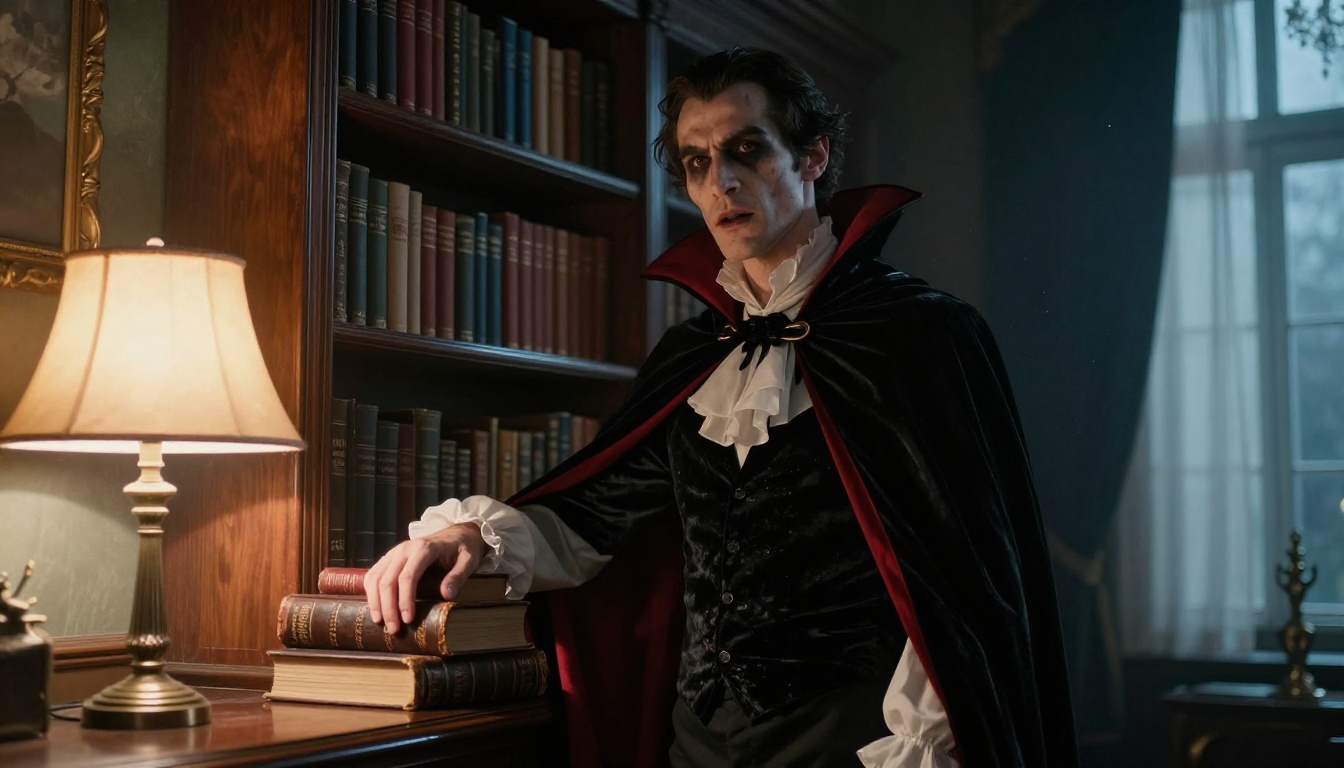
The vampire is the easiest costume to look good in: a cape, a pale face and a dramatic collar. The library setting adds warmth, and the mix of lamp light with cool window light keeps the face readable instead of muddy.
Prompt: Low-angle photograph of a tall man in his late thirties dressed as a vampire count, standing beside a floor-to-ceiling mahogany bookshelf in a dim private library, black velvet cape with crimson lining, white ruffled shirt, matte pale makeup with visible pores, one hand resting on a worn leather book spine. Warm table lamp light from camera left, cool dusk window light from the right, 50mm f/1.8 shallow depth of field, dust floating in the air, Kodak Portra 400 film grain, RAW 8K photography.
Swap idea: replace the bookshelf with a stone staircase for a castle feel.
Werewolf in a Pine Forest
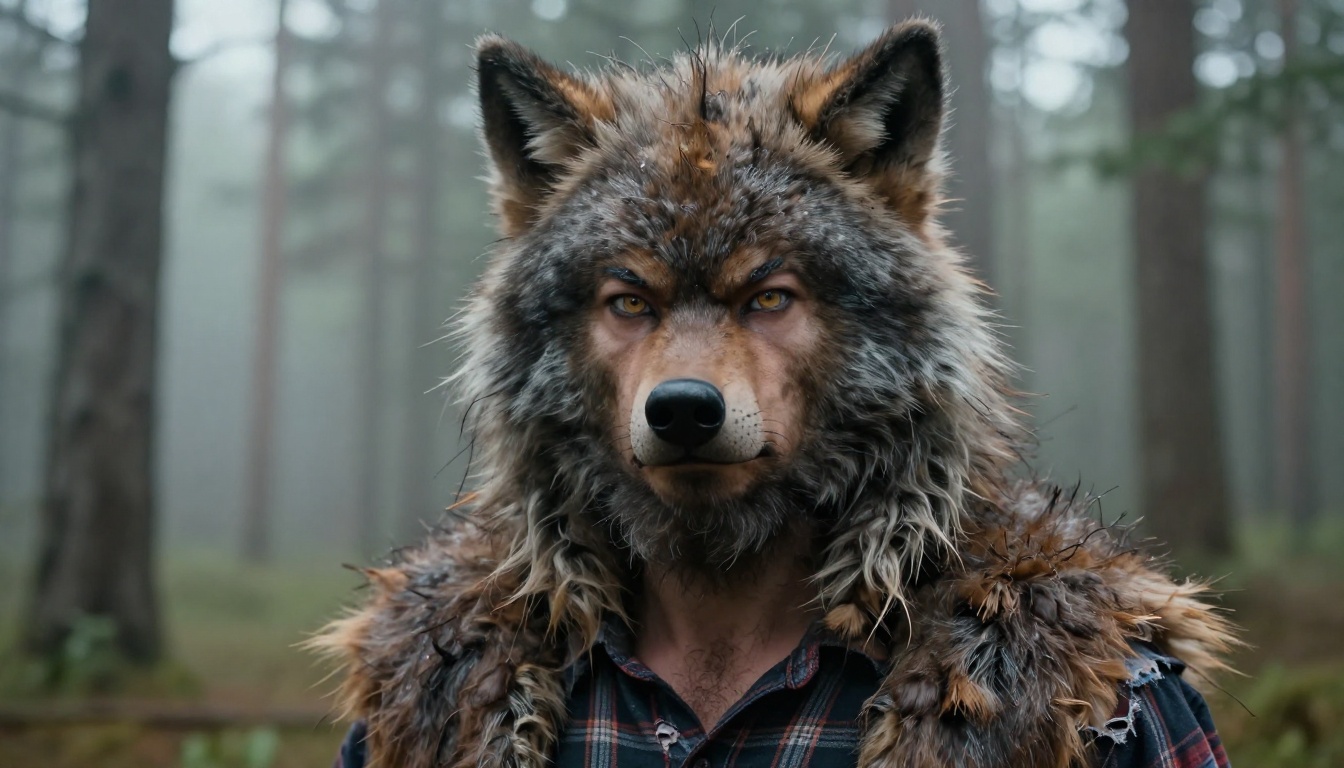
Werewolves need texture more than anything. Mention the fur hood, the prosthetic brow and the torn flannel, and the model builds a believable half-human look. The close-up lens keeps attention on the face, where the detail lives.
Prompt: Close-up portrait of a bearded man in his thirties wearing a realistic werewolf costume: a coarse brown and grey fur hood with pointed wolf ears, latex nose and brow prosthetics blended into his skin, pale amber contact lenses, a torn flannel shirt, standing in a misty pine forest at dusk. Soft overcast light from above, fine fur strands catching moisture, 85mm f/1.8 shallow depth of field, visible skin texture, Kodak Portra 400 film grain, RAW 8K photography.
Swap idea: move the scene to a foggy farm field and add a full moon low on the horizon.
Skeleton Suit With Marigolds
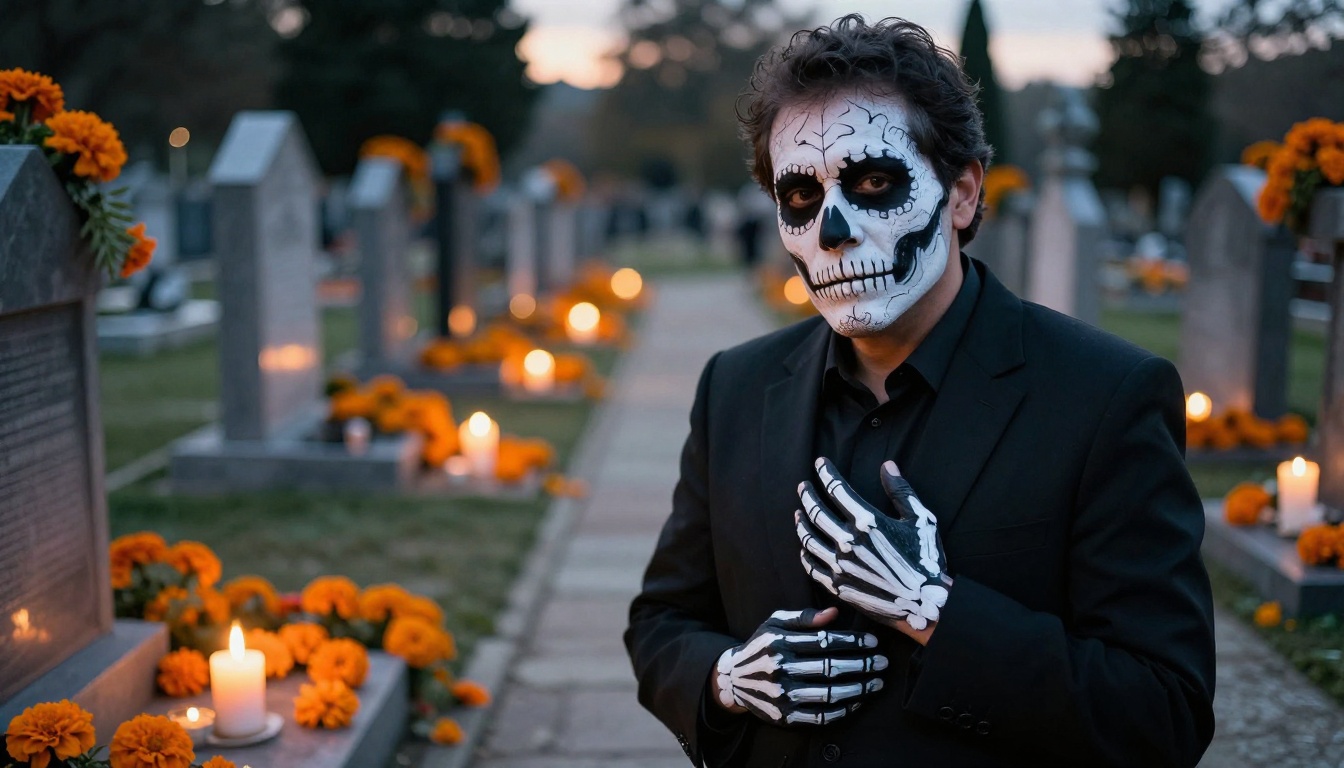
A painted bone suit is a favorite for adults because it looks sharp and costs very little to build. Orange marigolds and candles add color against the black suit, and the Day of the Dead styling keeps the mood respectful and festive.
Prompt: Medium shot of a man in his forties wearing a black suit with a hand-painted white bone pattern and detailed skull face makeup with teeth and eye sockets, standing on a stone cemetery path lined with real orange marigold flowers and burning candles for a Day of the Dead inspired costume. Warm candle light from low left, soft dusk fill from behind, 70mm f/2 lens, matte greasepaint cracking slightly at the mouth, Kodak Portra 400 film grain, RAW 8K photography.
Swap idea: change the suit to a tuxedo with a bow tie for a formal party look.
Office Zombie After Midnight
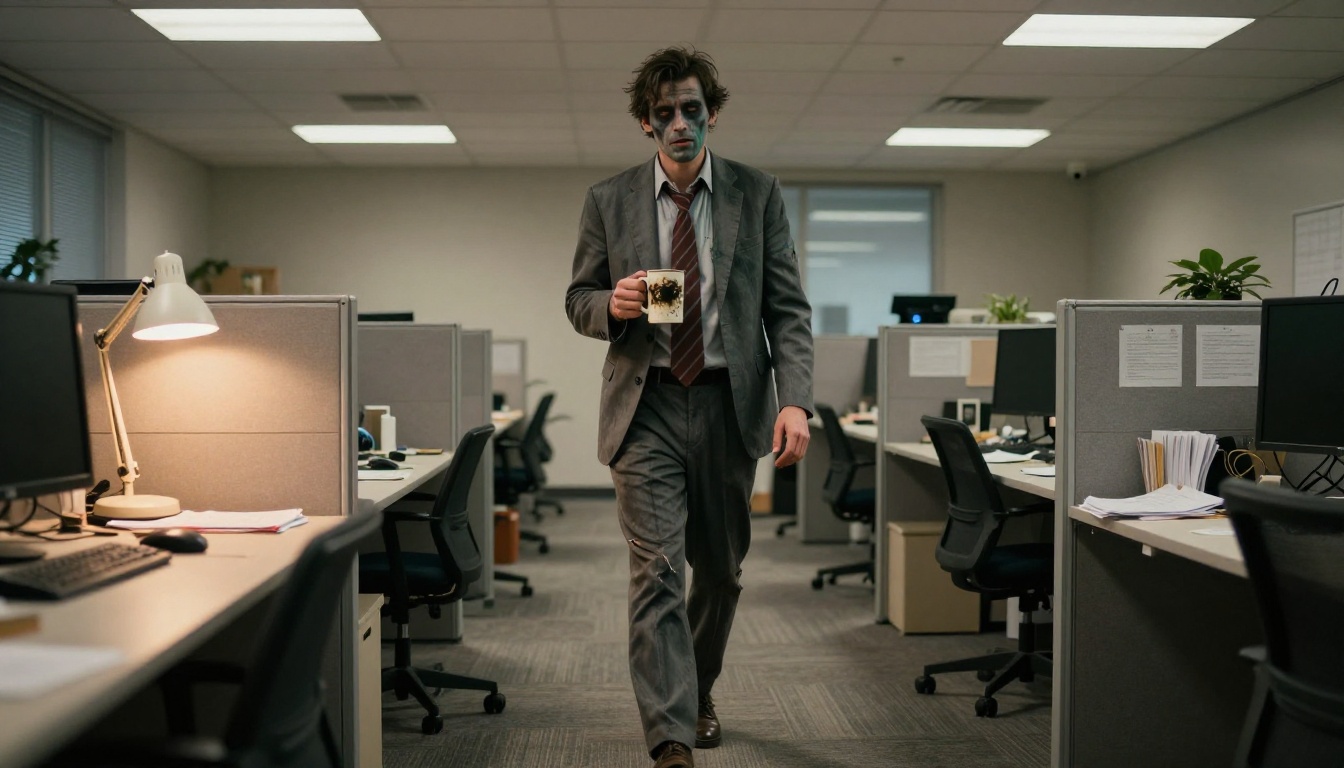
This is the funny one. A grey suit, a loosened tie and a chipped coffee mug turn a zombie into a joke everyone at work will recognize. The wide 28mm lens and the low angle make the empty office feel bigger and a little lonely.
Prompt: Wide low-angle shot of a man in a rumpled grey office suit and loosened tie dressed as an office zombie, with grey-green greasepaint, sunken shadow makeup and a torn sleeve, shuffling between cubicles in an empty open-plan office at night while holding a chipped coffee mug. Cold ceiling light from above mixed with a warm desk lamp glow, 28mm f/2.8 lens, realistic carpet texture and paper clutter, Kodak Portra 400 film grain, RAW 8K photography.
Swap idea: add a lanyard badge and a stack of printed spreadsheets in his free hand.
Character Costumes for Adults
Character costumes tell a small story, so your prompt should too. Pick an era, a place and one strong prop, and the rest follows.
Pirate Captain at Golden Hour
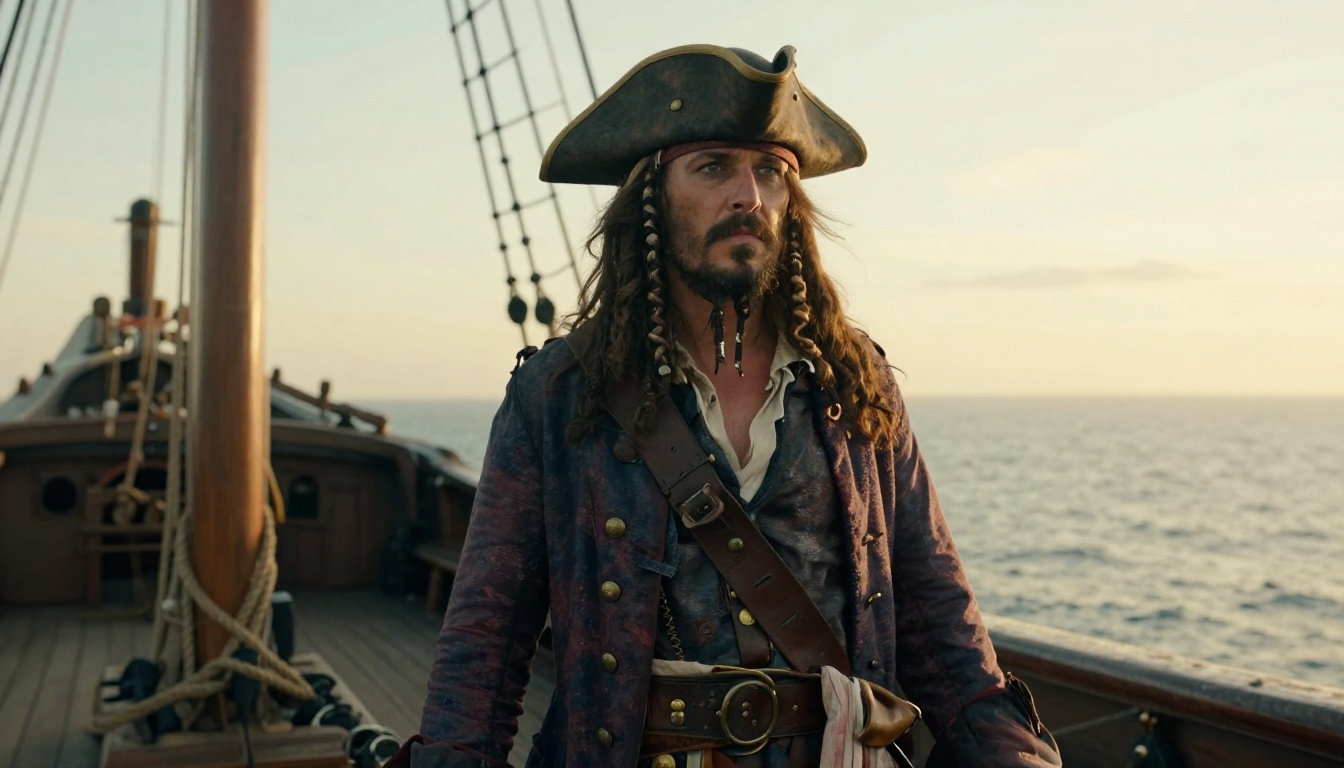
A pirate works best when the man looks like he has actually spent years at sea. Weathered skin, a braided beard and a salt-stiff coat sell it. Low sun from the side puts warm highlights on the brass buttons.
Prompt: Three-quarter shot of a weathered man in his fifties dressed as a pirate captain, standing on the wooden deck of an old sailing ship at golden hour, wearing a long oxblood coat with brass buttons, a tricorn hat, a linen shirt, a leather baldric and a braided salt-stiff beard. Low warm sun from camera right, sea haze behind him, rope and wood grain textures, 35mm f/2 lens, Kodak Portra 400 film grain, RAW 8K photography.
Swap idea: use a stormy grey sky and wet hair for a darker, more dramatic captain.
Mad Scientist in the Basement
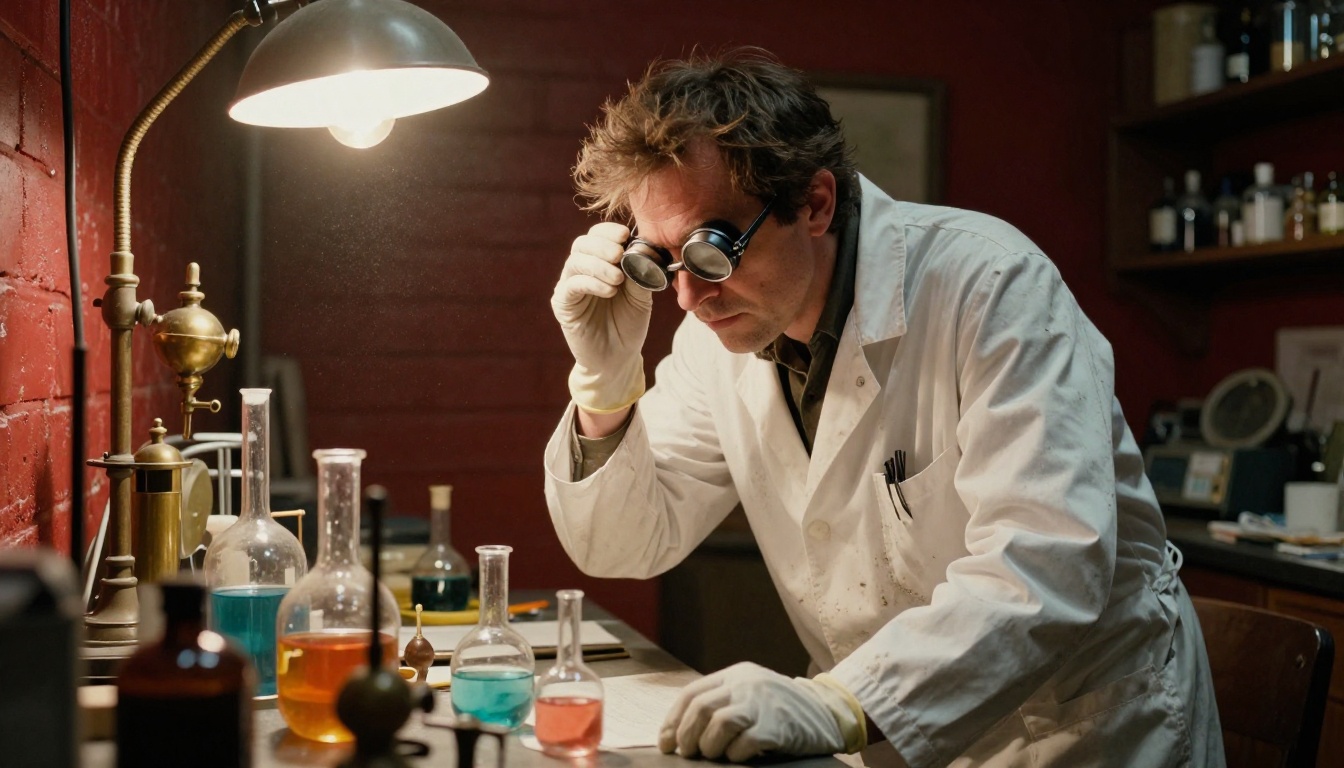
The over-the-shoulder angle lets the viewer share his workbench. Stained lab coat, goggles pushed into messy hair and flasks of colored water say "scientist" without a single word of text in the frame.
Prompt: Over-the-shoulder shot of a man in his thirties dressed as a mad scientist, in a stained white lab coat, round goggles pushed up on messy hair and rubber gloves, bending over a workbench crowded with glass flasks of colored water and old brass instruments in a cluttered basement laboratory. Hard warm tungsten bulb light from above right, dust floating, textured red brick wall, 35mm f/2 lens, Kodak Portra 400 film grain, RAW 8K photography.
Swap idea: add a stitched-together mannequin arm on the bench for a Frankenstein nod.
Noir Detective After Rain
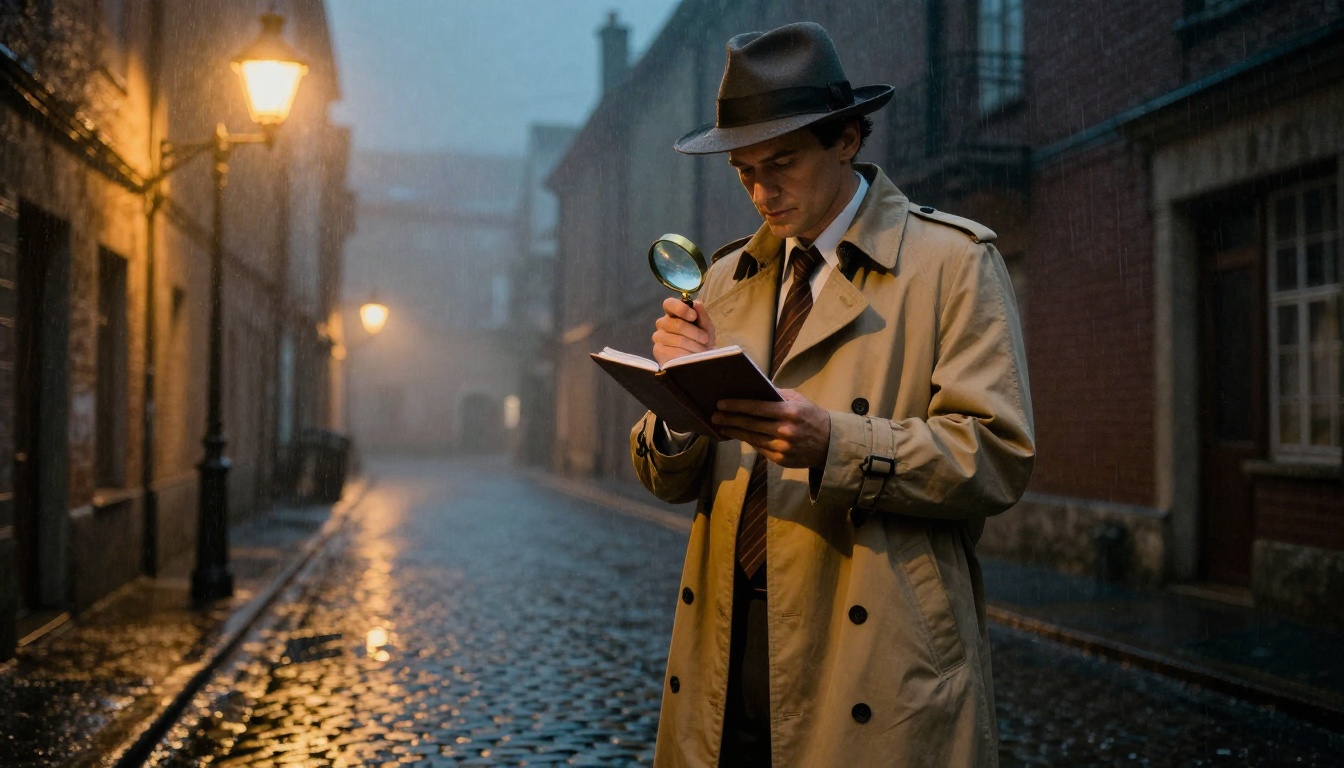
Trench coat, fedora, wet street. That is the whole recipe, and it flatters almost every body type. Wet cobblestones give you free reflections, and a single warm streetlamp keeps the image moody without turning it into a silhouette.
Prompt: Low-angle shot of a man in his forties dressed as a noir detective, long beige trench coat with the collar up, grey fedora and loosened tie, standing under a streetlamp in a wet cobblestone alley after rain, holding a small notebook and a magnifying glass. Warm streetlamp light from above left, reflections in puddles, light fog in the background, 50mm f/1.4 lens, Kodak Portra 400 film grain, RAW 8K photography.
Swap idea: change the alley to a rainy train platform for a travel mystery feel.
Plague Doctor at Dawn
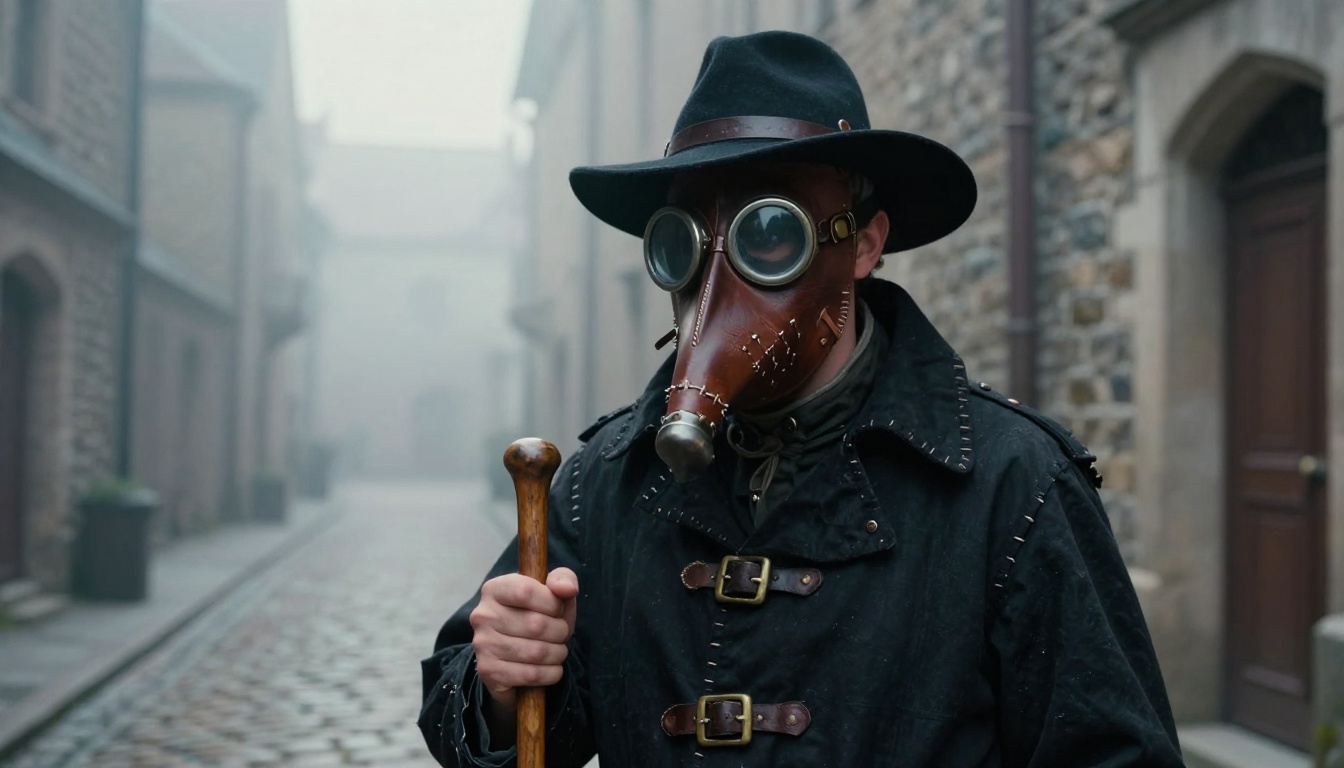
The plague doctor is the most striking costume on this list, and a mask hides the face, so it suits anyone who prefers not to be recognized. Name the leather grain and the brass buckles, because those small details make the mask look handmade.
Prompt: Medium close-up of a man in a hand-stitched plague doctor costume, with a long leather beaked mask, round glass eye lenses, a black wide-brimmed hat and a waxed black coat, standing in a narrow stone medieval street at dawn with a wooden cane in hand. Soft cool morning light from the left, thin mist along the cobblestones, 85mm f/2 lens, stitched leather grain, scuffed brass buckles, Kodak Portra 400 film grain, RAW 8K photography.
Swap idea: place him on an empty bridge with river mist behind him.
Group Party Costume Shot
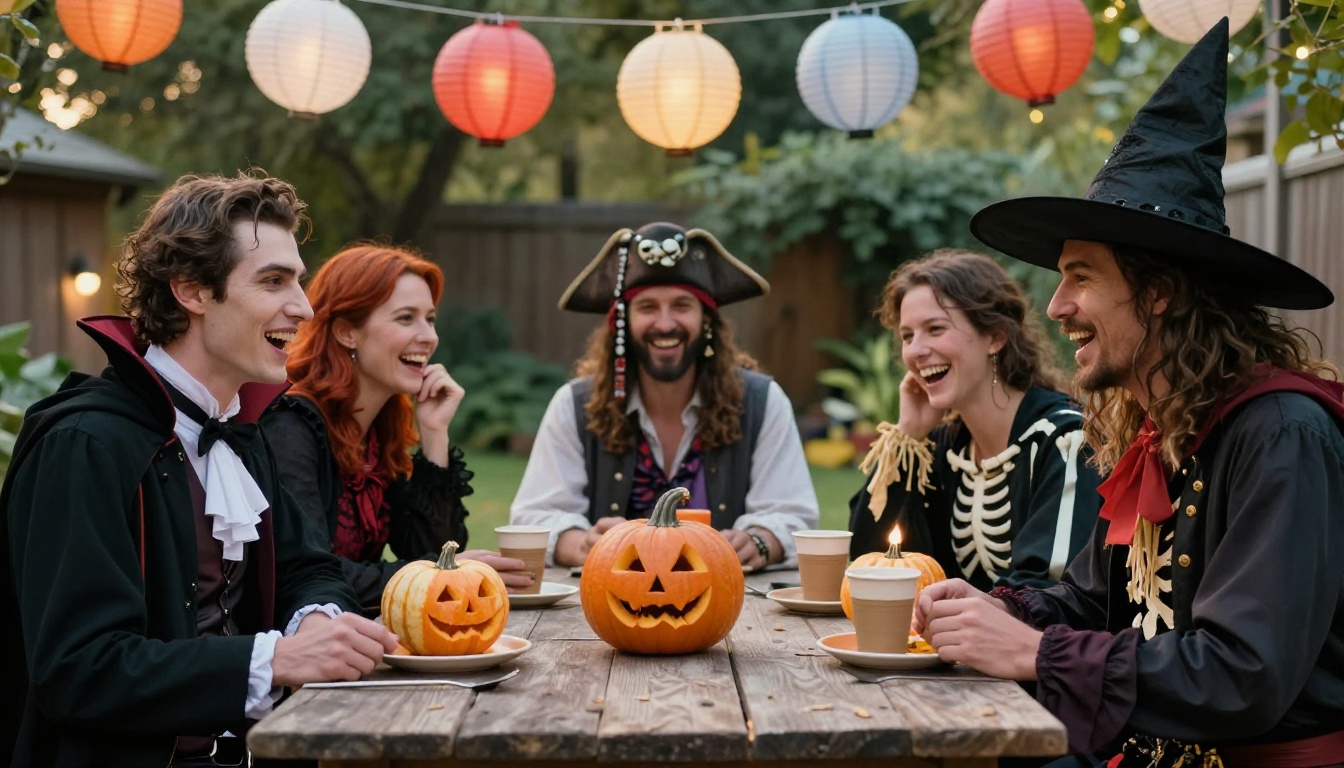
Not every Halloween photo is a solo portrait. For a party invitation or a group chat, a candid group scene works better. Keep the group to around five people, because faces lose detail when too many people share the frame.
Prompt: Wide candid photograph of five adults aged thirty to fifty in mixed costumes, a vampire, a witch, a pirate, a skeleton suit and a scarecrow, laughing around a rustic wooden backyard table with carved pumpkins, paper cups and hanging paper lanterns. Warm dusk light from camera left, soft bokeh of a garden behind them, 35mm f/2 lens, natural skin texture and fabric detail, Kodak Portra 400 film grain, RAW 8K photography.
Swap idea: list the exact costumes of your real friends to make a custom party poster.
Which Model Fits Which Costume
Different models have different strengths, and the same prompt can look quite different from one to the next. Here is a quick comparison of the options on PicassoIA that work well for photorealistic costume portraits. The nine images above were made with P-Image, which is fast enough for testing many ideas in a row.
| Model | Use it for |
|---|
| Seedream 4.5 | Sharp 2K and 4K portraits, and reference photos of your own face |
| Seedream 5 Pro | A second ByteDance option to compare against 4.5 |
| GPT Image 2 | Long, detailed prompts and short readable text on signs |
| Nano Banana Pro | Editing an existing photo, such as dressing yourself in a costume |
| Flux 2 Pro | Fine texture in fur, leather and fabric |
| Imagen 4 Ultra | Clean, natural lighting in portraits |
| P-Image | Fast drafts while you test many costume ideas |
💡 Tip: Run the same prompt on two models and keep the better face. It takes a minute and often saves a full rewrite.
How to Use Seedream 4.5 on PicassoIA
Seedream 4.5 is a good place to start when you want a final image rather than a draft, because it outputs up to 4096 pixels. The steps are the same for every prompt in this article.
- Open the Seedream 4.5 page on PicassoIA.
- Paste one of the prompts above into the Prompt box.
- Set Size to
2K for quick tests or 4K for a sharp final.
- Set Aspect Ratio to
16:9 for scene shots or 3:4 for tall portraits.
- Leave Sequential Image Generation on
disabled for a single image.
- Press generate, review the result, then change one detail and run it again.
Settings Worth Changing
| Setting | Suggested value | Why |
|---|
| Size | 2K, then 4K | Test cheap, finish sharp |
| Aspect Ratio | 16:9 or 3:4 | Scenes or portraits |
| Max Images | Up to 15 with sequential mode on auto | Several costume variations in one run |
| Image Input | 1 to 14 reference photos | Keeps a face or outfit consistent |
Use Your Own Photo
Upload a clear photo of yourself in Image Input, then write the prompt as "the same man dressed as a pirate captain on a ship deck at golden hour". The model keeps the face as a reference while it builds the costume and scene around it. Try several costumes from the same photo and pick the one that makes you laugh.
Fix the Usual Photo Mistakes
Even a good formula fails sometimes. These are the six problems that show up most, and the quick fix for each one.
- Plastic skin: add "visible pores, natural film grain, no retouching" to the end of the prompt.
- Strange hands: give the hands a job, such as holding a goblet, a cane or a notebook.
- Random text: AI invents signs and labels. Write "no text, no logos", or put one or two English words in quotes if you really need them.
- Fantasy art look: words like "magical", "glowing" or "ethereal" push the result toward illustration. Describe real candles, real fog and real fabric instead.
- Same pose every time: change the camera. Try low-angle, over-the-shoulder, close-up and wide shots.
- Crowded groups: past five or six people, faces lose detail. Generate the group in smaller sets and edit later.
Try Your Own Halloween Set
You now have nine prompts, one formula and a list of fixes. The best way to use them is to start with a costume you actually plan to wear. Paste the closest prompt into Picasso IA, change the age, the props and the location to match your plan, and generate a few versions. Then upload your own photo and see yourself in the look before you build it.
Halloween only comes once a year, but the images last. Open Seedream 4.5 on PicassoIA, or browse every available model at picassoia.com/en/all-models, and make your first costume photo today.


