HappyHorse 1.0 launched quietly but the AI video community noticed immediately. Alibaba's new flagship text-to-video model hit the top of every major benchmark the week it dropped, scoring higher than Kling v2.6, Sora 2, and Veo 3 on motion quality, visual fidelity, and prompt adherence. That is not a minor achievement in a space where every major technology company is throwing billions at video generation. If you work in video content, advertising, filmmaking, or social media, this model is worth understanding in detail.
What HappyHorse 1.0 Actually Does

HappyHorse 1.0 is a text-to-video generation model built by Alibaba. You write a prompt in plain language and the model produces a full video clip at up to 1080p resolution. The name is unusual for an enterprise AI product, but the output quality is anything but.
1080p Output at Its Core
Most text-to-video models generate at 720p or lower for standard inference. HappyHorse 1.0 outputs native 1080p as a baseline, without post-processing super-resolution tricks. That means what you see during generation is what you get in the final clip. Fine textures, hair detail, fabric movement, and environmental lighting are all rendered at full resolution rather than being upscaled from a low-resolution latent.
This matters more than it sounds. Super-resolution upscaling introduces artifacts: soft edges, smeared textures, and temporal flicker where individual frames upscale inconsistently. Native 1080p eliminates that entire class of problems.
Who Built It and Why It Matters
Alibaba is not a newcomer to AI research. The company behind Tongyi Qianwen (Qwen) and multiple vision-language models has deep infrastructure for training large multimodal systems at scale. HappyHorse 1.0 is built on a diffusion transformer architecture similar to what powers Wan 2.7 T2V, but with substantially more parameters focused on temporal modeling, the part of the network that decides how one frame flows into the next.
The result is a model that does not just generate pretty individual frames. It generates sequences of frames that behave like real footage.
The Benchmark Numbers That Set It Apart

Numbers tell part of the story, but in AI video generation, benchmarks matter because human perception is the ultimate judge and the evaluation protocols used in this space are designed to correlate directly with human preference scores.
How It Scores Against Rivals
Scores represent normalized human preference ratings across multiple evaluation datasets. Higher is better.
What the Numbers Mean in Practice
The motion score gap between HappyHorse 1.0 and its nearest competitor is the most significant figure in that table. A 91.2 vs 87.4 gap in motion coherence translates directly to visible results: clips where people walk naturally, water flows without stuttering, and cloth moves under physics that feels correct. These are the artifacts that make AI video look "artificial" to viewers, and HappyHorse 1.0 handles them better than anything else currently available.
💡 The motion score advantage is where you'll feel the difference most. In side-by-side tests, reviewers consistently describe HappyHorse 1.0 clips as "more like real footage" compared to competitors running on the same prompt.
How HappyHorse Handles Motion

Motion quality in AI video comes down to two distinct problems: temporal coherence (do frames connect smoothly?) and physical plausibility (does motion obey the laws of physics?). Most models solve one reasonably well. HappyHorse 1.0 solves both.
Temporal Coherence Done Right
Temporal coherence means that objects maintain consistent appearance, position, and detail from frame to frame. A common failure mode in older models is flickering, where a character's shirt changes slightly between frames 14 and 15, or a background element pops in and out of existence. HappyHorse 1.0 uses a 3D attention mechanism that explicitly models frame-to-frame relationships across the full clip duration, rather than treating each frame as a semi-independent generation task.
The practical effect: clips up to 10 seconds feel stable and cohesive, with the same visual consistency you would expect from well-shot footage. Longer clips can show some drift, which is a known limitation of the architecture, but for most social media and advertising use cases, 10 seconds is the practical sweet spot.
Physics and Real-World Accuracy
This is where HappyHorse 1.0 surprises even experienced users. Ask it to generate a prompt involving liquid, smoke, fire, or loose fabric and the physical behavior is noticeably more accurate than in Hailuo 02 or LTX 2.3 Pro. A splash of water hitting a surface scatters in a pattern that looks physically plausible. Smoke rises and drifts with appropriate turbulence. This is not perfect physics simulation, but the perceptual quality holds up in most creative applications.
HappyHorse vs. The Competition

Understanding where HappyHorse 1.0 wins and where it runs neck-and-neck with rivals helps you pick the right tool for each job.
vs. Kling v2.6
Kling v2.6 remains an excellent choice for animated character work and stylized motion. Its strength is in exaggerated, expressive movement, perfect for scenes that call for drama or intensity. HappyHorse 1.0 beats it on photorealistic footage where you need the video to read as genuinely real. Skin texture, fabric drape, environmental lighting: HappyHorse wins. Choreographed dramatic character motion: Kling is still highly competitive.
vs. Sora 2
Sora 2 has a slight edge in long-form storytelling prompts, as its training emphasizes narrative consistency over many seconds. HappyHorse 1.0 wins on per-second visual quality and motion coherence in the 5 to 10 second range. For short-form content where every frame counts, HappyHorse is the stronger pick.
vs. Veo 3
Veo 3 added native audio generation as a headline feature. HappyHorse 1.0 does not generate audio. If synchronized audio is critical to your use case, Veo 3 holds a distinct advantage. On pure video quality without audio, HappyHorse scores higher across independent evaluations.
💡 Quick decision rule: Need native audio? Use Veo 3. Need the most physically realistic footage? HappyHorse 1.0 is the right call.
How to Use HappyHorse 1.0 on PicassoIA

HappyHorse 1.0 is available directly on PicassoIA alongside over 100 other text-to-video models. No API key, no code, no local compute required. You write a prompt, configure basic parameters, and the platform handles inference.
Writing Prompts That Work
HappyHorse 1.0 responds well to prompts structured around four elements. The model performs best when you provide:
- A clear subject: who or what is in the scene
- Specific action: what is happening and how
- Environmental context: time of day, weather, setting
- Camera behavior: angle, motion, lens characteristics
Weak prompt:
A woman walking in a city
Strong prompt:
A woman in her 30s in a cream wool coat walks along a rain-slicked Paris boulevard at dusk, her reflection distorted in the wet pavement, camera tracking at shoulder height, 35mm lens, warm orange streetlights against deep blue sky
The difference in output quality between these two prompts is dramatic. The second gives the model enough constraint to produce a specific, cohesive visual result. The first leaves so much undefined that the model averages across thousands of possible interpretations, producing something generic.
Settings and Parameters
On PicassoIA, you'll find these key parameters for HappyHorse 1.0:
| Parameter | Recommended Value | Effect |
|---|
| Duration | 5-8 seconds | Optimal temporal coherence range |
| Steps | 50+ | Higher detail, longer generation time |
| CFG Scale | 7-9 | Stronger prompt adherence |
| Motion Strength | Medium-High | Avoids static, unnatural clips |
💡 Pro tip: Avoid very high motion strength for architectural or landscape shots. It creates unnatural camera shake that reads as artificial and undermines the photorealism the model is capable of.
Who Gets the Most Out of HappyHorse 1.0

The model's specific strengths make it particularly valuable for certain workflows over others.
Content Creators
Short-form video creators producing content for TikTok, Instagram Reels, and YouTube Shorts benefit most from HappyHorse 1.0's combination of high resolution and motion quality. The 1080p native output means clips are ready to post without additional processing. The strong motion coherence means less time in post-production fixing flickering or drift artifacts.
For creators building B-roll libraries, background footage for talking-head videos, cinematic overlays, and mood clips, HappyHorse 1.0 produces footage that is difficult to distinguish from stock video in many cases. The cost per clip is substantially lower than licensing premium stock footage.
Marketers and Brand Teams
Product visualization and lifestyle footage are two areas where HappyHorse 1.0 delivers consistent results. A product shot with controlled lighting, realistic surface textures, and smooth camera movement is well within the model's capabilities. Brand teams that previously needed a full production shoot for short video ads are finding that AI-generated footage passes review in many commercial contexts.
Caveats apply: highly specific brand assets, logos, specific product SKUs, and trademarked packaging require additional workflows like outpainting or inpainting with reference images, both available through other tools on PicassoIA.
What It Still Can't Do

No model is perfect, and knowing the limits of HappyHorse 1.0 helps you avoid frustrating generation sessions.
Current Limitations
Hands and fingers remain a known weak point across all text-to-video models, including HappyHorse 1.0. Close-up shots where hand detail is prominent will often show anatomical errors. The practical workaround: frame your shots to keep hands at a distance or in motion where fine detail is less visible.
Text in video is not reliable. Asking the model to generate footage with readable signs, labels, or on-screen text produces inconsistent results. For branded content requiring readable text overlays, add text in post-production rather than baking it into the prompt.
Very long clips (15+ seconds) show increasing temporal drift. The model's 3D attention mechanism has practical limits on how far ahead it can model coherence. For longer content, generate multiple shorter clips and cut them together in editing.
When to Pick a Different Model
Other Top Models Worth Knowing

The text-to-video space is moving fast. HappyHorse 1.0 is at the top of the quality rankings today, but the competitive landscape shifts every few months. Here are the models worth watching alongside it.
Kling v3 Video remains the best option for stylized cinematic content with exaggerated motion. Its character animation capabilities are excellent for storytelling-driven productions.
Veo 3.1 is Google's most recent update, bringing improved prompt adherence and stronger physical simulation alongside native audio. It is a direct quality-tier competitor to HappyHorse.
LTX 2.3 Pro from Lightricks pushes 4K output, which puts it in a different resolution class entirely. For productions that genuinely need 4K source material, LTX 2.3 Pro is the answer.
Seedance 1 Pro from ByteDance sits just below HappyHorse in quality rankings but offers faster generation times and strong motion stability. A reliable second choice for high-volume workflows.
The breadth of what's available is significant: PicassoIA hosts over 100 text-to-video models, from rapid-draft tools like Wan 2.5 T2V Fast to cinematic workhorses like Sora 2 Pro. The right model depends on your output requirements, time constraints, and creative goals.
See What Your Prompts Produce
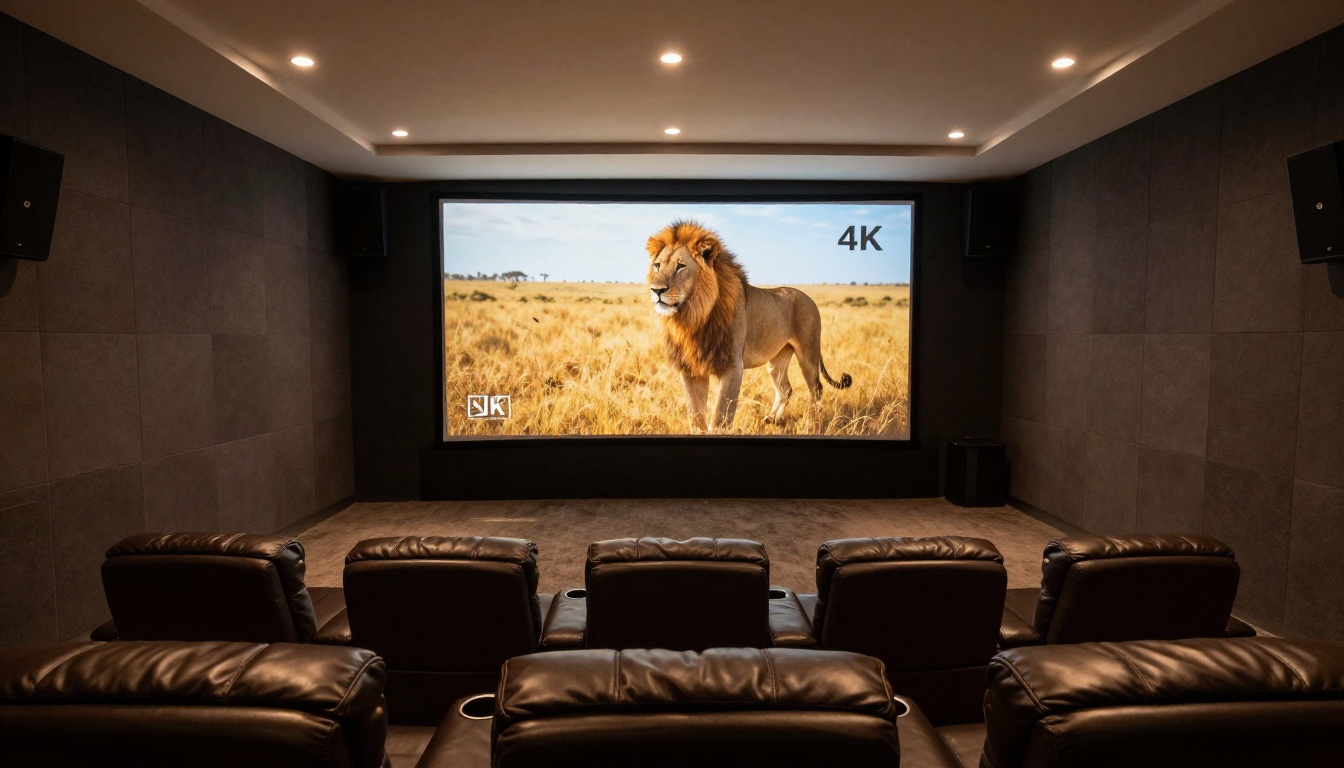
HappyHorse 1.0 is the kind of model that is easier to experience than describe. The difference between its output and a mid-tier model is visible in seconds, and the difference between a weak prompt and a well-crafted one is equally visible. The fastest way to understand what it can do is to run a few tests yourself.
PicassoIA gives you access to HappyHorse 1.0 alongside every other major text-to-video model in one place. You can run it against Kling v2.6 or Sora 2 on the same prompt to see the differences directly. No subscriptions to manage, no separate accounts across platforms.
Take the prompt formula from this article, subject, action, environment, camera behavior, and start generating. The 1080p results speak for themselves.


