Two tools dominate every conversation about AI avatar generation in 2027: Hedra and HeyGen. Both promise to turn a photo and a voice into a convincing talking avatar. Both have real users who swear by them. But they are built for very different people, with very different priorities. If you are trying to pick one without wasting time or money, this is where you find out which actually fits your workflow.
Before comparing outputs, it helps to understand what each platform is actually solving for. They overlap in surface-level features but serve very different types of creators, with very different assumptions about how often you will use them and what you need from the output.
Hedra in Plain Terms
Hedra is built around one core idea: take a portrait image and an audio file, and generate a hyper-realistic talking video of that person. The company's flagship model, Character-2, focuses specifically on expressive facial animation. You upload a photo, attach a voiceover or text-to-speech input, and Hedra generates a short avatar video with synced lip movement and natural-looking head motion, including subtle eye blinks and micro-expressions that most tools skip entirely.
It is a focused, single-purpose tool. There is no team workspace, no brand kit, no workflow builder. You get clean outputs fast. For solo creators who want realistic digital humans without dealing with a complex platform, that simplicity is the entire point.
What makes Hedra stand out technically is how it handles facial movement beyond the mouth. Most lipsync tools animate lips and leave everything else static, which produces the uncanny stiffness that gives AI avatars away immediately. Hedra's Character-2 model adds head tilt, eyebrow movement, and natural posture shifts that make the final result feel more like a real recording.
HeyGen in Plain Terms
HeyGen is a platform, not just a feature. On top of AI avatar generation, it offers a full video creation suite: teleprompter-style recording, avatar customization, branded templates, team collaboration, and a powerful video translation engine that dubs content into 150+ languages with re-rendered lip movement.
The avatars themselves range from photo-realistic custom avatars, built from footage you record of yourself, to a library of pre-built stock avatars. HeyGen targets marketers, enterprise teams, and anyone producing high-volume video content at scale. The platform's workflow is designed around repeatability: set up your avatar once, then generate dozens of videos from that same base without re-recording anything.
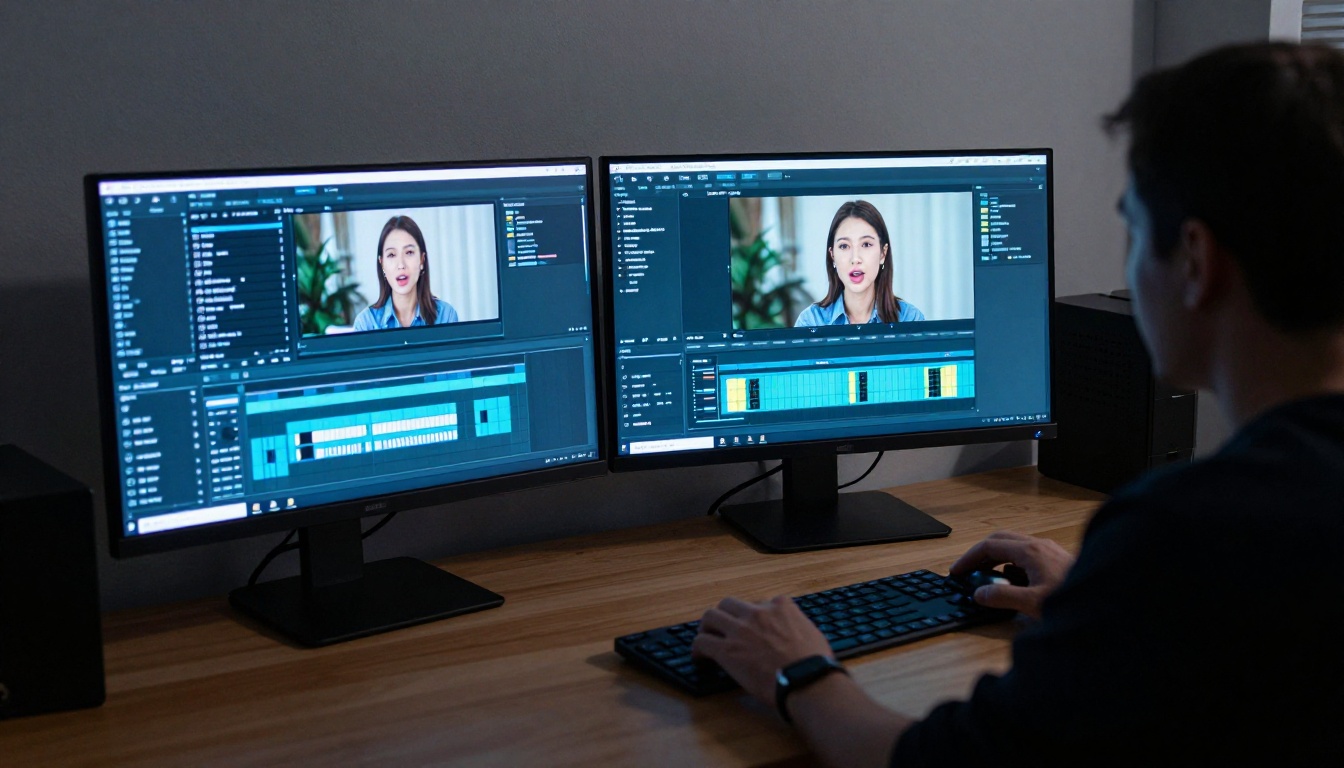
HeyGen also integrates directly with presentation-style video production. You can write a script, have your avatar deliver it, overlay branded slides, add captions, and export a polished finished video, all inside one interface.
Output Quality Compared
This is what most people actually care about. And the honest answer is: it depends on what you are measuring and what your input material looks like.
Realism and Expression
Hedra's Character-2 model produces remarkably natural head movement. The micro-expressions, eye blinks, and subtle postural shifts feel less robotic than what most lipsync tools generate. When the input photo is high quality and well-lit, shot cleanly against a neutral background, the output can be genuinely impressive, close enough that casual viewers do not immediately flag it as AI.
HeyGen's custom avatars, built from your own recorded footage, are consistently high-fidelity. They capture your personal likeness and speaking style with strong accuracy. The pre-built avatar library is more variable. Some stock avatars look polished and professional, others look obviously synthetic, particularly in how they handle rapid speech or emotional emphasis.
💡 If realism from a single photo is the priority, Hedra leads. If you want a consistent, branded avatar based on your own face and voice, HeyGen's custom avatar pipeline wins.
Lipsync Accuracy
Both tools have strong lipsync, but they get there differently.
Hedra drives lip movement primarily from the audio waveform, which means the quality of your input voiceover directly affects output quality. Clear, well-paced speech gives you sharp, accurate sync. Background noise, rushed delivery, or unusual speech patterns show up in the animation. Use a clean recording and the results hold up under scrutiny.
HeyGen benefits from years of lipsync refinement. Their Lipsync Precision and Lipsync Speed models, both available on PicassoIA, handle a wider variety of speaking styles more gracefully. Fast speech, accented speech, and emotional delivery all hold up better because the model has seen more variation during training.
| Feature | Hedra | HeyGen |
|---|
| Single-photo avatar | Excellent | Good |
| Custom avatar from video | Not available | Excellent |
| Lipsync accuracy | Very good | Excellent |
| Expression naturalness | Excellent | Good (varies by avatar) |
| Output length | Short clips | Long-form support |
| Multilingual dubbing | No | Yes, 150+ languages |
| Built-in video editor | No | Yes |
| Team collaboration | No | Yes |
Pricing Breakdown
Pricing is where these two tools diverge most sharply, and it matters a lot depending on your volume and whether you are working alone or as part of a team.
Hedra:
- Free tier with limited monthly credits
- Pro plan at approximately $8/month (early 2025 pricing)
- Credits-based model, with higher tiers for greater output volume
- Simple, low-commitment entry point with no locked features on lower plans
HeyGen:
- Free tier with watermarked exports and usage caps
- Creator plan starting from $29/month
- Business plans scale up significantly for teams and higher video volumes
- Enterprise pricing for custom avatars, API access, and SLA support
HeyGen's pricing reflects its position as a full production platform. The per-video cost drops as your plan scales, but the baseline investment is noticeably higher than Hedra. For a solo creator running one or two avatar videos per week, the cost difference is substantial.
💡 For occasional use or personal projects, Hedra is dramatically more affordable. For teams producing dozens of videos per month, HeyGen's per-seat model becomes more efficient as volume increases.

Where Hedra Wins
Fast, Expressive Single-Photo Results
Hedra's Character-2 model is arguably the most technically impressive single-image-to-avatar pipeline available right now for solo use. You do not need to record yourself on camera, set up a studio, or spend time building a custom avatar profile over multiple recording sessions. One good photo and a voice clip is enough to produce something that holds up in real-world usage.
For creators who want to generate a digital spokesperson fast, test a concept, or produce polished-looking avatar content without a full production setup, Hedra removes almost all friction between idea and output. The turnaround time from upload to downloadable video is typically under a minute.
Simpler for Solo Workflows
There is something to be said for a tool that does one thing extremely well. Hedra does not overwhelm you with templates, brand settings, team roles, or workflow management. You generate, download, move on. There is no onboarding flow, no settings to configure before you can produce your first result.
If your use case is simply "I want a realistic talking avatar from this photo," Hedra answers that question faster and cheaper than almost anything else in the market right now.
Lower Cost to Experiment
Because Hedra's pricing starts much lower, it is a better tool for experimentation. You can try different photos, different voices, different scripts, and iterate quickly without burning through a significant budget. That freedom to iterate tends to produce better final results because you can actually test what works.
Where HeyGen Wins
Built for Scale and Teams
HeyGen was designed from the ground up for production volume. Marketing teams, e-learning platforms, and agencies producing dozens or hundreds of videos per month need version control, brand consistency, and team access. HeyGen's workspace features handle all of that. Multiple users can work within a shared brand account, access the same avatar library, and maintain visual consistency across all output.
The platform's Avatar IV and Video Agent models available on PicassoIA represent HeyGen's enterprise-grade output capabilities, combining avatar generation with structured, scripted video production that scales across large content operations.
Video Translation Nobody Else Matches
This is HeyGen's most differentiated feature and the one most worth paying for if it fits your workflow. Video Translate is not just subtitling or voice dubbing. It re-renders the lip movement of the original speaker to match the target language, so the output looks like the person is actually speaking Spanish, Portuguese, or Mandarin rather than having a foreign voiceover laid on top of English mouth movements.
For global brands, course creators reaching international audiences, or anyone producing content in one language that needs to reach audiences in five others, this single feature alone justifies the HeyGen subscription. No other tool in this category does multilingual lip retargeting this reliably at scale.
More Control Over Final Output
HeyGen gives you a full video editor inside the platform. You can adjust pacing, add branded backgrounds, drop in captions, use presentation-style slide overlays, and export directly in formats ready for upload. Hedra outputs a video clip and that is it. The production gap between the two tools becomes obvious the moment you need a finished, polished piece rather than raw avatar footage.

The Lipsync Gap
Lipsync technology is where the most rapid innovation is happening across the entire AI video space, and neither Hedra nor HeyGen has a monopoly on the best results.
Tools like Omni Human 1.5 by ByteDance have demonstrated lipsync accuracy that rivals or surpasses both platforms in controlled tests, particularly for full-body animation from a single photo. Sync's Lipsync 2 Pro focuses specifically on precision sync at the professional level, and handles low-quality source audio better than most alternatives. P Video Avatar offers a compelling talking avatar pipeline for creators who want flexibility without committing to either major platform.
The lipsync gap between Hedra and HeyGen is real but narrowing. HeyGen has more history and refinement in this area, especially for edge cases like overlapping speech, breathing sounds, and silence handling. But Hedra's model improvements have been fast over the past year, and for many users the practical difference in casual viewing is invisible.
💡 Run both on the same photo and audio clip before committing to either. The difference in your specific use case may be smaller than the specs suggest, and seeing both outputs side by side resolves the question faster than any written comparison.

How to Use HeyGen Lipsync Precision on PicassoIA
Since HeyGen's lipsync technology is available directly on PicassoIA, you can access the same engine without a full HeyGen subscription. Here is how to use Lipsync Precision on PicassoIA:
- Go to the model page: Open HeyGen Lipsync Precision on PicassoIA.
- Upload your video: Provide a short video clip of a person speaking or a silent portrait video as the base.
- Attach your audio: Upload the audio file you want synced to the video. Clean, studio-recorded audio produces the sharpest results.
- Set sync parameters: Adjust the sync sensitivity if offered. For rapid speech, slightly lower sensitivity prevents over-correction.
- Generate and preview: Run the model and preview the output before downloading. Check jaw movement at consonants and lip closure at stop sounds (P, B, M).
- Download or iterate: Download the synced video, or tweak input audio and re-run if specific sections are off.
For faster iteration with Lipsync Speed, follow the same steps. Speed mode sacrifices some precision for significantly faster processing, which makes it ideal for drafts and concept testing.
Who Should Use Which
The answer here is less about which tool is objectively better and more about what you actually need from your workflow.
Choose Hedra if:
- You are a solo creator or independent developer
- You want realistic avatars from a single photo without recording custom footage
- Budget is a priority and you want strong output at low cost
- You value simplicity and fast iteration over feature depth
- Your use case is short, focused video clips rather than long-form production
Choose HeyGen if:
- You are part of a team or agency with multiple contributors
- You produce high volumes of video content on a regular schedule
- Multilingual video translation is part of your distribution workflow
- You need branded templates, workspace collaboration, and consistent visual identity
- You want long-form avatar videos with full in-platform editing capabilities
Consider PicassoIA as a middle path if:
- You want HeyGen's lipsync technology without a full platform subscription
- You want to test multiple lipsync models before committing to one approach
- You need access to a broader range of avatar and video tools from one interface

Both Hedra and HeyGen operate in a space that is expanding faster than either platform can single-handedly keep up with. Avatar animation models like Kling Avatar v2 and DreamActor M2.0 are producing outputs with fluid, full-body character motion that pushes the definition of what an AI avatar even means. Fabric 1.0 by Veed makes any portrait talk in seconds with minimal setup. Kling Lip Sync adds accurate mouth animation to existing video content without requiring a full re-render.
The broader market is moving toward modular avatar pipelines: generate a base avatar with one tool, add lipsync with another, enhance with super-resolution, and distribute. That modular approach is where the most interesting creative work is happening, and it is where tools like PicassoIA make the most sense as an aggregation layer.
| Use Case | Best Tool |
|---|
| One-time photo-to-avatar | Hedra |
| Team video production | HeyGen |
| Multilingual dubbing | HeyGen |
| Budget-conscious solo creators | Hedra |
| Enterprise workflows | HeyGen |
| Quick concept testing | Hedra |
| Long-form branded content | HeyGen |
| Access without subscriptions | PicassoIA |
Start Creating AI Avatars Now
You do not have to pick one platform and commit before seeing results. On PicassoIA, you have access to the same underlying lipsync and avatar technology powering tools like HeyGen, including Lipsync Precision, Lipsync Speed, and P Video Avatar, without platform lock-in or high monthly subscription commitments. You can also try Omni Human 1.5 for full-body animation from a portrait, or Sync Lipsync 2 Pro for precision dubbing of existing footage.
Whether you want a talking portrait for an online course, a branded spokesperson for marketing content, or just to test what your face looks like as a digital avatar, the tools are ready and waiting. Upload a photo, attach a voice clip, and see what the current state of AI avatar technology can actually produce.
The best way to pick between Hedra and HeyGen is to stop comparing specs and start generating. The answer becomes obvious very quickly once you see both outputs side by side with your own content. And when you are ready to do that, PicassoIA has everything you need in one place.


