If you spend any time in adult content creator communities right now, you'll hear the same question on repeat: is Sora 2 Pro actually useful for this, or is it just hype? The honest answer is complicated. Sora 2 Pro is genuinely impressive for cinematic AI video, but it runs headfirst into content moderation walls the second you push toward anything suggestive. Creators working in the adult space have figured this out fast, and they've built a hybrid workflow around it: use OpenAI's tool where it works, then switch to uncensored platforms for everything it refuses to do.
This piece breaks down what that workflow actually looks like, which AI models serious creators are relying on right now, and how platforms like PicassoIA are filling the gap that mainstream tools keep leaving open.
What Sora 2 Pro Actually Offers

The Real Capabilities
Sora 2 Pro is a text-to-video and image-to-video model from OpenAI. At its technical peak, it produces 1080p output at up to 20 seconds, with better scene coherence, motion handling, and camera movement than most competing tools. For creators building cinematic intros, establishing shots, lifestyle sequences, or stylized B-roll, it genuinely delivers.
The model accepts image inputs, which means you can feed it a photorealistic still image and get a short video clip that animates it with reasonable accuracy. That is the part adult creators care about most: using a high-quality reference image as a source frame and generating motion from it.
What Sora 2 Pro does well:
- Long-duration clips (up to 20 seconds)
- Consistent subject tracking across frames
- Cinematic camera movement presets
- High-resolution output at 1080p
- Image-to-video with solid first-frame fidelity
Where the Content Limits Hit
Here is where things break down for adult creators. OpenAI's content policy explicitly prohibits anything that violates their usage guidelines, which in practice means any suggestive, sexual, or adult-oriented content gets flagged or refused outright. This is not a gray area: the model applies moderation at the prompt level, the image input level, and again at the output level.
💡 In practice: A beach photoshoot with a model in a bikini can pass. The same shot framed more suggestively almost certainly will not. Creators describe this as a constant guessing game that burns generation credits fast.
The result is that adult content creators get roughly the same experience out of Sora 2 Pro as any lifestyle or commercial content creator: clean, professional, visually impressive clips with hard limits on creative direction. For anyone working in the adult space, that ceiling is simply too low.
Why Creators Look Elsewhere for Adult Content
OpenAI's Content Policy in Practice
OpenAI's moderation system runs on multiple levels. The prompt gets screened before generation. If the output contains something the system classifies as a policy violation, it gets blocked before you ever see it. Creators who have tested this systematically report that about 60-70% of adult-adjacent prompts get refused at the prompt stage, and another portion get flagged after generation.
This is not a bug. It is a deliberate product decision. OpenAI built Sora for commercial audiences, brands, and general-purpose creators. Adult content is simply outside its design brief.
| Platform | NSFW Content | Resolution | Max Duration |
|---|
| Sora 2 Pro | Blocked | 1080p | 20s |
| PicassoIA Video | Allowed | 720p | 5s |
| P-Video (PrunaAI) | Allowed | 1080p | 10s |
| Grok Imagine Video | Allowed | 720p | 15s |
| LTX 2.3 Pro | Allowed | 4K/50fps | Variable |
What Unrestricted Really Means
When creators in the adult space say they want an "unrestricted" AI tool, they mean something specific: a platform that does not apply moderation to consensual adult content between adults. Not a tool that produces anything without limits, but one that does not treat bikini photography or artistic nudity as a policy violation.
That distinction matters. The platforms filling this gap are not unmoderated in the dangerous sense. They block illegal content by default. What they do not block is adult content between consenting adult subjects, which is a legal and legitimate creative category with an enormous professional market.
Seedream 4.5 on PicassoIA
The model most creators point to first is Seedream 4.5. It is a text-to-image model that accepts NSFW prompts, generates at 2K and 4K resolution, and returns results in under three seconds. That combination of quality, speed, and unrestricted output is genuinely rare.
What makes it practical for adult content production is the combination of NSFW support with real image quality. A lot of uncensored models produce results that look obviously AI-generated or have consistency problems across a series of images. Seedream 4.5 handles skin texture, lighting, and facial structure with a level of realism that holds up to scrutiny.
Seedream 4.5 specs:
💡 Important: ByteDance also makes Seedream 5 Lite, but that version does not support adult content. For NSFW work on PicassoIA, use Seedream 4.5 specifically.
PicassoIA Image Editor Pro
The second tool in almost every serious creator's workflow is PicassoIA Image Editor Pro. This is an image-to-image model, meaning it takes a reference image and transforms it based on a text prompt.
The defining feature here is economics. PicassoIA Image Editor Pro offers unlimited generations on Elite and Infinite subscription plans. For creators producing content at scale, that changes the math entirely. Generating 1,000 images with a credit-based model like Nano Banana 2 would cost around $100. On PicassoIA Image Editor Pro, those same 1,000 images are included in your subscription at no extra cost.
It also generates in under one second and accepts NSFW content. The platform offers a three-generation free trial with no credit card required, which lets creators test before committing.
The Actual Production Workflow
Building a Scene from Scratch
The workflow most creators describe goes something like this:
- Start with Seedream 4.5 to generate the reference images. Write a detailed prompt for the character, lighting, environment, and mood. Generate 5-10 variations to find the best base image.
- Refine with Image Editor Pro for specific adjustments: change clothing, adjust poses, shift the setting. Because it is unlimited, you can iterate without worrying about credit burn.
- Use video tools to animate the best static frames into short clips. Tools like PicassoIA Video, P-Video, or Grok Imagine Video all accept image inputs and allow adult content.
- Assemble and publish the clips on platforms that accept AI-generated adult content.
The important insight here is that Sora 2 Pro can fit into step 3 for non-restricted sequences, such as establishing shots, lifestyle sequences, or branded intros where its superior camera movement is genuinely useful. But for the actual adult content frames, creators swap it out entirely.
Refining with Image-to-Image Editing
Image-to-image editing is the part of this workflow that separates amateur output from professional-quality content. Starting from a strong base image, you can iterate rapidly on clothing, body position, lighting conditions, and environment without regenerating from scratch every time.
Qwen Image 2 is worth mentioning here specifically. As an open-source model, it handles detailed editing instructions with high realism and accepts adult content without restrictions. It is fast and produces results that rival commercial tools for editorial-quality image refinement.
Grok Imagine Image is another tool creators have picked up for a specific use case: converting any reference image into a bikini or swimwear format. For creators who work from real reference photos, this is a practical shortcut that maintains photorealistic output quality.
Best NSFW AI Models Right Now
PicassoIA currently offers the largest collection of unrestricted AI models for content creators working in the adult space. Here is the ranked list based on what creators are actually using:
- Seedream 4.5 — The top recommendation. NSFW-capable, 4K resolution, under 3 seconds, supports image editing and batch generation.
- PicassoIA Image Editor Pro — Unlimited generations on Elite/Infinite plans. Under 1 second per image. Free 3-generation trial with no credit card.
- Qwen Image 2 — Open-source model with detailed realism and no content restrictions on adult content.
- Grok Imagine Image — Best for converting reference images to bikini and swimwear format realistically.
- Recraft V4 — Text-to-image only, but produces very realistic results with strong NSFW support.
- P-Image — Under 1 second generation, NSFW-capable, ideal for rapid volume production.
- Wan 2.2 Image — Highly realistic text-to-image without content filters. Strong for detailed scene generation.
- Wan 2.2 I2v Fast — Image-to-video conversion with smooth natural animations from static reference frames.
- PicassoIA Video — Unlimited video generation from text prompts at up to 720p and 5 seconds per clip.
- P-Video — Text, image, or audio to video at up to 1080p. Safety filter disabled by default. Draft mode for instant previews.
- Grok Imagine Video — Clips up to 15 seconds from text, image, or existing video. No watermarks.
- LTX 2.3 Pro — Highest fidelity output at up to 4K/50fps with retake and extend editing modes for precise control.
💡 Platform note: Unlike many mainstream AI platforms, PicassoIA gives creators full creative freedom with uncensored, high-performance models across both image and video generation.
How to Use Seedream 4.5 on PicassoIA
Since Seedream 4.5 is the starting point for most creators, here is how to get the best results on PicassoIA:
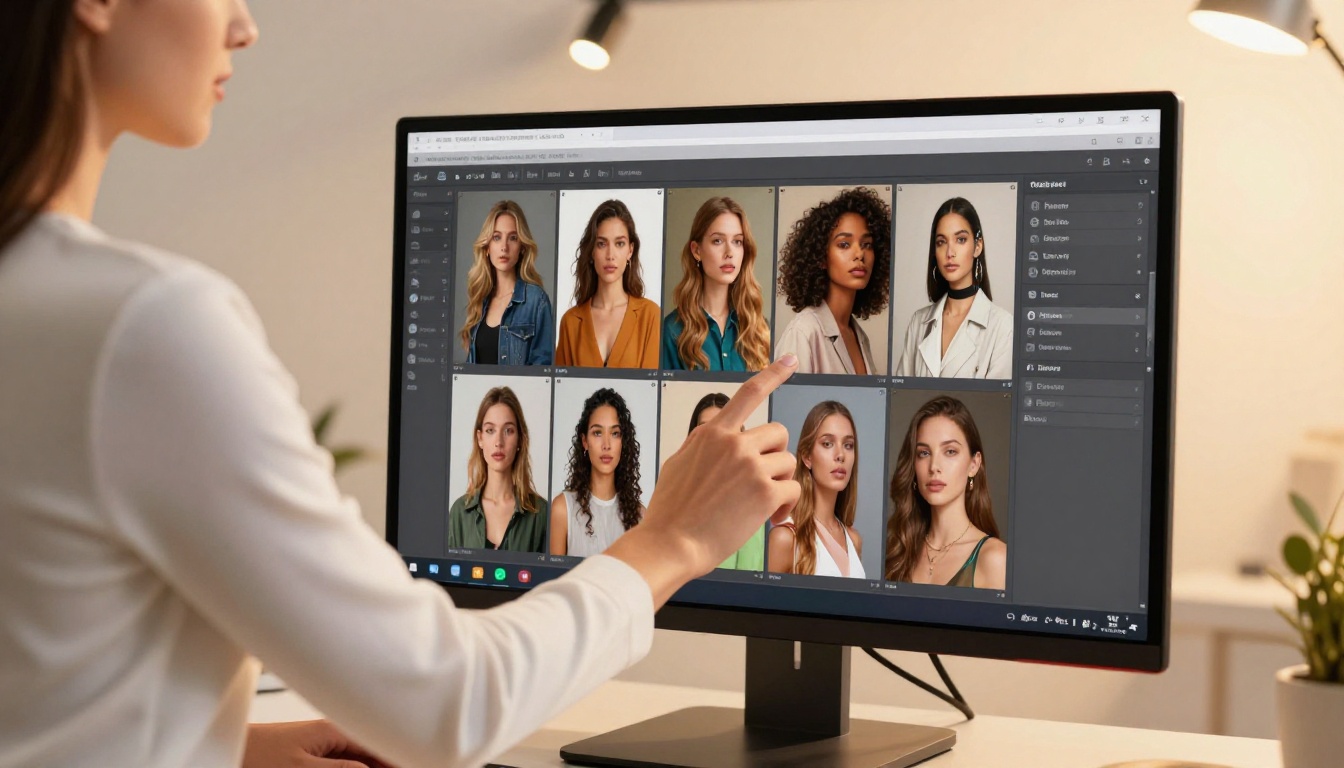
Setting Up Your First Generation
Step 1: Go to picassoia.com/en/collection/text-to-image/bytedance-seedream-45
Step 2: Write your prompt. Be specific about:
- Subject description (age range, physical features, expression)
- Clothing and styling details
- Environment and setting
- Lighting conditions (time of day, direction, quality)
- Camera perspective (close-up, wide, low angle, overhead)
Step 3: Set resolution. For content you plan to animate into video clips, 2K is sufficient and generates faster. For still images you want to publish at full resolution, use 4K.
Step 4: Set aspect ratio. For video-ready output, use 16:9. For portrait formats (social media, subscription platforms), use 9:16.
Step 5: Enable disable_safety_checker if your content is legal adult content and you are hitting unnecessary filters.
Step 6: For batch generation, set sequential_image_generation to auto and max_images to however many you need (up to 15 per run).
Tips for Consistent Results
Getting consistent character appearance across multiple images is one of the hardest parts of AI content production. Here is what actually works:
- Use reference images as inputs. Seedream 4.5 accepts up to 14 reference images per run. Upload your best output from a previous session as an input for the next one to maintain consistency.
- Lock your lighting description. Copy the exact same lighting phrase into every prompt for a series. "Late afternoon sunlight from the left, warm golden backlight, soft fill from right" in every prompt produces far more consistent results than varying it.
- Generate variations before committing. Use multi-image mode to generate 5-10 variations of a scene, then pick the best one before moving to video generation.
- Keep prompts modular. Build a base prompt for the character, then add scene-specific details on top. This makes it easy to swap environments while keeping the subject consistent.
Monetizing Your AI Content
Platforms That Accept AI Clips
The adult content market has moved quickly on AI-generated content. Several major platforms now explicitly accept it, with varying policies on disclosure requirements:
- OnlyFans: Accepts AI-generated content. The platform's policy as of 2025 does not mandate disclosure.
- Fansly: Accepts AI-generated content with fewer restrictions than some competitors.
- ManyVids: Accepts AI-generated clips as a distinct content category.
- Patreon: Accepts adult content in some regions with age verification, including AI-generated material.
- Gumroad and personal storefronts: No platform-level restrictions on AI content.
Pricing Your Output
The economics of AI-generated adult content are still forming, but some clear patterns have emerged:
| Content Type | Typical Price Range | Notes |
|---|
| Single AI image set (20-50 images) | $5-$25 | Higher for consistent character series |
| Short AI clip (5-15 seconds) | $10-$40 | Video commands premium over stills |
| Custom AI scene (per request) | $30-$150 | Character-consistent custom content |
| Monthly subscription with AI content | $5-$30/month | Often bundled with other content types |
The unlimited generation advantage of PicassoIA Image Editor Pro directly affects your profit margin here. A creator paying a flat subscription fee and generating thousands of images per month has dramatically lower cost-per-piece than one paying per-generation credits on another platform.
3 Mistakes Creators Make
1. Chasing Volume Before Quality
The unlimited generation available on platforms like PicassoIA makes it tempting to produce massive quantities of content fast. The problem is that a thousand mediocre images convert worse than fifty excellent ones. Spend your first sessions finding the prompts and model settings that produce your best work. Then scale volume once the quality baseline is solid.
2. Ignoring Character Consistency
One of the most common complaints from adult content buyers is that AI content looks inconsistent: the character changes significantly from image to image or clip to clip. This destroys the illusion of a real persona and reduces repeat purchases. Use Seedream 4.5's reference image input feature aggressively. Build a character library of strong reference images, then feed them back in for every subsequent generation.
3. Not Using Image-to-Image for Refinement
Many creators generate an image, decide it is not quite right, and start over from a text prompt. The faster approach is to use the output as input into PicassoIA Image Editor Pro or Qwen Image 2, then write a short editing instruction: "change the background to a hotel room," "adjust the lighting to dusk," "change the outfit to a red dress." Iterating from a near-correct image is far faster than regenerating from scratch.
Start Creating Today
If you are building a content production workflow in the adult space, the combination of Sora 2 Pro for non-restricted sequences and PicassoIA for everything the mainstream tools refuse is where most serious creators are landing right now. The technical quality is there. The economics are strong, especially with unlimited-generation models. The only real barrier is learning which tools to use for which part of the workflow.
The best starting point is Seedream 4.5 for image generation, PicassoIA Image Editor Pro for refinement at scale, and PicassoIA Video or P-Video for animating your best frames into clips.
The three-generation free trial on PicassoIA Image Editor Pro requires no credit card. Start there, test the workflow with your own prompts, and see what the actual output quality looks like for your specific use case before committing to a subscription.
Browse the full model catalog, including every NSFW-capable image and video model, at picassoia.com/en/all-models.


