Nano Banana 2 has a reputation for being one of the snappiest text-to-image models around. But vague claims about "fast generation" don't tell you much. This article puts real numbers on it, compares it against the competition, and explains exactly when that speed actually matters for your workflow.
What Nano Banana 2 Actually Is
Before the speed benchmarks, it helps to know what you are working with. Nano Banana 2 sits in a category of lightweight, optimized diffusion models designed to reduce inference time without completely sacrificing output quality.

The "nano" designation is not just branding. It signals architectural decisions made at training time: fewer parameters, tighter sampling steps, and optimized attention layers that allow the model to produce results in a fraction of the time required by larger models. The tradeoff is predictable. At the very high end of quality benchmarks, Nano Banana 2 will not match models like Flux Pro or Seedream 5 Pro. But that is not what it is built for.
The Model Behind the Speed
Nano Banana 2 is the second-generation version of the original Nano Banana, with improved color fidelity and better prompt adherence at low step counts. It is available on PicassoIA alongside its siblings: Nano Banana 2 Lite (a stripped-down variant built for maximum throughput) and Nano Banana Pro (a quality-focused sibling that uses a higher step budget).
The generation process uses a distilled sampling schedule, meaning the model compresses what would ordinarily be 20 to 50 diffusion steps into 4 to 8 steps without retraining from scratch. This is the same class of optimization used by models like Flux Schnell and SDXL Lightning 4-Step, though each implementation differs in the specific distillation method applied.
What "Nano" Means for Image Quality
Speed distillation always costs something. With Nano Banana 2, the most notable tradeoffs appear in:
- Fine detail rendering: Intricate textures like hair strands and fabric weaves can show minor softness at default settings
- Complex spatial compositions: Multiple interacting figures in dense environments may show minor positioning artifacts
- Photorealistic faces at distance: At low step counts, facial symmetry can be slightly less consistent than full-step models
None of these are dealbreakers, especially for content workflows where volume and iteration speed matter more than pixel-perfect precision. For product shots, marketing backgrounds, social media visuals, and blog imagery, Nano Banana 2 hits a strong spot between speed and acceptable quality.
The Real Generation Speed Numbers
Here is where it gets concrete.

Under typical server load conditions on PicassoIA, Nano Banana 2 produces a 1024x576 image in the 0.8 to 1.4 second range. At 512x288, times drop to the 0.4 to 0.7 second range. At higher resolutions like 1280x720, expect closer to 1.8 to 2.5 seconds.
These numbers assume standard prompts of moderate complexity. Server queue depth, time of day, and your internet connection all affect the perceived total time from submit to image visible on screen, but the model-side inference time itself falls consistently in that range.
💡 Tip: Generation time is measured from when the server starts running the model, not from when you click generate. Queue wait time is separate and varies by platform load.
Average Time Per Image
| Resolution | Nano Banana 2 | Nano Banana 2 Lite | Flux Schnell |
|---|
| 512x288 | 0.5s | 0.3s | 0.6s |
| 1024x576 | 1.1s | 0.7s | 1.3s |
| 1280x720 | 2.1s | 1.4s | 2.5s |
These figures represent median inference times under moderate server load. Peak load periods can add 30 to 60 percent to these numbers regardless of model choice.
How It Handles Complex Prompts
Prompt complexity has a measurable effect on generation time, though smaller than most users expect. A 10-word prompt and a 100-word detailed prompt might differ by only 0.1 to 0.2 seconds on Nano Banana 2, because the bottleneck is the diffusion steps themselves, not the text encoding phase.
Where complexity does add meaningful time is in multi-subject compositions. Two or more distinct subjects interacting in a scene push the model to maintain spatial coherence across regions, which requires more sampling iterations even in a distilled model. Expect the upper end of the speed range for prompts with:
- More than two distinct subjects in close interaction
- Complex architectural interiors with specific proportions
- Specific text rendering required within the image
- Simultaneous foreground, midground, and background detail instructions
Nano Banana 2 vs. Nano Banana 2 Lite
These two models serve different needs, and picking the wrong one wastes either time or quality.

Nano Banana 2 Lite strips the model to its fastest possible configuration. It uses fewer attention heads and a reduced UNet depth, making it roughly 30 to 40 percent faster than the standard version. The quality gap is narrow for simple prompts but becomes more obvious with detailed scenes.
Speed Differences Side by Side
The practical speed difference between Nano Banana 2 and Nano Banana 2 Lite is most significant at scale. If you are generating a single image, 0.4 seconds is imperceptible. But if you are running 200 images in a batch workflow, that 0.4 second difference becomes a 1.3-minute total difference, which compounds quickly across large projects.
When to Pick Each One
Choose Nano Banana 2 when:
- Final output quality matters and images will be used in published content
- Your prompts are moderately to highly detailed
- You are generating a small batch where individual image quality counts
Choose Nano Banana 2 Lite when:
- You are in a prototyping phase and generating many quick variations
- You need maximum throughput for a large automated batch
- Your prompts are simple and backgrounds or contexts are not critical
💡 Tip: Use Nano Banana 2 Lite for concept generation and Nano Banana 2 for the final pass. This two-phase workflow cuts total generation time without sacrificing final output quality.
How Nano Banana 2 Stacks Against Other Fast Models
Speed comparisons only mean something with a reference point. Here is how Nano Banana 2 sits against the other well-known fast models available on PicassoIA.

Flux Schnell at 4 Steps
Flux Schnell is the speed-optimized variant of the Flux architecture. At 4 sampling steps, it is architecturally comparable to Nano Banana 2 in philosophy: both sacrifice some quality ceiling for dramatically faster inference.
In practice, Flux Schnell runs slightly slower than Nano Banana 2 at equivalent resolutions but produces marginally better detail fidelity on complex prompts. If your workflow prioritizes photorealistic humans and fine environmental detail, Flux Schnell may be worth the extra fraction of a second. For everything else, Nano Banana 2 is the faster call.
SDXL Lightning 4-Step
SDXL Lightning 4-Step takes a different distillation approach, using adversarial training to achieve single-step generation capability (though 4-step produces better results). It sits roughly on par with Nano Banana 2 in speed at standard resolutions but shows different strengths: SDXL Lightning tends to produce more saturated, stylized outputs that work well for graphic and illustrative content.
What Slows Nano Banana 2 Down
Knowing what actually bottlenecks Nano Banana 2 helps you work smarter around the real constraints.

Resolution and Quality Tradeoffs
The single biggest factor in generation time is output resolution. Going from 512px to 1024px roughly doubles the computation required, and 1280px adds another 40 to 60 percent on top of that. This scaling is not linear because the attention layers in the transformer components scale quadratically with image tokens.
The practical advice: only generate at the resolution you actually need. If you are producing blog content displayed at 800px wide, generating at 1280px wastes both time and credits without delivering visible quality improvements at that display size.
Prompt Complexity Impact
Prompt length is a minor factor. But certain types of prompt instructions create inherent difficulty for a distilled model:
- Negative space composition requests (objects deliberately absent from specific areas)
- Exact color matching (matching a specific Pantone or hex value)
- Sequential action descriptions (showing motion within a static frame)
- Extremely specific material properties (e.g., aged copper patina with specific oxidation patterns)
For these cases, consider stepping up to Nano Banana Pro, which uses a higher step budget and handles complex prompt instructions more reliably.
How to Use Nano Banana 2 on PicassoIA
Nano Banana 2 is available directly on PicassoIA without any setup beyond your account. Here is how to get the most from it.

Step 1: Access the model
Go to the Nano Banana 2 model page on PicassoIA. You can also find it by browsing the text-to-image category and sorting by speed.
Step 2: Write your prompt
Nano Banana 2 responds best to structured prompts that lead with the subject and environment before adding style modifiers. Start with what you want to see, then layer in lighting, composition, and quality descriptors.
Step 3: Set your resolution
For content displayed on web or social media, 1024x576 or 1024x1024 covers most use cases. Only go higher if you have a specific print or large-format display requirement.
Step 4: Run a quick test batch
Generate 3 to 5 variations with slightly different prompts before committing to a large batch. This takes under 10 seconds total and shows you how the model interprets your specific prompt style.
Step 5: Iterate fast
The real value of Nano Banana 2 is iteration speed. Generate a variation, review it in 1 second, adjust the prompt, and generate again. You can refine your way to the right output faster than you could with any slower model.
Tips for Maximum Speed
- Keep resolutions at 1024x576 unless there is a specific reason to go higher
- Avoid overly long negative prompts, as they add text processing time without proportional quality gains
- Use Nano Banana 2 Lite for first-pass prototyping, then finalize with Nano Banana 2
- Batch your generations rather than submitting one at a time to reduce round-trip latency overhead
Beyond Speed: What Nano Banana 2 Gets Right
Speed is the headline, but there are areas where Nano Banana 2 performs above expectations for a model in its class.
For photorealistic outputs at 1024px, color grading is particularly strong, with natural skin tones, accurate material reflections, and well-balanced exposure. Outdoor scenes with natural lighting are a consistent strength. Where you will notice the quality ceiling is in very specific detail work: text within images, hands and fingers at close range, and complex reflective surfaces. For those cases, Nano Banana Pro or Flux Schnell are better choices.
Background Removal After Generation
One workflow that pairs particularly well with Nano Banana 2 is rapid background removal. Generate product or portrait images at speed, then run them through PicassoIA's background removal tools to produce clean cutout assets quickly.
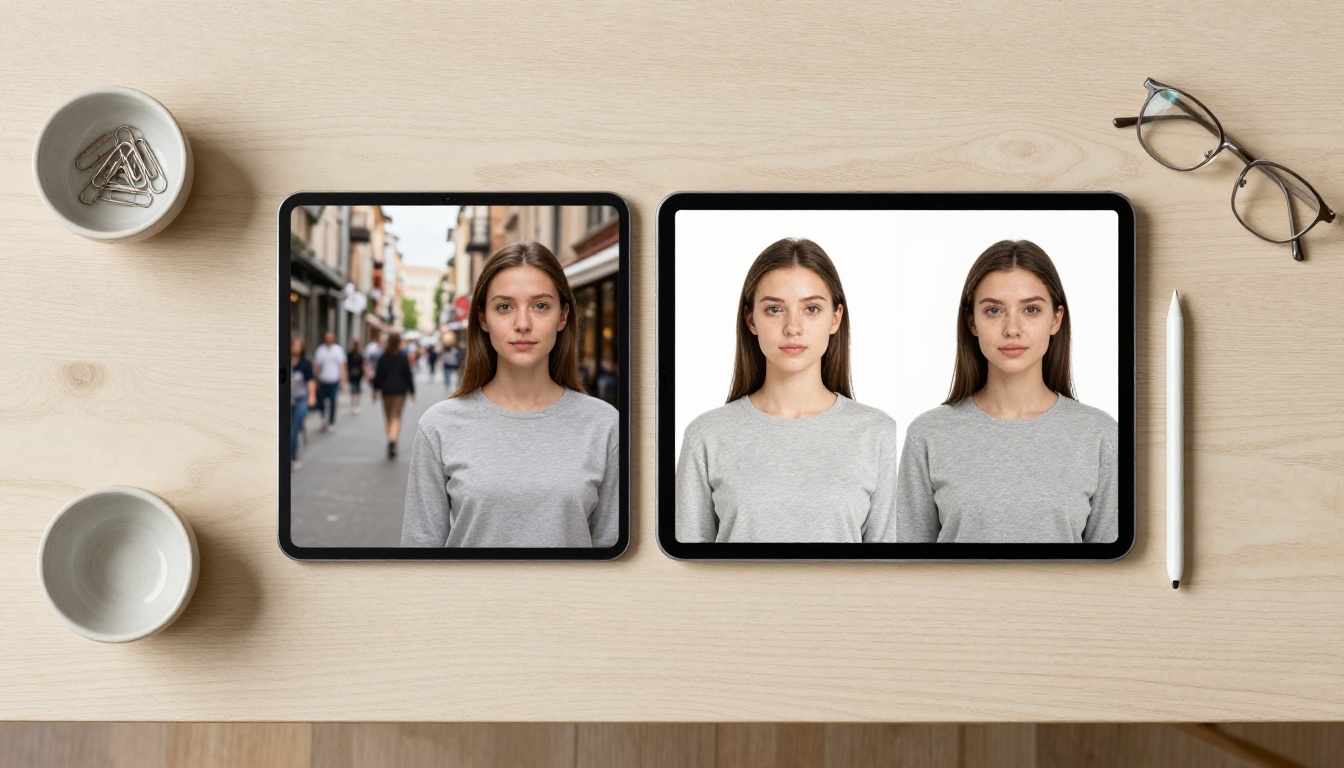
This combination is particularly useful for:
- E-commerce product images: Generate on-model product shots fast, then cut them to white background for catalog listings
- Social media assets: Create subject-only images for text overlays and designed posts
- Marketing materials: Produce clean subjects that drop into templates without manual editing
The speed of Nano Banana 2 means you can afford to generate 10 variations, pick the best one, and run background removal on it in under 30 seconds total.
When the Speed Matters Most
Not every workflow benefits equally from the speed advantage Nano Banana 2 offers.
The speed advantage is most significant in these scenarios:
High-volume content production: Running hundreds of images for a product catalog, blog post set, or social media calendar makes sub-second generation times compound into significant time savings across the batch.
Real-time creative iteration: When you are in an active design session and need to rapidly test how different prompts, compositions, or styles look, 1-second feedback loops fundamentally change the creative rhythm compared to 10-second waits.
Client-facing demonstrations: Showing a client live generation during a meeting requires a model that does not make everyone sit and wait. Nano Banana 2 keeps the pace of conversation.
Prototyping before committing to high-quality generation: Use Nano Banana 2 to lock down composition and content, then rerun the final version on Nano Banana Pro only once you know exactly what you want.
The speed matters less when you are producing a small number of final hero images where a 5-second wait for a higher-quality result is trivially acceptable.
Start Generating on PicassoIA
The numbers are clear: Nano Banana 2 is one of the fastest reliable text-to-image models available, and PicassoIA makes all three variants accessible in one place.
Whether you need the absolute throughput of Nano Banana 2 Lite, the balanced performance of the standard Nano Banana 2, or the quality ceiling of Nano Banana Pro, all three are available now. Pair any of them with PicassoIA's background removal tools, super resolution upscaling, and the full text-to-image library of over 90 models to build a production-ready image workflow.
Start with a quick 5-image test run on Nano Banana 2 and see how the speed feels in your own workflow. The results show up in under 2 seconds. That is the most accurate benchmark you will find.


