If you've spent any time with GPT Image 2 and tried to push past its comfort zone, you already know how this story ends. The model refuses, deflects, or produces something so watered-down it barely resembles what you asked for. This isn't a bug. It's deliberate, baked into the model at training time, and it creates a very specific gap between what OpenAI offers and what a large portion of AI image users actually want.
This article breaks down exactly how GPT Image 2 handles adult image requests: what the filters catch, what occasionally slips through, why the policy exists in the first place, and where to go when the answer is no.
What GPT Image 2 Actually Is
GPT Image 2 is OpenAI's most capable image generation model to date, released as part of the broader GPT ecosystem. It builds on the GPT-4o multimodal architecture, meaning it was trained to understand both text and visual data simultaneously rather than treating them as separate tasks. The result is a model that produces remarkably coherent, instruction-following images. Hands look like hands. Text sometimes even renders correctly. Compositions follow your description closely.
But that same instruction-following precision is exactly what makes its content filtering so frustrating. The model understands exactly what you're asking for. It just refuses to do it.

Not Just Another Image Generator
Most image generators are text-to-image pipelines trained primarily on image-prompt pairs. GPT Image 2 is different. It's a natively multimodal model, meaning the image generation capability is integrated directly into the language model, not bolted on. This gives it better prompt comprehension and better text rendering, but it also means OpenAI's safety training pipeline applies directly at the generation level, not just as a filter layered on top.
The practical consequence: many workarounds that worked on older Stable Diffusion-based models simply don't work here.
The OpenAI Safety Layer
OpenAI's content policy for image generation has several tiers. The base tier applies to all users and blocks explicit sexual content, real-person pornography, graphic violence, and anything involving minors in sexual contexts. These are absolute. No prompt phrasing changes the outcome.
A second tier of restrictions applies to things that could be adult content depending on framing: swimwear in ambiguous contexts, suggestive poses, partial nudity. This tier is inconsistent. Some prompts pass, some don't, and there's no published rule about where the line sits. That inconsistency is one of the most common complaints from professional artists using the tool.
What Gets Blocked vs. What Slips Through

Understanding GPT Image 2's filtering behavior requires separating what is consistently blocked from what depends on phrasing, context, or luck.
Content That Always Gets Refused
Some categories hit a hard wall every time:
- Explicit sexual content of any kind, between any subjects
- Nudity that is sexualized, even when framed as artistic
- Real people in sexual or compromising scenarios, including celebrities, public figures, or fictional characters depicted as real
- Minors in any adult context, including aged-up versions of established child characters
- Graphic gore or torture, regardless of creative framing
- Deepfake-style realistic portraiture of specific named individuals in sensitive scenarios
These blocks are consistent across all API tiers. No operator override removes them for consumer-facing products.
The Gray Zone
The unpredictable middle ground includes:
- Lingerie and swimwear: Sometimes GPT Image 2 generates a tasteful bikini shot without issue. Other times, the same prompt produces a refusal or a fully clothed figure.
- Implied nudity: A prompt for a figure behind frosted glass might generate correctly one session, then refuse the next.
- Artistic nude references: "In the style of Renaissance painting, reclining figure" might pass as art-historical context. Might not.
- Fantasy or non-human subjects: Elven characters, humanoid aliens, and clearly fictional beings occasionally slip through filters that would block equivalent human subjects.
The inconsistency isn't random. It's the result of a probabilistic safety classifier running on the decoded output, which means identical prompts can produce different moderation outcomes across sessions. For artists trying to produce consistent work, this is a serious productivity problem.
💡 What this means in practice: GPT Image 2 is excellent for commercial, editorial, and general-audience creative work. If adult or mature content is a requirement for your project, you will run into walls constantly.
Why OpenAI Takes This Approach
Corporate Risk vs. Creative Freedom
OpenAI is a company operating under intense regulatory scrutiny in multiple jurisdictions. The EU AI Act, emerging US federal guidance, and platform-level policies from distribution partners all create pressure to minimize adult content outputs. OpenAI's brand positioning also targets enterprises, schools, and consumer products, audiences where permissive adult content would be a liability.
The result is a policy designed to protect OpenAI's commercial relationships, not to serve the creative needs of adult-content artists and photographers.
Who Pays the Price
Independent illustrators, adult fiction authors creating cover art, fine-art photographers working in the nude tradition, and adult platform operators all find GPT Image 2 largely unusable for their primary work. They're left either manually editing GPT Image 2 outputs or switching to models purpose-built for unrestricted generation.
This is where platforms like PicassoIA fill the gap.
GPT Image 2 vs. Other AI Models
To put GPT Image 2's restrictions in context, here's how it compares to other major image generation systems on adult content handling:
| Model | Explicit Content | Tasteful Nudity | Swimwear/Lingerie | Operator Override |
|---|
| GPT Image 2 | Blocked | Mostly blocked | Inconsistent | No |
| DALL-E 3 | Blocked | Mostly blocked | Inconsistent | No |
| Midjourney (default) | Blocked | Blocked | Allowed | Partial |
| Seedream 4.5 | Allowed | Allowed | Allowed | N/A |
| PicassoIA Image Editor Pro | Allowed | Allowed | Allowed | N/A |
| Flux Dev | Allowed | Allowed | Allowed | N/A |
| RealVisXL v3.0 Turbo | Allowed | Allowed | Allowed | N/A |
The pattern is clear: models built on open architectures or deployed on specialized platforms operate without the blanket restrictions that commercial consumer AI tools carry.
What Artists and Creators Actually Need

The Case for Unrestricted Generation
Adult content is a significant, legitimate creative industry. Romance novel cover art, fine-art photography, adult game assets, boudoir studio references, fetish fashion photography, and creative erotica represent real professional work with real clients. The argument that AI image generation for these purposes is somehow uniquely problematic doesn't hold up: photography studios, illustration agencies, and stock photo libraries have served these markets for decades.
AI tools that refuse this work don't eliminate the demand. They redirect it.
Where the Real Demand Comes From
Most people asking about GPT Image 2 and adult content aren't looking for explicit material. They want:
- Glamour and boudoir photography aesthetics without awkward workarounds
- Artistic nude references for life-drawing practice or reference art
- Tasteful romantic imagery for book covers and editorial use
- Fashion-forward swimwear and lingerie product photography
- Creative portraits that fall in the ambiguous space GPT Image 2 handles inconsistently
For all of these use cases, the better answer isn't to fight GPT Image 2's filters. It's to use a model that doesn't have them.
Seedream 4.5 for Adult Content

Seedream 4.5 is the recommended starting point for adult content generation on PicassoIA. It produces photorealistic results that rival commercial photography, handles complex lighting scenarios well, and operates without content restrictions that would block adult-oriented prompts.
Unlike Seedream 5 Lite, which reintroduces content filters and blocks adult content, Seedream 4.5 remains unrestricted and delivers faster generation times than the larger Seedream 5 Pro while maintaining exceptional output quality.
What it delivers:
- Skin tone accuracy across a wide range of ethnicities and lighting conditions
- Fabric and texture rendering that handles sheer, silk, and skin-tone fabrics naturally
- Pose and composition control that responds well to detailed prompt descriptions
- Consistent anatomy with far fewer artifacts than older Stable Diffusion checkpoints
- Speed: outputs in seconds, not minutes
💡 Pro tip: Seedream 4.5 responds exceptionally well to photography-style prompts. Describe the shot as if directing a real photoshoot: camera model, lens, aperture, lighting setup, location. The model reads this as professional intent and delivers sharper, more realistic results.
How to Use Seedream 4.5 on PicassoIA
- Go to Seedream 4.5 on PicassoIA
- In the prompt field, describe your subject, environment, lighting, and camera setup with specific detail
- Set the aspect ratio to 16:9 for widescreen compositions or 9:16 for portrait-orientation shots
- Leave the seed empty for varied results, or set a fixed seed to iterate on a specific composition
- Hit generate. First results typically arrive within 5-10 seconds
- If the anatomy or proportions need work, upscale and refine with PicassoIA Image Editor Pro using inpainting
For best results, avoid vague prompts. "Beautiful woman" produces generic results. "Brazilian woman, late 20s, long dark hair, standing on a Copacabana beach at sunset, wearing a white string bikini, Canon EOS R5, 85mm lens, f/1.8, golden hour backlight" produces something you can actually use.
PicassoIA Image Editor Pro: Unlimited Generations

PicassoIA Image Editor Pro is the most powerful tool in the PicassoIA toolkit for users who need volume and flexibility. It combines text-to-image generation with a full suite of image editing tools: inpainting for targeted modifications, outpainting for expanding the canvas, and direct layer-by-layer adjustments that give you granular control over the final result.
What sets it apart for adult content creators specifically:
- Unlimited generation runs: No per-day caps or credit limits on generations. Run as many iterations as your project needs.
- Inpainting precision: Select any region of an existing image and regenerate only that area with a new prompt. Fix anatomy issues, swap out backgrounds, adjust fabric, or modify expressions without touching the rest of the image.
- Outpainting for composition flexibility: Generate at 9:16 for a portrait, then outpaint left and right to create a 16:9 landscape version for editorial use.
- Style consistency: Lock the visual style of a base image and generate variations, keeping the subject, lighting, and mood consistent across a set.
This combination makes it the professional-grade option for anyone producing high volumes of mature content: adult fiction artwork, glamour series, character reference sheets, or boudoir simulation images.
Step-by-Step on PicassoIA
- Generate your base image with Seedream 4.5 or Seedream 4
- Open the result in PicassoIA Image Editor Pro
- Use the inpainting brush to select any area needing refinement
- Write a precise prompt for the replacement area: describe only what should change in that region
- Adjust the denoising strength slider: lower values preserve more of the original, higher values allow more creative change
- Iterate until the result matches your reference
More Models Worth Testing
Beyond Seedream 4.5 and PicassoIA Image Editor Pro, PicassoIA hosts several other models that perform well for adult and mature content creation.
RealVisXL for Photorealistic Results
RealVisXL v3 Multi ControlNet LoRA and RealVisXL v3.0 Turbo are among the most photorealistic models available on the platform. Built on the SDXL architecture with extensive fine-tuning on photography datasets, they produce outputs with the tonal depth and texture complexity of actual camera imagery.
RealVisXL is particularly strong for:
- Portraiture with accurate, natural-looking skin, eyes, and hair
- Indoor studio lighting scenarios where softbox, rim-light, and key-light dynamics need to look real
- Close-up facial detail where most models break down into plastic-looking skin
- Fashion and glamour photography with accurate fabric rendering
The ControlNet variant adds structure control, letting you pass in a pose reference image and lock the output to that skeleton, which is valuable when you need consistent posing across a series.
Flux Dev for Precise Control
Flux Dev offers a different tradeoff: slightly less photorealistic by default, but significantly more responsive to detailed prompt instructions. When you need the image to match a very specific description, Flux Dev tends to follow it more faithfully than models optimized purely for aesthetic output.
Flux 2 Pro pushes this further with higher resolution outputs and better handling of complex multi-subject compositions.
For creative work that requires precise art-direction (specific poses, expressions, environments, and wardrobe details all described in a single prompt), the Flux family is often the better choice over pure aesthetic models.
Upscaling Your Results
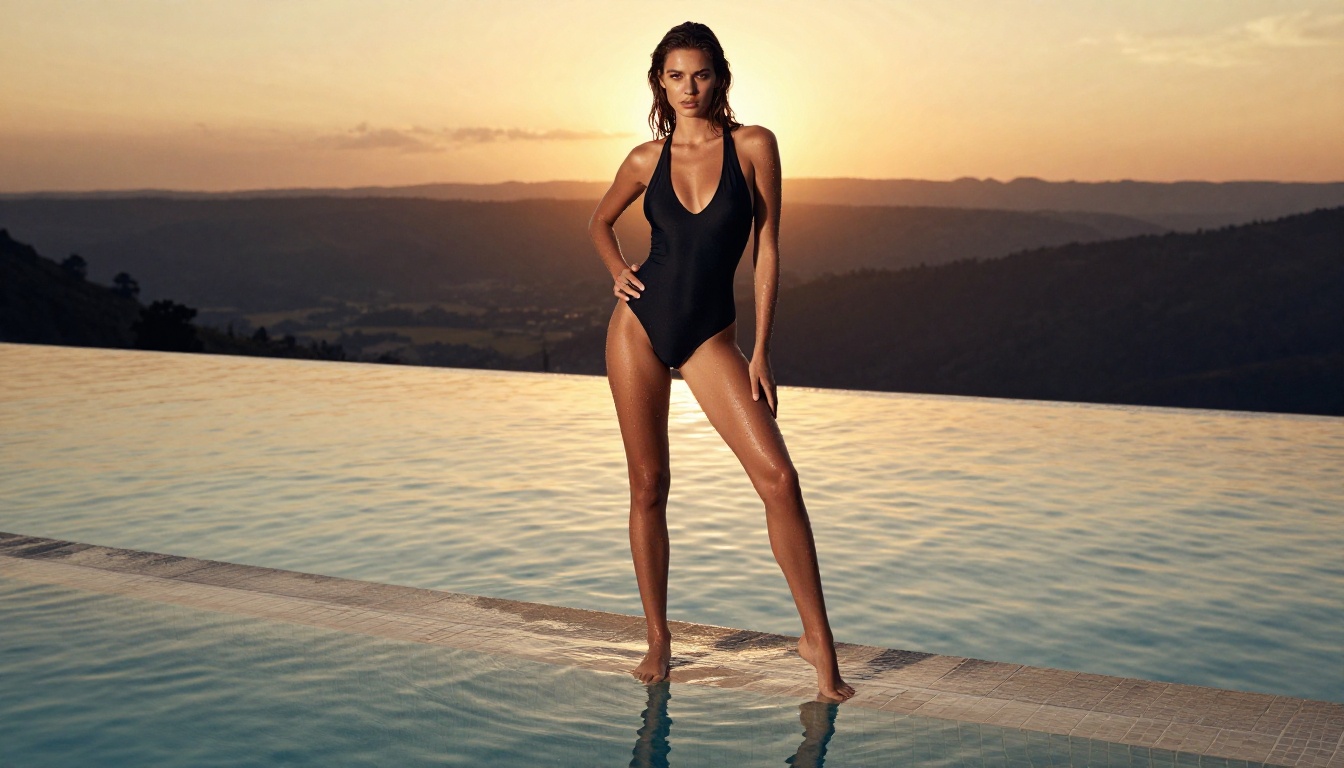
Regardless of which model you use for generation, upscaling is almost always worth doing before delivering a final image. Most text-to-image outputs generate at 1024x1024 or similar resolutions that look sharp on screen but fall apart when printed or used at large sizes.
PicassoIA's super-resolution tools handle this with AI-powered upscaling that adds real detail rather than just interpolating pixels:
- Clarity Pro Upscaler: The strongest option for photorealistic upscaling. It reconstructs skin texture, fabric weave, and hair strands at 4x resolution with remarkable accuracy. Best for portrait and glamour photography.
- Real ESRGAN: Fast 4x upscaling that works well for a broad range of image types. Less detailed reconstruction than Clarity Pro but significantly faster.
- Image Upscale by Topaz: Goes up to 6x and handles fine edge detail particularly well, making it useful for images with fine fabric patterns, hair, or architectural detail.
💡 Upscaling order matters: Generate at native model resolution first. Don't attempt to generate at very high resolutions by force, as this often produces distorted anatomy. Generate at standard resolution, accept the best result, then upscale. You'll get better outputs with less wasted generation time.
The Content Moderation Arms Race
It's worth understanding that GPT Image 2's approach to content moderation isn't static. OpenAI uses large language models for moderation classification, including tools conceptually similar to Llama Guard 4 12B (available on PicassoIA), to evaluate both prompts and outputs against safety policy categories.
This creates an ongoing dynamic where:
- Users find prompt phrasings that bypass classifiers
- OpenAI observes these patterns and retrains or updates the classifiers
- New workarounds emerge
- The cycle repeats
The result is an increasingly tight net that makes working with GPT Image 2 for borderline content progressively more difficult over time, not less. For artists who need reliable, predictable output, this unpredictability is itself a dealbreaker independent of what's actually allowed.
When Workarounds Become Counterproductive
Some creators spend significant time crafting elaborate prompt workarounds for GPT Image 2, using historical art references, fictional character framing, or clinical language to bypass filters. This works sometimes. But the time invested in circumventing restrictions (and the inconsistency of results) typically exceeds the time it would take to simply switch to an unrestricted model.
The framing of "fighting the filter" positions GPT Image 2 as the gold standard to work around, when in many cases the GPT Image 2 outputs are not actually better than Seedream 4.5 or RealVisXL v3.0 Turbo for photorealistic human subjects. The restriction is the advertised feature of GPT Image 2, not a hidden limitation of an otherwise superior model.
Start Creating on PicassoIA
GPT Image 2 is genuinely impressive for what it does: instruction-following commercial imagery, illustrated content, editorial work, and general-audience creative projects within safe-for-work parameters. But it's not the right tool for adult content creation, and it's not designed to be.
The better approach is to use the right model for the right job. For mature, glamour, artistic nude, or adult creative work, Seedream 4.5 on PicassoIA delivers faster results, without the constant negotiation with a content classifier. PicassoIA Image Editor Pro extends that with unlimited generation runs and full editing capabilities for professional volume work.
For those who need even more power, Seedream 5 Pro and the Seedream 3 lineup offer a full spectrum of speed-to-quality tradeoffs. Alongside these, PicassoIA hosts LLMs like GPT 5 and Claude Opus 4.7 for text work, plus video generation and audio tools for complete creative production.
Browse all available tools and start generating at picassoia.com/en/all-models.


