The first time you run Nano Banana Pro and see a 4K image appear in seconds, it feels almost trivial. You typed a sentence, and something that looks like a photograph came back. But there is a lot of engineering underneath that moment, and understanding it changes how you prompt, what you expect, and why the results look the way they do.
This breakdown covers the actual mechanics: the model architecture, the Gemini 3 connection, what the diffusion pipeline is doing at each step, and why 4K output matters more than most people realize.
What Nano Banana Pro Is (and Isn't)

The Nano Banana Family Tree
Nano Banana Pro is the top-tier version of Google's Nano Banana image generation line. Before it came Nano Banana, the original model focused on fast editing and generation, and then Nano Banana 2, which added image fusion capabilities. The Pro variant takes the same core architecture and pushes output resolution, prompt fidelity, and photorealism to a new ceiling.
Think of it less as a generation jump and more as a specialization. Where the base models balance speed with quality, the Pro version is tuned for the cases where quality is the only thing that matters.
Why "Pro" Makes a Difference
The word "Pro" in AI model names often means very little. In this case, it refers to three concrete things:
- 4K native output resolution (3840x2160px and above)
- Enhanced prompt adherence via Gemini 3's larger context window
- Improved spatial consistency in complex multi-element scenes
This is not simply upscaling a lower-resolution image after the fact. The model generates at high resolution natively, which means fine textures, hair strands, fabric weaves, and architectural details are synthesized at the pixel level from the start.
The Gemini 3 Foundation

How Gemini 3 Powers Image Synthesis
Nano Banana Pro runs on Google's Gemini 3 multimodal architecture. This is significant because most text-to-image models treat language and vision as two separate problems joined by an adapter. Gemini 3 was designed from the ground up to process both modalities in the same representational space.
What this means in practice: when you write a prompt like "a woman in a coral dress walking down a cobblestone street at noon", Gemini 3 does not simply look up "coral dress" as a tagged concept. It builds a spatial and relational understanding of the entire scene, including implied lighting from "noon", the surface texture implied by "cobblestone", and the motion implied by "walking". All of this feeds into how pixels are synthesized.
Note: This relational awareness is why Nano Banana Pro handles complex, multi-element prompts better than models that rely on simpler CLIP-based text encoders.
Multimodal Training at Scale
Gemini 3 was trained on a massive corpus of paired image-text data, but the Pro variant also incorporated training signal from high-resolution photography datasets with explicit quality labeling. This means the model has a calibrated sense of what "high fidelity" looks like at 4K, not just what it looks like at 512 or 1024 pixels.
The training process used a combination of:
- Contrastive alignment between text embeddings and visual features
- Diffusion objective for pixel-level generation quality
- Resolution-aware loss functions that penalize blurriness and compression artifacts at high zoom levels
The result is a model that does not just generate recognizable scenes. It generates them with the micro-detail you would expect from a real camera.
From Your Text to a 4K Pixel

Tokenizing the Prompt
When you submit a text prompt to Nano Banana Pro, the first thing that happens is tokenization. Your words are broken into subword tokens and passed through Gemini 3's text encoder. This encoder outputs a rich contextual embedding, essentially a high-dimensional vector representation of your entire prompt as a coherent scene description.
This is where prompt quality starts to matter. Vague prompts produce vague embeddings, which produce vague images. Specific, descriptive prompts, including details about lighting direction, surface texture, camera angle, and atmosphere, give the encoder more structured information to work with.
Pro tip: Describe lighting direction explicitly. "Warm afternoon light from the left" produces dramatically different results than just "warm afternoon light." The model encodes spatial directionality as part of the scene geometry.
The Diffusion Process Inside
Once the prompt embedding is established, the model begins the diffusion process. This starts with a field of pure Gaussian noise at the target resolution and progressively denoises it over a series of steps, guided by the text embedding at each step.
At a simplified level, each denoising step asks: given this noisy image and this text description, what should this image look like with slightly less noise? Repeat this hundreds of times, and you arrive at a coherent, detailed image.
The critical difference in Nano Banana Pro is that this process runs at native 4K resolution. This is computationally expensive, which is why the model requires more processing time than base variants, but it means denoising decisions are being made at the pixel density where fine details live.
Resolution Scaling to 4K

Most image generation pipelines use a technique called latent diffusion: they do the denoising in a compressed latent space and then decode back to pixels at the end. This is efficient, but it introduces a ceiling on recoverable detail because the latent compression loses high-frequency information.
Nano Banana Pro uses an advanced hierarchical latent space that maintains multiple resolution levels simultaneously during generation. The lower layers handle composition and global structure, while the higher layers handle texture and fine detail. These layers communicate during the diffusion process, so the global composition informs the fine details and vice versa.
This architecture is directly responsible for images that look sharp at 100% zoom. When you crop into a Nano Banana Pro output and examine fabric texture or individual strands of hair, the detail is not repeated pattern fills. It is synthesized per-element, consistent with the surrounding context.
What Makes 4K Output Different

Texture Fidelity You Can Actually See
At 1024x1024 pixels, the difference between a good AI image and a great one is mostly about composition and color. You cannot really see whether skin texture looks like skin or like a smooth gradient, because the pixels are not dense enough to represent that information.
At 4K, this changes. A 3840x2160 image has roughly 8.3 megapixels. At that density, every surface in the frame has enough pixels to render micro-texture. This is where Nano Banana Pro pulls ahead of models that generate at lower native resolutions, even ones with excellent upscaling applied afterward.
The textures you see in a Nano Banana Pro output are:
- Skin: visible pores, subtle tone variations, fine surface hair on arms
- Fabric: individual thread weave, drape physics, light absorption vs. reflection
- Surfaces: wood grain variation, stone roughness, water surface tension
- Hair: strand-level separation, light refraction, movement capture
Where Other Models Fall Short
To be fair, models like Flux Pro and Imagen 4 Ultra produce outstanding results and have different strengths. The comparison below is about where native 4K generation specifically matters.
The 4K column is not marketing. It is the resolution at which the model's texture synthesis advantages become visible in the output.
How to Use Nano Banana Pro on PicassoIA

Step 1: Open the Model Page
Go directly to the Nano Banana Pro model page on PicassoIA. You will see the generation interface with the prompt field, aspect ratio settings, and output quality options. No account setup is required to start generating.
Step 2: Writing Your Prompt
This is where most people underperform. A prompt like "beautiful woman on a beach" will generate something technically correct but visually generic. The Gemini 3 encoder rewards specificity.
A stronger version:
"A radiant woman with dark wavy hair reclining on white sand at golden hour, wearing a sand-colored bikini, warm amber light from the left, Canon 85mm f/1.4, Kodak Portra 400, shallow depth of field, photorealistic, 8K"
The difference is:
- Light direction specified ("from the left")
- Camera lens specified (establishes depth of field style)
- Film stock named (signals color science preference)
- Quality modifiers added at the end
Tip: Add "photorealistic, 8K, film grain, natural lighting" at the end of nearly any portrait or scene prompt. These tokens carry strong weight in the model's training data and reliably push output toward high-fidelity photography.
Step 3: Adjusting Output Settings

On the Nano Banana Pro interface, you have control over:
- Aspect ratio: For social content use 1:1, for cinematic scenes use 16:9, for portraits use 3:4 or 9:16
- Number of outputs: Generate multiple variations to compare composition choices
- Seed: Fix a seed to iterate on a specific composition while changing other prompt details
Best Prompt Patterns That Work
After extensive testing, these prompt structures consistently produce excellent outputs with Nano Banana Pro:
For portraits:
[Subject description] + [Clothing detail] + [Location/background] + [Lighting direction and quality] + [Camera lens and f-stop] + [Film stock] + [Mood]
For scenes:
[Main subject action] + [Environment description] + [Time of day] + [Weather/atmosphere] + [Camera angle] + [Quality tags]
For textures and close-ups:
[Subject] + [macro/close-up] + [specific texture to show] + [lighting for texture revelation] + [lens for flatness or depth]
When to Use It (and When Not To)
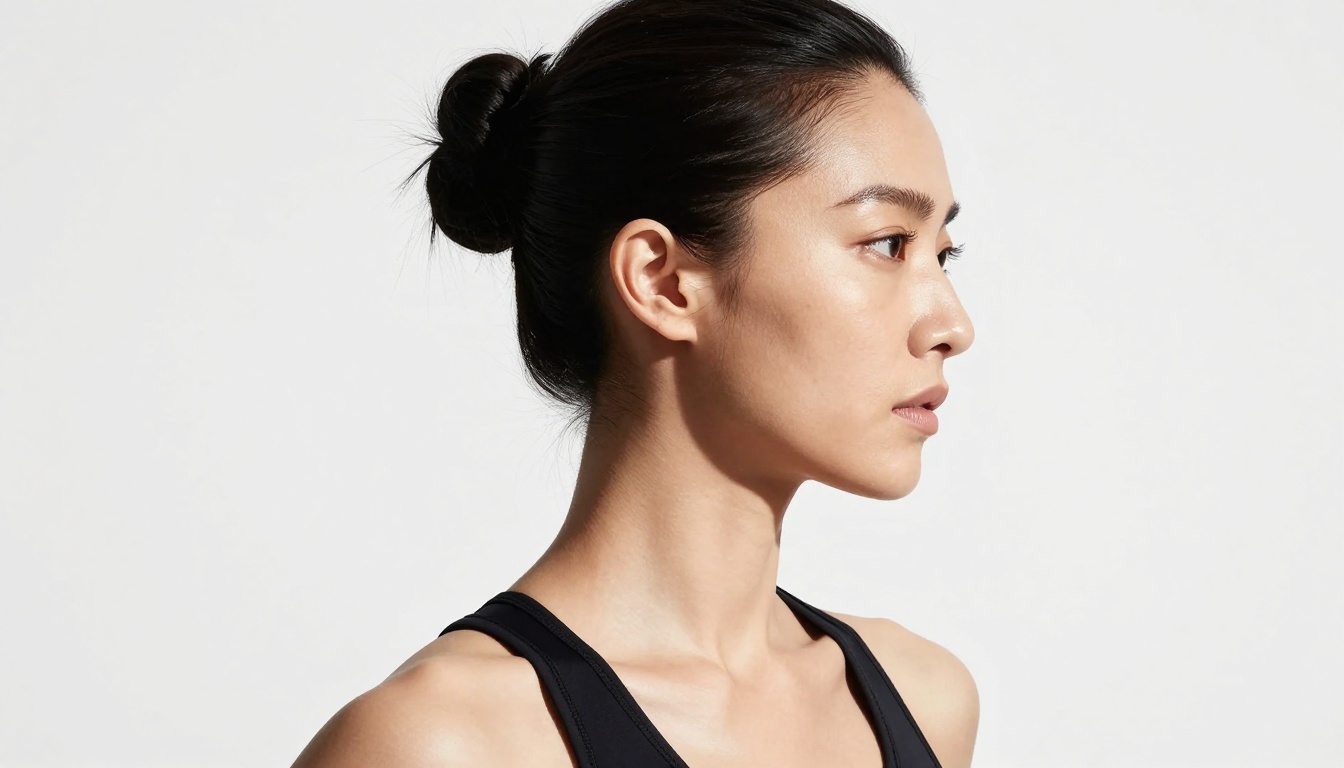
Best Use Cases
Nano Banana Pro is the right choice when:
- You need print-quality output at A3 or larger
- The subject involves fine texture (skin, fabric, natural surfaces)
- The prompt is compositionally complex with multiple elements needing spatial coherence
- You are generating hero images for web, advertising, or editorial use
- You want results that withstand close inspection at 100% zoom
Its Real Limitations
No model is perfect at everything. Be aware that Nano Banana Pro:
- Is slower than base Nano Banana due to native 4K generation
- Can struggle with text rendering in images (for text-heavy images, try Ideogram v3 Quality)
- Sometimes over-sharpens scenes with extreme close-up macro prompts
- May require 2-3 generations to nail unusual prompt combinations
Note: If speed matters more than resolution, Nano Banana or Nano Banana 2 will serve you better. Use the Pro version when fidelity is the priority.
The Real-World Impact on Your Output

The practical takeaway from all of this is that prompt engineering for Nano Banana Pro rewards investment. Because the model can actually render what you describe at 4K, a precisely written prompt returns proportionally better results than with lower-resolution models.
With a 512px model, you might write a brief prompt and get something acceptable. With Nano Banana Pro, a detailed prompt with lighting direction, surface descriptions, and camera specifics translates into an image where all of that detail is actually visible. The model has the pixel budget to render it.
This also means that iteration is faster in terms of value per generation. You are not cycling through outputs hoping for a lucky draw. Each generation represents a high-quality candidate. With the right prompt structure, your first or second output will often be production-ready.
For those who want to push even further with custom styles or LoRA-based fine-tuning, models like Flux Dev LoRA offer additional control on PicassoIA. And for images that need video follow-through, the platform's text-to-video and video enhancement tools can extend any still into motion content.
The 4K output from Nano Banana Pro is not just a resolution spec. It is the point at which AI-generated images stop looking like AI-generated images and start looking like photographs. That distinction matters for everything from social content to commercial production.
Try it now on PicassoIA. Write a detailed prompt, pick 16:9, and see what 4K-native diffusion actually looks like at 100% zoom. The difference is immediate.


