If you've submitted an adult prompt to Seedance 2.0 and received nothing but a rejection or an empty result, you are not missing a setting, using the wrong platform, or writing poorly crafted prompts. The model blocks adult content at the inference level, through a content classification system that operates before any video frames are rendered. This is not a surface-level content moderation policy that a different platform can simply override. The filter is built into the model itself.
This article covers exactly how that filter works, why it exists, what it blocks, how to use Seedance 2.0 effectively for the content it does support, and which AI video models on PicassoIA are built for adult content generation without any of these barriers.
What Seedance 2.0 Is Built For
Seedance 2.0 is ByteDance's most capable video generation model as of mid-2025. It produces clips up to 5 seconds at resolutions from 480p to 1080p, with synchronized native audio generated alongside the video in a single pass. The motion quality is among the best available: smooth physics, realistic human movement, cinematic camera options, and strong adherence to complex prompts describing environment, action, and mood.
The model's best use cases are in commercial and creative production contexts: brand campaigns, social media content, film pre-visualization, product demonstrations, and editorial video. ByteDance designed it for professional output at scale in these domains.

The model family also includes Seedance 2.0 Fast, which processes faster at comparable visual quality, and Seedance 2.0 Mini, designed for lighter resource environments. All three carry the same content policy. Earlier versions, including Seedance 1 Pro and Seedance 1.5 Pro, apply equivalent restrictions. The newer Seedance 2.5 and Seedance 2.5 Lite maintain the same policy as well. None of this quality extends to adult content requests.
How the Filter Actually Works
The content filter in Seedance 2.0 runs at two stages before video generation begins. The first stage is semantic intent classification on the text prompt. This is not a keyword blocklist. It uses a language model trained to classify the intent of a prompt, not just the literal words present. The second stage runs when an image is provided as input: a visual safety classifier analyzes the source image for content that would be flagged regardless of what the prompt requests.
Both stages are synchronous with the inference call. If either stage flags content, the generation does not proceed. There is no partial result, no degraded output, and no feedback explaining what specifically triggered the filter.
The semantic classification approach differs meaningfully from older keyword-based filtering. Prompt engineering tricks that worked against early moderation systems, such as replacing flagged words with synonyms, using clinical or technical language, or describing adult scenarios indirectly, do not reliably bypass semantic classification because the classifier evaluates meaning, not vocabulary. A prompt describing an intimate scenario in poetic, euphemistic, or indirect language will still be evaluated on whether its likely intent is adult content.
What Gets Flagged Automatically
The filter targets a broader range of content than creators typically expect:
- Explicit sexual content or depictions of nudity
- Suggestive body language in intimate or sexually charged contexts
- Romantic scenarios involving physical proximity combined with suggestive framing or implied intimacy
- Subjects wearing minimal clothing in contexts the classifier interprets as sexual rather than athletic or recreational
- Graphic violence, gore, and physical injury
- Hate speech and discriminatory imagery
The system is calibrated to prioritize false positives over false negatives. This means it will occasionally reject legitimate creative requests that happen to share surface features with flagged content. A prompt about an art photography session, a couple on a honeymoon, or swimwear in a pool context may or may not pass depending on how the classifier reads the phrasing.

Why ByteDance Built This Restriction
Corporate Compliance and Regulatory Risk
ByteDance operates in regulatory environments across the United States, Europe, and multiple Asian markets, many of which impose strict obligations around AI-generated content involving nudity or adult material. Its AI division functions under the same content governance structure that applies to TikTok, where content moderation decisions are shaped as much by legal risk management as by user demand.
Building the restriction into the model inference pipeline rather than as a platform-side moderation layer is a specific architectural decision. It means ByteDance does not rely on downstream platforms to enforce its content policies. The restriction travels with the model wherever it is deployed.
Why Third-Party Platforms Cannot Bypass It
A persistent assumption among creators is that accessing Seedance 2.0 through a third-party platform or API wrapper will bypass the content filter because the filter is applied by the original provider. This is incorrect. The safety classifier runs inside the model's forward pass. It is part of the inference computation, not a post-processing step applied to the model's output. No platform deploying Seedance 2.0 can disable it without replacing the model itself.
This is structurally different from models where the safety filter is an external API call applied after generation, or where the filter is a platform-side configuration flag. With Seedance 2.0, the model and the filter are the same artifact. Model selection is the only variable that determines whether adult content generation is possible. Platform selection is secondary.

How to Use Seedance 2.0 on PicassoIA
For creative work that falls outside adult content, Seedance 2.0 is one of the strongest options on the platform. Here is the full workflow.
Step-by-Step Tutorial
Step 1: Open the Model
Navigate to Seedance 2.0 on PicassoIA and click "Generate."
Step 2: Select Your Input Mode
Choose Text to Video for prompt-driven generation, or Image to Video to animate a static source image. If using image input, upload your image file.
Step 3: Write a Cinematic Prompt
Seedance 2.0 performs best with structured, scene-specific language that describes environment, subject, action, and camera movement:
"A woman in a white linen blazer walks through a rain-soaked Paris boulevard at night, warm amber light from storefronts reflecting on wet cobblestones, slow cinematic dolly push-in from medium shot to close-up, Kodak Portra color grading, photorealistic 24fps."
Step 4: Set Resolution
Choose 480p for fast iteration during prompt testing, or 1080p for final-quality output ready for production.
Step 5: Generate and Download
The model produces a 5-second clip with synchronized ambient audio. Download directly from the results panel.
Tip: For faster render cycles while refining prompts, use Seedance 2.0 Fast. For longer videos up to 30 seconds with equivalent production quality, Seedance 2.5 is the natural upgrade.

Prompt Strategies That Pass the Filter
For creators working in the space between safe-for-work and explicitly adult, certain prompt approaches consistently achieve higher pass rates with Seedance 2.0's classification system. These are not workarounds for adult content. They are effective strategies for getting suggestive, aesthetically bold, and visually striking content that stays within the filter's tolerance.
Framing That Works
Fashion and editorial positioning changes how the classifier reads a prompt. "A model wearing a bikini on a yacht deck at sunset" is processed differently from "a woman in a bikini posing provocatively." The subject, clothing, and location are identical. The framing language shifts the classified intent.
Location-first construction reduces the probability of adult classification. Starting a prompt with a scene description before introducing a subject shifts the semantic weight toward environment rather than interaction.
Atmospheric and ambient action passes more reliably than subject-focused action. A prompt describing the camera moving through a scene reads as cinematography. A prompt describing what a person is doing in an intimate context reads as behavior.
| Framing Approach | Pass Rate | Notes |
|---|
| Fashion editorial language | High | Swimwear, lingerie presented as clothing |
| Location-led prompts | Medium-High | Scene first, subject second |
| Lifestyle context (pool, beach, resort) | Medium | Vacation framing, not intimate framing |
| Slow atmospheric camera moves | Medium-High | Motion as scenery, not subject behavior |
| Body-explicit language | Very Low | Almost always rejected |
| Direct romantic or intimate scenes | Low | Context-dependent, frequently flagged |
| Any adult vocabulary | Negligible | Instant rejection |
Text-to-Video vs. Image-to-Video Filter Differences
One nuance worth noting: the text-to-video and image-to-video modes do not apply identical filter sensitivity. Image-to-video input runs a visual safety scan on the source image before even checking the text prompt. If your source image contains any flagged content, such as a figure in minimal clothing that the classifier interprets as sexual, the request will fail regardless of how neutral the accompanying prompt is.
This means image-to-video is actually stricter in practice for suggestive content. A source image of a model in a bikini on a beach carries a meaningful probability of triggering the visual safety classifier, even though the same description as a text prompt might pass. The visual classifier appears more sensitive to body-focused framing than the text classifier.
For image-to-video attempts that keep failing:
- Source images should show subjects in clearly recreational or editorial contexts
- Avoid close-crop compositions that emphasize body parts over environment
- Pool and beach scenes with visible surroundings tend to pass better than isolated figure shots against neutral backgrounds
The Limit of This Approach
These strategies can move the output closer to aesthetically bold creative work. They cannot produce content that crosses into genuinely adult territory. Seedance 2.0 is not a model you can negotiate with through prompt engineering.
The direct answer: Seedance 2.0 does not handle adult video requests. It rejects them. Every time. If the content you want requires nudity, explicit intimacy, or adult scenarios, a different model is the only real solution.

How Models Compare on Content Freedom
The content restriction landscape across major AI video models varies significantly. Here is where the models currently available on PicassoIA stand:

| Model | NSFW Support | Filter Location | Notes |
|---|
| Seedance 2.0 | No | Model-level | Cannot be bypassed by any platform |
| Seedance 2.5 | No | Model-level | Same policy as 2.0 |
| Veo 3 | No | Model-level | Google corporate policy |
| Kling v2.6 | No | Model-level | Similar corporate restrictions |
| P-Video | Yes | Off by default | Safety filter disabled in default config |
| PicassoIA Video | Yes | Platform-set | Unlimited generation at 720p |
| Grok Imagine Video | Yes | Platform-set | Up to 15 seconds, no watermarks |
| LTX 2.3 Pro | Yes | Platform-set | Up to 4K/50fps with editing tools |
| Wan 2.2 I2V Fast | Yes | Platform-set | Fast image-to-video animation |
The distinction is whether the content filter is model-level or platform-level. When the filter is set at the platform level, PicassoIA controls the configuration and can allow adult content. When it is baked into the model itself, no platform can override it.
Best Models for NSFW Video on PicassoIA
PicassoIA offers several models built for unrestricted adult content creation. The most effective NSFW video workflow typically starts with a high-quality source image and then animates it. Image model selection is as important as video model selection.
Best Image Models for NSFW Content
Seedream 4.5 is the top recommendation. It accepts adult content, supports image editing on top of generation, and produces ultra-realistic results in under 3 seconds. The realism quality is exceptional. Note: the newer Seedream 5 Lite does not allow NSFW content at all.
PicassoIA Image Editor Pro is the best option for creators who need volume. Included in Elite and Infinite plans with unlimited generations, it delivers results in under a second. Generating 1,000 images here costs nothing beyond your subscription. On platforms using models like Nano Banana 2, the same volume would cost around $100. It accepts NSFW content and includes a 3-generation free trial with no credit card required.
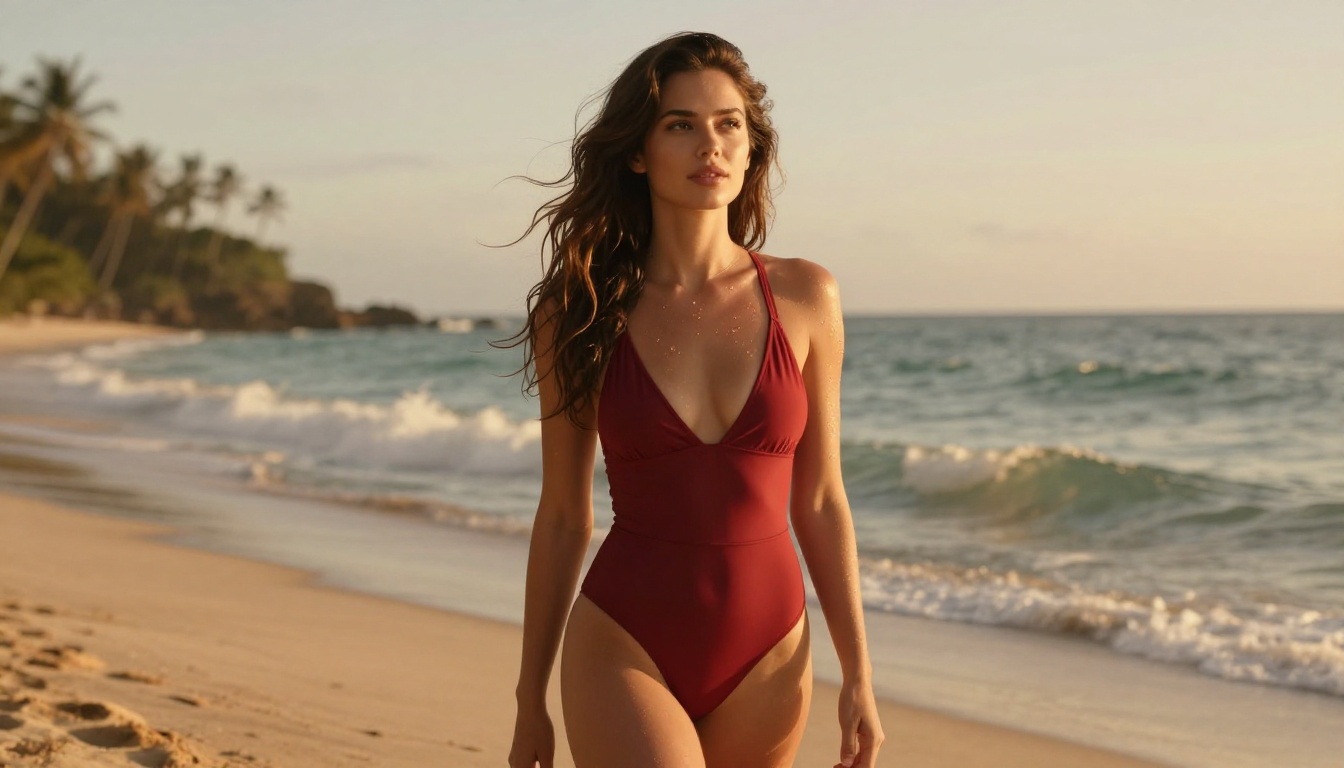
Additional image models that accept adult content:
- Qwen Image 2: Open-source model that creates or edits any image in seconds with very detailed realism
- Grok Imagine Image: Converts any image to a bikini format with high realism
- Recraft V4: Very realistic text-to-image results
- P-Image: NSFW text-to-image generation in under 1 second
Best Video Models for NSFW Content
Once you have a strong source image, animate it with one of these:
P-Video: Safety filter disabled by default. Accepts text, image, or audio input. Outputs up to 1080p at 24 or 48fps, 1 to 10 seconds per clip, seven aspect ratios. Draft mode generates a low-res preview instantly before final rendering.
PicassoIA Video: Unlimited video generation from text prompts at up to 720p and 5 seconds. Generate as many clips as you need without per-generation costs on eligible plans.
Grok Imagine Video: Generates clips up to 15 seconds from text, a reference image, or an existing video. No watermarks. Outputs at 720p or 480p.
LTX 2.3 Pro: The highest fidelity option, exporting up to 4K at 50fps. Includes retake and extend modes for precise editing without re-rendering the entire clip. Supports text-to-video, image-to-video, and audio-to-video modes.
Wan 2.2 I2V Fast: Fast image-to-video animation with smooth, natural motion from static source images. A reliable choice for rapid NSFW content iteration.
The Two-Step NSFW Pipeline
The most effective approach to adult video content on PicassoIA is a two-step pipeline: generate a strong source image first, then animate it with an image-to-video model. This gives you precise control over the visual details before committing GPU time to a full video render.
Recommended workflow:
- Open Seedream 4.5 and generate your source image with the specific look, composition, and content level you want.
- If you need to refine the image before animating, pass it to PicassoIA Image Editor Pro for img2img editing at unlimited volume.
- Upload the finalized image to P-Video as your source. Write a motion prompt describing how the figure and camera move over 5 to 10 seconds.
- Use draft mode in P-Video for an instant low-res preview before committing to a full-quality render.
- For the highest quality final output, bring the finalized source image into LTX 2.3 Pro for 4K/50fps rendering.
This pipeline lets you spend image generation credits on fast, cheap iteration and video generation credits only when you have a finalized look you're satisfied with.

Unlike many mainstream AI platforms, PicassoIA gives creators full creative freedom with uncensored, high-performance models across both image and video categories.
Browse the full lineup at picassoia.com/en/all-models.
Start Generating Without the Wait
Seedance 2.0 is a genuinely impressive model for commercial and cinematic video work within its permitted content range. Its adult content filter is not a configuration choice or a platform option. It is a permanent, model-level decision by ByteDance, and no amount of prompt engineering changes that.

The models listed above are what adult AI video generation looks like when the filter is not in the way. Seedream 4.5 for ultra-realistic images in under 3 seconds. P-Video for video with no safety filter active. PicassoIA Video for unlimited clip generation without per-credit costs. LTX 2.3 Pro when you need 4K output with editing precision.
Try any of them at picassoia.com/en/all-models and start creating the content you actually want without waiting for an error message.


