There is a moment, scrolling through AI-generated portraits, where something stops you cold. Not because the image is impressive in a technical sense, but because your brain, for a fraction of a second, registers it as a photograph of a real person. That moment is not a coincidence. It is the result of a specific architecture, trained on specific data, solving a very specific set of biological perception problems. Seedream 5 Lite from ByteDance has become one of the most discussed models in AI image generation precisely because it triggers that moment more reliably than almost anything else.
This is not about "beautiful" images in an abstract sense. It is about the specific, granular, almost scientific fidelity that makes the human visual system respond to an image as if it were real. Skin that breathes. Eyes that hold moisture. Hair that catches light like individual threads, not a painted texture. Getting there requires solving problems that are, in a perceptual sense, significantly harder than they look.
What Makes a Face Look Real
The Brain's Face-Scanning System
Human beings are hardwired to detect faces. The brain dedicates entire neural regions, the fusiform face area in particular, to processing facial information at extraordinary speed. This same system is extremely sensitive to errors. A jawline that is three percent too wide, a philtrum shadow that falls in the wrong direction, a sclera that is slightly too white: these trigger immediate subconscious rejection. The uncanny valley is not a myth. It is a measurable perceptual phenomenon.
What this means for AI image generation is that photorealism in faces is significantly harder than photorealism in any other subject. A landscape can have structural inconsistencies that no one notices. A face cannot. The brain has spent a lifetime calibrating its face-reading system against millions of real human faces. Any deviation from biological plausibility registers instantly.
The Six Signals Your Brain Checks
When your visual cortex evaluates a face for authenticity, it is checking against six primary biological markers simultaneously:
| Signal | What the Brain Checks |
|---|
| Skin texture | Pores, sebum variation, fine hair, natural imperfection |
| Subsurface scattering | Warm glow beneath skin from light traveling through tissue |
| Iris micro-detail | Pigment variation, limbal ring, wet specular highlights |
| Hair physics | Individual strand behavior, weight, static, light translucency |
| Lighting coherence | Shadow direction consistency across all facial planes |
| Asymmetry | Natural, organic imperfection rather than mirror-image symmetry |
Earlier AI models failed on most of these simultaneously. Seedream 5 Lite is notable because it succeeds on nearly all of them at the same time, which is where the perceptual breakthrough happens.

Inside Seedream 5.0's Architecture
Diffusion at a Different Scale
Seedream 5 Lite is built on a high-resolution diffusion architecture that processes spatial information at multiple frequency scales simultaneously. This matters for faces because fine grain detail (pores, individual hairs) and structural information (bone structure, proportional geometry) must be coherent across scales. Most models handle one better than the other. Seedream 5.0 was specifically trained on datasets that enforce cross-scale coherence, so zoom into a portrait and find detail that holds. The pores do not become blurry smudges at 100 percent view. The catch light in the eye does not dissolve into noise. The fine hair at the hairline remains individually resolved.
This cross-scale integrity is the property that separates portraits that hold up under scrutiny from portraits that look convincing at thumbnail size but collapse when examined closely.
Training Data and Biological Reality
ByteDance's approach with the Seedream line has consistently emphasized high-resolution photographic training data rather than a mixture of photographic and illustrated content. This distinction matters enormously. Models trained on mixed data apply "average" visual rules that split the difference between photography and art: slightly too smooth, slightly too saturated, slightly too geometrically perfect. Pure photographic training reinforces biological reality, including its imperfections: the asymmetry, the color variation, the structural irregularity that the brain reads as authentic.
Tip: When prompting Seedream 5 Lite for portraits, specify photographic conditions explicitly: lens type, aperture, film stock, and lighting direction. The model responds accurately to these technical parameters and uses them to calibrate physical detail rendering.

Skin Science: Beyond the Surface
Subsurface Scattering in Practice
The single most important element in photorealistic skin rendering is subsurface scattering. Human skin is not opaque. Light enters the dermis and bounces through multiple tissue layers before exiting, picking up warm red-orange tones from blood vessels and capillaries along the way. This is why the thin skin around the ear glows red in backlight. This is why a face in soft sunlight has that warm inner luminosity that no matte surface can replicate.
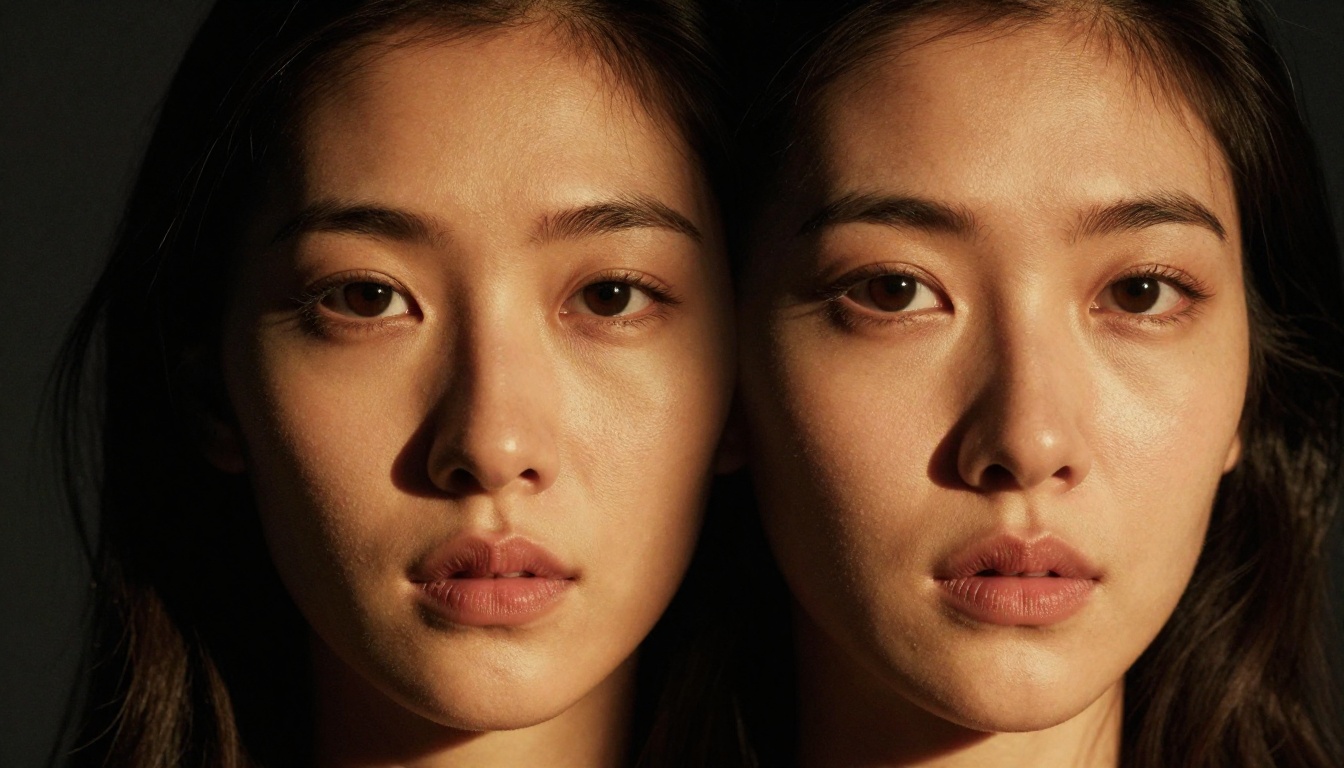
Earlier generation models produced skin that looked like painted porcelain: consistent, uniform, lacking the depth of real tissue. Seedream 5 Lite handles subsurface scattering with notable accuracy, producing skin that behaves optically the way real skin does under different lighting conditions. In backlighting, the ear glows. In soft frontal light, cheeks show the warm inner flush of living tissue. In hard sidelight, pore shadows appear in the correct direction.
Pore Topology and Micro-Texture
Real skin has a three-dimensional surface topology that changes across facial zones. The nose and forehead tend to have larger, more visible pores. The cheeks have finer texture. The area under the eyes has almost none. This zonal variation is a critical authenticity signal that the brain processes automatically.
Seedream 5.0 renders this variation correctly, distributing pore density and size according to biological reality rather than uniform noise patterns. Pair this with the correct placement of sebum sheen (higher on the T-zone, drier at the hairline and jaw), and the skin stops looking like a surface and starts looking like a living organ.

Natural Imperfection as a Feature
One of the clearest signs of AI-generated skin in earlier models was its perfection. No pores. No redness at the nose. No faint shadow under the eyes. No variation in lip color from center to edge. Seedream 5.0 treats imperfection as a feature rather than a bug, rendering the subtle asymmetries, color variations, and surface inconsistencies that make a face feel inhabited rather than manufactured.
Tip: Add specific imperfection cues to your prompts: "natural under-eye circles," "visible skin pores on nose bridge," "slight nose redness," or "fine peach fuzz at hairline catching backlight." These markers move the output decisively away from the smoothed, generic look of lower-quality outputs.

Eyes That Actually Look Alive
The Iris Complexity Problem
An eye is not a colored disk. The human iris contains between 200 and 240 distinct identifiable features: crypts, furrows, pigment spots, ruff structures, collarette patterns. No two are alike. The iris pigmentation is layered, showing different chromatic behavior at different viewing angles and under different lighting conditions.
What Seedream 5 Lite renders is not a perfect biological iris. What it renders is an iris that contains enough micro-variation, enough chromatic complexity, and enough structural depth to read as biologically plausible to the human visual system. That is a meaningfully different objective, and it achieves it reliably. The iris looks like it contains depth rather than sitting flat against the sclera.
Specular Highlights and Moisture
The sclera is never purely white in real life. It carries a faint bluish-grey tint, subtle red capillary traces at the corners, and a wet specular surface that produces catch lights that precisely reflect the light source direction and shape. The cornea is a wet, refractive surface that catches specular highlights in a way that makes the eye appear moist and alive. The limbal ring (the dark circle at the iris edge) varies in intensity across individuals and fades with age.
Seedream 5.0 renders all of these correctly, including the precise positioning of the catch light relative to the described light source. Specify your lighting setup in the prompt, and the catch light will appear where physics says it should.

Hair, Lighting, and the Details That Matter
Hair Physics and Individual Strand Rendering
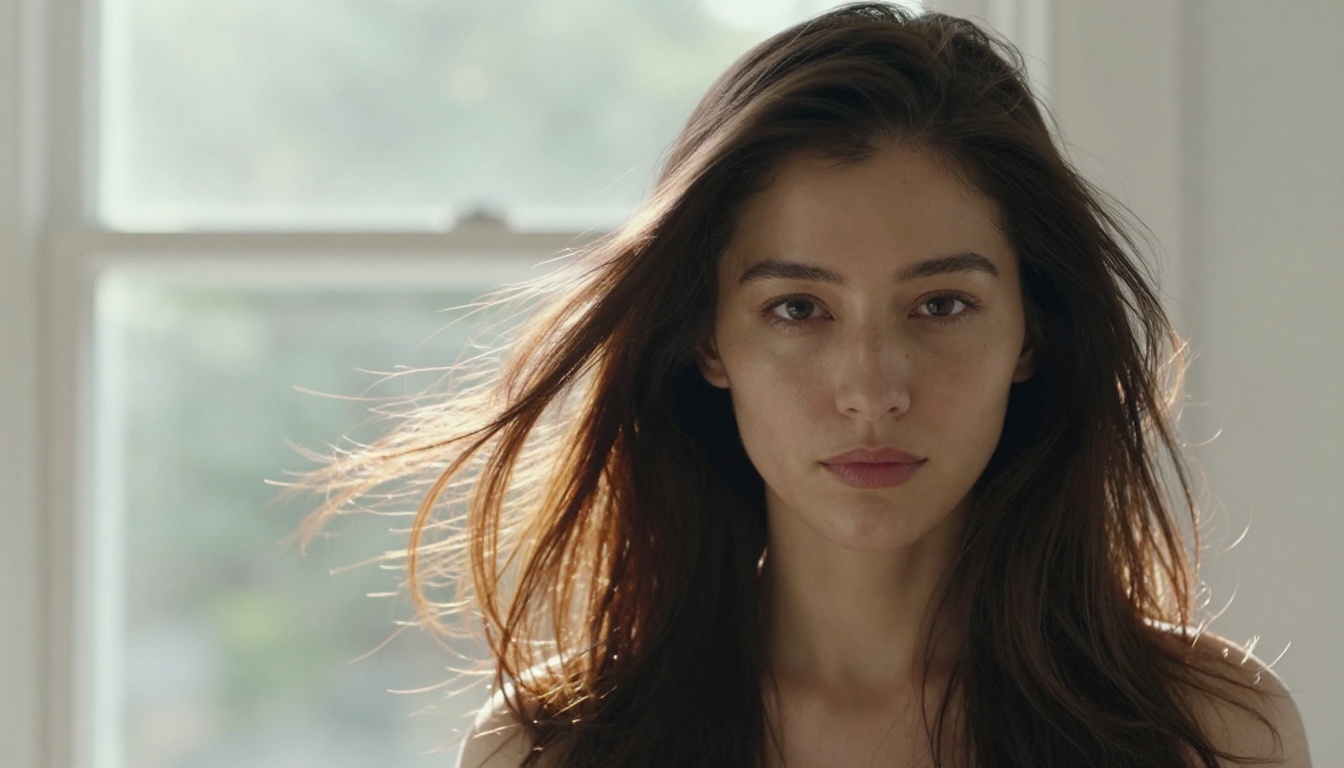
Hair is computationally expensive to render correctly. Each strand has its own behavior: weight, static charge, the way it groups into clusters versus individual flyaways at the hairline, the way it catches backlight differently than frontal light, the way its color shifts from root to tip. In earlier AI models, hair was rendered as a textured mass rather than a collection of individual physical strands.
Seedream 5.0 resolves hair at a level where individual strands are visible in close-up, where the translucency of fine hair in backlight is correctly rendered, and where the weight and clustering behavior follows physical logic. A loose strand across the forehead behaves like a loose strand, catching light along its length, casting a thin shadow on the skin beneath it.
Lighting Coherence Across Facial Planes
A face is not a flat surface. It is a three-dimensional structure of planes and curves: the forehead tilted slightly backward, the nose projecting forward, the cheeks angling away from the light, the under-chin plane catching reflected light from the chest. Each plane should catch and shadow light slightly differently according to the angle of the light source.
When AI models get this wrong, the face looks like it was photographed under multiple different lights simultaneously: consistent in color but inconsistent in shadow directionality. Seedream 5.0's lighting coherence is one of its strongest capabilities. Specify a single light source with direction and quality, and the shadow behavior across all facial planes follows physical accuracy.
How It Stacks Up Against Other Models
The Photorealism Landscape
Seedream 5.0 did not arrive into a vacuum. Several models compete seriously for the photorealistic portrait category, and the differences are real and measurable.
Seedream 5 Lite leads specifically in skin texture realism and lighting coherence, which are the two most perceptually critical factors for crossing the uncanny valley threshold. Flux 1.1 Pro Ultra has an edge in hair strand rendering. Ideogram v3 Quality handles iris detail with notable precision. The right model depends on which biological marker matters most for the specific portrait you are generating.
Where Seedream 5.0 Has Limitations
No model is without constraints. Seedream 5.0 can struggle with three specific scenarios:
- Hands near the face: A persistent challenge across all current AI portrait models. Keep hands out of frame or accept potential anatomy inconsistencies at the finger joints.
- Multi-subject compositions: Focus, composition, and lighting coherence can degrade when two or more faces share the same frame at equal prominence.
- Extreme aging: Very elderly faces with deep, complex wrinkle structures sometimes receive incorrect skin smoothing that reads as artificial.
For straight portrait work with one subject and clear photographic parameters, these limitations rarely surface.

How to Use Seedream 5 Lite on PicassoIA
The Seedream 5 Lite model is available directly on PicassoIA. Here is how to get the best photorealistic portrait results from it.
Step 1: Access the Model
Navigate to Seedream 5 Lite on PicassoIA. It sits in the text-to-image collection alongside predecessor models including Seedream 4.5 and Seedream 4. No additional configuration is required to start generating.
Step 2: Build a Technical Prompt
The model responds well to photographic technical language. Structure your prompt in four layers:
- Subject description: Who the person is, their general appearance, expression, pose, and distance from camera.
- Camera setup: Lens focal length (85mm for flattering portraits, 50mm for environmental shots, 100mm macro for extreme close-ups), aperture (f/1.4 to f/2.8 for shallow depth of field).
- Lighting specification: Source type (window light, studio strobe, golden hour sunlight), direction (upper left, directly from right, from behind), quality (soft and diffused, hard and directional).
- Film stock reference: Kodak Portra 400, Fujifilm Provia 100F, Kodak Vision3. These inform the model's color science, grain structure, and tonal response in ways that push output toward photographic fidelity.
Step 3: Specify Imperfection
Add at least two specific imperfection markers per prompt. Examples that work well with Seedream 5 Lite:
- "natural under-eye shadow"
- "visible skin pores on nose bridge"
- "slight facial asymmetry"
- "fine peach fuzz at hairline catching backlight"
- "natural lip moisture variation from center to corner"
- "faint capillary redness at nose tip"
These markers move the output decisively away from the smoothed, generic appearance of lower-quality portrait generation.
Step 4: Activate Raw Mode
Append --style raw to your prompt. This instructs the model to minimize post-processing stylization and prioritize raw photographic fidelity. Combined with a specific film stock reference, this is the most reliable way to activate the model's full photorealistic processing pipeline.
Step 5: Control Lighting First
Lighting is the fastest single variable to adjust for dramatic quality improvement. If an image feels flat or artificial, change one thing: add a specific light source direction. "Soft window light from upper left" versus "hard studio strobe at 45 degrees from right" produces radically different results, both in technical detail and in emotional quality.
Tip: For maximum skin realism, use soft diffused lighting (large light source, close to the subject). This replicates how professional beauty photographers shoot. The model has learned from those images and replicates the skin rendering behavior of soft-box portrait photography with high accuracy.

Try It Yourself
The technology described in this article is not theoretical. The gap between "looks like AI" and "looks like a photograph" has narrowed to a matter of prompt construction and model selection. Seedream 5 Lite is available on PicassoIA alongside other photorealistic options including Flux 1.1 Pro Ultra, Realistic Vision v5.1, and Ideogram v3 Quality. Each handles the portrait realism challenge differently. The fastest way to find what works for you is to run the same prompt through several models and compare directly.
If you want to go further with your portraits after generation, the platform also offers inpainting tools to fix or replace specific facial areas, super-resolution upscaling to bring images to print-ready resolution, and face restoration to recover detail from lower-resolution source material.
Start with a simple prompt. Specify your lens. Name your light source. Choose your film stock. Add one specific imperfection marker. That is the formula. From there, iteration does the rest.


