The moment you hit generate, most AI image models do exactly what you'd expect: they reach into their training weights, calculate probabilities, and paint pixels from memory alone. Seedream 5 Pro does something fundamentally different. Before it renders a single pixel, it goes looking — scanning the web for real visual references, pulling in current data, and building a contextual map that drives what comes out. The result is a 2K photorealistic image with a groundedness that static-weight models simply cannot replicate.
That searching behavior is not a gimmick. It is the core mechanism behind why Seedream 5 Pro produces outputs that look like they were photographed rather than computed.
What Makes Seedream 5 Pro Different
The Web Grounding Concept
Most text-to-image models are frozen at their training cutoff. Whatever the world looked like when the dataset was assembled is what the model knows. Ask it to generate a photo of a specific recent car model, a current fashion trend, or a building that opened last year, and it either hallucinates a plausible-looking substitute or falls back on visual clichés absorbed from millions of older images.
Web-grounded generation solves this. The architecture adds a retrieval layer between prompt intake and image synthesis. When you type a description, the system does not immediately jump to pixel generation. It first dispatches that description as a structured search query, retrieves a curated set of real visual references from live or indexed web content, and uses those references to constrain and inform the synthesis process.
Think of it like hiring a photographer who actually visits the location before the shoot rather than improvising from memory.
Why Other Models Don't Do This
Adding a retrieval layer is technically expensive. It increases latency, demands robust indexing infrastructure, and requires careful alignment between retrieved visual content and the generation pipeline. Most model providers optimize for generation speed at scale and skip the retrieval step entirely.
ByteDance invested in solving this problem for Seedream 5 Pro because the quality ceiling of pure-memory synthesis had already been reached. After a certain point, more training data alone doesn't improve photorealism — you need live reference grounding to push further.

How the Web Search Actually Works
Understanding the mechanics helps you write better prompts. The retrieval process has three distinct phases that happen in rapid sequence before your image begins rendering.
Step 1: Intent Parsing From Your Prompt
The first thing Seedream 5 Pro does with your prompt is not read it as a generation instruction. It reads it as a search query. The model parses your words for subject identifiers, style signals, temporal references, and context anchors.
If your prompt says "a barista in a third-wave coffee shop," the parser extracts: subject type (human, service worker), context type (specialty coffee environment), style signal (modern, artisanal aesthetic), and reference priority (current interior design trends, equipment types). These extracted signals become the search query.
This is why vague prompts produce generic outputs even in Seedream 5 Pro. The retrieval layer needs specific anchors to pull useful references. A prompt like "a woman" gives the search layer almost nothing. A prompt like "a barista preparing a pour-over coffee in a minimalist Tokyo coffee shop, afternoon light" gives it five strong retrieval anchors.
Tip: Write prompts like you are briefing a photo editor, not like you are making a wish. The more specific your anchors, the more precisely the retrieval layer pulls references.

Step 2: Real-Time Visual Reference Retrieval
Once the search query is formed, the retrieval layer queries a combination of indexed web content and real-time data streams. The system doesn't download full images. It pulls structured visual metadata: color histograms, spatial composition data, lighting conditions, and texture signatures from a wide sample of reference matches.
This retrieval happens in parallel threads. While one thread is pulling lighting references from architectural photography, another might be pulling texture data from product photography of similar materials. The system assembles a multi-dimensional reference map from these threads before synthesis begins.
The references are not injected directly into the image. They function as soft constraints on the generation process. They bias the model toward realistic color relationships, plausible material surfaces, and spatially coherent compositions that match what actually exists in the referenced visual environment.
Step 3: Synthesis into Coherent Output
With the reference map assembled, the generation pass begins. The diffusion process now has two inputs instead of one: your prompt and the retrieved reference constraints. The model balances between them, using the references to anchor realistic details while using your prompt to control composition, subject, and narrative.
This is where the 2K output resolution matters. Higher resolution means more pixels to fill with detail, and the reference layer gives the model real data to fill those pixels with instead of statistically-averaged textures. The result is surfaces that look genuinely specific — a jacket that has real fabric grain, a face with plausible skin micro-structure, a room with actual spatial depth.

The Quality Jump: 2K Photorealistic Output
Side-by-Side: Seedream 5 Pro vs Standard Models
The output difference between web-grounded and memory-only generation is most visible in specific categories of content. Here is where the gap is largest:
| Category | Standard Models | Seedream 5 Pro |
|---|
| Material surfaces | Generic, averaged textures | Specific, identifiable materials |
| Architecture | Plausible but vague | Regionally and stylistically accurate |
| Faces | Common AI-face patterns | Nuanced, less repetitive features |
| Current trends | Often dated 1-2 years | Reflects current visual culture |
| Signage and text | Frequent hallucination | Better accuracy with real reference |
| Lighting environments | Generalized studio light | Complex, context-appropriate lighting |
The gap narrows for abstract or fantasy content where real-world references matter less. For photorealistic content — portraits, environments, products — the difference is significant.
Where the Detail Comes From
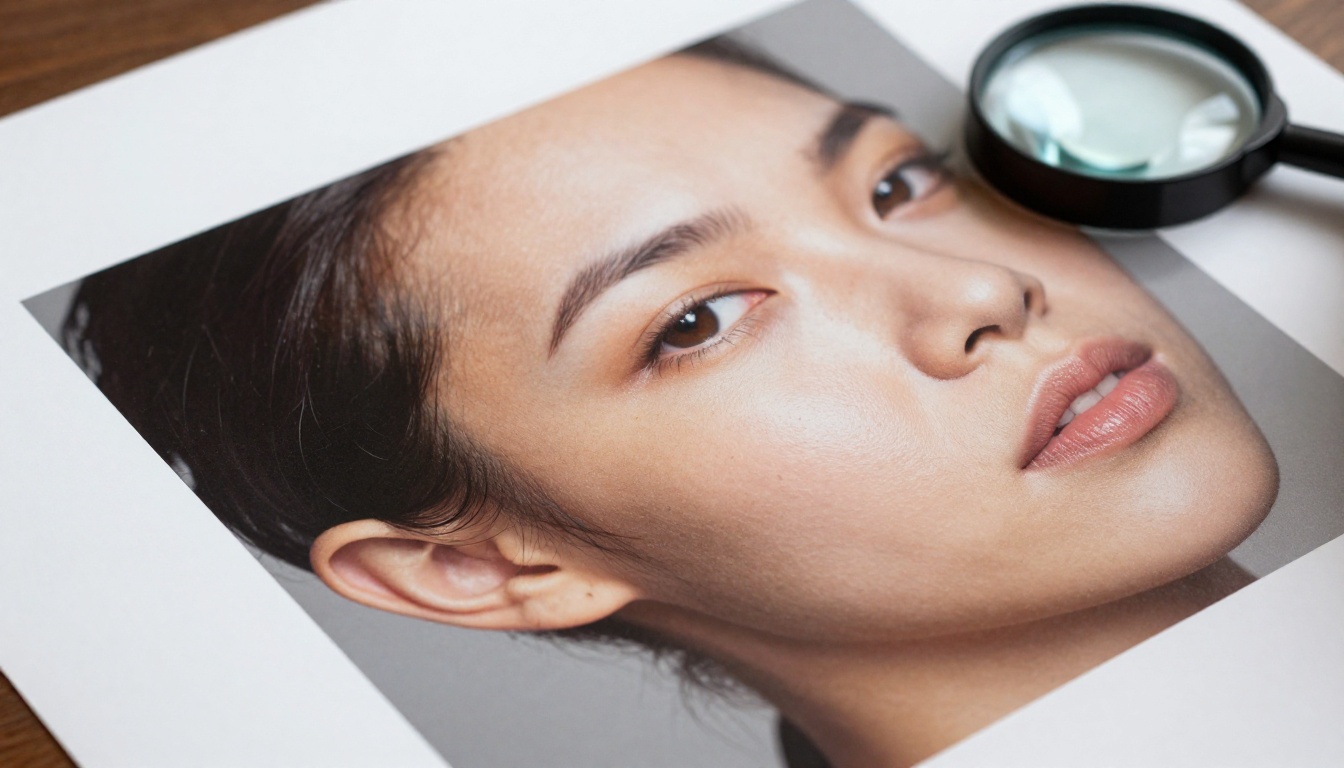
The 2K resolution of Seedream 5 Pro outputs would mean nothing without the reference layer filling in credible detail. Resolution without real reference data just means more pixels of averaged texture.
The combination of high resolution and reference-grounded synthesis is what produces images where you can see the weave of fabric, the grain of wood, the specular highlight on a curved glass surface. These details are not invented by the model from statistical probability alone. They are constrained by real visual data about what those surfaces actually look like.
Setting Up Seedream 5 Pro on PicassoIA
Finding the Model
Seedream 5 Pro is available directly on PicassoIA under the text-to-image category. No account upgrade or special access is required beyond the standard platform login. Navigate to the model page and you will find it listed alongside the full catalog of available generators.
The interface presents a standard prompt field with an optional negative prompt input and parameter controls. Generation time is slightly longer than models without retrieval (typically 15-30 seconds for a full 2K output) but the quality difference justifies the wait for most use cases.
Prompt Strategies That Work
Because the retrieval layer is query-driven, your prompts should prioritize specificity over poetic language.
Works well:
- Specific locations, environments, and time periods
- Named materials ("brushed aluminum," "raw concrete," "aged oak")
- Specific lighting descriptions ("overcast north-facing window light," "golden hour backlight")
- Realistic subject descriptions with specific age, clothing, and activity
Works poorly:
- Abstract concepts without visual anchors
- Fictional or fantasy settings with no real-world reference base
- Extremely long prompts with conflicting signals
- Prompts that rely entirely on mood words without concrete visual descriptors
Parameters Worth Adjusting
The model exposes several controls worth tuning:
- Guidance scale: Keep between 6-8 for photorealistic work. Higher values push the model to follow your prompt more literally at the cost of naturalness.
- Inference steps: 30-40 steps produce the best detail-to-speed ratio. Going above 50 rarely improves quality.
- Seed: Fix your seed during prompt iteration so you are comparing the same composition with different prompt wording.
Tip: Run your first generation without a negative prompt. The reference layer handles many common AI artifacts automatically. Only add negative prompts if specific unwanted elements appear.

Other Top Models Worth Knowing
Seedream 5 Pro is not the only high-quality option on PicassoIA. Knowing when to use alternatives saves time and credits.
When to Use Flux Instead
The Flux Dev and Flux 1.1 Pro models excel at prompt adherence. If you need an image that follows a complex or unusual prompt precisely — with specific compositional elements in exact positions — Flux often outperforms retrieval-augmented models because it weights your instruction more heavily than reference constraints.
Flux 1.1 Pro Ultra extends this with 4-megapixel output, making it the right choice when you need maximum resolution for print or large-format display. Flux 2 Dev adds image editing capabilities, so you can refine existing images rather than starting fresh each time.
Use Flux Kontext Pro specifically when you want to edit an existing image with a text prompt rather than generate from scratch. It is the most accurate tool on the platform for targeted image modification.
Ideogram for Text-Heavy Images
When your image needs to include legible text — signage, packaging, posters, labels — Ideogram v4 Quality is the stronger choice. Text rendering is a known weakness of diffusion-based models, and Ideogram's architecture specifically addresses this. For text within images, it outperforms Seedream 5 Pro and Flux both.
Ideogram v3 Quality is a solid alternative if you want slightly faster generation with comparable text accuracy.
Realistic Vision for Portraits
For photorealistic portraits specifically, Realistic Vision v5.1 and RealVisXL v3.0 Turbo have been fine-tuned on human facial realism. They generate consistent skin tones, plausible eye detail, and natural hair rendering at speeds that make iteration fast.
These are the right choice when you are generating portrait-heavy content at volume and need consistent quality across many generations.
Real-World Use Cases
Creators and Bloggers
Web-grounded generation is particularly valuable for content creators who need images that reflect current visual culture rather than generic AI aesthetics. A food blogger generating images of trending restaurant styles, or a travel writer visualizing specific destinations, benefits directly from the retrieval layer's awareness of what those subjects actually look like right now.
The consistency of Seedream 5 Pro output also makes it practical for editorial use. Generated images have a visual coherence that holds up when placed alongside real photographs in a layout.
Product Visualization
For marketers and e-commerce teams generating product imagery, the material accuracy of Seedream 5 Pro reduces the need for post-processing corrections. Fabric, metal, glass, and leather all render with recognizable material properties rather than the smoothed-over generic surfaces common in standard diffusion outputs.
The 2K resolution also provides enough detail for product close-ups without visible pixel degradation at typical web display sizes.

Concept Art and Storyboarding
Art directors and pre-production teams use web-grounded generation for location scouting boards and concept visualization. The model's ability to retrieve real architectural, environmental, and atmospheric references makes it significantly faster to generate plausible location concepts than working from pure imagination prompts.
Because the output looks grounded rather than invented, it communicates more effectively in client presentations than clearly AI-generated aesthetics.

The Infrastructure Behind the Search
What the Retrieval Layer Requires
Running a web-grounded model at scale requires infrastructure that most cloud GPU providers don't offer out of the box. The retrieval layer needs fast access to a massive indexed visual corpus plus low-latency query routing. ByteDance's existing infrastructure from its content platforms gave the team a significant advantage in building this at scale.
For users, this infrastructure translates to a generation process that feels longer than simple diffusion models but returns results that require less rework. The search happens server-side — you don't configure or control it directly.

Privacy and Reference Sourcing
The retrieval layer uses indexed references rather than downloading images directly from live sources during generation. This means your prompts are not creating a live search session visible to third parties. The indexed corpus is assembled and maintained by ByteDance as part of the model infrastructure.
The practical implication: very recent events (within days of your generation) may not yet be reflected in the index. For content that requires awareness of events from the last week or two, combine Seedream 5 Pro with real research rather than relying on the retrieval layer alone.
Start Generating With Seedream 5 Pro
If your work depends on images that look genuinely real rather than AI-generated, Seedream 5 Pro is the most direct path to that result. The web-search mechanism does the reference work that previously required manual art direction — you write a specific prompt and the model fills in the visual accuracy automatically.
PicassoIA gives you access to Seedream 5 Pro alongside more than 90 other text-to-image models so you can compare outputs directly and pick the right tool for each project. Whether you need the material precision of Seedream, the text accuracy of Ideogram v4 Quality, or the editing control of Flux Kontext Pro, the full catalog is available in one place at picassoia.com/en/all-models.
The best way to see the retrieval difference is to generate the same prompt on multiple models side by side. The specificity and material accuracy of Seedream 5 Pro output compared to standard diffusion models is immediately visible. Open the model page, write a specific prompt with real-world anchors, and see what web-grounded generation actually produces.


