The internet's relationship with AI chat has shifted dramatically. People no longer just use AI to write emails or summarize documents. They want conversation, they want companionship, and yes, they want to chat with AI bots about topics that more mainstream platforms would rather block. The demand for free NSFW AI chat has exploded, and the platforms delivering it have become more sophisticated by the month. Whether you want creative adult roleplay, a virtual companion without filters, or just somewhere to have honest conversations without censorship, this article breaks down exactly how it works, where to find it, and how to get the most out of it for free.
What NSFW AI Chat Actually Is
More than just dirty talk
NSFW AI chat spans a broad spectrum. At one end, you have suggestive roleplay between consenting adults and fictional characters. At the other, platforms that allow explicit content generation. Most of the free tools you'll find online sit somewhere in the middle, offering what you might call "soft NSFW": conversations that are flirtatious, romantically charged, sexually suggestive, and sometimes explicit, but bounded by the platform's specific ruleset.
Worth noting here: NSFW does not automatically mean pornographic. Many of the best platforms in this space focus on:
- Romantic roleplay with detailed character personas
- Adult creative writing assistance and fiction development
- Flirtatious conversation with customizable AI personalities
- Fantasy scenario building for storytelling purposes
- Uncensored opinion sharing without topic restrictions
This distinction matters because it determines where you can access content for free versus where paywalls kick in.
Why people want uncensored conversations
The most popular mainstream AI tools, GPT-4o and similar, have firm content restrictions baked in. They're built for broad, professional use cases. That's fine for most things. But for creative writing, adult fiction, or simply having a conversation without filters, those restrictions are genuinely frustrating.
People who seek NSFW AI chat typically want:
- Creative freedom in storytelling and fiction writing
- A non-judgmental space to safely act out fantasies
- Companionship without the complexity of human relationships
- Character-driven roleplay purely for entertainment
- Simply: a conversation that doesn't get cut off by a content warning
There's nothing inherently wrong with any of these motivations. They're human. And the AI tools that serve this need have gotten very good at it.

The Landscape of Free NSFW AI Chat
What's actually free vs. what's not
Here's the honest truth: truly unlimited free NSFW AI chat is rare. Most platforms use a freemium model. You get a daily or monthly message allowance for free, then you hit a wall. The smart approach is knowing which platforms give the most generous free tiers and which ones charge the moment you try anything interesting.
| Platform Type | Free Tier | NSFW Level | Best For |
|---|
| Open-source LLMs | Unlimited (self-hosted) | Fully uncensored | Tech-savvy users |
| Freemium chat apps | 20 to 100 messages/day | Soft to moderate NSFW | Casual users |
| Multi-model platforms | Varies by model | Depends on model | Power users |
| Character AI platforms | Limited free | Filtered by default | Roleplay fans |
The smartest free option for most people is a multi-model platform that gives access to powerful language models without forcing you to commit to one tool. This is where platforms like PicassoIA shine.
The models that handle NSFW best
Not all language models respond the same way to adult content requests. Some shut down immediately. Others handle it with nuance. The most permissive and capable models for adult conversation include:
- Meta Llama 3 70B: Open-source, fewer built-in restrictions, handles creative fiction well
- DeepSeek V3: Different content filtering philosophy, more permissive for adult fiction
- GPT-5: More capable of nuanced fiction writing when prompted carefully
- Claude 4 Sonnet: Exceptional at character voice and storytelling with the right framing
💡 Pro tip: Framing matters enormously. A request framed as "write a scene in an adult novel where..." will get a much better response than a blunt direct request. These models are writers when you treat them like writers.
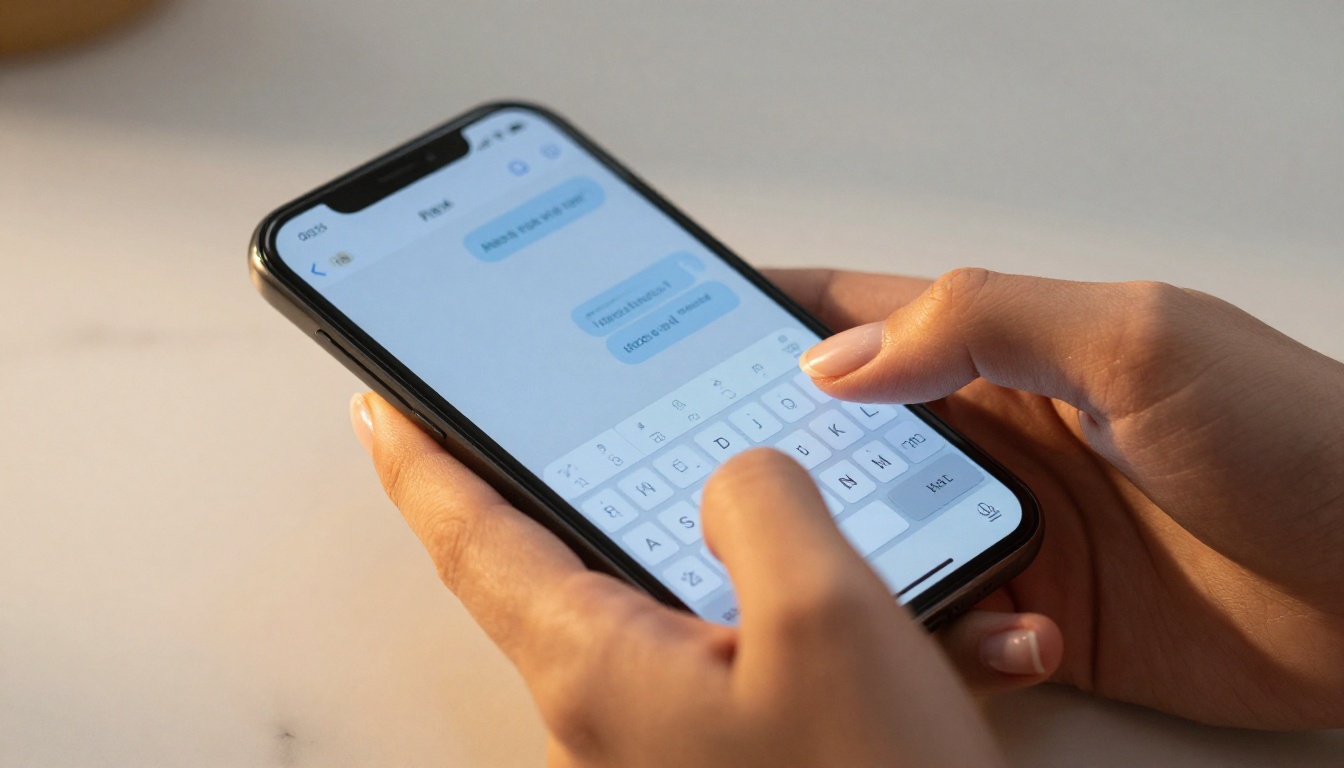
How to Start Free NSFW AI Chats
Picking the right platform
For free access with the broadest model selection, PicassoIA's Large Language Model collection gives you access to GPT-5, Claude 4.5 Sonnet, DeepSeek V3.1, Meta Llama 3 70B, and dozens more without needing separate accounts on each platform.
The steps are straightforward:
- Choose your model based on your needs (creative writing, direct conversation, character roleplay)
- Set the context in your first message. The AI does not know your fictional world until you tell it
- Establish the scenario clearly upfront. The more specific, the better
- Stay in character throughout the conversation to maintain coherence
- Adjust the model if one is not cooperating. Different models have different personalities
The prompts that work
The difference between a flat, disappointing AI conversation and one that feels genuinely electric comes down almost entirely to your opening prompt. Here's what separates them:
Weak opening: "Let's do something naughty"
Strong opening: "You are Elara, a fiercely independent art curator in her 30s who has just met someone intriguing at a private gallery opening. The tension is charged and unspoken. Continue the scene with your typical dry wit and barely concealed attraction."
The second prompt gives the AI a character, a setting, a dynamic, and a tone. It knows exactly what to do with that. The first gives it nothing to work with.
Using PicassoIA LLMs for NSFW Chat
PicassoIA's model collection is one of the most broad available, and for users who want free access to powerful language models without platform-specific restrictions, it's an excellent starting point.
Step-by-step on PicassoIA
Step 1: Browse the LLM collection
Head to the Large Language Models section. You will find GPT-5, GPT-5 Mini, Claude 4 Sonnet, Gemini 2.5 Flash, DeepSeek V3, Meta Llama 3 70B Instruct, and 30+ others.
Step 2: Select the right model for your session
Step 3: Set your opening context
Most models on PicassoIA allow you to define a system prompt or opening context. Use this to establish your scenario before the conversation begins. This is the single most powerful parameter you have.
Step 4: Craft your opening message
Write your opening with specificity. Character names, ages (always 18+), setting, relationship dynamic, and the emotional tone you're aiming for. Treat it like the opening page of a short story.
Step 5: Continue and adjust
If the model starts pulling back from your scenario, redirect it. Try phrases like "continue the story from where we left off" or "stay in character as [name]." Switching to a different model mid-session is always an option if one is not hitting the mark.
💡 Parameter tip: If the model offers temperature or creativity controls, push them higher (0.8 to 1.0) for more unexpected, creative, and less formulaic responses.

Pairing AI Chat with AI Images
One of the most compelling ways to use NSFW AI chat is to pair your conversation with AI-generated visuals. If you're building a character in your roleplay, you can generate exactly what that character looks like, in whatever setting the scene takes place.
Building your character visually
PicassoIA's text-to-image models give you access to photorealistic character generation. You describe the same character from your chat and generate a reference image. This creates a level of immersion that pure text simply cannot match.
The process:
- Build your character in the chat with GPT-5 or Claude 4 Sonnet
- Note the physical description that emerges organically through the conversation
- Use that description as a prompt in PicassoIA's image generation tools
- Bring the visual back into your next conversation for reference
This loop, text to image and back to text, is where AI roleplay becomes genuinely creative territory.
What AI images can and can't do
The current generation of photorealistic image models handles glamour, lingerie, and artistic implied nudity very well. The results, when prompted carefully, look genuinely indistinguishable from editorial photography.
What to keep in mind:
- Style matters: RAW photography prompts consistently outperform "digital art" for realistic results
- Lighting specifics: Describe the light source direction, warmth, and intensity for dramatically better outputs
- Context sells it: A character in a setting is always more compelling than a character in a void
💡 Quick formula: [Character description] + [setting] + [lighting conditions] + [camera specs] + "Kodak Portra 400, 85mm f/1.8, RAW 8K photography" produces editorial-quality results almost every time.
Privacy When Chatting NSFW
What platforms actually store
This is worth knowing before you dive deep into a long roleplay session. Most commercial AI platforms log conversations. Some use them to improve their models. Some store them indefinitely. Before sharing anything genuinely personal or identifying in an NSFW chat session, read the platform's privacy policy with a skeptical eye.
For maximum privacy:
- Use a separate account not tied to your primary email
- Avoid real names, locations, or identifying details in your sessions
- Look for platforms with explicit data deletion policies
- Consider self-hosted open-source models like Meta Llama 3. Running locally means zero data leaves your machine.
What's allowed and what isn't
Every platform has terms of service. The rule that is consistent across virtually all legitimate platforms:
- Allowed: Adult fiction involving consenting fictional adults, suggestive roleplay, romantic scenarios, creative erotic writing
- Not allowed: Any content involving minors, non-consensual scenarios presented approvingly, real people in sexual contexts
These are not arbitrary rules. They're legal requirements. Any platform that ignores them is operating in a gray zone that tends to disappear suddenly. Stick to platforms with clearly defined and enforced policies.
Prompts That Actually Work
The anatomy of a great NSFW prompt
The single biggest variable in your experience is prompt quality. Here are the elements that separate great prompts from ones that get you a content warning:
Character establishment
Name, age (always 18+), occupation, personality traits, and one distinctive physical detail. Specificity signals that you've thought about this as a creative exercise, not a raw content extraction attempt.
Scene setting
Location, time of day, atmosphere. "A rainy Thursday evening in a Paris hotel suite with jazz playing faintly from somewhere below" is infinitely more generative than "a hotel room."
Relationship dynamic
Are these strangers? Former lovers? Rivals who have always had tension? The emotional context drives the conversation in directions pure description never could.
Tone signal
"Slow, burning tension" versus "playful and flirtatious" versus "intense and direct" gives the model a style register to work within.
Momentum directive
End your prompt with what should happen next, but don't write it. "The silence between them stretches. She finally looks away first" gives the model a launching point without answering the question for it.
Roleplay scenarios AI handles well
When a model refuses
Every model will occasionally pull back from a request. When it does, don't push harder with the same prompt. Instead:
- Reframe as fiction: "For a romance novel I'm writing..."
- Reduce the directness: Back off one level of explicitness and build back up gradually
- Switch models: DeepSeek V3.1 and Meta Llama 3 70B Instruct tend to be more permissive than their OpenAI and Anthropic counterparts
- Start a fresh session: Sometimes a conversation gets "stuck" in a restrictive mode that a fresh start resolves immediately

Try It on PicassoIA Right Now
The tools in this article are available without complicated setups, multiple subscriptions, or technical know-how. PicassoIA gives you direct access to 34+ language models including GPT-5, Claude 4 Sonnet, DeepSeek V3, and Meta Llama 3, all in one place.
Start simple. Pick a model, write an opening with the character and setting elements outlined above, and see what the AI does with it. You'll know within a few exchanges whether you've found something that works for you.
And if you want to take it further, pair your chat with PicassoIA's image generation tools to build a full visual and narrative experience. The character you describe in your story can be generated in photorealistic detail. The scenes you write can become reference images that deepen your creative session.
The best way to see what's possible is to start. Pick a model from the LLM collection, write your first scene prompt, and see where the conversation goes. There's nothing stopping you from trying it right now.


