The desire to create adult AI content has grown massively over the past two years. Millions of people are now generating glamour photography, artistic imagery, and beautifully suggestive visuals using AI tools, and the best part is that you don't need to spend money to get impressive results. What you do need is the right approach. This article covers everything from picking the right free models to writing prompts that actually work, protecting your data, and using the most powerful tools available today, all without a single paid subscription.

What "Safe" Actually Means Here
Before jumping into tools and prompts, it's worth being specific about what "safe" means in this context. There are two very different risks people conflate: platform safety, which means keeping your account from getting banned, and personal safety, which means protecting your data and identity. Both matter, but they require different strategies.
Privacy vs. Content Moderation
Content moderation is the set of rules a platform enforces about what you can generate. Some platforms have strict filters that block anything remotely suggestive. Others allow non-explicit NSFW content with no restrictions once you confirm your age. Knowing where your platform stands before you start saves you wasted prompts and frustration.
Privacy is a different issue. It asks: what does the platform do with your prompts, your IP address, and your generated images? Some platforms log everything. Others delete outputs after a session. Understanding this distinction is the first step to creating responsibly.
Age Verification and Platform Rules
Every legitimate platform that allows adult content requires users to confirm they are 18 or older. This is not optional and not something to bypass. Beyond that, the content itself must only depict adults. This is a hard line that every serious platform enforces, and it's one you should enforce yourself regardless of what any tool permits.
What Platforms Actually Store
Most cloud-based AI generators store your prompts and outputs on their servers, at least temporarily. Some use your prompts to improve their models. If you're creating content you'd prefer to keep private, look for platforms that offer:
- Session-only storage: outputs deleted after you close the tab
- No account required: anonymous generation with no email or login
- Clear data policies: documented retention timelines
💡 Tip: Always check the Terms of Service section on data retention before generating personal or sensitive content on any platform.
The Best Free Models Right Now
The model you choose determines everything about your output quality. Here is what is actually worth using in 2027.
Flux: The Current Standard
The Flux family from Black Forest Labs has become the dominant choice for photorealistic image generation. Flux Schnell is the free, fast version, capable of generating high-resolution images in seconds. It's ideal for rapid iteration when you're testing prompt ideas. Flux Dev offers better quality at a slightly slower pace, while Flux 1.1 Pro and Flux 1.1 Pro Ultra deliver the most realistic, detail-rich results available.
For adult content specifically, Flux's strength lies in its handling of skin texture, lighting, and natural-looking poses. It doesn't add artificial smoothing or that plastic look that older models had, which makes glamour and artistic imagery feel genuinely photographic.
Flux 2 Pro is the newest generation, with noticeably improved prompt adherence. If you describe a specific lighting scenario or clothing detail, Flux 2 Pro is the most likely to deliver exactly what you described.
SDXL and Its Variants
SDXL remains a strong free option with a massive community of fine-tuned versions. SDXL Lightning 4Step is particularly useful when you need volume, generating four images in the time Flux takes for one. The tradeoff is slightly less photorealism, but for artistic and glamour content the results are still excellent.
Stable Diffusion 3.5 Large and its Turbo variant give you more control through ControlNet-compatible workflows, which means you can control pose and composition precisely rather than just describing them in text.
Realistic Vision for Photo Quality
Realistic Vision v5.1 is a fine-tuned model built specifically for photorealistic human photography. It handles skin tones, hair, and fabric textures better than base SDXL for portrait work. DreamShaper XL Turbo is a solid alternative when you want a mix of realism and a slightly more polished, magazine-editorial look.
Writing Prompts That Deliver Results
The quality of your output is maybe 60% about your prompt and 40% about the model. Bad prompts produce bad images regardless of how powerful the model is.
The Structure That Works Every Time
A reliable adult content prompt follows this structure:
- Subject: who is in the image and what they're doing
- Appearance: specific physical description, clothing, expression
- Environment: where the scene takes place, background details
- Lighting: direction, quality, and color of light
- Camera: lens, angle, depth of field
- Style: film grain, photography style, quality modifiers
A weak prompt: "beautiful woman in bikini at the beach"
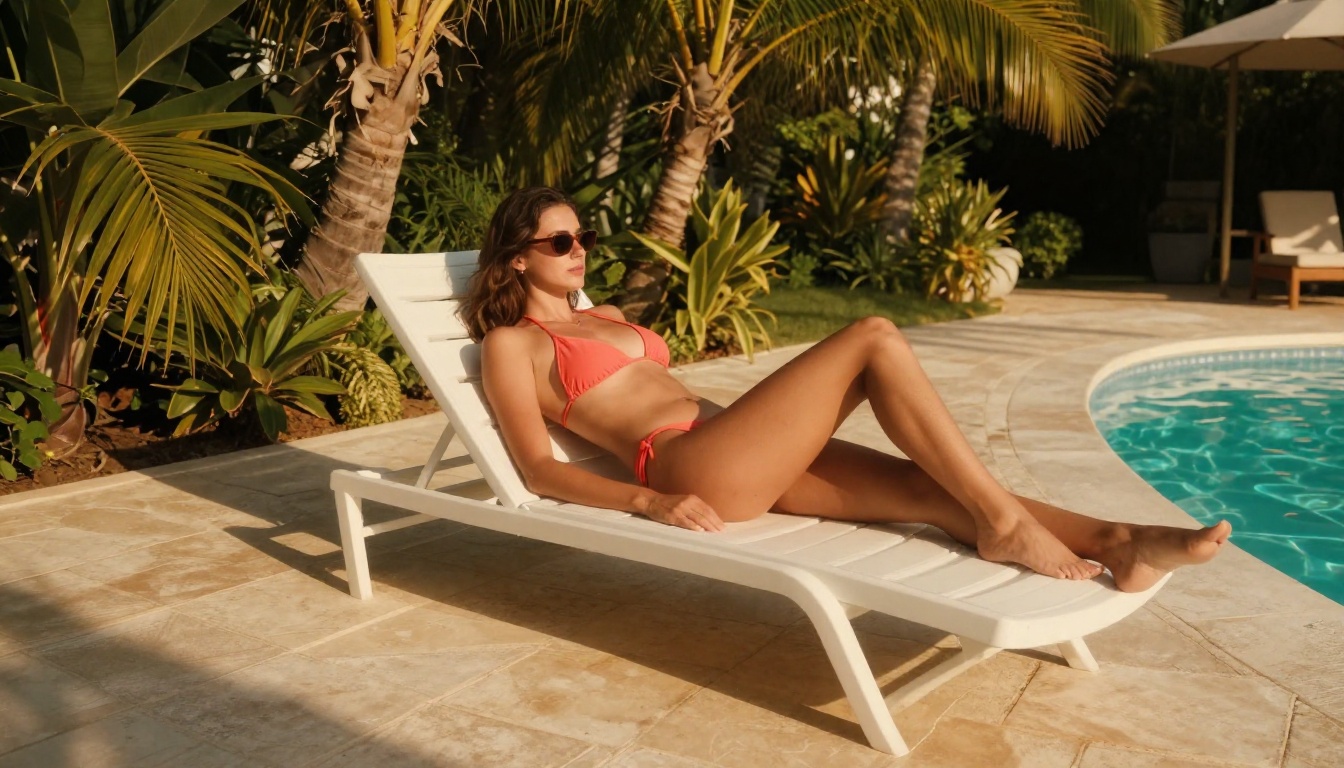
A strong prompt: "a woman in her late twenties wearing a coral string bikini, sitting cross-legged on white sand, golden hour sunlight from the left creating warm rim lighting on her skin, shot with a 50mm lens at f/2.0, natural skin texture, Kodak Portra 400 film grain, RAW 8K photography"
The difference in output quality between these two prompts is dramatic.
Negative Prompts Are Half the Battle
Negative prompts tell the model what to avoid. For adult content photography, these are worth including every time:
| What to avoid | Negative prompt term |
|---|
| Plastic skin | plastic skin, smooth skin, airbrushed |
| Deformed hands | extra fingers, malformed hands, mutated |
| Cartoon look | cartoon, illustration, drawing, anime |
| Bad anatomy | deformed, distorted, disfigured |
| Low quality | blurry, low resolution, watermark, text |
💡 Tip: Copy this as your base negative prompt: plastic skin, airbrushed, cartoon, anime, illustration, extra limbs, deformed, bad anatomy, watermark, low quality, blurry
3 Prompt Mistakes to Avoid
1. Over-describing the style and under-describing the subject. Saying "cinematic 8K photorealistic high quality" means nothing if you haven't told the model who is in the image and what they look like.
2. Using contradictory terms. "Realistic anime-style photography" confuses the model. Pick one aesthetic direction and stay with it.
3. Ignoring camera and lens specifications. Adding "85mm f/1.8 shallow depth of field" makes a measurable difference in how the AI renders background blur and subject focus.
Settings That Change Everything
Resolution and Aspect Ratio Choices
For most adult content photography, 16:9 works well for full-body or environmental shots. Square 1:1 is better for close-up portraits. If you're creating content for a specific platform, match the aspect ratio to where it will be displayed.
Higher resolution always produces more detail in skin texture, hair, and fabric, but it also costs more compute time. For free tier usage, generating at standard resolution first to test your prompt, then upscaling only the images you want to keep, is a smarter workflow than generating at maximum resolution every time.
Super resolution tools can upscale your final image 2x to 4x after generation, which is often better than generating at high resolution on a weaker model to begin with.
CFG Scale: How Strict the AI Is
CFG (Classifier Free Guidance) controls how closely the model follows your prompt. A CFG of 7 is balanced. Lower values give the AI creative freedom. Higher values above 10 force the model to follow your prompt more literally but can introduce artifacts.
For detailed adult photography prompts, a CFG between 6 and 8 tends to produce the most natural results.
Sampling Steps vs. Speed
More steps generally means better quality but slower generation. For Flux-based models, 20 to 30 steps is the sweet spot. For SDXL, 30 to 50 steps is typical for high-quality output. Turbo and Lightning variants are specifically trained to need fewer steps, between 4 and 8, without sacrificing quality.
How to Use Flux Dev on PicassoIA
Flux Dev is one of the most capable free models for adult content photography, and PicassoIA makes it accessible without any local installation, API keys, or technical setup.

Step 1: Pick the Right Model
Open the Flux Dev model page on PicassoIA. If you want faster results for testing, switch to Flux Schnell. If you want the highest quality for final output, use Flux 1.1 Pro Ultra. For the sharpest prompt adherence on a complex description, Flux 2 Pro is currently the strongest option.
Step 2: Build Your Prompt
Use the structure from the section above. Start with your subject, work outward to the environment, then add lighting and camera details at the end. Keep your positive prompt between 100 and 200 words for best results with Flux models.
Step 3: Set Your Parameters
- Aspect Ratio: 16:9 for full-body, 1:1 for portraits
- Steps: 25 to 30 for Flux Dev
- CFG Scale: 7
- Seed: leave random until you find a result you like, then note the seed number to reproduce close variations
Step 4: Refine Without Starting Over
When you get a result you mostly like, don't regenerate from scratch. Instead:
- Keep the same seed and make small prompt edits
- Add negative prompts targeting specific issues you see
- Use the p-image-edit inpainting tool to fix specific areas without regenerating the whole image
This workflow saves significant time and produces more consistent final outputs.
Protecting Your Privacy While Creating
Platforms That Don't Require Accounts
Several models on PicassoIA allow you to generate images without creating an account. Anonymous usage means no email address tied to your activity, no saved history linked to your identity, and no notifications about how your data is used. If you're creating content you want to keep private, this is the smartest starting point.
What Happens to Your Prompts
Most cloud platforms retain prompt history for model improvement and moderation review. If you're generating content you'd prefer not to be associated with, be aware that your prompt text is almost always logged even when your output is not stored permanently.
Practical steps to reduce your exposure:
- Use a VPN when generating sensitive content to mask your IP address
- Avoid including personal names or identifiable details in prompts
- Don't upload real photos of people as references for adult content generation
- Check platform data policies before generating, not after
💡 Tip: If privacy is your main concern, look for open-source models you can run locally. Several Flux and Stable Diffusion variants are available for local installation, meaning nothing leaves your computer.
5 Things That Ruin Your Results
These are the most common reasons people get poor adult AI content outputs, even when using good models:
1. Vague subject descriptions. "A woman" is not enough. Specify age range, hair, skin tone, posture, and clothing. More specificity always helps.
2. Not using negative prompts. Skipping negatives is the single biggest mistake beginners make. A basic negative prompt cuts out 80% of common artifacts.
3. Choosing the wrong model for the job. Flux Schnell is for speed. Realistic Vision v5.1 is for photorealism. DreamShaper XL Turbo is for editorial aesthetics. Using the wrong model for your goal wastes time and credits.
4. Ignoring lighting in your prompt. Lighting determines mood, realism, and how skin renders. "Soft natural light" versus "harsh midday sun" will produce dramatically different images from the same subject description.
5. Not iterating. The first generation is rarely the best one. Successful creators generate 10 to 20 variations of a prompt, testing different parameters and wording, before settling on a final image.
Model Comparison at a Glance
Now It's Your Turn
The tools are here, the knowledge is here, and the barrier to entry has never been lower. You now know which models produce the best photorealistic adult content, how to write prompts that actually deliver what you're picturing, and how to protect your data while doing it.
PicassoIA gives you access to all of these models, including Flux Dev, Flux Schnell, Realistic Vision v5.1, and SDXL, without needing local installations or navigating multiple platforms. Start with a single prompt, experiment with lighting and negative prompts, and iterate from there. The gap between your first attempt and your tenth is bigger than you'd expect, and every step of that journey costs you nothing.


