The most expensive part of running an ad campaign has never been the media buy. It is the creative. A single 30-second product video can cost anywhere from $3,000 to $50,000 to produce when you factor in studio time, a director, a crew, and post-production. Seedance 2.5 changes that equation entirely. ByteDance's latest video model generates up to 30 seconds of cinematic AI video with synchronized native audio, directly from a text prompt or a reference image, in a matter of minutes. The implications for paid advertising teams, brand marketers, and independent creators are significant and immediate.

What Seedance 2.5 Actually Does
Seedance 2.5 is a text-to-video and image-to-video model developed by ByteDance. It is the successor to Seedance 2.0 and brings measurable improvements in motion consistency, scene understanding, and audio synchronization. The output quality sits noticeably closer to professionally shot commercial footage than anything that existed two years ago. It handles object motion, camera movement, and environmental detail in a way that holds together over a longer clip duration, which matters enormously for ad creative.

Beyond the 30-Second Limit
Most AI video models cap output at 5 to 10 seconds. That works for social clips but falls short for full ad spots. Seedance 2.5 supports up to 30 seconds of continuous video, which covers nearly every standard ad format:
- Instagram Reels: 15s or 30s
- YouTube pre-rolls: 15s or 30s (skippable at 5s)
- TikTok ads: 9s to 60s
- Facebook video ads: up to 30s standard
- Display network video: 6s bumper or 15s non-skippable
This is a practical advantage over models like Ray 3.2 or Pixverse v5.6, which typically output shorter clips and may require stitching to reach a 30-second final edit. Stitching introduces consistency issues that are difficult to fix in post.
Native Audio That Syncs
The audio generation in Seedance 2.5 is not an afterthought. The model generates ambient sound, music beds, and even basic atmospheric audio that stays synchronized to the visual action. For a product ad showing a coffee being poured, it generates the sound of liquid and background cafe ambiance. For a fashion spot, it adds a subtle music texture that matches the pacing of the scene transitions.
💡 Tip: Describe the audio you want directly in your prompt. Try phrases like "upbeat acoustic guitar background music, warm and optimistic" or "soft ambient soundscape with light rain and indoor ambiance" to steer the audio output toward your brand tone.
Why This Changes Ad Production
The advertising industry runs on iteration. A brand might test 10 to 20 creative variants of a single ad to find the one that converts. With traditional production, testing 20 creatives costs as much as 20 shoots. With Seedance 2.5, you iterate at the speed of typing. That is not hyperbole. It is the actual production clock.

The Old Way vs. The AI Way
| Step | Traditional Production | Seedance 2.5 Workflow |
|---|
| Brief to first draft | 1 to 2 weeks | Under 5 minutes |
| Cost per creative | $3,000 to $50,000 | Fraction of a cent |
| Number of variants possible | 2 to 5 | Unlimited |
| Revision cycle | Days to weeks | Seconds |
| Audio production | Separate contractor | Built into the model |
What You Save (Time and Money)
A paid media team running A/B tests on Facebook Ads needs at least 4 to 8 creative variants to reach statistical significance. Generating those variants with Seedance 2.5 on PicassoIA takes minutes, not weeks. Beyond the time savings, you can now test concepts that would have been too expensive to shoot: location-specific variations, demographic-targeted lifestyle imagery, seasonal product themes, and format-specific crops for every placement in a single campaign.
The compounding effect is real. Teams that produce 40 creative variants per month using AI will outpace teams producing 4 variants per month through traditional production. The ad platforms reward creative volume with better data, and better data leads to better optimization.
How to Use Seedance 2.5 on PicassoIA
PicassoIA offers both Seedance 2.5 (the full-power ByteDance model for up to 30-second outputs) and Seedance 2.5 Lite (a free, unlimited version for rapid prototyping). The Lite version is ideal for testing prompt variations quickly before committing to a final generation. The full model delivers the polished output you need for paid placements and brand-facing content.

Step 1: Pick Your Format
Before writing a single word of your prompt, decide on the ad format you are targeting. The format defines the pacing, the number of scene changes you can describe, and whether audio plays a central or supporting role.
- 15-second awareness ads: Focus on one visual hook and one message. No time for scene transitions.
- 30-second demo or brand spots: Room for product demonstration, a lifestyle moment, and a closing call to action.
- 6 to 9 second retargeting clips: For audiences who already know the brand. One high-impact visual, no explanation needed.
Step 2: Write a Converting Prompt
The prompt is your shot list. Treat it like a brief to a director, not a search query. A weak prompt produces generic video. A strong prompt that describes the subject, action, environment, camera movement, lighting, and audio gives Seedance 2.5 everything it needs to produce commercial-quality footage.
Weak: "A woman using a face cream in her bathroom."
Strong: "A woman in her late twenties with clear skin and loose brown hair stands at a bright marble bathroom vanity, gently applying white face cream to her left cheek with her fingertips. Morning sunlight enters from a window on the left, casting warm golden tones across the marble surface. The camera slowly pushes in from a medium shot to a close-up of her face over 5 seconds. Ambient morning audio with soft birds and a subtle piano background."
The strong prompt reduces randomness and produces output that is brand-safe and consistent across multiple generations.
Step 3: Set Your Parameters
On PicassoIA, you control duration (up to 30 seconds for the full Seedance 2.5 model), aspect ratio (16:9 for YouTube and Facebook, 9:16 for TikTok and Reels, 1:1 for feed ads), and input mode: text-to-video for concept-first ad creation or image-to-video when your product photography should anchor the first frame.
💡 Tip: Use image-to-video mode when you have existing product photography. Your packaged product shot becomes the first frame, and Seedance 2.5 animates it into a cinematic video from there. This gives you brand-accurate visuals from frame one, with zero consistency issues on the product itself.
A clear structure consistently produces better results across all AI video models. Think of every prompt as having four layers, each building on the last.
Layer 1: Subject and action — Who or what is in the shot, and what are they doing?
Layer 2: Environment and context — Where is this happening? What details surround the subject?
Layer 3: Camera and motion — How is the camera moving? What lens feel do you want?
Layer 4: Audio direction — What does the scene sound like? Is there music, and what style?

Product Showcase Prompts
Product showcase ads work best when the camera celebrates the object itself. Use macro movement and dramatic lighting to make the product feel premium. No people needed.
Template:
"[Product] placed on [surface], [environmental context]. The camera performs a slow [orbit / dolly-in / crane-up] starting from a [wide / close] shot, moving to [tight close-up / wide reveal] over [X] seconds. [Lighting description]. [Sound design direction]."
Example:
"A sleek amber glass perfume bottle placed on polished black granite, surrounded by scattered white jasmine petals. The camera performs a slow 180-degree orbit starting from the left side, moving to a tight front close-up over 8 seconds. Directional light from the upper left creates prismatic refractions through the bottle's faceted glass sides. Soft orchestral strings with a subtle ambient room tone."
Lifestyle Brand Prompts
Lifestyle ads sell an aspiration, not a product. The product may barely appear, but the feeling it creates is the entire message. A coffee brand ad does not show the brewing process. It shows the first quiet moment of the morning before the rest of the world wakes up.
Template:
"[Person descriptor] in a [setting that reflects the target audience's aspirational life], [doing activity that aligns with brand values]. The camera [movement description]. [Lighting direction]. [Audio: music genre, tempo, mood]."
Example:
"A woman in her early thirties in athletic wear finishes a morning trail run at the edge of a forested hillside overlooking a misty valley. She stops, catches her breath, and looks out with a calm smile. The camera pulls back in a slow cinematic crane shot revealing the full landscape behind her. Golden sunrise light from the right. Uplifting acoustic guitar melody with light percussion building in the final 5 seconds."
Direct Response Ad Prompts
Direct response ads prioritize clarity and urgency. Show the product being used, a visible result, or a before-and-after reaction. The camera stays stable to keep attention on the product interaction rather than the cinematography.
Template:
"[Person] [using product] and [showing visible result or reaction], [environment]. Camera stays [stable / slow push-in] to keep attention on the product interaction. [Lighting]. [Audio: voiceover tone description or music direction]."
Seedance 2.5 vs. Other Models
Seedance 2.5 is not the only video model worth considering for ad production. Here is how it stacks up against the strongest alternatives available on PicassoIA right now.
vs. Kling v3
Kling v3 Video from Kwai competes strongly on raw visual quality and motion realism. It excels at dramatic, cinematic scenes with complex character movement and physical interaction. Where Kling v3 falls behind for ad production is clip duration (shorter outputs) and native audio integration. If your ad creative requires complex choreography or realistic human motion above all else, Kling v3 is worth testing. For audio-forward ads or longer 30-second spots, Seedance 2.5 has the clear advantage.
Kling v2.6 is a solid choice for shorter clips at a lighter computational cost, preserving Kling's motion quality for 5 to 10 second social content without the overhead of the v3 model.
vs. Veo 3
Veo 3 from Google is currently one of the strongest text-to-video models for photorealistic scenes with dialogue and voice. If your ad brief calls for a spokesperson-style video with a narrator speaking directly to camera, Veo 3 produces dialogue synchronization that Seedance 2.5 does not match at the same fidelity. However, Veo 3 is more resource-intensive. For pure product and lifestyle ad content without dialogue, Seedance 2.5 is faster and produces comparable visual quality at lower cost per generation.
When to Use Each
5 Ad Types You Can Build Right Now
The Product Hero
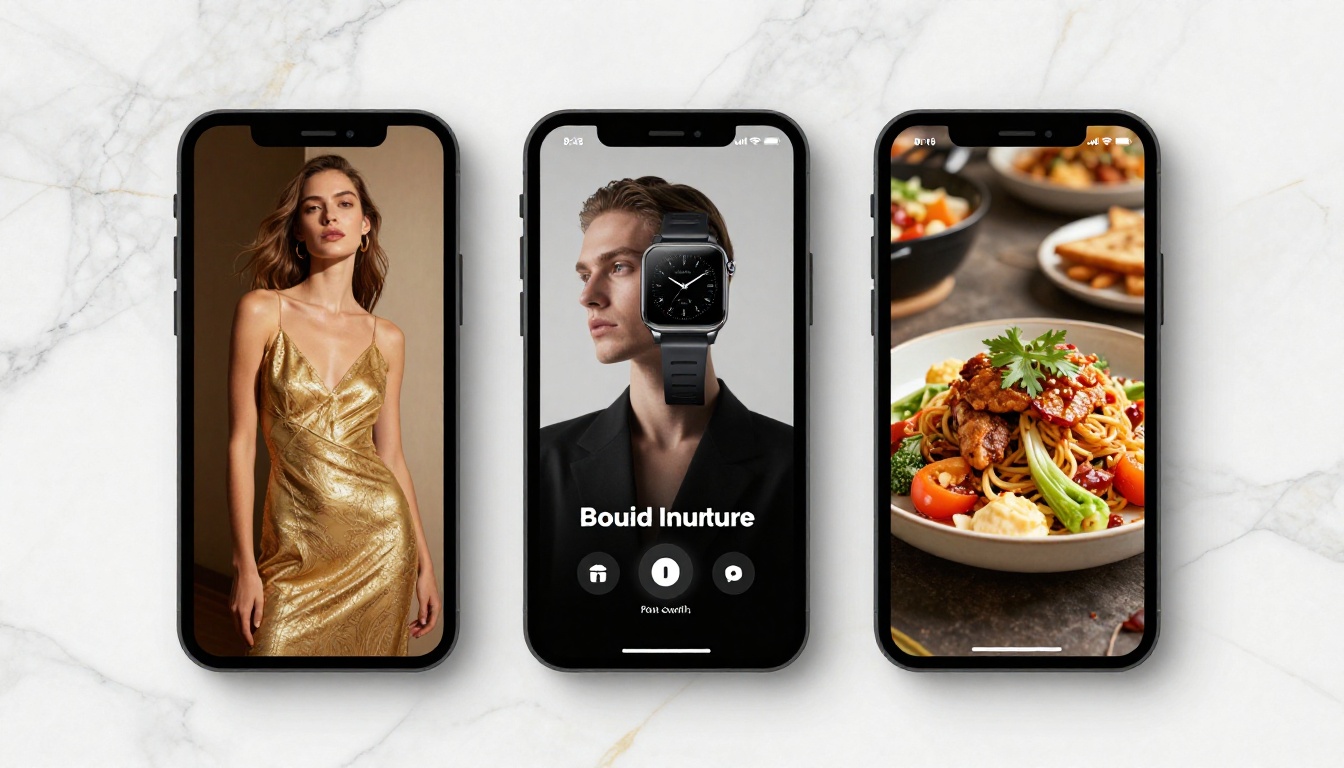
A tight, dramatic close-up of your product from multiple angles, set to music. No people, no dialogue. Just the object, beautiful lighting, and cinematic camera movement. Best for luxury goods, tech products, beauty, and food and beverage. Describe each camera movement as a sequence. "Starting with a top-down shot, slowly rotating to a low-angle front view over 10 seconds" gives the model a clear motion arc to follow rather than letting it interpret freely.
The Lifestyle Moment
Your target customer in their ideal world, with the product naturally integrated. The product is not the hero. The feeling is. A coffee brand ad does not show the coffee making process. It shows the first quiet moment of the morning before the rest of the world wakes up. Best for food and drink, wellness, apparel, and home goods. The key is choosing the right aspirational setting for your specific audience.
The Brand Story
A short narrative arc. A challenge appears in the first 5 seconds, a product or brand element enters in the middle, and the resolution plays out in the final seconds. This format requires more precise prompt sequencing, but Seedance 2.5 handles scene progression well when you describe the narrative flow explicitly in the prompt. Best for software, services, and before-and-after products.
The Social Proof Clip
A person using the product and reacting positively. This is the testimonial format reimagined as AI creative. Use image-to-video mode: input a lifestyle photo of someone with the product, and describe the action and reaction in the prompt. The first frame is grounded in your brand visuals, and the animation adds authenticity and motion. Best for skincare, health products, and apps.
The Countdown Launch Ad
A teaser format that builds toward a product reveal. Start with an abstract or atmospheric scene, then close in on the product at the end with dramatic lighting and audio that builds to a peak. This format works particularly well for product launches and limited-time offers. Describe the audio build explicitly in the prompt: "background music starts quiet and builds to a full orchestral swell in the final 3 seconds" gives the model a clear audio arc to follow.
Mistakes That Kill Your Ad

Vague Prompts
The single biggest failure mode for AI video ads is treating the model like a search engine. "Make a luxury car ad" produces something generic. "A matte black sports car parked at dusk on a coastal road, waves visible in the background, camera starting from a low front angle and slowly orbiting to the rear three-quarter view over 8 seconds, dramatic side-lighting from the setting sun, low growl of the engine audible as ambient sound" produces something usable.
Every detail you add reduces randomness. Reduced randomness means more consistent, brand-safe output. This is critical when you are generating multiple variants of the same ad for A/B testing.
💡 Tip: Treat your prompt like a shot list. Write it the way a director would brief a cinematographer: subject, action, camera position, camera movement, lighting source and angle, audio direction. In that order. Skip any layer and the model fills it in randomly.
Wrong Resolution Choices
For paid media placements, resolution matters. Social media platforms compress video aggressively. Starting at a lower resolution means the compressed output degrades noticeably in the feed. Always run final ad creatives at the highest resolution the model supports. Use Seedance 2.5 Lite for prompt testing only. Use the full Seedance 2.5 at maximum output resolution for any creative going into a paid placement.
This applies across all video models. Ray 3.2 offers HDR output. Pixverse v5.6 supports 1080p. Choose based on your delivery specification and always export at native resolution before uploading to any ad platform.
Over-Describing Faces
Seedance 2.5 and most video models do not generate specific faces reliably from text alone. Describing a person with too much facial specificity often produces inconsistent results across multiple generations. Instead, focus on clothing, body language, hair color, skin tone, and posture. Let the model fill in the face naturally and consistently. If you need a specific person's likeness, use image-to-video mode with a photo of that person as the input frame.
Start Creating Today
AI video advertising is no longer a speculative capability. Seedance 2.5 is live, accessible, and producing output that competes with production-level video for a fraction of the cost and a fraction of the time.
The workflow is straightforward. Pick your ad format, write a prompt that functions like a shot list, choose between Seedance 2.5 for final-quality output or Seedance 2.5 Lite for rapid iteration, generate multiple variants, and run them in your campaigns. The data you get back from even a small paid test will tell you more about your creative direction than months of internal debate.
The brands building this skill now will have a compounding advantage. While competitors spend weeks and thousands on production cycles, you can iterate on creative daily and find what converts faster than any traditional production pipeline allows. Open PicassoIA, navigate to Seedance 2.5, write your first product prompt using the formula from this article, and see what the model produces. The first video takes minutes. The hundredth takes just as long, and by then you will have more ad creative data than most agencies collect in a year.


