Something strange happens the first time you run a prompt through Seedream 5.0. The result lands on screen and you sit there for a second trying to figure out whether it is a photograph or a generated image. That moment of doubt is the whole point. ByteDance built Seedream 5.0 to close the gap between AI output and real photography, and it largely succeeds.
This article walks you through the entire workflow: what the model does, how to write prompts that actually work, how to use Seedream 5 Lite on PicassoIA right now, and how to push the output toward the quality ceiling of the model.

What Seedream 5.0 Actually Does
Seedream is ByteDance's flagship text-to-image architecture. With version 5.0, the focus shifted sharply toward photorealism: accurate anatomy, coherent lighting physics, and fine surface detail that holds up at high resolution. The model was trained on a curated dataset weighted heavily toward real-world photography rather than stylized or illustrated content.
The Model Behind the Results
Seedream 5.0 operates on a diffusion-transformer hybrid architecture. In practical terms, this means it handles long, complex prompts more reliably than older diffusion-only models. You can describe a specific lighting scenario, a precise camera lens, a defined background environment, and the model will attempt to honor each constraint simultaneously rather than collapsing toward a generic average.
The semantic interpretation is notably strong. Where some models ignore adjectives buried at the end of a prompt, Seedream 5.0 picks them up. "Worn leather texture on the bag strap" will actually appear in the output. "Overcast diffused light with no harsh shadows" will be rendered precisely, not approximated.
Why the Output Feels Different
The difference you notice immediately is in skin and surface rendering. Human faces generated by Seedream 5.0 carry plausible pore structure, subsurface scattering in cheeks, and natural catchlight behavior in eyes. Fabric shows weave and drape. Hair separates into individual strands rather than blending into a smooth mass.
This is not a trick. It is a function of the model having seen enough high-resolution photography to internalize what those textures actually look like under real light. The practical implication: your prompts do not need to fight the model toward realism. It defaults there.

Seedream 5.0 vs the Competition
PicassoIA hosts over 91 text-to-image models. Knowing where Seedream 5.0 sits in that lineup helps you choose the right tool for each job.
How It Compares to Flux and Imagen
The comparison is not about which model wins overall. It is about matching the model to the task. Seedream 5.0 is not the fastest option and it is not the highest-resolution option on the platform. It is the most photorealistic option for human subjects, which matters enormously for portrait work, lifestyle content, and fashion imagery.
Where Seedream Wins
- Human anatomy: Hands, eyes, and ears are rendered with accuracy that competing models still stumble on.
- Skin lighting: The model correctly simulates how light wraps around and through skin tissue.
- Clothing texture: Fabric folds and surface materials behave physically.
- Facial expressions: Subtle emotional states translate from prompt to image without exaggeration.
💡 Tip: If your workflow involves generating people, run your first tests through Seedream 5 Lite before trying other models. You will likely stay there.
How to Write Prompts That Work
Prompt quality is the single biggest lever you control. The gap between a mediocre Seedream result and a stunning one is almost always in the prompt, not the model.

The Anatomy of a Strong Prompt
Every high-performing Seedream prompt has five components:
- Subject: Who or what is the main focus. Be specific. "A woman in her late twenties with short auburn hair" not "a woman."
- Environment: Where is the scene set. Include surfaces, lighting sources, and depth context.
- Lighting: Describe the direction, quality, and color of light. "Volumetric morning light from the upper left casting soft shadows" beats "good lighting" every time.
- Camera: Specify lens length, aperture, and shooting distance. "85mm f/1.4 shallow depth of field" tells the model exactly what optical behavior to simulate.
- Texture and Atmosphere: Surface detail, film grain, color grade. "Kodak Portra 400 film grain, lifted shadows, creamy highlights" grounds the image in photographic reality.
Stack all five layers and you have a prompt that the model can interpret with precision.
5 Prompt Patterns for Portraits
These patterns produce reliable results with Seedream 5 Lite:
[Subject description] + natural window light from left + 85mm f/1.4 + Kodak Portra 400 grain, photorealistic, 8K[Subject] in [specific interior environment] + overcast diffused daylight + 50mm f/2.0 + slight film grain, editorial photography[Subject wearing specific clothing] + [outdoor setting at golden hour] + backlit rim light on hair + 70-200mm f/2.8 compressed background, documentary photographyClose-up portrait of [subject] + dramatic single source lighting from right + Canon 135mm f/2.0 + skin pores visible, eyelash detail, catchlight in pupils, RAW photography[Subject in motion] + [street or public environment] + available ambient light + 35mm f/1.8, motion blur on background, sharp face, cinéma vérité style
5 Prompt Patterns for Landscapes
[Specific geographic environment] at [time of day with light description] + foreground element with texture detail + [atmospheric condition: mist, rain, clear air] + wide angle 24mm f/8.0 everything in focus, RAW photographyAerial view of [landscape type] + [weather and season description] + volumetric clouds + golden-hour side light + Phase One medium format, maximum detail[Coastal, mountain, or forest scene] with [specific flora detail] + last 20 minutes of daylight, horizontal orange light + 16-35mm f/4.0, photorealisticInterior architectural scene: [room description] + [material textures: poured concrete, hand-laid brick] + [natural light source direction and quality] + 24mm tilt-shift, architectural photographyStreet photography: [urban environment] + pedestrians in motion + rain-slicked pavement + 28mm f/2.0, available light, Tri-X 400 grain
💡 Tip: Adding specific film stock names such as Kodak Portra, Fujifilm Provia, or Cinestill 800T consistently improves color rendering in Seedream outputs. The model has seen enough photography metadata to know exactly what these emulsions look like.
Step-by-Step: Using Seedream 5 Lite on PicassoIA
Seedream 5 Lite is available directly on PicassoIA. Here is the exact workflow to run your first image.

Step 1: Open the Model
Navigate to the Seedream 5 Lite model page on PicassoIA. You will see the prompt input field, aspect ratio selector, and generation parameters. The interface is clean and immediate.
Step 2: Write Your First Prompt
Use this template for your first test:
A [person description] in [specific environment], [lighting description], shot on [camera and lens], [film stock], photorealistic, 8K, RAW photography
Example: "A young woman with short dark hair sitting at a marble cafe table, soft overcast daylight from a window to her left, shot on Leica M11 with 50mm Summilux f/1.4, Kodak Portra 160, photorealistic, 8K, RAW photography"
Step 3: Set Your Parameters
| Parameter | Recommended Setting | Why |
|---|
| Aspect Ratio | 16:9 for scenes, 4:5 for portraits | Matches subject framing |
| Negative Prompt | "cartoon, illustration, 3D render, painting, anime" | Locks model to photorealistic output |
| Steps | 30 to 40 | Balance between quality and speed |
| CFG Scale | 7 to 9 | Higher means more prompt-literal; lower means more creative interpretation |
Step 4: Evaluate the Output
When the image arrives, look at these specific areas first:
- Eyes: Are catchlights natural? Is there visible iris texture and detail?
- Hands (if present): Correct finger count and natural anatomy?
- Hair: Individual strand separation or clumped, painted-looking mass?
- Background: Does the depth rendering match the aperture you specified?
If any of these fail, the fix is almost always adding more specificity to that area of the prompt, not regenerating with identical input.
Step 5: Iterate with Intention
Run 3 to 5 variations by changing one variable at a time. Adjust the lighting description in one run, the lens length in the next, the film stock in another. After five iterations you will have a working prompt template you can reuse across many projects.
💡 Tip: Compare your Seedream 5 Lite output against Seedream 4.5 and Seedream 4 using the same prompt. The progression across the model lineage is visible and instructive for calibrating your expectations.
Getting Better Results Every Time

The ceiling on Seedream 5.0 output quality is higher than most users reach in their first sessions. Here is how to close the gap.
Aspect Ratio and Resolution
- 16:9: Best for wide scenes, landscapes, workspaces, and editorial images. The wider format gives the model room to build environmental context and the output is consistently sharpest at this ratio for landscape subjects.
- 1:1: Clean for social media, product shots, and centered compositions.
- 4:5 or 3:4: Ideal for portrait orientation content, fashion, and storytelling compositions where vertical emphasis matters.
What Breaks a Good Prompt
These are the most common prompt errors that degrade output quality:
- Contradictory instructions: "Sharp background and shallow depth of field" cannot coexist. Pick one and commit.
- No lighting instruction: Without a lighting specification the model invents one, often inconsistently. Always describe your light source.
- Too many competing subjects: "A woman, a dog, a bicycle, and a park" splits the model's attention. One main subject, supporting elements in the background.
- Vague emotion description: "Happy expression" is weak. "Lips curved in a soft half-smile, crow's feet at the outer corners of her eyes" is strong.
- No camera specification: Without a stated lens length the model defaults to a neutral mid-range focal length. Adding "85mm" or "24mm" immediately changes the visual character of the image.
Portrait and Face Generation
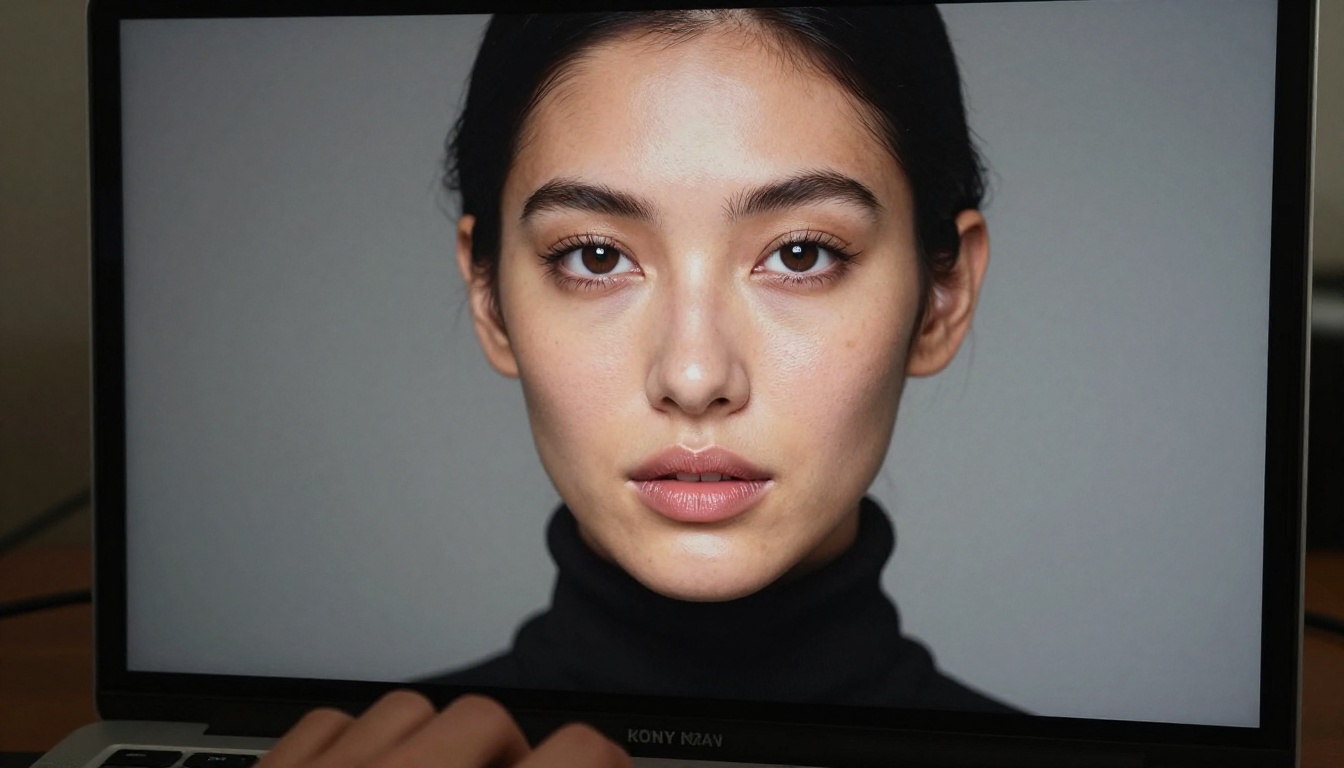
Seedream 5.0's strongest output is in portrait generation. The model produces faces with a level of anatomical accuracy and skin realism that sets it apart from most alternatives currently available.
Skin Texture and Realism
Getting photorealistic skin requires three elements working together in your prompt:
- A lighting description that specifies direction and quality (soft, hard, diffused, specular)
- A close-up or medium-close distance instruction so the model renders at skin-detail scale
- A film stock reference to anchor the color and grain behavior
Without these three, the model will render clean but slightly plastic-looking skin. With them, you get the kind of texture that makes people ask whether it is actually a photograph.
Lighting in AI Portraits
Lighting is the single most important variable in portrait generation. These setups produce the most photorealistic results with Seedream:
| Lighting Setup | Prompt Phrase | Mood |
|---|
| Rembrandt | "45-degree overhead light from right, triangle highlight on left cheek" | Classic, cinematic |
| Window Light | "Large diffused window to the left, soft graduated shadows" | Natural, editorial |
| Backlit | "Hard backlight creating rim light on hair and shoulders, dark ambient fill" | Dramatic, contrasty |
| Golden Hour | "Horizontal golden-hour light from the right, warm color cast on skin" | Warm, outdoor |
| Overcast | "Flat even diffused light from overcast sky, no harsh shadows anywhere" | Clean, fashion |
Landscapes, Architecture, and Scenes
While portraits are Seedream 5.0's primary showcase, the model handles environmental subjects with equal confidence when prompted correctly.
Environmental Storytelling
The difference between a flat landscape image and a compelling one is almost always atmospheric specificity. "A misty forest" is weak. "A Pacific Northwest old-growth forest at 7am, ground fog at ankle height catching the first horizontal shafts of light between Douglas fir trunks, forest floor covered in wet fern and moss, 24mm f/5.6, everything in sharp focus" is strong.
Seedream 5.0 particularly excels at:
- Atmospheric conditions: Fog, mist, rain, haze, and smoke are rendered physically with appropriate light scattering behavior.
- Water surfaces: Still water reflects correctly. Moving water generates plausible motion texture.
- Stone and earth surfaces: Rock face texture, soil, sand, and gravel hold up under close inspection.
- Plant life: Leaves show vein structure, waxy leaf surfaces reflect correctly, and botanical accuracy is notably high.
For architecture, specify material surfaces explicitly: "poured concrete with visible formwork impressions," "hand-laid brick with mortar variation," "weathered cedar siding with silver-grey patina." The model uses these cues to generate surfaces that feel genuinely aged and real rather than rendered and smooth.
The Seedream Model Lineage
If you want to see how the model has evolved, PicassoIA hosts the full Seedream family for direct side-by-side comparison:
- Seedream 3: The foundation model, solid for general image generation across subject types.
- Seedream 4: Added ultra-high-resolution output capability with improved detail at large sizes.
- Seedream 4.5: Improved prompt interpretation and anatomical accuracy in human subjects.
- Seedream 5 Lite: Current flagship, optimized for photorealism and accessible generation speed.
Running the same prompt across all four versions is one of the fastest ways to calibrate your expectations and sharpen your prompt-writing instincts. The visual improvement from version to version is immediately apparent.
What You Can Build Beyond Single Images
Once you have a working image output from Seedream, the workflow does not have to stop there. PicassoIA connects Seedream's output directly to a broader set of production tools:
- Super Resolution: Take a Seedream portrait and upscale it 4x using the Super Resolution models on the platform, producing print-quality files from a standard generation.
- Inpainting: Fix specific areas of an image (a hand, a background element, a piece of clothing) without regenerating the whole scene from scratch.
- Background Removal: Strip the background from a Seedream portrait for commercial or product use in seconds.
- Face Swap AI: Composite your Seedream character into a different scene while preserving facial identity and expression.
This means Seedream 5 Lite is not just an endpoint. It is a starting point for a full image production pipeline, with every downstream tool available in the same platform.
Start Creating Your Own Images

The fastest way to internalize what Seedream 5.0 can do is to run it yourself. Open Seedream 5 Lite on PicassoIA, paste one of the prompt templates from this article, and generate your first image. Then change one variable and run it again.
The model rewards specificity. The more precisely you describe the light source, the lens, the film stock, and the surface textures, the closer the output gets to what you actually had in mind. That is not a limitation. That is a skill you build over a handful of sessions.
PicassoIA gives you access to Seedream 5 Lite alongside 90+ other text-to-image models, all in the same interface, so you can compare outputs and find the right tool for every project without switching platforms. The prompts in this article are your starting point. Where they take you is up to you.


