Spending $500 on a logo designer, waiting two weeks for three revision rounds, and ending up with something that looks like it came from a template site is still the default experience for most small business owners. It doesn't have to be. Right now, several AI text-to-image models are capable of producing brand logos with real typographic intent, clean geometry, and professional-grade composition, completely free, in under three minutes.
This isn't about those template-based logo builders that shuffle the same 40 clip-art icons. This is about using actual AI image models, specifically trained on design data, that respond to precise written prompts with genuinely original output. The gap between "AI logo" and "professional logo" has collapsed dramatically in the last 18 months, and this article walks you through exactly how to take advantage of it.
Why AI Logo Generation Actually Works Now
Two years ago, AI image generators were impressive for landscapes and portraits but failed badly at text rendering. Letters would melt into each other, symbols would distort mid-generation, and anything requiring typographic precision was completely off-limits. That limitation is now largely gone, and the reason comes down to three specific breakthroughs.
What changed in the last two years
The shift came from models specifically trained on graphic design corpora. Ideogram v3 Quality introduced coherent, legible text rendering directly inside generated images. Recraft v4 SVG added the ability to output true scalable vector format, which is the professional standard for logos. GPT Image 1.5 brought native transparency support, giving you a PNG with no background that drops cleanly onto any surface.
Each of these capabilities addresses a specific gap that previously made AI logos unusable for real brand work. Together, they remove almost every barrier that separated AI output from designer output.
The real cost of "cheap" logo design
Even budget freelancer platforms charge $150 to $400 for logo work that meets basic professional standards. At that price point, you're often getting templated work with minor customizations rather than something built from scratch for your specific brand. AI generation produces something genuinely unique because it's created from scratch based on your specific prompt every single time.
💡 Worth noting: AI logos work best when your brand direction is already clear. The more specific your input, the sharper the output. Vague prompts produce vague logos.
The other cost is time. A freelancer turnaround of 3 to 7 business days, with revision rounds, compares poorly to an AI result available in 30 seconds. For early-stage brands that need to iterate quickly and test visual identities before committing, this difference is enormous.
The Best AI Models for Logo Creation
Not every text-to-image model is suited for logo work. Logo design demands precision in typography, clean geometric lines, and controlled color palettes. General-purpose models trained primarily on photography will struggle. Design-focused models built with graphic output in mind will not.
Ideogram for type-heavy designs
Ideogram v3 Quality is currently the strongest model available for logos that include readable text. Wordmarks, taglines, and brand names rendered inside the image are where this model consistently outperforms the field. The text comes out sharp, legible, and stylistically coherent with the surrounding design elements.
For faster iteration when you're running 10 to 15 variations to find the right direction, Ideogram v3 Turbo gives you nearly the same quality at significantly higher speed. Use Quality for final versions, Turbo for the exploration phase.
Ideogram v2 remains a solid alternative with strong text rendering and slightly different stylistic tendencies, useful if v3 isn't giving you the aesthetic direction you need.
Recraft SVG for scalable vectors
Recraft v4 SVG outputs your logo as a true SVG file. This matters because SVG scales to any size without ever losing quality. A logo on a business card and the same logo on a 3-meter banner use the exact same file. No pixelation, no re-exporting at different resolutions, no quality degradation.
Recraft v3 SVG is also available for simpler icon work and produces clean vector shapes well-suited for geometric brand marks.
GPT Image 1.5 for transparent PNGs
GPT Image 1.5 supports native transparency output. For logos, this is significant. Your logo needs to work on white backgrounds, on dark backgrounds, on product photography, on packaging. A transparent PNG handles all of those contexts without requiring a designer to manually remove the background afterward.
The quality of text rendering in GPT Image 1.5 is also strong, making it a viable alternative to Ideogram for wordmarks when you need the transparent output built in.
Flux for brand photography
Flux 1.1 Pro and Flux Pro are not logo-specific models, but they're essential for building the broader visual identity around your logo. Once you have a logo, you need brand photography: mockups showing the logo in context, product shots, social media headers, and lifestyle imagery that communicates your brand world. Flux's photorealistic output at up to 4MP is the right tool for that next layer.
How to Use Ideogram v3 on PicassoIA
Ideogram v3 Quality is available on PicassoIA directly in your browser. No software installation. No design skills required. Just a browser, a clear idea of your brand, and a well-structured prompt.
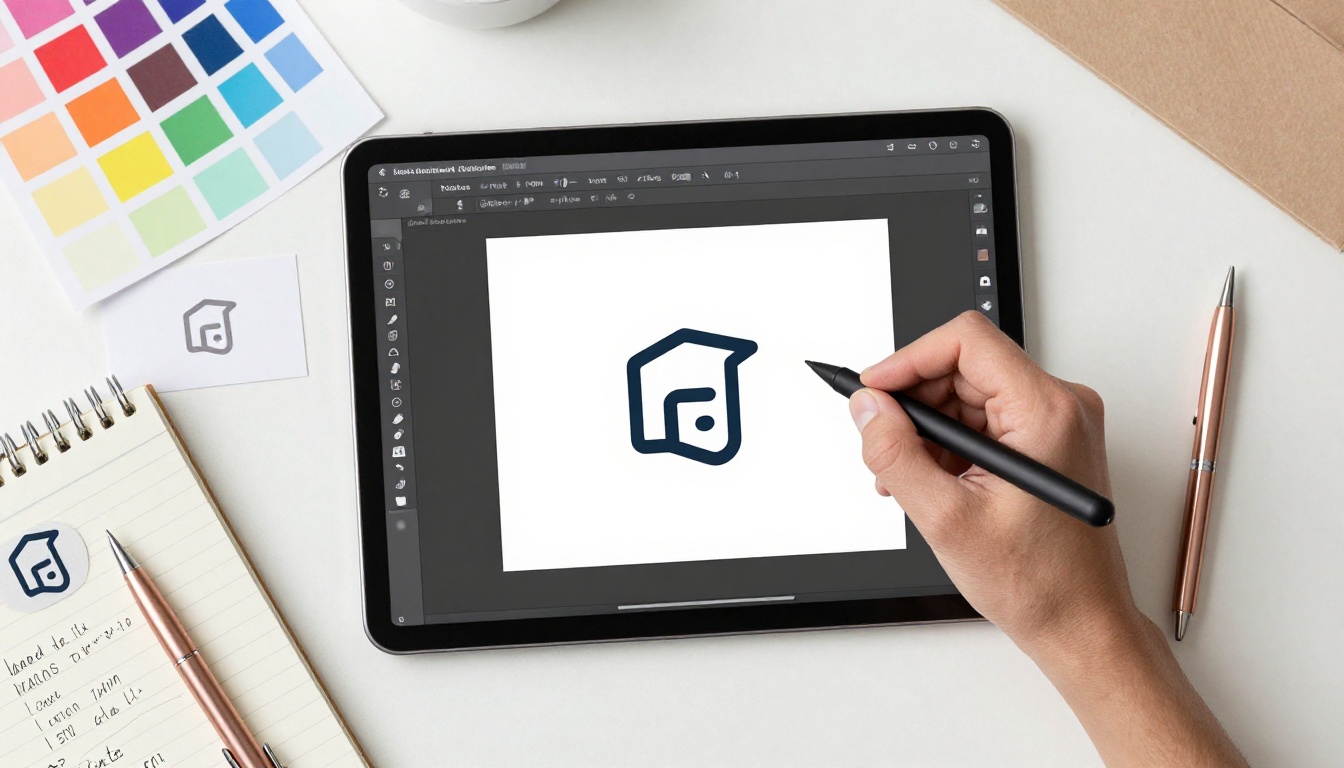
Step 1: Write your logo prompt
This is the most important step. A weak prompt produces a weak logo. A precise prompt produces something you can actually use without modification.
Your prompt should include these five components:
- What the logo represents (e.g., "a specialty coffee brand for urban professionals")
- The visual style (e.g., "minimalist, geometric, modern")
- A specific color palette (e.g., "navy blue and warm gold")
- Typography direction (e.g., "bold condensed sans-serif wordmark")
- Any text to appear in the image (e.g., "include the word ROAST in large capital letters")
Working example:
"Minimalist coffee brand logo, clean circular icon with a single stylized coffee bean in the center, bold sans-serif wordmark reading ROAST positioned below the icon, navy blue and warm gold color palette, white background, professional flat vector style, logo design"
Step 2: Set the right parameters
Inside Ideogram v3 Quality, select Design or Typography as your style preset when available. Set the aspect ratio to 1:1 for logos since square crops work best across most brand applications (favicon, social profile, business card icon).
Generate at least 4 to 6 variations before evaluating. Each run produces a distinct interpretation of your prompt, and occasionally one iteration is significantly stronger than the others. Don't judge the model on a single output.
Step 3: Refine and download
When you find a direction you like, refine the prompt to dial in the details. If text rendered incorrectly, add the instruction: "ensure all text is spelled correctly and clearly legible, no distorted letters." If the composition feels unbalanced, add: "balanced centered composition, equal visual weight on all elements."
💡 Pro tip: Run the exact same prompt twice in a row. You will often get surprisingly different interpretations because generation involves controlled randomness. Collect the best elements from each and combine them into a more refined prompt for the final version.
How to Use Recraft v4 SVG on PicassoIA
Recraft v4 SVG is the model to use when you need a logo that will actually scale across all professional use cases. It's the model that produces the file format professional designers deliver.
Why SVG is the right format for logos
A PNG logo at 500x500 pixels looks fine on a website at small sizes. Enlarge it to fill a tradeshow banner or a billboard and it becomes a soft, pixelated mess. SVG files contain mathematical path descriptions rather than pixels, which means they render perfectly at any size on any screen or print output. One file, unlimited scalability.
Every professional designer delivers final logo files in SVG for this reason. With Recraft v4 SVG, you generate that file directly from a prompt.
Step-by-step workflow
- Navigate to Recraft v4 SVG on PicassoIA
- Write a geometric, simple prompt. SVG excels with clean shapes: circles, triangles, lines, minimal icons. Avoid complex gradients or photo-realistic textures that don't translate well to vector paths
- Use flat design language: include "flat design," "clean vector paths," "minimal shapes," "solid fills only," "no gradients" in your prompt
- Download the SVG file from the result and open it in Figma (free in browser) or Inkscape (free desktop app)
- Make final adjustments directly in the vector editor: tweak colors, adjust spacing, swap the font, or scale elements precisely
Working SVG prompt:
"Flat vector icon logo for a tech startup, abstract letter M formed by two converging mountain peaks, electric blue and slate gray, minimalist clean paths, white background, no gradients, no shadows, professional corporate flat design"
Logo Prompt Anatomy: What Actually Works
The difference between a usable logo and a garbled output comes down almost entirely to how the prompt is structured. The model isn't guessing randomly. It's responding to the specific vocabulary you use.
The formula for clean results
Every effective logo prompt follows this structure:
[Logo type] + [brand context] + [visual style] + [color palette] + [typography instruction] + [background spec] + [quality/format keywords]
- Logo type: wordmark, icon, combination mark, emblem, monogram, badge
- Brand context: what the company does and who it serves
- Visual style: minimalist, vintage, geometric, organic, playful, corporate, luxury, bold
- Color palette: name specific colors or reference palettes ("earth tones," "monochrome," "pastel")
- Typography: serif, sans-serif, script, bold, condensed, italic, all caps
- Background: always include "white background" or "transparent background"
- Format keywords: "flat design," "vector style," "clean lines," "professional logo design"
Style keywords that consistently work
These terms reliably improve logo output quality across all models:
| Keyword | What It Does |
|---|
flat design | Removes unwanted shadows, bevels, and 3D effects |
minimal lines | Keeps the composition clean and uncluttered |
vector style | Signals the model to produce geometric, precise output |
white background | Eliminates distracting or random backgrounds |
professional branding | Biases toward corporate-grade aesthetics |
single color icon | Produces logos that work in one-color print contexts |
balanced composition | Prevents lopsided or cramped layouts |
negative space | Creates sophisticated logos that breathe visually |
3 mistakes that ruin logo prompts
1. Too many competing concepts. Trying to include "nature AND technology AND luxury AND playful" in a single logo prompt produces visual noise. Pick one primary direction and commit. A focused prompt generates a focused logo.
2. No background instruction. Without specifying "white background," you frequently get textured, gradient, or scene-based backgrounds that visually merge with the logo elements, making the file unusable without a background removal step.
3. Missing format signals. Terms like "logo design" and "vector style" prime the model for design output. Without them, the model may produce an illustration, a product photograph, or an abstract painting rather than a clean logo lockup.
3 Logo Types You Can Build Today
Wordmark logos
A wordmark is your brand name styled as a designed typographic element. No icon. No symbol. Just the name itself as a visual identity. Think Google, Coca-Cola, or FedEx. Simple to describe in a prompt, powerful in execution.
Wordmarks work best with Ideogram v3 Quality because precise text rendering is its primary strength.
Prompt example: "Bold wordmark logo reading NOVA, modern geometric condensed sans-serif typeface, deep indigo color, white background, minimal, professional flat design, high-quality logo"
Icon-based logos
An icon logo is purely visual, no text. Think Apple's apple, Nike's swoosh, or Twitter's bird. These are simpler to generate because there's no text rendering challenge. Icon logos work particularly well with Recraft v4 SVG since the geometric SVG output maps naturally to what clean icon marks require.
Prompt example: "Minimalist flat vector icon of an abstract fox head formed from simple overlapping triangles, burnt orange on white background, logo design, clean vector, no text, geometric"
Combination marks
A combination mark pairs an icon with a wordmark. This is the most common professional format because it's flexible: you can use the icon alone as a favicon or app icon, and the full lockup for letterheads, packaging, and signage.
💡 For combination marks: generate the icon and the wordmark separately using their respective optimal models, then combine them in Figma or Inkscape. You'll have far more control over spacing, sizing, and alignment than trying to get the AI to nail both elements simultaneously in a single generation.
Color and Style: Getting It Right the First Time
Color is not decoration in logo design. It's a direct communication tool. The colors you choose signal specific things about your brand before a single word is read.
How color affects brand perception
Different color families carry distinct associations that are remarkably consistent across audiences:
| Color | Brand Signals | Industries That Use It |
|---|
| Navy / Deep Blue | Trust, stability, professionalism | Finance, tech, legal |
| Green | Growth, health, sustainability | Food, wellness, environment |
| Black / Charcoal | Luxury, precision, authority | Fashion, premium products |
| Orange / Amber | Energy, warmth, creativity | Food, startups, media |
| Purple | Creativity, wisdom, ambition | Beauty, education, wellness |
| Red | Urgency, passion, boldness | Food, retail, sports |
| White / Minimal | Clarity, simplicity, modernity | Tech, healthcare, lifestyle |
Include your chosen palette explicitly in every prompt. "Navy blue and warm gold" will give you a more predictable result than "dark colors and something metallic."
Style keywords for different industries
Different industries have established visual languages that audiences recognize and trust. Matching your logo style to your industry context makes your brand feel credible immediately:
- Tech startups: geometric, minimal, electric blue or green, sans-serif
- Food and cafe brands: warm earth tones, rounded forms, handcrafted script or bold sans-serif
- Legal and finance: deep navy, serif typography, formal emblem format
- Wellness and health: soft pastels, organic curves, clean modern sans-serif
- Luxury brands: black, gold, ample negative space, refined serif typography
Take Your Logo Further
Generating the logo is the first step. A complete brand identity requires several additional elements that AI also handles efficiently, all within the same platform.
Remove the background instantly
Even if you didn't generate with GPT Image 1.5 for a transparent output initially, PicassoIA includes background removal tools that process this in seconds. Upload your logo PNG and remove the background in a single action, giving you the versatile transparent version needed for dark-background applications, overlay use, and product mockups.
Upscale to print resolution
Standard AI outputs are typically 1024x1024 pixels or similar. For print applications like business cards, signage, brochures, or packaging, you need higher resolution. PicassoIA's super resolution models upscale your logo 2x to 4x while preserving edge sharpness, keeping letterforms crisp and geometric lines clean at print-ready sizes.
Generate your brand photography
Once the logo is finalized, the next layer of brand identity is the visual world surrounding it. What do your products look like in context? What lifestyle does your brand represent? Flux 1.1 Pro produces photorealistic brand imagery you can use directly for social media headers, website hero sections, and marketing materials.
Describe a product shot or lifestyle scene and include a brief visual description of your logo or brand colors. The model generates the scene with your brand's visual language baked directly into the result.
Your brand starts today
The complete workflow is now in front of you. Use Ideogram v3 Quality for wordmarks and text-heavy designs. Generate a scalable, infinitely resizable SVG with Recraft v4 SVG for professional file delivery. Grab a transparent PNG from GPT Image 1.5 for versatile placement across any background. Build out your brand world visually with Flux 1.1 Pro.

Every one of these models is available on PicassoIA, free to try, directly in your browser, right now. The brand identity you've been putting off because of budget constraints or design expertise? Today is when that changes. Open a new tab, describe your brand in a single sentence, and generate your first logo in the next three minutes.


