There is something that happens in the first three seconds of a great film. Before a single word of dialogue, before the plot has established anything, the mood is already there, doing its work. You feel it in your chest before you can name it. That quality, that weight, that emotional pressure, is what cinematographers spend careers chasing. And now, AI can produce it from a text prompt. But only if you understand what you are actually asking for. "Cinematic" is not a filter you apply. It is a system of interlocking decisions: light direction, color temperature, camera proximity, atmospheric density, texture, and motion, each one calibrated to produce a specific emotional register. This article breaks that system down so you can replicate it deliberately, every time.
What "Cinematic" Actually Means
Most people treat "cinematic" as a style tag. It is not. It is a functional claim about the emotional effect of an image. A cinematic frame produces psychological pressure that mimics the experience of watching a great film, a sense that something is at stake, that the world has weight, that every detail was placed there intentionally.
Light vs. mood: not the same thing
Lighting creates information. Mood is what the viewer infers from that information. A scene drenched in warm amber light does not automatically feel safe and intimate. The same light source, applied differently, with different shadow ratios and subject framing, can feel oppressive, nostalgic, or dangerous. The light is not the mood. The relationship between the light, the subject, and the shadows is the mood.
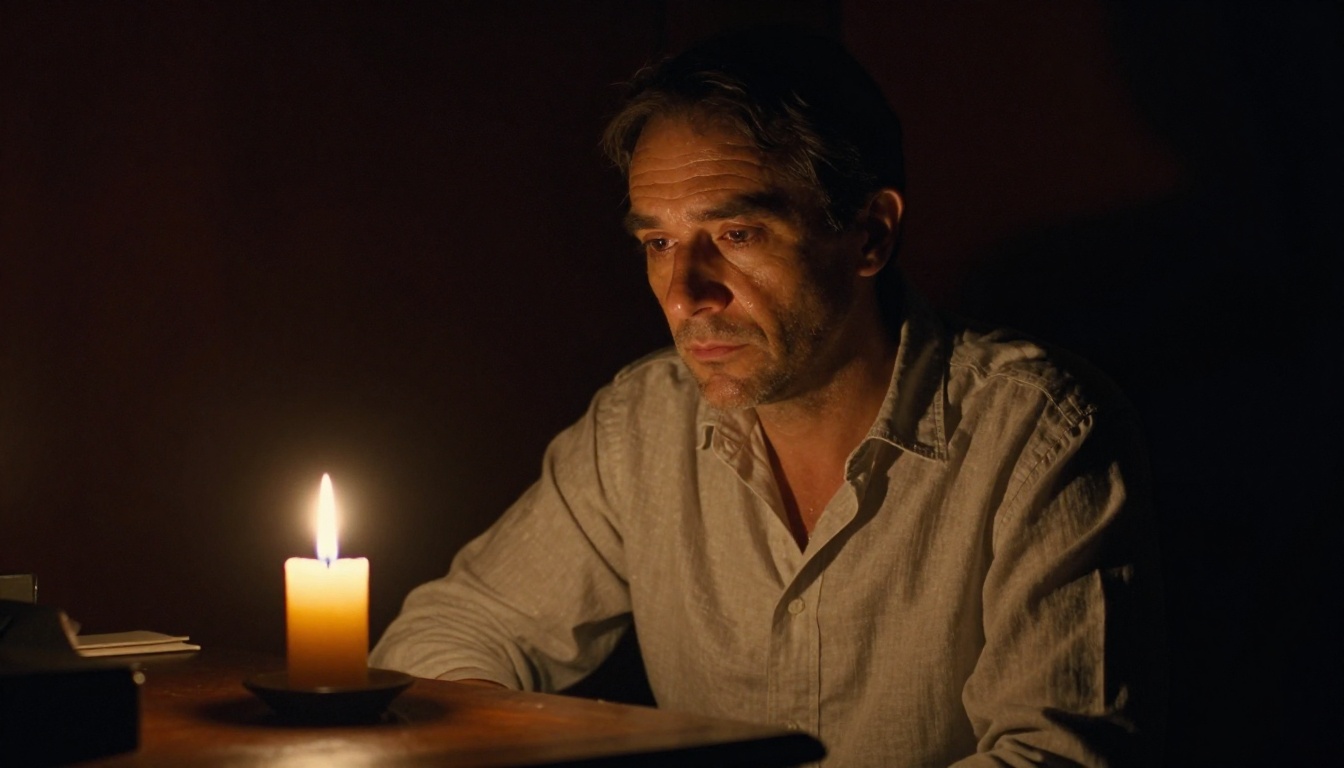
Chiaroscuro, the high-contrast technique that places a subject half in light and half in absolute shadow, is the oldest cinematic lighting pattern in existence. Caravaggio used it in oil paint. Carol Reed brought it into noir cinema. Ridley Scott refined it for science fiction. In AI prompts, you can summon this precisely. Not "dramatic lighting" but: "Single candle flame 30cm to subject's left, deep shadow on right side of face, jaw barely visible, stubble catching individual light points, 50mm f/1.2, no fill light, background disappearing into darkness."
That level of specificity is the difference between a moody image and a truly cinematic one.
Color temperature and emotion
Color temperature is measured in Kelvin and maps directly to emotional states in the human visual system. This is not subjective preference. It is biology. Our nervous systems evolved to associate warm firelight with safety and cold pre-dawn light with threat. Cinematographers exploit this constantly.
| Color Temperature | Kelvin Range | Emotional Register |
|---|
| Warm amber | 2700-3200K | Safety, nostalgia, intimacy |
| Neutral daylight | 5500-6000K | Clarity, honesty, unease |
| Cold blue | 3800-4500K | Isolation, dread, grief |
| Mixed sources | Split tone | Conflict, moral ambiguity |
When you specify color temperature in a prompt, you are not making an aesthetic decision. You are making a psychological one.
The Prompt Architecture for Mood
Every cinematic prompt has three structural layers. Miss one and the image flattens into something that looks polished but feels empty.
3 elements every cinematic prompt needs
1. The light source (not just quality)
Never write "soft lighting." Write: "Overcast daylight acting as a natural diffusion box, light arriving from the upper left at 45 degrees, no hard shadows, wrap-around fill." The model needs to know where the light is coming from, what is generating it, and what it is doing to the surfaces it touches.
2. The camera's relationship to the subject
Camera distance and angle are emotional signals with established meanings. Low angle communicates power and threat. Overhead implies vulnerability. Telephoto compression suggests emotional distance or surveillance. Extreme close-up forces intimacy whether the viewer wants it or not. Specify the lens: 28mm creates environmental context, 85mm flattens depth and isolates the subject, 200mm compresses distance dramatically.
3. The atmospheric layer
This is fog, rain, dust, smoke, heat shimmer, or mist. Atmosphere gives light something to travel through and scatter against. Without it, even a technically perfect prompt produces a spatially flat image. Atmosphere is what makes light visible as a physical thing rather than just illumination.
What ruins the mood in a prompt
Three things consistently kill cinematic mood in AI-generated images:
- Over-specifying the emotion directly. Writing "a sad woman" instructs the model to signal sadness through expression. Instead, write the circumstances that produce sadness. The empty platform. The receding tracks. The coat drawn close against cold air. Let the viewer arrive at the emotion themselves. That arrival is what creates the feeling.
- Generic location descriptions. "City street at night" produces stock imagery. "Rain-slicked cobblestone alley at midnight, bird's eye angle from 15 meters above, single amber lamplight, steam from a grate, wet stones acting as a mirror" produces noir.
- Missing film stock or grain reference. AI-generated images are too clean by default. Real cinema has grain, halation, color shifts at highlight edges, and imperfect saturation. Specify a film stock: "Kodak Vision3 500T," "Fuji Pro 400H," or "Fuji Velvia 50." These references calibrate the model's output toward photographic rather than digital texture.
Lighting Setups That Actually Work
Chiaroscuro and shadow depth
The single-source, high-contrast setup is the most cinematic lighting pattern in the history of still and moving images. It works because it removes information strategically. Everything in shadow becomes a projection space for the viewer's imagination. The less they can clearly see, the more they fill in, and what they fill in is always more emotionally potent than what you could show them.
For AI prompts, chiaroscuro requires describing what is NOT lit as precisely as what is. "No fill light, no ambient bounce, right side of face disappearing into background shadow, only the left cheekbone and brow ridge catching light."
Golden hour and warm tones
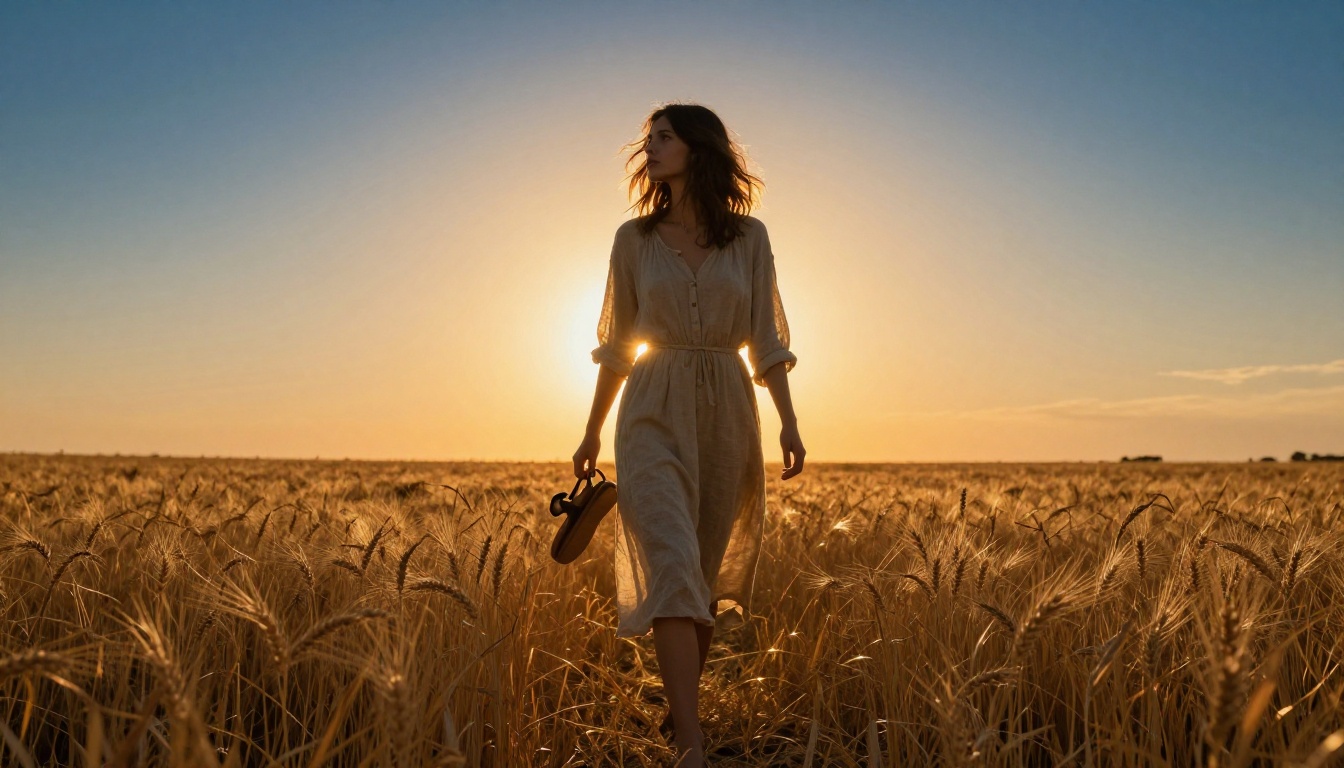
Golden hour, the 30-minute window after sunrise and before sunset, backlit subjects through the atmosphere's thickest scattering layer. This creates natural rim lighting: subjects glow at their edges, their fronts fall into relative shadow, and every warm surface in the scene saturates in amber without artificial grading.
The prompt structure for golden hour: subject action + backlight position + foreground surface texture + sky gradient specification + film stock.
💡 Prompt it right: "Woman mid-stride in a dry wheat field, golden hour direct backlight creating full rim halo around loose linen dress, wheat grains saturating amber, sky transitioning burnt orange at horizon to deep cobalt above, slight natural lens flare lower right, Fuji Pro 400H"
Blue hour and cold isolation
Blue hour, the 20 minutes before sunrise or after sunset, is the most naturally cinematic cold palette available without any artificial grading. The sky acts as a massive ambient light source at approximately 4000-4500K, saturating every shadow in cobalt and leaving warm artificial light sources as contrasting islands.
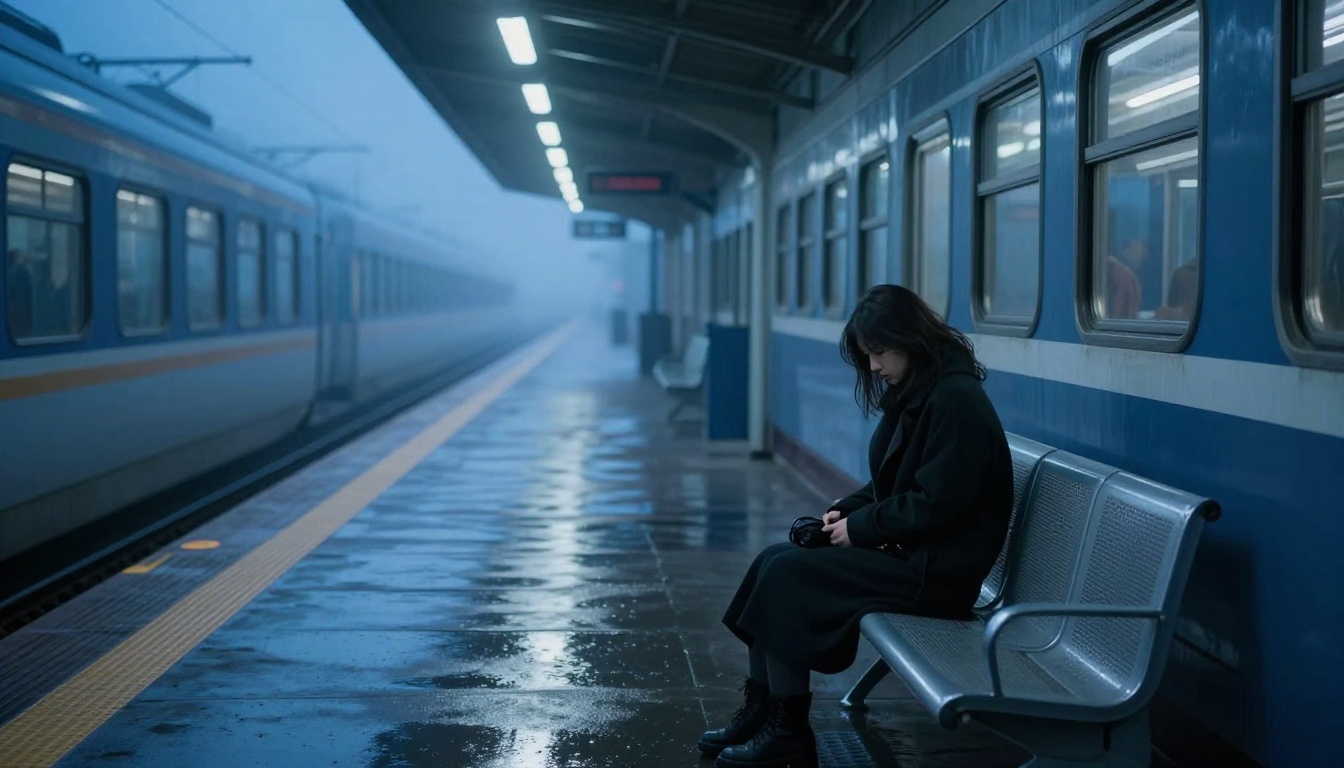
💡 Mood note: Blue hour plus a solitary human subject plus architectural repetition (train platform, long corridor, empty road) creates psychological isolation more powerfully than any amount of post-processing desaturation. Specify the color temperature: "ambient light approximately 4200K, cold blue fill from open sides of the structure."
Color Grading in Prompts
Color grading is not a post-production step you apply after generating an image. With AI, it happens inside the prompt. The model responds to color grading language the same way a colorist responds to a reference image. You can specify an entire color grade in text.
Teal and orange: why it dominates
The teal-orange color grade became the default Hollywood look in the early 2000s for a simple perceptual reason: human skin sits in the amber-orange range of the color wheel. When you shift the shadows toward teal and the midtones toward orange, skin separates visually from nearly every natural environment. It is not an aesthetic trend. It is a contrast strategy.

Prompt it directly: "Classic teal-orange color grade baked in: orange on all warm skin tones and sunlit surfaces, teal on all shadows, foliage, and water. Kodak Vision3 color science."
Monochromatic moods
A single dominant hue across the frame creates psychological intensity that a full color palette cannot match. It removes the visual complexity that normally distributes attention and forces the eye onto form, shadow, surface texture, and subject. Some of the most emotionally concentrated cinema ever made is nearly monochromatic.
| Dominant Hue | Cinematic Association |
|---|
| Deep teal or blue | Thriller, isolation, rain, grief |
| Amber or sepia | Memory, nostalgia, warmth, safety |
| Cold grey | Detachment, clinical, aftermath |
| Deep green | Nature, tension, sickness, disorientation |
| Red-orange | Danger, urgency, primal energy |
Bleach bypass and film stocks
Bleach bypass is a film processing technique that retains silver in the emulsion, producing desaturated, high-contrast images with lifted blacks and reduced saturation across the entire palette. Cinematographers used it to create the look of Saving Private Ryan and Se7en. You can specify it directly: "Bleach bypass processing, desaturated color, high contrast, lifted blacks, silver retention in the shadows."
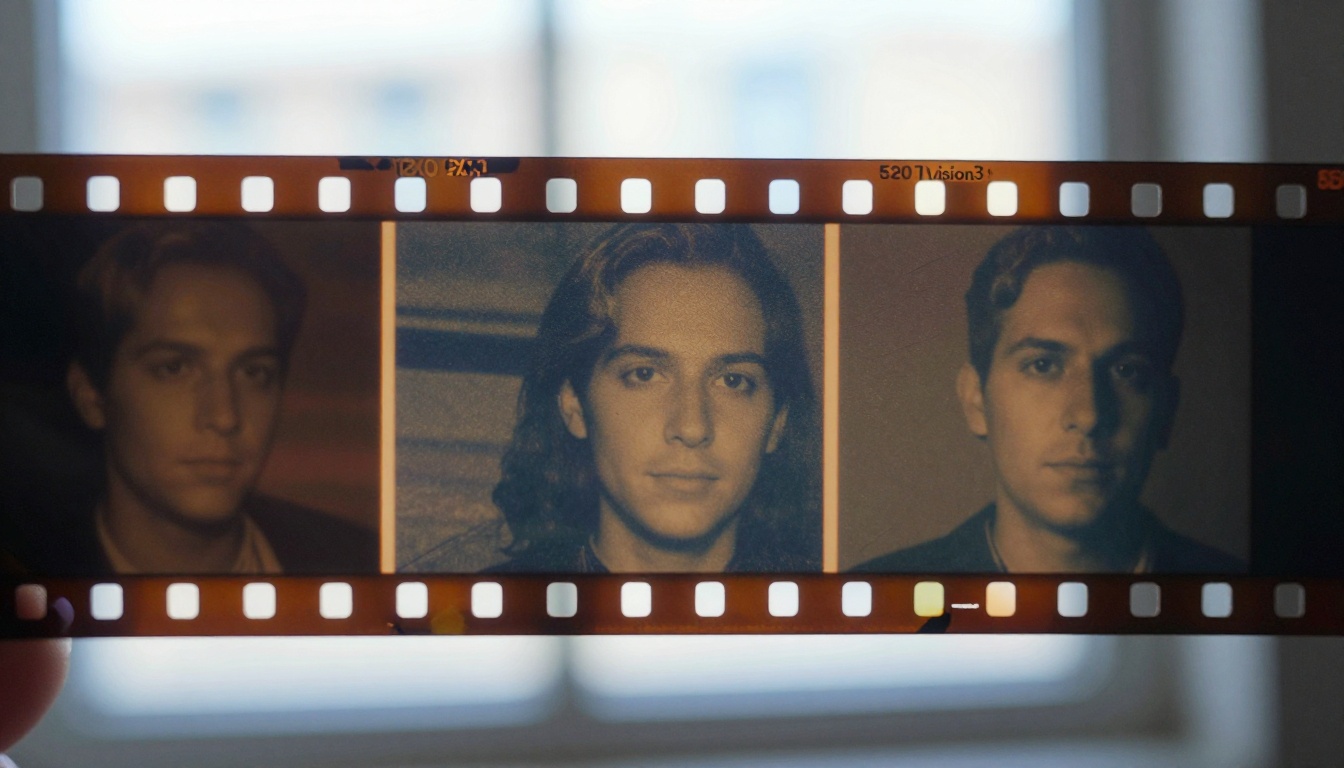
Different film stocks produce recognizable looks that AI models respond to with consistency:
- Kodak Portra 400: Warm skin, soft shadow rolloff, gentle fine grain, slightly elevated saturation in warm tones
- Kodak Vision3 500T: High dynamic range, tungsten balanced with cool bias, very fine grain, wide latitude
- Fuji Pro 400H: Cool skin tones, pastel shadows, restrained saturation, fine grain
- Fuji Velvia 50: Hyper-saturated nature colors, very fine grain, high contrast, almost painterly
Best AI Models for Cinematic Video
Moving from still images into video adds the dimension of time. Mood must sustain across motion, across cuts in lighting, across changes in camera angle. This is significantly harder than a single frame, and not every model handles it with equal confidence.
Kling v3 for motion drama
Kling v3 Video was built with cinematic output as a core objective. Its motion handling preserves the atmospheric qualities established in a static prompt: fog stays fog, grain stays grain, the light direction does not shift or pop mid-clip. For mood-first video, where the atmospheric conditions of the scene must remain coherent across the full clip duration, Kling v3 is the first model to reach for.
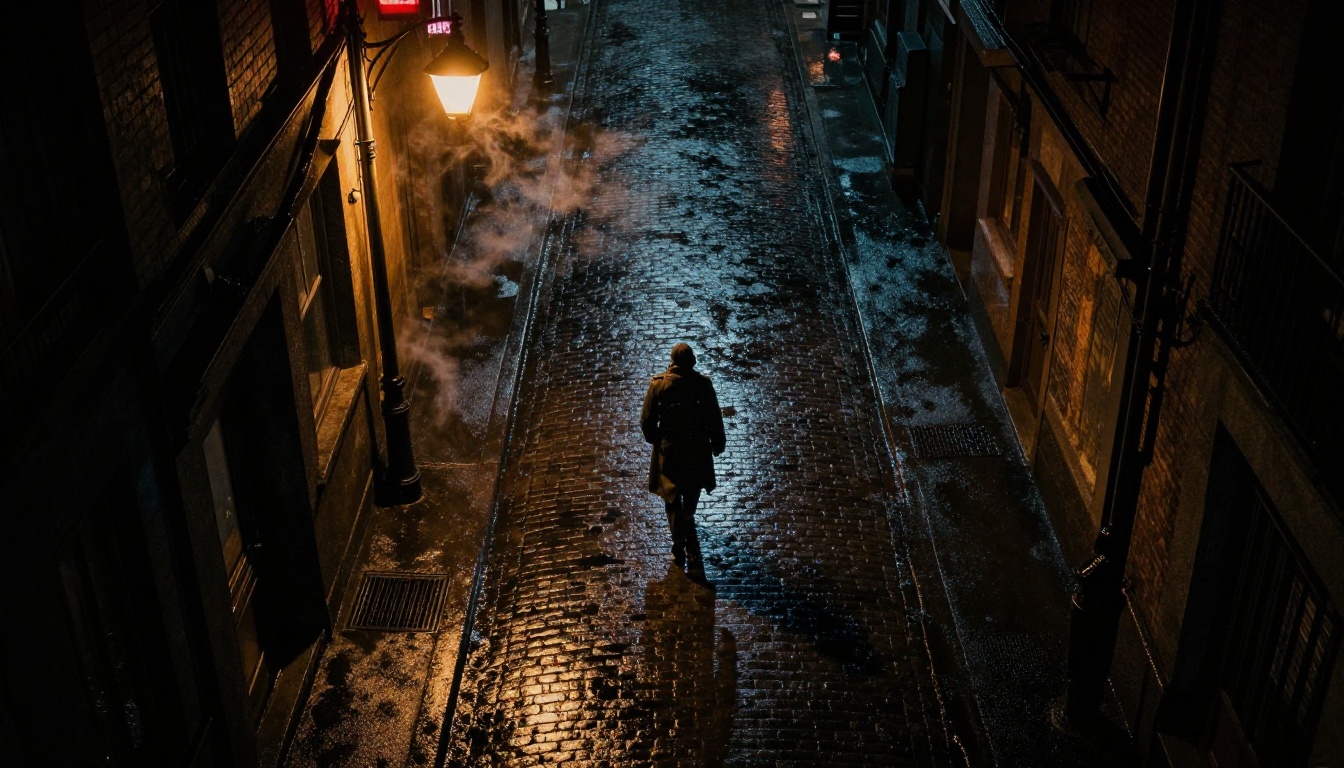
Kling v2.6 and Kling v2.5 Turbo Pro carry the same cinematic DNA with slightly different generation speed and fidelity tradeoffs. All three are purpose-designed for scenes where visual atmosphere is the primary goal.
Veo 3 and the audio layer
Veo 3 by Google generates native audio alongside video, which fundamentally changes the cinematic experience. Sound carries 50% of the emotional weight in film. Rain on cobblestones, footsteps in an empty corridor, the ambient murmur of a distant crowd, all generated from the same prompt as the image.
Veo 3.1 Fast offers the same audio-visual capability with faster generation, which makes the iterative work of refining a mood practical rather than painful.
Gen 4.5 by Runway
Gen 4.5 has the most precise camera motion controls of any model currently available. Dolly, pan, tilt, crane, and handheld all respond to explicit prompt language with genuine fidelity. This matters enormously for mood. A slow push-in communicates something completely different from a locked-off static wide. Gen 4.5 lets you specify that difference and trust the output to honor it.
Wan 2.7 T2V for atmospheric scenes
Wan 2.7 T2V generates 1080p video with exceptional handling of particle atmosphere: fog, rain, dust, and smoke all maintain physical coherence across the clip. For scenes where environmental complexity is the primary challenge, this model performs reliably.
LTX 2.3 Pro pushes this to 4K output, which matters when the cinematic detail in grain and texture needs to hold up at large display sizes. Hailuo 2.3 and Seedance 1.5 Pro round out the high-fidelity tier for cinematic video generation with audio support.
How to Use Kling v3 on PicassoIA
Kling v3 Video is available directly on PicassoIA, and the workflow for cinematic mood requires a specific setup approach.
Setting up your first cinematic prompt
Open Kling v3 Video on PicassoIA. Before you write a single word of the prompt, decide three things:
- What is the primary light source? One source creates drama. Multiple sources flatten it. Pick one and commit.
- What is the atmospheric element? Fog, rain, dust, smoke, or heat shimmer. The atmosphere is what makes the light visible as a physical thing inside the frame.
- What is the camera doing? Static, slow push, slow pull, or slight handheld drift. The camera movement is itself an emotional statement.
Then write your prompt in this order: [Subject and action] + [Environment] + [Light source and direction] + [Atmospheric element] + [Camera movement] + [Film stock]
Example prompt for Kling v3:
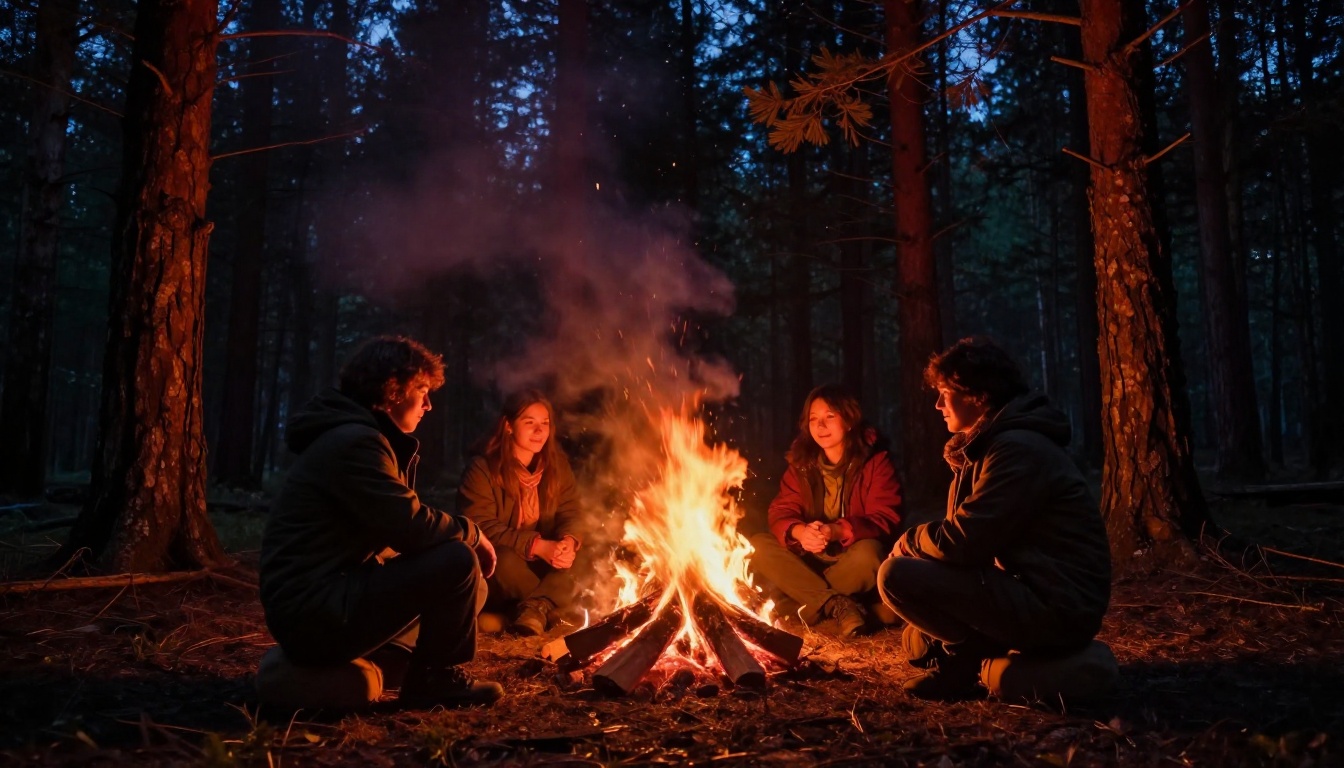
"A woman in a dark wool coat stands at the edge of a rain-soaked pier at 2am, city lights reflected in the wet boards beneath her, amber lamplight from the left creating a hard rim on her shoulder, mist rising off the water, camera slowly pushing in from behind at a very low angle, Kodak Vision3 500T grain"
Camera movement parameters
Kling v3 responds to explicit camera direction language with consistent fidelity:
| Prompt Language | Cinematic Effect |
|---|
| "slow push in" | Builds tension, increasing intimacy with subject |
| "static locked-off" | Detachment, observation, quiet unease |
| "slight handheld drift" | Naturalism, presence, fragility |
| "crane rising slowly" | Revelation, scale, emotional separation |
| "very slow pull back" | Isolation, subject becoming small in world |
💡 Tip: Specify movement speed precisely. "Slow push in" produces different results from "very slow push in." The model responds to degree, not just direction.
Getting consistent mood across shots
Cinematic sequences require visual consistency across multiple clips. To maintain mood when generating several clips in sequence using Kling v3 Video:
- Keep the color temperature specification identical in every prompt
- Use the same film stock reference throughout
- Specify the same atmospheric element in every prompt, even when it plays a smaller role in a particular shot
- Lock the proximity relationship: if a scene is established as close-up territory, do not shift to wide angles mid-sequence without intentional framing
The Image-to-Video Pipeline
The most reliable way to generate cinematic mood in video is often to nail it first as a still image, then animate it. This two-step workflow trades speed for control.
Start with a still, animate the mood
Generate your static image with perfect lighting, color grade, and atmospheric density. Then feed it into an image-to-video model. The model inherits all the mood information from the still and generates motion within it, rather than inventing the visual world from scratch.
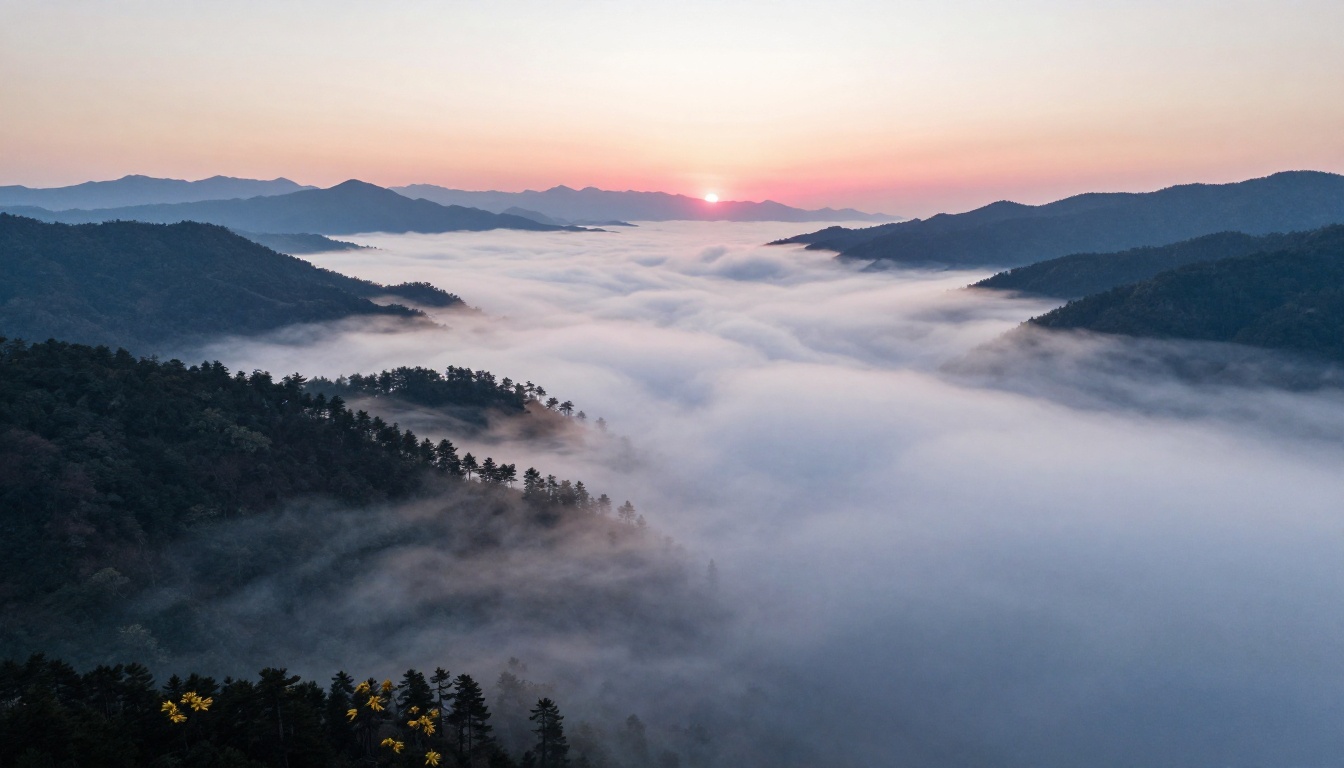
This approach is more consistent than pure text-to-video for complex atmospheric scenes because the image acts as a ground-truth reference. The fog you placed in the still stays fog in the video. The light direction does not shift. The color grade is locked from frame one.
Wan 2.7 I2V for photo animation
Wan 2.7 I2V excels at animating atmospheric stills. Feed it a rain scene and it generates believable rain motion without introducing artificial movement that breaks the mood. Feed it a fog valley at dawn and the fog drifts naturally, the light does not change source, the color temperature stays consistent.
Wan 2.5 I2V is a faster alternative with slightly less atmospheric precision but strong overall motion quality. For quick iteration on mood concepts, it covers the gap.
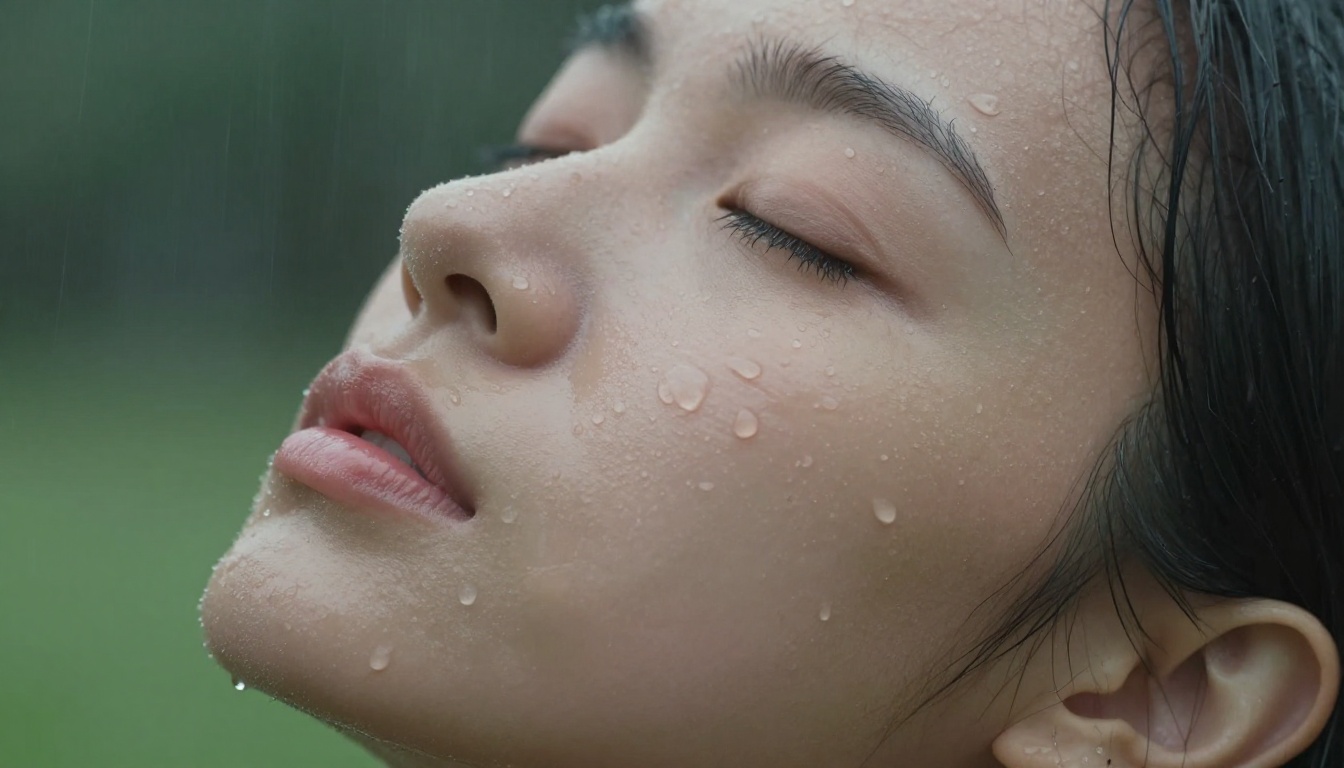
For scenes where you want the static image to breathe, shift, or have subtle motion in the atmospheric layer without major subject movement, Wan 2.7 I2V remains the strongest option in the current generation of models.
Prompt Templates You Can Take
These are complete, structured prompt templates for the most reliable cinematic moods. Copy them, fill in the brackets, and generate.
Noir isolation:
"[Subject] in a [dark architectural environment], single [warm color] light source from [direction], wet surface beneath acting as a mirror doubling the figure, [atmospheric element] rising from [source], shot from [unusual angle], [film stock], strong grain, high contrast, lifted shadows"
Golden hour warmth:
"[Subject] backlit by direct sunset light, [position] creating full rim light halo, [foreground surface texture] saturating in amber, sky transitioning [warm color] at horizon to [cool color] above, natural lens flare at [position in frame], [film stock], no artificial color grading"
Cold clinical isolation:
"[Subject] in an empty [architectural space], fluorescent overhead light at [4000-4500]K, wet floor reflections doubling elements, no warm tones anywhere in the frame, [telephoto focal length] compressing the background distance, [film stock], slight grain, color temperature split between cool artificial and cold ambient"
Chiaroscuro intimacy:
"[Subject] lit by single [natural source] from [position], [fraction] of face in light, [fraction] in deep shadow, jaw barely distinguishable from background, [surface texture] visible in the lit region, 50mm f/1.2, no fill light, no ambient bounce, background dissolving into darkness, [film stock]"
Atmospheric vastness:
"Aerial view of [environment] at [dawn or dusk], [atmospheric element] filling the [lower portion of scene], [high points: trees, peaks, structures] piercing through as dark forms, [light behavior] across the atmospheric surface, no human elements, [film stock], [emotional descriptor]"
Create Your Own Cinematic Scenes
Every template and technique in this article is a starting point. The real craft is learning which combination of light source, color temperature, atmospheric layer, and camera proximity produces the specific emotional register you are after. That understanding only comes from iteration, from generating, studying what worked, adjusting one variable, and generating again.
PicassoIA has the models to produce every mood described here. Kling v3 Video for cinematic motion with atmospheric coherence. Veo 3 for scenes where audio atmosphere carries as much weight as the visual. Gen 4.5 when camera movement is itself the emotional statement. Wan 2.7 I2V when you want to begin with a perfect still and animate the mood within it.
Pick one lighting setup from this article. Write one prompt using the architectural structure described here. Generate it, study what the model gave back, identify the single element that most needs adjustment, and run it again. That process is how cinematographers develop their eye, and it is exactly how you will develop yours in AI. The tools are different. The discipline is the same.


