Most platforms stop you before you even start. Content filters, safety checks, vague policy violations, and suddenly your prompt is rejected before a single frame renders. Seedance 2.0 Mini changes that entirely. This is a video generation model from ByteDance with native synchronized audio, no content restrictions on adult material, and a speed profile that makes real iteration possible. If you've been looking for a serious tool to produce NSFW video content without fighting the platform every step of the way, this is worth your full attention.

What Seedance 2.0 Mini Actually Does
Seedance 2.0 Mini is a text-to-video model developed by ByteDance, the company behind TikTok's video processing technology. It generates short video clips from a text prompt and includes native audio generation as a core feature, not an add-on. The video and audio are synthesized in a single pass, which means the sound matches the visual content without any separate audio pipeline or post-processing step.
Native Audio That Syncs Automatically
Most video models output silent clips. You generate the footage, then go find an audio tool, create or source a sound layer, sync it by hand, and export a combined file. Seedance 2.0 Mini skips all of that. The audio emerges from the same generation process as the visuals: ambient sound, environmental noise, subtle music-like tones, and atmospheric layers all appear as a natural part of the output. For NSFW video production, this is significant because it produces a more immersive, polished result that doesn't require a secondary editing workflow.
The audio is not a random overlay. It responds to what the model generates visually. A clip of a woman by a pool will have water sounds. A bedroom scene will carry quiet ambient room tone. This kind of automatic synchronization is what most commercial video models charge premium pricing for as a separate feature.
Resolution and Clip Length
Seedance 2.0 Mini outputs at 720p resolution with clips up to 5 seconds at 24fps. That's a clear constraint to plan around, but it's less limiting than it sounds. A well-constructed 5-second clip can carry a finished scene: a subject entering frame, a slow reveal, a single focused action, or a loopable moment. The resolution is high enough for web delivery, social content, or integration into longer edited sequences without needing upscaling.
If your project requires longer clips, Grok Imagine Video goes up to 15 seconds and LTX 2.3 Pro reaches 4K. But for first-pass generation and rapid iteration, 720p at 5 seconds is the right starting point.

Why It Works for NSFW Content
The core answer is that PicassoIA deploys Seedance 2.0 Mini without the content filtering layer that consumer-facing API versions enforce. On mainstream platforms, NSFW prompts are intercepted before they reach the model. On PicassoIA, the model receives your prompt directly.
No Content Restrictions on PicassoIA
Standard cloud-hosted AI video services block adult prompts at the API level before any generation happens. Your prompt doesn't fail because the model can't handle it. It fails because a separate content filter in front of the model rejects it. PicassoIA removes that filter, giving you direct model access.
💡 What this means in practice: A prompt describing a woman in lingerie, a couple in a suggestive indoor scene, a model in swimwear with specific camera angles, or any non-explicit adult scenario goes through without rejection. Content is non-pornographic but unrestricted in the sensual, glamorous, and artistic NSFW range.
What Makes It Better Than Filtered Models
Filtered models don't just block your prompt. Many modify it silently without telling you. You describe a specific scene, and the model returns something sanitized and unrelated. You have no visibility into what changed, no error message, and no way to debug the output because the issue happened before generation even started.
Seedance 2.0 Mini on PicassoIA gives you the output that matches your description. What you write is what the model attempts to generate.

| Feature | Seedance 2.0 Mini on PicassoIA | Typical Filtered Model |
|---|
| NSFW prompts accepted | Yes | No |
| Prompt modification | None | Often silent |
| Native audio | Yes | Rarely |
| Resolution | 720p | 480p to 720p |
| Clip length | Up to 5 seconds | Varies |
| Access on PicassoIA | Direct, unrestricted | Varies |
Using Seedance 2.0 Mini on PicassoIA
The model is live at Seedance 2.0 Mini on PicassoIA. Here is how to get the best results from it.
Step 1: Go to the Model Page
Navigate to the Seedance 2.0 Mini page on PicassoIA. The interface shows a text prompt field, output settings, and the generate button. No account configuration or special permissions are needed. The model is available directly on the listing page with no additional setup.
Step 2: Write a Detailed Prompt
The difference in output quality between a vague prompt and a specific one is dramatic. Video models respond to cinematographic language, which means describing the scene as if you were directing it.
Weak prompt: "sexy woman walking"
Strong prompt: "a beautiful woman with long dark hair in a red silk robe walking slowly through a sunlit hotel corridor, shot from behind at a low angle, her robe trailing slightly, morning light casting warm shadows through corridor windows, slow dolly camera movement following her, cinematic atmosphere"
Every element in the stronger prompt serves a purpose. The setting anchors the scene. The camera angle affects composition. The lighting direction affects mood. The movement description tells the model how the subject and camera both behave over the 5 seconds. For NSFW content specifically, describing clothing, body position, lighting, and camera angle in precise language produces results that match your intent instead of approximating it.

Step 3: Set Your Parameters
Seedance 2.0 Mini on PicassoIA operates with the following specs by default:
- Resolution: 720p
- Duration: Up to 5 seconds
- Frame rate: 24fps
- Audio: Native, generated alongside the video
Do not reduce the resolution. The quality gain at 720p is visible and worth the marginal additional generation time. Keep the clip at the full duration unless you have a specific reason to shorten it.
Step 4: Review and Iterate
Generation finishes in under 60 seconds in most cases. When your clip loads, watch it at full resolution with audio before making adjustments. The most common changes after a first generation:
- Camera direction: Add "static wide shot", "slow push-in", or "gentle pan left" to control movement
- Lighting: Specify "volumetric warm morning light from the left" or "cool blue ambient evening light"
- Subject positioning: "standing facing the window", "seated on the bed's edge facing camera", "lying on her side with her back to the camera"
Three targeted iterations on the same scene description typically produce a usable clip. Adjust one variable at a time rather than rewriting the full prompt from scratch.

Best NSFW Image Models for Source Frames
If you want to start from a specific image instead of generating from text alone, you'll need a high-quality source frame first. Image-to-video workflows give you precise control over the subject's appearance, position, expression, and environment before animation begins. PicassoIA has multiple models that produce NSFW-capable images at the quality needed for video source frames.
1. Seedream 4.5 (Best Overall)
Seedream 4.5 is the strongest NSFW image model on PicassoIA. It accepts adult prompts without modification, generates in under 3 seconds, and supports image editing workflows including inpainting and outpainting. Use it to create your source frame, refine specific areas if needed, and then feed the result into Seedance 2.0 Mini or another video model for animation.
💡 Important: Seedream 5 Lite does not support NSFW content. Always use Seedream 4.5 specifically for adult image generation.
2. PicassoIA Image Editor Pro (Unlimited Generations)
PicassoIA Image Editor Pro is an img2img model with one defining advantage for high-volume work: unlimited generations included in Elite and Infinite subscription plans. Generating 1,000 source frames using models like Nano Banana 2 would cost around $100. Using PicassoIA Image Editor Pro on an Elite or Infinite plan, those same 1,000 images are included at no extra cost. The model also accepts NSFW prompts, returns results in under 1 second, and offers a 3-generation free trial without requiring a credit card.

3. Qwen Image 2 (Open Source)
Qwen Image 2 is an open-source model that handles both image creation and editing in seconds with detailed realism. Open-source deployment typically means fewer content restrictions at the model level, which makes it a reliable option when you need a specific image configuration that other models might soften or alter.
4. Grok Imagine Image (Realistic Conversions)
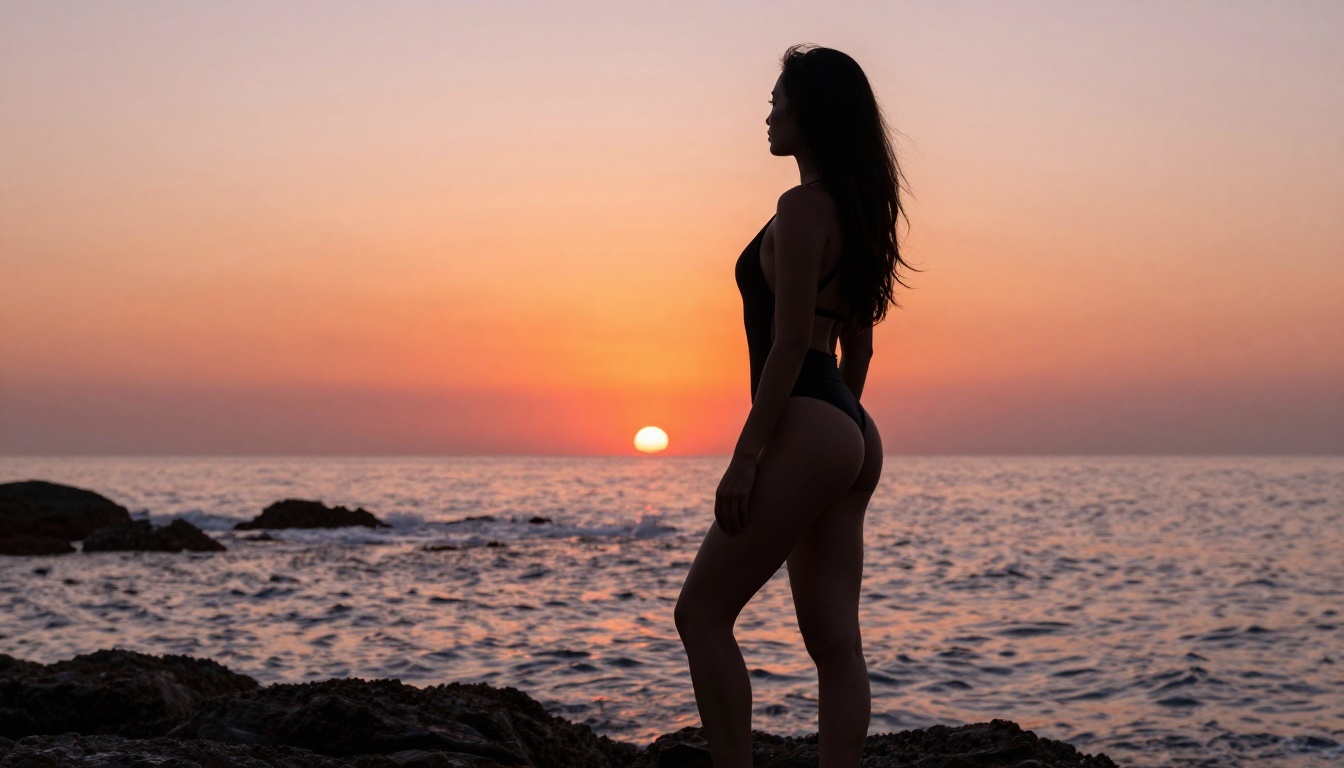
Grok Imagine Image specializes in converting existing images into new contexts, with a particular strength for bikini or swimwear format conversions. If you have a reference photo and want to produce a NSFW-appropriate version of it for use as a video source frame, this model does it in a photorealistic way that doesn't look heavily edited.
5. Other Strong Picks
- Recraft V4: Text-to-image only, consistently realistic output, NSFW-capable
- P-Image: NSFW text-to-image, generates in under 1 second
NSFW Video Models Worth Using on PicassoIA
Seedance 2.0 Mini is the focus here, but knowing the full range of NSFW-capable video models on PicassoIA lets you choose the right tool for each output requirement.
P-Video: 1080p, Safety Filter Off
P-Video from PrunaAI generates video at up to 1080p from text, image, or audio input, with its safety filter disabled by default. Clips range from 1 to 10 seconds across seven aspect ratios. A draft mode delivers an instant low-resolution preview before you commit to a full-quality render. When your output needs to be above 720p for professional delivery, P-Video is the direct path.
Grok Imagine Video: 15-Second Clips
Grok Imagine Video produces clips up to 15 seconds with no watermarks, from a text prompt, a reference image, or an existing video. It outputs at 720p or 480p across eight aspect ratios, and the image-to-video mode automatically matches your source file's proportions. For NSFW content requiring longer continuous scenes, 15 seconds is a significant advantage over the 5-second constraint on Seedance 2.0 Mini.
PicassoIA Video: No Clip Limits
PicassoIA Video is the platform's own model, and its main offering is unlimited video generation at up to 720p and 5 seconds per clip for Elite and Infinite subscribers. When you're generating many variations of the same scene to find the best version, this model removes the per-clip cost ceiling entirely.

LTX 2.3 Pro: 4K at 50fps
LTX 2.3 Pro is the highest-fidelity video model on PicassoIA, outputting up to 4K at 50fps for professional delivery. It runs five modes from one interface: text-to-video, image-to-video, audio-to-video, retake (replace a specific segment without re-rendering the full clip), and extend (add footage to the start or end of an existing clip). Camera-motion presets including dolly, jib, and focus-shift are built in. If you're producing NSFW content for commercial use or premium distribution, LTX 2.3 Pro is the only model that delivers at that resolution and framerate.
Tips That Actually Improve Your Results
Write for the Camera
Seedance 2.0 Mini interprets prompts from a cinematographic perspective, not a narrative one. Writing camera terminology into your prompt produces more predictable, intentional output. The following phrases work reliably:
- "slow dolly push-in from medium shot to close-up"
- "static wide angle, camera does not move"
- "handheld slight shake, documentary feel"
- "low angle from floor level looking up"
- "overhead bird's-eye view"
These anchors tell the model how to frame the action, not just what the action is.
Start with a Strong Source Image
When using image-to-video workflows, the quality of your source frame sets the ceiling for the video output. A blurry or compressed source image produces a blurry, artifact-heavy clip. Generate your source frame using Seedream 4.5 at full resolution first, verify the result looks correct, and then pass that clean image to the video model. The image-to-video path gives you full control over the subject's appearance, position, and expression before animation begins.
Describe Motion Specifically
Vague motion language produces unpredictable video. Specific motion descriptions anchor the clip's behavior across all 5 seconds.
- Vague: "she moves beautifully"
- Specific: "she slowly turns her head from left to right while maintaining eye contact with the camera, her hair shifting with the movement, no other body motion"
Overly complex prompts with multiple simultaneous movements often confuse the model. One primary motion, described precisely, produces better results than three competing actions described loosely.
Iterate Fast, Then Refine
Five-second clips generate in under a minute. Use that speed. Generate three or four variations of the same scene before doing any deep refinement on any single output. Variation comes from changing one element at a time: try different lighting descriptions, then different camera angles, then different subject positioning. The best output from iteration three is almost always better than anything you could achieve by over-refining iteration one.
Build a Full Creation Workflow
The most effective NSFW content workflow on PicassoIA uses multiple tools in sequence:
- Generate a precise base image with Seedream 4.5
- Refine specific areas using PicassoIA Image Editor Pro
- Animate the final frame with Seedance 2.0 Mini for a 720p clip with native audio
- If a longer clip is needed, pass the output to Grok Imagine Video for up to 15 seconds
- For final 4K output, use LTX 2.3 Pro
This pipeline produces consistent, high-quality results because you control the exact starting frame instead of relying on the video model to generate both the subject and the motion from text alone.
Start Creating on PicassoIA
Everything described in this article is available right now. Seedance 2.0 Mini is live on PicassoIA, producing 720p NSFW video clips with native audio from a single text prompt. The image models are alongside it: Seedream 4.5, PicassoIA Image Editor Pro, Grok Imagine Image, and more, each built for the kind of content you're creating.
There is no barrier to starting. Open the model, write a specific prompt with a clear scene, defined subject, precise lighting, and camera angle, and generate your first clip. The quality difference compared to what restricted platforms produce is immediately visible.
Browse the full catalog of NSFW-capable models, video generation tools, and image editors at picassoia.com/en/all-models and see what else is available for your projects.


