How to Generate Unlimited Videos for Free Using PicassoIA
Discover how to create unlimited AI videos for free using PicassoIA's powerful image-to-video models. This comprehensive guide covers everything from understanding the technology to step-by-step tutorials for generating professional-quality video content using the WAN 2.2 I2V Fast model, including best practices, parameter explanations, and creative applications for marketing, social media, and artistic projects.
The world of content creation has undergone a remarkable transformation with the emergence of AI-powered video generation tools. PicassoIA stands at the forefront of this revolution, offering creators the ability to generate unlimited videos for free through its sophisticated image-to-video technology. This breakthrough platform enables anyone—from marketing professionals to independent creators—to transform static images into dynamic, engaging video content without requiring extensive technical expertise or expensive software licenses.
Image-to-video AI technology represents a significant leap forward in digital content production. Rather than spending hours learning complex video editing software or hiring professional videographers, creators can now achieve professional-quality results with just a few clicks. The technology analyzes static images and generates realistic motion, transitions, and visual effects that bring still photographs to life. This democratization of video creation levels the playing field, allowing small businesses and individual creators to compete with larger organizations in the digital marketplace.
💡 Pro Tip: Start with high-quality source images for the best results. Well-lit, detailed photographs produce smoother and more realistic video animations.
The PicassoIA platform hosts numerous advanced models designed specifically for image-to-video conversion, with the WAN 2.2 I2V Fast model standing out as one of the most accessible and capable options available. This particular model optimizes the video generation process for speed and efficiency, making it ideal for rapid prototyping and content creation workflows. Whether you need animated social media posts, dynamic product demonstrations, or creative visual storytelling, the combination of PicassoIA's infrastructure and advanced AI models provides everything necessary to bring your creative visions to life.
Why Image-to-Video Technology Matters
Understanding the significance of image-to-video AI requires examining how this technology addresses common pain points in content creation. Traditional video production involves multiple stages: storyboarding, filming, editing, color grading, and post-processing. Each stage demands specialized skills, equipment, and significant time investment. For many creators, these requirements create barriers that limit their ability to produce video content consistently.
Image-to-video AI eliminates several of these barriers simultaneously. By starting with existing images—product photographs, portrait sessions, concept art, or even AI-generated images—creators can skip the filming entirely. The AI analyzes the visual elements, textures, and composition of the source image, then generates appropriate motion and transitions that enhance the original while creating engaging visual narratives. This approach dramatically reduces production time from days or hours to mere minutes.
The technology also addresses the challenge of content volume. Modern marketing and social media strategies require consistent posting schedules across multiple platforms. Creating enough video content to maintain this pace through traditional methods often proves unsustainable for individual creators or small teams. AI-powered image-to-video generation enables rapid content production, allowing creators to maintain their posting schedules without sacrificing quality or burning out.
⚠️ Important: While image-to-video AI is powerful, it works best when combined with human creativity. Use AI as a tool to enhance your creative vision rather than replace it entirely.
The Evolution of Video Generation AI
The journey from early motion graphics software to today's AI-powered video generation reflects broader technological trends in artificial intelligence. Early computer animation required frame-by-frame manipulation by skilled animators, a process that could take weeks to produce just a few seconds of footage. The introduction of procedural animation and physics-based simulation improved efficiency but still demanded substantial technical expertise to implement effectively.
Modern image-to-video AI builds upon decades of research in computer vision, deep learning, and generative models. These systems learn patterns from vast datasets of videos and images, developing nuanced understanding of how objects move, how lighting changes over time, and how different elements interact within visual scenes. This learned knowledge enables the AI to generate realistic motion that follows physical laws and aesthetic principles, even when creating entirely new content.
PicassoIA's implementation of this technology reflects the platform's commitment to accessibility and quality. By providing multiple models with varying capabilities and performance characteristics, the platform ensures that creators can choose the tool that best fits their specific needs. The availability of free access options means that experimentation and learning are encouraged, fostering a community of creators who continuously expand the possibilities of AI-assisted content production.
Understanding the WAN 2.2 I2V Fast Model
The WAN 2.2 I2V Fast model represents a sophisticated approach to image-to-video conversion, designed specifically for creators who need high-quality results quickly. Available through PicassoIA, this model transforms static images into dynamic video content using advanced AI algorithms that understand visual composition, motion patterns, and aesthetic principles.
This particular model excels in several key areas that make it particularly valuable for content creators. First, its processing speed allows for rapid iteration and experimentation. When testing different prompts or parameter settings, the ability to generate results quickly accelerates the creative workflow. Creators can explore multiple variations and options without waiting extended periods between attempts.
The model's understanding of visual semantics enables it to generate appropriate motion for diverse subject matter. Whether working with photographs of people, landscapes, products, or abstract art, the AI interprets the source image's content and generates motion that makes sense for that particular subject. A photograph of a mountain landscape might generate gentle cloud movement and shifting shadows, while a product image might create subtle camera movements that showcase different angles.
Core Capabilities and Features
The WAN 2.2 I2V Fast model offers a comprehensive set of features that address common video generation needs. Understanding these capabilities helps creators maximize the model's potential for their specific projects.
Feature
Description
Use Case
Image-to-Video Conversion
Transforms static images into dynamic video sequences
Bringing photographs to life, creating animations from illustrations
Ultra-Fast Processing
Generates videos in seconds rather than minutes
Rapid prototyping, iterative creative workflows
Customizable Length
Adjustable frame counts for different durations
Short social clips to longer presentations
Resolution Options
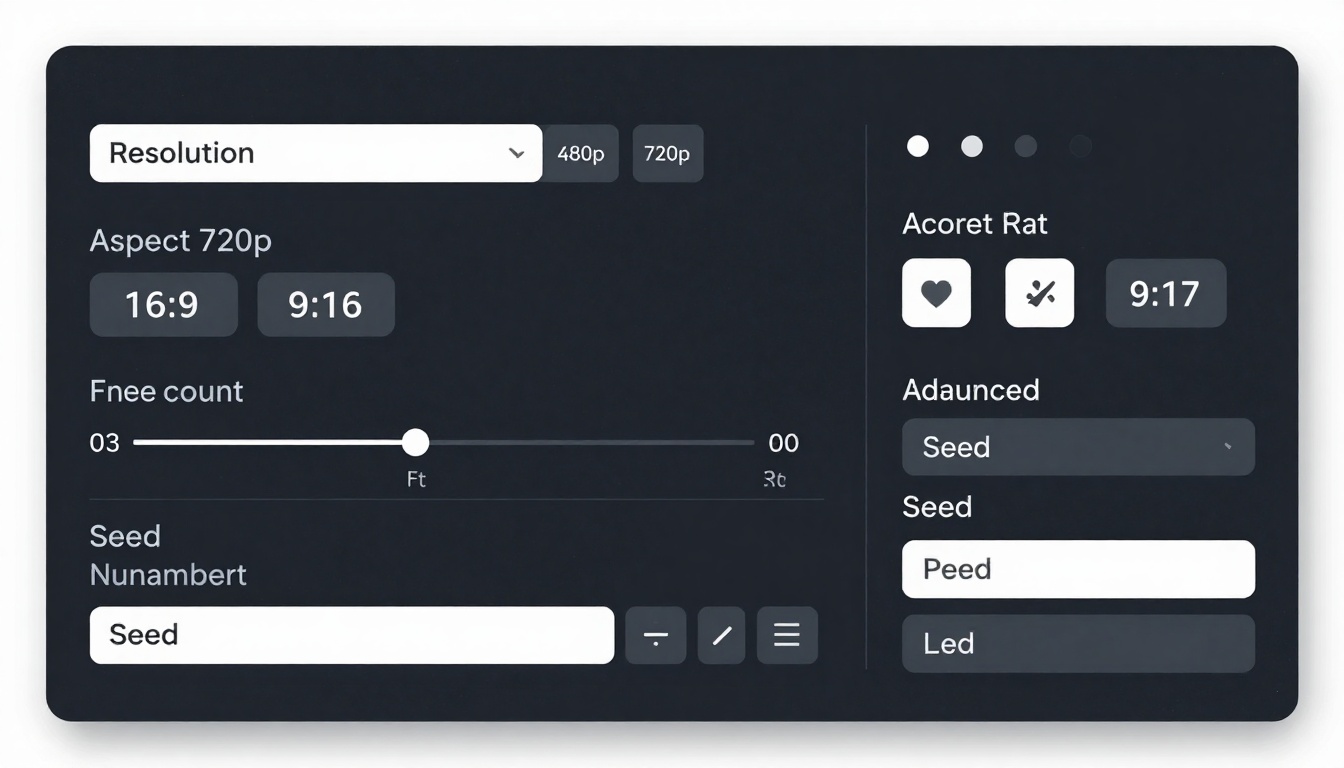
Supports 480p and 720p output quality
Balancing quality with file size and processing time
Aspect Ratio Selection
Choice between landscape (16:9) and portrait (9:16) formats
适配不同平台需求
Parameter Controls
Fine-tune generation with seed values and sample shift
Achieving consistent or varied results
Safety Mechanisms
Built-in content filtering
Responsible AI usage
The model's flexibility extends to its handling of different input types and creative directions. Users can provide minimal guidance—just a source image and basic prompt—or they can specify detailed instructions about the type of motion, pacing, and effects they want to see. This range of control accommodates both beginners who want simple results quickly and advanced users who want precise control over every aspect of the generated content.
✨ Quick Win: Add specific motion descriptions in your prompt like "gentle floating" or "smooth camera pan" to guide the AI toward your desired effect.
How Image-to-Video AI Works
The technical process behind image-to-video generation involves several sophisticated AI components working together. Understanding this process helps users craft more effective prompts and make better decisions about parameter settings.
The foundation begins with computer vision systems that analyze the source image to identify key elements: subjects, backgrounds, textures, lighting conditions, and compositional structure. This analysis creates a detailed understanding of what the image contains and how different elements relate to each other. The AI uses this understanding as a starting point for generating motion that makes visual and logical sense.
Next, motion prediction systems determine how different elements should move over time. This involves understanding physical principles (objects fall when dropped, water flows downhill), artistic conventions (camera movements follow certain patterns), and contextual appropriateness (a portrait might have subtle facial movements, while a landscape might have drifting clouds). The model generates predictions that balance realism with aesthetic appeal.
Finally, rendering systems construct the actual video frames, applying the predicted motions to the original image while maintaining visual consistency and quality. This process requires sophisticated image synthesis to fill in gaps, handle occlusions, and ensure smooth transitions between frames. The result is a coherent video sequence that appears natural and engaging.
Key Applications and Use Cases
The versatility of image-to-video AI technology opens up numerous practical applications across different industries and creative disciplines. Examining these use cases helps creators identify opportunities to integrate the technology into their own workflows.
Social Media Content Creation
Social media platforms increasingly favor video content, creating pressure on creators to produce engaging visual material consistently. The WAN 2.2 I2V Fast model on PicassoIA provides an efficient solution for this challenge. Creators can transform their best photographs into eye-catching video posts, stories, and reels without extensive video production knowledge.
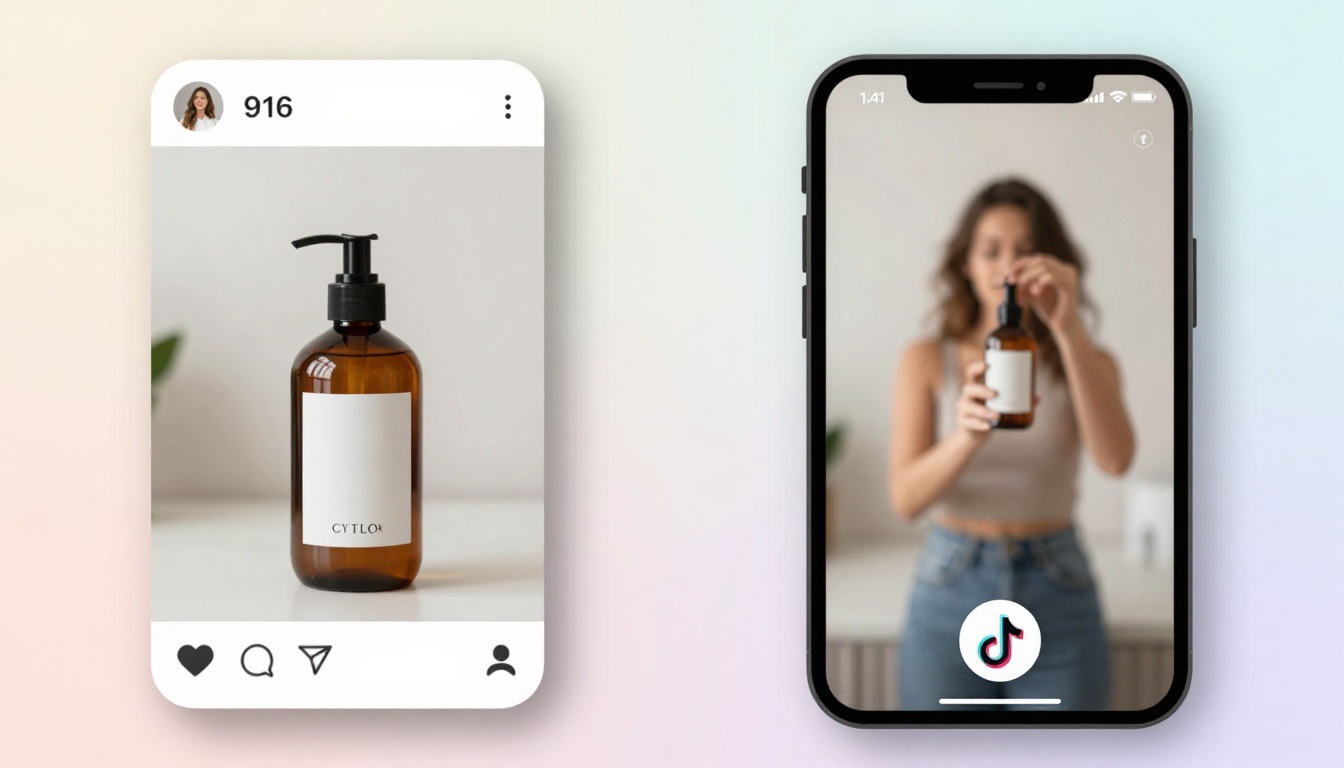
📌 Note: Different platforms have different ideal aspect ratios. Use 9:16 for TikTok and Instagram Stories, 16:9 for YouTube and Facebook posts.
The rapid generation speed proves particularly valuable for social media workflows. A creator can take a product photograph, generate several video variations with different motion effects, select the best option, and post within a single working session. This efficiency enables maintaining active posting schedules without dedicating excessive time to video production.
Marketing and Advertising
Marketing professionals benefit significantly from the ability to quickly generate video variations for A/B testing and campaign iterations. Instead of creating multiple video versions through traditional production (which could take days or weeks), teams can generate dozens of variations in hours and test them to determine which resonates most effectively with their target audience.
Product marketing particularly benefits from this approach. Static product photography can be transformed into dynamic demonstrations that showcase different angles, features, and use cases. This flexibility allows marketing teams to create comprehensive visual campaigns without staging multiple photo shoots or hiring additional creative resources.
Creative Art and Entertainment
Artists and entertainment creators find innovative applications for image-to-video AI beyond traditional marketing contexts. Illustrators can animate their artwork to create moving pieces that blend static composition with dynamic motion. Digital artists explore new creative territories where AI collaboration becomes part of the artistic process itself.
The technology also serves educational and documentation purposes. Historical photographs can be animated to provide viewers with a more immersive sense of the past. Scientific illustrations can be brought to life to demonstrate processes and relationships more effectively than static diagrams alone. These applications demonstrate how image-to-video AI serves broader creative and communicative goals beyond commercial content production.
Professional Video Production
Even professional video production teams find value in image-to-video AI as a previsualization and prototyping tool. Directors and cinematographers can use the technology to test ideas quickly before committing to full production. This capability reduces risk and helps teams communicate creative visions more effectively during planning stages.
Storyboarding with animated previews provides more concrete understanding of how final sequences will feel compared to static drawings. This insight helps catch potential problems early and refine creative direction before significant resources are committed to production.
Step-by-Step Tutorial: Using WAN 2.2 I2V Fast on PicassoIA
This comprehensive tutorial walks you through the entire process of generating unlimited videos using the WAN 2.2 I2V Fast model on PicassoIA. Follow these steps to transform static images into engaging video content.
Step 1: Navigate to the Model Page
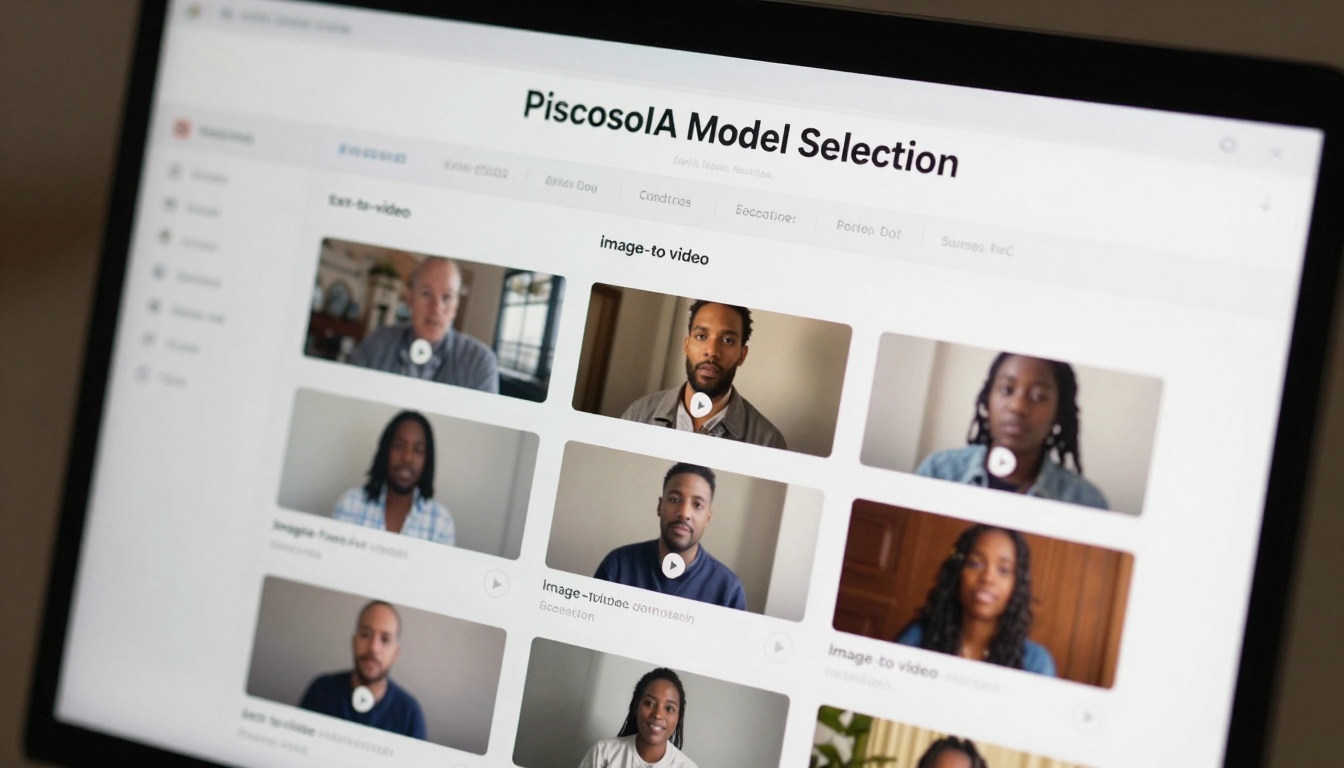
Access the WAN 2.2 I2V Fast model directly through the PicassoIA platform. The model is available at https://picassoia.com/en/collection/text-to-video/wan-video-wan-22-i2v-fast and can be found in the text-to-video collection category.
💡 Pro Tip: Bookmark the model page for quick access. The interface updates regularly, so staying current with the latest version ensures access to the newest features and improvements.
Upon reaching the model page, you'll find the user-friendly interface designed for both beginners and experienced creators. The page displays model information, example outputs, and the generation interface where you'll input your parameters and initiate video creation.
Step 2: Configure Required Parameters
The WAN 2.2 I2V Fast model requires two essential inputs to generate videos: an image and a prompt. These parameters form the foundation of your video generation project.
Required Parameters:
Image: Upload your source image directly to the platform. The image should be clear and well-lit for optimal results. Supported formats include common image types, and higher resolution inputs generally produce better output quality. Consider the resolution limits and aspect ratio compatibility when selecting your source image.
Prompt: Write a clear, descriptive prompt that guides the AI in generating appropriate motion. The prompt should describe what kind of movement you want to see and any specific effects or styles you prefer. Effective prompts typically include information about the subject, desired motion type, and artistic style.
⚠️ Important: Be specific in your prompts. Vague prompts like "make it move" produce less desirable results than detailed descriptions like "gentle floating particles rising from the surface with soft lighting."
Step 3: Adjust Optional Settings (If Needed)
While the default settings work well for many projects, the WAN 2.2 I2V Fast model offers several optional parameters that allow fine-tuning for specific requirements. Understanding these options helps you achieve results that precisely match your vision.
Parameter
Options
Default
Description
Resolution
480p, 720p
480p
Higher resolution produces more detailed output but requires more processing time
Aspect Ratio
16:9, 9:16
16:9
16:9 for landscape videos, 9:16 for vertical content
Num Frames
81 (recommended), 121
121
81 frames give best quality-to-length ratio
Frames Per Second
24 (default), adjustable
24
Affects smoothness and video duration
Seed
Random or specific number
Random
Specific seeds can help reproduce results
Sample Shift
1-20 (default: 12)
12
Higher values generally produce smoother results
Go Fast
True, False
true
Enabling provides faster generation
Disable Safety Checker
True, False
false
Keep enabled unless you have specific needs
✨ Quick Win: Start with the recommended settings (81 frames, 480p, default seed) to understand the baseline results, then experiment with adjustments based on your specific needs.
Step 4: Generate the Video
Once you've configured all parameters to your satisfaction, click the Generate button to initiate the video creation process. The platform processes your request and generates the video based on your image and prompt specifications.
Generation time varies based on several factors including resolution settings, frame count, and current platform load. The "Go Fast" option enabled by default helps minimize wait times. During generation, you may see a progress indicator or loading animation that provides feedback on the process status.
Step 5: Download the Result
Upon completion, the generated video becomes available for preview and download. Review the output to ensure it meets your expectations. If the results don't match your vision, adjust your parameters or prompt and generate again.
The download process provides your completed video in the resolution and format you specified. These videos can be used directly in your projects, shared on social media, or further edited in video software as needed.
Best Practices for Optimal Results
Achieving the best results with image-to-video AI requires understanding both the technology's capabilities and its limitations. These best practices help creators maximize the quality and effectiveness of their generated videos.
Source Image Selection
The foundation of any successful image-to-video generation lies in the quality of the source image. High-resolution photographs with clear subject matter and good lighting consistently produce better results than low-quality or cluttered images. When selecting source images, consider the following factors.
Image Quality Guidelines:
Use the highest resolution available within platform limits
Ensure sharp focus on key subjects
Avoid heavily compressed or artifact-laden images
Choose images with clear, identifiable subjects
Prefer images with good lighting and contrast
Consider the final aspect ratio when selecting source images
Images with strong focal points and minimal background distraction work particularly well. The AI has clearer direction for motion generation when the subject matter is distinct and well-defined.
📌 Note: Consider cropping or editing your source image before upload if needed. Starting with a well-composed image saves time compared to fixing issues in the generated video.
Prompt Engineering Techniques
Crafting effective prompts significantly impacts the quality and relevance of generated videos. Prompts serve as the primary communication channel between your creative vision and the AI system, making prompt development an valuable skill for image-to-video creators.
Effective Prompt Structure:
Subject Identification: Start by clearly stating what appears in the image and what should move
Motion Description: Specify the type and direction of movement desired
Style Guidance: Include any stylistic preferences for the animation
Technical Notes: Mention any specific effects or characteristics
Example Prompt:
A peaceful mountain landscape with gentle clouds drifting across the sky,
soft golden hour lighting, camera slowly panning from left to right,
subtle motion in tree branches, realistic natural movement
This prompt provides clear direction while leaving room for the AI to apply its learned understanding of natural motion patterns.
Iterative Refinement
Experimentation plays a crucial role in mastering image-to-video generation. Each generation provides insights into how different parameters and prompt styles affect results. Document your experiments—note which prompts and settings produce results you like, then build upon those successes in future projects.
The iterative process might involve generating multiple versions with different prompts, adjusting parameters between attempts, and combining the best elements from different generations. This approach leverages both AI capabilities and human creative judgment to achieve optimal results.
Exploring Creative Possibilities
The applications of image-to-video AI extend far beyond the examples covered in tutorials. Creatives across disciplines find innovative ways to apply this technology to their unique challenges and creative visions.
Dynamic Portfolio Enhancement
Professional photographers and visual artists can transform static portfolio pieces into engaging video content that demonstrates their work in new dimensions. A portrait photographer might animate subtle expressions or environmental elements that add narrative depth to their images. A landscape photographer might create immersive experiences that transport viewers into their captured scenes.
Educational Content Development
Educators and content creators in the learning space use image-to-video AI to explain complex concepts more effectively. Diagrams and charts can be animated to show processes and relationships. Historical photographs can be brought to life to create more engaging historical narratives. Scientific illustrations can demonstrate dynamic processes that static images cannot convey.
Business Communication
Corporate users find value in transforming product images, team photographs, and corporate assets into dynamic video content for internal and external communications. Marketing teams create product videos without traditional production overhead. Training departments develop engaging visual materials quickly. Communications teams maintain consistent video presence across channels without dedicated video staff.
Technical Considerations and Limitations
Understanding the technical aspects of image-to-video AI helps users set appropriate expectations and achieve better results through informed usage.
Resolution and Quality Trade-offs
Higher resolution outputs (720p) provide more detail but require longer generation times and larger file sizes. For many social media applications, 480p resolution provides adequate quality with faster generation and smaller files. Consider your specific use case when selecting resolution settings.
Frame Count and Duration
The number of frames directly affects video duration and the complexity of motion that can be generated. Shorter sequences (81 frames) generally produce smoother, higher-quality motion within a shorter duration. Longer sequences (121 frames) allow for extended motion but may show more variation in quality across the full duration.
Platform Availability and Updates
AI technology evolves rapidly, and PicassoIA regularly updates its models and features. Staying current with platform changes ensures access to the latest capabilities and improvements. Check for model updates and new options that might benefit your specific projects.
🚀 Next Steps: Explore additional models on PicassoIA to find the perfect fit for different project types. Each model offers unique capabilities suited to specific use cases.
Conclusion
The ability to generate unlimited videos for free using PicassoIA represents a significant opportunity for creators across all skill levels and disciplines. The platform's combination of advanced AI models, accessible interface, and free access options removes traditional barriers to video production and opens new creative possibilities.
The WAN 2.2 I2V Fast model exemplifies how sophisticated AI technology can be made accessible to everyone. Its balance of speed, quality, and flexibility accommodates diverse use cases from social media content to professional marketing campaigns. By understanding the model's capabilities and following best practices for source image selection and prompt crafting, creators can achieve professional-quality results consistently.
As AI technology continues to advance, the possibilities for image-to-video generation will only expand. PicassoIA's commitment to providing free access ensures that these advancements remain available to all creators, not just those with substantial budgets. This democratization of video production technology empowers individuals and small teams to compete in content creation at levels previously reserved for well-resourced organizations.
The journey to unlimited video generation starts with a single image and a clear creative vision. With the tools and knowledge provided in this guide, you're equipped to begin creating engaging video content immediately. Experiment, iterate, and discover how image-to-video AI can transform your creative workflow and expand your content capabilities.