Making AI art used to mean paying for subscriptions, signing up to waitlists, or accepting grainy, low-resolution outputs. That era is over. Nano Banana 2 from Google has changed the equation entirely, and you can access it completely free right now through PicassoIA. No credit card. No trial period. No watermark. This article breaks down exactly how to start creating professional-quality AI images at zero cost, what prompts actually work, and how to get the most out of this model on day one.

What Nano Banana 2 Actually Is
Nano Banana 2 is Google's second-generation text-to-image model built for speed and accessibility. Where most flagship AI image models demand premium subscriptions or expensive API credits, Nano Banana 2 was designed from the ground up to run efficiently at lower computational cost while still delivering photorealistic, high-detail outputs.
The name might sound casual, but the results are not. Nano Banana 2 produces crisp, detailed images across a wide range of styles and subjects, from photorealistic portraits to architectural renders, product mockups, and natural landscapes. The model handles nuanced language well, so your prompts do not need to be complex lists of keywords. You can write in plain sentences and still get excellent results.
💡 Tip: Nano Banana 2 responds well to descriptive, natural-language prompts. Instead of keyword-stuffing, write your prompt like you would describe a scene to a photographer.
Google's Quiet Powerhouse
Google has quietly built one of the strongest text-to-image pipelines in the AI industry. Nano Banana 2 benefits from training on diverse, high-quality datasets that give it strong spatial awareness, accurate text rendering, and skin-tone fidelity that many open-source models still struggle with.
What sets it apart from consumer-facing tools is that the model is accessible through platforms like PicassoIA, meaning you do not need a Google Cloud account, API credentials, or technical setup. Just type, click, and download.
Nano Banana 2 vs Nano Banana 2 Lite
PicassoIA offers multiple variants of the model family. Here is how they compare:
For most people making free AI art, Nano Banana 2 hits the sweet spot between speed and quality. Start there.

Why Free AI Art Is Now Genuinely Good
Two years ago, free AI image tools produced obvious artifacts: melted hands, distorted faces, blurry text, and flat lighting. The gap between free and paid was enormous. That gap has collapsed.
Today, models like Nano Banana 2 match what paid tools produced just 18 months ago. This happened because of two shifts. First, model compression improved significantly, letting high-quality models run on lighter infrastructure. Second, open-access platforms like PicassoIA emerged, making premium models available to anyone without a subscription wall.
The Quality Gap Has Closed
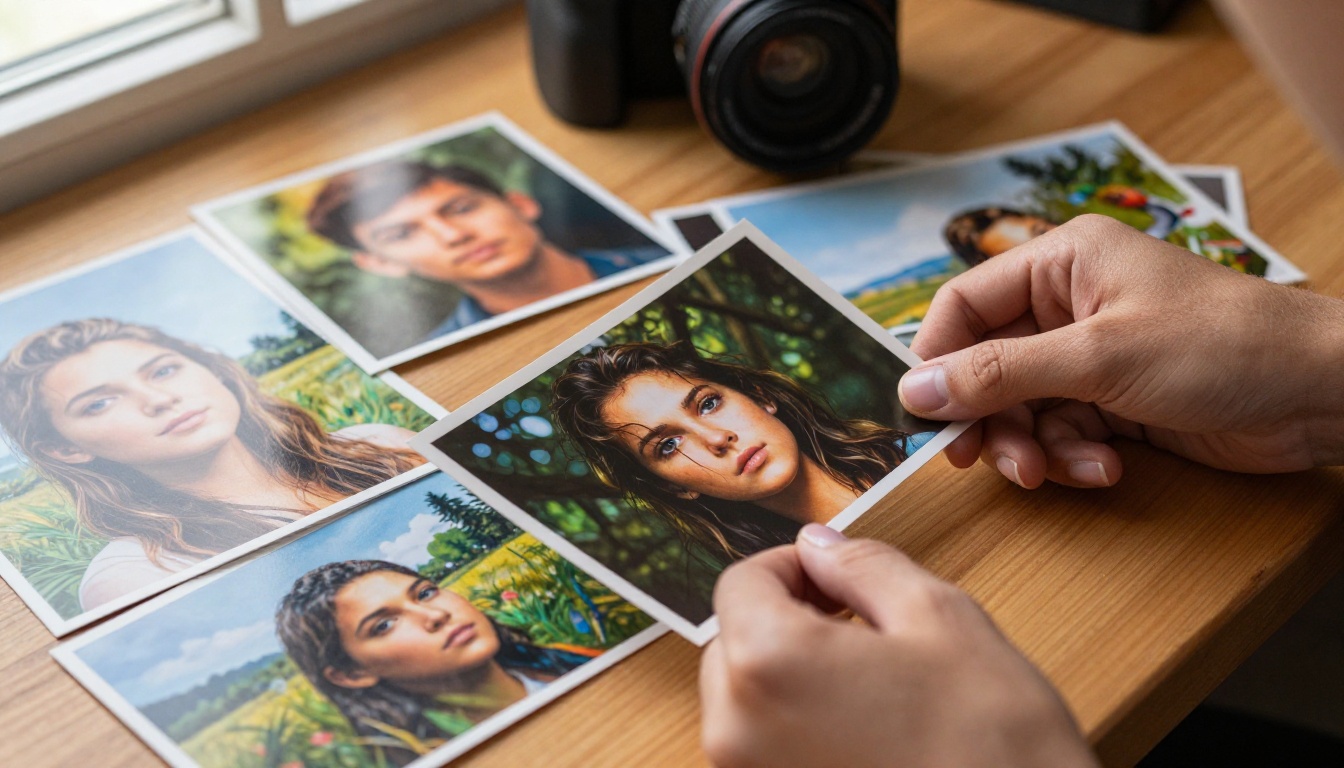
Nano Banana 2 produces images that can pass as stock photography in many situations. Skin textures, hair strands, fabric weaves, architectural details, natural lighting. These are things free models used to fail at consistently, and Nano Banana 2 handles them with confidence.
This does not mean every generation will be perfect. Like all AI image models, you will get occasional misses. But the hit rate on Nano Banana 2 is high enough that within three to five attempts at a prompt, you will consistently land a usable, high-quality image.
What You Can Do Without Paying
Using Nano Banana 2 on PicassoIA's free tier gives you:
- Text-to-image generation across any subject
- Multiple aspect ratios including 16:9, 1:1, and portrait formats
- Instant downloads of full-resolution images
- Access to 91+ text-to-image models on the platform, not just Nano Banana 2
- The ability to iterate quickly without burning credits
💡 Note: PicassoIA's free tier gives you real access. You are not limited to a watermarked preview or a single low-resolution export.

How to Use Nano Banana 2 on PicassoIA
This section walks through the actual steps for making free AI art with Nano Banana 2.
Step 1: Open the Model Page
Go directly to the Nano Banana 2 model page on PicassoIA. You will see the prompt input field immediately. You do not need to configure settings before starting. The defaults are solid.
If you want to compare output speed with the lighter version, Nano Banana 2 Lite generates images even faster at a slight quality trade-off. Both are free to use.
Step 2: Write Your First Prompt
Start with a clear subject, then add context. Here is a simple framework:
[Subject] + [Setting] + [Lighting] + [Style or Mood]
For example:
"A woman reading a book in a cozy cafe, warm afternoon light through large windows, soft bokeh background, photorealistic"
That is enough for Nano Banana 2 to produce a high-quality image. You do not need to fill the prompt with technical parameters unless you want specific control.
Step 3: Generate and Refine
Click generate and wait. Nano Banana 2 is fast, typically under 10 seconds per image. If the result is close but not quite what you needed:
- Adjust one element at a time. Change the lighting description, or swap the subject's pose.
- Add specificity. "Blue eyes" instead of "striking eyes." "Golden hour" instead of "warm light."
- Rerun with the same prompt. Variation is built in, and a second run often produces a noticeably stronger result.
💡 Tip: Download every good image right away. Your generation history may not persist indefinitely across sessions.

The quality of your AI art depends more on your prompt than on the model itself. Here are the specific formulas that consistently produce strong results with Nano Banana 2.
The RAW Photography Formula
This is the highest-reliability prompt structure for photorealistic outputs:
[Camera perspective] + [Subject in action] + [Environment detail] + [Lighting direction] + [Camera specs] + [Film grain]
Example:
"Low-angle shot of a chef plating food in a modern kitchen, late evening light from overhead pendants casting warm shadows, Canon EOS R5 50mm f/1.8, Kodak Portra 400 film grain, photorealistic, 8k"
The core elements to include in every prompt:
- Camera angle (low-angle, aerial, eye-level, over-the-shoulder)
- Light source and direction (morning light from the left, overhead pendant lighting, side window light)
- Real camera and lens reference (this nudges the model toward photographic realism)
- Film grain (eliminates the plastic, over-processed look common in AI art)
Portrait Prompts That Convert
For portraits, these additions reliably produce natural, non-AI-looking faces:
- "natural pores, realistic skin texture"
- "catch-light in eyes"
- "85mm f/1.4 shallow depth of field"
- "volumetric soft light from window"
- "minimal natural makeup" (avoids the hyper-filtered look)
Weak prompt: "beautiful woman with perfect skin, gorgeous eyes, flawless"
Strong prompt: "A woman in her late twenties sitting by a window, natural morning light from the right, casual linen shirt, looking slightly off-camera, Canon EOS R5, 85mm f/1.4, natural skin texture, Kodak Portra 400"
The second prompt will produce a far more believable, visually interesting image every time.
Landscape and Scene Prompts
For environments, specificity about time of day and weather creates mood:
- "overcast flat light" for moody, even tones
- "golden hour, long shadows" for warmth
- "blue hour, city lights reflected in wet pavement" for cinematic night scenes
- "volumetric fog in a pine forest" for atmospheric depth
💡 Avoid vague adjectives. "Beautiful sunset" generates generic results. "Sunset over Tuscan hills with warm amber light and long vineyard shadows" generates something specific and compelling.

Nano Banana 2 vs Other Free Models
How does Nano Banana 2 stack up against other free text-to-image models available on PicassoIA?
| Model | Strengths | Weaknesses | Free Tier |
|---|
| Nano Banana 2 | Photorealism, natural language, speed | Occasional hand artifacts | Yes |
| Nano Banana 2 Lite | Fastest of the family | Slightly less edge detail | Yes |
| Reve 2.1 | Text accuracy, versatility, vivid colors | Can over-saturate | Yes |
| Riverflow v2.5 Fast | Instant generation, great for drafts | Lower max resolution | Yes |
| Seedream 5 Pro | 2K output, exceptional sharpness | Slower, may require credits | Premium |
For free AI art, the sweet spot is Nano Banana 2 for quality and Nano Banana 2 Lite when you need volume fast. Reve 2.1 is an excellent secondary option, particularly for prompts that need legible text integrated inside the image.
Getting Better Results Fast
Every model has patterns. Here are the friction points people commonly hit with Nano Banana 2 and how to work around them.
What to Avoid in Prompts
1. Vague quality words
Words like "amazing," "stunning," "perfect," or "beautiful" do not add technical instruction. They use up your prompt space without improving the output. Replace them with specific descriptions: what lighting, what composition, what color palette.
2. Conflicting styles
"Photorealistic anime character" pulls the model in two directions. Pick one dominant style and stay consistent throughout your prompt.
3. Overpopulated scenes
"A busy market street with hundreds of people" will almost certainly produce face distortion and crowd artifacts. Nano Banana 2 handles intimate scenes and single subjects better than large crowd compositions.
4. Skipping the lighting description
Lighting is the single biggest factor in whether an image looks real or artificial. Always include a light source and its direction in your prompt. Even something as simple as "natural daylight from the left" makes a measurable difference in output quality.
Aspect Ratios and Use Cases
Choosing the right aspect ratio before you generate saves iteration time:
- 1:1 for social media posts, avatars, and product mockups
- 16:9 for blog headers, YouTube thumbnails, and desktop wallpapers
- 9:16 for Instagram Stories, TikTok backgrounds, and phone wallpapers
- 4:3 for print photos and presentations
- 3:2 for classic photography-style outputs
Nano Banana 2 performs consistently across all these ratios, but 16:9 and 1:1 tend to produce the strongest compositions in its outputs.
💡 Tip: Generate in the native aspect ratio you need. Cropping AI art often cuts off compositional elements the model placed deliberately at the edges of the frame.
Other PicassoIA Models Worth Trying Free
Once you are comfortable with Nano Banana 2, PicassoIA's library opens up significant creative territory. These models are available at no cost and complement what you can do with the Nano Banana family.
Nano Banana Pro for Maximum Detail
Nano Banana Pro is the highest-quality version in the Google model family on PicassoIA. It is slower than Nano Banana 2 but produces noticeably sharper edge detail, better micro-textures, and more consistent facial anatomy.
Use it when:
- You are finalizing an image for print or commercial use
- The composition from Nano Banana 2 is right but you want higher-quality output
- Skin detail or fabric texture is critical to the image
Reve 2.1 for Versatility
Reve 2.1 excels at stylistic range. It handles photorealism, illustration, graphic design elements, and text-in-image accuracy reliably. If your project requires AI art with legible text integrated into the scene (like a menu, a poster, or a label), Reve 2.1 is the better pick for that specific task.
Nano Banana 2 Lite for Speed
Nano Banana 2 Lite generates images in seconds. The quality is solid for most use cases. Use it to test concepts and prompt variations quickly, then switch to the full Nano Banana 2 when you are ready for final outputs.
Real Use Cases for Free AI Art
The people getting the most out of Nano Banana 2 are not just hobbyists. Free access to a model this capable is changing how small teams and solo creators work across industries.
Content creators use it for YouTube thumbnails, blog cover images, and social media visuals. One strong prompt generates multiple variations in minutes, cutting stock photo costs to zero.
Small business owners use it for product concept mockups, social ads, and website imagery without hiring photographers or paying for stock subscriptions.
Writers and authors use it to visualize scenes, characters, and settings for personal reference, or to create book cover concepts to share with designers.
Educators use it to create classroom visuals, presentations, and illustrative examples that would otherwise require licensing fees or a design budget.
The common thread: Nano Banana 2 gives non-designers the ability to produce visual content that previously required professional skills or a professional budget.
The Free Model That Punches Above Its Weight
The most important thing to know about Nano Banana 2 is that "free" is not a compromise. You are not getting a crippled version of a better paid model. Nano Banana 2 is a capable, production-quality image generator that happens to be available at no cost through platforms like PicassoIA.
The combination of Google's model development, PicassoIA's accessible platform, and the natural-language prompt handling built into Nano Banana 2 means you can start generating genuinely useful AI art within minutes of your first visit.
Your First Image Is One Click Away
There is no better time to start. Head to the Nano Banana 2 model page on PicassoIA, type a description of what you want to create, and generate. The first result will tell you more about what the model can do than any article.
If the first image is not quite right, adjust one thing in your prompt and try again. Within a handful of attempts, you will have something genuinely worth keeping. And you will not have paid anything to get there.
PicassoIA also gives you access to 91+ text-to-image models alongside Nano Banana 2, including Nano Banana Pro for higher-detail outputs and Reve 2.1 for projects that need text-in-image accuracy. Browse the full collection at picassoia.com/en/all-models and see what fits your creative workflow.
Making AI art free with Nano Banana 2 is not a workaround or a trick. It is exactly what this model was built for.


