When you first encounter GPT Image 1.5, the immediate reaction is often a mix of skepticism and curiosity. Can an AI system actually produce images that rival professional photography? The answer, surprisingly, is yes—but only if you understand how to work with the system rather than against it. This isn't about typing a few words and hoping for the best; it's about developing a systematic approach that leverages the model's strengths while compensating for its limitations.
GPT Image 1.5 represents a significant leap forward in text-to-image generation, offering capabilities that extend far beyond basic image creation. For creative professionals, marketers, designers, and anyone needing visual content, mastering this tool can transform workflows, reduce costs, and open new creative possibilities. The key lies in understanding the relationship between your input and the model's output, which is far more nuanced than most tutorials suggest.
What GPT Image 1.5 Actually Does
Contrary to popular belief, GPT Image 1.5 isn't just another image generator. It's a sophisticated system that interprets textual descriptions and translates them into visual representations using advanced neural networks. The model has been trained on vast datasets of images and their corresponding descriptions, learning patterns, styles, compositions, and the relationship between language and visual elements.
The architecture combines transformer-based language understanding with diffusion-based image generation, creating a system that can handle complex requests with surprising accuracy. What makes GPT Image 1.5 particularly effective for photorealistic images is its ability to understand context, maintain consistency, and generate images with coherent lighting, perspective, and detail.
💡 Critical Insight: GPT Image 1.5 excels at understanding relationships between elements rather than just individual objects. "A person sitting at a desk" produces different results than "A professional working in a modern office environment," even though both descriptions seem similar.
The Foundation: Crafting Effective Prompts
Your prompt is the single most important factor determining image quality. Many users underestimate this element, typing vague descriptions and wondering why results are underwhelming. Effective prompt engineering requires thinking like both a writer and a photographer.
Structure Your Prompts Systematically
Instead of random descriptions, use a consistent structure:
Primary Subject + Action + Environment + Lighting + Style + Technical Details
For example:
- Weak prompt: "A beautiful sunset"
- Effective prompt: "Hyper-realistic photograph of a professional photographer capturing golden hour sunset from mountain overlook, morning light creating long shadows across landscape, captured with 85mm f/1.8 lens creating shallow depth of field, natural color grading with film grain texture"
The difference in results is dramatic. The detailed prompt gives the AI specific visual elements to work with: camera angle, lighting conditions, technical specifications, and stylistic preferences.
Essential Prompt Components
- Subject specificity: Instead of "a person," specify "a 30-year-old female graphic designer with short brown hair wearing a black turtleneck"
- Action clarity: Instead of "working," specify "intently focusing on a large format monitor displaying complex vector designs"
- Environmental detail: Describe the space, materials, textures, and atmosphere
- Lighting instructions: Specify light source, direction, quality (hard/soft), and time of day
- Technical parameters: Mention camera equipment, lens choices, aperture settings
- Style guidance: Reference photographic styles, film types, color grading approaches
Common Prompt Mistakes to Avoid
| Mistake | Why It Fails | Better Approach |
|---|
| Vague adjectives | AI doesn't know what "beautiful" looks like | Use specific visual descriptors |
| Abstract concepts | "Creativity" has no visual representation | Show creativity in action |
| Too many elements | Confuses the AI's focus | Prioritize 3-5 key elements |
| Negation language | "Not dark" doesn't define what you want | Specify what you DO want |
| Cultural references | May not be in training data | Use universal visual language |
Advanced Parameter Optimization
Beyond the prompt itself, GPT Image 1.5 offers various parameters that significantly affect output quality. Understanding these settings separates amateur results from professional-grade imagery.
Resolution and Aspect Ratio Choices
The default settings work for general purposes, but specific use cases require optimization:
| Use Case | Recommended Resolution | Aspect Ratio | Reasoning |
|---|
| Social media | 1080x1080 | 1:1 | Platform optimization |
| Website hero | 1920x1080 | 16:9 | Standard web display |
| Print material | 3000x2000 | 3:2 | Print quality requirements |
| Mobile display | 1080x1920 | 9:16 | Vertical scrolling optimization |
💡 Pro Tip: Always generate at slightly higher resolution than needed. You can scale down for better quality, but scaling up introduces artifacts.
Style Weight and Guidance Scale
These parameters control how strictly the AI follows your prompt:
- Low guidance (1-3): More creative interpretation, sometimes drifting from prompt
- Medium guidance (4-7): Balanced approach, good for most applications
- High guidance (8-10): Strict adherence, less creative variation
For photorealistic images, I typically use guidance scale 6-8. This provides enough flexibility for the AI to make sensible artistic choices while maintaining fidelity to the core concept.
Seed Control for Consistency
The seed parameter determines the random starting point for image generation. Using the same seed with similar prompts produces consistent stylistic results, which is invaluable for:
- Creating image series with cohesive visual style
- Iterating on a concept with controlled variations
- A/B testing different prompt variations
- Building brand-consistent visual libraries
Practical workflow: Generate an image you like, note the seed, then make slight prompt adjustments while keeping the seed constant. This maintains visual coherence while exploring variations.
Achieving Photorealism: Specific Techniques
Photorealistic images require attention to details that most AI image generators struggle with. GPT Image 1.5 handles these better than most, but still needs guidance.
Lighting and Shadow Accuracy
Natural lighting is the hallmark of photorealism. Include specific lighting instructions:
Instead of: "Good lighting"
Use: "Morning window light from northeast creating soft shadows across left side of face, 4000K color temperature, subtle fill light from monitor glow"
Include these elements:
- Light source type (window, artificial, mixed)
- Direction relative to subject
- Quality (hard, soft, diffused)
- Color temperature
- Shadow characteristics
Texture and Material Realism
AI often struggles with material textures. Be explicit:
Instead of: "A wooden table"
Use: "Oak wood table with visible grain pattern, slight weathering marks, natural oil finish reflecting ambient light"
Specific textures to detail:
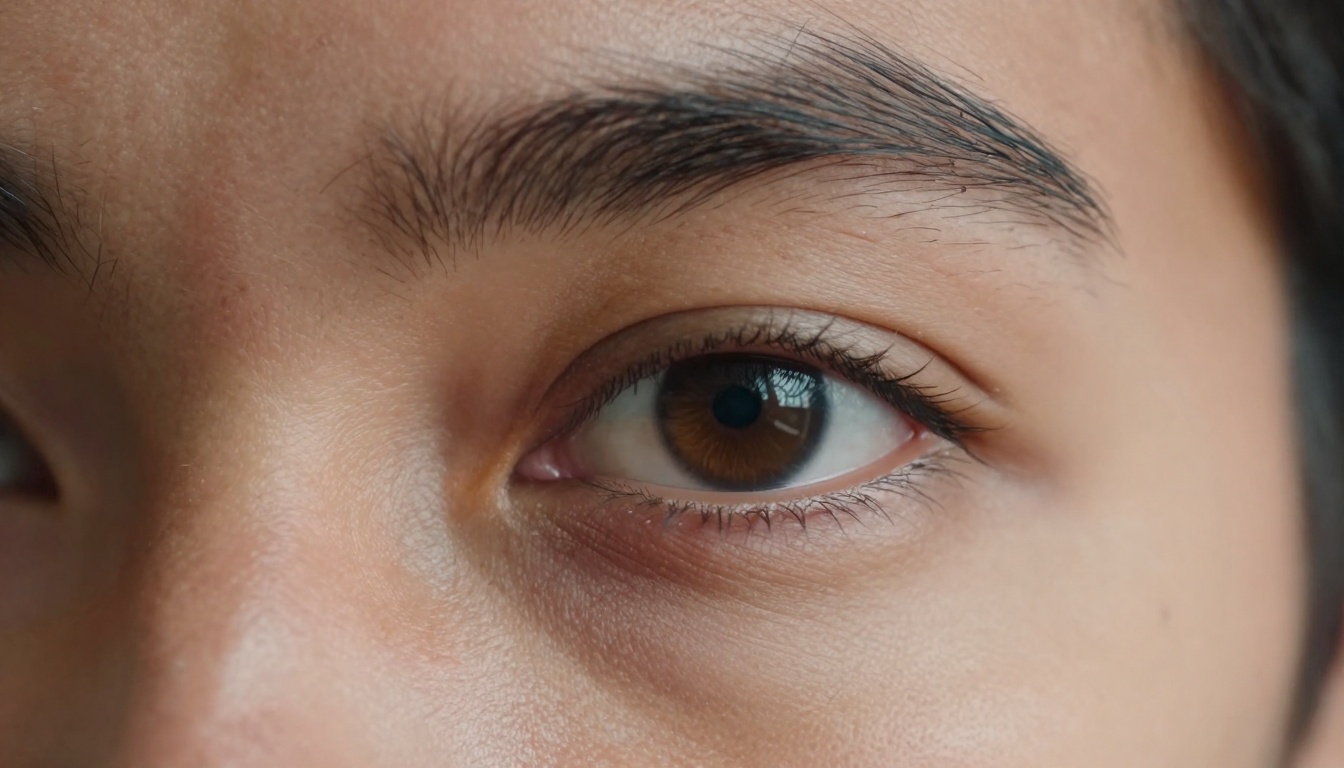
- Skin pores and imperfections
- Fabric weave patterns
- Metal surface finishes
- Natural material variations
- Wear and aging indicators
Perspective and Composition
Professional photography follows compositional rules. Reference these in your prompts:
- Rule of thirds: "Subject positioned at right third intersection"
- Leading lines: "Architectural lines guiding eye toward focal point"
- Depth cues: "Foreground blur with sharp midground focus"
- Negative space: "Minimalist composition with strategic empty areas"
- Framing: "Window frame naturally framing exterior scene"
Color and Tone Management
Color accuracy separates amateur from professional results:
- Specify color palette: "Earth tones with accent of burnt orange"
- Reference color grading styles: "Kodak Portra 400 film simulation"
- Mention contrast levels: "Medium contrast with preserved shadow detail"
- Include color relationships: "Complementary blue-orange color scheme"
Practical Applications: Real-World Use Cases
Understanding theory is useless without practical application. Here are specific workflows for common professional needs.
Product Photography Replacement
Traditional product photography is expensive and time-consuming. GPT Image 1.5 can generate convincing product shots with proper technique:
Workflow:
- Start with detailed product description including materials, dimensions, features
- Specify professional studio lighting setup
- Include standard product photography angles (front, 45-degree, detail shots)
- Add appropriate background and props context
- Reference specific photographic styles (clean, lifestyle, technical)
Example prompt: "Professional product photography of minimalist wireless speaker on concrete surface, softbox lighting creating clean shadows, 45-degree angle showing product form, macro detail of textured fabric covering, clean white background, technical photography style"
Portrait Generation for Marketing
Stock photos often feel generic. Custom AI-generated portraits can be more authentic:
Considerations:
- Demographic specificity without stereotyping
- Natural expressions and body language
- Context-appropriate clothing and environment
- Diversity representation
- Brand alignment
Example prompt: "Natural portrait of diverse team collaborating in modern office, candid moment of laughter during meeting, morning light from large windows, authentic interactions, documentary photography style, corporate but approachable atmosphere"
Architectural Visualization
Before-and-after comparisons, conceptual designs, and realistic renders:
Key elements:
- Architectural style references
- Material specifications
- Lighting conditions (time of day, season)
- Environmental context
- Human scale elements
Example prompt: "Modern minimalist house at dusk, warm interior lights glowing through large windows, reflective pool in foreground capturing sky colors, 35mm wide-angle perspective showing relationship to landscape, architectural photography with long exposure"
Technical Limitations and Workarounds
No system is perfect. Understanding GPT Image 1.5's limitations helps develop effective workarounds.
Common Issues and Solutions
| Issue | Cause | Workaround |
|---|
| Inconsistent lighting | AI misunderstanding light sources | Specify exact light source relationships |
| Text generation problems | Not designed for text rendering | Use post-processing or avoid text needs |
| Perspective errors | Complex spatial relationships | Simplify scene or use reference images |
| Anatomical inaccuracies | Limited anatomical training | Use more general poses or post-edit |
| Style inconsistency | Prompt ambiguity | Use more specific style references |
The Iterative Refinement Process
Rarely does the first generation produce perfect results. Professional workflows involve systematic refinement:
- Initial generation: Broad concept with key elements
- Analysis: Identify what works and what doesn't
- Parameter adjustment: Fine-tune guidance, resolution, style
- Prompt refinement: Add specificity based on results
- Seed consistency: Maintain visual style across iterations
- Final polish: Combine best elements from multiple generations
Integration with Existing Workflows
GPT Image 1.5 shouldn't replace your entire workflow—it should enhance it. Here's how to integrate effectively.
Complementing Traditional Photography
Use AI for:
- Concept visualization before photoshoots
- Generating reference images for mood boards
- Creating variations of existing photos (different angles, lighting)
- Producing supporting images that would be costly to shoot
- Testing compositional ideas before committing to shoot
Enhancing Design Processes
Designers can leverage GPT Image 1.5 for:
- Rapid concept iteration
- Client presentation materials
- Background elements for compositions
- Texture and pattern generation
- Style exploration without asset creation
Content Production Scaling
For content teams, the model enables:
- Consistent visual style across large volumes
- Rapid response to trending topics
- A/B testing visual approaches
- Cost-effective experimentation
- Personalized visual content at scale
Ethical Considerations and Best Practices
As with any powerful tool, responsible use matters. Consider these guidelines:
Authenticity and Disclosure
- Be transparent when using AI-generated imagery
- Avoid misleading representations
- Maintain ethical standards for subject representation
- Respect privacy and consent principles
Quality Standards
- Don't settle for mediocre results
- Maintain professional quality thresholds
- Continuously improve your prompting skills
- Match output quality to intended use case
Creative Integrity
- Use AI as tool, not replacement for creativity
- Maintain artistic vision and direction
- Combine AI capabilities with human judgment
- Develop unique styles rather than copying trends
Getting the most from GPT Image 1.5 involves technical optimization:
Batch Processing Strategy
When creating multiple related images:
- Develop master prompt template
- Create variation list for specific elements
- Use consistent seeds for stylistic coherence
- Process in logical batches
- Maintain quality control standards
Resource Management
- Schedule generations during off-peak hours
- Use appropriate resolution for intended use
- Keep iterations focused rather than endless variations
- Archive successful prompts and parameters
- Build reusable prompt libraries
Quality Control Workflow
- Initial screening: Quick review of all generations
- Technical assessment: Check resolution, artifacts, consistency
- Creative evaluation: Match against original intent
- Use-case validation: Suitability for specific application
- Final selection: Choose best options for refinement or use
Future Developments and Adaptation
The AI image generation field evolves rapidly. Stay adaptable:
Emerging Capabilities to Monitor
- Improved text understanding and rendering
- Better consistency across image series
- Enhanced control over specific elements
- Integration with other creative tools
- Real-time collaboration features
Skill Development Priorities
- Prompt engineering mastery: Continually refine your approach
- Technical understanding: Learn how the system works
- Aesthetic judgment: Develop critical evaluation skills
- Workflow integration: Optimize how AI fits your process
- Ethical framework: Maintain responsible use principles
Putting It All Together: A Complete Workflow Example
Let's walk through a complete professional project from concept to final image:
Project: Website hero image for design agency
Step 1: Define requirements
- Target audience: Creative professionals
- Message: Innovation meets craftsmanship
- Mood: Inspiring, sophisticated, approachable
- Technical: 1920x1080, web-optimized, fast loading
Step 2: Initial concept prompt
"Modern design studio workspace showing creative collaboration, morning light through large industrial windows, diverse team discussing project around concrete table, architectural plants adding organic elements, minimalist aesthetic with warm wood accents, professional documentary photography style"
Step 3: First generation review
- Lighting works but needs more drama
- Composition too centered
- Human expressions too generic
- Missing design-specific elements
Step 4: Refined prompt
"Dynamic low-angle shot of creative team brainstorming in loft-style design studio, dramatic morning light creating long shadows across polished concrete floor, authentic moments of collaboration around large format monitor displaying complex 3D models, architectural details include exposed brick, steel beams, living wall, 24mm wide-angle lens capturing expansive space, cinematic lighting with natural color grading"
Step 5: Parameter optimization
- Resolution: 2560x1440 (scale down for web)
- Guidance scale: 7
- Style weight: balanced
- Seed: fixed for consistency across variations
Step 6: Iterative refinement
- Generate 5 variations with slight prompt adjustments
- Select best composition
- Fine-tune lighting description
- Add specific design tool references
Step 7: Final image selection
Choose image that best balances:
- Technical quality (resolution, artifacts)
- Creative execution (composition, lighting)
- Message alignment (agency positioning)
- Practical considerations (web optimization)
Step 8: Integration and deployment
- Web optimization (compression, format selection)
- A/B testing with different versions
- Performance monitoring
- Feedback collection for future improvements
Continuous Improvement Mindset
Mastering GPT Image 1.5 isn't a one-time achievement—it's an ongoing process. The most successful users:
- Document everything: Keep records of prompts, parameters, and results
- Analyze failures: Understand why certain approaches don't work
- Experiment systematically: Test one variable at a time
- Learn from community: Share insights and learn from others
- Stay updated: Follow model improvements and new techniques
- Develop personal style: Move beyond generic results to distinctive work
The real power of GPT Image 1.5 emerges not from the technology itself, but from how creatively and systematically you apply it. Each project presents new challenges and learning opportunities. The photographers, designers, and creators who will thrive in this new landscape aren't those who fear AI replacement, but those who embrace AI augmentation—enhancing their skills with new capabilities while maintaining their unique creative vision.
Your next image could be the one that transforms a project, communicates an idea more effectively, or simply captures a vision that previously existed only in imagination. The tools are here, the techniques are developing, and the creative possibilities are expanding daily. What matters now is not whether you use AI image generation, but how skillfully you integrate it into your creative practice to produce work that resonates, communicates, and inspires.


