Prompt writing is the single skill that separates forgettable AI output from striking, photorealistic adult art. Most people type three words, get a blurry result, and give up. The ones getting stunning images are doing something different: they're treating the prompt like a camera instruction, a lighting note, and a casting call, all in one sentence.
This is everything you need to know about writing prompts for free NSFW AI art, from the basic structure to the exact words that trigger photorealism.
What Makes a NSFW Prompt Actually Work
Every strong NSFW AI prompt is built on three things: a clear subject, a specific setting, and a lighting condition. Remove any one of them and the model fills the gap with noise.
The difference between a prompt that works and one that doesn't is rarely about forbidden words. It's almost always about specificity. Vague prompts produce average results because the model averages across everything it has seen. Specific prompts produce images that look intentional.
Subject Clarity is Everything
Start by describing exactly who is in the image. Not "a woman" but "a woman in her mid-twenties with olive skin and dark wavy hair." Not "wearing a bikini" but "wearing a minimal black string bikini with thin side ties."
The model needs to fill every pixel with something. When you leave gaps, it invents. Sometimes that works out. Most of the time it doesn't.
💡 Tip: Include at least three physical descriptors for your subject: skin tone, hair style, and build. These three details alone dramatically reduce randomness in the output.
Setting the Scene With Environment
The environment is where a lot of NSFW prompts fall flat. People describe the person in detail but forget to say where they are. "A rooftop pool at sunset in a Mediterranean resort" gives the model everything it needs. "Outside" gives it almost nothing.
Good environments for photorealistic NSFW art:
- Private pools and terraces with skyline backgrounds
- Hotel interiors with warm ambient lighting
- Natural settings like beaches, gardens, and forest clearings
- Studio setups with controlled window light
The Anatomy of a Strong NSFW Prompt
A strong prompt follows a logical order: subject → environment → lighting → camera. When you write in this order, each element reinforces the next and the model builds the image coherently rather than trying to reconcile contradictory instructions.
Start With the Subject
Lead with who is in the image, their pose, and what they're wearing. Be specific about fabric, fit, and position. "Standing at the edge of the pool, weight on the right leg, arms relaxed at sides" reads like a photography brief, and that's exactly the level of detail AI models respond to.
Strong subject description examples:
| Weak | Strong |
|---|
| a woman in a bikini | a 25-year-old woman with bronze skin, wearing a white string bikini, standing at pool edge |
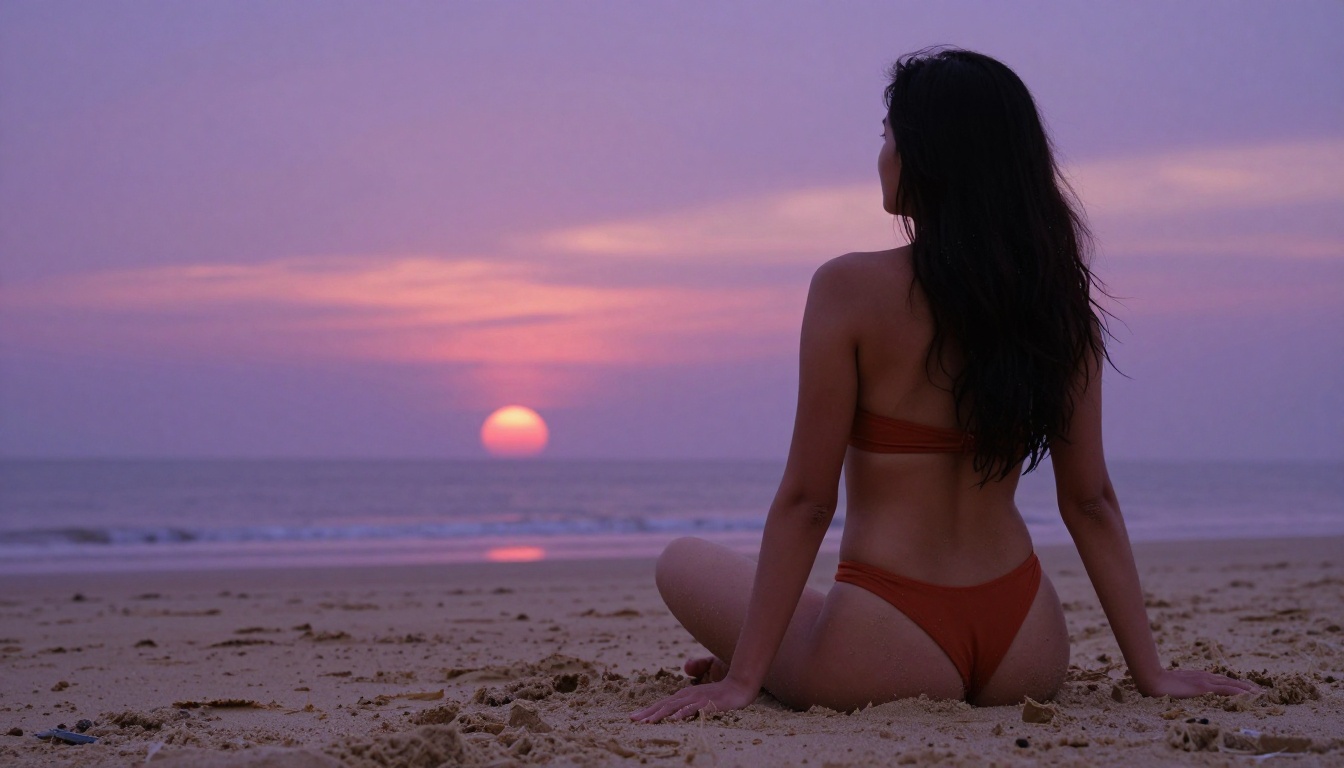
| sitting outside | seated cross-legged on damp sand, facing the horizon, hair loose |
| attractive model | woman with high cheekbones, sun-kissed freckles, long auburn hair |
Add Lighting and Atmosphere
Lighting is where photorealism lives. Natural photographers shoot at golden hour for a reason: the warm, low-angle light creates depth and dimension on skin that flat overhead lighting can't match. AI models have seen millions of golden hour photographs and respond to that language.
Lighting terms that trigger photorealism:
- Golden hour, directional from left (warm, dimensional)
- Soft north window light (even, portrait-quality)
- Dusk ambient, violet-orange sky (dramatic, cinematic)
- Midday sun overhead, hard shadows (fashion editorial look)
- Diffused through sheer curtains (soft, airy interiors)
Always add a color temperature note. "Warm 3200K afternoon light" tells the model exactly what palette to use.
Choose Your Camera Angle
The camera angle changes everything about how a scene reads. Low angles make subjects look confident and imposing. Aerial downward angles are great for pool and beach scenes. Close-up lens work creates intimacy.
| Angle | Best Used For | Lens Note |
|---|
| Low angle (waist-height looking up) | Full body, confidence | 35mm or 50mm |
| Eye level | Portraits, natural conversation | 85mm f/1.4 |
| Aerial (45° down) | Pool, beach, interior shots | 24mm wide |
| Close-up macro | Skin texture, detail shots | 100mm macro |
| Three-quarter | Fashion, mid-body | 50mm f/2.8 |
Always end your prompt with --ar 16:9 --style raw. The raw style flag is one of the most consistent triggers for a photorealistic result versus a stylized or illustrative one.
Best Free Models for NSFW AI Art
Even the most well-crafted prompt will fail on the wrong model. Most mainstream AI platforms add content filters that block adult content entirely. The platforms that work for free NSFW art are ones where the content filters are either adjustable or simply not present.
PicassoIA is one of the few platforms where you can access uncensored, high-performance models at no cost through its free trial, and with unlimited generation through paid plans.
Seedream 4.5 Takes the Top Spot
Seedream 4.5 is the best all-around model for NSFW AI art right now. It accepts adult content without filtering, generates ultra-realistic results, and does it in under 3 seconds.
What makes it stand out is the combination of speed and quality. Most models that produce comparable realism take 15 to 30 seconds per image. Seedream 4.5 delivers comparable output in a fraction of the time, which matters a lot when you're iterating through prompt variations.
It also supports image editing, so you can use your initial generation as a base and refine specific areas without starting from scratch.
💡 Note on the sequel: Seedream 5 Lite is the newer version, but it does not support NSFW content. Stick with Seedream 4.5 for adult art.
PicassoIA Image Editor Pro Offers Unlimited Runs
PicassoIA Image Editor Pro is an img2img model, meaning it takes an existing image as input and transforms it based on your prompt. For NSFW art, this workflow is extremely useful: you start with a base image, then use the editor to adjust the result.
Its biggest practical advantage: unlimited generations on Elite or Infinite plans. When you're writing prompts and iterating toward a specific result, the ability to run 100 or 500 variations without counting credits is a significant advantage. On comparable models, reaching 1,000 generations could cost upward of $100. Here it's included in your plan.
It returns results in under a second and offers a 3-generation free trial with no credit card required.
Six More Models Worth Trying
Beyond the top two, PicassoIA hosts a strong lineup of NSFW-capable models:
- Qwen Image 2 — open-source model that creates or edits any image with very detailed realism in seconds
- Grok Imagine Image — realistically converts any reference image to an alternate styling with photorealistic precision
- Recraft V4 — text-to-image only, but produces consistently realistic outputs with strong detail
- P-Image — NSFW text-to-image in under 1 second, one of the fastest options available
- Seedream 5 Pro — the premium tier of the Seedream family, delivering maximum fidelity for detailed scenes
- Seedream 4 — a solid predecessor to 4.5, still produces strong results with full NSFW support
How to Use Seedream 4.5 on PicassoIA
Since Seedream 4.5 is the recommended starting point, here's the exact process for getting a high-quality NSFW image with it on PicassoIA.
Step-by-Step From Prompt to Image
- Go to picassoia.com/en/collection/text-to-image/bytedance-seedream-45
- In the prompt field, paste your full structured prompt (subject, environment, lighting, camera,
--style raw)
- Set aspect ratio to 16:9 for landscape shots or 9:16 for vertical/portrait
- Hit Generate and wait under 3 seconds
- If the first result isn't right, adjust one variable at a time: lighting, camera angle, or a clothing descriptor
- Once you have a result close to what you want, use the seed number from that generation to reproduce it with minor prompt tweaks
Tips for Better Results
- Don't stack too many poses. One pose per image. "Seated, leaning forward, one arm raised" is three poses and the model will usually compromise on all three.
- Specify skin texture in your prompt. Words like "dewy skin," "sun-kissed freckles," "bronzed complexion" push the model toward more photorealistic skin rendering.
- Use real lens specs. "85mm f/1.4" is not just aesthetic preference. Models trained on photography datasets associate these lens specs with portrait photography and respond accordingly.
- Add film stock references. "Kodak Portra 400" is a consistent trigger for warm, realistic skin tone rendering with natural grain.
Words That Make or Break NSFW Prompts
There's a vocabulary that works reliably for photorealistic adult art and a separate vocabulary that triggers filter behavior or produces stylized, non-photorealistic results.
What to Always Include
These terms consistently improve realism and prompt adherence in NSFW contexts:
photorealistic / RAW 8K photography / ultra-realisticnatural skin texture / skin pores visible / dewy complexionvolumetric light / directional light from [direction]Kodak Portra 400 / film grain / analog photography85mm lens / 50mm f/1.8 / depth of field--style raw (always)natural lighting / no artificial filters
What to Cut From Your Prompts
These terms often cause problems:
- "Hyper-detailed" in isolation, without context. It often triggers CGI textures rather than photorealism.
- Style words that conflict: Adding "photorealistic" and "digital art" in the same prompt confuses the model. Pick one.
- Excessive negative prompts as positive statements: Saying "no blur, no noise, no artifacts" as positive instructions often backfires. Use them only in negative prompt fields.
- Multiple competing lighting sources: "Lit by sunlight, studio lights, and neon signs" produces flat or incoherent lighting. Choose one primary source.
💡 Rule of thumb: If you'd say it to a photographer before a shoot, it belongs in your prompt. If you'd say it to a post-processing plugin after the shoot, it belongs in the negative prompt, not the generation prompt.
Free NSFW Art Across Different Styles
NSFW AI art is not one aesthetic. The same prompt structure works across very different visual approaches, and the adjustments are smaller than most people expect.
Glamour and Bikini Photography
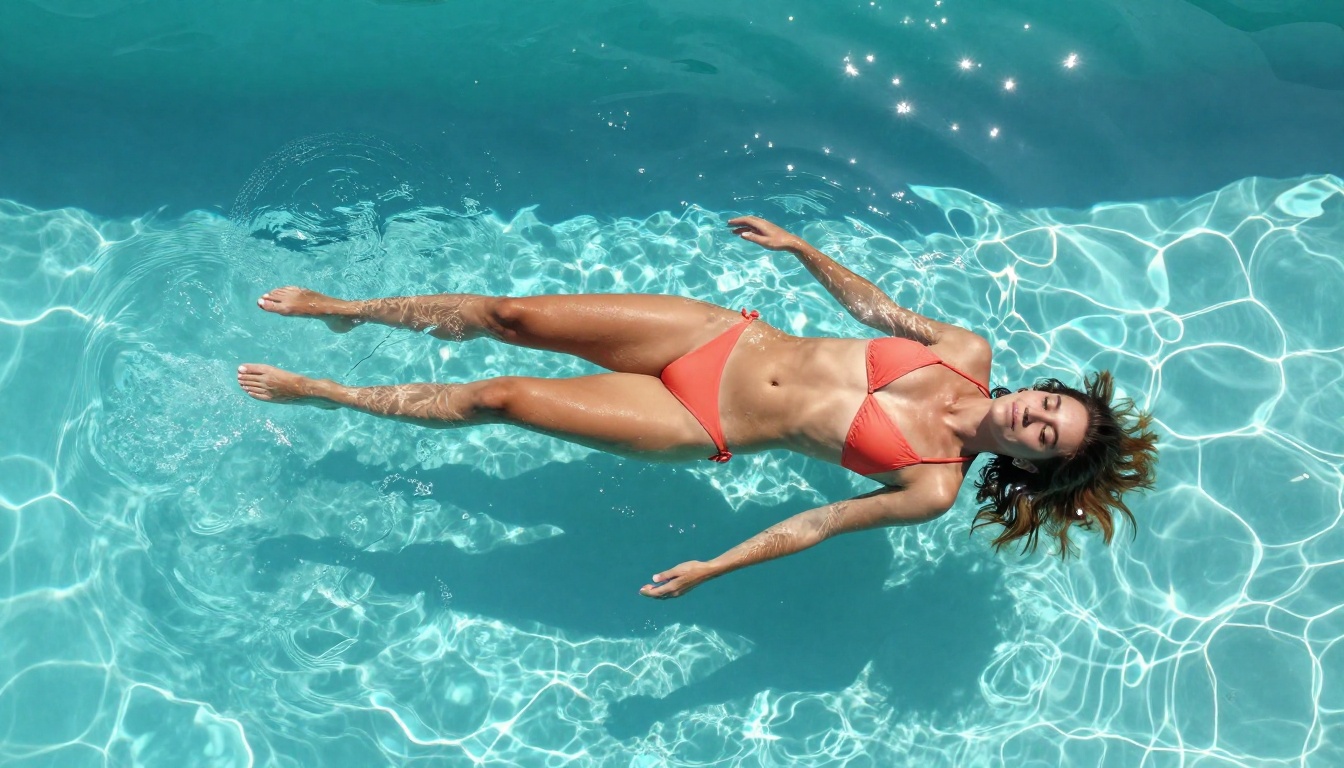
The glamour style prioritizes perfect lighting, clean backgrounds, and aspirational settings. Think high-end editorial swimwear campaigns. Key adjustments:
- Location: private pool, luxury resort, tropical beach
- Clothing: minimal string bikini, one-piece with strategic cutouts, cover-up wrap
- Lighting: golden hour, hard directional, high key in studio
- Lens: 85mm for tight mid-body, 50mm for environmental context
Example prompt fragment:
"25-year-old woman with long blonde hair, wearing a minimal white string bikini, standing at the edge of an infinity pool overlooking a tropical coastline, golden hour light from the left at approximately 15° elevation, 85mm f/1.4, sun-kissed skin with natural highlight on cheekbone, Kodak Portra 400 --ar 16:9 --style raw"
Artistic Implied Nudity
Artistic implied nudity relies on composition and light rather than explicit detail. Strategically positioned elements, camera angles, and shadows do the work. This style often produces the most striking results because it asks the model to be intentional about negative space.
Key adjustments:
- Composition: subject turned away from camera, arms creating natural coverage, fabric as framing element
- Environment: natural settings work best — beach, garden, desert
- Lighting: dramatic single-source natural light to create strong shadows
- Motion framing: describe the specific element creating the implication ("cascade of water," "wild grass at hip height")
Example prompt fragment:
"Woman standing with her back to the camera in a sun-drenched wildflower field, tall golden grass at waist height, arms slightly raised, late afternoon backlight creating a rim outline on her silhouette, 35mm wide lens, warm amber light, Kodak Portra 400 grain --ar 16:9 --style raw"
Common Mistakes With NSFW Prompts
Most prompts that produce bad results share the same handful of problems.
Vague Descriptions
"Beautiful woman in bikini on beach" will generate something. It won't generate something specific. The model picks the average of everything it knows about that scene. You get a competent image that looks like stock photography from 2015.
The fix is simple: add three specific details to each element. Instead of "on beach," write "on wet reflective sand at the waterline, Atlantic coast, dusk light." The specificity forces the model out of its average.
Overloading With Keywords
The opposite problem: a prompt that's 500 words long with 30 different style keywords, lighting conditions, and clothing descriptions stacked on each other. Models don't process prompts the way humans read a paragraph. Too many competing instructions reduce coherence.
A strong NSFW prompt is 60 to 100 words. That's enough space for a specific subject, a specific setting, a specific lighting condition, and a camera spec. Anything beyond that should be in a second iteration after you see what the model returns.
| Prompt Length | Typical Result |
|---|
| Under 20 words | Generic, lacks detail |
| 60-100 words | Best balance of specificity and coherence |
| Over 200 words | Competing instructions, lower coherence |
Start Creating on PicassoIA Right Now
The only way to get better at writing NSFW AI prompts is to run iterations. Read about structure all day, but until you run 20 prompts and see what changes and what doesn't, the theory stays abstract.
PicassoIA gives you the models, the speed, and the freedom to run those iterations without restriction. Start with Seedream 4.5 for your first session. Use the prompt structure from this article: subject, environment, lighting, camera, --style raw. Run it, see what you get, change one variable, run it again.
If you want unlimited iterations without watching credit counts, PicassoIA Image Editor Pro is the practical choice. The free trial gives you three generations without a credit card. The Elite and Infinite plans give you as many as you need.
The full lineup of NSFW-capable models, including Qwen Image 2, Grok Imagine Image, Recraft V4, P-Image, and more, is at picassoia.com/en/all-models. Each one responds differently to the same prompt, so testing across models is part of finding your own visual style.