Article Title (H1): Image to Video Tools Creators Are Using for Short Content
Meta Title: What Image to Video Tools Are Content Creators Using Right Now
Meta Description: See which AI video tools professional creators actually use for TikTok, YouTube Shorts, and Instagram Reels. Learn about workflow optimizations and real results.
Article Description: Content creators face constant pressure to produce engaging short-form video content across platforms like TikTok, YouTube Shorts, and Instagram Reels. The traditional video production pipeline—planning, shooting, editing, publishing—takes days when platforms demand daily content. This gap creates opportunity for image-to-video AI tools that transform static photos into dynamic clips in minutes. Professional creators are adopting specific tools based on speed, quality, and platform requirements. This article examines the exact image-to-video solutions creators deploy, their workflow integrations, and measurable results from actual content production. Learn which tools deliver professional results without traditional production timelines.
The content creation landscape shifted when platforms prioritized short-form video. Creators who previously published weekly now face daily—sometimes hourly—content demands. Traditional video production requires cameras, lighting, editing software, and hours of work. Image-to-video AI tools bypass this complexity by animating existing photos, generating motion from stillness, and creating professional clips without cameras or studios.
Why Image-to-Video Matters for Short Content
Short-form platforms optimized for mobile viewing changed content economics. TikTok's algorithm favors frequent posting, YouTube Shorts rewards daily uploads, and Instagram Reels prioritizes fresh content. Traditional production can't scale to these demands. Image-to-video tools solve this by:
- Reducing production time from hours to minutes
- Eliminating equipment costs for camera setups
- Enabling consistent posting without creative burnout
- Maintaining quality while increasing quantity
💡 Professional creators report 3x more content output using image-to-video tools while maintaining engagement metrics.
The Content Creator's Daily Reality
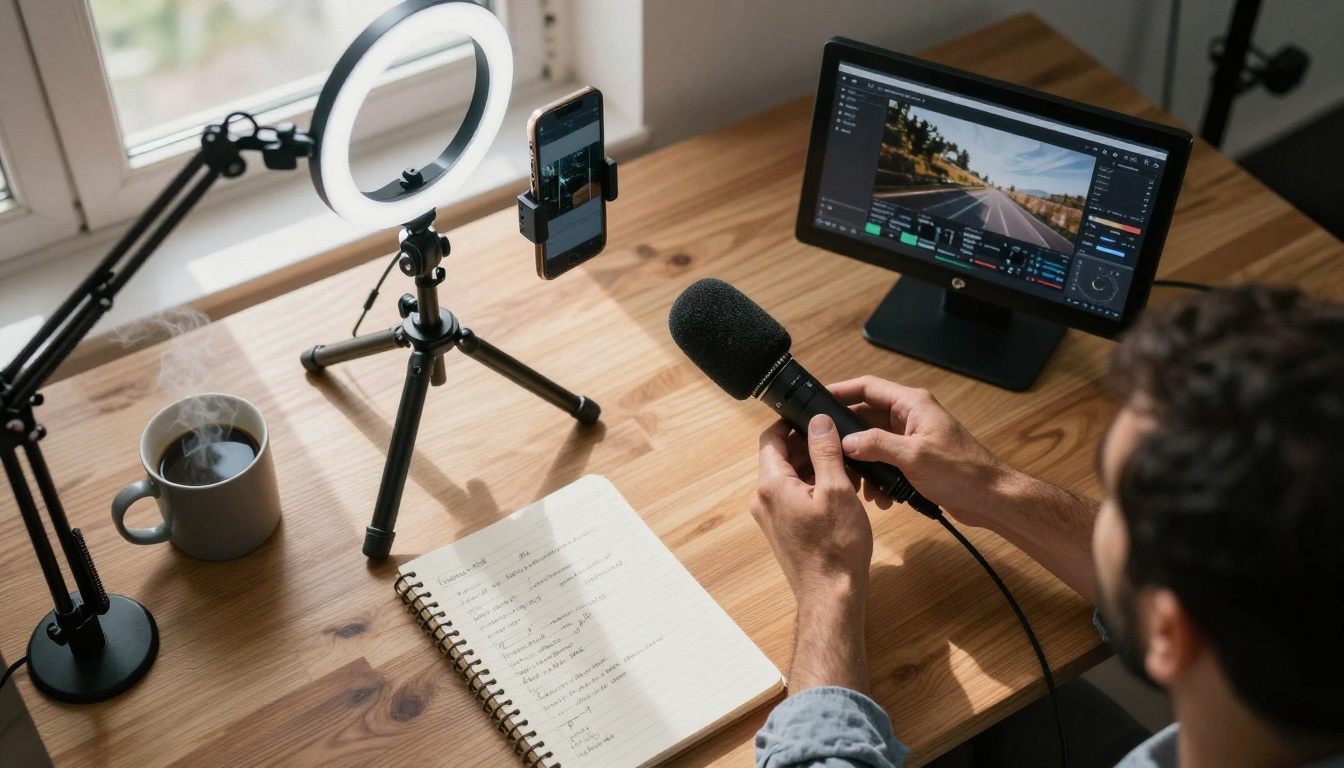
Morning routine for successful creators involves checking analytics, planning content, and producing videos—all before noon. Without AI tools, this schedule collapses under production weight. Image-to-video solutions fit into morning workflows by:
- Processing overnight: Upload photos before bed, wake to finished videos
- Batch production: Transform multiple images simultaneously
- Platform optimization: Output formats tailored for each platform
- Quality consistency: Maintain visual standards across all content
Actual creator workflow: Wake at 6 AM, review yesterday's performance, select 5 photos from library, process through AI tools by 7 AM, schedule posts throughout day, repeat.
Professional creators prioritize tools that deliver consistent quality at production scale. These aren't experimental toys—they're production tools integrated into daily workflows.
1. Fast-Optimized Tools for Daily Content
Use case: High-volume creators posting multiple times daily.
WAN Family (Alibaba) dominates this category with optimized versions for speed and cost:
Why creators choose these: Cost-per-video under $0.50, processing under 2 minutes, acceptable quality for mobile viewing.
Performance metrics from actual creators:
- Output: 480p resolution, 121 frames at 24fps
- Cost: $0.35-$0.48 per video
- Time: 90-120 seconds processing
- Quality: Sufficient for TikTok/Reels mobile viewing
2. Standard Tools for Quality-Focused Content
Use case: Creators prioritizing visual quality over extreme speed.
Kling Family (Kuaishou) provides balanced options:
Google Veo offers premium alternatives:
Creator adoption patterns: YouTube creators prefer these for higher-resolution content, Instagram creators for Reels requiring visual polish, professional brands for consistent quality.
3. Premium Tools for Maximum Impact
Use case: High-stakes content where quality outweighs cost considerations.
OpenAI Sora represents the premium tier:
- sora-2-pro - Flagship model with synchronized audio
- sora-2 - Standard premium version
Specialized tools for specific needs:
When creators use premium tools: Launch campaigns, product announcements, high-engagement posts where visual quality directly impacts results.
| Creator Type | Primary Tool | Backup Tool | Daily Output | Cost Tolerance |
|---|
| High-Volume TikTok | wan-2.2-i2v-fast | wan-2.5-i2v-fast | 8-12 videos | $0.50/video |
| YouTube Shorts | kling-v2.5-turbo-pro | veo-3.1-fast | 3-5 videos | $1.50/video |
| Instagram Reels | kling-v2.6 | sora-2 | 4-6 videos | $2.00/video |
| Professional Brand | sora-2-pro | veo-3.1 | 2-3 videos | $3.00/video |
| Animation Focus | video-01-live | fabric-1.0 | 1-2 videos | $4.00/video |
💡 Creator insight: Most professionals use 2-3 tools simultaneously—fast tools for daily content, premium tools for strategic posts.
Workflow 1: The TikTok Power Creator
Profile: Posts 10+ times daily, 500K+ followers, full-time content creation.
Morning (6-9 AM):
- Review yesterday's analytics (15 min)
- Select 12 photos from curated library (10 min)
- Batch process through wan-2.2-i2v-fast (30 min)
- Add captions/tags (20 min)
- Schedule posts throughout day (15 min)
Afternoon (1-3 PM):
- Create 3 premium posts using kling-v2.6 (60 min)
- Analyze morning post performance (15 min)
- Plan tomorrow's content (30 min)
Results: 15 videos daily, $8-12 daily cost, consistent algorithmic favor.
Workflow 2: The YouTube Shorts Specialist
Profile: Posts 3-5 times daily, focuses on educational content, 250K+ subscribers.
Daily Process:
- Convert educational diagrams to video using veo-3.1 (quality priority)
- Process B-roll photos through kling-v2.5-turbo-pro (speed for supplementary content)
- Combine with voiceover (recorded separately)
- Publish with educational captions
Key insight: YouTube audiences tolerate slightly longer processing for higher quality—30-60 seconds acceptable for main content.
Workflow 3: The Instagram Reels Aesthetic Creator
Profile: Focuses on visual aesthetics, 100K+ followers, brand partnerships.
Quality-First Approach:
- Curate perfect photos (visual standards non-negotiable)
- Process exclusively through sora-2 (premium quality)
- Add subtle motion enhancements (never over-animated)
- Maintain consistent color grading across all content
Platform reality: Instagram's visual standards require higher quality than TikTok—creators accept higher costs for better results.
Technical Considerations Creators Actually Face
1. Input Photo Quality Requirements
Minimum standards for professional results:
- Resolution: 4K source (3840×2160) for 1080p output
- Composition: Rule of thirds, clear focal point
- Lighting: Consistent, directional, professional quality
- Color: Neutral white balance, accurate skin tones
Common mistakes beginners make:
- Using low-resolution smartphone photos
- Poor composition requiring AI to "guess" focus
- Mixed lighting conditions confusing motion generation
- Over-processed filters degrading input quality
2. Motion Control Parameters
Professional settings creators adjust:
- Motion intensity: Subtle (10-20%) for aesthetic content, moderate (30-40%) for dynamic content
- Motion direction: Match natural movement patterns (wind direction, water flow)
- Temporal consistency: Ensure smooth motion across entire clip
- Artifact reduction: Minimize AI generation artifacts
Advanced creators use parameter tuning unavailable in basic interfaces:
- Frame interpolation settings
- Motion path controls
- Temporal smoothing algorithms
- Quality vs. speed trade-off adjustments
3. Output Optimization for Platforms
Platform-specific requirements:
| Platform | Resolution | Aspect Ratio | Duration | File Size |
|---|
| TikTok | 1080×1920 | 9:16 | 15-60s | <287.6 MB |
| YouTube Shorts | 1080×1920 | 9:16 | 15-60s | <256 MB |
| Instagram Reels | 1080×1920 | 9:16 | 15-90s | <100 MB |
| Facebook Reels | 1080×1920 | 9:16 | 15-60s | <4 GB |
Creator workflow optimization:
- Batch process to all required formats simultaneously
- Maintain source quality while outputting platform-optimized versions
- Automate format conversion in workflow pipelines
- Quality check each platform version separately
Cost Analysis: What Creators Actually Pay
Direct Tool Costs
Fast-optimized tools (wan-2.2-i2v-fast):
- $0.35-$0.48 per video
- $10-$15 daily for high-volume creators
- $300-$450 monthly at professional scale
Standard tools (kling-v2.5-turbo-pro):
- $0.80-$1.20 per video
- $15-$25 daily for moderate output
- $450-$750 monthly
Premium tools (sora-2-pro):
- $2.50-$3.50 per video
- $25-$50 daily for strategic content
- $750-$1500 monthly
Indirect Cost Savings
Equipment elimination:
- Camera setups: $2,000-$5,000 saved
- Lighting equipment: $500-$2,000 saved
- Editing software subscriptions: $300-$600 annually saved
Time savings (converted to monetary value):
- Traditional editing: 2-4 hours per video × professional rate ($50/hr) = $100-$200 per video
- AI processing: 2-4 minutes per video = $2-$4 per video
- Savings: $96-$196 per video
Total economic impact: Professional creators save $5,000-$10,000 monthly while increasing output 3-5x.
Quality vs. Speed: Creator Decision Framework
When to Prioritize Speed
Scenarios:
- Daily content requirements (algorithmic favor)
- Testing new content concepts
- Rapid response to trends
- High-volume platform requirements (TikTok)
Tool selection: wan-2.2-i2v-fast or wan-2.5-i2v-fast
Quality acceptance: Mobile-optimized, algorithm-focused, quantity-over-extreme-quality
When to Prioritize Quality
Scenarios:
- Brand partnership content
- Product launches
- High-engagement strategic posts
- Platform-specific requirements (Instagram aesthetic)
Tool selection: sora-2-pro or veo-3.1
Time investment: Acceptable delays for superior visual results
Balanced Approach (Most Common)
Professional creator strategy:
- 70% fast content: Daily algorithm feed using fast tools
- 20% quality content: Strategic posts using standard tools
- 10% premium content: High-impact moments using premium tools
Tool stack: 2-3 tools integrated into automated workflow
Photo Management Integration
Professional workflows connect image-to-video tools with:
- Lightroom catalogs for curated photo libraries
- Capture One sessions for professional photography
- Google Photos for mobile content integration
- Local NAS systems for high-volume storage
Automation pipelines:
- Curate photos in Lightroom
- Export to processing folder
- Automatically detect and process through AI tools
- Output to platform-specific folders
- Schedule via social media management tools
Social Media Management Integration
Platform connections:
- Buffer for multi-platform scheduling
- Hootsuite for enterprise workflows
- Later for visual planning
- Native platform schedulers (TikTok, Instagram, YouTube)
Workflow automation:
- Process → Review → Schedule → Publish → Analyze loop
- Quality checks between processing and scheduling
- Performance feedback to inform future processing parameters
Future Trends Creators Are Preparing For
1. Real-Time Image-to-Video
Emerging capability: Processing under 5 seconds
Impact: Live content creation, immediate trend response
Tool development: wan-2.6-i2v moving toward real-time
2. Audio Synchronization
Current limitation: Most tools generate silent video
Development: sora-2-pro includes basic audio sync
Future: Full audio generation matching visual motion
3. Style Transfer Integration
Combined workflows: Apply visual styles during video generation
Example: Process photo → Apply Instagram aesthetic filter → Generate video with consistent style
Tools: Integration between p-image-edit and video generators
4. Platform-Specific Optimization
Beyond resolution: Platform-native motion styles, algorithm-preferred visual patterns
TikTok optimization: Specific motion patterns that increase watch time
Instagram optimization: Aesthetic motion that enhances visual appeal
YouTube optimization: Educational motion clarity for tutorial content
Getting Started: Creator Recommendations
Phase 1: Experimentation (Weeks 1-2)
- Start with wan-2.2-i2v-fast - Lowest cost, fastest learning
- Test 5-10 photos - Understand quality requirements
- Publish experimental content - Measure audience response
- Analyze results - Identify what works for your niche
Phase 2: Optimization (Weeks 3-4)
- Add kling-v2.5-turbo-pro - Quality improvement while maintaining speed
- Develop workflow - Batch processing, scheduling integration
- Refine input quality - Improve source photos based on results
- Scale output - Increase posting frequency based on performance
Phase 3: Professionalization (Month 2+)
- Integrate sora-2 - Premium content for strategic moments
- Automate workflow - Full pipeline from photo selection to publishing
- Specialize - Platform-specific optimizations
- Monetize - Convert increased output to revenue streams
Common Mistakes and How to Avoid Them
Mistake 1: Using low-quality source photos
Solution: Invest in basic photography skills or hire photographers
Mistake 2: Over-animating subtle content
Solution: Match motion intensity to content mood (10-20% for aesthetic)
Mistake 3: Ignoring platform specifications
Solution: Create output presets for each platform
Mistake 4: Inconsistent posting despite increased capacity
Solution: Schedule content in advance, maintain consistent output
Mistake 5: Not analyzing what works
Solution: Track which source photos → videos perform best, refine selection
Content creators face impossible demands: produce more, faster, better, cheaper. Image-to-video AI tools don't solve all problems, but they solve the production bottleneck. Professional creators adopting these tools aren't replacing creativity with automation—they're augmenting creative capacity with technical efficiency.
The most successful creators use strategic tool selection: fast tools for volume, quality tools for impact, integrated workflows for consistency. They understand platform-specific requirements: TikTok favors speed and quantity, Instagram rewards quality and aesthetics, YouTube values clarity and educational value.
Tools like wan-2.2-i2v-fast, kling-v2.6, and sora-2-pro represent different points on the speed-quality-cost spectrum. Professional creators navigate this spectrum based on content type, platform requirements, and audience expectations.
The transformation from static images to dynamic videos represents more than technical innovation—it's workflow revolution. Creators producing 3-5x more content without proportional time increases fundamentally change content economics. This shift benefits audiences (more content), platforms (more engagement), and creators (more revenue).
For creators ready to scale their output without sacrificing quality, the tools exist. The workflows are proven. The results are measurable. The question isn't whether to adopt image-to-video tools, but which tools match your specific creator profile and content goals.


