Speed is the silent bottleneck in most AI image workflows. Whether you are iterating on product shots, generating social content at scale, or prototyping visual concepts before a client call, the time between pressing "generate" and seeing a usable result shapes how much you can actually accomplish. Imagen 4 Fast positions itself as Google's answer to that problem: a model tuned for rapid inference without dropping into unusable output territory. The question is whether it delivers on that promise when put directly against the fastest models from other labs, and where the trade-offs actually land in practice.
What Is Imagen 4 Fast?
Imagen 4 Fast is Google DeepMind's speed-optimized variant of the Imagen 4 model, released as part of the broader Imagen 4 series alongside the standard Imagen 4 and the detail-maximized Imagen 4 Ultra. Where the full Imagen 4 prioritizes absolute output fidelity, Imagen 4 Fast applies architectural optimizations and reduced sampling steps to cut inference time significantly, bringing generation speed into practical range for real-time or near-real-time applications.
Google's Imagen series has been a consistent presence in text-to-image benchmarks since Imagen 3 established the lab's reputation for strong photorealism and accurate text rendering. Imagen 3 Fast already showed that Google could compress generation time without completely sacrificing quality. Imagen 4 Fast takes that same philosophy and applies it on top of the newer and significantly stronger Imagen 4 foundation.
Built for Production Speed
The defining characteristic of Imagen 4 Fast is its inference profile. The model targets sub-5-second generation times for standard resolutions, making it one of the fastest premium-quality models currently available. That speed comes from several architectural choices:
- Reduced diffusion steps during sampling, accepting a slight softening of fine detail in exchange for dramatically faster generation
- Optimized attention mechanisms that maintain semantic accuracy while cutting the computation required per step
- Streamlined post-processing that preserves color accuracy without the heavier refinement passes used in Imagen 4 Ultra
- Smaller sampling budget focused on regions with the highest semantic importance rather than uniform full-image refinement
The result is a model that feels genuinely snappy in live workflows. You type a prompt, you see a result in seconds, and you can iterate without the workflow grinding to a halt between every generation.
The Imagen 4 Family at a Glance
| Model | Speed | Detail Level | Best For |
|---|
| Imagen 3 Fast | Very Fast | Good | Rapid drafts, concept iteration |
| Imagen 3 | Moderate | Very Good | Balanced everyday use |
| Imagen 4 Fast | Fast | Excellent | Speed-critical workflows with quality needs |
| Imagen 4 | Standard | Outstanding | Production assets, final renders |
| Imagen 4 Ultra | Slow | Maximum | High-detail commercial work |
Speed Test: Imagen 4 Fast vs the Field
Raw inference speed varies by platform, hardware allocation, and prompt complexity, but consistent patterns emerge across repeated tests on the same infrastructure. The numbers below reflect typical user-facing generation times on standard cloud GPU tiers, not maximum burst throughput under dedicated hardware.
Latency Numbers That Matter
Across a standard set of test prompts run at 1024x1024 resolution under identical conditions, Imagen 4 Fast consistently sits in the top tier for generation speed among premium-quality models. The gap between Imagen 4 Fast and its slower siblings is significant enough to affect real workflow economics.
💡 Inference speeds listed reflect typical platform performance under shared infrastructure. Dedicated API deployments can run faster, but the relative ordering between models remains consistent.
| Model | Typical Generation Time | Notes |
|---|
| Flux Schnell LoRA | 2-4 seconds | Fastest Flux variant, lower default realism |
| Imagen 4 Fast | 3-5 seconds | Consistent across prompt complexity |
| Imagen 3 Fast | 4-6 seconds | Previous generation, slightly slower |
| Stable Diffusion 3 | 6-10 seconds | More steps required for comparable output |
| Imagen 4 | 8-12 seconds | Full quality pass, worth the wait for finals |
| GPT Image 2 | 10-20 seconds | Variable, prioritizes instruction accuracy |
Where Imagen 4 Fast Wins on Speed
The speed advantage compounds in iteration-heavy workflows. Testing 20 prompt variations for a campaign visual at 4 seconds per generation takes roughly 80 seconds total. At 15 seconds per generation (closer to GPT Image 2's typical time), that same test takes 5 minutes. Across 300 prompts in a production session, the gap grows to nearly an hour of wall-clock time.
Imagen 4 Fast also maintains Google's historically strong text rendering accuracy, which neither Flux Schnell LoRA nor Stable Diffusion 3 match reliably at comparable generation speeds. If your prompts include text overlays or labels as part of the image content, that accuracy gap matters.
Quality vs Speed: The Real Trade-Off
Every fast model makes compromises. The question is where those compromises land and whether they affect your specific output requirements.
Detail Retention at Fast Settings
Imagen 4 Fast retains most of what makes the full Imagen 4 output compelling:
- Color accuracy remains nearly identical to the full model, with correct white balance and natural tonal response
- Facial anatomy and skin texture hold up well in portrait prompts, maintaining realistic proportions at standard zoom levels
- Compositional coherence stays strong across complex scene descriptions with multiple subjects
- Lighting interpretation accurately translates prompt descriptors like "afternoon window light" or "overcast diffuse fill" into matching shadow behavior
- Background rendering shows the most noticeable softness compared to the full model, particularly in highly detailed background environments
The areas where quality dips are largely in fine-grain background detail and the absolute sharpness of complex textures at high zoom. For most use cases, including social media, web content, and rapid prototyping, these differences are invisible at normal viewing sizes.
Where Full Imagen 4 Pulls Ahead
If your output ends up in print, large-format display, or heavily cropped close-up use, the full Imagen 4 is worth the additional wait time. The differences become clearest in:
- Fabric and material textures: clothing, leather, and textile surfaces render with noticeably more depth and micro-detail
- Hair and fine strands: individual strand separation is more pronounced and consistent
- Architectural details at distance: stonework, windows, and structural elements stay sharp at the edges of the frame
- Micro-contrast in shadow areas: shadow regions show more tonal gradation rather than blocking into flat dark areas
For maximum resolution and commercial-grade detail, Imagen 4 Ultra sits at the top of the stack, but it trades speed for quality in the opposite direction from the Fast variant.
Imagen 4 Fast Against the Competition
Imagen 4 Fast vs Flux Schnell
Flux Schnell LoRA from Black Forest Labs is the primary speed competitor in the current landscape. It generates at comparable or slightly faster speeds, but the output profiles differ significantly across prompt categories.
Where Flux Schnell LoRA leads: strong at abstract and stylistic prompts, very fast raw throughput, excellent with LoRA-based customizations for specific aesthetic styles.
Where Imagen 4 Fast leads: superior photorealism in portrait and lifestyle prompts, better out-of-the-box text rendering within images, more consistent and accurate skin tones across diverse subjects, stronger semantic accuracy for complex multi-element descriptions.
For commercial photography-style output, Imagen 4 Fast wins clearly on quality. For creative or heavily stylized work where photorealism is not the priority, Flux Schnell LoRA is a credible and fast alternative.
Imagen 4 Fast vs GPT Image 2
GPT Image 2 from OpenAI targets a different part of the quality spectrum. It prioritizes instruction-following precision and consistent object rendering over raw generation speed. In testing, generation times run 2-4x slower than Imagen 4 Fast for comparable prompt complexity.
The scenarios where GPT Image 2 earns its slower speed: prompts requiring very specific spatial relationships between objects, text-heavy compositions with multiple labels or signs, and product renders where exact object properties must match a description precisely. For volume-based content production where speed matters more than micro-precision, Imagen 4 Fast is the more practical daily choice.
Imagen 4 Fast vs Stable Diffusion 3
Stable Diffusion 3 offers strong architectural flexibility and a wide range of downstream customization options. Its base generation speed at quality-comparable settings runs slower than Imagen 4 Fast, typically requiring more sampling steps to reach equivalent output coherence.
The main reason to reach for Stable Diffusion 3 over Imagen 4 Fast is ecosystem depth: if you rely on ControlNet integrations, specific fine-tuned checkpoints, or stylistic presets built around the SD architecture, that ecosystem accommodates specialized workflows better. For clean out-of-the-box photorealistic output with minimal prompt engineering overhead, Imagen 4 Fast reaches the destination faster.
Real Output Samples Across Categories
Portraits and People
Portrait generation is where Imagen 4 Fast earns the most consistent praise from practitioners who have tested it in production. The model handles skin tone diversity accurately, maintains realistic facial proportions without the uncanny deformations common in faster diffusion models, and renders hair with reasonable individual strand detail even at reduced sampling steps.
Lighting interpretation is particularly strong. A prompt specifying "afternoon window light from the left" reliably produces directional shadows and specular highlights on skin that match the described conditions. This consistency reduces the back-and-forth required to dial in the right look.

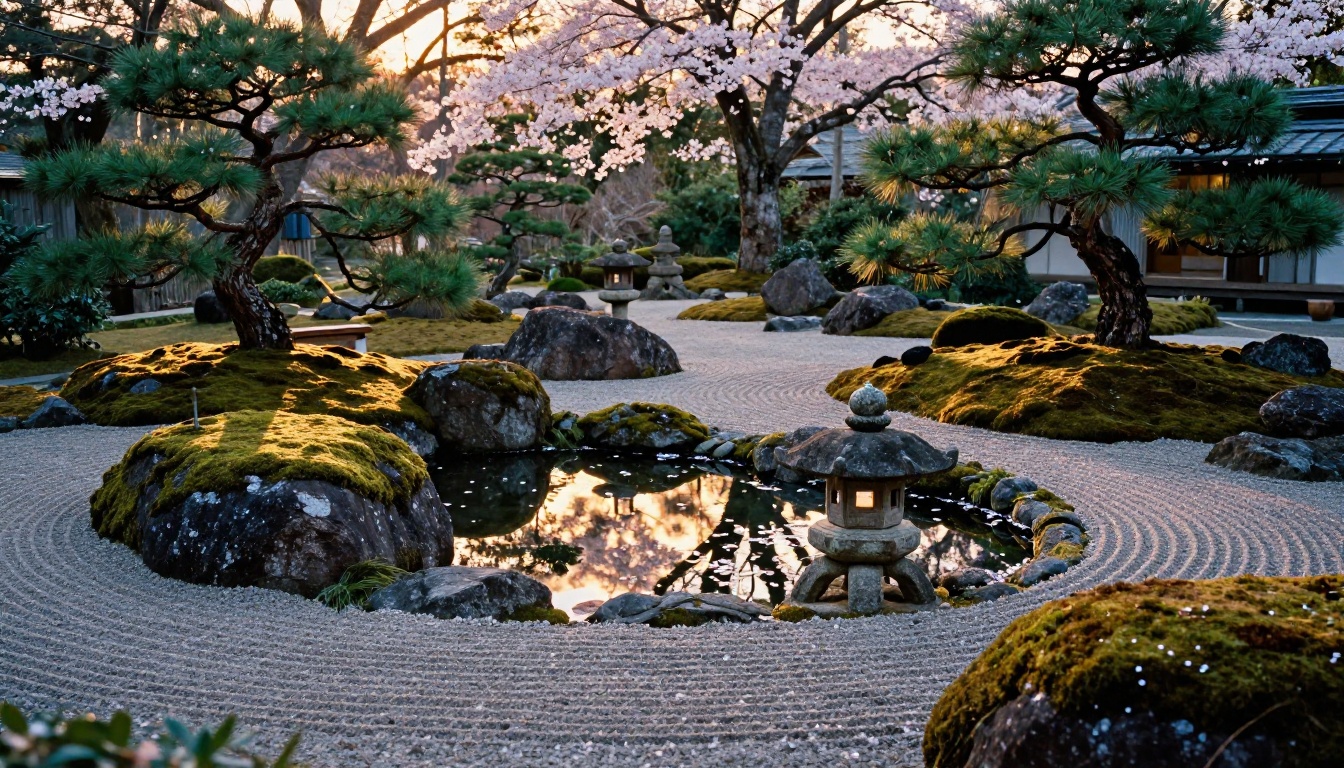
Landscapes and Natural Environments
Natural environment rendering shows Google's training data depth. Atmospheric effects like morning mist, golden hour gradients, and overcast diffusion translate accurately from prompt to output. Foliage and water surfaces render with natural variation rather than tiling artifacts or repeating texture patterns.
The weak point in fast mode is very complex scenes with many overlapping foreground and midground elements, where the reduced sampling steps can produce slightly muddy midground transitions. Simple to moderately complex landscapes are reliably strong and require little prompt refinement to achieve good results.
Commercial and Lifestyle Content
For lifestyle photography prompts, including people in social settings, travel and aspirational imagery, and product placement contexts, Imagen 4 Fast produces content that sits comfortably within the quality range used for social media and digital advertising campaigns.
💡 Tip: For lifestyle and glamour prompts, include specific lighting descriptors. "Late afternoon golden hour from camera right, soft fill light from the left" gives the model clear targets that improve output consistency significantly in fast mode.

How to Use Imagen 4 Fast on PicassoIA
Since Imagen 4 Fast is available directly on PicassoIA, here is how to get the best results from it without burning time on trial and error.
Step 1: Open the Model
Go to Imagen 4 Fast on PicassoIA. The interface loads a prompt input field with output configuration controls in the side panel. No API setup or configuration is needed.
Step 2: Write a Specific Prompt
Imagen 4 Fast responds best to descriptive, concrete prompts. The model is trained on Google's large-scale dataset, so plain-language descriptions work well without specialized syntax or unusual token weighting. The prompt structure that consistently performs well follows this pattern:
- Subject first: who or what is the main element of the scene
- Setting and environment: where the scene takes place, time of day, interior or exterior
- Lighting: direction, quality, and temperature ("afternoon window light", "overcast fill", "golden hour from the right")
- Camera and lens feel: focal length, aperture, and framing style ("85mm, f/1.8, shallow depth of field", "wide 24mm establishing shot")
- Mood and atmosphere: "warm editorial", "vibrant commercial", "muted documentary"
Example: A young professional woman with light brown skin and straight black hair, standing in a modern glass-walled office, afternoon window light from the right, 85mm lens, natural relaxed expression, clean editorial photography style, photorealistic
Step 3: Set Output Parameters
- Aspect ratio: 16:9 for landscape and banner content, 9:16 for vertical social formats, 1:1 for square platform posts
- Number of outputs: start with 2-4 variations to compare directions before committing to a single approach
- Seed locking: once you find a composition you like, lock the seed number and iterate on the prompt text to refine details without losing the overall layout
Step 4: Use Speed as a Workflow Tool
The entire point of Imagen 4 Fast is iteration speed. Generate 4 variations, pick the best direction, refine the prompt based on what worked, and generate again. At 3-5 seconds per output, you can test 50 or more prompt variations in the time a single Imagen 4 Ultra batch would take.
💡 Workflow tip: Use Imagen 4 Fast as your scouting model. Once you land on the right composition and prompt structure, switch to Imagen 4 or Imagen 4 Ultra for the final hero renders. You get the speed benefits of fast iteration and the quality benefits of the full model where it actually matters.

Who Gets the Most from Imagen 4 Fast?
Content Creators and Social Teams
If you produce imagery at volume, whether that is daily social posts, email campaign visuals, or website content refreshes on a rolling schedule, Imagen 4 Fast fits a high-throughput workflow better than any slower premium model. The quality ceiling is high enough for all digital-first applications, and the speed means you rarely have to wait for your next idea to become a visible result.
For projects that need specific style control, Recraft 20B on PicassoIA is worth having in rotation. For 4K-grade output when your content demands it, Seedream 4.5 provides that resolution ceiling with strong quality.
Developers and API-Based Workflows
For developers integrating image generation into applications, Imagen 4 Fast's speed profile changes what becomes technically feasible. Real-time or near-real-time image generation within a live application UI is within reach. Batch processing jobs that previously ran overnight can complete in a fraction of the time.
The model's low incoherence rate at fast settings also reduces the need for downstream quality filtering in automated pipelines, since completely broken or structurally incorrect outputs are rare even at maximum throughput.
Agencies and Rapid Prototyping
For advertising and design agencies, the ability to produce 30 to 40 distinct visual directions in a single morning session is a workflow change with tangible business value. Imagen 4 Fast makes that kind of wide-range exploration practical within a standard project timeline, without requiring a dedicated generation session that blocks other work.
Start Creating with Imagen 4 Fast Now
Imagen 4 Fast is available on PicassoIA right now, no setup required. Open the model, type your first prompt, and see a result in seconds. The speed is there. The quality holds for the vast majority of real-world use cases.
When you need to push further, Imagen 4 and Imagen 4 Ultra are both on the platform for final-quality renders. And with 91 text-to-image models available alongside them, including GPT Image 2, Recraft 20B, and Seedream 4.5, there is always a model tuned to exactly what you are trying to build.
Start with a simple prompt. Iterate in seconds. The only thing standing between your idea and a finished image is the time it takes to describe it.


