If you've been trying to generate steamy or suggestive content with Sora 2 Pro and hitting walls every single time, you're not imagining things. OpenAI's flagship video generation model sits behind one of the most actively enforced content moderation systems in the AI space. The question isn't just whether Sora 2 Pro allows NSFW content. It's about what counts as NSFW to OpenAI's filters, what still slips through, and what your real options are when you need a video generator that won't second-guess every creative prompt you write. This article breaks it all down with direct answers.
What Sora 2 Pro Actually Does

HD Video with Real-World Physics
Sora 2 Pro is OpenAI's most capable text-to-video model, generating high-definition video clips that respect real-world physics, lighting, and spatial coherence. Unlike earlier text-to-video systems that struggled with consistent motion and subject tracking, Sora 2 Pro keeps characters recognizable across frames, simulates natural camera movement, and handles complex scenes with multiple subjects in motion simultaneously.
The output quality is genuinely impressive. You can prompt it with cinematic language and get results that hold up on a big screen. Long-form shots, tracking sequences, and even subtle facial expressions render with a fidelity that few competing models match. Sora 2 Pro on PicassoIA gives creators direct access to this power without needing an OpenAI subscription or API token.
Who OpenAI Is Targeting
OpenAI built Sora 2 Pro for commercial creators, studios, marketers, and filmmakers producing content for broad audiences. The intended use cases include brand videos, product demos, narrative filmmaking, social media content, and educational material. This target audience shapes every content decision the team made, and it directly explains why the content policy is as strict as it is.

The platform is designed to be enterprise-safe by default. That means the filter doesn't just block the obvious extremes. It's tuned to err heavily on the side of caution, which affects creators working in fashion, body-positive content, romance storytelling, and anything that touches on human sensuality even slightly.
Sora 2 Pro Content Policy, Decoded
What Gets Blocked Immediately
The content policy for Sora 2 Pro is clear on the hard limits: no explicit nudity, no sexual acts, no content that sexualizes minors, no graphic violence outside of stylized cinematic contexts, and no content designed to harass or harm real individuals. These categories trigger immediate rejection with no appeal path.
Beyond the obvious, the filter is particularly aggressive with:
- Suggestive prompts involving skin: Requests for revealing outfits, swimwear in close-up, or anything framed with romantic or sensual language often get flagged even when the intent is clearly artistic.
- Prompt language that reads as adult: Words like "seductive," "erotic," "lustful," or even "intimate" in certain contexts send the prompt to rejection before the model even attempts generation.
- Real person associations: Any prompt that implies a specific real person in a romantic or suggestive scenario gets blocked automatically.
The filter operates on prompt text, not just output review. Sora 2 Pro reads your prompt before generating and will refuse before it starts if the language triggers its classifier.
The Gray Zone
Some content sits in an ambiguous middle ground where results are inconsistent. Romance scenes with clothed subjects sometimes generate fine and sometimes don't. Fashion content with swimwear can work in a neutral editorial framing but fail when the prompt uses charged language. Beach and pool scenes with implied bodies often produce blurry or deliberately obscured results.
💡 Tip: The consistency of Sora 2 Pro's filter improves with neutral, technical language. "Woman in red swimsuit standing at poolside, golden hour lighting" generates more reliably than "attractive woman in bikini at pool."
The model is not fully locked down in the sense of generating only office furniture and product shots. It handles romance, beauty, fashion, and human subjects well when prompts stay within commercial content norms. The ceiling it enforces is simply much lower than what many adult content creators need.
Is Sora 2 Pro NSFW? The Real Answer
No Explicit Content, Ever
The short answer is no. Sora 2 Pro does not generate explicit adult content under any circumstances, and there is no prompt engineering workaround that changes this. The filter is enforced at the model level, not just at the API layer. OpenAI has stated clearly that removing explicit content from Sora's outputs is a design decision, not a temporary restriction pending policy updates.
Creators who need explicit adult content generation will not find it here. The filter catches prompt-level triggers and output-level content in a two-stage system that's actively maintained by OpenAI's safety team.
Tasteful and Suggestive Still Works... Sometimes
What Sora 2 Pro does allow is commercial-level suggestive content. Think magazine editorial, beauty campaigns, fashion lookbooks, and romance film trailers. A couple kissing in a rain scene? Often fine. A woman in an elegant evening gown at a gala? No issue. Swimwear in the context of a luxury resort promotional video? Usually works with neutral framing.
The line sits roughly at "would this run as an advertisement on primetime television." If the answer is yes, Sora 2 Pro can likely generate it. If you need content that goes past that, you're looking at the wrong tool.
Why OpenAI Locks It Down This Hard
Corporate Access and Enterprise Risk
OpenAI's revenue depends heavily on enterprise customers: media companies, advertising agencies, studios, and platforms with strict content compliance requirements. A single high-profile controversy involving explicit content from Sora would damage those relationships significantly. The content policy is as much a business protection mechanism as it is a safety measure.
This is why the filter is tuned to be overly cautious rather than permissive. A false positive that blocks a legitimate piece of content costs OpenAI very little. A false negative that allows something explicit reaching a brand's workflow costs them a major contract.
The Safety Team's Role
OpenAI's safety team treats text-to-video as a higher-risk modality than text-to-text. Video content is more visceral, more shareable, and harder to label and contain after distribution. The team runs red-teaming exercises specifically designed to find prompts that bypass filters, and those findings feed directly into model updates.
From a creator's perspective, this means the filter gets tighter with each version update, not looser. Building a creative workflow around Sora 2 Pro filter gaps is a losing long-term strategy.
Use Sora 2 Pro on PicassoIA
PicassoIA hosts Sora 2 Pro directly, giving you access through a clean browser interface without needing an OpenAI subscription or API token. Here is how to generate your first video.
Step-by-Step to Your First Video
Step 1: Open the model page
Navigate to Sora 2 Pro on PicassoIA. You'll see the prompt input area and resolution settings on the left panel.
Step 2: Write a neutral, descriptive prompt
Use the format: [Subject] [Action] [Environment] [Lighting] [Camera Movement]. Example: "Young professional woman walking through sun-lit glass office corridor, warm morning light from left, smooth dolly-forward camera movement."
Step 3: Set resolution
For best results, select 1080p if you're producing content for distribution, or 720p for faster iteration during prompt testing.
Step 4: Generate and preview
Click generate and wait for the result. Preview the clip in the browser player before downloading.
Step 5: Download and use
Your generated MP4 is available for immediate download. PicassoIA stores it in your account history for easy retrieval.
Prompts That Won't Get Rejected
These prompt structures consistently work with Sora 2 Pro's filters:
- Commercial product shots: "Luxury perfume bottle on marble surface, soft window light, slow rotating 360-degree shot"
- Lifestyle and fashion: "Woman in tailored blazer walking along Tokyo street at dusk, shallow depth of field, cinematic color grade"
- Architecture and environment: "Aerial drone shot of glass skyscraper at golden hour, slow upward tilt, sunflare through glass"
- Nature and travel: "Ocean waves crashing on black sand beach in Iceland, overcast sky with dramatic clouds, wide angle slow motion"
Staying within these content categories gives you consistent results with no rejected prompts.
Better Alternatives for Adult-Friendly AI Content
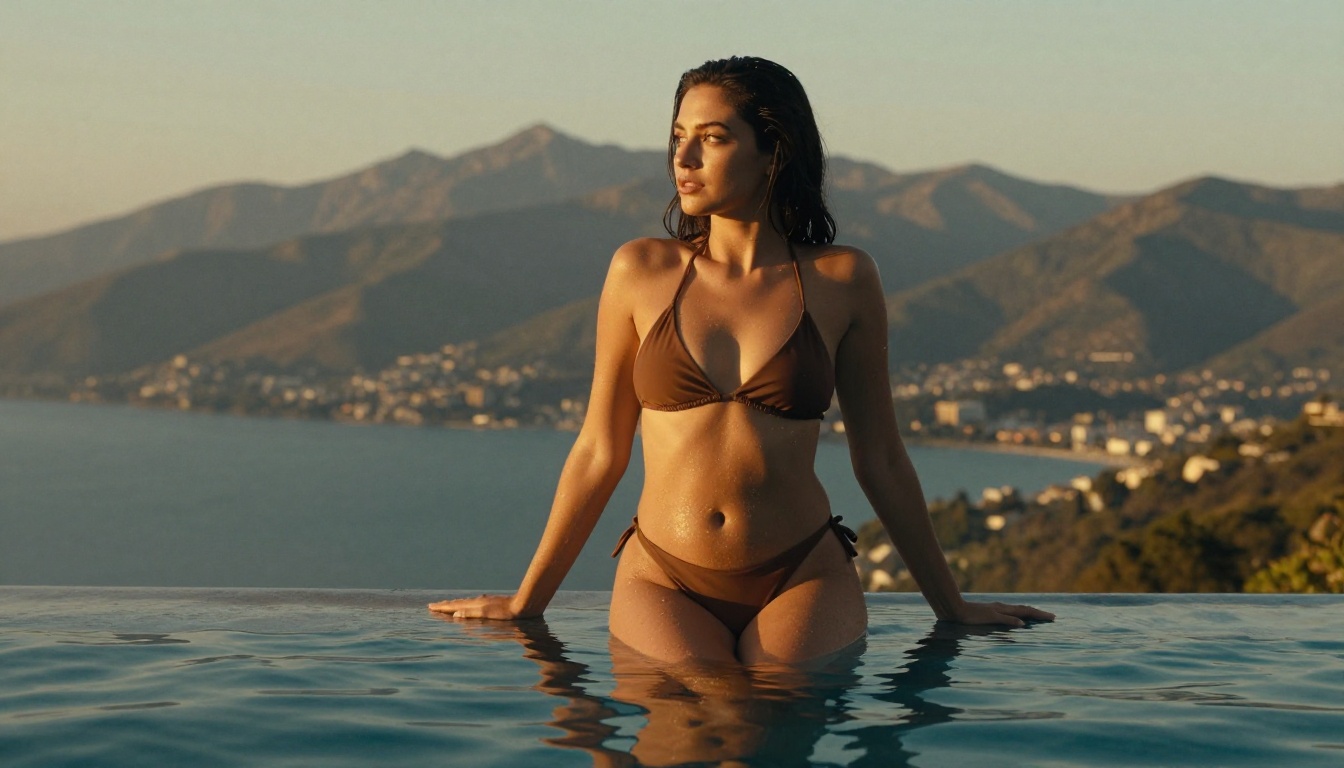
If Sora 2 Pro's content ceiling is too low for what you're creating, the alternatives on PicassoIA cover a wide range of creative needs without the same restrictions.
Seedream 4.5 for Images Without Limits
For still image generation without strict content filters, Seedream 4.5 is the strongest starting point on PicassoIA. It handles suggestive and glamour content with significantly more latitude than OpenAI models, produces photorealistic skin textures and natural body proportions, and runs fast enough for iterative creative workflows.
Seedream 4.5 supports detailed prompt control including lighting direction, body positioning, outfit descriptions, and background composition. For creators producing fashion, boudoir-adjacent, or adult-adjacent artistic content, it's the first model to try. Generations are unlimited, so you can iterate without worrying about credits burning out mid-session.
If you need higher resolution outputs, Seedream 5 Pro delivers 2K sharpness with the same prompt flexibility. For fast iteration at no per-use cost, the P Image model from PicassoIA's own infrastructure gives you rapid outputs perfect for testing compositions before committing to a final render.
💡 Browse every available image and video model at picassoia.com/en/all-models and filter by category to find what fits your workflow.
Video Models That Don't Censor as Hard
For video content that pushes past Sora 2 Pro's boundaries, several models on PicassoIA offer significantly more creative range:
Seedance 2.5 produces up to 30-second videos with native audio and handles human subject content with more permissiveness than OpenAI's stack. The motion quality is cinematic and the prompt response for fashion and beauty content is noticeably more flexible. If you need Sora-level output fidelity with fewer content restrictions, Seedance 2.5 is the closest match on the platform.
Kling v3 Video from Kwai gives you 1080p cinematic output with strong human motion fidelity. It's particularly strong at sustained motion sequences involving realistic body movement, making it a solid choice for dance, fashion runway, and performance content where Sora 2 Pro would push back on the framing.
Wan 2.7 T2V handles 1080p video with strong subject consistency across frames. Its content policy is less aggressively enforced than Sora 2 Pro's, which means creative prompts involving human subjects and suggested intimacy have a higher pass rate. It's a reliable workhorse for content that sits in the gray zone OpenAI won't touch.
Veo 3 from Google sits closer to Sora 2 Pro in terms of content restriction but offers native audio generation that makes it compelling for narrative content where audio-visual sync matters more than creative range.
Sora 2 Pro vs The Competition
Here's how Sora 2 Pro stacks up against leading alternatives on the content policy dimension:
The pattern is consistent: the models with the strongest output quality tend to have the strictest content policies. OpenAI and Google are building for mass commercial deployment. ByteDance and other AI labs are more willing to leave content decisions to the creator.
This isn't a quality judgment on either approach. It's a practical reality that shapes which tool makes sense for which creative workflow.
What Actually Matters for Your Workflow
If video quality is the priority and your content fits within commercial broadcast standards, Sora 2 Pro is the strongest technical choice available on PicassoIA right now. The output holds up against professional production standards in ways that most alternatives don't.
If creative freedom matters more than peak technical quality, Seedance 2.5 is the closest match in output fidelity without the same content ceiling. For still images with maximum creative range and no content blocks, Seedream 4.5 is where to start, with unlimited generations built in from the start.
Start Creating on Your Own Terms
The reality of AI video in 2027 is that every platform makes different choices about where to draw content lines. Sora 2 Pro draws its line at commercial broadcast standards and holds it firmly. That's the right fit for some creators and the wrong fit for others.
What PicassoIA offers is access to the full spectrum. You can work with Sora 2 Pro for your highest-quality commercial work, switch to Seedance 2.5 when you need more room to move, and use Seedream 4.5 for still images when video isn't the right format for what you're creating.
Every model on the platform is accessible through the same interface. No account juggling, no separate API tokens, no rebuilding your workflow for each tool. You pick the model that fits the prompt, run it, and move on.
PicassoIA hosts over 87 video generation models and 91 image generation models, all in one place. Whether you're working within Sora 2 Pro's bounds or pushing past them with something more flexible, the right tool is already waiting at picassoia.com/en/all-models.


