Kling 3.0 Pro: Features, Pricing, and How to Use It
Kling 3.0 Pro is one of the most capable AI video generators available in 2027, producing cinematic 1080p clips from text or image prompts. This article covers every feature, all pricing tiers, realistic output quality expectations, and a step-by-step walkthrough to start generating compelling video content.
Kling 3.0 Pro has arrived as one of the most significant releases in AI video generation this year. Unlike the incremental updates that defined earlier Kling iterations, the 3.0 Pro tier represents a meaningful jump in output quality, motion realism, and creative flexibility. Whether you're a content creator, a filmmaker experimenting with AI B-roll, or someone who simply wants to see what current AI video can do, this version raises the bar in ways that are immediately visible in the output. This article breaks down exactly what Kling 3.0 Pro offers, what you pay for it, and how to use it, step by step.
What Kling 3.0 Pro Actually Is
Kling is developed by Kuaishou Technology, one of China's largest short-video platforms. The Kling series launched in mid-2024 and quickly built a reputation for physically realistic AI video, particularly in fluid motion, object permanence, and natural human movement. Version 3.0 Pro, referenced as Kling v3 Video in the API ecosystem, is the current flagship. It generates at full 1080p resolution with clip durations from 5 to 10 seconds and supports both text-to-video and image-to-video workflows.
The architecture behind the results
Kling 3.0 Pro uses a diffusion transformer backbone, similar in principle to the approach used by OpenAI's Sora and Google's Veo family. What distinguishes it is Kuaishou's proprietary motion modeling system called 3D Spatio-Temporal Joint Attention. Rather than interpolating between frames, this system reasons about how objects move through space over time. The practical effect is video that handles physical interactions, camera movements, and scene transitions in a more coherent way than most competing models at the same price point.
Facial realism: Human faces maintain consistency across the clip duration. In v2.x, faces would occasionally warp or drift during motion.
Lighting coherence: Shadows and highlights now respond more accurately to the implied light sources described in your prompt.
Texture fidelity: Fabric, skin, water, and organic surfaces render with noticeably sharper fine detail.
Prompt adherence: Complex, multi-element prompts produce results that more accurately match the described scene.
Outputs from v3 Pro require less post-processing and fewer retries to get something production-ready.
Features Worth Paying For
Not every Kling model tier carries the same capabilities. The 3.0 Pro level includes features that are limited or absent in the standard and lite tiers.
Text-to-video output quality
The core capability: you write a prompt, the model generates a video clip. At the Pro tier this means 1080p resolution at 24fps, with a 30fps option available on shorter clips. Generation typically takes 2 to 4 minutes depending on server load and clip duration.
What distinguishes Pro-tier output is physical plausibility. Clothes move with fabric weight, water behaves with surface tension, and camera movements feel motivated rather than mechanical. These are not marginal differences. They represent the gap between something that reads as AI-generated and something that could credibly pass for professional B-roll.
Motion control precision
One of the most significant additions in the v3 generation is Kling v3 Motion Control, which lets you specify camera movement trajectories directly in your generation parameters:
Camera pan direction (left, right, up, down)
Zoom in or zoom out
Orbit or arc movement around a subject
Static lock with subject-only motion
This matters enormously for anyone producing video with specific compositional intent. Instead of hoping the model interprets your prompt's implied camera direction, you define it explicitly.
💡 Tip: Motion control works best when your text prompt also uses camera language. Phrases like "slow dolly forward," "low-angle tracking shot," or "fixed wide establishing shot" reinforce the movement parameters you've set.
Avatar and omni modes
Beyond the core text-to-video workflow, the v3 ecosystem includes two specialized modes worth knowing.
Kling Avatar v2 takes a single portrait photo and generates a talking-head video from it. You provide an audio track and the model produces synchronized lip movement, facial expression, and natural head motion. It's practical for producing spokesperson-style content without scheduling on-camera talent.
Kling v3 Omni Video handles text-to-video, image-to-video, and reference-image-guided generation within a single interface. If you have an existing image that establishes a character, location, or visual style, Omni Video uses it as a consistency anchor across multiple generated clips.
Kling 3.0 Pro Pricing Breakdown
Kling operates on a credit-based system across all tiers, with pricing structured around generation volume rather than a flat subscription fee.
Free vs paid tiers
Tier
Monthly Credits
Resolution
Max Duration
Free
~66 credits
720p
5 seconds
Standard
~660 credits
1080p
10 seconds
Pro
~3,300 credits
1080p
10 seconds
Premier
~6,600 credits
1080p
10 seconds
Note: Credit allocations vary by region and current promotional pricing. Check the official Kling platform for current rates.
The free tier gives you enough to evaluate output quality, but the 720p ceiling and 5-second maximum make it unsuitable for anything production-oriented.
The credit system, explained
Each generation consumes credits based on three variables:
Resolution: 1080p costs more than 720p
Duration: A 10-second clip costs roughly double a 5-second clip
Mode: Pro and Master tier generations cost more per clip than Standard
A typical 5-second 1080p Pro generation costs approximately 10 credits. At the Pro subscription level with 3,300 monthly credits, that's around 330 full-quality clips per month. This covers substantial creative volume for most individual creators and small teams.
At the Pro tier, the per-clip cost works out to roughly $0.01 to $0.03 per second of generated video, competitive with comparable offerings from Veo 3 Fast, Sora 2, and Hailuo 2.3. If you need physically plausible, cinematically coherent video with consistent faces and controlled camera motion, Kling 3.0 Pro is among the best options at this price point. For speed-prioritized social content where turnaround time matters more than realism, a faster model like Kling v2.5 Turbo Pro may be the more cost-effective choice.
How to Use Kling v3 on PicassoIA
PicassoIA provides direct access to the full Kling v3 model family without requiring a separate Kling account. Here is the exact workflow from prompt to generated clip.
Step 1: Choose your model
Navigate to the text-to-video section and select from the available Kling v3 options:
Kling v3 Video: Best for high-quality text-to-video with maximum realism and physical accuracy.
Kling v3 Motion Control: Use this when camera movement type and direction are part of your creative intent.
Kling v3 Omni Video: Best for image-guided generation or workflows where you need visual consistency across multiple clips.
If you're new to Kling, start with Kling v3 Video. It's the most direct entry point and produces strong results with minimal parameter adjustment.
Step 2: Write a prompt that works
Kling 3.0 Pro responds well to structured, descriptive prompts with specificity across three dimensions:
Subject: Who or what is in the scene, and what are they doing?
Environment: Where is the scene set, at what time of day, in what conditions?
Camera: What angle, lens perspective, and movement style?
Weak prompt:"A woman walking in a city"
Strong prompt:"A woman in a tan trench coat walks briskly along a rain-wet city sidewalk at dusk, neon reflections shimmering in puddles, low-angle tracking shot following her from behind, shallow depth of field, cinematic grain"
The difference in output quality between these two approaches is not marginal. It's the difference between a generic clip and something that looks deliberately composed.
💡 Tip: Avoid overloading with contradictory instructions. Kling handles 3 to 5 specific descriptors well. Beyond that, the model may prioritize some elements over others in unpredictable ways.
Step 3: Set parameters and generate
Settings worth paying attention to before you generate:
Parameter
Recommended Setting
Notes
Duration
5 or 10 seconds
Start with 5s for tests, 10s for finals
Aspect ratio
16:9
Standard cinematic format
Negative prompt
"blurry, distorted, cartoon"
Excludes unwanted aesthetics
CFG Scale
0.5 (default)
Higher values increase prompt adherence
Generation takes approximately 2 to 4 minutes. The standard professional workflow is to generate 2 to 3 variations of a scene, pick the strongest composition and motion, refine the prompt based on what the model emphasized, then produce the final version at full duration.
Kling v3 vs the Competition
Kling 3.0 Pro doesn't operate in isolation. Here's an honest comparison against the leading models available today.
Kling v3 vs Sora 2
Sora 2 from OpenAI produces exceptionally coherent long-form video with strong narrative continuity across 20-second-plus clips. Kling 3.0 Pro, by contrast, produces more physically realistic motion in short clips, particularly for human subjects, and is more affordable at scale.
Use Sora 2 when: You need longer clips or narrative continuity across multiple scene cuts.
Use Kling 3.0 Pro when: You need physically realistic human motion and camera control in 5 to 10-second clips.
Kling v3 vs Veo 3
Veo 3 and its faster variant Veo 3 Fast from Google include native audio generation, which Kling 3.0 Pro does not currently offer. If synchronized ambient sound or dialogue is a requirement, Veo 3 has a genuine advantage in that specific area. For pure visual quality and motion realism without the audio layer, Kling 3.0 Pro is competitive or superior in most scene categories.
Use Veo 3 when: Native audio generation is required as part of the output.
Use Kling 3.0 Pro when: Visual realism and motion precision are the priorities.
Kling v3 vs Hailuo 2.3
Hailuo 2.3 from Minimax is fast and produces solid results at a lower credit cost. Its relative weakness is in complex scene compositions and face consistency during motion. Kling 3.0 Pro handles both significantly better. For quick social content where speed matters most, Hailuo is a strong choice. For anything requiring sustained visual quality across motion, Kling 3.0 Pro is the more capable model.
Tips That Actually Improve Results
Most quality issues with Kling 3.0 Pro trace back to prompt construction and two settings that most users leave at defaults.
Prompt structure that works
The most consistent results come from prompts following a Scene, Action, Atmosphere, Camera structure:
Scene: "Interior of a coffee shop on a rainy afternoon"
Action: "Barista pours latte art into a ceramic cup"
Atmosphere: "Warm tungsten light, steam rising, intimate and quiet"
Camera: "Close-up macro, very shallow depth of field, slight rack focus from steam to cup surface"
Combine these into a single flowing description rather than separate lines. The model processes natural language more reliably than fragmented descriptors.
Negative prompts are the most commonly overlooked setting. Leaving this field empty is a missed opportunity. A well-constructed negative prompt cuts the most common failure modes:
For Kling v3 Motion Control generations specifically, keeping motion intensity at 0.4 to 0.6 on a 0 to 1 scale produces the most natural-looking movement. Higher settings create dramatic but often physically implausible results that break the realism you're generating for.
What You Can Build With Kling 3.0 Pro
The range of practical applications is wider than most users initially anticipate. Here are the production workflows where Kling 3.0 Pro consistently delivers strong results:
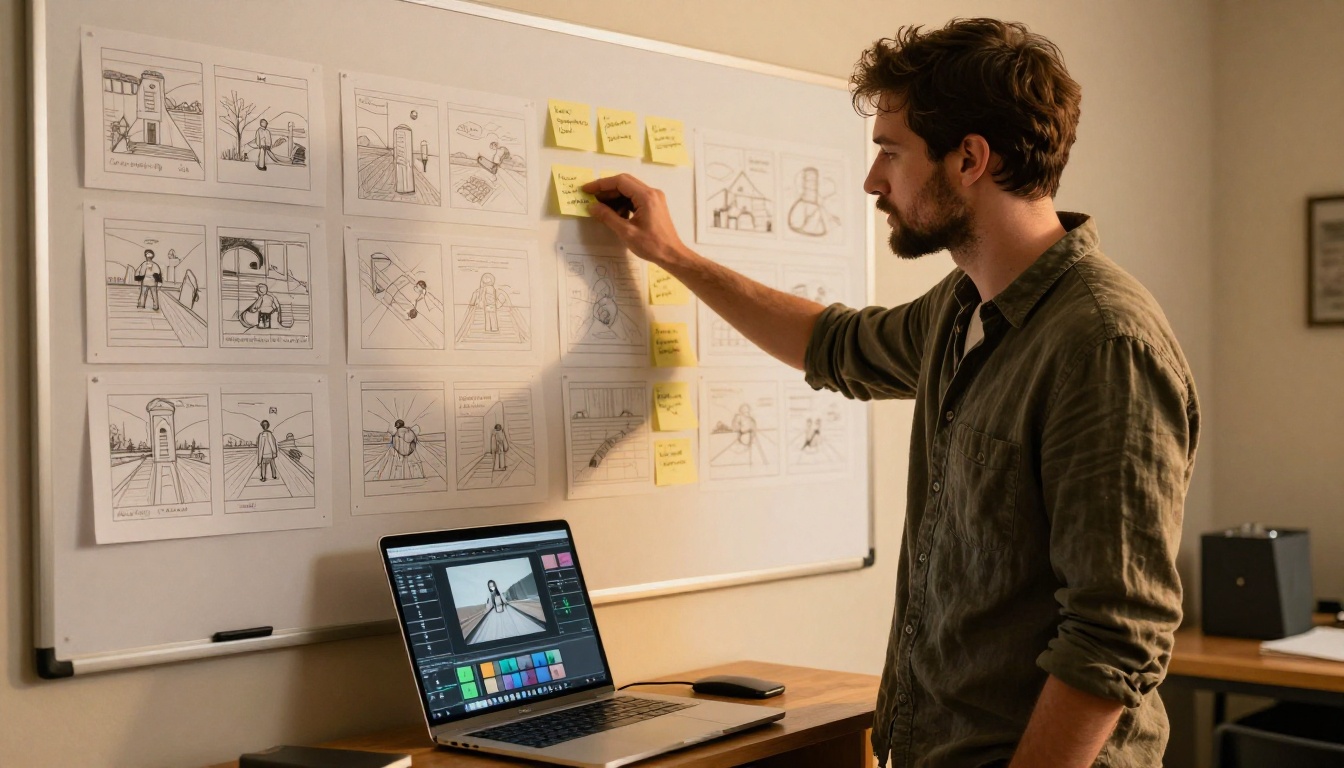
Social video content. Short-form clips for Instagram Reels, TikTok, and YouTube Shorts. Kling 3.0 Pro generates polished 5 to 10-second clips that work as standalone posts or cut into longer montages with no further processing needed.
Product visualization. Animating a product in a realistic environment without a physical shoot: a leather bag on a cafe table, a watch on a wrist mid-movement, skincare on a marble countertop with morning light raking across the surface.
B-roll for documentary and editorial production. Generating illustrative footage for concepts that are difficult or expensive to capture on set, including architecture, natural environments, crowd scenes, and atmospheric establishing shots.
Brand storytelling. Building a visual narrative around a brand without a full production budget. A carefully sequenced set of Kling 3.0 Pro clips can establish a brand aesthetic with cinematic consistency across formats and platforms.
AI avatar presentations. Using Kling Avatar v2 to produce explainer videos, product walkthroughs, or spokesperson content with a consistent on-screen presenter generated from a single photograph.
For creators who want to animate existing still images rather than generate from scratch, Kling v2.6 and Kling v1.6 Pro offer image-to-video workflows that preserve all the visual details of your source image while adding coherent, physically grounded motion.
Build Your First Kling Video Right Now
The fastest way to evaluate Kling 3.0 Pro is to run a generation with a prompt you actually care about, not a generic demo clip. Pick a real creative brief: a product you want to animate, a scene from a script, a brand moment you want to visualize, and put it through Kling v3 Video or Kling v3 Omni Video on PicassoIA.
The Kling model family also gives you a built-in comparison framework. Run the same prompt through Kling v1.5 Pro to establish a baseline, then run it again through Kling v3 Video to see what the flagship tier actually adds. The contrast sharpens how you approach prompting going forward, and shows exactly where the Pro tier earns its price.
PicassoIA brings the full Kling v3 model family together with over 87 other text-to-video models in one place, so you can compare outputs across different models on the same prompt and identify exactly what works for your production workflow without switching between platforms.