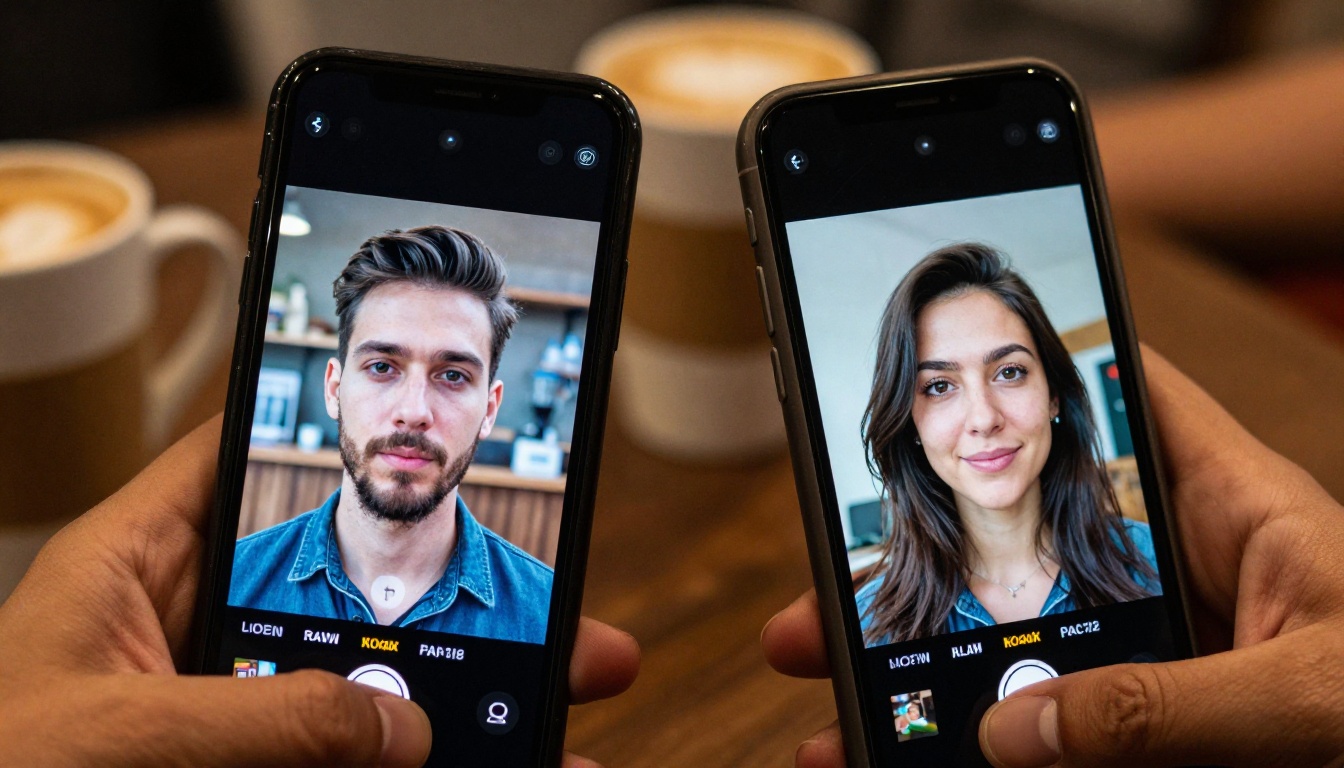
Kling 3.0 vs Vidu Q3: Best Image to Video AI in 2027
Kling 3.0 and Vidu Q3 are two of the most powerful image-to-video AI models in 2027, but they perform very differently. This article breaks down real output quality, motion physics, style preservation, prompt accuracy, speed, and cost so you can pick the right tool for your video projects.
The race for the best image to video AI in 2027 has two clear frontrunners: Kling 3.0 by Kwai and Vidu Q3 by Shengshu AI. Both models promise to animate a still photograph into a fluid, cinematic video clip, but the way they do it, and the results they produce, are strikingly different. If you have been testing AI video generation tools and wondering which platform deserves your time and attention, this breakdown covers everything that actually matters: motion realism, prompt control, output resolution, speed, native audio, and where each model is genuinely the better choice for specific types of projects.
What Changed in Kling 3.0
Kling's third major version is a significant leap from the already impressive v2.x family. The most visible upgrade is in motion coherence: objects no longer drift unnaturally across frames, and camera movements feel physically grounded in a way that v2.1 often was not. This is not a cosmetic improvement. It changes what kinds of shots are actually usable in a finished production.
Physics and Object Permanence
One of the hardest problems in AI video is keeping objects consistent between frames. Kling 3.0 addresses this with a temporal attention approach that tracks object identity across the full clip duration. In practice, this means:
Fabric folds stay believable when a character moves
Water reflections update in sync with camera motion
Faces maintain identity even during fast head turns
Background elements remain spatially consistent rather than warping or flickering between frames
The result is footage that holds up under scrutiny, not just in a two-second preview. This matters enormously when you are producing content for a real audience that will watch a clip more than once, or where a single frame freeze would reveal visual inconsistency.
Kling 3.0 Resolution and Speed
Kling v3 Video runs at up to 1080p and completes a standard 5-second clip in roughly 90 seconds on shared infrastructure. The newer Kling v3 Omni variant adds audio generation natively baked into the video output, a first for this model family and a meaningful workflow shortcut for anyone producing social content or short-form video where separate audio production is not worth the time investment.
For creators who need precise control over character movement, Kling v3 Motion Control accepts skeleton and keypoint reference inputs. This lets you specify exactly where a character's arms, head, and legs should be at each moment in the clip, producing frame-accurate character animation that no amount of text prompting can replicate.
💡 Tip: If you want precise character movement in a specific scene, always try Kling v3 Motion Control before defaulting to text prompts. A reference pose skeleton will get you to the right result in one generation instead of five attempts with iterative prompt refinement.
Variant
Max Resolution
Native Audio
Motion Control
Best For
Kling v3 Video
1080p
No
Basic text
Cinematic clips
Kling v3 Omni
1080p
Yes
Basic text
Social content with sound
Kling v3 Motion Control
1080p
No
Skeleton/keypoints
Character animation
What Makes Vidu Q3 Different
Vidu Q3 launched as a direct challenger to Kling's dominance, and it brings a genuinely different philosophy to AI video generation. Where Kling prioritizes motion physics, Vidu Q3 leans hard into stylistic fidelity: the output video matches the color palette, texture, and mood of the source image more precisely than almost any competitor currently available.
Style Preservation
When you feed Vidu Q3 a photograph with a specific look, the video output honors that look throughout the clip. Film grain stays film grain. The warm tones of a sunset image stay warm, not washed out or shifted toward a neutral baseline. High-contrast black and white source images produce high-contrast black and white video. This is especially powerful for photographers and art directors who have invested time crafting a specific visual identity, because Vidu Q3 respects that identity rather than overwriting it with its own stylistic tendencies.
Vidu Q3 Pro produces 1080p clips with this style-first approach. Vidu Q3 Turbo trades a small amount of stylistic precision for significantly faster generation, typically completing in under 60 seconds, which makes it the right choice for iteration phases before committing to a final-quality render.
Prompt Adherence in Q3
This is where Vidu Q3 surprises most users. The majority of image-to-video models treat the motion prompt as a rough suggestion. Vidu Q3 treats it as a specific instruction. Ask for "slow camera dolly left while the subject turns to face camera" and that is what you get, not a loose approximation of the concept that happens to include some leftward motion.
Directional language lands precisely. Atmospheric instructions like "morning mist rolls in from the treeline" produce footage where you can actually see the described mist behavior rather than a generic fog effect applied uniformly. This prompt precision reduces the number of generations needed to hit a target result, which matters both in terms of cost and creative momentum.
💡 Tip: Vidu Q3 responds best to directional, camera-operator language. Phrases like "push in slowly," "tilt up to reveal sky," and "subject walks toward camera at a measured pace" produce precise results. Vague prompts like "make it feel cinematic" do not take advantage of what this model does well.
Feature
Vidu Q3 Pro
Vidu Q3 Turbo
Max Resolution
1080p
1080p
Native Audio
Yes
Yes
Prompt Adherence
Excellent
Good
Style Fidelity
Excellent
Good
Generation Speed
~90s
~50s
Best For
Photography, art
Social media content
Head to Head: Motion Quality
When it comes to raw motion quality, both models perform at a high level but in different scenarios. Here is how they compare across specific use cases that matter to real production workflows:
Where Kling 3.0 Has the Edge
Human body motion: Walking, running, and complex choreography look physically plausible. Joints bend correctly, weight shifts believably, and the overall kinematics feel like a real body moving through space
Fluid dynamics: Water, cloth, and hair simulation is noticeably better than Vidu Q3. Ocean waves maintain physical patterns. Fabric drapes and moves with convincing gravity
Longer clips: Motion coherence holds over 8-10 second outputs better than Q3, which can show temporal drift in longer generations where the model loses track of spatial relationships
Camera moves: Slow crane shots and wide orbital moves feel professionally grounded, as if an actual camera operator executed the movement on a real set
Where Vidu Q3 Has the Edge
Static to dynamic transitions: Animating a still portrait into life without disturbing the original composition is a Vidu Q3 specialty that Kling handles less gracefully
Atmospheric effects: Rain, mist, and particle effects integrate seamlessly into source image textures rather than appearing to float on top of them as a separate layer
Style-locked footage: The source image's visual identity survives the animation process intact, which remains rare among current AI video generation models
Prompt precision: Specific motion instructions are followed more accurately, which reduces the number of generations needed to hit a target result
When They Are Equal
Both models handle these scenarios with comparable competence:
Standard parallax moves such as slight zoom and gentle pan
Day-to-night transitions when explicitly prompted
Wildlife and nature footage with naturalistic environmental movement
Portrait animation with reasonable facial expression motion during short clips
Kling 3.0 vs Vidu Q3: Visual Effects Applications
Beyond raw video generation, both models feed naturally into a broader visual effects workflow. Neither generates its own standalone effects layers, but both integrate cleanly with the post-processing and editing tools available on PicassoIA.
After generating a base clip with Kling v3 Video or Vidu Q3 Pro, you can extend the work significantly:
Add synchronized contextual audio with Thinksound or MMAudio so the atmospheric sound matches the visual content precisely
Remove backgrounds using Video Remove Background and composite the animated subject over an entirely different environment
Restyle the entire clip with Kling o1 using a text description of a different visual treatment, without regenerating from the source image
Erase unwanted objects from any generated clip using Video Erase Object by Bria
This post-generation workflow is where AI video moves from novelty to production-ready output. The base generation from Kling 3.0 or Vidu Q3 is the starting point, not the finished product.
Real-World Use Cases
Social Media Content
For short-form video on Instagram, TikTok, or YouTube Shorts, Vidu Q3 Turbo is the faster choice with consistently strong results. The native audio output means you get a post-ready clip in a single generation step. Vidu Q3 Turbo is built for speed without a quality penalty that most audiences would notice at mobile screen sizes.
Film and Commercial Production
For anything destined for a larger screen or a more demanding audience, Kling v3 Omni delivers footage that holds up at full resolution on a broadcast monitor. The temporal coherence in complex scenes with multiple moving elements is class-leading in the current generation of AI video models. Kling v3 Video is the right call for hero shots, product reveals, and cinematic establishing footage.
Photography Portfolios
If you are a photographer who wants to bring a portfolio image to life without losing what made it worth keeping, Vidu Q3 Pro is the clear choice. It respects your original work. The color science, grain, and depth of field all survive the animation process. Vidu Q3 Pro produces an animated version of your image rather than a reinterpretation of it through the model's own aesthetic lens.
Character Animation
Kling v3 Motion Control occupies a different category entirely for character-driven work. If you have a reference pose sequence or motion skeleton, this variant animates characters with anatomical accuracy that neither standard Kling nor Vidu Q3 can approach through text prompting alone.
How to Use Kling 3.0 on PicassoIA
PicassoIA gives you direct access to all three Kling v3 variants without any API setup, rate-limit management, or developer configuration.
Step 1: Choose Your Variant
Go to Kling v3 Video for standard cinematic clips. Use Kling v3 Omni when you need synchronized audio in the output. Use Kling v3 Motion Control when you have a reference pose or want frame-accurate character animation.
Step 2: Upload Your Source Image
Source image quality directly affects output quality. For best results use images with:
Clear subject separation from background
Good dynamic range (no blown-out highlights or crushed shadows)
At least 1024px on the short edge for 1080p output
Step 3: Write a Motion Prompt
Be specific about what moves and how. A structure that consistently works well:
[Subject] [action] while [camera movement], [atmosphere or lighting note]
Example: "The woman slowly raises her coffee cup to her lips while the camera gently pushes forward, warm morning light, soft depth of field"
Step 4: Iterate at Low Resolution First
Select 480p during the prompt testing phase. Once you have a motion prompt producing the right result, switch to 1080p for final output. This saves significantly on generation time and credits without changing the fundamental motion behavior.
💡 Tip: If you are unhappy with the style or mood of a completed clip, run it through Kling o1 with a text description of the target look. Restyling an existing clip is faster than regenerating from scratch with a new source image.
How to Use Vidu Q3 on PicassoIA
Step 1: Start with Q3 Pro or Turbo
For final deliverable output, use Vidu Q3 Pro. For rapid concept iteration, Vidu Q3 Turbo gets you a result in roughly half the time with about 80% of the stylistic precision. Most efficient workflows iterate in Turbo and render final clips in Pro.
Step 2: Let the Image Do the Heavy Lifting
Vidu Q3's style-preservation strength means your source image needs to look right before you generate. The model will preserve its visual characteristics faithfully, which means a poorly lit or poorly composed source photo will produce a technically accurate animation of those same problems. Fix the source first.
Step 3: Use Directional Motion Language
Vidu Q3 responds best to directional, camera-operator language:
"Slow dolly left, subject remains still"
"Camera tilts up to reveal the skyline above the rooftops"
"Subject walks slowly into frame from the right, camera holds steady"
"Gentle push in as petals fall from left to right"
Step 4: Post-Process for Maximum Quality
After generating with Vidu Q3, PicassoIA's post-production tools can take the output further. Video Upscale by Topaz Labs or Upscale v1 by Runway can take the 1080p output to 4K at up to 120fps, suitable for high-end broadcast or large-format projection.
How These Models Compare to the Field
Both Kling 3.0 and Vidu Q3 sit at the top of the image-to-video category, but they are not the only strong options available on PicassoIA. For useful context:
Wan 2.7 I2V offers strong image-to-video generation with excellent prompt flexibility at a competitive generation speed
Ray 3.2 by Luma AI produces stunning HDR footage with superior highlight and shadow detail retention
Gen4 Turbo by Runway converts images to video very quickly, suited for workflows requiring high iteration volume at lower fidelity
LTX 2.3 Pro by Lightricks is optimized for 4K output from the initial generation step, bypassing the upscale workflow entirely
None of these options replace Kling 3.0 or Vidu Q3 at their specific strengths, but knowing the full landscape helps you assign the right tool to each project type rather than defaulting to a single model for everything.
Which Should You Choose
These two models are not direct competitors in practice. They solve different problems and serve different creative needs.
Pick Kling 3.0 when:
You need long, physically grounded clips in the 8-10 second range
Human body motion is central to the shot
You want frame-accurate character animation with reference keypoints
The footage is for commercial, broadcast, or cinematic delivery
Pick Vidu Q3 when:
Your source image has a strong visual identity you want to preserve in motion
You need fast turnaround for social content with native audio already included
Motion prompt precision matters more than physics simulation accuracy
You want consistent atmospheric effects that integrate into the source image's texture
The most effective creative workflow uses both. Generate your hero cinematic shots with Kling v3 Video, produce quick social variants with Vidu Q3 Turbo, and handle character-specific work with Kling v3 Motion Control. Each model covers the gaps the other leaves open, and together they form a complete image-to-video toolkit for 2027 production demands.
PicassoIA puts all of these models in one place with no API keys, no rate-limit management, and no developer setup required. If you have a photograph in your library that deserves to move, now is the time to find out what it looks like in motion. Head to picassoia.com/en/all-models and start experimenting with both Kling 3.0 and Vidu Q3 today.