The question keeps coming up in adult content creator forums: does Kling allow NSFW content, and is Veo any different? Both AI video platforms have attracted massive attention for their cinematic output quality, but creators working in adult entertainment, glamour photography, and suggestive content keep hitting the same wall. The honest answer is that neither platform was built with you in mind, and knowing exactly where the lines are drawn saves a lot of wasted time and frustration.
What Kling and Veo Actually Are
Before getting into the content policies, it is worth knowing what each tool was designed to do. These are not niche platforms. They represent two of the most technically impressive AI video systems ever built, each backed by enormous corporate resources and development teams.
Kling: Fast, Realistic, Popular
Kling is developed by Kuaishou, the Chinese tech company behind one of Asia's largest short-video platforms. It generates video from text prompts or reference images, producing clips that often look strikingly realistic, with natural motion, coherent scenes, and impressive temporal consistency. You can get 5-second or 10-second clips, with some plans offering longer outputs. The motion quality regularly outperforms older systems, and its image-to-video feature is one of the most-used in the AI video space right now.
The platform is accessible via web browser and API, with a tiered subscription model. Free users get limited monthly credits, while paid tiers open higher resolutions and longer clips.
Veo: Google's Flagship Video AI
Veo is Google DeepMind's text-to-video model, positioned as a professional filmmaking tool. The outputs are exceptionally high fidelity, with Veo 3 now producing synchronized audio alongside video, a feature that sets it apart from most competitors. Google has integrated Veo into products like YouTube Dream Screen and Vertex AI, targeting creative professionals, marketing agencies, and enterprise users.
Quality-wise, Veo produces some of the most photorealistic AI video available. But it runs inside Google's infrastructure, which means it is subject to Google's usage policies, which are among the strictest in the industry.
The Adult Content Reality Check
Here is where the practical reality sets in for adult creators. Both platforms look impressive in demo reels, but the content policies tell a different story for anyone working outside the mainstream.
Kling's Policy in Plain Terms
Kling prohibits the generation of pornographic, sexually explicit, or NSFW content in its terms of service. The content filters are active and do flag suggestive prompts. That said, creators report that borderline content like swimwear, bikinis, and glamour shots often passes through without issue. Anything more explicit gets rejected or significantly altered by the safety system.
The real problem is inconsistency. What passes one day might fail the next as Kuaishou updates its moderation systems. This unpredictability makes Kling unreliable for any workflow that depends on adult content output at volume.
Veo's Policy in Plain Terms
Veo is integrated inside Google products and Google's usage policies are absolute about explicit content. There is no gray zone. Adult sexual content, nudity, and anything that could be classified as explicit is blocked at the model level. Google's SafeSearch filters are baked into Veo at every layer.
For adult creators, Veo is simply not a viable option. The platform was built for Hollywood-adjacent use cases: trailers, commercials, narrative video, and artistic filmmaking. Adult content was never in scope, and the architecture reflects that.
Feature Comparison: The Numbers
Let's put the two platforms side by side across the metrics that actually matter for content creators who need to make decisions fast:
| Feature | Kling | Veo |
|---|
| Developer | Kuaishou (China) | Google DeepMind |
| Max Clip Length | Up to 5 min (premium) | Up to 60 seconds (Veo 3) |
| Resolution | Up to 1080p | Up to 4K |
| Audio Generation | No | Yes (Veo 3) |
| Image-to-Video | Yes | Yes |
| NSFW Allowed | No (borderline sometimes passes) | No (strictly blocked) |
| Free Tier | Yes (limited credits) | Limited (Vertex AI access) |
| API Access | Yes | Yes (Vertex AI) |
| Pricing | ~$10-66/month | Enterprise rates |
| Content Filters | Moderate | Very strict |
On paper, Veo wins on quality specs. In practice, neither platform serves adult creators in any reliable way.
Understanding the "why" behind these restrictions helps you find the right alternative faster instead of spending time trying to work around systems designed to stop you.
The Corporate Filter Problem
Both Kling and Veo are built by publicly traded or venture-backed companies operating in regulated markets. They need payment processors, app store distribution, enterprise contracts, and clean audit trails. The moment a platform becomes known for adult content, it risks losing access to Visa and Mastercard processing, getting removed from app stores, and watching enterprise clients walk away.
This is not a moral position from the engineers who built these tools. It is a business constraint imposed by the financial infrastructure that runs beneath every major tech company. The filters are not about values, they are about business risk.
What Gets Blocked
The content filters on both platforms target:
- Explicit nudity (full or partial)
- Sexualized poses or suggestive framing with realistic human subjects
- Adult themes paired with photorealistic human representation
- Implied sexual activity in any form
- Explicit language in prompts when combined with human subjects
Even artistic nudity, classical figure work, and tasteful glamour shots can trigger rejections depending on how the prompt is worded and what the safety classifier decides on any given request.
💡 If your workflow depends on any of this type of content, neither Kling nor Veo is the right tool. The real question is which platforms actually allow it reliably, and at what quality level.
NSFW AI Models That Actually Work
PicassoIA is built specifically for creators who need access to unrestricted AI generation. Unlike Kling and Veo, it operates models that do not apply blanket content filters, giving adult creators, glamour photographers, and fan content producers the freedom to work without worrying about sudden rejections or prompt rejections mid-workflow.
The platform runs multiple models with different strengths. Here is the full lineup for adult content, ordered by performance and value:
-
Seedream 4.5 ⭐ The top recommendation. Accepts NSFW content, supports image editing alongside text-to-image generation, and produces ultra-realistic results in under 3 seconds. The detail quality on skin texture, fabric, and lighting rivals professional photography. Its successor, Seedream 5 Lite, does not support NSFW content, so stay with 4.5 for adult workflows.
-
PicassoIA Image Editor Pro Img2img with unlimited generations on Elite or Infinite plans. Need 1,000 images for a project? That is free with your subscription. The same volume on models like Nano Banana 2 costs around $100. Results land in under a second, and a 3-image free trial is available with no credit card required.
-
Qwen Image 2 Open-source model with very detailed realism. Create or edit any image in seconds with no content restrictions baked in.
-
Grok Imagine Image Realistic image-to-image conversion. Particularly strong at converting photos to swimwear or bikini formats with natural-looking, photorealistic results.
-
Recraft V4 Very realistic results for text-to-image generation. Strong for high-detail portraits and glamour shots with precise lighting control.
-
P-Image NSFW text-to-image generation in under 1 second. Excellent for rapid iteration and high-volume production runs.
-
Wan 2.2 Image Highly realistic images from text prompts, without content filters restricting your output.

Video Models Without Restrictions
For video specifically, these PicassoIA models accept adult content prompts and deliver high-quality output across a range of resolutions and clip lengths:
| Model | Max Length | Max Resolution | NSFW | What Makes It Useful |
|---|
| PicassoIA Video | 5s | 720p | ✅ | Unlimited text-to-video generations |
| P-Video | 10s | 1080p | ✅ | Safety filter off by default, draft mode |
| Grok Imagine Video | 15s | 720p | ✅ | No watermarks, re-edit existing clips |
| LTX 2.3 Pro | Custom | 4K/50fps | ✅ | Retake, extend, cinema-grade output |
PicassoIA Video gives you unlimited video generation from text prompts at up to 720p, 5 seconds per clip. For teams or creators doing high-volume output, this is the most cost-effective option available on any platform.
P-Video turns text prompts, images, or audio files into clips at up to 1080p at 24 or 48fps, with duration adjustable from 1-10 seconds across seven aspect ratios. Its safety filter is disabled by default, meaning prompts are not checked for adult content before generation. Draft mode gives you an instant low-res preview before committing to a final render.
Grok Imagine Video generates clips up to 15 seconds from text, reference images, or existing clips you want to re-edit. No watermarks, eight aspect ratios, and image-to-video mode auto-matches your source photo's proportions.
LTX 2.3 Pro is the highest-fidelity option, exporting up to 4K at 50fps. It runs five modes: text-to-video, image-to-video, audio-to-video, retake (replace a segment without re-rendering the whole clip), and extend (add footage to the start or end). The go-to for professional-grade production work.
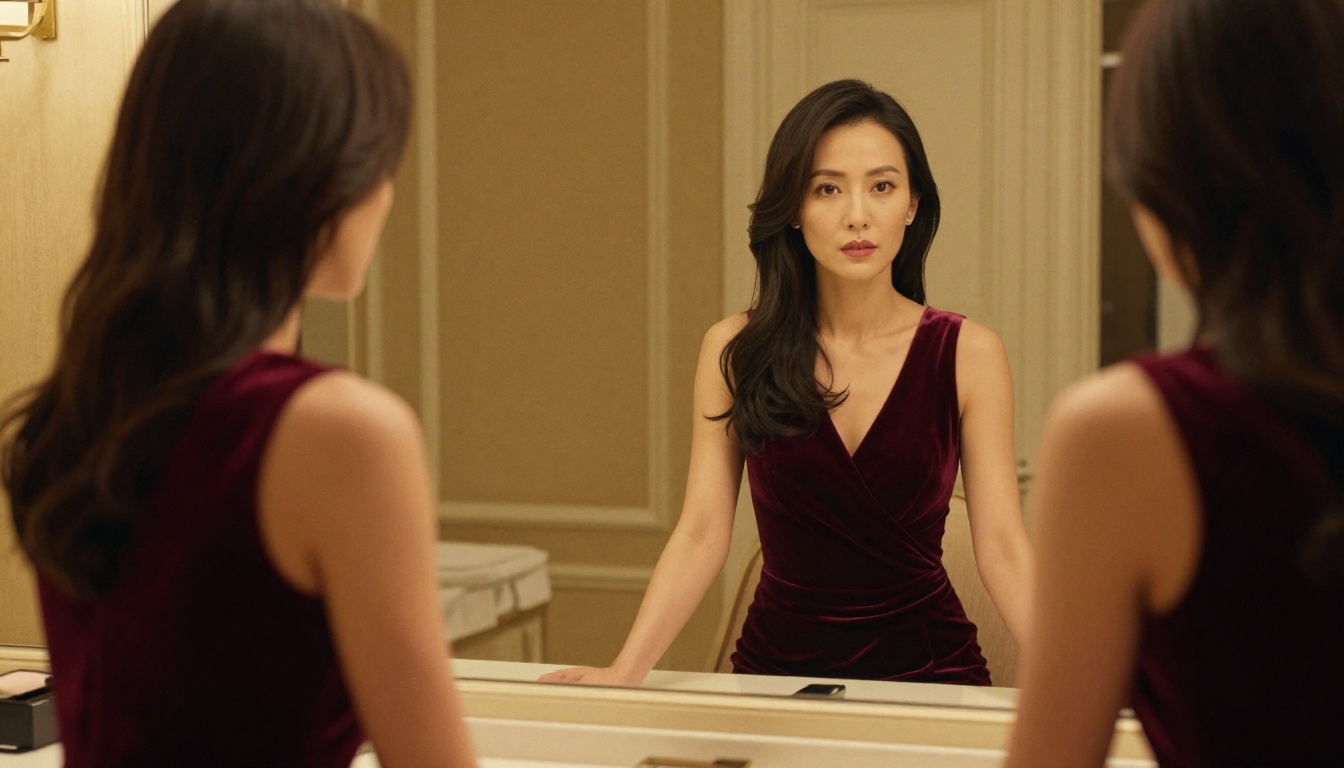
How to Use P-Video on PicassoIA
P-Video is the most flexible NSFW video model on the platform for adult creators. Here is how to run it from start to finish:
Step 1: Access the model
Go to P-Video on PicassoIA and sign into your account. The interface loads directly in your browser with no software installation required.
Step 2: Choose your input type
Select from text-to-video, image-to-video, or audio-to-video. For adult content starting from a reference photo, image-to-video gives the most control over the subject and initial composition.
Step 3: Write your prompt
Be specific about motion, lighting, and camera behavior. A strong prompt example: "A woman in a silk dress walking slowly across a sunlit terrace, gentle breeze moving the fabric, camera dollying backward slowly at eye level, warm late afternoon light casting long shadows."
Step 4: Set your parameters
- Duration: 1-10 seconds
- Resolution: Up to 1080p
- Aspect ratio: Choose from seven options to fit your target platform
- Draft mode: Toggle on for a quick preview before committing to a full render
Step 5: Run draft mode first
Always run a draft render before committing credits. It delivers a low-resolution preview in seconds, letting you refine your prompt without burning through your generation budget.
Step 6: Render and download
Once satisfied with the draft, render at full quality. The safety filter is off by default, so adult content prompts are processed without pre-generation screening interfering with your output.
💡 Prompt tip: Describe lighting direction, fabric texture, and camera movement in specific terms. Vague prompts produce inconsistent results across all AI video models, filtered or not.

Speed and Cost: What You Actually Pay
One of the most practical differences between Kling, Veo, and PicassoIA is cost structure, especially once you start generating at volume.
Kling operates on a credit system. Standard clips consume credits quickly, and high-volume creators hit monthly limits fast. Veo, accessed via Google's infrastructure, is priced at enterprise rates that make it impractical for independent creators or small adult content studios.
PicassoIA uses a subscription model built for creators doing real volume:
| Plan | Image Generations | Video Generations | Price |
|---|
| Free Trial | 3 images (no card required) | Limited | Free |
| Starter | Standard credits | Standard credits | ~$10/month |
| Elite | Unlimited (Image Editor Pro) | Higher limits | Mid-tier |
| Infinite | Unlimited | Unlimited | Premium |
The unlimited generations on Image Editor Pro and PicassoIA Video are the standout value. When Kling charges per-clip and Veo prices at enterprise rates, generating 500 images or 100 videos on PicassoIA's Elite or Infinite plan costs the same as the monthly subscription, not per-asset fees that add up fast.
For adult content, glamour creation, or any NSFW video production, the comparison between Kling and Veo ends the same way: neither platform will reliably let you do the work at scale.
Kling might pass borderline content intermittently, but you cannot build a production workflow on intermittency. Veo is a hard stop at the model level, with no workarounds available regardless of how prompts are worded.
PicassoIA operates differently by design. The models above accept adult content, produce photorealistic results, and are priced for creators who need volume, not just occasional one-off clips.
The right setup for most adult video creators on PicassoIA:
- For images: Start with Seedream 4.5 for the fastest and most realistic generation.
- For bulk editing: Use PicassoIA Image Editor Pro when you need unlimited iterations from a reference image on Elite or Infinite plans.
- For video: Use P-Video for flexible output with the safety filter disabled by default and draft mode for fast previews.
- For professional output: Upgrade to LTX 2.3 Pro when client-ready 4K quality at 50fps is the requirement.
Browse the full catalog of NSFW-capable AI models at picassoia.com/en/all-models.

Start Generating Without Limits
If you have been bouncing between Kling, Veo, and other platforms that keep rejecting your prompts, the solution is not to keep adjusting your wording. It is to switch to a platform built for creators who need actual creative freedom without content filters deciding what you can and cannot produce.
PicassoIA gives you the full stack: realistic images in under 3 seconds with Seedream 4.5, unlimited image editing with PicassoIA Image Editor Pro, video generation up to 4K with LTX 2.3 Pro, and models that do not pre-screen your content before running.
Every model listed in this article is available now, with free trials that do not require a credit card. The best way to see whether it fits your workflow is to run a few generations and compare the output directly.
👉 Browse every available NSFW-capable AI model at picassoia.com/en/all-models and start generating without filters.


