Picking the right AI image platform in 2027 means more than choosing the prettiest interface. It means calculating how many models you actually get, what they cost per generation, and whether the platform grows with you or hits you with paywalls every time you want to try something new. Krea, Freepik, and OpenArt all promise access to the best AI models on the market, but they deliver very different things once you're inside.
This breakdown cuts through the marketing language and gets into the specifics: model availability, pricing structures, credit limits, and commercial rights. By the end, you'll know exactly which platform fits your workflow and budget.

These three platforms have completely different origin stories, and those origins shape what they're best at today. Krea started as a real-time generation tool built around canvas-based iteration. Freepik evolved from a stock asset library and added AI tools to an already large creative ecosystem. OpenArt was built from the start for users who want access to a wide range of community and commercial AI models.
Understanding that difference is the first step to picking the right one.
Krea at a Glance
Krea's core pitch is speed and real-time feedback. You sketch something and it generates in near real-time, letting you iterate by feel rather than prompt. The platform runs a curated set of models, heavily Flux-based, with proprietary upscaling layers on top.
What Krea does well: the interface is excellent, iteration is fast, and output quality on its best models is competitive with anything on the market. What Krea doesn't do: depth. The model selection is intentionally narrow. You're working within their curated system, and if you want something outside it, you're out of luck.
Pricing starts around $35/month for the Pro tier, with generation credits that burn faster than you'd expect once you're using the platform's premium outputs.
Freepik's AI Suite
Freepik is a stock platform first. Its AI generation tools sit on top of a massive asset library covering photos, vectors, templates, and illustrations. The AI image generator runs a proprietary model called Mystic alongside a small selection of external models, optimized primarily for commercial asset production.
If you're already paying for Freepik stock assets, the AI tools feel like a legitimate bonus. If AI generation is the only reason you're there, you're paying for access to things you don't need.
Model variety on Freepik is limited. The platform prioritizes quality and commercial usability over breadth, which is a reasonable choice for its target user but a real limitation for anyone who wants to experiment with different aesthetics or generation styles.
OpenArt's Model Library
OpenArt was built to be the model-first platform of the three. It connects users with a wide range of Stable Diffusion models, SDXL Lightning 4step variants, community-trained LoRAs, and checkpoints covering dozens of aesthetic styles. If Krea and Freepik are curated galleries, OpenArt is an open warehouse.
The tradeoff is interface polish. OpenArt's UI requires more familiarity with AI generation concepts. You need to know what a LoRA is, what guidance scale does, and why model selection matters. That's fine for experienced users, but it's a steeper entry point for newcomers.
Pricing ranges from a free tier with limited credits to paid plans running $12 to $48/month based on credit volume and processing speed.
Model Count: The Numbers That Matter

When you strip away the marketing, model count is where the real gap between these platforms opens up.
How Many Models Do You Actually Get?
| Platform | Models Available | Primary Engine | Custom LoRA Support |
|---|
| Krea | ~5-10 curated | Flux-based | No |
| Freepik | ~5-8 | Mystic + Flux | No |
| OpenArt | 50+ community | SD, SDXL, Flux | Yes |
OpenArt wins on raw numbers, but quantity doesn't automatically mean quality. Many community models on OpenArt are experimental or inconsistently maintained. The number of models available isn't the same as the number of models that reliably produce professional results.
The Models That Drive Results
In practice, most professional users gravitate toward a short list of proven engines: Flux Dev for high-quality realistic outputs, Flux Pro for production-grade results, and Stable Diffusion 3.5 Large for creative versatility across styles.
The issue is that even when a platform lists these models, access is often tiered. Krea and Freepik put their best model outputs behind higher subscription tiers. OpenArt gives broader access but charges more credits per generation for premium models, so the math still tilts against heavy users over time.
Pricing That Changes Everything
The headline price is never the real price. All three platforms use credit systems that obscure the actual cost per image until you're deep into using the platform.
Krea's Subscription Breakdown
Krea's pricing (mid-2025) runs roughly:
- Free: Very limited fast generations, watermarked outputs
- Pro ($35/month): ~3,000 fast generation credits, canvas access, commercial rights
- Max (~$69/month): Higher credit volume, priority processing, team collaboration
The problem is credit burn rate. Using Flux Krea Dev quality outputs on Krea's platform costs multiple credits per image. Your $35/month doesn't stretch as far as the credit number implies, and users who generate at high volume consistently hit their monthly limits early.
Freepik's Plan Structure
Freepik bundles AI generation into a broader creative subscription:
- Free: 10 AI-generated images per day at standard resolution
- Essential (~$9/month): 100 AI generations per month, standard quality
- Premium (~$19/month): 500 AI generations per month, unlimited stock assets
- Teams (~$29/month): Multi-seat access with higher generation limits
The value calculation depends entirely on whether you also use the stock library. At $19/month for 500 AI generations, Freepik looks competitive until you account for the narrow model selection. You're not choosing between 50 models for those 500 slots, you're choosing between fewer than 10.
OpenArt's Credit System
OpenArt uses a variable credit model where different models cost different amounts per generation:
- Free: 50 credits/month
- Starter (~$12/month): 300 credits plus fast credits
- Hobbyist (~$24/month): 700 credits
- Pro (~$48/month): 2,000 credits plus unlimited slow generations
Standard Stable Diffusion models cost around 1-2 credits per generation. RealVisXL v3.0 Turbo and Flux-based models typically run 4-6 credits per image. On the Pro plan, that means 333-500 premium-model images per month.
💡 Before subscribing to any platform, calculate cost per image using the specific model you actually want to use, not the cheapest model available. The math shifts dramatically between model tiers.
Quality vs. Quantity
Access to 50 models sounds impressive until you realize that 40 of them produce mediocre results for your specific use case.
Flux on Every Platform
Flux has become the dominant architecture for high-quality image generation in 2027. Flux Pro and Flux 2 Pro produce outputs that compete directly with professional photography for portrait, product, and architectural work.
All three platforms offer Flux access in some form, but the specifics matter significantly:
- Krea runs a proprietary Flux-adjacent model optimized for its canvas workflow, not the standard Black Forest Labs variants
- Freepik uses Flux selectively inside its Mystic model without disclosing which version or configuration
- OpenArt offers multiple Flux variants including Flux Dev, Flux Schnell LoRA, and community-finetuned versions
Flux Schnell LoRA is worth noting. It generates in seconds rather than the 10-30 seconds typical of standard Flux models, making it practical for high-volume workflows or rapid prompt testing sessions where waiting adds up.
SDXL and Realistic Models
SDXL remains relevant in 2027 for users who need specific aesthetic outputs that newer Flux models don't replicate. SDXL Lightning 4step generates in 4 diffusion steps, making it one of the fastest options available while maintaining solid quality across a wide range of styles.
OpenArt has the best SDXL coverage of the three platforms. Krea has largely moved away from SDXL in favor of newer architectures, and Freepik never had meaningful SDXL access to begin with.
The Costs Nobody Mentions
Credit Limits and Overages
All three platforms throttle usage in ways that aren't obvious from their pricing pages.
Krea's fast generations have a hard monthly cap. Once you hit it, you're queued for slow processing or facing a plan upgrade. Freepik's "unlimited" designation applies to stock asset downloads, not AI generation. OpenArt's slow generation option is technically unlimited but takes 5-15 minutes per image during peak hours, which makes it impractical for real production timelines.
The fine print matters as much as the headline number. Always check the specific generation limits for the model tier you actually intend to use, not the base tier that makes the per-image math look good.
Commercial Rights Reality
This is where the three platforms differ most sharply, and where the wrong choice can create real legal exposure.
- Krea: Pro tier and above includes full commercial rights for generated images
- Freepik: Commercial use requires the Premium plan or higher; lower tiers carry attribution requirements that complicate commercial licensing for client work
- OpenArt: Commercial rights vary by the underlying model. Community LoRAs and custom checkpoints may carry their own licensing restrictions, and OpenArt doesn't always surface these at the moment of generation
If you're producing images for clients, advertising, or products, don't assume commercial rights come with any plan. Verify before you use the output.

| Feature | Krea | Freepik | OpenArt |
|---|
| Model variety | Low (~10) | Low (~8) | High (50+) |
| Starting price | $35/month | $9/month | $12/month |
| Flux access | Yes (proprietary) | Limited | Yes (multiple) |
| SDXL access | Limited | No | Yes |
| Custom LoRA | No | No | Yes |
| Commercial rights | Pro+ only | Premium+ only | Model-dependent |
| Interface quality | Excellent | Good | Moderate |
| Credit transparency | Low | Moderate | Moderate |
No single platform dominates every category. Krea wins on interface quality and real-time iteration. OpenArt wins on model access and flexibility. Freepik wins on ecosystem value for users already embedded in its stock library. None of them wins decisively on pure AI generation value.
How PicassoIA Changes the Math

There's a fourth option that rarely appears in the Krea vs Freepik vs OpenArt conversation, and it reframes the value math significantly.
PicassoIA runs 91+ text-to-image models on a single platform, covering every major Flux variant, SDXL models, realistic portrait engines, and experimental architectures that none of the three platforms above carry. Unlike the tiered systems on Krea and OpenArt, access to all models is included without hiding specific engines behind higher price points.
91 Models, One Subscription
The model list on PicassoIA includes Flux Pro, Flux 2 Pro, Stable Diffusion 3.5 Large, RealVisXL v3.0 Turbo, and Flux Kontext Dev for context-aware image editing, all in the same place. Post-processing tools like Clarity Pro Upscaler are also integrated, so you generate and upscale inside one workflow without switching platforms or paying for a separate tool.
Beyond text-to-image, PicassoIA covers text-to-video (87 models), super-resolution, background removal, face swap, lipsync, and AI music generation. It's a full creative suite rather than a single-purpose generator.
How to Use Flux Krea Dev on PicassoIA
One of the most interesting models available is Flux Krea Dev, a Flux development model fine-tuned with Krea's aesthetic improvements built in. The result is Krea-quality output without going through Krea's platform or paying Krea's subscription.
Here's how to use it step by step:
Step 1: Open the model
Go to Flux Krea Dev on PicassoIA. You'll see the generation interface with prompt input, parameter controls, and output preview.
Step 2: Write a scene-based prompt
Flux Krea Dev performs best with descriptive, scene-level prompts rather than keyword lists. Describe the lighting direction, subject, environment, and camera perspective in full sentences. Example: "Woman in a linen shirt at a sunlit window, morning light from left, 85mm portrait lens, photorealistic 8k."
Step 3: Set your parameters
- Guidance scale: 3.5 to 4.5 is the effective range for Flux models. Higher values tighten prompt adherence but reduce output naturalness.
- Steps: 28-35 steps gives solid results without extended generation time.
- Aspect ratio: 16:9 for scenes and environments, 9:16 for portraits and vertical social content.
Step 4: Generate and refine
Run your first generation and evaluate the composition. Flux Krea Dev produces clean, well-lit results with strong color accuracy by default. Adjust guidance scale in 0.5 increments rather than large jumps when refining output.
Step 5: Upscale for production
For print-quality or large-format outputs, run the result through Clarity Pro Upscaler for 2x or 4x upscaling with full detail preservation.
💡 Tip: Flux Krea Dev excels at portrait photography and environmental scenes. For product photography or architectural work, compare it directly with Flux Pro to see which handles your specific brief better.
The right answer depends on what you're actually producing.
For Designers
If you need commercial-ready assets with reliable quality, Freepik works only if you're already invested in its stock ecosystem. Otherwise, the narrow model selection becomes a ceiling fast. A platform with broader model access means you can match any creative brief by switching models rather than fighting with prompts on a single engine for hours.
For Content Creators
Volume matters for content creators. You need a lot of images quickly at a price that doesn't eat your production budget. OpenArt's unlimited slow generation sounds attractive until 10-minute wait times hit your daily schedule. Speed and model variety together matter more than either factor alone.
For Developers
API access and model flexibility are the primary criteria. Krea's API is solid but model-locked. OpenArt's API gives more model variety but with inconsistent community model reliability. For production integrations, Flux Kontext Dev for context-aware editing and Flux Schnell LoRA for speed-optimized outputs are worth evaluating for technical use cases that demand both quality and throughput.
Start Creating on Your Terms
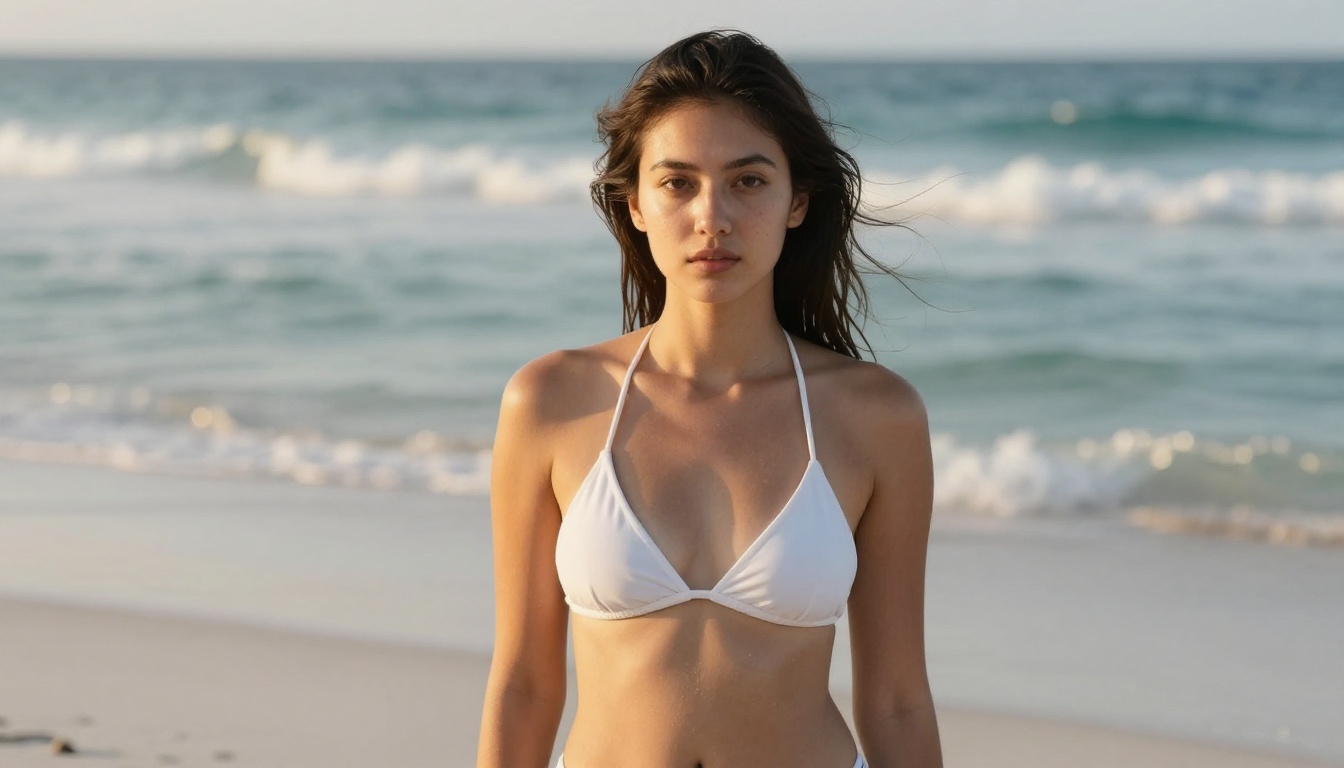
Krea, Freepik, and OpenArt each have real strengths, but they all involve tradeoffs that affect your actual output volume and creative range. More models mean more creative range. Better pricing means more images per dollar. Having both in the same place means less time switching platforms and more time generating.
Try Flux Krea Dev right now on PicassoIA, or pick any of the 90 other text-to-image models available. Start with a free account, test different models for your specific use case, and see what you can do when you're not constrained to a curated selection of eight options.


