If you've been watching the AI image generation space, you've probably seen Leonardo Phoenix come up frequently. It's one of the standout models from Leonardo.ai, built around two qualities the platform's team prioritized from the start: strong prompt adherence and photorealistic output. The combination sounds straightforward, but executing both at a high level in the same model is harder than it looks. This article breaks down what Phoenix does, how it works, where it excels, and what to know before you start prompting it seriously.
What Leonardo Phoenix Actually Is
Leonardo Phoenix is the flagship text-to-image model developed by Leonardo.ai. It's a proprietary model, not a public open-source release, which means its architecture and training details are not fully disclosed. What is known from the platform's communications and community testing is that Phoenix was designed to address two persistent frustrations in earlier diffusion models: prompt elements getting dropped and visual quality degrading in complex scenes.
The model runs exclusively on the Leonardo.ai platform, which maintains and updates it as part of their product infrastructure. For users, this means you're working with a model that receives consistent refinement over time, rather than a static checkpoint that never improves.
The architecture behind it
Phoenix is built on a large-scale diffusion architecture with proprietary fine-tuning applied on top of a foundation model. Leonardo.ai has confirmed the use of RLHF (Reinforcement Learning from Human Feedback) in its training pipeline, which explains why outputs tend to feel more intentional and less random than comparable open-source alternatives.
The RLHF layer trains the model to prioritize outputs that human evaluators rate as high quality, which in practice means better handling of:
- Multi-element prompts with distinct subjects and backgrounds
- Natural lighting distribution across complex scenes
- Consistent anatomical accuracy in human subjects
- Fine texture detail in skin, fabric, and environmental surfaces
Who benefits most
Phoenix performs well across a wide range of use cases, but it's particularly strong for:
- Creative and commercial photographers prototyping visual concepts
- Filmmakers and art directors building mood boards or pre-vis material
- Marketing and e-commerce teams needing fast, high-quality imagery
- Game designers visualizing characters and environments
- Social media content creators producing consistent editorial content at volume

Core Features That Set It Apart
Prompt adherence that actually holds
Ask any experienced AI image generation user what their biggest frustration is, and prompt drift will rank near the top. You write a detailed prompt with five specific elements, and the model renders three of them while ignoring or garbling the rest. Phoenix was specifically trained to reduce this problem.
In community testing and published comparisons, Phoenix consistently reproduces more of a prompt's intended elements in each output. This is especially visible in:
- Prompts with specific scene compositions (subject placement, background details)
- Prompts that include clothing or accessory descriptions
- Prompts that combine environmental and subject elements in the same scene
💡 Tip: The most reliable prompt structure for Phoenix is: Subject + Action/State + Environment + Lighting + Camera/Style. Each component gives the model a separate instruction set to process.
Photorealism without prompt scaffolding
Earlier models required users to stack quality-boosting keywords at the end of every prompt ("photorealistic, hyperdetailed, 8K, sharp focus") just to reach a baseline quality level. Phoenix's base output already leans toward visual realism.
Skin texture renders with visible pore-level detail. Lighting gradients fall naturally across surfaces. Depth of field behavior responds correctly to focal length descriptors. Users spend less time engineering around the model's weaknesses and more time directing its strengths.
Handling complex scenes
Where Phoenix separates itself from mid-tier models most clearly is in multi-subject, multi-element scenes. When given a prompt with a foreground subject, a detailed background environment, and a specific lighting condition, Phoenix tends to:
- Maintain clear visual separation between foreground and background
- Distribute lighting realistically across all scene elements
- Preserve accurate spatial relationships between subjects
- Avoid the "visual soup" effect common in lower-quality diffusion outputs
This makes Phoenix particularly useful for editorial photography styles, where multiple elements need to coexist coherently in a single frame.

Text in Images: Where Phoenix Pushes Boundaries
Rendering legible text within an AI-generated image has been a stubborn weakness across the entire diffusion model category. Most models produce characters that resemble text visually but can't actually be read. Phoenix makes a meaningful improvement here, though it's not a complete solution.
What it can actually do
Phoenix handles short text strings with notable accuracy. Practical use cases where it performs well:
- Single words in signs, labels, or product packaging
- Short phrases (3-5 words) on banners or storefronts
- Environmental text like street signs, posters, or book spines
- Logos with simple typographic elements
The model processes quoted text in prompts with higher priority. Wrapping your desired text in quotes within the prompt consistently produces more accurate results.
The realistic limits
For anything requiring exact typographic control, Phoenix still falls short of purpose-built design tools. Specific fonts, precise kerning, and long passages of body text remain unreliable. The model handles contextually accurate text, meaning text that fits naturally and reads correctly in context, better than it handles typographically precise text.
💡 Tip: When prompting for text in an image, write it in quotes directly in your prompt: a storefront sign that reads "OPEN DAILY". This syntax consistently improves text accuracy in Phoenix outputs.

Style Range and Flexibility
Phoenix defaults to photorealism, but its training spans a wide stylistic range. Directing it toward specific aesthetics works reliably with the right prompt language.
Portrait and fashion photography
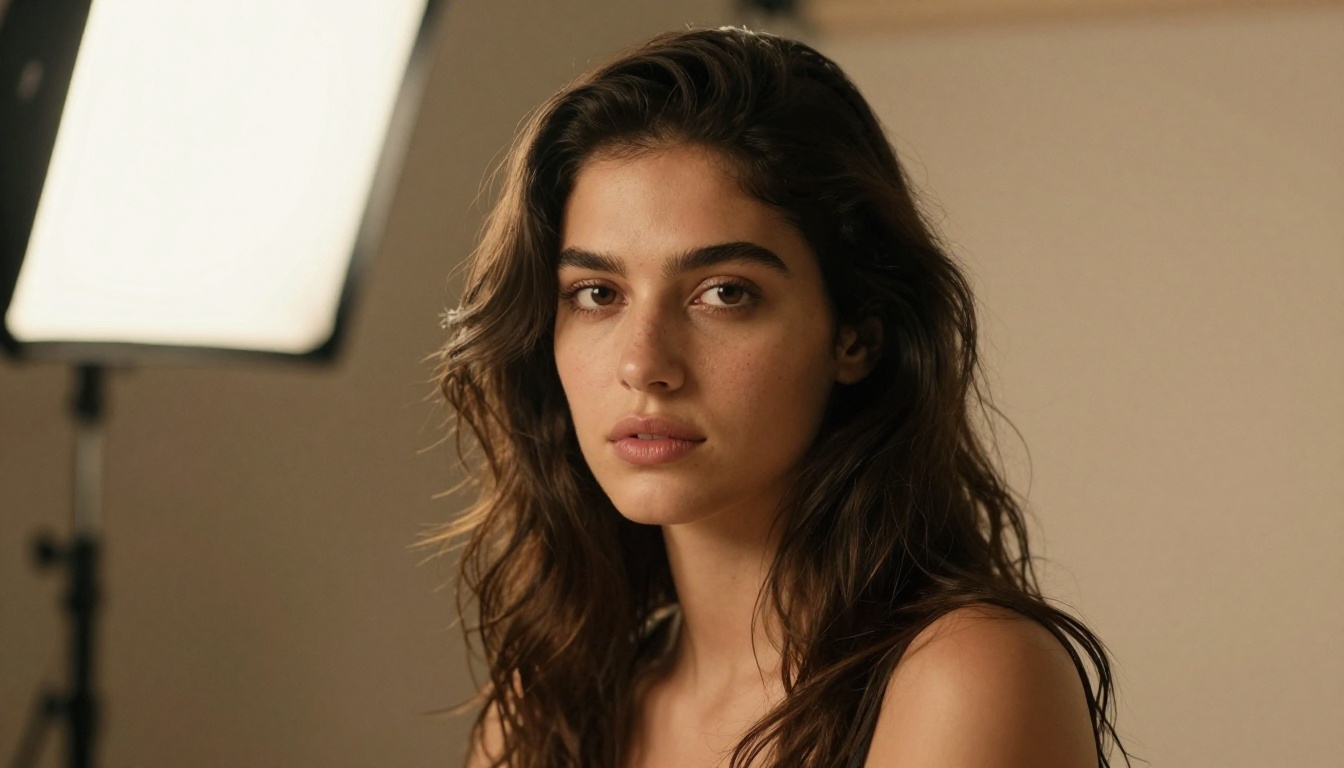
This is where Phoenix performs best among human-subject categories. Skin texture, hair strand separation, eye clarity, and expressive subtlety all render at a level that holds up under close inspection. For fashion-forward editorial work or lifestyle photography, Phoenix produces outputs that photographers routinely find useful as both reference material and finished assets.
Cinematic and atmospheric imagery
Wide-angle cinematic shots, atmospheric landscapes, and environment-first compositions suit Phoenix well. Volumetric lighting, fog, haze, and golden-hour gradients render with natural-looking falloffs rather than the artificial hard edges that appear in lower-quality models. When prompts include lighting descriptors (volumetric, directional, diffused, backlighting), Phoenix interprets them accurately.
Illustration and stylized work
Although photorealism is its default, Phoenix responds well to stylistic redirection. Prompts that include terms like "oil painting texture", "film noir", "editorial illustration", or "vintage photography" successfully shift the output toward those aesthetics while maintaining the base quality level. The model adapts the visual language of the requested style throughout the entire image, not just as a surface-level filter.
Style performance at a glance
| Style Type | Phoenix Performance | Notes |
|---|
| Portrait / Headshot | Excellent | Strong skin detail and natural lighting response |
| Cinematic Wide Shot | Excellent | Handles atmospheric depth and volumetric light well |
| Fashion / Editorial | Very Good | Consistent fabric texture and pose accuracy |
| Architectural | Good | Perspective accuracy is reliable |
| Text-Heavy Scenes | Fair | Better than competitors, still imperfect at scale |
| Abstract / Surreal | Good | Variable results, but workable with specific prompts |

How to Use Leonardo Phoenix Effectively
Leonardo Phoenix runs on the Leonardo.ai platform. Here is what to know about getting the best results from it, along with prompt strategies that transfer to any similar text-to-image model.
Structuring your prompt
The most reliable prompt format follows a layered structure:
[Subject] + [Action or State] + [Environment] + [Lighting] + [Camera or Lens] + [Style Modifier]
Example:
A woman in a white silk dress standing on a coastal cliff at sunset, warm volumetric golden light from the left, 85mm lens, shallow depth of field, photorealistic RAW
Each layer gives the model a distinct instruction to process. The subject defines who or what is in the frame. The environment provides spatial context. Lighting defines the mood and visual temperature. Camera and lens descriptors tell the model how the scene should be framed and how depth should behave.
The more complete each layer, the less the model fills in gaps with generic defaults.
Negative prompts worth using
Phoenix responds well to negative prompts. The following entries are worth including for most use cases:
blurry, soft focus, low resolution, watermark, text overlaydistorted face, extra fingers, anatomical errorsoverexposed, underexposed, flat lighting
Keep negative prompts concise. Overloading them with 40 or more entries can create unexpected visual artifacts. A short, targeted list performs better than an exhaustive one.
Resolution and aspect ratio
Phoenix supports multiple aspect ratios without significant quality degradation at higher resolutions. For editorial and cinematic content, 16:9 produces the most natural framing. For portrait and fashion, 4:5 or 2:3 frames subjects more naturally. Square format works well for product imagery or social media assets.
Guidance scale settings
The Guidance Scale (CFG) controls how strictly the model follows your prompt versus how much interpretive freedom it takes. For Phoenix, the optimal range typically falls between 7 and 11:
- CFG 6-8: Balanced output. Good for creative prompts where some variation is welcome.
- CFG 9-11: Strict following. Best when specific visual elements must appear in the output.
- CFG 12+: Can introduce visual artifacts, especially in complex multi-element scenes.
💡 Tip: If Phoenix keeps dropping a specific element from your prompt, increasing CFG to 10-11 and re-running usually resolves it. Alternatively, move the dropped element earlier in the prompt.
Common Mistakes When Using Phoenix
Over-prompting
There's a widespread belief that longer prompts produce better results. In practice, prompts over 80-100 words tend to cause the model to average competing instructions rather than prioritize the important ones. Tight, layered prompts outperform verbose ones consistently.
Skipping the style preset layer
Leonardo.ai includes style presets that layer over your prompt at the platform level. Applying "Photography" or "Cinematic" presets on top of a well-written prompt often produces better results than a detailed prompt alone. The presets provide model-level style guidance that reinforces your prompt direction without requiring more words.
Not running multiple generations
Phoenix, like all generative models, produces variable outputs across runs with the same prompt. Running a prompt 3-5 times and selecting the best result is a standard professional workflow, not a workaround for bad prompting. Building evaluation into your generation process is faster than trying to write the perfect prompt on the first attempt.

How Phoenix Compares to Other Models
This comparison reflects the current generation of top-tier text-to-image models:
| Model | Prompt Adherence | Photorealism | Text Rendering | Speed |
|---|
| Leonardo Phoenix | Excellent | Excellent | Good | Medium |
| Flux Dev | Very Good | Excellent | Fair | Fast |
| Stable Diffusion 3 | Good | Good | Fair | Fast |
| Midjourney v6 | Good | Very Good | Fair | Medium |
| DALL-E 3 | Excellent | Good | Very Good | Medium |
| GPT Image 2 | Excellent | Very Good | Excellent | Medium |
Phoenix occupies a strong position when both prompt adherence and photorealism are priorities simultaneously. DALL-E 3 and GPT Image 2 are still ahead on text rendering accuracy. Flux Dev and Stable Diffusion 3 offer faster generation speeds with competitive image quality. The right choice depends on what your workflow specifically demands.
For users who prioritize visual realism in complex scenes and need reliable interpretation of detailed prompts, Phoenix currently ranks at the top of its tier.
Strong Alternatives on PicassoIA
Leonardo Phoenix is not currently available as a model on PicassoIA, but the platform hosts several top-tier text-to-image models that address similar and often overlapping use cases.
Flux models for production-quality work
Flux Redux Dev by Black Forest Labs is among the strongest open alternatives to Phoenix. It produces photorealistic outputs with excellent detail retention across a wide range of visual styles. For workflows that require creative iteration through image variations, it's particularly well-suited.
Other Flux variants on PicassoIA include Flux Fill Pro for inpainting and detail filling, and Flux Depth Pro for structure-controlled generation. Together they form a complete toolkit for professional-grade image production without leaving the platform.
High-resolution and specialized options
Stable Diffusion 3 by Stability AI remains a reliable choice with broad stylistic range and strong community support. For ultra-high-resolution output at 4K quality, Seedream 4.5 by ByteDance and Wan 2.7 Image Pro consistently deliver production-ready detail that rivals Phoenix's output quality.
For text-in-image accuracy specifically, GPT Image 2 by OpenAI remains the strongest option currently available. It handles complex textual overlays within images better than any other model in this tier.
💡 PicassoIA hosts 91+ text-to-image models in one platform. No local setup needed, no API wrangling. You select a model, write a prompt, and generate directly in the browser.
What Makes a Strong AI Image Workflow
The principles behind strong AI image output don't change much between models. Whether you're working with Phoenix, Flux, or any comparable model, these patterns consistently produce better results:
Specificity beats quantity. Three precise details outperform ten vague ones. "Warm afternoon sunlight streaming through west-facing windows" is more useful than "good lighting with nice warm tones."
Lighting is the most leveraged variable. Describing the direction, intensity, and color temperature of light consistently has the highest single-element impact on output quality. "Volumetric morning light from the left" affects the entire scene composition, not just the lighting section.
Camera and lens language works. Phrases like "85mm f/1.4" or "24mm wide angle" influence perspective distortion, depth of field behavior, and compositional feel in well-trained models. These aren't aesthetic labels; they carry real photographic meaning that trained models have internalized from vast photography datasets.
Iteration is built into the process. No prompt produces the perfect image on the first generation every time. A working process means generating several variations, selecting the best, and refining from there. Accepting this reduces pressure on any single prompt attempt and speeds up overall output quality.

Try It on PicassoIA Right Now
Leonardo Phoenix represents where the best text-to-image models are heading: better instruction-following, more consistent realism, and outputs that don't require prompt engineering expertise to look professional. Whether you're generating editorial imagery, creative concepts, fashion content, or commercial assets, the quality bar it sets is worth knowing about.
If you want to experiment with models operating at that same level right now, PicassoIA gives you direct access to over 90 text-to-image models in one place. Flux Redux Dev, Seedream 4.5, Stable Diffusion 3, Wan 2.7 Image Pro, and GPT Image 2 are all available with no installation, no API setup, and no local hardware requirements.
Pick a prompt, run a few variations across different models, and see what the current generation of AI image generation actually produces at full quality. The outputs tend to speak for themselves.


