
Adaptive models have revolutionized how creators approach AI image generation. Instead of needing separate, full-sized models for every artistic style or creative concept, Low-Rank Adaptation (LoRA) weights allow you to customize any base model with minimal overhead. This means you can access thousands of specialized creative styles from a single, efficient inference engine.
PicassoIA now supports running the complete library of available LoRAs, giving you unprecedented access to curated artistic styles without the complexity of model management. Whether you're after Studio Ghibli aesthetics, 80s cyberpunk vibes, or photorealistic architectural renders, these adaptive weights transform your generation capabilities.
Understanding LoRAs and Adaptive Models
LoRAs represent a breakthrough in efficient model customization. Rather than fine-tuning entire multi-billion-parameter models, LoRA weights apply targeted adjustments that capture specific artistic concepts or visual styles. Think of them as stylistic lenses you can swap onto your base model.
Artists and researchers have created thousands of these custom adaptations. They can express:
- Unique artistic visions like "Studio Ghibli stills" or "80s cyberpunk aesthetics"
- Photorealistic specializations for specific subject matter
- Anime and illustration styles with distinctive character designs
- Textures and material properties for specialized rendering
- Emotional tones and atmospheric qualities that define an image's mood
The beauty of this approach is efficiency. Every LoRA doesn't require its own hosted model. Instead, all LoRAs share the same backend model on PicassoIA, with the correct weights swapped in dynamically during generation. This allows the platform to support thousands of styles without proportional infrastructure costs.
The Hugging Face Connection
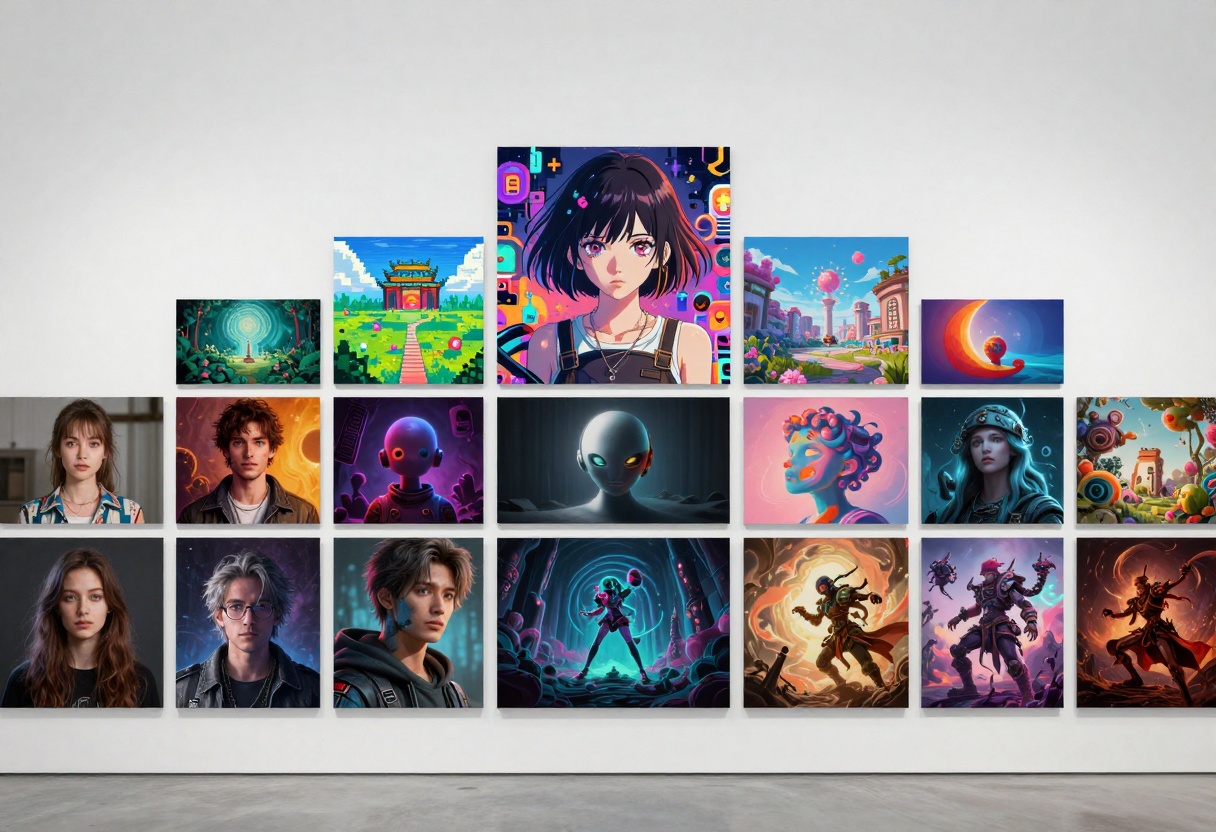
Hugging Face has become the largest open collection for sharing custom LoRA weights. Artists worldwide upload their creations, making them accessible to anyone. The community-driven approach has resulted in an incredible diversity of styles and specialized models.
By integrating with this ecosystem, PicassoIA gives you direct access to this massive library. Rather than limiting you to a curated subset, the platform dynamically loads any supported LoRA from Hugging Face and applies it during generation. This means your creative possibilities expand constantly as new community-created styles are published.
How LoRA Generation Works on PicassoIA
The technical elegance of this system lies in its simplicity. When you request an image with a specific LoRA style:
- You provide a descriptive prompt describing what you want to generate
- You select the LoRA weights you want to apply (or choose from recommended styles)
- PicassoIA routes your request to the Flux Dev LoRA model
- The model loads the specified LoRA weights as a parameter
- Generation happens with both your prompt and the style weights applied
- You receive the generated image with your chosen aesthetic applied
This dynamic loading approach provides several advantages. First, flexibility: new LoRAs become available immediately without infrastructure changes. Second, cost-efficiency: by sharing the backend model, PicassoIA keeps inference economical. Third, consistency: all LoRA generations use the same proven base model and infrastructure.
Popular LoRA Styles and Creative Applications
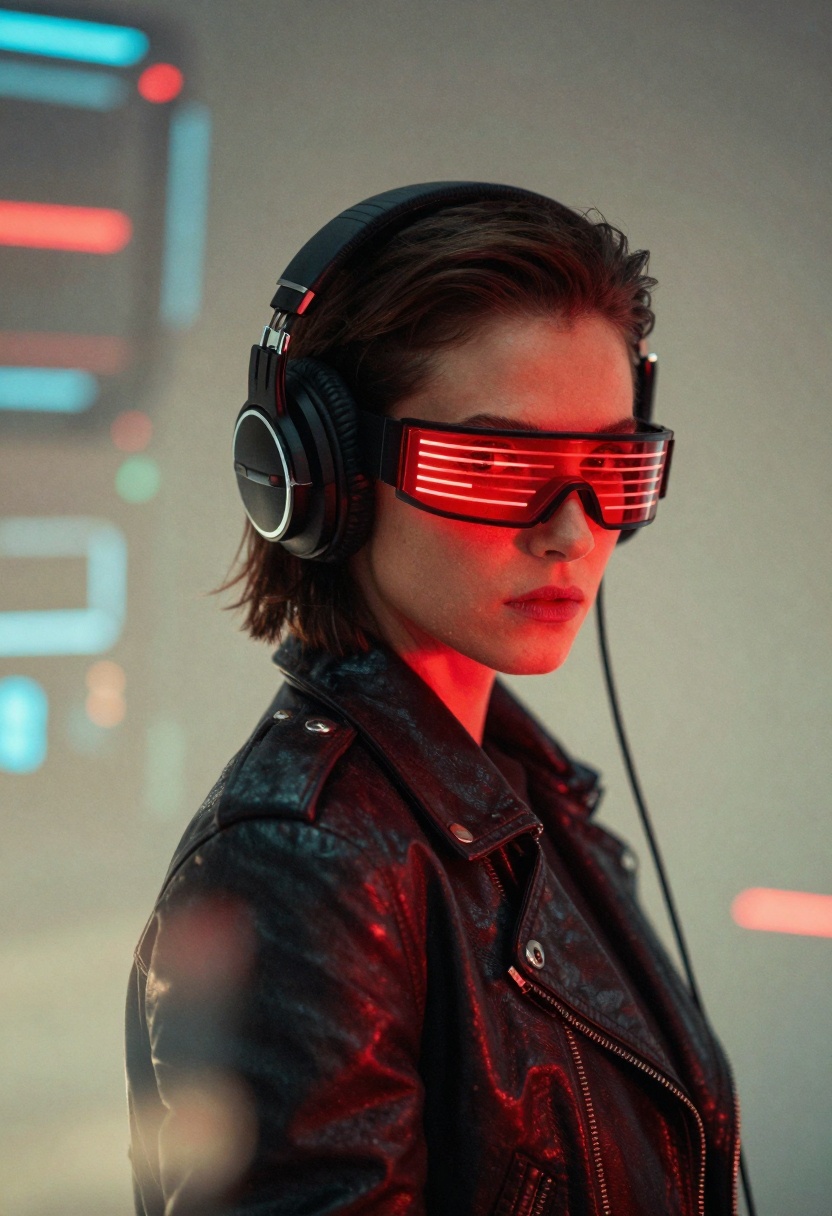
The available LoRA collection spans incredible creative ground:
Cinematic and Photorealistic
- Professional photography styles with specific lighting aesthetics
- Architectural rendering with material precision
- Product photography with detailed surface qualities
- Portrait photography with specific film stocks and eras
Artistic and Illustrative
- Studio Ghibli-inspired animation frames
- Comic book and graphic novel aesthetics
- Watercolor and oil painting styles
- Charcoal and ink drawing techniques
Genre and Atmospheric
- Cyberpunk and dystopian future aesthetics
- Fantasy and magical realism environments
- Retro and vintage visual styles from specific decades
- Surreal and abstract artistic concepts
Technical and Specialized
- 3D rendering styles and specific 3D engines
- Pixel art and retro game aesthetics
- Specific illustration software aesthetics
- Material and texture specializations
The diversity means you can experiment with radical stylistic shifts without switching models or platforms.
Building Prompts for LoRA Success
While LoRAs handle the stylistic heavy lifting, your prompt remains crucial for directing what gets generated. The prompt describes the subject, composition, and content while the LoRA applies the visual style.
Effective prompts for LoRA generation include:
- Subject description: What should be in the image?
- Composition details: How should elements be arranged?
- Technical specifications: Desired resolution, aspect ratio, or quality level
- Emotional tone: The mood or atmosphere you're targeting
- Context clues: Settings, lighting conditions, or environments
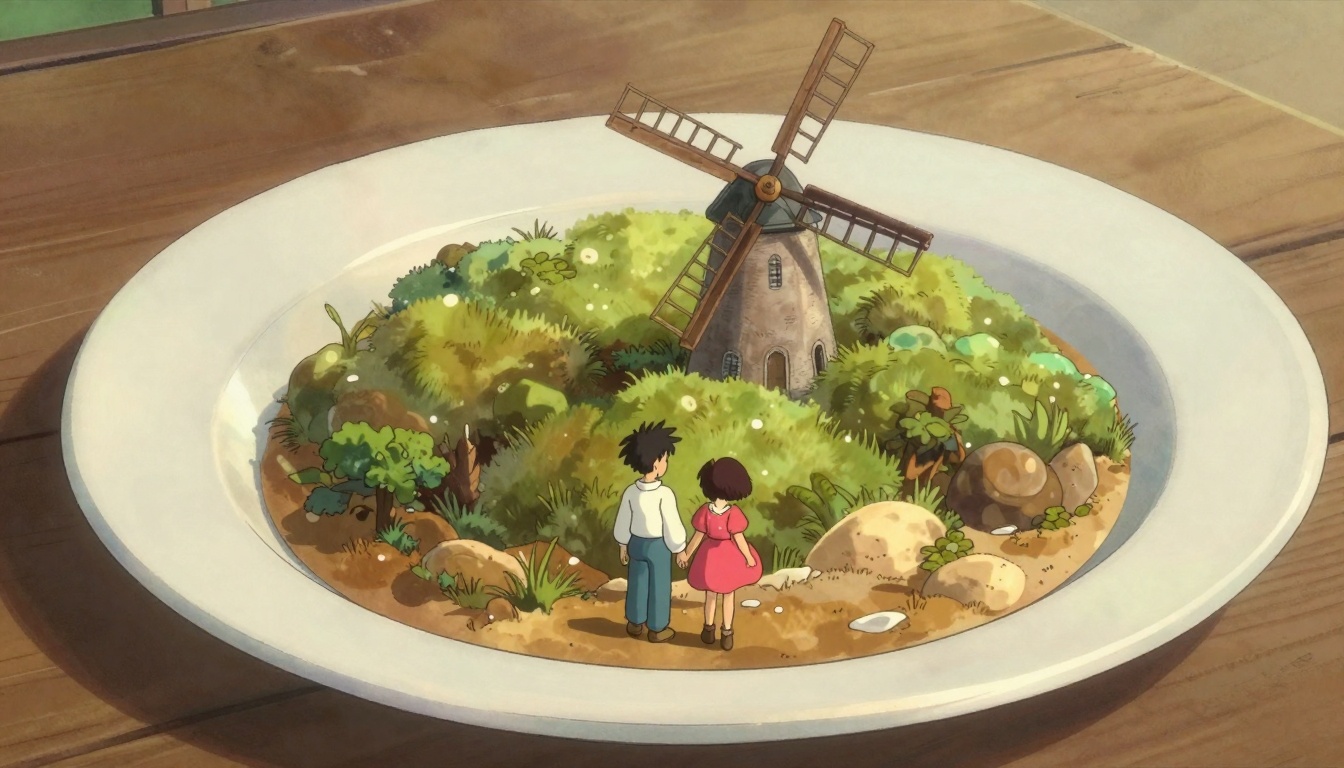
For example, with a cyberpunk LoRA, your prompt might be: "a portrait photo of a person with red neon visor glasses, dark leather jacket, intense expression, dramatic lighting". The LoRA applies the cyberpunk aesthetic while your prompt directs the specific content.
Advanced LoRA Techniques
Prompt Strength Controls
When using LoRAs, you can adjust how strongly the style weights influence generation. Higher strength means more pronounced style application, while lower values blend the LoRA aesthetic more subtly with the base model's tendencies.
Guidance and Creative Direction
The guidance parameter controls how closely the model follows your prompt. With LoRAs, this becomes particularly powerful because you're guiding the model within an already-stylized space, allowing for fine-tuned creative direction.
Batch Generation and Iteration
Since LoRA generation is efficient, you can generate multiple variations quickly. This rapid iteration helps you discover the exact style balance and prompt wording that best matches your vision.
Seed Control for Reproducibility
If you find a generation you love, you can use the same seed value to recreate that exact result, making it easy to iterate on successful outputs.
Use Cases Across Creative Industries
Content Creation and Marketing
Marketing teams use LoRAs to rapidly generate on-brand visuals. Instead of waiting for photographers or designers, they can generate consistent imagery that matches their visual identity.
Concept Art and Game Development
Game studios use LoRAs to explore visual directions quickly. An artist can generate dozens of concept variations in different styles in minutes rather than hours.
Illustration and Book Publishing
Authors and publishers use LoRAs to generate illustrations for books, covers, and promotional materials in consistent styles.
Product Design and Visualization
Designers use LoRAs to visualize product concepts in different materials, lighting conditions, and artistic interpretations.
Social Media and Community Content
Content creators use LoRAs to maintain a consistent visual style across their output while exploring diverse subject matter.
Accessing LoRAs on PicassoIA
Getting started with LoRAs on PicassoIA is straightforward:
- Navigate to the Flux Dev LoRA model page on PicassoIA
- Explore the available LoRA styles from the integrated Hugging Face library
- Select a LoRA that matches your creative vision
- Enter your descriptive prompt in the text field
- Configure optional parameters like aspect ratio or quality level
- Click generate to create your image
- Download and use your results
The interface makes it easy to browse styles, preview what different LoRAs do, and experiment rapidly without technical knowledge.
The Efficiency Advantage
LoRA technology represents a significant advancement in practical AI. You get specialized, high-quality style generation without requiring massive infrastructure or long inference times. A single backend model handles thousands of styles efficiently.
This efficiency means several things for users:
- Lower costs: Efficient inference keeps pricing competitive
- Faster generation: Smaller weight adjustments mean quicker processing
- Broader access: More styles available without model management complexity
- Rapid iteration: You can experiment freely without infrastructure concerns
For creators who previously had to choose between different platforms for different styles, LoRAs enable unified generation with infinite stylistic possibilities.
Exploring Your Creative Boundaries
The combination of a powerful base model and thousands of style LoRAs removes barriers to experimentation. You're no longer limited to a few predefined styles. Instead, you have access to community-created aesthetics spanning every conceivable artistic direction.
This democratizes specialized AI image generation. A filmmaker can access cinematography styles previously locked behind expensive software. An author can generate book illustrations without hiring an artist. A designer can explore material variations and lighting scenarios instantly.
The creative possibilities truly become limited only by your imagination and the prompts you write.
Getting Started with Flux Dev LoRA on PicassoIA
Step 1: Access the Model Page
Visit the Flux Dev LoRA model on PicassoIA. This is your gateway to thousands of artistic styles.
Step 2: Configure Your Prompt
Enter a detailed prompt describing what you want to generate. Include subject matter, composition, mood, and technical preferences. Your prompt becomes the canvas upon which the LoRA applies its artistic style.
Step 3: Select Your LoRA Style
Browse the available LoRA weights from Hugging Face. You can filter by style category, search by name, or explore trending styles. Each LoRA brings its own unique aesthetic to your generation.
Step 4: Adjust Optional Parameters
Fine-tune your generation with optional settings:
- Aspect Ratio: Choose between various dimensions like 16:9, 1:1, 3:2, or custom ratios
- Guidance Scale: Control how strongly the model follows your prompt (default 3)
- Output Format: Select PNG, JPG, or WebP format based on your needs
- Quality Level: Adjust output quality from 0-100 (default 80)
- Number of Steps: More denoising steps create higher quality but take longer (recommended 28-50)
Step 5: Generate Your Image
Click the generate button to start processing. The model will apply your chosen LoRA style to your prompt, creating a unique image optimized for your specifications.
Step 6: Iterate and Refine
If you want variations, adjust your prompt slightly or try a different LoRA. Rapid iteration helps you discover exactly the aesthetic and content you're seeking.
Tips for Exceptional Results
Start with specific LoRAs
Rather than trying random styles, explore LoRAs that genuinely interest you. Spend time understanding what each brings to the table.
Write detailed, visual prompts
The more visual detail in your prompt, the more precisely the model generates. Describe colors, lighting, composition, and atmosphere.
Experiment with guidance values
Different LoRAs respond differently to guidance. Some shine with high guidance (strict prompt adherence), others with lower values (more creative freedom).
Use seed values for consistency
If you find a generation you love, save the seed. Use it for future prompts to maintain visual consistency in series.
Combine style with subject cleverly
The magic happens at the intersection of your prompt and LoRA. A landscape prompt in a cyberpunk LoRA creates something entirely different than the same prompt in a photorealistic LoRA.
The Future of Adaptive AI
LoRA technology continues evolving. As the community creates more specialized styles and as model efficiency improves, the possibilities only expand. We're moving toward a future where style is infinitely customizable and affordable.
What once required training separate models for each style now works through elegant parameter adaptation. This represents not just a technical improvement, but a fundamental shift in how creators access AI-powered image generation.
You're no longer choosing between limited styles or switching between platforms. Instead, you have a single, powerful tool that can generate any imaginable artistic style through community-created LoRA weights.

The Hugging Face community continues creating new LoRAs regularly. You might discover:
- Emerging artistic styles from digital artists worldwide
- Specialized techniques from photographers and cinematographers
- Niche aesthetics from passionate community members
- Experimental styles pushing creative boundaries
- Recreations of specific artists' signature styles
This living, breathing library grows constantly. New styles appear regularly as the community innovates and shares their creations.
Practical Applications for Your Projects
Blog and Article Illustrations
Generate custom header images and illustrations that perfectly match your content in consistent styles.
Marketing Materials
Create on-brand social media content, advertising materials, and promotional graphics rapidly.
Storyboarding and Visualization
Explore narrative directions visually before committing to production resources.
Design Exploration
Visualize design concepts in different styles, materials, and lighting conditions.
Portfolio Building
Create diverse work samples in various styles to demonstrate range and capability.
Beyond Generation: Building Your Creative Practice
Using LoRAs effectively isn't just about pressing a button and getting results. It's about developing your creative eye, understanding what prompts generate, and building a consistent visual language.
The best results come from treating LoRA generation as a collaborative process with the AI. You direct the vision, the prompt guides the content, and the LoRA brings the style. Together, they create something neither could alone.
As you experiment with different LoRAs, you'll develop intuition about which styles serve which purposes. You'll discover unexpected combinations that spark new creative directions. You'll find yourself not just using LoRAs, but thinking creatively within and around their unique capabilities.
Getting the Most from Your Generations
After generating images, the creative work continues:
- Refining compositions: Use generations as starting points for further work
- Combining approaches: Merge elements from different generations
- Iterative improvement: Use successful seeds and tweaked prompts for refinement
- Building collections: Group related generations into cohesive visual narratives
- Integration: Combine AI generations with traditional creative work
The tools don't end with generation. They're starting points for deeper creative exploration.
Conclusion
The availability of 30,000+ LoRA styles through PicassoIA fundamentally changes what's possible in AI image generation. You're no longer limited to a handful of predetermined styles or forced to choose between different platforms.
Instead, you have:
- Unlimited stylistic possibilities through community-created LoRA weights
- Efficient, affordable generation through dynamic weight loading
- Rapid experimentation enabling quick iteration and discovery
- Professional quality through the powerful Flux Dev base model
- Easy access through an intuitive, browser-based interface
Whether you're exploring new creative directions, building marketing materials, developing concept art, or simply pushing the boundaries of what AI can do, LoRAs on PicassoIA provide the tools and flexibility to realize your vision.
The creative potential is genuinely limitless. Your next masterpiece might be just a prompt and a LoRA selection away.
Ready to explore infinite artistic styles? Visit Flux Dev LoRA on PicassoIA and start generating today. The community-created LoRA library awaits your exploration.
Key Takeaways
- LoRAs enable style specialization without requiring separate full-size models
- Thousands of community-created styles are instantly accessible through Hugging Face integration
- Efficient inference makes rapid experimentation affordable and practical
- Quality results come from prompt and style combination, requiring thoughtful direction
- The creative possibilities expand constantly as the community innovates and shares new styles


