Fifty frames per second. That number used to belong exclusively to broadcast sports coverage and soap opera aesthetics. Today, it signals something more important: the edge where AI video generation stops looking like AI. LTX 2.3 Pro from Lightricks pushes into that territory, and what it delivers at 50fps is worth paying close attention to.
This is not a minor version bump. The jump from the original LTX Video to the 2.3 Pro build represents a generational change in how the model handles temporal consistency, motion articulation, and output sharpness at higher frame densities. When you generate at 50fps, you get more than just smoother playback. You get a different relationship between subject motion and camera motion, reduced flickering on fine-detail textures, and a visual rhythm that audiences now expect from premium content.
Why 50fps Is a Turning Point
The physics behind frame rate perception
The human visual system perceives motion artifacts most aggressively between 18fps and 30fps. Above 30fps, the brain's temporal integration smooths over inter-frame differences. But there is a second threshold near 48fps to 50fps where something else happens: motion feels intentional rather than mechanical. Cinematographers shooting at HFR (High Frame Rate) have documented this for decades. Peter Jackson's 48fps Hobbit films sparked genuine debate precisely because the format felt so different from what audiences were conditioned to accept.
With AI video generation, this threshold matters for a different reason. Models generating at lower frame rates must fill in motion between widely spaced frames using probabilistic sampling. The result is acceptable at 24fps but accumulates as visual noise at higher playback speeds. At 50fps, the generative model produces twice the frames for a given time window, meaning each individual frame has far less work to do in bridging adjacent states.
What lower frame rates leave behind
At 24fps and 30fps, even the best AI video models produce:
- Temporal shimmer: fine textures like hair, fabric weave, or grass flickering between frames
- Motion smear: fast-moving objects streaking across frames in ways that look nothing like real-world motion blur
- Micro-judder: subtle inconsistency in camera panning motion that breaks the sense of a held camera
- Subject coherence drift: faces and hands that subtly shift in structure across a few-second sequence
These are not bugs. They are the natural consequence of generating at sparse frame intervals. The question is whether 50fps generation in LTX 2.3 Pro meaningfully addresses them.
LTX 2.3 Pro Architecture Highlights
The distilled diffusion backbone
LTX 2.3 Pro builds on Lightricks' proprietary distilled diffusion training methodology. Unlike standard diffusion models that require many denoising steps per frame batch, LTX uses a compressed inference path that dramatically reduces per-frame generation cost. This is the core reason the model can sustain 50fps output without generation times that make it impractical.
The architecture differs from competitors in a few distinct ways. Where Seedance 2.5 emphasizes narrative coherence across long clips and Veo 3 prioritizes photorealism from text prompts, LTX 2.3 Pro specifically optimizes for temporal density because more frames per second need more robust frame-to-frame consistency training.
💡 Temporal density refers to how consistently model outputs remain stable across closely spaced frames. High temporal density means consecutive frames look like they belong to the same moment in time, not separate hallucinations of that moment.
Resolution and temporal consistency
The model supports up to 4K output while maintaining that 50fps frame rate. This combination is not trivial. Many models that attempt 4K generation do so at significantly reduced temporal coherence because the computational load forces trade-offs. LTX 2.3 Pro's distilled backbone keeps the coherence budget intact even at high resolution.
The practical result: fine details like a subject's hair texture, the grain on a wooden surface, or the reflection on a wet street hold their structure across the entire clip rather than slowly drifting. If you have compared outputs from LTX 2 Distilled or LTX 2 Fast to the 2.3 Pro build, the jump in coherence is immediately visible on any scene with textured surfaces in motion.
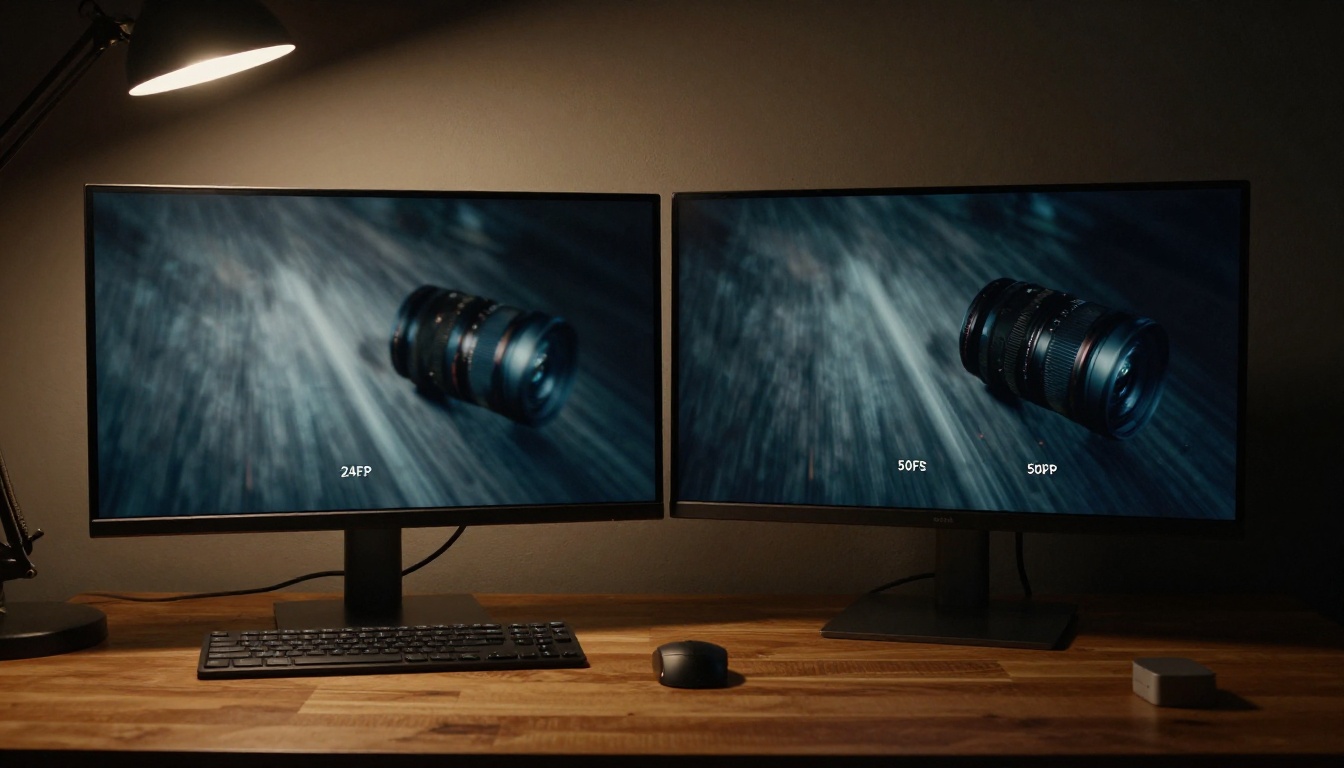
Motion Quality at 50fps
How smoothness changes creative options
The most immediate effect of 50fps generation is how it changes your options in post-production. When you have 50 frames to work with per second, you can:
- Slow down footage by 50% to achieve 25fps slow motion without any frame interpolation artifacts
- Speed ramp from 25fps sections to full-speed 50fps without jarring transitions
- Cut directly between clips without relying on matched motion blur to hide the edit
None of these are possible at 24fps without external tools, and those tools introduce their own interpolation artifacts. Working natively at 50fps from the generation step means the footage is editable rather than merely watchable.
💡 For social media creators, this matters enormously. Platforms like Instagram Reels, YouTube Shorts, and TikTok all support 60fps playback. Generating at 50fps gives you footage that either plays at its native high frame rate or can be re-timed without losing quality.
Artifact reduction in fast motion
Fast-motion sequences are the hardest test for any AI video model. When a hand moves quickly across frame, or a vehicle passes close to camera, the model must generate a sequence of frames where the subject occupies significantly different positions. At 24fps, the gap between frames is large enough that the model's spatial consistency under temporal pressure often breaks.
At 50fps, those inter-frame gaps shrink. The model has more anchor frames around each difficult position, which supports better structural consistency. Testing LTX 2.3 Pro on prompts with action sequences shows materially fewer instances of:
- Limb ghosting: phantom limb positions bleeding through from adjacent frames
- Background pop: static scene elements that subtly shift position between frames
- Texture collapse: fine details that suddenly simplify or disappear mid-clip
| Issue | At 24fps | At 50fps (LTX 2.3 Pro) |
|---|
| Limb ghosting | Frequent on fast motion | Rare, minimal |
| Background pop | Occasional | Very rare |
| Texture collapse | Common on fine details | Infrequent |
| Temporal shimmer | Consistent on hair/fabric | Largely eliminated |
| Motion smear | Heavy on fast objects | Natural-looking blur |
4K at High Frame Rates
Resolution and frame rate trade-offs
Generating 4K at 50fps means the model produces an enormous amount of data per clip. For a standard 5-second output, that is 250 individual 4K frames. Each frame needs to be spatially coherent (sharp, detailed) and temporally coherent (consistent with adjacent frames).
Most competing models offer you a choice: high resolution or high frame rate. LTX 2.3 Pro positions itself differently by refusing that trade-off. The distilled architecture means generation speed stays practical even at this combination. Compare that to LTX 2 Pro, which supports 4K but at lower frame densities, and you see how much the 2.3 build advances the state of the architecture.
Real output quality in practice
4K at 50fps from LTX 2.3 Pro is particularly strong in:
- Outdoor scenes with natural light: volumetric light rays, dappled shadow patterns, and atmospheric haze hold well across frames
- Interior product shots: reflective surfaces, fine material texture, and glass or liquid rendering maintain high quality
- Architecture and environment: static background elements that are easy to evaluate for drift show excellent consistency
Where you will still see limitations:
- Extreme close-ups of human faces with very fine skin detail can show subtle coherence drift on longer clips
- Complex hand and finger positions remain challenging for any AI video model regardless of frame rate
- Dense crowd scenes with many independently moving subjects push temporal consistency budgets
How LTX 2.3 Pro Compares
Against Seedance 2.5 and Veo 3
The competitive landscape for AI video in 2025 and 2026 is genuinely strong. Seedance 2.5 from ByteDance produces excellent narrative consistency across longer clips and handles multi-subject scenes with strong semantic accuracy. Veo 3 from Google pushes photorealism from text prompts to a level that is remarkable for certain scene types. Sora 2 Pro from OpenAI brings long-form coherence with cinematic staging that few models match.
What separates LTX 2.3 Pro from these models is not raw photorealism. On individual static frames, several competitors match or exceed it. The differentiator is the combination of:
- 50fps native generation (no post-interpolation)
- 4K resolution at that frame rate
- Generation speed that keeps the creative loop short
Speed vs. quality balance
One concern with distilled models is that speed gains come at the cost of quality. This is sometimes true. But LTX 2.3 Pro's distillation training was specifically targeted at preserving temporal quality metrics, not just reducing inference steps. The perceptual quality loss compared to a full diffusion pass is present but small, and in most use cases the speed advantage outweighs it significantly.
For workflows where you are iterating on a prompt, the fast generation loop of LTX 2.3 Pro is a genuine production advantage. You can test 10 variations in the time some models take to produce one final clip.

Real-World Use Cases
Sports and action content
High frame rate video generation has an obvious application in sports content. Training highlight reels, promotional clips for athletic brands, and social content around sporting events all benefit from the smooth motion that 50fps provides.
At 50fps, AI-generated action sequences avoid the slow video game cutscene aesthetic that plagues lower frame rate generations. A sprinting athlete, a thrown ball in trajectory, or a surfboard cutting through a wave all render with the natural motion rhythm audiences associate with broadcast sports coverage.
Hailuo 2.3 and Pixverse v6 are worth considering for this use case as well, but neither reaches 50fps native output, which means you are working with interpolated footage for high frame rate delivery.
Product videos and commercial work
Product videos are among the highest-value applications for AI video generation. Brands need footage that holds up at full screen on high-resolution displays. At 4K/50fps, LTX 2.3 Pro delivers footage that can be used in commercial production workflows without looking synthetic.
Consider what this means practically: a sneaker rotating slowly on a pedestal, a perfume bottle with condensation trickling down its side, a car interior with light playing across leather surfaces. All of these scenes require the kind of textural consistency that only high temporal density can provide.
💡 For product videos specifically, 50fps gives you the flexibility to play at native speed for broadcast or slow down to 25fps for a luxury feel without any quality loss. That dual-use value from a single generation pass is a genuine production efficiency.
Social media and short-form video
TikTok and YouTube Shorts creators increasingly demand content that can hold up against native smartphone footage shot at 60fps. AI-generated content at 24fps or 30fps is visually distinct from this in ways that attentive viewers notice. 50fps AI video narrows that gap considerably.
The combination of fast generation time and high frame rate output makes LTX 2.3 Pro particularly useful for creators who need multiple pieces of content daily. Generate a base clip, retime sections for variety, export at the platform's preferred frame rate.
How to Use LTX 2.3 Pro on PicassoIA
The LTX 2.3 Pro model is available directly on PicassoIA in the text-to-video collection. The LTX 2.3 Fast variant is also available for workflows where turnaround time is the priority over maximum quality.
Step-by-step workflow
Step 1: Access the model
Go to the LTX 2.3 Pro page on PicassoIA. No account setup beyond standard registration is required.
Step 2: Write your prompt
Structure your prompt in three parts:
- Subject: who or what is in the scene, and what they are doing
- Environment: location, lighting conditions, time of day, background details
- Camera: angle, lens type, movement (dolly in, static wide shot, close-up)
Example prompt that works well at 50fps:
"A professional chef slicing herbs on a wooden cutting board in a sun-lit kitchen, natural morning light from a left window, close-up at 85mm, static camera, photorealistic, 8K detail"
Step 3: Set resolution to 4K
Select the 4K output option. This is what fully leverages the model's temporal density capabilities at 50fps.
Step 4: Review and retime
Download your clip and review it at full frame rate in your editing software. From there, you can retime sections or cut directly without any additional processing.
Tips for best results at 50fps
💡 Lighting specifics matter more at high frame rates. At 24fps, approximate lighting in your prompt is fine. At 50fps, the model renders lighting transitions between frames, so directional light descriptions produce noticeably better results than general "well-lit" language.
- Avoid overlapping motions in your prompt. One primary action per scene gives the model a clear temporal trajectory to follow.
- Specify camera stability explicitly. Terms like "tripod shot", "static camera", or "slow dolly" signal that inter-frame camera positions should be consistent.
- Shorter clips iterate faster. Test your prompt at 3 seconds before committing to a 5-second generation. The core motion quality is visible even in short outputs.
- Describe textures in your prompt. "Rough concrete pavement", "matte black ceramic mug", "linen shirt with visible weave" all prompt the model to produce content that benefits from its high temporal density training.

What 50fps Actually Costs You
Nothing comes free in AI video generation. Generating at 50fps with 4K resolution means longer generation times than 24fps at 1080p, even with the distilled architecture. The time difference is not prohibitive, but it is real. Budget for roughly 1.5x to 2x generation time compared to an equivalent LTX 2 Pro output.
The other cost is storage. 4K at 50fps produces significantly larger files than standard outputs. A 5-second clip at 4K/50fps encoded in H.265 will run 50MB to 100MB depending on content complexity, compared to 10MB to 20MB for a comparable 1080p/24fps clip.
Neither of these costs eliminates the value proposition. They are simply factors to plan for in any production workflow.
💡 If generation speed is your primary constraint, LTX 2.3 Fast produces outputs at the same frame rate with reduced generation time. The quality difference is noticeable on close inspection but acceptable for high-volume social content.
Start Creating with LTX 2.3 Pro
LTX 2.3 Pro at 50fps represents the current ceiling for what AI video generation can produce when temporal quality is the measurement. It is not perfect, and no AI video model is. But for the use cases where frame rate matters most, including sports, products, action, and high-end social content, it is the most capable tool available without requiring film-grade hardware.
PicassoIA gives you access to LTX 2.3 Pro alongside more than 80 other video models including Seedance 2.5, Veo 3, Kling v3, Ray 3.2, Wan 2.7 T2V, and Wan 2.7 I2V. You can compare outputs across models in the same session, which is the fastest way to see where LTX 2.3 Pro wins and where a different model suits your specific scene better.
Start with a prompt you know works. Run it through LTX 2.3 Pro at 50fps. The difference is not subtle.


