LTX Video changed the math on AI video creation. Before it existed, generating a single 5-second clip with most text-to-video models meant waiting anywhere from 2 to 10 minutes per attempt. LTX Video collapsed that wait to seconds, making it the first open-source model to reach genuine real-time video generation. That is not a marketing claim. It is a measurable architectural achievement that makes a real difference to how you work.
This article breaks down what LTX Video is, how it achieves its speed, how it compares to alternatives, and exactly how to start using it today.
What LTX Video Actually Is
LTX Video is a text-to-video and image-to-video diffusion model built by Lightricks, the company behind professional mobile creative tools used by millions worldwide. Released publicly as open-source on Hugging Face, LTX Video was designed from the ground up to prioritize inference speed without compromising the visual coherence that makes AI video actually useful in production contexts.
The original release generates 24fps video at 768x512 resolution. Since then, the model family has expanded significantly. LTX 2 Pro pushes into 4K territory, LTX 2 Fast maximizes throughput for rapid iteration, and LTX 2 Distilled uses model distillation to cut generation time even further. The most recent iterations, LTX 2.3 Pro and LTX 2.3 Fast, bring 4K video generation to the fastest end of the spectrum available in any open-source model.
Built by Lightricks, Not a Research Lab
This distinction matters more than it might seem. Lightricks built LTX Video as a production-grade tool, not as a proof of concept or an academic publication. The engineering decisions reflect that priority: the model is optimized for deployment on accessible hardware, the architecture is designed to minimize latency at every stage, and the open-source release enables both self-hosting and direct community improvement. Most competing models come from research-first organizations where inference speed is treated as a secondary concern after benchmark scores.
The result is a model that was actually designed to be used, not just demonstrated.
Open-Source From Day One
The open-source release of LTX Video was not a limited or delayed disclosure. The full weights, architecture specifications, and training details were released publicly. This matters for three concrete reasons: developers can self-host it entirely, the community can fine-tune it for specific visual styles and subject domains, and there is no vendor lock-in when building products or workflows around it.
For teams evaluating AI video tools for long-term production use, open-source availability changes the risk profile significantly.
Why Real-Time Speed Changes Everything

Speed in AI video is not just a quality-of-life improvement. It is a fundamental shift in what the tool is actually capable of being used for within a real workflow.
Waiting Minutes vs. Seconds
Most text-to-video models require between 2 and 8 minutes to generate a single short clip. On the surface, that sounds acceptable. In practice, it means that iterating on a single prompt requires setting up a generation job, waiting, evaluating the result, adjusting the prompt, and waiting again. A creative session involving 10 prompt variations takes over an hour before you see all the results.
LTX Video generates the same clip in under 10 seconds on consumer-grade GPUs. That same 10-variation session takes under 2 minutes. The workflow shifts from batch processing with long feedback loops to something that feels genuinely interactive and exploratory.
What Iteration Speed Buys You
The real value is in what rapid iteration actually enables in practice:
- Prompt refinement at speed: Test specific wording changes and see their effect immediately, rather than committing to long waits before evaluating
- Composition testing: Quick checks on framing, motion direction, and scene composition before committing to a longer or higher-resolution final generation
- Live client previews: Share rough visual concepts in real time during a call rather than promising to send files after the meeting
- Batch production workflows: Generate dozens of variations in the time competing models take to produce one approved clip
- Low-stakes experimentation: Try unconventional prompts, unusual angles, and unexpected visual ideas without worrying about wasted generation time
💡 Pro tip: Use LTX Video's speed for rapid concept approval, then render your final approved clip at 4K with LTX 2 Pro or LTX 2.3 Pro for finished output.
How the Model Works Under the Hood
Understanding why LTX Video is fast requires looking at the specific architectural choices that separate it from the slower alternatives in the open-source video space.
DiT Architecture, Not UNet
Most early video generation models were built on UNet-based architectures inherited directly from image diffusion models. UNets work by processing information through an encoder that compresses the input into a bottleneck, then a decoder that expands it back out. This works for still images but scales poorly to video because of the added temporal dimension: every additional frame multiplies the compute load.
LTX Video uses a Diffusion Transformer (DiT) architecture. Transformers process information through attention mechanisms that scale more efficiently with longer sequences. In video, where a clip is essentially an extended sequence of frames with motion relationships between them, this architectural choice directly translates to better temporal coherence and lower inference cost per frame.
The DiT design also improves text conditioning accuracy. The attention mechanism integrates the text prompt at every layer of the network rather than only at the bottleneck, which means the model follows prompt descriptions more precisely than older UNet-based video models.
Distillation: Why Speed Improves
Standard diffusion models require dozens to hundreds of denoising steps to produce a clean output. Each step is a full forward pass through the model, and total inference time scales linearly with the step count. A model that takes 50 steps will always take ten times longer than one running 5 steps at the same architecture size.
LTX Video uses score distillation, a training technique where a smaller or modified model learns to match the output quality of a larger reference model while using far fewer denoising steps. The LTX 2 Distilled variant takes this furthest, running in as few as 4 inference steps while maintaining usable quality for previews and draft approvals.
This is the primary reason LTX Video achieves real-time generation where comparable models cannot.
Spatial and Temporal Compression
Before a video sequence enters the diffusion process, LTX Video compresses it in both spatial (frame resolution) and temporal (frame count) dimensions using a Video VAE, a Variational Autoencoder adapted for video. This creates a compact latent representation that the transformer operates on, rather than working on full-resolution pixel data directly.
The practical outcome: the model processes a representation roughly 8 times smaller than the actual video while still capturing the motion patterns and visual details needed for coherent generation. When the denoising is complete, the VAE decoder expands the latent back to full pixel resolution.
Spatial-temporal compression is the second core reason LTX Video runs fast even on hardware that would struggle with competing architectures.
LTX Video vs. Other AI Video Models
LTX Video does not exist in isolation. Understanding where it fits requires comparing it directly against the models it competes with across the speed, quality, and capability dimensions that matter for real work.
| Model | Speed | Max Resolution | Open-Source | Best For |
|---|
| LTX Video | Real-time (~5s) | 768p | Yes | Rapid iteration, prototyping |
| LTX 2 Fast | Very fast | 1080p | Yes | Speed with higher resolution |
| LTX 2 Pro | Fast (~30s) | 4K | Yes | Final output, high quality |
| LTX 2.3 Pro | Fast | 4K | Yes | 4K speed balance |
| Kling v2.6 | Moderate (~2min) | 1080p | No | Cinematic motion quality |
| Wan 2.7 T2V | Moderate | 1080p | Yes | Detailed scene rendering |
| Sora 2 | Slow (~5min) | HD | No | Long-form premium output |
| Veo 3 | Slow | 1080p | No | Native audio, photorealism |
Where LTX Video Wins
LTX Video wins on inference speed by a significant margin across the entire open-source category. No competing open model comes close to its generation time at equivalent quality levels. For workflows where iteration speed matters more than frame-by-frame polish, it is the clear choice.
Its open-source nature also means it runs locally, which removes API dependency and per-generation costs once deployed. For high-volume production use cases, this economics difference compounds quickly.
Where Others Pull Ahead
Kling v2.6, Veo 3, and Sora 2 produce more cinematically refined motion at the cost of significantly longer generation times. For broadcast-quality production where every frame needs professional polish, the closed commercial models currently maintain an edge in perceptual quality and handling complex motion physics.
Seedance 1 Pro and Hailuo 02 deliver strong results in the mid-tier speed range with built-in audio generation capabilities that LTX Video does not offer natively, making them better fits for content requiring synchronized audio.
How to Use LTX Video on PicassoIA

PicassoIA hosts the full LTX Video model family, meaning you can access every variant from the original LTX Video through LTX 2.3 Pro without any local installation, GPU requirement, or technical configuration.
Step 1: Pick the Right Variant
Your choice of LTX model should match your current goal in the production process:
- Rapid prototyping and concept approval: Use LTX Video or LTX 2 Fast for near-instant feedback on your prompt ideas
- Draft quality with reasonable speed: LTX 2 Distilled finds a good balance between speed and visual fidelity
- Final deliverable output: LTX 2 Pro or LTX 2.3 Pro for 4K resolution finished work
Step 2: Write a Strong Motion Prompt
LTX Video responds significantly better to prompts that describe motion explicitly rather than just describing a scene. Static scene descriptions produce visually static-feeling results even when motion is technically present.
Weak prompt: "A woman walking in a park"
Strong prompt: "A woman in a light blue dress walking slowly through a sunlit park, her hair moving in a gentle breeze, leaves falling in the foreground, camera tracking her from the right side at eye level"
The additions that matter: direction of movement, secondary motion elements like hair or leaves, camera behavior, and specific environmental details. These cues directly inform the temporal modeling in the diffusion process and produce more dynamic, intentional motion.
Step 3: Iterate at Draft Resolution First
For LTX 2 Pro and LTX 2.3 Pro, generate at 720p during iteration and increase resolution only for your approved takes. Generating at maximum 4K for every draft adds unnecessary time even with a fast model, and the composition and motion quality you are evaluating is identically visible at 720p.
Step 4: Use Image-to-Video for Controlled Starts
One of the most effective workflows with LTX Video is providing a reference starting frame rather than relying entirely on text. Generate a photorealistic still image using a text-to-image model, then feed it into LTX Video as the first frame of the video. This gives you precise control over the subject, composition, lighting, and color palette before the motion layer is added.
💡 Workflow tip: Generate your reference frame using a high-quality text-to-image model, then animate it with LTX Video for exact creative control over both the visual style and the motion direction.

What Results to Expect
Setting accurate expectations before generating prevents frustration and helps you choose the right model for each specific job.
Strengths You Can Rely On
- Camera motion: Panning, tracking, and dolly shots render with solid coherence across frames, one of LTX Video's standout qualities relative to its speed tier
- Human subjects in simple motion: Walking, turning, and basic gestures hold up well at standard resolutions
- Nature and atmospheric motion: Wind through foliage, water surfaces, fire, and particle effects look convincingly natural and well-timed
- Prompt adherence: The DiT architecture means text conditioning is more precise than older UNet-based video models, particularly for scene composition and camera angle descriptions
- Consistent quality at speed: Results are repeatable and predictable, which matters for production scheduling
Known Limitations
- Complex hand and finger detail: A persistent limitation across all video diffusion models, LTX Video included. Avoid close-up hand shots for clean results
- Extended duration: Quality degrades in clips beyond 8-10 seconds as temporal coherence drifts between frames
- Very high resolutions in base model: The original LTX Video is not designed for 4K output. Use LTX 2.3 Pro for high-resolution final deliverables
- Physics-intensive scenes: Rapid impacts, fluid dynamics with complex interactions, and structural destruction still challenge the model's temporal consistency
💡 Quality tip: For complex physical interactions, focus your prompt on atmosphere, framing, and character rather than specific physics actions. Clear, simple motion descriptions produce the strongest results.
When LTX Video Makes Sense

LTX Video is not the right choice for every project. Knowing when it fits and when it does not saves production time and produces better results than forcing the wrong tool into the wrong job.
Best Use Cases
Short-form social content: Content for platforms like Instagram Reels or TikTok sits squarely in LTX Video's wheelhouse. The speed means you can produce a week's worth of content drafts in an afternoon, and the quality is more than sufficient for mobile-first viewing contexts.
Storyboarding and pre-visualization: Rapid previsualization of shot sequences, camera movements, and scene compositions. Directors and agencies use LTX Video to communicate visual ideas before committing to expensive live production or longer-render AI models.
Product demonstrations: Animating product renders or photos into short ambient video clips for e-commerce and marketing materials. The image-to-video capability is particularly strong for this use case because it preserves the product's exact appearance while adding motion.
Background and ambient content: Looping environmental clips, event backgrounds, and atmospheric footage where absolute photorealism is less critical than motion and mood. Wedding videographers, event planners, and presentation designers find strong value here.
Prototyping before final render: Generate rough cuts of every scene quickly, approve the compositions and motion directions that work, then re-render the approved clips using LTX 2 Pro or a premium closed model for the polished final output.
When to Pick Something Else
If your project requires broadcast-quality cinematography with natural motion physics, fine detail in faces and environments, and cinematic lighting fidelity, Kling v2.6, Veo 3, or Sora 2 are more appropriate despite their longer generation times.
If your content requires synchronized spoken audio or music, Seedance 1 Pro or Hailuo 02 offer native audio generation capabilities that LTX Video does not currently include.
For long-form video beyond 15 seconds per clip, most specialized video models outperform LTX Video's temporal coherence at extended durations.
Start Creating Now
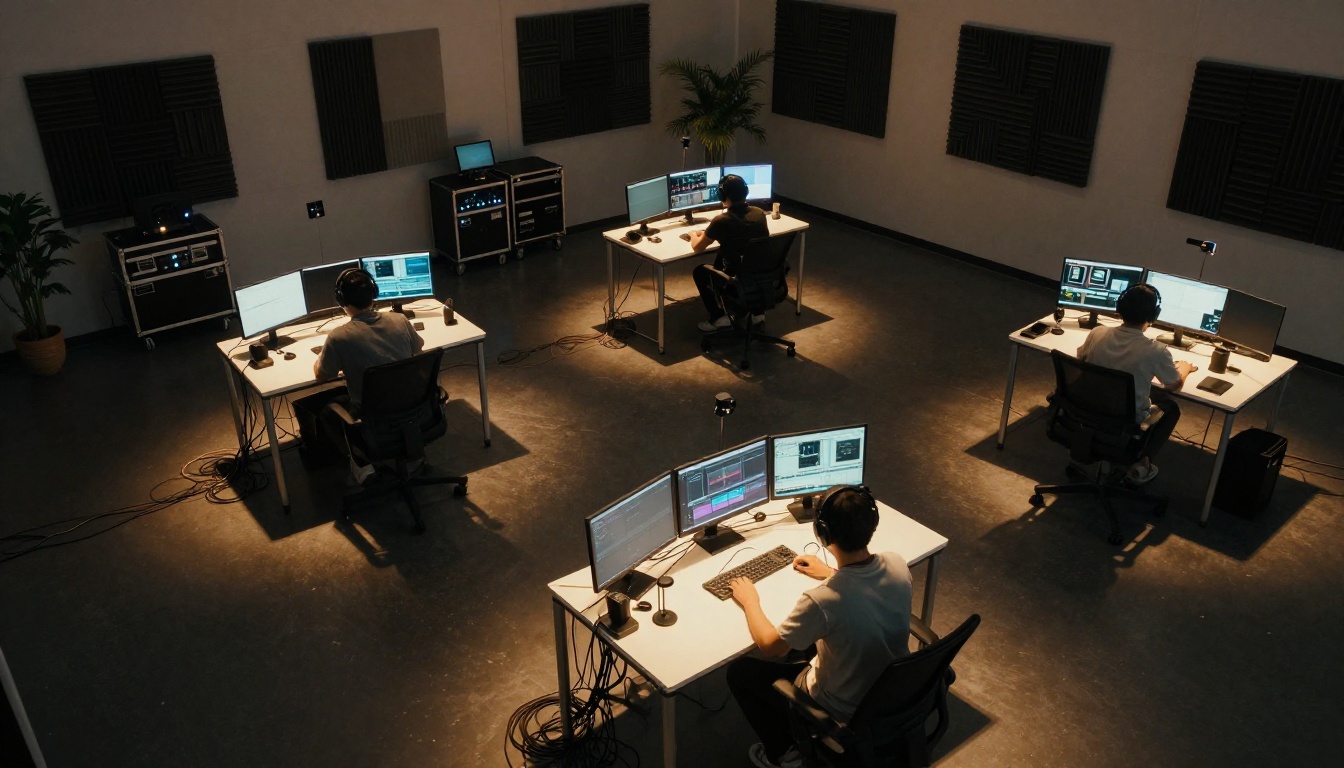
LTX Video is not a model you evaluate from the sidelines. The fastest way to understand what it does is to run a generation and see the output appear in real time. There is no substitute for that first moment when a video you described in text actually plays back in front of you seconds after submitting the prompt.
The full LTX family, from the original LTX Video through LTX 2 Distilled, LTX 2 Fast, LTX 2 Pro, LTX 2.3 Fast, and LTX 2.3 Pro, is accessible on PicassoIA without any local installation, GPU requirements, or technical setup.
Write a prompt describing what you want to see moving. Pick your resolution target. Generate. The first result takes seconds, and from there you iterate, refine, and build on what works. Real-time AI video is not a thing that is coming. It is already here, and the tools to use it right now are already in the platform waiting for your first prompt.


