The days of needing a powerful PC to make adult AI art are finished. If your phone has a browser and a decent data connection, you have everything required to produce photorealistic NSFW images in seconds, without paying for software, without downloading anything, and without running into the blanket bans that most mainstream tools still enforce in 2027.
The shift happened quietly. A cluster of AI image models that run via browser made content restrictions optional rather than mandatory. You type a prompt, hit generate, and the model does not second-guess you. The results are not cartoonish filters or heavily softened outputs. They are realistic, detailed, high-resolution images that reflect exactly what you described in your prompt.
This piece covers the best free tools and models available right now for anyone who wants to make adult AI art on their phone. You will find specific model recommendations, a step-by-step walkthrough for the top-performing option, prompt structures that consistently produce strong results, and a clear breakdown of what the free tier actually gives you versus what a paid plan adds.
Your Phone is Already a Full AI Studio
Most people assume you need a desktop machine with a dedicated GPU to run serious AI image generation. That assumption is outdated. The compute happens on remote servers. Your phone is just the interface: type a prompt, receive an image. Nothing is processed locally.
No App Download, No Install
Every platform worth using in this space runs entirely through a mobile web browser. Open picassoia.com, tap the model you want, type your prompt, and generate. The full workflow takes about 20 seconds once you know which model to select. There is no installation step, no account verification via SMS, and on several platforms, no credit card prompt before you try the first few images.
Mobile Browsers Handle It Cleanly
Modern mobile browsers handle AI generation interfaces without friction. Prompt fields, generation buttons, and result galleries all render cleanly on a phone screen. If anything, the mobile experience on PicassoIA feels more focused than a desktop because the simplified layout removes distraction. You see your prompt box, you see your result, and you are not buried in sidebars and settings you do not need.
The Models That Actually Work for Adult AI Art
Not every model that claims NSFW support delivers realistic results. Some produce flat, uncanny outputs regardless of how carefully you write the prompt. The models below have been ranked for realistic adult content specifically, based on output quality, generation speed, and content policy flexibility.
Seedream 4.5 — The Clear Winner
Seedream 4.5 is the strongest model for NSFW adult image generation currently available on PicassoIA. It generates in under three seconds, accepts adult content without filtering, and supports image editing so you can refine an existing output rather than starting from scratch every time.
The realism level is notably high. Skin texture, directional lighting, hair detail, fabric shadows — Seedream 4.5 renders these at a level that previously required professional photography software. For someone making adult AI art on a phone for free, it is the obvious starting point.
💡 Important: Seedream 5 Lite, the newer model from the same developer, does not support NSFW content. Stick with Seedream 4.5 specifically for adult image generation.
PicassoIA Image Editor Pro — Unlimited Shots
PicassoIA Image Editor Pro operates as an img2img model, meaning you feed it a source image and a prompt, and it transforms the result. Its defining advantage is the generation volume: on an Elite or Infinite subscription, you generate without caps. One thousand images costs the same as one.
Compare that to models priced per generation. On something like Nano Banana 2, generating one thousand images would cost around $100. With PicassoIA Image Editor Pro, those same images are included in your plan at no additional cost. It also offers a free trial of three generations with no credit card required, which makes it genuinely risk-free to test before committing to anything.
Results arrive in under a second. For anyone iterating quickly on a concept, or building a batch of variations from a single strong source image, that speed matters considerably.
The Rest of the Lineup Worth Knowing
| Model | Type | Speed | Best For |
|---|
| Qwen Image 2 | Text-to-Image + Edit | Fast | Open-source realism, detailed edits |
| Grok Imagine Image | Image-to-Image | Fast | Bikini and swimwear transformations |
| Recraft V4 | Text-to-Image | Medium | Very realistic portrait results |
| P-Image | Text-to-Image | Under 1s | Fastest NSFW generation available |
| Wan 2.2 Image | Text-to-Image | Fast | Highly realistic figures from text descriptions |
How to Use Seedream 4.5 on PicassoIA
Here is the complete workflow for generating adult AI art with Seedream 4.5 directly from a phone browser.
Step-by-Step From Your Phone
Step 1 — Open the model page
Navigate to picassoia.com/en/collection/text-to-image/bytedance-seedream-45 in your mobile browser.
Step 2 — Create a free account
Tap Sign Up. Enter your email and set a password. No credit card is required for the free tier. You receive generation credits on signup that you can use immediately.
Step 3 — Write your prompt
Tap the prompt field and type your description. Be specific about the subject, setting, lighting direction, and clothing. Vague prompts produce generic results; specific prompts produce strong ones.
Step 4 — Select your ratio
For most adult AI art intended for phone sharing, 9:16 (vertical) works best. For widescreen presentations, use 16:9. Select the ratio in the settings dropdown before generating.
Step 5 — Generate
The image appears in under three seconds. If the result is close but not exact, use the Edit function to adjust specific elements without regenerating from scratch. This saves credits and speeds up your workflow considerably.
Step 6 — Download to your gallery
Tap the image to open full resolution, then long-press to save directly to your phone gallery. The image is ready to use immediately.
Writing Prompts That Deliver
The single biggest factor in output quality is prompt structure. Seedream 4.5 responds well to detailed, specific descriptions built around a consistent format.
💡 Prompt format that works consistently: [Subject + pose/position] + [specific clothing] + [setting/environment] + [lighting direction and quality] + [camera angle and lens] + [mood/atmosphere]
Example prompt (beach scene):
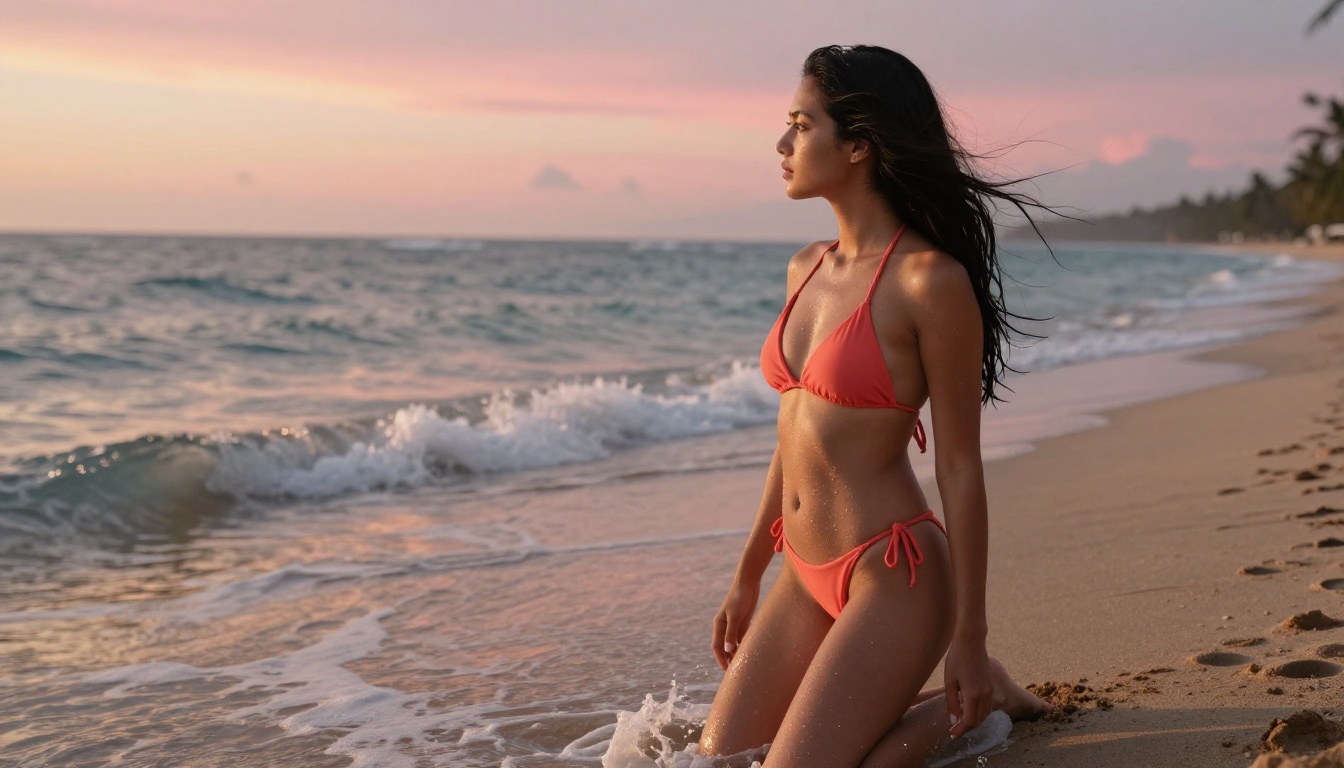
"Young woman in a coral string bikini, standing at edge of a tropical beach, three-quarter angle, golden hour sunset light from the right, wet sand, ocean horizon behind, Canon 50mm f/2.8, warm skin tones, photorealistic, Kodak Portra 400"
Example prompt (indoor glamour):
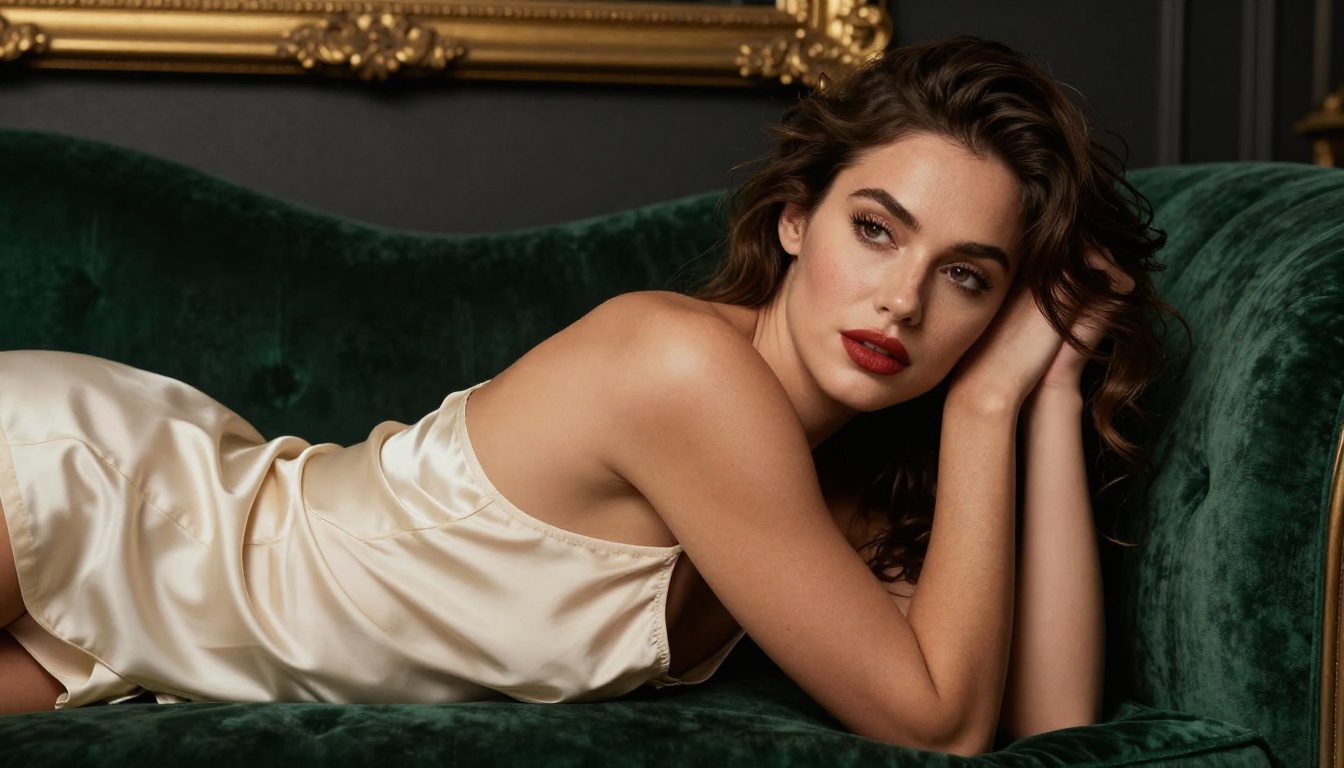
"Brunette woman in cream silk slip, one shoulder strap fallen, reclining on emerald velvet chaise, Rembrandt lighting from the left, antique gold mirror in background, 85mm f/1.2 lens, matte red lip, intimate boudoir atmosphere, RAW photography"
After testing hundreds of prompts across free adult AI art generators on mobile, patterns emerge. The models that produce the best NSFW results share a common response pattern: they reward specificity and punish vagueness.
The Structure That Consistently Works
Break your prompt into five layers. Each layer adds detail the model uses to narrow its output:
- Subject and action: Who is in the image and what are they doing? Be specific about body position, pose, and expression.
- Clothing or state: Describe exactly what they are wearing, including fabric, color, fit, and coverage level.
- Environment: Indoor or outdoor? Describe the setting in one or two clear sentences.
- Lighting: Direction matters. "Soft natural light from the left" produces a different result than "dramatic top-down studio lighting." Always specify the source direction.
- Technical details: Add camera lens (85mm, 50mm), aperture (f/1.4, f/2.8), and a film stock reference like Kodak Portra 400 to push results toward photorealism.
What to Avoid in Your Prompts
Some words and phrases trigger content moderation systems even in uncensored models, producing degraded outputs or outright refusals. The patterns to avoid:
- Explicit anatomical terminology (clinical or graphic)
- Brand names of competing AI platforms
- Instructions about bypassing filters or security systems
- Generic style descriptors like "sexy" or "hot" without supporting physical and environmental detail
Replacing "attractive woman" with a specific physical description, setting, and lighting condition produces better results every time. The model does not need to be told the image should be attractive. It needs to be told what the image should look like.
Free vs Paid — What Actually Changes
Many people assume the free tier is essentially unusable and exists only to funnel users into subscriptions. That is not accurate for PicassoIA, particularly with Seedream 4.5. Here is a realistic breakdown of what each tier provides:
| Feature | Free Account | Elite Plan | Infinite Plan |
|---|
| Seedream 4.5 | Limited credits | Full credits | Unlimited |
| Image Editor Pro | 3 free trial generations | High volume | Unlimited (no cap) |
| Recraft V4 | Limited credits | Credits | Unlimited |
| Real ESRGAN Upscaling | Limited credits | Credits | Unlimited |
| Generation speed | Standard queue | Priority | Priority |
| Commercial use | Limited | Full | Full |
The free account gives you enough to test every major model and form a clear picture of what results you can expect. For anyone producing adult AI art at volume, the Image Editor Pro unlimited tier is the most cost-effective option by a significant margin, particularly when you account for what comparable per-generation pricing would cost across the same volume.

Upscaling Your Adult AI Art
Raw outputs from fast generation models like P-Image and Seedream 4.5 typically land at 1024x576 pixels in 16:9. That is sufficient for screen viewing and social sharing, but not for print or large-screen display. Upscaling is the step that addresses this.
The Best Upscaler Tools on PicassoIA
Clarity Pro Upscaler is the premium option. It does not just resize: it re-generates detail in the upscaled pixels, recovering texture and sharpness that compression removes. Portrait results from Clarity Pro retain realistic skin texture and fine hair detail at 4x resolution.
Real ESRGAN is the reliable free-tier option. It handles 4x upscaling cleanly on photorealistic inputs. For adult AI art featuring skin, fabric, and hair, Real ESRGAN outputs are noticeably sharper than the original at equivalent display sizes.
Image Upscale by Topaz Labs offers up to 6x upscaling, which is valuable when working with a lower-resolution source image. A 6x output from a 1024px source lands above 6000px, which is print-ready at most standard dimensions.
💡 Upscaling works best on clean, realistic outputs. If your source image has artifacts or unnatural areas, upscaling amplifies those too. Refine the source first with PicassoIA Image Editor Pro, then upscale the cleaned result.
Visual Effects That Add a Finishing Touch
Beyond generation and upscaling, PicassoIA's effects catalog adds finishing options that give a realistic adult AI image a specific visual signature. The platform's full effects collection includes over 500 options across still and video formats.
For still images specifically, the AI image restoration models and finishing tools are the most relevant. If you are starting with a reference photo and using Grok Imagine Image to convert it to a different look, for example, running the result through an image restoration model smooths any transition artifacts before you upscale.
A reliable four-step workflow:
- Generate with Seedream 4.5 or P-Image
- Refine specific areas with PicassoIA Image Editor Pro if the output has minor issues
- Upscale with Clarity Pro or Real ESRGAN
- Apply finishing effects from the catalog for style or correction
This four-step process, done entirely from a phone browser, produces results that would have required professional software and significant time investment just two years ago.
What to Realistically Expect
Speed and quality vary by model. Here is what actual generation on a phone delivers in practice for each of the main options:
Seedream 4.5 generates in 2-3 seconds. Quality is high enough that distinguishing the output from a real photograph requires deliberate inspection. It handles complex lighting setups and multiple figures well. This is the model to default to.
P-Image generates in under 1 second. Quality is slightly below Seedream 4.5 but still genuinely photorealistic. Best for rapid iteration when you need to test many prompt variations quickly without waiting.
PicassoIA Image Editor Pro generates in under 1 second. Works from a source image, so quality depends partly on what you feed it. The unlimited generation model makes it the right tool for building large batches of variations from a single strong source.
Qwen Image 2 takes a few seconds. Being open-source, it carries very few content restrictions. Best for prompts requiring precise adherence to a complex or specific description.
One realistic expectation to set: even the best free adult AI art tools occasionally produce minor errors in outputs. Hands with extra fingers, backgrounds that do not read correctly, lighting that contradicts itself. These are artifacts of the current generation of diffusion models. The fix is straightforward: run the output through PicassoIA Image Editor Pro, describe the correction in your prompt, and re-generate just the affected area. This takes under five seconds per fix and the result integrates seamlessly.

Start Creating Your Own AI Art Now
The barrier to making adult AI art on your phone is effectively zero in 2027. The tools exist, they are accessible from a browser in under a minute, and the best of them produce genuinely impressive results without content restrictions blocking your creative work.
Seedream 4.5 is where to start. Open it on your phone right now, create a free account, and run your first prompt. You will have your first result in under three seconds with no credit card required.
If you want unlimited volume without per-generation costs, PicassoIA Image Editor Pro on the Elite plan removes every limit. Generate one image or generate one thousand — the plan cost is the same either way.
When you are ready to see the full range of what is available, including video generation, face editing, image restoration, and audio tools, the complete catalog lives at picassoia.com/en/all-models. Over 90 text-to-image models are currently available, the majority accessible right from your phone browser, and many of them free to try without any credit card commitment.
The phone in your pocket is not a limitation. It is the only tool you need.


