Every year, millions of birthday cards get recycled within a week. Not because the gesture wasn't appreciated, but because nothing about the card felt like it was actually for the person receiving it. A generic sunset or a cartoon cake printed in bulk doesn't say much. AI art changes that equation completely, and the process is a lot more straightforward than most people assume.
Why Generic Cards Keep Missing the Mark
Walk into any card shop and the formula is the same: a stock photo, a pun, and a pre-written message. These cards aren't designed for a specific person. They're designed for maximum average appeal, which means they're genuinely meaningful to almost no one.
The Personalization Gap
When you think about what makes a birthday card memorable, it usually comes down to one thing: proof that someone put real thought into it. A card with a scene that reflects a specific hobby, a landscape from a meaningful trip, or a color palette that matches someone's aesthetic sends a completely different message than something pulled from a spinner rack.
The problem has always been that achieving that level of personalization required either artistic talent or a budget for a custom illustrator. AI art removes both barriers. You describe what you want to see, and a model produces it, in seconds, at a quality level that would have required professional tools just a few years ago.
What People Actually Remember
Research into gift-giving psychology consistently shows that perceived effort matters more than monetary value. A card that looks like it was made specifically for the recipient lands differently, even when the person knows it was AI-generated. The thoughtfulness of the selection, the specificity of the image, the decision to print and fold and send something physical, all of that still reads as genuine care.
A handwritten message inside a beautifully printed, personally chosen AI art card hits harder than any store-bought option at twice the price.
What AI Art Does for Birthday Cards
AI image generators work by converting a written description into a finished image. You type what you want to see, and the model produces it, usually in under ten seconds. For birthday cards, this means you can generate a photorealistic scene of a lavender field at golden hour, a cozy cabin in winter snow, or a dramatic ocean cliff, whatever fits the person you're making the card for.
From Text to Image in Under 10 Seconds
The speed is what surprises most people. There's no software to install, no design skill required, and no waiting around. You open a model, write a prompt, and the image appears. If you don't like it, you adjust one detail and run it again. Most people find a result they're genuinely happy with in three to five tries.
The quality available from current text-to-image models is significantly higher than it was even two years ago. Photorealistic outputs with accurate lighting, believable textures, and natural color are now standard, not exceptional.
3 Styles Worth Trying for Cards
Not every birthday calls for the same aesthetic. Here's a quick breakdown of styles that translate well to printed cards:
| Style | Best For | Prompt Starting Point |
|---|
| Floral / Botanical | Parents, grandparents, romantic partners | "Close-up of peonies and garden roses in morning light, photorealistic" |
| Landscape / Nature | Hikers, travelers, outdoors lovers | "Aerial view of misty mountain valley at sunrise, 8k photography" |
| Minimal / Texture | Design-minded friends, minimalists | "Smooth white paper texture with pressed dried flowers, soft overhead light" |
| Portrait / Mood | Close friends, partners | "Cozy reading corner with open book, steaming mug, warm lamp glow, photorealistic" |
💡 The best card images have one clear focal point, natural lighting, and no text. AI models handle text poorly, so skip it in the image and add your message by hand or in a word processor after printing.
How to Use Flux Schnell on PicassoIA
Flux Schnell is one of the fastest text-to-image models available, and it produces clean, high-resolution results that print beautifully. Here's exactly how to use it for a birthday card image:
Step 1: Write a Specific Prompt
The quality of your output depends almost entirely on the specificity of your prompt. Vague prompts produce vague images.
Weak prompt: "flowers for a birthday card"
Strong prompt: "Close-up of a blush pink garden rose with water droplets on the petals, soft morning light from the left, shallow depth of field, photorealistic, 8k, Kodak Portra 400 film grain, no text"
The strong version tells the model the subject, the lighting direction, the mood, the technical style, and even the film stock simulation. Each detail narrows the output toward something specific and beautiful.
Step 2: Choose Your Aspect Ratio
For a standard folded greeting card, a square (1:1) or portrait (2:3) image works best. Flux Schnell supports eleven aspect ratios, so you can match exactly what your print service or home printer needs. If you're printing a flat postcard-style card, 4:3 or 3:2 works well for landscape scenes.
Step 3: Iterate Fast, Then Finalize
Run three to five prompt variations. Change one thing at a time: the flower type, the lighting direction, the camera distance. Once you have a composition you like, you can switch to Flux Dev for the final high-resolution version with maximum detail.
Step 4: Download and Print
Once you have an image you're happy with, download it at maximum quality in PNG format. Take it to a local print shop or use an online service that offers card printing, typically at 300 DPI for crisp results. Many services will print, fold, and even envelope your card for a few dollars.
Prompts That Actually Work
Getting good results consistently comes down to knowing how to structure your prompt. There are three components worth thinking through before you type anything: the subject, the environment, and the technical specifications.
Nature and Florals
Floral birthday cards are consistently the most universally appreciated. These prompts produce reliable results:
- "Overhead flat lay of garden roses, eucalyptus, and peonies on white marble, soft natural light, photorealistic, 8k photography, no text"
- "Single stem of wildflowers in a glass vase catching afternoon sun through a linen curtained window, bokeh background, Fujifilm Pro 400H film simulation"
- "Close-up of cherry blossom branches against a pale blue sky, shallow depth of field, spring morning, ultra-sharp petal detail, photorealistic, 8k"
- "Sunlit meadow of lavender rows stretching to the horizon, golden hour, warm purple and amber tones, wide angle, photorealistic landscape photography"
Portraits and Meaningful Scenes
If you know the person well enough to describe something meaningful to them, use that knowledge directly in the prompt:
- "A cozy reading corner with an open hardcover book, steaming ceramic mug, and warm table lamp, photorealistic interior photography, soft shadows"
- "Golden hour on a deserted beach, wet sand reflecting a peach and coral sky, footprints leading toward the water, long exposure photography"
- "An old 35mm analog camera sitting on a worn wooden desk next to a roll of film and a cup of black coffee, warm studio lighting, 8k"
- "A garden shed window covered in climbing roses, morning dew on the petals, soft backlit glow, photorealistic, Kodak Portra 800"
💡 Adding "no text, no watermarks, photorealistic, 8k, natural lighting" to the end of almost any prompt improves the output noticeably. These quality modifiers act as guardrails that push the model toward the result you actually want.
Abstract and Texture
For a more design-forward card, texture-based images print especially well because they hold detail across large print sizes:
- "Smooth white paint layers peeling slightly, pastel pink and cream underneath, macro photography, ultra-detailed surface texture, studio lighting"
- "Pressed botanical specimens on aged cream paper, warm archival light, flat lay, photorealistic museum-quality photograph"
- "Liquid watercolor wash in coral, peach, and cream tones spreading across wet watercolor paper, macro photography, photorealistic detail"
Choosing Between Flux Dev and Stable Diffusion
PicassoIA has multiple text-to-image models, and each has different strengths depending on what you're trying to produce. Here's how to pick the right one for birthday card images:
| Model | Speed | Detail Level | Best Use Case |
|---|
| Flux Schnell | Very fast (under 5s) | High | Quick iterations, testing prompts |
| Flux Dev | Moderate (10-20s) | Very High | Final card images, maximum fidelity |
| Stable Diffusion | Moderate | Good | Artistic styles, softer aesthetics |
Recommended workflow: Start with Flux Schnell to test your prompt and nail the composition. Once you have a direction you like, switch to Flux Dev for the final version you'll actually print. This keeps iteration fast and the final result at maximum quality.
Stable Diffusion is worth trying when you want a softer, slightly more painterly quality. Its negative prompt feature is genuinely useful here: if an element keeps appearing in your output that you don't want (a specific color, a watermark style, a busy background), you can list it in the negative prompt and it disappears from subsequent generations.
Printing Your AI Birthday Card Right
The image is only half the work. How you print it determines whether the final card looks like a premium keepsake or a test page from an inkjet printer.
Paper Makes the Difference
The stock you choose affects everything about how the final card feels in someone's hands:
- Matte card stock (300gsm+): Best for most floral and nature images. Reduces glare, feels substantial, and photographs well for anyone who wants to share it.
- Lustre or semi-gloss: Works well for landscape and photography-style images. Adds depth to colors without the mirror-finish look of full gloss.
- Textured cotton rag: If you want the card to feel genuinely artisanal, cotton rag paper has a tactile quality that no standard card stock can replicate.
Avoid regular printer paper at all costs. Even a beautiful AI-generated image looks cheap on thin white paper.
Resolution and Size Tips
AI image generators output at around 1 megapixel by default. For a standard folded card (5x7 inches when open), this works at 150 DPI but is tight at 300 DPI. For the sharpest possible print result:
- Use Flux Dev with the 1 megapixel setting for maximum output resolution
- Export as PNG to avoid JPEG compression artifacts
- If your print shop offers it, request a print proof before committing to the full run
💡 The visual difference between 150 DPI and 300 DPI when printing is significant. Always target 300 DPI minimum for anything you're giving as a gift. Most home printers can handle this if you use quality settings.
Cards for Different People
The best birthday card images are specific to the recipient. Here's how to think about it for different relationships:
Cards for Parents and Grandparents
Older generations tend to respond well to images that feel warm and grounded:
- Gardens and nature scenes: Cottage gardens, morning fields, botanical imagery
- Warm interiors: Cozy kitchen tables, reading corners by fireplaces, breakfast spreads
- Personally meaningful landscapes: If your family has a connection to a particular region or environment, describe it in the prompt
Prompt example: "A sunlit cottage garden in full summer bloom, climbing roses on an old stone wall, warm morning light filtering through the leaves, photorealistic 8k photography, Kodak Portra 400 film grain"
Cards for Friends and Partners
With people you know well, you can be much more specific. Think about:
- A scene from a place they love (a specific type of coastline, a mountain range, a city neighborhood)
- Something that reflects their hobbies or daily rituals (a trail through autumn forest for a runner, a perfectly arranged bookshelf for a reader)
- Colors and aesthetics that match their home or personal style
Prompt example: "A misty morning trail through an old-growth forest, fallen leaves in amber and copper covering the path, soft volumetric fog between the trees, photorealistic landscape photography, wide angle, 8k"
Kids' Birthday Cards
For children's birthdays, warmth and vivid natural color work better than moody realism:
- "A golden retriever puppy playing in a field of sunflowers, soft afternoon light, photorealistic, incredibly detailed fur texture, 8k"
- "Two colorful butterflies on a bright red poppy flower, macro photography, sharp detail on wing patterns, photorealistic"
- "A baby hedgehog sitting in a bed of autumn leaves, warm golden hour light from the right, photorealistic animal portrait, 8k"
What Makes a Prompt Fail (And How to Fix It)
Most failed AI image generations for birthday cards come down to three specific problems:
Problem 1: Too Vague
"A birthday card with flowers" gives the model almost no direction. The output will be generic because the input was generic. Fix it by adding the specific flower type, the lighting direction, the time of day, the camera distance, and the surface or background.
Problem 2: Too Many Ideas at Once
Trying to get "a garden with roses and a butterfly and a robin and a rainbow and a stream" in one image usually produces visual clutter. Pick one hero element and one supporting element, then describe both precisely. Less is consistently more with AI image prompts.
Problem 3: Conflicting Instructions
"Bright and moody" or "minimalist with lots of detail" sends contradictory signals. Decide what feeling the image should have, then write every part of the prompt consistently toward that single vision.
A Quick Prompt Fix Checklist
Running through this list before generating saves multiple failed attempts and gets you to a print-ready result faster.
Making It Feel Truly Handmade
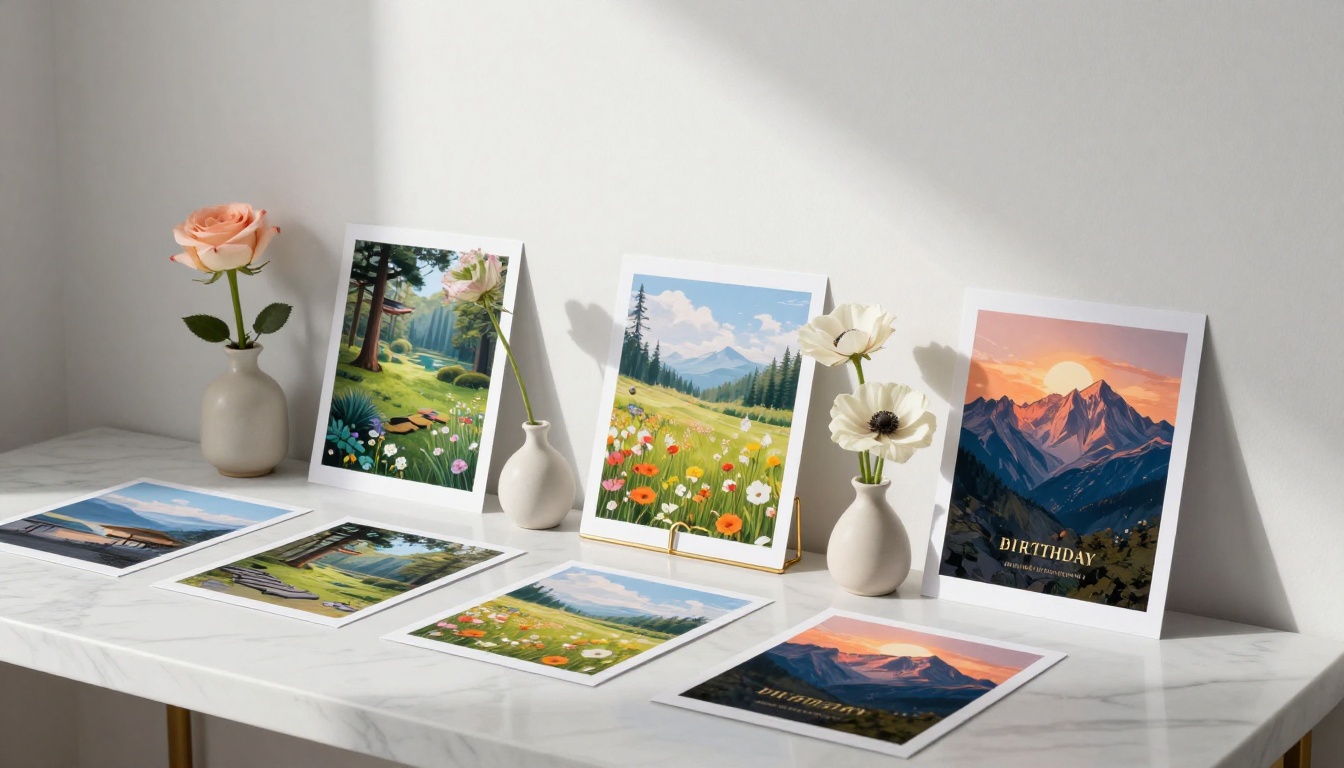
The physical touches you add after printing are what separate a good AI birthday card from a truly memorable one:
- Write the message by hand. Even a short handwritten note inside means more than a typed one. The imperfection of handwriting signals human effort.
- Use a wax seal. Inexpensive, widely available, and they add an immediate sense of craftsmanship to the envelope.
- Choose the right envelope. A kraft paper envelope or a deep-colored envelope changes the presentation significantly before anyone even opens the card.
- Get it professionally scored. If you use a local print shop, many will score the fold line for you at no extra charge. Ask before you leave. A clean, centered fold on quality card stock looks intentional; a home-folded card often has a slight crease off-center.
The combination of an AI-generated image, quality printing, and a handwritten personal message hits every note at once: it looks beautiful, it feels personal, and it clearly took real thought.
💡 If you're making cards for multiple people at once (a common birthday month, a work group), generate all your images in one session. The process is so fast that ten custom cards takes about thirty minutes total, including prompt iteration.
Digital Birthday Cards as an Alternative
Not every birthday requires a physical card. AI-generated images work equally well as digital birthday cards sent by message or email. For digital use, a 16:9 aspect ratio works well for sharing on most platforms, and you can export at maximum quality as a JPEG for smaller file sizes.
The same prompt principles apply. The only difference is you skip the printing step entirely and send the image directly. Some people add a short message in a simple image editor before sending, though keeping the image clean and sending the message separately is often more elegant.
Try It Yourself
The gap between "wanting to make a personalized birthday card" and "having a beautiful printed card in your hands" is now measured in minutes. Pick a person, think about what image would genuinely mean something to them, write a specific prompt using the structures above, and run it through Flux Schnell to start, then Flux Dev for the final version.
The quality ceiling on what you can produce has never been higher, and the process has never been more accessible. There's no reason the next birthday card you give has to be generic. Pick a prompt, iterate, download at full resolution, and take it to print. The whole process takes about fifteen minutes the first time and considerably less after that.
The person receiving it will notice. That's the point.


