The demand for realistic, unrestricted AI video content has surged, and Sora 2 Pro sits at the top of the pile. Built by OpenAI, this model produces HD footage with natural motion, automatic synced audio, and output quality that has caught creators off-guard. What most people don't realize is that accessing it through PicassoIA removes the content restrictions that OpenAI's own tools enforce, opening the door to genuinely unrestricted 18+ content creation at a quality level no other model has matched.
This article covers exactly what Sora 2 Pro does well, where it falls short, which companion models you should pair with it for realistic 18+ work, and how to write prompts that consistently produce results worth keeping.
What Makes Sora 2 Pro Different
Most AI video generators are text-to-video only: you type a description, you get a generic clip. Sora 2 Pro goes further. It accepts both text prompts and reference images, letting you condition the output on a specific person, scene, or visual style you've already generated. This matters enormously for adult content creation, where consistency across frames and shots is the difference between a believable scene and a slideshow of unrelated images.
Resolution and Quality You Can Feel
Sora 2 Pro outputs at HD resolution with a level of detail in skin texture, fabric movement, and environmental realism that earlier models couldn't approach. Hair moves with natural weight. Light wraps around curves the way it does in reality. Small imperfections, the way shadows pool slightly darker in a crease, the micro-movement of breathing, read as genuinely human.
This isn't a coincidence. Sora 2 Pro was trained on vastly more diverse cinematic data than its predecessors, and that shows in every clip it generates. The output doesn't look "AI-made" in the way that earlier tools did. It looks like someone pointed a real camera at something real.
Audio That Syncs Automatically
One thing that separates Sora 2 Pro from models like Kling v2.1 Master or Wan 2.7 I2V is native audio. The model doesn't require a separate audio layer or a lipsync pass afterward. It generates sound that matches the visual action automatically. For intimate content, this is a significant upgrade: ambient sounds, clothing movement, and environmental audio all appear in the output without any extra steps.
How It Handles Adult Content
On OpenAI's own platform, Sora 2 Pro enforces strict content filters. On PicassoIA, those filters are removed. The model's underlying capability for realistic human depiction remains fully intact, and you get access to it without the gatekeeping. This is the core reason creators choose PicassoIA for 18+ video work: the model quality is the best available, and the restrictions are gone.
Best Models for 18+ Content on PicassoIA
Before you use a video model, you need great reference images. The quality of your first frame or reference photo shapes everything the video model generates after it. PicassoIA has a curated selection of NSFW-capable image models that work perfectly as a starting point for realistic 18+ workflows.
Seedream 4.5 for Reference Frames
Seedream 4.5 is the best starting point for anyone creating 18+ video content on PicassoIA. It accepts adult content, supports both text-to-image and image editing in the same workflow, and generates results in under three seconds. The realism it produces, especially skin texture, lighting physics, and body proportions, transfers cleanly into video when you use the output as a reference image for Sora 2 Pro or any image-to-video model.
💡 Generate your reference image in Seedream 4.5 first, then feed that output into your video model. This gives you consistent character features across the entire clip.
Note: the newer Seedream 5 Lite does not support NSFW content. Stick with Seedream 4.5 for adult work.
PicassoIA Image Editor Pro for Unlimited Edits
PicassoIA Image Editor Pro is an img2img model with one standout advantage: unlimited generations on Elite and Infinite plans. If you need to produce 200 reference images to find the 10 you'll actually use in a video project, that's 200 images at no extra cost. On models like Nano Banana 2, the same volume would run close to $100. Here it's included.
Results come back in under a second. It accepts NSFW content and includes a free trial of three generations with no credit card required.
Top NSFW Video Models Ranked
For unlimited video generation without worrying about credit consumption, PicassoIA Video is the model to use during bulk testing. For the highest-fidelity final output, Sora 2 Pro wins outright.
How to Use Sora 2 Pro on PicassoIA
PicassoIA gives you direct browser access to Sora 2 Pro without any app installation or API key setup. The workflow is straightforward once you know what each setting controls.
Step 1 - Build a Precise Prompt
Vague prompts get vague results. The way Sora 2 Pro interprets your text is literal and spatial: it builds a scene from what you describe, so every element you leave out gets filled in with a training-set default. That default is usually not what you wanted.
A working prompt structure looks like this:
[Subject description] + [clothing or lack thereof] + [exact location and setting] + [lighting conditions] + [camera angle] + [specific motion or action over the clip duration]
The more specific you are about motion, the better. "Walking slowly" is weaker than "takes three steps toward the camera and pauses, weight shifting to left hip." Sora 2 Pro responds to those specifics because it's generating motion, not interpreting mood.
Step 2 - Upload a Reference Image
When you want character consistency, upload a reference image as your first frame. This is where Seedream 4.5 or PicassoIA Image Editor Pro become essential. Generate your subject in a static image first, then upload that image to the Sora 2 Pro interface on PicassoIA. The model uses it as a conditioning signal, keeping the face, body, and visual style consistent across the generated clip.
💡 For 18+ content, generate a reference image at the exact pose and camera angle you want the video to start from. Sora 2 Pro animates forward from that frame.
Step 3 - Iterate on Motion and Duration
Your first generation is rarely your last. Use the output to identify what the model got right and what it got wrong, then adjust your motion description. If the subject moved too quickly, add "slow, deliberate" to the motion cues. If the camera stayed static when you wanted a push-in, specify "slow dolly toward subject over 5 seconds."
The best results come after two or three iterations, not from a single generation. Budget your credits accordingly, and use PicassoIA Video for free prompt testing before committing to a Sora 2 Pro render.
Prompt Templates That Work
Writing prompts for realistic 18+ video content follows a different discipline than writing for general creative video. The goal is realism, not stylization. These structures consistently produce usable results with Sora 2 Pro and comparable models like Kling v2.1 Master.
The Anatomy of a Good Video Prompt
Every effective Sora 2 Pro prompt for realistic content has five components:
- Subject: Physical description, specific enough to distinguish the person visually
- Wardrobe or state: What they're wearing, or not wearing, described precisely
- Environment: Specific location with enough detail to anchor the setting
- Lighting: Direction, quality (soft, hard, diffused), and color temperature
- Motion: What happens chronologically across the 5-second clip duration
5 Templates for Realistic 18+ Clips
Template 1 — Bedroom, natural light:
"A brunette woman in her late 20s, wearing an open silk robe over bare skin, sitting on the edge of a white linen bed in a sunlit bedroom. Morning light from the left window. She leans forward slowly, elbows on knees, looking directly at the camera. Slow dolly in, 5 seconds."
Template 2 — Poolside, afternoon:
"An athletic woman in a black bikini, standing at the edge of a private pool at golden hour. Camera at water level looking up. She turns slowly from profile to facing camera, hair moving with the turn. Warm backlight, subtle breeze in hair."
Template 3 — Studio, controlled lighting:
"A redhead woman in lingerie standing against a white seamless backdrop under a three-point studio lighting setup. She raises her arms above her head slowly over 5 seconds. Camera static at mid-distance, eye level. Clean, sharp lighting."
Template 4 — Outdoor, natural setting:
"A woman in a flowing white dress standing in a field of tall grass at dusk. She removes her cardigan slowly, revealing bare shoulders. Soft blue-pink twilight, gentle wind moving the grass. Camera pans right to left following her movement."
Template 5 — Indoor, moody lighting:
"A dark-haired woman in a towel after a shower, standing in a dim bathroom illuminated by a single pendant light. Steam visible in the air. She reaches toward the camera and makes eye contact. Camera static, close-medium distance, shallow depth of field."
Top Video Models Compared
Choosing the right model depends on what you're trying to produce. Here's an honest comparison of the top options on PicassoIA for realistic adult video generation, based on output quality, speed, and access:
💡 For a first pass, use PicassoIA Video (unlimited, free to iterate) to test your prompt structure. Once you've locked in the composition, switch to Sora 2 Pro for the final render.
3 Mistakes That Kill Your Results
Most people getting bad results from AI video generation are making one of three errors, and they're all fixable.
Being Too Vague
"A beautiful woman in a bikini" is not a prompt. It's a category. The model fills in every unspecified detail with its training-set average, which means you get something generic and forgettable. Describe the exact pose, the exact location, the exact light direction, and the exact motion. The more constrained your description, the more controlled your output.
Skipping the Reference Image
If you care about who appears in your video, you need a reference image. Without one, Sora 2 Pro generates a new face every time, even with the same prompt. Run your subject through Seedream 4.5 first. Get a static image you're satisfied with, then use that as your input frame. Character consistency jumps from near zero to above 85% with this single step.
You can also use Qwen Image 2 for highly detailed reference images when you need extreme realism in the starting frame. Its open-source architecture allows editing without content filters.
Ignoring Motion Cues
Sora 2 Pro is a temporal model: it's generating 5 seconds of movement, not a single frame. If you don't describe what moves and how, the model defaults to minimal motion, which often looks unnatural: frozen body, blinking eyes, slight hair movement. Write your motion cues chronologically, what happens in seconds 0-2, what happens in seconds 2-5, what the camera does throughout. Treating the prompt like a still photography brief is the most common mistake new users make.
For users who want to pair video with Seedance 1 Pro for fast HD output, the same motion-cue discipline applies. Every model benefits from temporal specificity in the prompt.
Full NSFW Model Stack on PicassoIA
For creators who want to generate both images and videos in a full 18+ pipeline, here is the recommended model lineup in order of priority:
For images:
- Seedream 4.5 The top all-around NSFW image model. Accepts adult content, supports image editing, and generates ultra-realistic results in under 3 seconds. The newer Seedream 5 Lite does not allow NSFW, so stay on this version for adult work.
- PicassoIA Image Editor Pro Img2img with unlimited generations on Elite and Infinite plans. 1,000 reference images at no extra cost vs. around $100 on restricted models. Results in under a second, free trial available.
- Qwen Image 2 Open-source model for detailed realistic image creation and editing without content filters.
- Grok Imagine Image Realistic wardrobe and styling transformations, including bikini edits from any photo.
- Recraft V4 Very realistic text-to-image results with no content restrictions.
- P-Image Fastest NSFW text-to-image on the platform, under 1 second per generation.
For video:
- PicassoIA Video Unlimited video generation from text prompts at up to 720p. Use this for testing.
- P-Video Text, image, or audio to video at up to 1080p, safety filter off by default, draft mode for instant previews.
- Grok Imagine Video Clips up to 15 seconds, no watermarks, image-to-video and text-to-video both supported.
- LTX 2.3 Pro Highest fidelity at 4K/50fps. Retake and extend editing for precise segment control without re-rendering the full clip.
👉 Browse the full lineup of NSFW-capable AI models at picassoia.com/en/all-models.
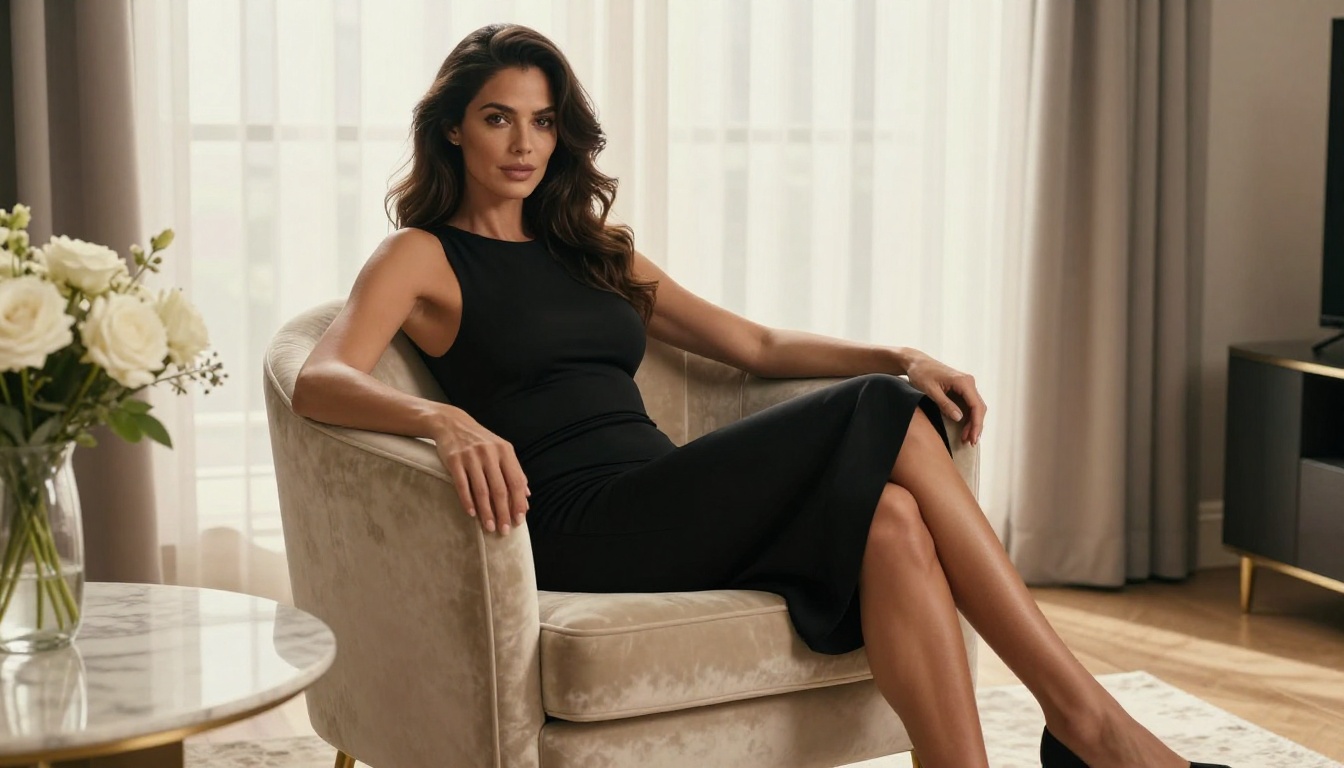
Start Creating on PicassoIA
The gap between what you imagine and what you can actually produce has never been smaller. Sora 2 Pro handles the physics of light, the texture of skin, and the temporal logic of realistic movement better than anything else available. Your job is to give it the specifics it needs.
Start with a reference image in Seedream 4.5. Build your prompt using the five-component structure. Run your first generation in PicassoIA Video to test the prompt without burning credits, then use Sora 2 Pro for the final output.
The full catalog of models, including every NSFW-capable image and video option on the platform, is available at picassoia.com/en/all-models. No watermarks, no content filters, and no generation limits on the right plan.