Large Language ModelsGenerate imagesGenerate videos
MCP vs API: Difference, Examples and When to Use Each
MCP and APIs are often treated as rivals, yet they sit at different layers of an AI stack. This article shows how each one works, where they differ in tool listing, state and security, runs the same image job both ways, and ends with a short checklist for choosing.
You built an integration against a REST API last quarter and it runs fine. Then a teammate says the assistant should "just use MCP", and now the same job has two names and two camps of opinionated people. Here is the short version: an API is a doorway into a service, and MCP is a standard way for an AI model to find that doorway, read the sign on it and walk through without custom wiring. The two are not rivals. In most real stacks, one sits directly on top of the other.
This article breaks down the difference in plain terms, runs the same task both ways with real Picasso IA endpoints and tools, and finishes with a short checklist you can apply in two minutes. If you ship software that calls services, builds agents, or plugs an assistant into your own product, the choice between the two will come up sooner than you think.
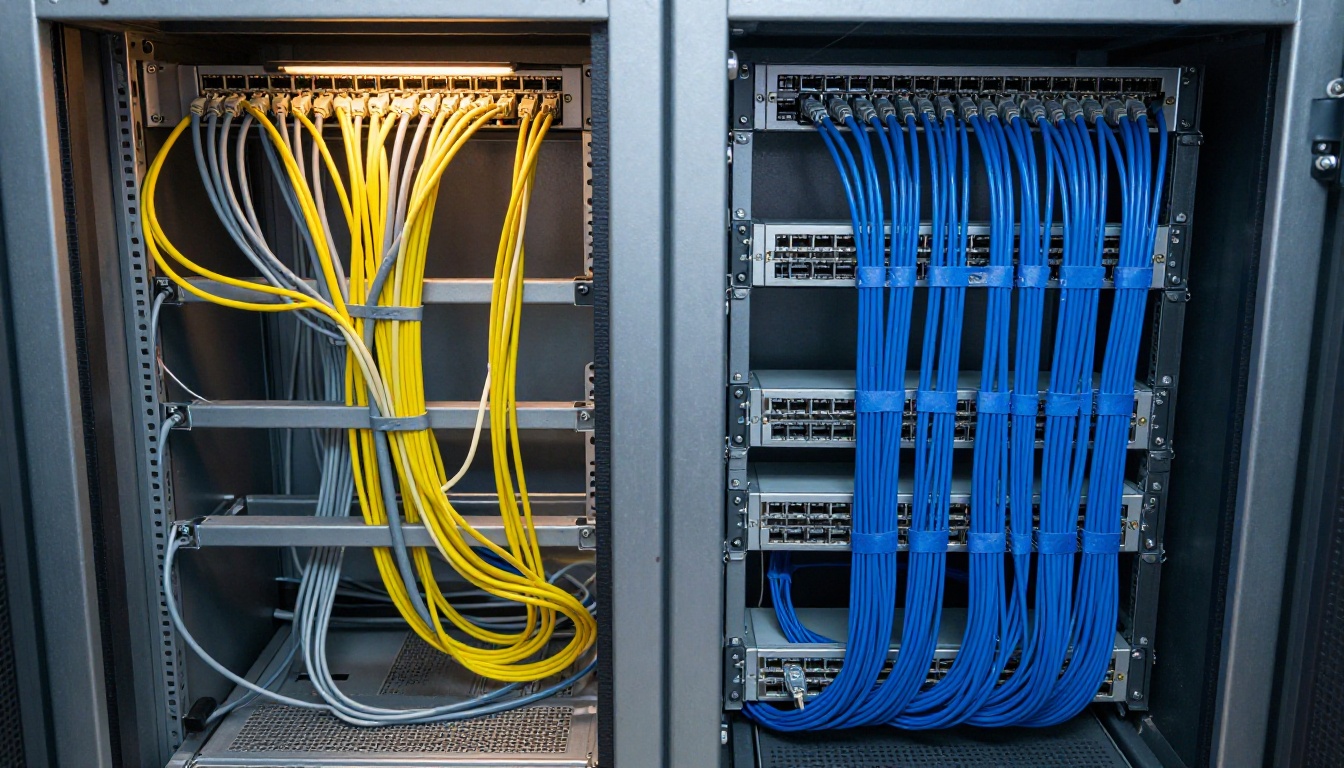
The pain MCP was built to remove is easy to picture. Every AI app has its own way of calling tools, and every service has its own API, so each pairing turns into a custom job. That is the cable closet below: it works, right up until someone has to change it.
What an API Actually Does
An API (application programming interface) is a contract between two programs. One sends a request in an agreed shape, the other sends back a response in an agreed shape. On the web that nearly always means HTTP and JSON: you call a URL, attach a secret token in a header, send a body, and read what comes back.
The Request and Response Loop
Every call follows the same rhythm. Your code builds the request, the server does the work, and the server answers. Nothing in that contract tells the caller what else the server can do. You find that out by reading documentation written for humans, then you write code that matches it.
Think of a restaurant kitchen pass. The order ticket has a fixed format, the dish comes back through the same window every time, and the waiter already knows the menu because someone handed over a printed copy. That printed menu is your API documentation. The waiter, which is your code, memorised it ahead of time.
Many image and video services add one more step. They run asynchronously: you create a job, get an ID back at once, then poll until the result is ready. Picasso IA's API works exactly like that: create a prediction, poll it, fetch the output.
Why Developers Still Love It
APIs earned their place for good reasons:
Predictable: same input, same output shape, easy to test.
Universal: every language, every cloud function and every cron job can send an HTTP request.
Cheap to debug: one request, one response, one log line.
Fine control: you choose each parameter, each retry rule and each timeout.
💡 When the caller is a program you wrote and the steps never change, an API is all you need. Adding another layer only adds moving parts.
What MCP Adds on Top
MCP stands for Model Context Protocol. Anthropic introduced it in late 2024 as an open standard, and other major AI vendors have adopted it since. Its job is narrow: define one common way for an AI application to talk to external tools and data, so nobody writes a custom connector for every pairing of model and service.
Picture a universal travel adapter. Without one, every device needs its own plug for every country. With one, there is a single standard on your side, a single standard on the wall, and everything charges. MCP plays that role between AI apps and services. The math explains why it spread: five AI apps and ten services could need up to fifty custom integrations, while a shared protocol needs each side to implement it once, which is fifteen pieces of work.
Hosts, Clients and Servers
MCP defines three roles:
Host: the AI app a person actually uses, such as a chat app, a code editor or an agent runner.
Client: a connector inside the host that keeps one session open with one server.
Server: a small program that exposes a service's abilities, either locally over stdio or remotely over HTTP.
Messages travel as JSON-RPC 2.0. A session opens with an initialize handshake in which both sides declare what they support, which is why MCP is stateful while a typical REST call is not.
Tools, Resources and Prompts
A server can offer three kinds of things:
Primitive
What it is
Who triggers it
Example
Tools
Actions the model can call
The model
Generate an image
Resources
Read-only data the app can load
The app or the user
A list of past generations
Prompts
Reusable templates
The user
A product photo prompt template
Tools get most of the attention, and they are the part that matters for this comparison.
Finding Tools at Runtime
Here is the feature that truly separates MCP from a plain API: the client can ask the server what it offers. A tools/list request returns every tool with a name, a plain-language description and a JSON Schema for its inputs. The model reads those descriptions and decides which tool fits the request.
It works like opening the card catalog instead of memorising the shelves. If the server adds a tool tomorrow, the model sees it in the next session and the client needs no code change. With a plain API, a new endpoint means someone reads the changelog, edits code and ships a release.
MCP vs API Side by Side
Aspect
Traditional API
MCP
Main caller
A developer's code
An AI model through a host app
Contract written for
Humans and SDK generators
Models and host apps
Finding abilities
Read docs, write code
Ask the server with tools/list
Protocol
Whatever the service chose (REST, GraphQL, gRPC)
One standard, JSON-RPC 2.0
State
Usually stateless
Stateful session after a handshake
When the server changes
Client code must be updated
Client sees new tools next session
Who decides the next call
Your code
The model, with optional human approval
Best fit
Backends, batch jobs, mobile and web apps
Assistants, agents and editors with many tools
Where They Differ Most
Three things set them apart: who decides, how abilities are described and where state lives. With an API, your code decides every step. With MCP, a model decides at runtime from the tool descriptions it was given. That makes MCP flexible, but also less predictable, which matters when a run has to produce the same result every single time.
The model making those decisions is a large language model, for example Claude Sonnet 5 or GPT 5.6 Sol, both listed on Picasso IA. Better models pick the right tool more often, but they still read descriptions, so vague descriptions cause wrong calls.
Where They Overlap
Most MCP servers are thin wrappers around an API. The server turns a model's tools/call into an ordinary HTTP request, waits for the answer and hands it back. So the real question is rarely "MCP or API". It is "who is calling: my code or a model?"
💡 Rule of thumb: if you can write down the exact sequence of calls in advance, use the API. If the sequence depends on what the model decides mid-conversation, use MCP.
Real Examples You Can Copy
Both examples do the same job: generate a 16:9 photo from a text prompt on Picasso IA.
The Job Over REST
The base URL is https://api.picassoia.com/v1, and every request carries a Bearer token that starts with pia_sk_. Endpoints follow the Replicate style: create a prediction, then poll it.
curl -X POST https://api.picassoia.com/v1/models/picassoia/picassoia-image/predictions \
  -H "Authorization: Bearer $PICASSOIA_TOKEN" \
  -H "Content-Type: application/json" \
  -d '{"input": {"prompt": "Photo of a hotel concierge handing a city map to a guest, 50mm, soft window light", "aspect_ratio": "16:9"}}'
The response carries a prediction ID. Your code then calls GET /v1/predictions/{id} on a timer until the job finishes and reads the output URL. You own the URL, the headers, the polling loop, the retries and the timeouts. That is the price of full control, and for a nightly batch it is exactly what you want.
The Same Job Over MCP
A host with the Picasso IA connector attached skips all of that plumbing. After the handshake it asks tools/list, and the server answers with tools for image generation, editing, video and status checks. When a person types "make me a 16:9 photo of a hotel concierge", the model picks generate_image and the client sends:
{
  "jsonrpc": "2.0",
  "id": 7,
  "method": "tools/call",
  "params": {
    "name": "generate_image",
    "arguments": {
      "prompt": "Photo of a hotel concierge handing a city map to a guest, 50mm, soft window light",
      "aspect_ratio": "16:9"
    }
  }
}
The server replies with an ID and a hint about when to check again. The model then calls get_generation with that ID until the status reads succeeded. Nobody wrote a polling loop: the tool descriptions told the model how to behave.
What the Model Sees
The Picasso IA connector lists tools such as generate_image, edit_image, generate_video_picassoia, generate_video_seedance, get_generation, list_generations, cancel_generation, list_models and get_account. Each one arrives with a description and an input schema. That lets a model chain them without a developer scripting the order: draft an image, look at the result, ask for an edit, then animate the winner.
When to Use Each
Both paths reach the same service. The right one depends on who is walking.
Pick an API When
A scheduled job or backend service makes the call and no model decides anything.
You need exact control over retries, batching, timeouts and spend per call.
The output must be identical run after run, like a nightly batch of 500 thumbnails.
Latency matters and you want zero extra hops.
The client is a mobile app or a website rather than an AI host.
Pick MCP When
A person talks to an assistant and the assistant must choose among many tools.
You want one integration to work in several AI apps without rewriting it.
Tools change often and you do not want to redeploy every client.
You want the host to ask for approval before actions with side effects.
A hotel concierge is the right mental picture. The guest says what they want in plain language, and the concierge, who knows every service in the building, picks the right one. That is MCP mode: intent in, tool choice handled for you.
Use Both Together
Most mature stacks run both. The MCP server calls the API underneath, and a nightly script hits that same API directly. One backend, two front doors. A designer asks an assistant for three hero image options through MCP, picks one, and a scheduled job later resizes the winner into twelve formats through the API.
A practical path: start with the API, because it is simpler to test and you need it anyway. Once an assistant has to use the same feature, wrap the calls in an MCP server and give each tool a short, concrete description with example inputs. Skip that wrapper if nobody but your own code will ever call the service. A tool no model will ever use is just extra surface area to maintain.
Run this checklist before you build anything:
Who is calling? Code points to an API, a model points to MCP.
Is the call sequence fixed? Fixed favors the API, open-ended favors MCP.
How often do abilities change? Often favors MCP.
Does a person need to approve actions? MCP hosts usually support that step.
How many AI apps need access? More than one favors MCP.
Security, Limits and Costs
Tokens and Permissions
Both routes need authentication, but it lives in different places. An API call carries a Bearer token in every request header. Picasso IA tokens start with pia_sk_, and an account can hold at most two. With MCP the host keeps the connection open, and remote servers typically authenticate once per session through an OAuth style flow.
Two habits protect you on either route:
Give each token the least power it needs. A tool that spends money or deletes data deserves a human approval step.
Treat third-party tool descriptions as untrusted text. A malicious server can hide instructions inside a description, and a model may follow them. Only connect servers you trust.
Concurrency and Timeouts
MCP does not remove limits, because both routes end at the same backend. Picasso IA enforces these on its API and MCP connections:
Limit
Value
Concurrent predictions
5 per account, shared across tokens and MCP connections
Request body
10 MB
Prompt length
4,000 characters
Job timeout
3 hours
Five agents on MCP plus a nightly API script share the same five slots. Plan for that before you launch a batch.
There is one more cost that is easy to miss. MCP puts tool names, descriptions and schemas into the model's context window, so a server with dozens of tools spends tokens before the user says a word. Keep connected servers few and focused. For current access terms on the API and MCP connections, check the Picasso IA pricing page, because plans change.
How to Use PicassoIA Image Both Ways
PicassoIA Image is a text-to-image model that works through the website, the API and the MCP connector. Here is the quickest route from zero to a finished image.
Test the style in the browser. Open the model page, paste a prompt and generate one image to check the look before you automate anything.
For the API route, create a secret token on the Picasso IA API page, store it in an environment variable, and send the curl request from earlier.
For the MCP route, add the Picasso IA connector in your AI app, manage connections at picassoia.com/en/mcp/accounts, and ask for an image in plain language.
aspect_ratio accepts seven values: 1:1, 16:9, 9:16, 4:3, 3:4, 3:2 and 2:3. Use 16:9 for blog headers and 9:16 for stories.
seed locks a result. Reuse the same prompt and seed to reproduce an image exactly.
num_outputs takes 1 or 2, so you can compare two variations in one call.
output_format supports jpg, png and webp, and output_quality (0 to 100) applies to jpg and webp.
💡 Both routes hit the same four models and the same five concurrent slots. Build a prompt in the browser first, then move it to code or to an assistant.
Try Both on Picasso IA
The fastest way to feel the difference is to run the same prompt twice. Generate an image on the site, send the same prompt from a short script through the API, then ask an assistant with the connector attached to make it for you. Notice what you control in each version and what you hand over.
Open Picasso IA, start with PicassoIA Image, and turn your best result into a short clip with PicassoIA Video. Change the aspect ratio, lock a seed, try a second prompt, and see which route fits the way you work. The models are one click away, and every experiment teaches you more about MCP and APIs than another comparison table will.