Mini Me in Hand AI Trend: Prompt and How to Make It
The Mini Me in hand AI trend puts a tiny, photoreal copy of you on your open palm. Get the base prompt, ready-made variations, the right settings, fixes for scale and finger errors, and a way to animate the result.
Your palm is about to become a stage. The Mini Me in Hand AI Trend turns one selfie into a photo where a tiny copy of you stands, sits or waves from the middle of your open hand, with the same face, the same outfit and a shadow that falls across your skin as if it belongs there. It looks like a prank on reality, and that is exactly why people stop scrolling. The good news is that you do not need a studio, a 3D scanner or an editing degree. You need one clear photo, one well built prompt and an image model that respects scale. Below you get the prompt, the reason behind each line, ready-made variations, the settings that matter, fixes for the mistakes that ruin most attempts, and a way to turn the still into a short video.
What the Mini Me Trend Looks Like
The Look in One Sentence
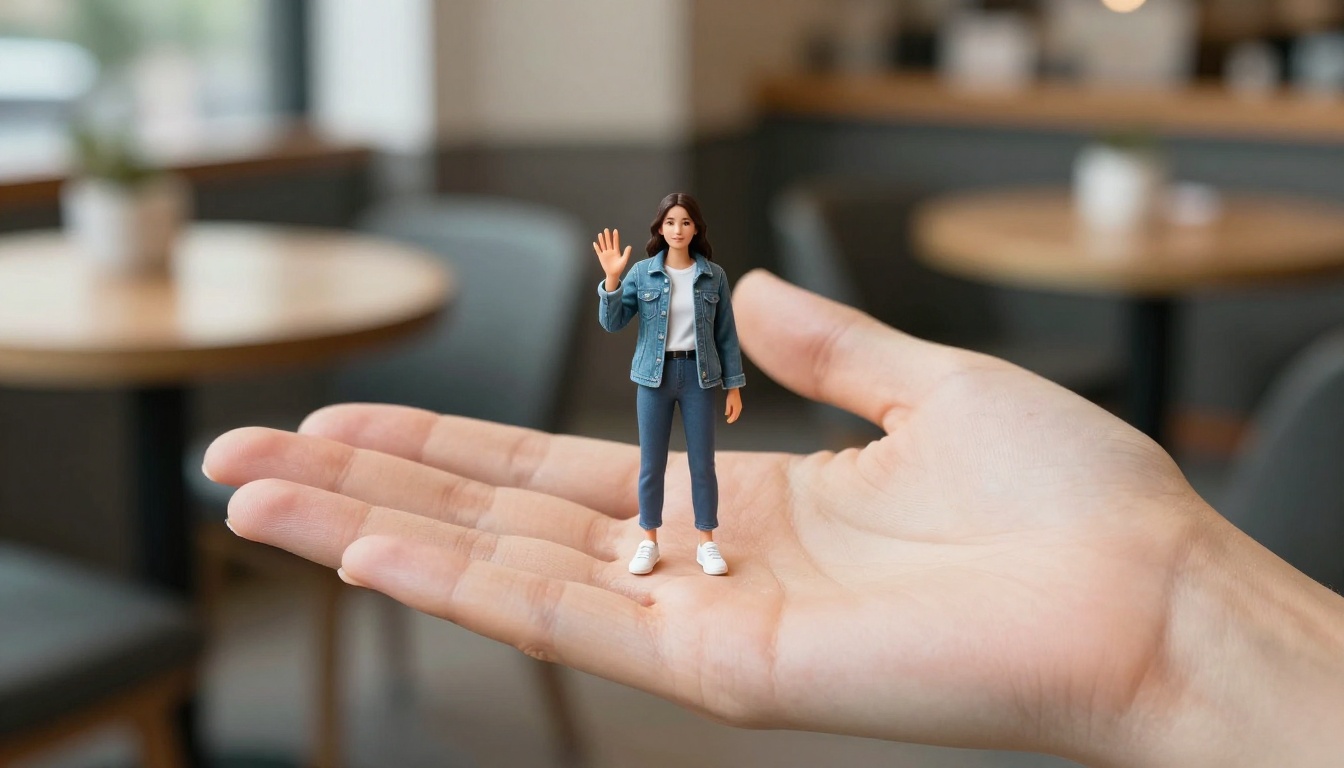
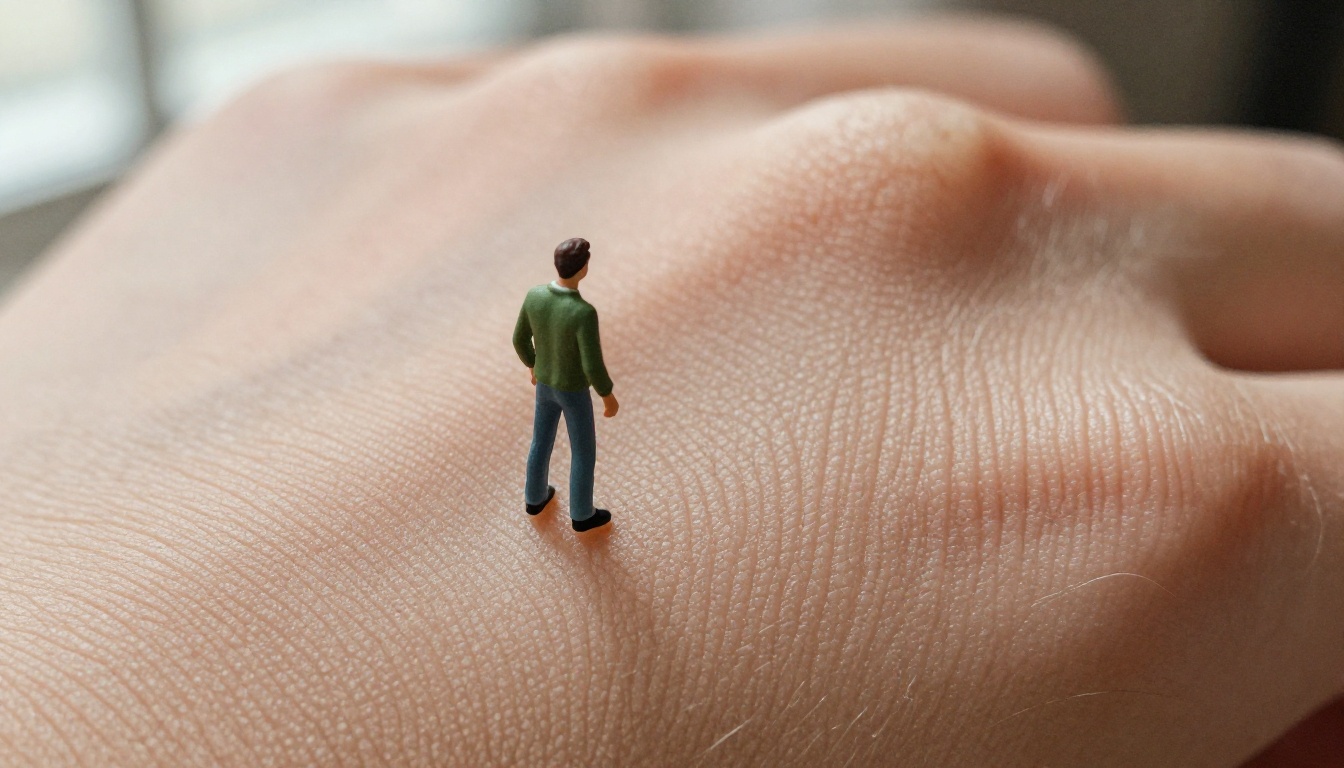
A real hand, palm up, with a tiny version of the same person standing on it. That is the whole trick, and it works because the brain reads a hand as a measuring stick. Once a four centimeter figure stands on skin with visible fingerprint ridges, nobody questions the size of anything else in the frame.
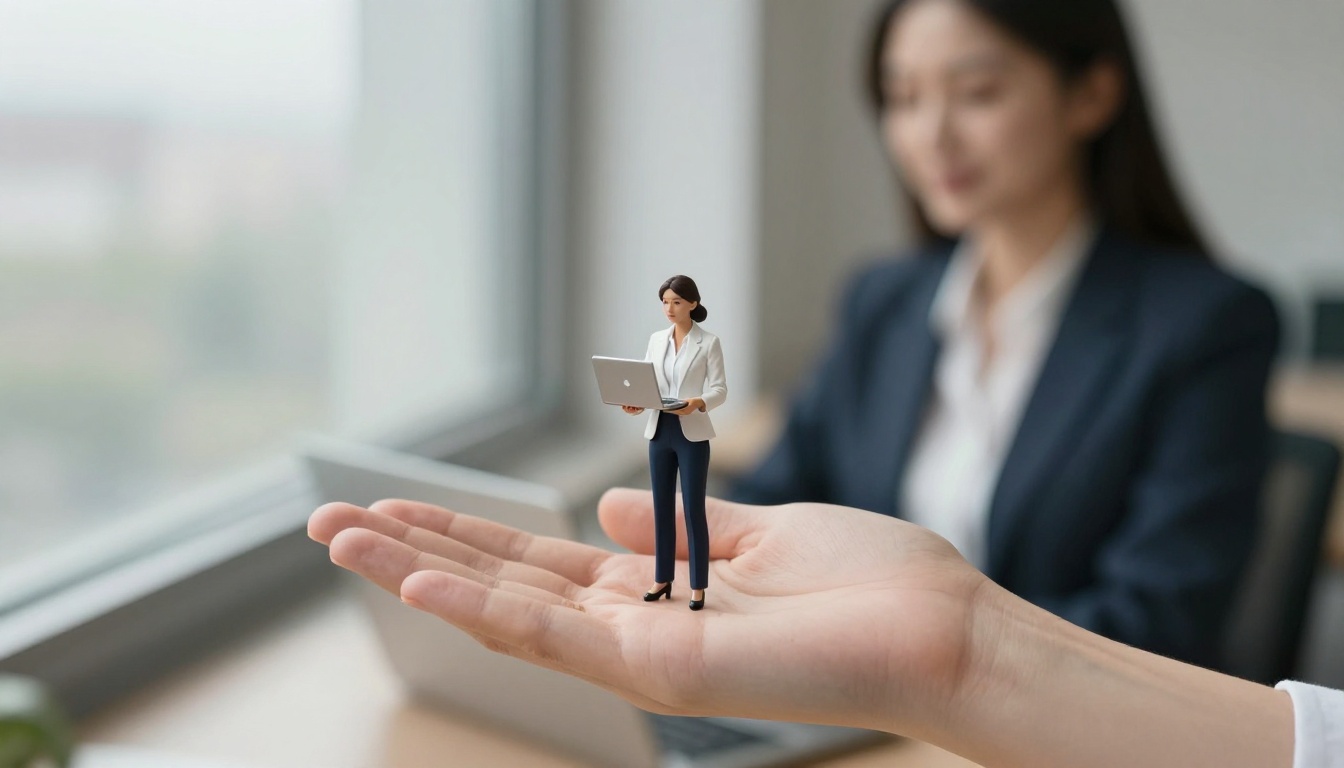
The photo above shows the pattern that spreads fastest: eye-level camera, one hand in the foreground, soft window light, and a miniature who wears exactly what the real person wears. The matching outfit does the storytelling. The viewer spots the clone in half a second, then keeps looking for the next detail, like the tiny shadow on the palm or the weave of the denim.
Why People Keep Posting It
Three things make this trend easy to repeat:
It is instantly readable. Nobody needs a caption to get the joke.
It is personal. It is your face, your jacket, your dog. Friends tag each other and ask for their own version.
It is cheap to remake. Same prompt, new outfit, new location, new post.
Every convincing Mini Me has the same three ingredients:
Believable scale. Roughly three to five centimeters tall, with natural adult proportions.
Matching identity. Same face, same hairstyle, same clothes as the real person.
Physical contact. Feet that press into the skin and a soft shadow across the palm.
Miss one of these and viewers feel that something is off, even when they cannot say what.
The Base Prompt That Works
Most prompts for this trend fail in a predictable way. They say "tiny me on my hand" and leave scale, contact and lighting to chance. The version below spells all three out, and it is the one every variation in this article builds on.
Copy This Prompt
Use the person in image 1 as the reference. Photorealistic close-up photo of a real open hand held palm up, and standing in the center of the palm a tiny miniature version of the same person, about 4 cm tall, with the same face, hairstyle and outfit as image 1. Natural adult proportions, full body visible from head to feet, the tiny figure's feet pressing slightly into the skin and casting a soft shadow across the palm. Visible fingerprint ridges, skin pores and fine creases on the hand. Eye-level camera, soft window light from the left, 85mm lens at f/1.8, shallow depth of field, natural colors, subtle film grain. No text, no logos.
If your model does not accept reference photos, replace the first line with a written description of yourself, for example: a woman in her late twenties with a dark wavy bob, a faded denim jacket and a cream t-shirt. Keep the rest untouched.
What Each Part Does
Every phrase in the prompt has a job. When a result looks wrong, this table tells you which line to edit.
Prompt part
Job
What happens if you skip it
"Use the person in image 1 as the reference"
Locks the identity to your photo
A generic stranger stands on the hand
"real open hand held palm up"
Gives the model a stable, flat stage
Fingers curl, twist or multiply
"about 4 cm tall"
Sets the scale
The figure grows to the size of the hand
"same face, hairstyle and outfit"
Makes the clone obvious
The miniature looks like a random doll
"feet pressing slightly into the skin"
Adds physical contact
The figure floats above the palm
"soft shadow across the palm"
Sells depth
The figure looks pasted on
"fingerprint ridges, skin pores"
Pushes the hand toward real skin
Smooth, waxy, plastic hands
"85mm lens at f/1.8"
Controls perspective and blur
Flat, snapshot-style framing
💡 Tip: If the figure looks too big, change "about 4 cm" to "about 3 cm". If you want more face detail, go the other way and try 5 cm. Change one number at a time so you can see what moved.
Prompt Variations to Try
Keep the skeleton from the base prompt and swap the middle. The three variations below are the ones that get remade the most.
Streetwear Mini Me
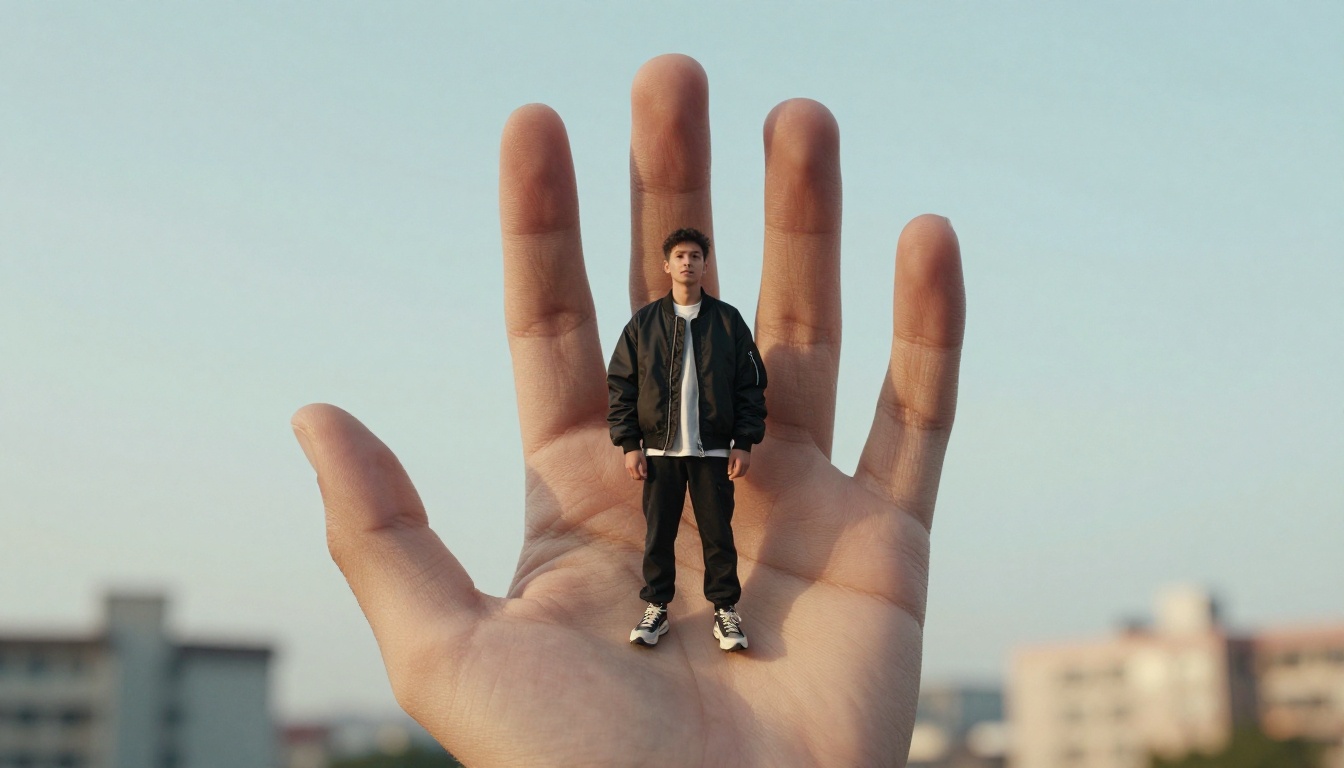
Low camera angle, a raised hand against the sky, and an outfit with strong shapes. Bold silhouettes read well at tiny sizes.
Low-angle photo looking up at a raised open hand against a pale blue sky, and standing on the palm a tiny 4 cm miniature of the same person from image 1 in an oversized black bomber jacket and chunky sneakers. Feet pressing into the skin, soft rim light from the late afternoon sun behind, visible fingerprint ridges, 24mm lens, film grain, photorealistic.
Mini Pet on Your Palm
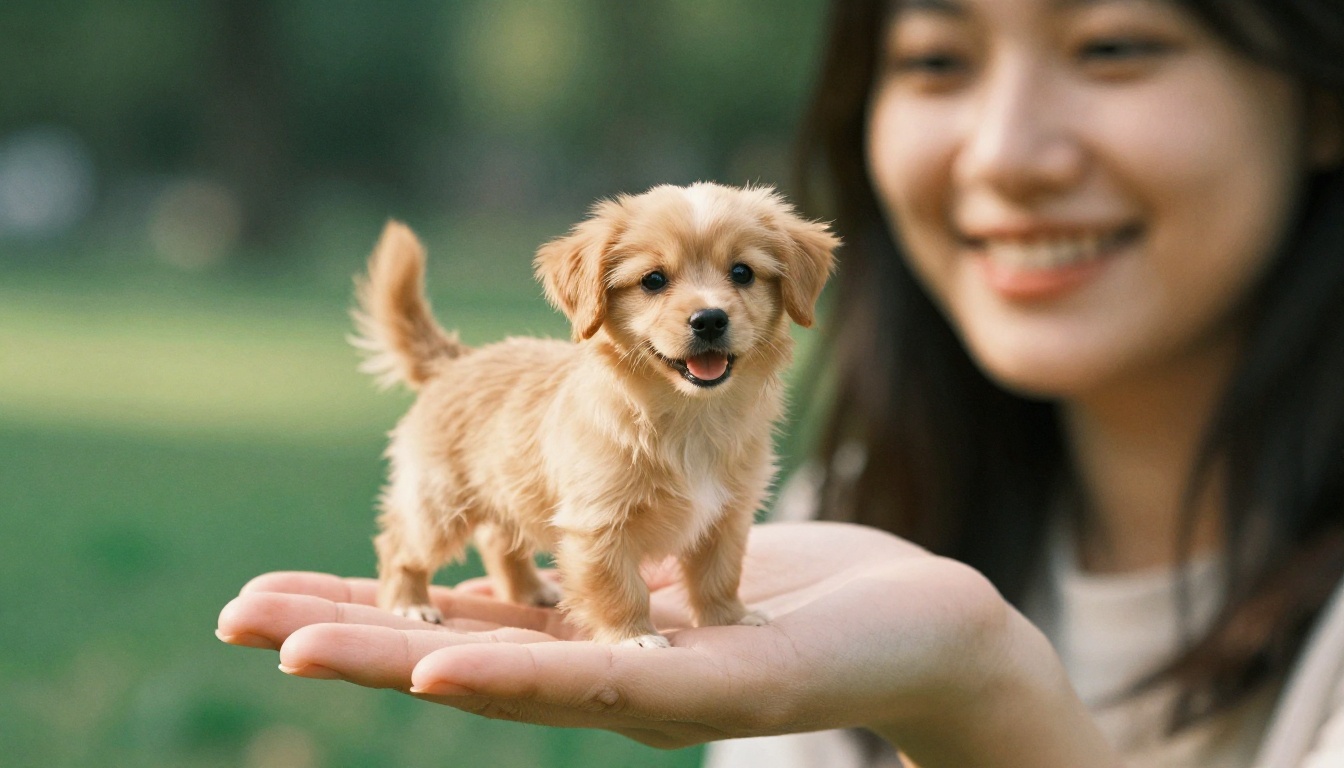
The same idea works for animals, and it gets even more shares because the scale feels impossible and adorable at once. Swap the person for your dog, cat or rabbit, and describe the fur instead of the outfit.
Close-up photo in a green park of a woman's palm held out gently, and standing on it a tiny 4 cm miniature of the golden retriever from image 2, tail mid-wag, mouth open in a happy pant. Dappled afternoon sunlight through leaves, visible golden fur strands, 100mm macro lens at f/2.8, natural colors.
The Office Version
This one is popular with freelancers and small business owners who want a profile image that is memorable without being silly. A blazer, a tiny laptop, a calm expression.
Side-angle photo in a modern office of a hand held palm up beside a window, and standing on the palm a tiny 4 cm miniature of the woman from image 1 in a navy blazer and white blouse, holding a small laptop. The real woman is blurred at her desk in the background. Soft overcast light from the left, 50mm lens at f/2, muted neutral colors.
Once these three feel natural, try changing only the scene:
Rainy window seat: the tiny figure in a raincoat, droplets on the glass behind, cool gray light.
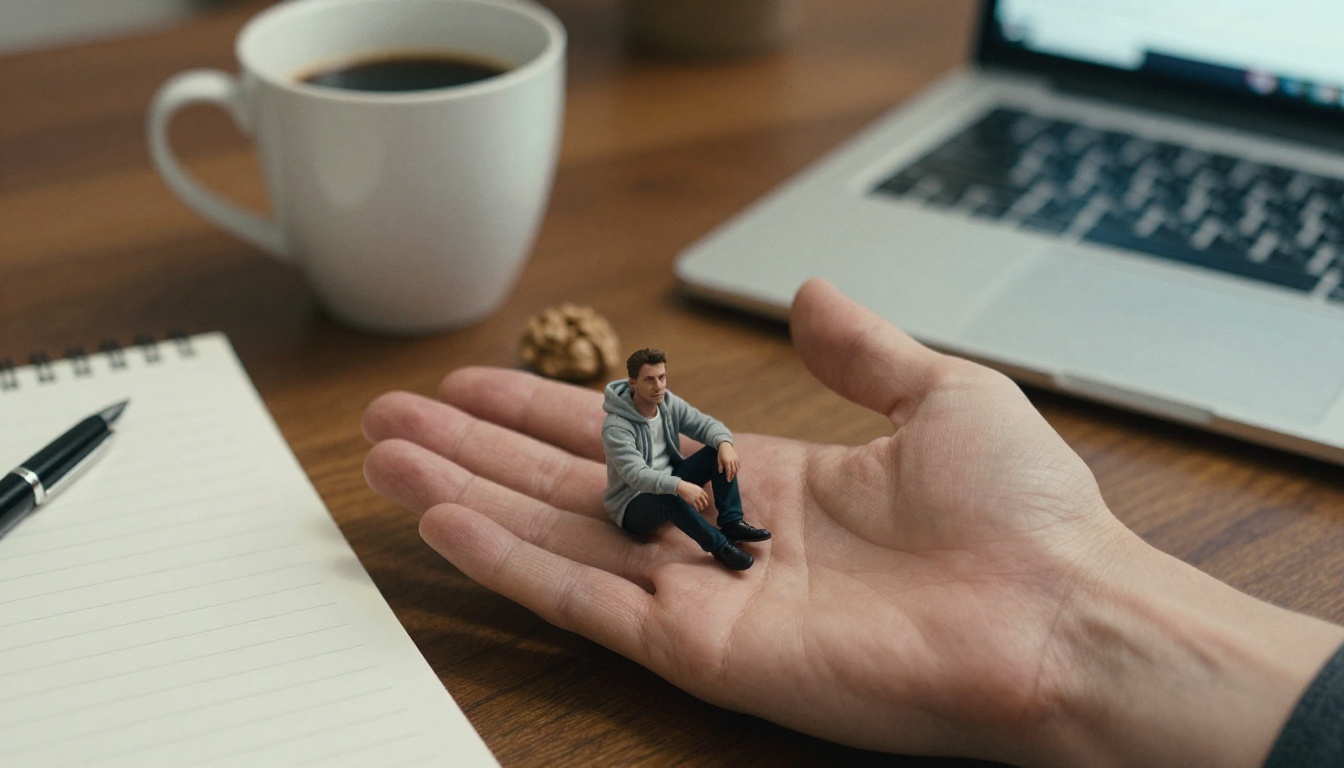
Kitchen counter at breakfast: the figure sitting beside a coffee mug that is taller than it is.
Snowy street: a thick coat and a scarf, breath visible in the cold air, soft overcast sky.
Sunset rooftop: warm side light, city skyline blurred in the distance.
Bookshop aisle: the figure leaning on a paperback the size of a door.
How to Make It on PicassoIA
PicassoIA gives you the models for the whole workflow in one place: one to generate the Mini Me from your selfie, one to fix small flaws, and video models to bring it to life.
Useful when you want to test a long, detailed scene description
Start with Seedream 5 Pro for the first pass, then use PicassoIA Image Editor Pro for touch-ups, because you can iterate on it as many times as you like without watching a quota.
Step by Step With a Selfie
Choose your reference photo. Front-facing, even light, no sunglasses, and the outfit you want on the miniature clearly visible.
Open Seedream 5 Pro and upload the photo in the reference image field.
Paste the base prompt. Edit the outfit and scene lines if you want something different from your photo.
Set the size to 2K and pick the aspect ratio for where you will post it.
Generate and inspect. Check three things in order: scale, contact between feet and skin, and the fingers.
Send the best result to PicassoIA Image Editor Pro if something is off. Upload it as image 1 and write a precise edit, such as: Keep image 1 exactly as it is, but make the tiny figure slightly smaller and add a soft shadow under its feet.
Save the final file as PNG if you plan to animate it or crop it for several platforms.
Settings That Matter
Setting
Recommended
Why
Size
2K
Fingerprint ridges and fabric texture survive cropping
Aspect ratio
3:4 or 9:16 for vertical feeds, 16:9 for blogs and thumbnails
Matches where the image will live
Reference photos
1 or 2 clear selfies
More angles of the same face reduce drift
Output format
PNG
No compression artifacts around the tiny figure
Seed (Image Editor Pro)
Lock it when an edit works
Lets you repeat the same fix on similar images
Number of outputs (Image Editor Pro)
2
Gives you a choice every run
Fixing Common Mini Me Mistakes
Nearly every failed attempt falls into one of three groups. Each has a quick repair.
Giant Head, Wrong Scale
The most frequent flaw: the miniature looks like a bobblehead, or it is nearly as big as the hand. The model has no instinct for centimeters unless you give it one.
Add these phrases: natural adult proportions, full body visible from head to feet, about 4 cm tall, the size of a thumb. Avoid words like "cute" or "chibi", which push the model toward big heads and small bodies.
Extra Fingers and Odd Hands
Hands are still the weak spot of image models. Describe the hand plainly: a relaxed open hand with five natural fingers, palm up. If one result is almost perfect, do not start over. Open it in PicassoIA Image Editor Pro and write: Fix the hand in image 1 so it has five natural fingers. Leave everything else unchanged.
Face Drift From Your Photo
When the miniature stops looking like you, the reference is usually the problem. Use a sharp, front-facing photo with even light. Add a second photo from a slightly different angle, and repeat the identity line in the prompt: the same face, hairstyle and outfit as image 1. Sunglasses, heavy filters and group photos all weaken the match.
Symptom
Add this to the prompt
Figure floats above the hand
feet pressing slightly into the skin, soft contact shadow
Hand looks waxy
visible fingerprint ridges, skin pores, fine creases
Figure is too large
about 3 cm tall, thumb-sized, tiny
Wrong outfit
Name every garment and its color once, clearly
Background steals focus
shallow depth of field, background softly blurred
Animate Your Mini Me
A still Mini Me gets attention. A five second clip where the tiny version waves, blinks and fixes its hair gets saved and replayed. Image-to-video models take your finished photo as the first frame and add motion on top.
The rule is simple: move the tiny figure, freeze the hand. If the hand shakes, the illusion of scale collapses.
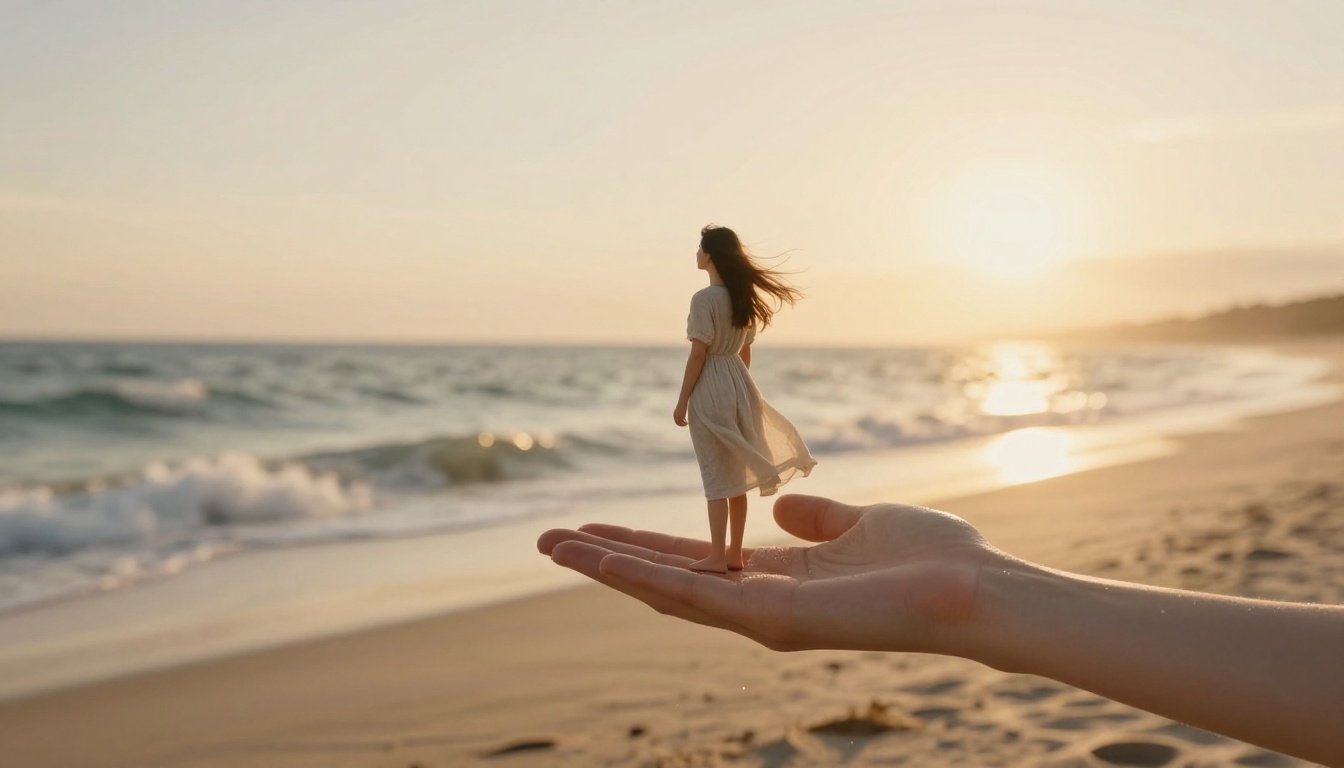
The tiny figure waves at the camera, blinks, and tucks a strand of hair behind one ear. The real hand stays perfectly still. Slow push-in, a soft sea breeze moves the hair and the hem of the dress. Natural light, realistic motion, no cuts.
Ask for one or two small actions only. Short, believable gestures survive a five second clip far better than a long dance routine. Start from the 2K still so the first frame is sharp.
Caption and Posting Tips
A good image can still go unnoticed if it is posted carelessly. A few habits help:
Keep the tiny figure near the center. It survives square and vertical crops that way.
Post a before and after. Put the original selfie first and the Mini Me second. The jump from ordinary to impossible is the hook.
Keep the caption short. Lines like "Pocket-sized me.", "Tiny me, big plans." or "Held together by coffee." let the picture do the talking.
Make it a series. Streetwear, office, rainy day, pet. Each post teases the next one.
Share the prompt when people ask. They will ask, and answering builds a loyal audience.
💡 Tip: Only use photos of yourself or of people who have said yes. A Mini Me of a friend is a fun surprise when they agree, and a bad idea when they have not been asked.
Make Your Own Mini Me Today
You now have the full recipe: the base prompt, the table that tells you which line to edit, three variations, the right settings and fixes for the usual mistakes. The only missing piece is your own photo.
Open Seedream 5 Pro on Picasso IA, upload a clear selfie, paste the base prompt and generate your first tiny version of yourself. If the scale or the fingers are off, run the result through PicassoIA Image Editor Pro as many times as you need. When the still looks right, hand it to Seedance 2.0 or Kling v3 Video and give your Mini Me a wave.
Try the outfit swaps, the pet version and the rainy window scene, then post the one that makes your friends say "wait, how?". Every model mentioned here, and many more, sits at picassoia.com/en/all-models.