You have a script, a deadline, and two MiniMax voice models that look almost identical on paper. Speech 2.8 HD and Speech 2.8 Turbo accept the same text, the same voices, and the same settings, yet HD costs 67% more per character while Turbo finished its published sample runs in less than half the time. So which one belongs in your narration pipeline, and does a cloned voice change the answer?
This article puts the two side by side on voice quality, speed, voice cloning, and real pricing, with worked cost examples you can adapt to your own scripts. It also shows how to run both on PicassoIA, so you can hear the difference before you spend anything on a big project.
💡 Short answer: Pick HD for finished narration, audiobooks, and anything a listener hears on headphones. Pick Turbo for drafts, high volume, and any job where $60 versus $100 per million characters adds up.
Two Models, One Real Difference
Both models come from MiniMax and belong to a text to speech family that also includes Speech 2.6 HD and Speech 2.6 Turbo. The names tell most of the story. HD trades speed for fidelity. Turbo trades a little polish for speed and a smaller bill.
What HD Is Built For
Published descriptions of Speech 2.8 HD stress tonal detail, nuanced emotion, and natural breathing, with the biggest gains in low-energy delivery: a soft, tired, or reflective read. Replicate's model page for HD also says it ranked first on two public text to speech arenas, one of them hosted on Hugging Face. Leaderboards move, so check the current standings before you repeat that claim. Think audiobooks, documentary narration, and brand videos where one flat sentence gets noticed.
What Turbo Is Built For
Speech 2.8 Turbo is tuned for speed, low latency, and volume. Replicate's listing for it claims latency under 250 milliseconds, and published descriptions point to its strongest results in high-energy registers such as upbeat ads, product announcements, and quick customer replies. It shares the same voice library, the same language hints, and the same emotion list, so switching between the two rarely means rewriting a script.
| Feature | Speech 2.8 HD | Speech 2.8 Turbo |
|---|
| Built for | Fidelity, tonal detail, subtle emotion | Speed, low latency, volume |
| List price | $100 per 1M characters | $60 per 1M characters |
| Published sample run | About 5.8 seconds | About 2.0 and 2.5 seconds |
| Input limit | 10,000 characters per request | 10,000 characters per request |
| Cloned voice_id | Accepted in the voice_id field | Accepted in the voice_id field |
| Output formats | MP3, WAV, FLAC, PCM | MP3, WAV, FLAC, PCM |
| Emotions | auto plus nine styles | auto plus nine styles |
Controls, Quality, and Speed Compared
On PicassoIA the two models expose the exact same inputs, which makes a fair comparison easy: change only the model and every other setting stays put.
Settings Both Models Share
- voice_id: defaults to Wise_Woman. Replicate's listings name 17 or more presets, including Deep_Voice_Man, Imposing_Manner, Casual_Guy, Lively_Girl, Young_Knight, and Abbess.
- emotion: auto, happy, sad, angry, fearful, disgusted, surprised, calm, fluent, or neutral.
- language_boost: None, Automatic, or one of about 40 named languages. The list is identical on both models, so language count should not decide your pick.
- speed, pitch, volume: speed from 0.5 to 2.0, pitch from -12 to +12 semitones, volume from 0 to 10.
- Pause markers: type a marker like
<#0.5#> inside the text to insert a half-second pause.
- english_normalization: improves how numbers and dates are read in English, at the cost of a little latency.
- Output options: MP3, WAV, FLAC, or PCM; MP3 bitrate from 32 to 256 kbps; sample rate from 8,000 to 44,100 Hz; mono or stereo; optional sentence-level subtitle timestamps.
What You Hear and Wait For
Quality first. Both models produce clean, natural speech, and the gap shows up in the details: the breath before a sentence, the way a sad line trails off, the micro-pauses inside a long clause. Those details are where HD is designed to win. In a fast, upbeat read the gap narrows, which is why Turbo holds up in ads and announcements.
Speed second. The example run published on the HD page took about 5.8 seconds for a single sentence. The two Turbo examples took about 2.0 and 2.5 seconds for sentences of similar length. Three runs is an anecdote, not a benchmark, and queue times vary, but the direction matches the product names.
A fair listening test takes ten minutes:
- Pick a 150 word paragraph that contains a number, a date, a name, a question, and one quiet line.
- Run it on both models with the same voice_id, emotion, and speed.
- Play the clips on headphones and again on a phone speaker.
- Note which clip you would publish without editing.
💡 Tip: Change one variable per test. If you swap the model and the emotion together, you will never know which change made the clip better.
How Voice Cloning Works Here
Voice cloning turns a short recording into a reusable voice_id. On PicassoIA that job belongs to Voice Cloning, a separate model whose output you paste into the voice_id field of a speech model. Both 2.8 models support this: their voice_id field says to pick a MiniMax system voice or an ID returned by the cloner.
Recording a Clean Sample
The cloning model accepts MP3, M4A, or WAV files from 10 seconds to 5 minutes, under 20 MB. It also offers noise reduction, volume normalization, and an accuracy threshold from 0 to 1 that defaults to 0.7. Replicate's listing says a reference as short as 5 seconds can work, but it notes that longer samples improve accuracy, so aim for 30 to 60 seconds of clean speech.
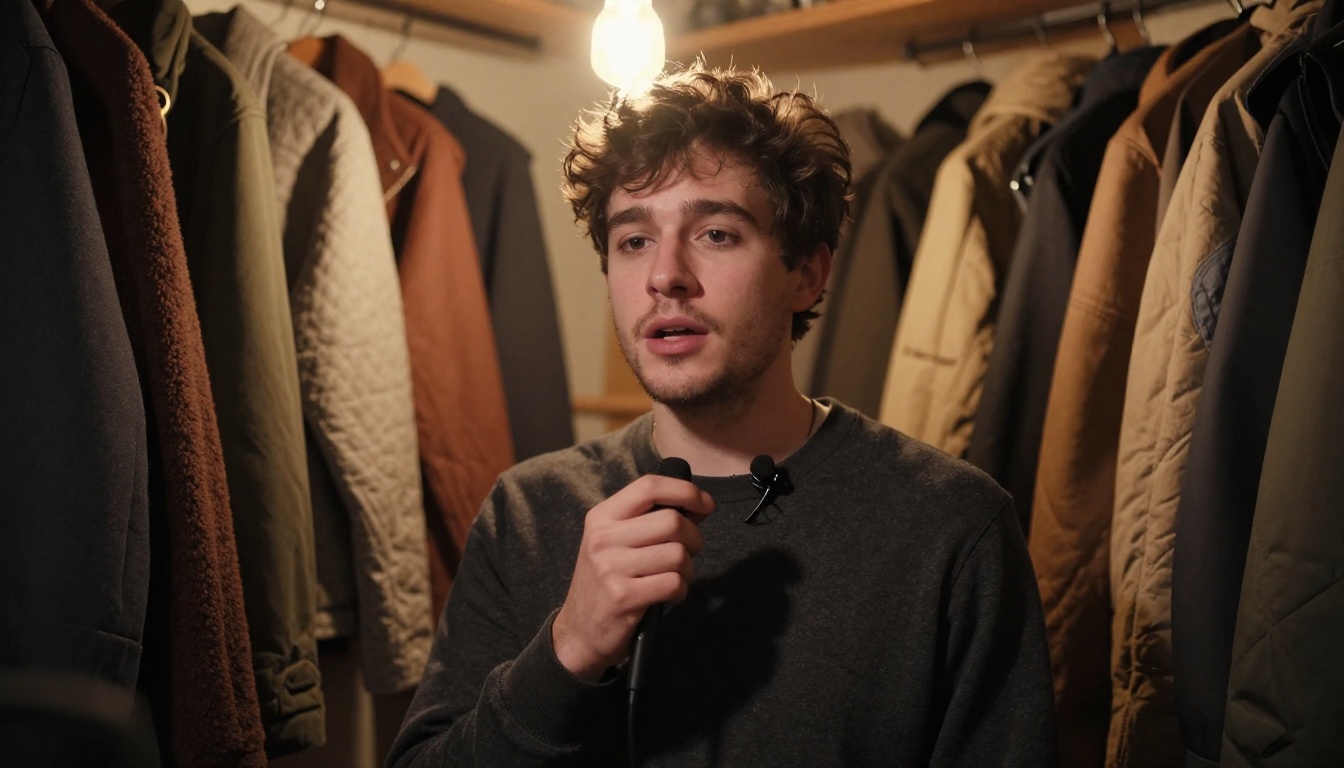
- Record in a small, soft room. A closet full of coats beats an empty kitchen.
- Hold one microphone distance and read in the tone you want the voice to have.
- Skip music, echo, and a second speaker.
- Switch on noise reduction only when the file has background hiss, since clean input beats cleanup.
💡 Permission matters: Only clone a voice you own or have written permission to use. A signed release from a voice actor or client takes two minutes and removes every doubt later.
The 2.6 Versus 2.8 Question
Here is the catch worth knowing. The model setting inside Voice Cloning lists Speech 2.6 Turbo, Speech 2.6 HD, Speech 02 Turbo, and Speech 02 HD, with 2.6 HD as the default. Speech 2.8 is not on that list, even though the 2.8 voice_id field accepts IDs from the cloner. The schema alone does not say how closely a voice trained on a 2.6 tier carries over to 2.8.
So test it. Clone once with the default tier, then speak the same line through 2.8 HD, 2.8 Turbo, and 2.6 HD. Compare each result with your original recording. If 2.8 drifts from the speaker, run the cloned voice through 2.6 HD instead and keep 2.8 for stock voices.
Using Your Cloned voice_id
After cloning, copy the returned voice_id into the voice_id field of either 2.8 model, then write any script you like. Cloning is billed at $1.50 per voice, charged on first synthesis use, and one voice can be reused across every later run. Try emotion and language_boost on the cloned voice with a short line before committing a long script.
If MiniMax cloning does not match your speaker, two other models are worth a short test: Qwen3 TTS, listed for cloning any voice or designing your own, and Chatterbox, which pairs cloning with emotion control.
What It Really Costs
The numbers below are MiniMax's list rates for the 2.8 models, as repeated on third party pricing pages. They are the cleanest way to compare the two. What you pay on a specific platform depends on that platform's own plan, so read these as a baseline for choosing between HD and Turbo, not as a PicassoIA invoice. Rates change, so confirm them on MiniMax's pricing page before you budget a big project.
Price per Million Characters
| Item | HD | Turbo |
|---|
| Per 1,000,000 characters | $100 | $60 |
| Per 1,000 characters | $0.10 | $0.06 |
| Per 10,000 character request | $1.00 | $0.60 |
Turbo is 40% cheaper than HD, and HD is 67% more expensive than Turbo. Both statements are true; they describe the same gap from opposite ends. Voice cloning is a flat extra: $1.50 per voice, charged on first synthesis use.

Real Scripts, Real Totals
These totals assume about 6 characters per word including spaces and a narration pace of 150 words per minute.
| Project | Characters | HD | Turbo | Saved with Turbo |
|---|
| 60 second ad read (150 words) | 900 | $0.09 | $0.054 | $0.036 |
| 2,500 word article narration | 15,000 | $1.50 | $0.90 | $0.60 |
| 200 podcast episodes at 8,000 characters | 1,600,000 | $160.00 | $96.00 | $64.00 |
| 10 hour audiobook (90,000 words) | 540,000 | $54.00 | $32.40 | $21.60 |
A custom cloned voice adds $1.50 once. Narrating those 15,000 characters in a cloned voice therefore costs $3.00 in total on HD or $2.40 on Turbo.
Retakes are the hidden multiplier. Regenerate a 15,000 character script four times to tune the delivery and HD costs $6.00. Run three draft passes on Turbo ($2.70) and finish once on HD ($1.50) and the total is $4.20, a 30% saving with the final take still rendered on HD.
💡 Tip: Every regenerated paragraph is billed again. Fix punctuation, numbers, and pause markers in the script before you press generate, not after the third retake.
Which One Should You Pick
Choose by what the audio is for, not by which model sounds more impressive in isolation.
Pick HD When
- The audio is the product: audiobooks, courses, documentary narration, and brand films.
- The script has quiet, sad, or reflective passages that must not sound flat.
- Listeners will spend more than a few minutes with the voice on headphones.
- The file will be published without a human edit pass.
Pick Turbo When
- You are drafting, iterating, or checking pacing.
- Volume matters: hundreds of short clips, product descriptions, or notification voices.
- The read is upbeat and energetic, like ads, announcements, and social clips.
- You are prototyping a voice assistant where response time counts.
Draft on Turbo, Finish on HD
The cheapest workflow uses both. Lock the script, voice, and emotion on Turbo, where each pass costs 40% less and returns faster. When the wording is final, render the keeper on HD. Because the two models share every setting, the same inputs carry across unchanged.
Multilingual projects benefit most. Swap language_boost, audition each language on Turbo, then finish the approved ones on HD. Have a native speaker listen to ten seconds of each before you publish, since accent slips are invisible to second language ears.

How to Use Speech 2.8 on PicassoIA
The flow is the same on both models. Open the Speech 2.8 HD page or the Speech 2.8 Turbo page and work through the fields below.
Step by Step Setup
- Paste your script into the text field (up to 10,000 characters). Add pauses with markers like
<#0.8#>.
- Choose a voice_id. Keep Wise_Woman or paste a cloned voice_id.
- Set the emotion. Start with auto, then lock one style once you know the tone you want.
- Set language_boost. Choose Automatic for mixed text or a named language for a single-language script.
- Tune speed, pitch, and volume. Small moves go a long way. Try speed between 0.95 and 1.15.
- Pick the output. MP3 at 128 kbps for drafts, 256 kbps MP3 or WAV for finals, and stereo only if your editor needs it.
- Generate, listen, download. Re-run until the take is right, then save the file.
💡 Tip: Turn on english_normalization when a script is full of numbers, dates, or prices. It adds a little latency but reads them more naturally.
Starter Settings Worth Copying
| Project | emotion | speed | pitch | Output |
|---|
| YouTube narration | auto | 1.2 | +2 | MP3, 128 kbps |
| Product demo | fluent | 1.0 | 0 | Stereo MP3 |
| Audiobook chapter | calm | 0.95 | 0 | WAV with timed pauses |
| Ad read on Turbo | happy | 1.1 | 0 | MP3, 256 kbps |
Treat these as starting points and adjust by ear. The first two rows follow the use cases listed on the HD model page.
Add Music and Check Transcripts
A voice rarely works alone. For a music bed, ask Music 2.6, Lyria 3 Pro, or ElevenLabs Music for a low-energy instrumental with a steady tempo, then set it well below the narration in your editor so every word stays clear.
For quality control, run each finished clip through a speech to text model such as GPT-4o Transcribe or Gemini 3 Pro and compare the transcript with your script. A mismatched word usually points to a mispronounced name or number. GPT-4o Mini Transcribe is another option for long batches. The same trick works on a cloning sample: transcribe your recording first to confirm the audio is clear before you spend $1.50 on a voice.
Try Both Voices Yourself
The fastest way to settle HD versus Turbo is to hear both read your own words. Open Picasso IA, paste a paragraph from your next video, podcast, or lesson, and run it through Speech 2.8 HD and Speech 2.8 Turbo with identical settings. Clone your own voice if you want a personal narrator, add a music bed, check the transcript, and pick the take your audience will not skip. Draft cheap, finish polished, and build the whole project in one place.


